8 Best Asset Tag Label Printers for 2027
You need asset tag printers that deliver sharp, durable labels and support reliable workflows. Whether you’re managing inventory, tracking equipment, or organizing assets, finding the right printer is key to staying efficient and organized. The Makeid D50 shines when it comes to producing long-lasting industrial labels that stand up to tough conditions.
At the same time, the Brother QL-810W offers both USB and Wi-Fi connectivity, making it a versatile choice for wireless printing. DYMO 550 is perfect if you want to keep costs low with direct thermal printing that’s simple and effective. For small businesses, the CLABEL 221D offers Bluetooth convenience, making label printing easy and portable.
If you need wider labels, consider the iDPRT SP310 or the fast Zebra ZD411. And for those working in the field, portable models like the MakeID P31S and the rugged REEKON P1L are built to handle tough jobs on the go. Keep exploring these options to find the perfect fit for your asset tagging needs.
| Image | Name | Editor's Rating | Price |
|---|---|---|---|

|
|
||

|
|
||

|
|
||

|
|
||
|
|
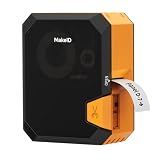
Makeid D50 Industrial Label Maker, 2 Inch Desktop Printer with Auto Cutter
- 2-Inch Print Head for Versatile Applications - Create everything from cable labels and data&telecommunications labeling to asset tracking, electrical labeling, laboratory...
- Outstanding Print Quality - Utilizing thermal transfer printing technology, our labels maintain their clarity for up to 10 years without fading. With a 300 DPI...
- Enhanced Efficiency - D50 label printer is equipped with an automatic cutter for effortless bulk label cutting. Our integrated label and ribbon cartridge design allows...
- Mobile and PC Compatibility - Connect via mobile app for easy printing or use PC software for more flexible editing options. With a powerful 2600mAh battery, enjoy an...
- Auto-Template Matching - Use exclusive consumables, the D50 printer rapidly identifies label sizes and auto-matches templates. This hardware-media synergy makes sure...
The Makeid D50 Industrial Label Maker offers a straightforward solution for demanding labeling tasks. Its 2-inch print head is ideal for clear, precise labels used in asset tracking, electrical wiring, and warehouse organization. This focus on functionality helps you maintain order and improve efficiency in busy industrial environments.
Designed for ease of use, the D50 features an automatic cutter and integrated cartridge system. This setup allows you to replace consumables in just seconds, minimizing downtime during large print jobs. The printer’s thermal transfer technology ensures labels remain legible for up to 10 years, reducing the need for frequent replacements.
Connectivity is flexible with support for both a mobile app and PC software, giving you convenience in managing print jobs from different devices. The built-in 2600 mAh battery supports up to 90 days of standby time, making it reliable for extended use without constant recharging.
While compact for a desktop device, the D50’s size may limit portability compared to handheld options. Its exclusive consumables support ensures consistent print quality but may increase running costs. Still, for industrial professionals needing durable, high-quality labels, the Makeid D50 is a practical and efficient choice.
Best for: Industrial professionals and businesses requiring durable labels for asset tracking, electrical labeling, and warehouse marking.
What We Like:
- Long-lasting thermal transfer prints with sharp 300 DPI resolution.
- Quick consumable replacement with integrated cartridge and auto cutter.
- Flexible connectivity via mobile app and PC software.
- Extended battery life with 90 days standby time.
Specification:
| Feature | Details |
|---|---|
| Manufacturer | Makeid |
| Print Width | 2 inches (5.08 cm) |
| Print Resolution | 300 DPI |
| Battery Capacity | 2600 mAh |
| Standby Time | Up to 90 days |
| Device Type | Desktop label printer |
Brother QL-810W Professional USB & WiFi Label Printer
- Easy connectivity: Print from virtually anywhere or share on a network
- Print amazing black/red labels using DK 2251; Cutter Life: Upto 300,000 (die cut labels) 150,000 (continuous labels)
- Create cost effective paper labels for packages, envelopes, file folders, Name badges, postage and more. Operating system compatibility Mac OS X 10.11.x, Mac OS X...
- Ultra fast, upto 110 standard address labels per minute with black text at 300dpi. Create and Print labels from your mobile device when connected to a Wireless network...
- Windows and Mac compatible. Mobile device compatibility: AirPrint, Brother iPrint & Label

The Brother QL-810W label printer offers an efficient solution for fast and flexible label printing. Its wireless and USB connectivity lets you print from multiple devices without hassle, making it ideal for busy workspaces. The printer handles both die-cut and continuous labels up to 2.4 inches wide, delivering sharp black and red prints at 300 dpi for clear, professional results.
Designed for ease of use, the QL-810W features drop-in Brother DK supplies, simplifying media changes and reducing downtime. Its compact and lightweight design fits neatly on any desk or workspace, and optional battery support allows for mobile printing when needed. This versatility supports a wide range of labeling tasks, from asset tagging to shipping labels.
While it only prints in monochrome with black and red colors, the printer meets most labeling needs without the complexity of full-color printing. Some postage printing functions require an internet connection and Windows USB connection, which may limit certain features. It prints single-sided labels only, without automatic duplexing.
Best for: professionals and small businesses needing quick, versatile label printing with reliable wireless and USB connectivity.
What We Like:
- Fast printing speed of up to 110 labels per minute with 300 dpi clarity
- Multiple connectivity options including USB, Wi-Fi, AirPrint, and mobile app support
- Easy drop-in Brother DK supplies for quick media replacement
- Compact, lightweight design suitable for desktop or mobile use
Specification:
| Feature | Details |
|---|---|
| Manufacturer | Brother |
| Dimensions | 5.6 x 7.5 x 5.8 inches |
| Weight | 1.7 lb (0.77 kg) |
| Label Width | Up to 2.4 inches |
| Print Resolution | 300 dpi |
| Connectivity | USB, Wi-Fi, AirPrint, App |
DYMO LabelWriter 550 Series Thermal Label Printer
- Print precise quantities instead of wrestling with sheet labels
- ONLY WORKS WITH AUTHENTIC DYMO LABELS: Uses only high-quality, BPA-free DYMO Authentic LabelWriter labels; paper labels are made from FSC certified material
- NEVER BUY INK AGAIN: Direct thermal label printer, no expensive ink or toner required
- ELIMINATE WASTE AND HASSLE OF SHEET LABELS: Print precise label quantities with ease
The DYMO LabelWriter 550 Series offers a streamlined solution for precise, low-waste label printing. Its direct thermal technology removes the need for ink or toner, making maintenance simple and cost-effective. With automatic label recognition, it ensures you print the exact amount needed, reducing waste and saving time.
Designed for use exclusively with authentic DYMO labels made from FSC-certified, BPA-free paper, the printer guarantees consistent quality while supporting environmental responsibility. This focus on genuine materials helps maintain print clarity and durability for asset tags and other labeling needs.
The printer’s plastic-free packaging and optimized design contribute to lower ongoing costs and easier label handling. It is ideal for users who want reliable performance without the complexities of sheet labels or ink refills. However, it is limited to thermal labels and authentic DYMO supplies, which may restrict label variety.
If you need a dependable, eco-conscious label printer that balances efficiency with sustainability, the DYMO LabelWriter 550 Series is a practical choice.
Best for: Users seeking a reliable, eco-friendly label printer for precise, low-waste printing without ink or toner.
What We Like:
- Direct thermal printing eliminates ink or toner replacement.
- Uses FSC-certified, BPA-free authentic DYMO labels.
- Automatic label recognition reduces waste.
- Plastic-free packaging supports sustainability.
Specification:
| Feature | Details |
|---|---|
| Manufacturer | DYMO |
| Dimensions | Not specified |
| Weight | Not specified |
| Label Compatibility | Authentic DYMO LabelWriter thermal labels only |
| Material Use | FSC-certified, BPA-free paper |
CLABEL 221D 2″ Bluetooth Barcode Label Printer for Small Business
No products found.
The CLABEL 221D Bluetooth Barcode Label Printer brings speed and simplicity to small business labeling needs. Its compact 2-inch thermal printing produces clear, black-and-white barcode labels quickly without the mess of ink. This makes it ideal for busy retail counters and office supply management.
Connecting wirelessly via Bluetooth or through USB offers flexible printing options. The included Clabel trade app streamlines label creation with free templates and batch printing, reducing setup time and minimizing errors. This helps keep your workflow smooth and efficient.
Maintenance is straightforward thanks to direct thermal technology, which means no ink cartridges or ribbons to replace. Its small footprint fits neatly on any desk, making it easy to integrate into tight workspaces.
While best suited for narrow labels such as price tags and file folders, it’s not designed for larger shipping labels. The monochrome output keeps things simple but limits color use. This printer focuses purely on labeling without extra features like scanning or touchscreens.
Best for: Small businesses needing a fast, reliable thermal label printer for retail and office use.
What We Like:
- Quick printing speed of up to 50 pages per minute
- Bluetooth and USB connectivity for versatile use
- Easy setup with Clabel trade app and free label templates
Specification:
| Feature | Details |
|---|---|
| Manufacturer | CLABEL |
| Dimensions | Compact 2″ width |
| Printing Type | Direct thermal |
| Connectivity | Bluetooth, USB |
| Output | Black-and-white labels |
iDPRT SP310 Thermal Label Printer, Label Maker Fits 1″-3.35″ Width
No products found.
The iDPRT SP310 Thermal Label Printer delivers versatile labeling with widths from 1″ to 3.35″. It solves common printing challenges by accepting third-party thermal rolls, so you avoid costly proprietary media restrictions. This flexibility ensures you can print a wide range of labels, from shipping to barcode tags, without hassle.
Designed for reliability, the SP310 connects via USB for stable, plug-and-play operation on Windows, macOS, Linux, ChromeOS, and Raspberry Pi. Its built-in smart sensors automatically calibrate labels, reducing misprints and saving time on adjustments.
With a 203 DPI resolution and print speeds up to 4 inches per second, the printer produces clear, scannable labels quickly. Maintenance is straightforward, with no complicated setups or subscriptions. The free HereLabel software supports easy label design and bulk import, improving workflow efficiency.
While it lacks wireless connectivity and is limited to USB, the SP310’s robust functionality and flexible media compatibility make it a solid choice for businesses and individuals needing dependable thermal label printing.
Best for: Small businesses and professionals requiring flexible, high-quality thermal label printing with easy USB connectivity.
What We Like:
- Wide label width support (1″–3.35″) with third-party roll compatibility
- Stable USB plug-and-play operation across multiple platforms
- Smart sensors for automatic label calibration and alignment
- Crisp printing at 203 DPI with speeds up to 4 ips
- Free, subscription-free HereLabel software for design and bulk import
Specification:
| Feature | Details |
|---|---|
| Manufacturer | iDPRT |
| Label Width Range | 1″ – 3.35″ (2.54 cm – 8.51 cm) |
| Resolution | 203 DPI |
| Print Speed | Up to 4 inches per second |
| Connectivity | USB only |
| Compatible OS | Windows, macOS, Linux, ChromeOS, Raspberry Pi |
| Software | HereLabel (free, no subscription) |
Zebra ZD411 Direct Thermal Desktop Label Printer, 203 DPI ZD4A022-D01M00EZ
- Compact 2-Inch Label Printing Designed for desktop barcode and label printing in retail, warehouse, logistics, inventory, and office environments. Supports direct thermal...
- 203 DPI Print Resolution Delivers clear, scannable barcode labels, text, graphics, shelf labels, product labels, shipping labels, and asset tags with 203 dpi print...
- Fast Direct Thermal Performance Supports print speeds up to 6 inches per second, helping teams handle everyday labeling tasks efficiently in busy work areas.
- Flexible Connectivity Options Equipped with USB, USB Host, BTLE5, and a modular connectivity slot for flexible setup and future expansion.
- Small Footprint for Tight Workspaces Compact desktop design fits easily on counters, packing stations, receiving desks, POS areas, and back-office workstations.
The Zebra ZD411 Direct Thermal Desktop Label Printer offers a compact solution for fast, reliable label printing in tight workspaces. Its high-resolution 203 dpi printing produces sharp, clear labels without the need for ink or toner. This makes it an efficient choice for quick asset tagging and barcode printing.
Designed for ease of use and maintenance, the ZD411 supports various media types, including roll-fed and die-cut labels up to 2.28 inches wide. Its lightweight build and modular connectivity slot simplify setup and future upgrades. The printer connects via USB, USB Host, or Bluetooth LE 5, adapting smoothly to different workflows.
This desktop printer suits short-run labeling tasks in offices and small businesses. It handles product, shelf, and shipping labels with consistent quality. While the print speed of up to 6 inches per second meets most moderate demands, it may be less suitable for high-volume printing.
The ZD411’s no-ink direct thermal technology lowers ongoing costs and simplifies maintenance. However, it only supports monochrome printing and has a limited maximum label width, which may restrict some applications.
Best for: Small businesses and office environments needing a compact, reliable label printer for asset tagging, barcodes, and shipping labels.
What We Like:
- Crisp 203 dpi printing without ink or toner
- Multiple connectivity options including Bluetooth LE 5
- Compact and lightweight design for easy placement
- Supports various label media types
- Modular slot for future upgrade flexibility
Specification:
| Feature | Details |
|---|---|
| Manufacturer | Zebra Technologies |
| Print Technology | Direct Thermal |
| Resolution | 203 dpi |
| Max Print Speed | 6 inches per second |
| Max Media Width | 2.28 inches (58 mm) |
| Connectivity | USB, USB Host, Bluetooth LE 5 |
| Dimensions (W×D×H) | Compact desktop size |
| Weight | Lightweight |
MakeID P31S Portable Industrial Label Maker with Tape, 300dpi
- Keep Wiring Easy to Identify: Make cable connections easy to follow, from network ports to home theater wiring. Choose from 30+ label sizes and materials including vinyl...
- Spend Less Time Making Labels: Create and edit labels in the app or PC software, with bulk data import for larger jobs. Print sharp, smudge-proof text and barcodes at...
- Keep Tools and Parts Organized: Clearly label tool bins and parts boxes, or add QR code stickers to similar-looking tool bags so you can tell what’s inside. The 1-inch...
- Durable Labels for Tough Conditions: Thermal transfer printing creates waterproof and oil-proof labels with 10-year weather resistance, helping keep identification...
- Ready for Labeling on the Go: A 2600 mAh rechargeable battery provides up to 90 days of standby time between uses. The portable design makes it convenient to carry the...
The MakeID P31S Portable Industrial Label Maker is designed to create durable, waterproof labels that stand up to tough environments. Its high-resolution 300 dpi print ensures every label is clear and precise, solving the problem of illegible asset tags in harsh conditions.
This label maker supports over 30 types of media, including vinyl and heat-shrink tubing, making it ideal for industrial tasks like cable and tool identification. The labels resist water, oil, and extreme weather for up to a decade, reducing the need for frequent replacements.
With Bluetooth connectivity, designing labels is simple and flexible. You can quickly create and print labels from your smartphone or PC, which enhances efficiency on the jobsite. The device’s compact, lightweight design and long-lasting rechargeable battery make it easy to carry and maintain.
While it prints only in monochrome and has a maximum label width of 1 inch, these features align well with its specialized industrial use. The MakeID P31S is a practical solution for professionals who need reliable, long-lasting labeling in demanding settings.
Best for: Professionals and technicians requiring rugged, high-resolution labels for industrial and outdoor applications.
What We Like:
- Sharp, 300 dpi monochrome printing with water and weather resistance
- Compatible with over 30 media types for versatile labeling
- Bluetooth-enabled design via smartphone or PC
- Compact and lightweight with a long-lasting rechargeable battery
Specification:
| Feature | Details |
|---|---|
| Manufacturer | MakeID |
| Print Resolution | 300 dpi |
| Media Compatibility | 30+ types (vinyl, heat-shrink tubing, etc.) |
| Print Width | Up to 1 inch (2.54 cm) |
| Connectivity | Bluetooth |
| Battery | Rechargeable, up to 90 days standby |
| Weight | 0.75 kg (1.65 lb) |
| Color | Orange |
REEKON P1L Tagger Construction Label Printer & Bluetooth QR Code Maker

- Fast, One Click Labels: REEKON P1L construction label printer pairs with the BOLDR Pro App via Bluetooth to print custom labels with one click using pre built templates...
- Built for Jobsite Use: The P1L is fully portable, battery powered, and connects directly to your phone. A rugged rubber case enhances durability, while a robust mounting...
- Reduce Human Errors and Wasted Material: Jobsite labels provide a fast, cost effective way to organize tools and materials, replacing handwritten labels to improve...
- Durable Adhesive Thermal Labels: Fast printing, tear resistant thermal labels ideal for jobsite use, with high performance adhesives that hold through dust, moisture...
- Automatically Generated QR Codes: Bluetooth printer automatically generates QR codes that link directly to BOLDR Pro features. A suite of utilities allows for linking and...
The REEKON P1L Tagger transforms how you stay organized on demanding job sites. Its portable and rugged design ensures reliable label printing wherever your work takes you. The device’s thermal printing technology produces fast, tear-resistant labels without the need for ink, saving time and maintenance effort.
With Bluetooth connectivity, the P1L Tagger makes generating custom QR codes simple. These codes link directly to apps or websites, cutting down on errors caused by handwritten labels. The BOLDR Pro App provides prebuilt templates and one-click printing, streamlining label creation and enhancing project accuracy.
Designed for harsh environments, the printer’s rubber case and mounting clip keep it secure on your belt or cart. Its strong adhesive labels resist dust, moisture, and temperature changes, making them perfect for construction conditions. Battery life and charging should be considered for extended shifts, but overall it supports efficient on-site labeling.
Best for: professionals and contractors needing durable, portable labeling solutions to improve organization and reduce errors on construction sites.
What We Like:
- Rugged, portable design with secure mounting options
- Fast, ink-free thermal printing with tear-resistant labels
- Bluetooth-enabled QR code generation and app integration
- Labels withstand dust, moisture, and temperature shifts
Specification:
| Feature | Details |
|---|---|
| Manufacturer | REEKON |
| Dimensions | Compact, belt-mountable |
| Weight | Lightweight for portability |
| Material | Rubber case, high-performance adhesive labels |
| Color Options | Not specified |
Factors to Consider When Choosing an Asset Tag Label Printer
When choosing an asset tag label printer, you need to focus on print quality and how durable the labels will be.
Check if the printer supports the label sizes you require and offers the connectivity options that fit your workflow.
Also, consider printing speed, efficiency, and the software features that make editing and customization easier.
Print Quality And Durability
Because your asset tags need to endure various conditions, you’ll want to prioritize print quality and durability when choosing a label printer. Opt for thermal transfer printing if you need long-lasting labels, as these resist fading and can last over 5–10 years. This is unlike direct thermal labels that darken quickly.
Aim for a higher print resolution (203–300 DPI) to guarantee crisp text and scannable barcodes on small tags. Check that your label materials—such as polyester, vinyl, or PET—use industrial-grade adhesives. These adhesives help withstand water, oil, solvents, and UV exposure.
Also, confirm the printer supports environmental durability specs suited to your needs, like temperature range and weather resistance. Consider protective coatings and ribbon types to boost abrasion and chemical resistance in harsh environments. This way, your labels stay clear and intact no matter what.
Label Size Compatibility
Print quality and durability matter, but your labels also need to fit perfectly on your assets. Make certain the printer supports the exact label widths and lengths you require—whether that’s 1″ to 3.35″ wide or smaller sizes—so your tags adhere properly and barcodes or QR codes print without scaling.
Check the minimum printable margins and print head width to ensure multi-line text, logos, or dense barcodes stay clear and legible. Confirm the printer handles your preferred media types, like roll-fed, die-cut, continuous, or fan-fold labels, to fit your workflow.
Look for sensors that detect gaps, black marks, or notches on your labels, preventing misfeeds or misaligned prints. Finally, consider if the printer uses proprietary cartridges or supports third-party labels in the sizes and materials you need.
Connectivity Options Available
Choosing the right connectivity option can make or break your asset tag printing setup. USB connections offer reliable, plug-and-play stability, making them perfect for single-station workstations where you print labels directly.
If you need multiple users to access a centralized printer, Ethernet provides secure, high-speed networking across your LAN. It’s great for keeping things fast and reliable.
For mobile or handheld use, Bluetooth is convenient, though its range and stability can be limited compared to wired or Wi‑Fi options. So, it’s handy but might not be the best for every situation.
Wi‑Fi lets you print wirelessly from PCs and mobile devices, supporting cloud integration. Just keep in mind it requires careful network setup and security measures like WPA3 or VLANs.
Think about your workspace size, device types, and user count to pick the best connectivity that fits your printing demands and workflow. It’s all about what works best for you.
Printing Speed And Efficiency
Maximizing labeling speed and efficiency can save you valuable time and reduce operational bottlenecks. For moderate-volume labeling, look for printers that sustain 4–6 inches per second (≈100–150 mm/s). This balance helps you keep good throughput without sacrificing print quality.
Remember, higher resolutions like 300 dpi slow printing but sharpen small text and barcodes. So, pick based on your label size and barcode density.
Features like automatic cutters and quick media-change systems cut downtime during bulk runs. Batch-printing, serialization, and reliable connectivity options (USB or wireless) also boost your workflow and reduce manual tasks.
Finally, choose a printer with a duty cycle matching your daily label volume. This helps prevent overheating and maintenance delays, ensuring consistent, efficient operation over time.
Software And Editing Features
Beyond speed and hardware features, the software that comes with your asset tag label printer plays a key role in streamlining your workflow. You’ll want software that supports bulk import of CSV or Excel files and serialized fields so you can generate large batches automatically.
Look for a label editor with built-in barcode and QR code generators supporting common symbologies like Code 39, Code 128, QR, and PDF417. It should offer high-resolution output of at least 203–300 dpi.
Template management and auto-template matching help you save and reuse label layouts consistently. Cross-platform editing—Windows, macOS, iOS, Android—is a plus, especially with SDKs or APIs for integration into asset management systems.
Finally, confirm the editor supports durable print settings, preview modes, and batch control to reduce waste and guarantee scannable labels. These features make your labeling process much smoother and more reliable.
Power Source And Portability
When you need to print asset tags on the go, the printer’s power source and portability become essential factors. Choose between battery-powered, rechargeable, and AC-only printers depending on your work environment.
For mobile jobsites, rechargeable batteries are ideal, while fixed stations can rely on AC power. Check battery capacity and runtime to guarantee a full shift without frequent recharges.
Consider weight and size since lighter, compact printers are easier to carry but may have smaller batteries or less durability. Look for charging options like USB-C, external docks, or hot-swap batteries that fit your workflow and reduce downtime.
Also, evaluate power-saving features such as sleep modes and quick wake to extend battery life during intermittent use. Balancing these factors guarantees efficient, hassle-free printing wherever you work.
Supported Label Materials
After considering power and portability, you’ll want to focus on the types of label materials your printer can handle. Make sure it supports the materials you need—whether polyester, vinyl, heat-shrink tubing, cloth, or paper—since each varies in durability and adhesion.
Check if it works with thermal transfer ribbons or direct thermal media; for tough materials like polyester or vinyl, thermal transfer plus resin ribbon is essential. Also, verify the printer’s maximum and minimum label thickness and width to guarantee smooth feeding, especially for thin sleeves or wide tags.
Don’t forget adhesive options—permanent, removable, or specialty—and their compatibility with different surfaces. Finally, consider support for specialty finishes like laminated or tamper-evident labels and sensor features that detect gaps or black marks to guarantee precise printing every time.
Frequently Asked Questions
How Durable Are Asset Tag Labels in Extreme Weather Conditions?
You’ll find asset tag labels can be incredibly durable in extreme weather if you choose ones made from tough materials like polyester or vinyl with laminated coatings. They resist water, UV, chemicals, and temperature fluctuations effectively.
Honestly, picking the right material makes all the difference. When you go for polyester or vinyl with that extra laminated layer, you’re basically gearing up your labels to handle whatever nature throws at them. It’s pretty impressive how well they hold up!
Can Asset Tag Printers Integrate With Inventory Management Software?
You’ll find asset tag printers often dance seamlessly with inventory software, syncing data like a well-rehearsed duet. This integration lets you automate tracking, reduce errors, and keep your inventory flowing smoothly without missing a beat.
It’s pretty cool how these systems talk to each other, right? Makes managing assets way less of a headache.
What Types of Adhesive Materials Are Available for Asset Tags?
You’ll find asset tags with adhesives like permanent, removable, ultra-strong, and weather-resistant options.
Choose based on your surface type and environment. This way, your tags stay secure without damaging your assets when removed.
Are There Eco-Friendly Options for Asset Tag Labels and Printers?
Yes, you can choose eco-friendly asset tag labels made from recycled or biodegradable materials. Many printers now support soy-based inks and energy-efficient processes, helping you reduce environmental impact while maintaining durable, high-quality tags.
It’s pretty great how these options let you stay green without sacrificing quality. Plus, using sustainable materials is becoming easier and more affordable than ever.
How Often Should Asset Tag Printers Be Calibrated or Maintained?
How often do you want your asset tag printer to perform flawlessly?
You should calibrate and maintain it every 3 to 6 months, or more frequently if you use it heavily.
This helps ensure consistent print quality and keeps your printer lasting longer.
Conclusion
So, you want to tag your assets without turning your desk into a tangled mess of cables and cryptic labels? Grab one of these printers before your office looks like a barcode battle zone. Whether you’re printing tiny tags or giant QR codes, these printers have got your back—no more guessing which box hides the missing stapler.
Choose wisely, or prepare for the thrilling chaos of untagged mayhem! With the best asset tag label printers for 2027, organizing your workspace becomes effortless and efficient. These printers ensure clear, durable labels that stand up to daily wear and tear.
Investing in a reliable asset tag label printer means you’ll save time, reduce errors, and keep your inventory in check. So, if you want hassle-free asset management and a clutter-free office, one of these top-rated printers is your go-to solution. Don’t wait—make tagging your assets simple and smart today!