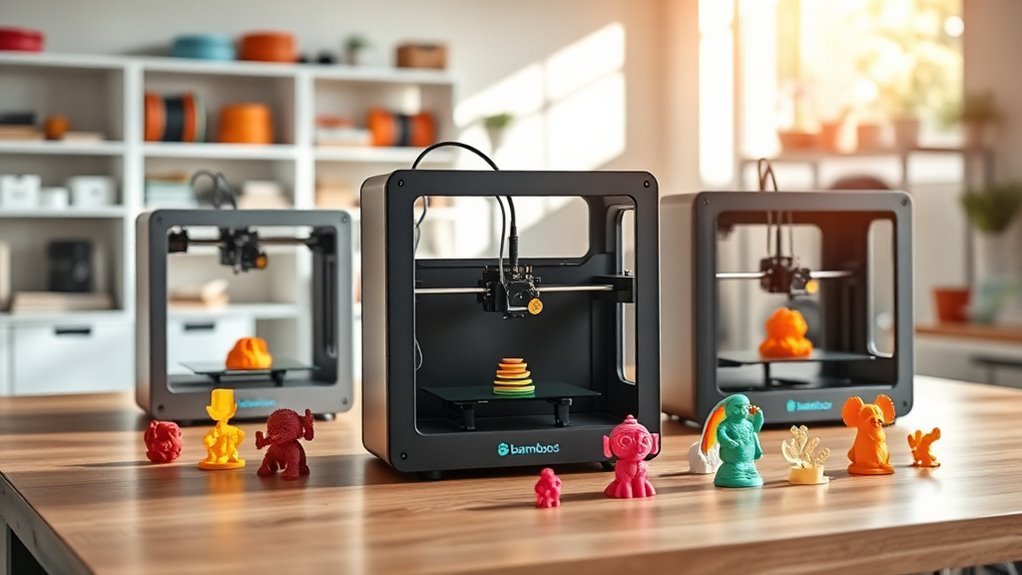
3 Best Bamboo Labs Printers for 2027 That Impress Every Maker
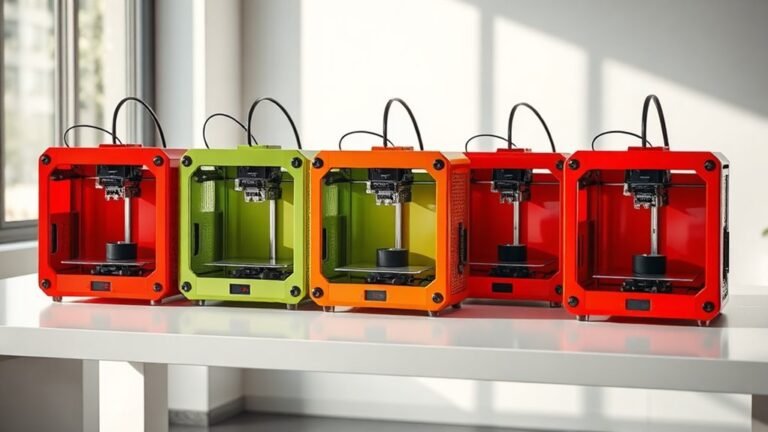
If you’re diving into multi-color 3D printing in 2027, Bamboo Labs has some impressive options to consider. Their printers are known for blending speed, precision, and ease of use, making them favorites among makers everywhere. Whether you want a powerhouse machine or something compact, Bamboo Labs has you covered with innovative features and reliable performance.
Let’s break down the top three Bamboo Labs printers that stand out this year.
First up is the P1S Combo with AMS. This beast handles up to 16 filaments and boasts fast CoreXY motion. If multi-color printing with versatility is your goal, this one’s a winner.
Then there’s the A1 Mini Combo. It offers compact multi-color printing, quiet operation, and easy maintenance thanks to its AMS lite system. Perfect for those who want power without the bulk.
Lastly, the P1S standalone is straightforward and reliable. If you want speed and quality without fuss, this hassle-free pick gets the job done. Each printer has its own vibe, so explore their features to find your perfect match.
| Image | Name | Editor's Rating | Price |
|---|---|---|---|

|
|
||

|
|
||

|
|
Bambu Lab P1S Combo, P1S 3D Printer and AMS, Multi-Color 3D Printing
- Up to 16 Colors: Bring your designs to life with vibrant multi-color/multi-material printing capabilities, perfect for showcasing your creativity. Note: Connecting Bambu...
- 500mm/s and 20000 mm/s² Acceleration True High Speed: Don't wait around for your masterpieces. Lightning-fast printing speed lets you focus on creating, not waiting.
- Enclosed Design: Fully enclosed body improves print performance for advanced filaments. Automatic Bed Leveling: Say hello to high-quality, successful prints. Auto bed...
- Set Up in 15 Minutes: Spend more time printing and less time setting up. User-friendly design ensures a hassle-free assembly experience for all skill levels.
- Supported Filament: Ideal: PLA, PETG, TPU, PVA, PET ABS, ASA; Capable : PA, PC; Not Recommended: Carbon/Glass Fiber Reinforced Polymer.
Step into the world of advanced multi-color 3D printing with the Bambu Lab P1S Combo. This system pairs the P1S 3D printer with the AMS accessory, allowing you to create complex, vibrant prints using up to 16 colors. Its intuitive design solves the common challenge of multi-filament printing by streamlining color changes without interrupting your workflow.
The printer’s CoreXY motion system delivers fast and precise movements, reaching speeds up to 500 mm/s. This means you can complete projects quickly while maintaining fine detail. The fully enclosed body protects prints and supports a range of advanced filaments, including PLA, TPU, and PETG, expanding your creative possibilities.
Maintenance is straightforward thanks to features like automatic bed leveling, which ensures consistent print quality with minimal user intervention. While the setup takes about 15 minutes, the AMS connection is essential for multi-color functionality and adds some initial complexity and cost.
Keep in mind, this model is not ideal for carbon or glass fiber reinforced polymers. Its heavier build at 47.5 pounds may limit portability but enhances stability during printing.
Best for: Professionals and enthusiasts who need high-speed, multi-color 3D printing with support for advanced materials and easy maintenance.
What We Like:
- Seamless multi-color printing with up to 16 filaments via AMS
- High-speed CoreXY motion system with excellent precision
- Fully enclosed design supports advanced filament types
- Automatic bed leveling for reliable, consistent prints
- Quick setup time despite multi-color complexity
Specification:
| Feature | Details |
|---|---|
| Manufacturer | Bambu Lab |
| Dimensions | Not specified |
| Weight | 47.5 lb (21.5 kg) |
| Material Support | PLA, TPU, PETG |
| Color Options | Multi-color with AMS |
Bambu Lab A1 Mini Combo, A1 Mini 3D Printer&AMS lite, Multi-Color Printing
- High-Speed Precision: Experience unparalleled speed and precision with the Bambu Lab A1 Mini 3D Printer. With an impressive acceleration of 10,000 mm/s², the A1 Mini...
- Multi-Color Printing with AMS lite: Unlock your creativity with vibrant and multi-colored 3D prints. The Bambu Lab A1 Mini 3D printers make multi-color printing...
- Full-Auto Calibration: Say goodbye to manual calibration hassles. The A1 Mini 3D printer takes care of all the calibration processes automatically, ensuring optimal...
- Active Flow Rate Compensation: Achieve consistently smooth prints with active flow rate compensation. The algorithm actively compensates the flow rate according to the...
- Easy and Quiet 3D Printing: A1 mini 3D printer offers easy printing with a user-friendly interface and simplified touchscreen. Setup for your first print takes just...
Experience the future of 3D printing with the Bambu Lab A1 Mini Combo, designed to bring vibrant multi-color creations to your workspace effortlessly. This compact 3D printer tackles the challenge of color variety by integrating the AMS lite accessory, enabling smooth transitions between hues without interrupting your workflow.
Its high-speed printing capability, supported by advanced acceleration and flow rate compensation, ensures your projects complete quickly while maintaining sharp details. The printer’s full-auto calibration and 1-Clip quick swap nozzle simplify maintenance, allowing you to focus more on creativity and less on setup.
The intuitive touchscreen interface makes navigation straightforward, while the quiet operation under 48 dB means you can print without distraction. Although it weighs 22 pounds, this portable size balances stability with convenience, ideal for hobbyists who need a reliable and space-saving device.
Best for: hobbyists and beginners seeking a compact, user-friendly 3D printer that excels in multi-color printing and precision.
What We Like:
- Seamless multi-color printing with AMS lite accessory
- Easy maintenance via full-auto calibration and quick swap nozzle
- Quiet operation for undisturbed printing sessions
Specification:
| Feature | Details |
|---|---|
| Manufacturer | Bambu Lab |
| Dimensions | 16.77 x 14.82 x 19.5 in |
| Weight | 22 lb |
| Color Options | Multi-color printing enabled by AMS lite |
Bambu Lab P1S 3D Printer, Ready-to-Use FDM 3D Printer
- Up to 16 Colors: Bring your designs to life with vibrant multi-color/multi-material printing capabilities, perfect for showcasing your creativity. Note: Connecting Bambu...
- 500mm/s and 20000 mm/s² Acceleration True High Speed: Don't wait around for your masterpieces. Lightning-fast printing speed lets you focus on creating, not waiting.
- Enclosed Design: Fully enclosed body improves print performance for advanced filaments. Automatic Bed Leveling: Say hello to high-quality, successful prints. Auto bed...
- Set Up in 15 Minutes: Spend more time printing and less time setting up. User-friendly design ensures a hassle-free assembly experience for all skill levels.
- Supported Filament: Ideal: PLA, PETG, TPU, PVA, PET ABS, ASA; Capable : PA, PC; Not Recommended: Carbon/Glass Fiber Reinforced Polymer.
Experience the future of 3D printing with the Bambu Lab P1S 3D Printer, designed to deliver speed and versatility without overwhelming beginners. This ready-to-use FDM printer is engineered to bring professional-quality prints to your workspace quickly and efficiently. Its CoreXY enclosed design ensures smooth movements, allowing print speeds up to 500 mm/s and rapid acceleration for reduced production times.
Setup is straightforward, taking just 15 minutes, and automatic bed leveling removes the hassle of manual adjustments. The printer supports a wide range of materials including PLA, PETG, and TPU, making it suitable for diverse projects. For enhanced creativity, the optional AMS accessory enables printing with up to 16 colors or materials, expanding your design possibilities.
Maintenance is minimal, thanks to its user-friendly design and reliable components. However, printing with carbon or glass fiber reinforced polymers is not recommended, so users should plan material choices accordingly. The P1S combines ease of use with advanced features, making it a practical choice for both novices and professionals.
Best for: Makers and professionals seeking a high-speed, versatile 3D printer that supports multi-material and multi-color projects with minimal setup.
What We Like:
- Rapid printing speeds up to 500 mm/s with smooth CoreXY motion.
- Easy 15-minute setup and automatic bed leveling for hassle-free starts.
- Supports up to 16 colors/materials with the AMS accessory.
- Compatible with common filaments like PLA, PETG, and TPU.
- Compact, enclosed design ensures consistent print quality.
Specification:
| Feature | Details |
|---|---|
| Manufacturer | Bambu Lab |
| Dimensions | Not specified |
| Weight | Not specified |
| Printing Technology | FDM (Fused Deposition Modeling) |
| Max Print Speed | Up to 500 mm/s |
| Acceleration | Up to 20,000 mm/s² |
| Supported Materials | PLA, PETG, TPU, others |
| Color Options | Up to 16 with AMS accessory |
Factors to Consider When Choosing a Bamboo Labs Printer

When choosing a Bamboo Labs printer, you’ll want to take into account how fast and precise it prints to match your project needs. Think about whether you need multi-color printing and which filament types the printer supports.
Also, check how easy it is to set up and how much noise it makes during operation. These factors can really affect your overall experience, so it’s good to keep them in mind before making a decision.
Printing Speed and Precision
Although speed often grabs attention, balancing it with precision is essential for getting the best results from your Bamboo Labs printer. You should look for models with high maximum travel speeds and acceleration ratings—several hundred mm/s and tens of thousands mm/s² guarantee faster prints without losing throughput.
The printer’s motion system, like a CoreXY design, plus a stiff frame and well-tuned belts, minimize ringing and positional errors at high speeds. Firmware that supports jerk and acceleration profiles, along with input shapers, helps maintain accuracy and surface quality.
Keep in mind smaller nozzles and thinner layers require slower effective speeds. Automated calibration and active flow compensation adjust extrusion and geometry in real time, preserving precision even as you push print speeds higher.
Multi-Color Printing Options
Since multi-color printing demands precise filament management, you’ll need a Bamboo Labs printer equipped with a multi-filament accessory like an AMS to switch between colors seamlessly during a single print. Check how many colors the system supports—most handle up to 16 filaments—so you can print complex, multi-color parts without manual swaps.
Make sure the slicer and firmware fully support smooth color changes, managing purge towers and shifts efficiently. Pay attention to filament handling features like dry enclosures and optimized filament paths to reduce stringing and oozing during swaps.
Also, keep in mind that multi-color prints require extra purge material and increase print time due to color changes and waste from purge structures. Balancing these factors guarantees reliable, high-quality multi-color prints with your Bamboo Labs printer.
Supported Filament Types
Managing multiple filaments for multi-color prints means you’ll want to pick a Bamboo Labs printer that supports the specific materials you plan to use. Common filaments like PLA, PETG, TPU, and ASA offer versatility.
But if you’re into engineering-grade materials like nylon or polycarbonate, make sure the printer handles higher extrusion temperatures and has an enclosed chamber to minimize warping.
If you plan to work with carbon- or glass-fiber reinforced filaments, look for hardened steel or ruby nozzles to avoid damage.
Also, consider filament storage needs, especially for moisture-sensitive types like nylon and PVA. Finally, check that the printer’s filament handling system can manage multiple spools and precise retraction to prevent color contamination during multi-material prints.
Ease of Setup
When choosing a Bamboo Labs printer, you’ll want to focus on how quickly and easily you can get it up and running. Look for models with pre-assembled frames and clear step-by-step guides, letting you finish first-print setup in about 15–20 minutes.
Automatic bed leveling and Z-offset calibration cut down manual tweaks, speeding up initial tuning. Features like one-clip or quick-swap nozzles and tool-less, accessible parts simplify maintenance and reduce setup hassles.
A built-in touchscreen interface and preloaded profile libraries help you skip manual slicer configurations, getting you printing faster. Just keep in mind that if you add accessories like multi-filament modules, you might need extra attachment or calibration time, which could extend your total setup duration.
Noise Levels During Operation
After setting up your Bamboo Labs printer, you’ll want to think about how much noise it makes during operation, especially if you plan to use it in a shared space like a home or office. Check the specified operating noise level—values at or below 50 dB are generally quiet enough for such settings.
Look for models with noise-reducing features like active motor cancellation or isolated fans, which help lower perceived sound. Also, consider duty-cycle noise; printers with quieter cooling strategies or variable-speed fans reduce continuous noise during long prints.
Remember that noise varies with printer states—high-speed printing and rapid movements tend to be louder. Finally, compare manufacturer decibel ratings measured at standard distances and factor in your room’s acoustics and enclosure options to gauge real-world noise levels effectively.
Warranty and Support Services
Although Bamboo Labs printers are known for their reliability, you’ll want to carefully review the warranty and support services before making a purchase. Confirm the warranty length and what it covers—parts, labor, electronics—and whether repairs are handled on-site or require you to ship the unit back.
Check for exclusions like wear items (nozzles, belts), misuse, or third-party accessories. Understand the claim process, including required documentation, shipping duties, and typical repair timelines.
See if extended warranties or service plans are available, what they cost, and what extra coverage they offer, such as priority support or spare parts.
Finally, assess Bamboo Labs’ customer support options—phone, email, live chat, forums—and their responsiveness to make sure you get timely help when needed.
Frequently Asked Questions
What Software Is Compatible With Bamboo Labs Printers?
You can use software like Cura, PrusaSlicer, and Bamboo Labs’ own software with their printers. These programs let you customize print settings, slice models, and optimize prints easily.
This ensures smooth and precise 3D printing experiences. It’s pretty handy to have options that make the whole process easier and more efficient.
How Do Bamboo Labs Printers Handle Filament Jams?
You’ll find Bamboo Labs printers detect jams quickly, pause printing automatically, and alert you instantly.
They guide you through clearing the blockage, ensuring smooth restarts, minimizing downtime, and keeping your projects running without frustration.
Are There Any Warranty Options for Bamboo Labs Printers?
Yes, Bamboo Labs offers warranty options covering defects and malfunctions. You’ll typically get a one-year limited warranty.
But it’s smart to check their specific terms and consider extended plans for extra peace of mind with your printer. That way, you’re covered in case anything unexpected happens.
Can Bamboo Labs Printers Be Used for Commercial Purposes?
Yes, you can use Bamboo Labs printers for commercial purposes. They’re designed to handle professional workloads with reliable performance.
Just make sure you review their warranty and licensing terms to align with your business needs. It’s always good to double-check so everything runs smoothly.
What Is the Typical Maintenance Schedule for These Printers?
Don’t worry about complex upkeep; you should clean the nozzle and bed weekly, lubricate moving parts monthly, and update firmware regularly.
This simple routine keeps your printer running smoothly without eating up your valuable time.
Conclusion
Choosing the perfect Bamboo Labs printer lets you release limitless creativity with lightning-fast, layered learning. Whether you pick the P1S Combo’s clever colors or the A1 Mini Combo’s mighty mini multi-color magic, you’re in for a treat. The ready-to-roll P1S also offers flawless features fitting your fabrication fantasies.
Focus on factors like functionality, flexibility, and finesse to fuel your future-focused 3D printing fun. These printers make it easy to plunge into design dreams and discover dazzling details. Bamboo Labs printers truly deliver on quality and innovation.
In 2027, choosing one of the best Bamboo Labs printers means embracing cutting-edge technology that impresses every maker. From vibrant multi-color options to compact, efficient builds, these printers cater to all skill levels. Whether you’re a hobbyist or a pro, Bamboo Labs’ lineup offers the perfect blend of performance and creativity to bring your ideas to life.