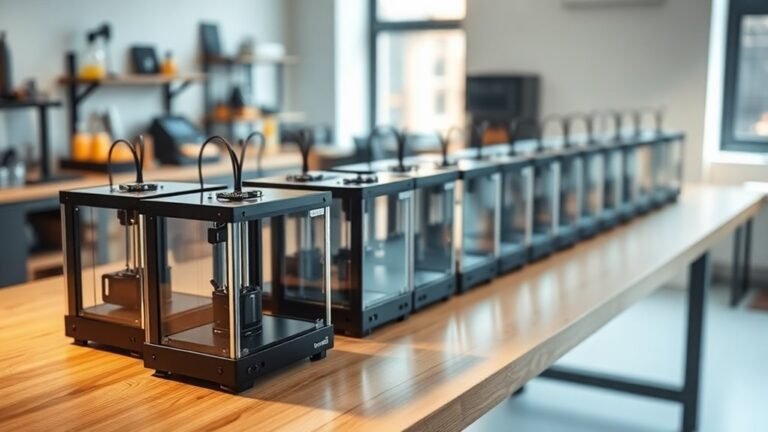
10 Best Asset Tag Printers for 2027
If you’re on the hunt for reliable asset tag printers for 2027, you’ve got some great options to consider. These printers are designed to deliver durable, high-resolution thermal transfer prints that last. For instance, the Makeid D50 and MakeID EP53 stand out for their quality and reliability.
The Brother QL-800 is a fantastic choice if you need fast, professional labeling. Meanwhile, the rugged MakeID P31S is built to handle tough jobsite conditions without breaking a sweat.
Looking for versatile connectivity? Models like the Brother TD-4550DNWB and CLABEL 221D offer wireless convenience to keep you moving. These printers strike a balance between speed, durability, and ease of use—making them some of the best asset tag printers to explore today.
| Image | Name | Editor's Rating | Price |
|---|---|---|---|

|
|
||

|
|
||
|
|
||

|
|
||

|
|
iDPRT SP310 Thermal Label Printer, Label Maker Fits 1″-3.35″ Width
No products found.
The iDPRT SP310 thermal label printer is designed to simplify your labeling tasks with flexibility and ease. It handles label widths from 1″ to 3.35″, making it ideal for a wide range of labels like file folders, barcodes, and SKU tags. This versatility means you won’t be limited by label type or size, helping you keep your inventory or assets organized efficiently.
Its open system design supports third-party thermal label rolls, so you avoid the hassle and extra cost of proprietary media. The printer connects via USB and offers multi-OS driver support, enabling quick setup and stable printing without compatibility issues. This straightforward connectivity ensures you can focus on your work without technical interruptions.
Maintenance is simple thanks to smart sensors and one-touch calibration. These features ensure every label prints with precise alignment, reducing waste and saving time. The printer’s 203 DPI resolution is suitable for most business needs, although extremely fine details may require a higher resolution model.
Best for: Small to medium businesses and individuals needing a flexible, reliable label printer compatible with various label types and third-party media.
What We Like:
- Supports broad label widths, including barcodes and SKU tags
- Open system allows use of third-party label rolls
- Stable USB connection with multi-OS driver support
- Smart sensors and easy calibration for consistent label alignment
Specification:
| Feature | Description |
|---|---|
| Manufacturer | iDPRT |
| Label Width | 1″ to 3.35″ (2.54–8.5 cm) |
| Connectivity | USB |
| Print Resolution | 203 DPI |
| Supported OS | Windows, macOS |
| Dimensions | Not specified |
| Weight | Not specified |
Brother QL-800 High-Speed Professional Label Printer
- Lightning Speed: Transform your labeling efficiency with this professional thermal label printer, delivering an impressive 93 labels per minute at crystal-clear 300 dpi...
- Dual-Color Innovation: Elevate your labeling with Brother Genuine technology that enables both black and red printing capabilities, allowing you to create eye-catching...
- Versatile Applications: Dominate your organization needs with this powerful label maker machine, perfect for creating professional shipping labels, file folders, name...
- Advanced Integration: Experience seamless connectivity with Windows and Mac systems, featuring Brother Genuine Plug & Label technology that enables instant printing from...
- Professional Design: Maximize productivity with the built-in auto-cutter for precise label finishing, compatible with Brother Genuine DK pre-sized labels and...

The Brother QL-800 is designed to keep up with fast-paced work environments. It prints labels quickly at up to 93 labels per minute, helping reduce wait times in busy offices and warehouses. This printer produces sharp, clear labels with a resolution of 300 x 300 dpi, ensuring every tag is easy to read.
Its dual-color printing in black and red makes important information stand out, ideal for asset tracking and organization. Using direct thermal technology, it eliminates the need for ink or toner. This reduces maintenance and keeps running costs low.
The QL-800 supports Brother’s DK rolls and continuous tapes up to 3 feet long. Labels load smoothly with a drop-in system, and the built-in auto-cutter provides clean edges every time. Connection is simple via USB, and you can print directly from Microsoft Office apps without installing extra software.
While it lacks wireless connectivity and supports only Brother Genuine DK media, its reliable performance and ease of use make it a practical choice for professional label printing needs.
Best for: Busy offices and warehouses needing fast, high-resolution, dual-color label printing without ink or toner hassles.
What We Like:
- Fast label output at 93 labels per minute with sharp 300 x 300 dpi quality
- Dual-color printing enhances label readability and emphasis
- Easy media loading with drop-in DK rolls and automatic cutter
- Direct printing from Microsoft Office apps without additional software
Specification:
| Feature | Details |
|---|---|
| Manufacturer | Brother |
| Dimensions | Not specified |
| Weight | Not specified |
| Print Technology | Direct thermal |
| Resolution | 300 x 300 dpi |
| Connectivity | USB 2.0 |
| Media Supported | Brother DK rolls and continuous tapes (up to 3 feet) |
| Color Options | Black and red |
Makeid D50 Industrial Label Maker, 2 Inch Desktop Printer with Auto Cutter
- 2-Inch Print Head for Versatile Applications - Create everything from cable labels and data&telecommunications labeling to asset tracking, electrical labeling, laboratory...
- Outstanding Print Quality - Utilizing thermal transfer printing technology, our labels maintain their clarity for up to 10 years without fading. With a 300 DPI...
- Enhanced Efficiency - D50 label printer is equipped with an automatic cutter for effortless bulk label cutting. Our integrated label and ribbon cartridge design allows...
- Mobile and PC Compatibility - Connect via mobile app for easy printing or use PC software for more flexible editing options. With a powerful 2600mAh battery, enjoy an...
- Auto-Template Matching - Use exclusive consumables, the D50 printer rapidly identifies label sizes and auto-matches templates. This hardware-media synergy makes sure...
The Makeid D50 Industrial Label Maker is designed to streamline your labeling tasks with precision and ease. Its 2-inch print head delivers sharp 300 DPI prints that remain clear for up to 10 years, solving the common problem of fading labels in demanding environments. This device is ideal for creating durable asset tags that stand up to industrial wear and tear.
Maintenance is simple thanks to the smart cartridge design, allowing you to change consumables in about five seconds. This reduces downtime and keeps your workflow moving efficiently. The built-in auto cutter ensures clean, professional edges on every label, enhancing usability.
This label maker adapts to various industrial needs, from marking cables and equipment to organizing warehouses. It automatically matches label sizes with templates, saving time and reducing errors. Connectivity via mobile app or PC software provides flexible editing options, making it easy to customize labels on the go or at your desk.
Powered by a 2600 mAh battery, the Makeid D50 supports up to 90 days of standby time, offering reliability and portability for busy workplaces. However, its maximum label width of 2 inches may limit some larger labeling requirements.
Best for: Industrial and commercial users needing durable, high-quality labels for asset tracking, electrical, laboratory, and warehouse applications.
What We Like:
- Sharp 300 DPI thermal transfer printing ensures long-lasting labels.
- Quick and easy consumable replacement with integrated cartridge design.
- Auto-template matching speeds up label selection and reduces errors.
- Flexible connectivity through mobile app and PC software.
- Portable with a long-lasting 2600 mAh battery and up to 90 days standby.
Specification:
| Specification | Details |
|---|---|
| Manufacturer | Makeid |
| Print Width | 2 inches (approx. 5.08 cm) |
| Print Resolution | 300 DPI |
| Battery Capacity | 2600 mAh |
| Connectivity | Mobile app, PC software |
| Consumable Type | Integrated label & ribbon cartridge |
| Cutter Type | Auto cutter |
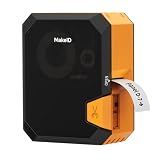
MakeID P31S Portable Industrial Label Maker with Tape, 300dpi
- Keep Wiring Easy to Identify: Make cable connections easy to follow, from network ports to home theater wiring. Choose from 30+ label sizes and materials including vinyl...
- Spend Less Time Making Labels: Create and edit labels in the app or PC software, with bulk data import for larger jobs. Print sharp, smudge-proof text and barcodes at...
- Keep Tools and Parts Organized: Clearly label tool bins and parts boxes, or add QR code stickers to similar-looking tool bags so you can tell what’s inside. The 1-inch...
- Durable Labels for Tough Conditions: Thermal transfer printing creates waterproof and oil-proof labels with 10-year weather resistance, helping keep identification...
- Ready for Labeling on the Go: A 2600 mAh rechargeable battery provides up to 90 days of standby time between uses. The portable design makes it convenient to carry the...
The MakeID P31S Portable Industrial Label Maker is designed for professionals who need durable labeling solutions in tough environments. Its compact, rugged design ensures reliable performance outdoors or on industrial sites. This label maker prints sharp, water- and oil-resistant labels at 300 dpi, making your markings clear and long-lasting.
Using advanced thermal transfer technology, it supports over 30 label types, including vinyl and heat shrink tubing. This versatility helps you tackle a wide range of labeling tasks while meeting ANSI and TIA/EIA-606-A standards. The device’s bright orange casing makes it easy to spot in busy workspaces.
Maintenance is straightforward, with a long-lasting 2600 mAh battery that reduces downtime. Bluetooth connectivity allows you to design labels quickly on your smartphone or PC, simplifying large or repetitive jobs. Although it prints only in monochrome and supports relatively small label sizes, it handles demanding tasks efficiently.
Best for: Professionals and technicians who require a durable, portable label maker for industrial, outdoor, and harsh environment labeling tasks.
What We Like:
- Sharp, durable labels with 300 dpi thermal transfer printing
- Supports over 30 label types, including heat shrink tubing
- Bluetooth for easy label design on smartphones or PCs
- Compact, rugged design ideal for harsh environments
- Long battery life reduces interruptions
Specification:
| Feature | Details |
|---|---|
| Manufacturer | MakeID |
| Print Resolution | 300 dpi |
| Label Types | Over 30 (vinyl, heat shrink) |
| Connectivity | Bluetooth |
| Battery Capacity | 2600 mAh |
| Max Label Size | 0.8 in x 1.57 in |
| Color | Orange |
MakeID EP53 2 Inch Label Maker with Tape Thermal Transfer Bluetooth Printer
- 2-inch label printing: Prints 0.4 to 2-inch wide labels at 300 DPI for sharp, smudge-proof text and barcodes across warehouse, cable, equipment, and home organization...
- Thermal transfer technology: Produces fade-resistant, water-resistant labels for automotive maintenance, oil change records, cables, tools, and equipment identification.
- Labels for Multiple Environments: Supports PET, nylon, self-laminating, and flag labels. Thermal transfer printing creates fade-resistant labels for kitchens, storage...
- Long-lasting battery with easy cartridge swap: Built-in 2600 mAh rechargeable battery provides up to 90 days standby, and the integrated cartridge system makes label...
- PC editing software: Compatible with Windows and macOS for designing product identification labels, shelf labels, inventory labels, and office organization labels.
The MakeID EP53 2 Inch Label Maker offers a practical solution for professionals who need durable, high-quality labels. Its thermal transfer technology produces sharp, waterproof labels that resist fading, making it ideal for asset tagging and equipment identification. This ensures your labels remain clear and legible in demanding environments.
Designed for ease of use, the EP53 connects seamlessly via Bluetooth or USB-C. You can customize labels through a mobile app or desktop software, adapting to different labeling needs quickly. The bright OLED screen and compact orange design make operation simple and efficient.
Maintenance is straightforward with the integrated cartridge system, allowing fast tape changes without hassle. The rechargeable battery supports up to 90 days of standby time, reducing interruptions and keeping productivity high.
While it prints only monochrome labels and has a maximum width of 2 inches, the MakeID EP53’s reliable output and versatile connectivity make it a smart choice for busy workplaces requiring consistent labeling performance.
Best for: professionals and organizations needing durable, high-resolution labels for asset management and inventory control.
What We Like:
- Sharp, fade-resistant, waterproof labels using thermal transfer technology
- Easy Bluetooth and USB-C connectivity with customizable design options
- Long standby battery life and quick tape cartridge replacement
- Compact, user-friendly design with bright OLED display
Specification:
| Feature | Details |
|---|---|
| Manufacturer | MakeID |
| Label Width | 2 inches (5.08 cm) |
| Print Resolution | 300 DPI |
| Connectivity | Bluetooth, USB-C |
| Battery Standby | Up to 90 days |
| Display | OLED |
| Tape Types | PET, nylon, self-laminating |
REEKON P1L Tagger Construction Label Printer & Bluetooth QR Code Maker
- Fast, One Click Labels: REEKON P1L construction label printer pairs with the BOLDR Pro App via Bluetooth to print custom labels with one click using pre built templates...
- Built for Jobsite Use: The P1L is fully portable, battery powered, and connects directly to your phone. A rugged rubber case enhances durability, while a robust mounting...
- Reduce Human Errors and Wasted Material: Jobsite labels provide a fast, cost effective way to organize tools and materials, replacing handwritten labels to improve...
- Durable Adhesive Thermal Labels: Fast printing, tear resistant thermal labels ideal for jobsite use, with high performance adhesives that hold through dust, moisture...
- Automatically Generated QR Codes: Bluetooth printer automatically generates QR codes that link directly to BOLDR Pro features. A suite of utilities allows for linking and...
The REEKON P1L Tagger is a durable, portable label printer designed for demanding jobsite environments. Its rugged rubber casing and mounting clip make it easy to carry and protect during busy workdays. This printer is battery-powered and rechargeable via USB-C, ensuring it stays ready for use without interruption.
Using thermal printing technology, the P1L Tagger produces tear-resistant, ink-free labels that hold up against dust, moisture, and temperature changes. This means less maintenance and fewer replacements, saving valuable time on site. The printer pairs seamlessly with the BOLDR Pro App for quick, custom label creation using prebuilt templates and one-click printing.
One of its standout features is the automatic generation of Bluetooth QR codes, which streamlines tool tracking and project organization. While relying on Bluetooth connectivity may present challenges in areas with poor signal, the overall design focuses on simplifying workflows and reducing errors.
Best for: construction professionals and jobsite workers who need a reliable, portable label printer to organize tools and materials efficiently.
What We Like:
- Battery-powered and USB-C rechargeable for continuous use
- Rugged rubber case with mounting clip for easy portability
- Thermal printing delivers durable, tear-resistant labels
- Automatic Bluetooth QR code generation for streamlined organization
Specification:
| Feature | Details |
|---|---|
| Manufacturer | REEKON |
| Dimensions | Not specified |
| Weight | Not specified |
| Material | Rubber casing |
| Color Options | Not specified |
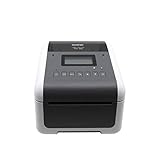
Brother TD-4550DNWB Thermal Desktop Label Printer
- EASY TO USE. Drop in spindle-less design for easy media replacement and easy to use label design software and built-in templates for do it yourself label design.
- FAST. Prints up to 6ips at 300dpi print resolution
- LEADING PRINT PERFORMANCE FOR SMALL AND LARGE VOLUMES. Top print performance that’s backed by seamless compatibility and connectivity options. Customers can boost...
- QUALITY LABELS FROM A DEPENDABLE PRINTER. Details and accuracy matter. Customers can depend on a 300dpi model that print clean, crisp details – even for small fonts and...
- INTEGRATIONS TO GET PRINTING FAST. Users can easily integrate into existing shipping and supply chain workflows, connect to mobile devices, and print right out of the box...
The Brother TD-4550DNWB delivers fast and reliable label printing tailored for busy offices and shipping centers. Its direct thermal technology produces sharp, monochrome labels at up to 300 dpi, ensuring clear barcodes and text every time. This precision helps reduce scanning errors and streamlines inventory management.
Designed for ease of use, it features a spindle-less drop-in media loading system that makes changing labels quick and hassle-free. It supports media widths up to 4 inches, accommodating a variety of labeling needs. Automatic duplex printing further enhances productivity by saving time on double-sided labels.
Connectivity is versatile, with options including USB, Ethernet, Wi-Fi, and Bluetooth. This flexibility allows printing from multiple devices such as laptops, tablets, and smartphones. However, Mac users should note it is not compatible with Mac OS.
The compact design fits well in tight spaces while maintaining efficient operation. Although it uses up to 120 watts of power and has a single output tray, these factors are balanced by its robust performance and ease of maintenance.
Best for: businesses and offices needing fast, reliable, and versatile label printing for shipping, inventory, and barcode applications.
What We Like:
- Crisp, high-resolution printing at 300 dpi for detailed labels
- Multiple connectivity options for flexible device use
- Easy spindle-less media loading for quick label changes
- Supports up to 4-inch wide labels with automatic duplex printing
Specification:
| Feature | Details |
|---|---|
| Manufacturer | Brother |
| Dimensions (W×D×H) | Not specified |
| Weight | Not specified |
| Print Technology | Direct Thermal |
| Print Resolution | Up to 300 dpi |
| Max Media Width | 4 inches |
| Connectivity | USB, Ethernet, Wi-Fi, Bluetooth |
| Mac Compatibility | Not compatible |
CLABEL 221D 2″ Bluetooth Barcode Label Printer for Small Business
No products found.
Experience hassle-free label printing with the CLABEL 221D, designed to streamline your small business operations. This 2-inch Bluetooth thermal printer lets you create labels and tags quickly without the need for cables or complex setups. Connect it easily to your iOS or Android device and start printing retail price tags, barcodes, or gift labels in moments.
The CLABEL 221D delivers sharp prints at 203 dpi and reaches speeds up to 50 monochrome pages per minute. Its inkless thermal technology means you won’t have to worry about replacing ink cartridges, reducing ongoing maintenance and costs. The compact design fits neatly on counters or in back offices, saving valuable workspace.
Ideal for small labels, it supports media widths from 0.96 to 1.78 inches, though it’s not suited for larger shipping labels or POS receipts. The Clabel app simplifies setup and batch printing, helping prevent errors and speeding up your workflow.
This printer is a practical choice if you need reliable, wireless printing for small-scale labeling tasks without the fuss of ink refills or bulky equipment.
Best for: Small businesses needing fast, wireless printing of small labels and tags such as retail price tags, barcodes, and gift labels.
What We Like:
- Convenient Bluetooth connectivity for iOS and Android devices
- Fast thermal printing up to 50 monochrome pages per minute
- Inkless design minimizes maintenance and operational expenses
- Compact size ideal for limited counter or office space
Specification:
| Feature | Details |
|---|---|
| Manufacturer | CLABEL |
| Print Width | 2 inches (approx. 50.8 mm) |
| Print Resolution | 203 dpi |
| Print Speed | Up to 50 pages per minute |
| Media Width Range | 0.96 – 1.78 inches (24.4–45.2 mm) |
| Connectivity | Bluetooth |
| Color Mode | Monochrome |
DYMO LabelWriter 550 Series Label Printer

- Print precise quantities instead of wrestling with sheet labels
- ONLY WORKS WITH AUTHENTIC DYMO LABELS: Uses only high-quality, BPA-free DYMO Authentic LabelWriter labels; paper labels are made from FSC certified material
- NEVER BUY INK AGAIN: Direct thermal label printer, no expensive ink or toner required
- ELIMINATE WASTE AND HASSLE OF SHEET LABELS: Print precise label quantities with ease
The DYMO LabelWriter 550 Series Label Printer is designed to simplify your labeling tasks with efficient, precise printing that saves time. Its direct thermal technology means you don’t need ink or toner, eliminating the hassle of refills and reducing ongoing costs.
This printer works exclusively with BPA-free, FSC-certified DYMO Authentic LabelWriter labels. This ensures each label is high quality and environmentally responsible. Automatic label recognition helps optimize label use, cutting waste and avoiding the common frustrations of sheet labels.
Maintenance is minimal since there are no cartridges to replace. The device’s plastic-free packaging also reflects an eco-conscious design. These features make it ideal for busy professionals who need reliable, consistent asset tagging without frequent upkeep.
While it only supports DYMO’s own labels and direct thermal printing, this limitation ensures every print is optimized for clarity and longevity. The DYMO LabelWriter 550 Series balances ease of use and sustainability in a compact, thoughtful design.
Best for: Professionals and businesses seeking efficient, eco-friendly, and cost-effective label printing with minimal maintenance and waste.
What We Like:
- Eliminates ink and toner with direct thermal printing
- Automatic label recognition reduces waste
- Uses BPA-free, FSC-certified eco-friendly labels
- Minimal maintenance with no cartridges required
- Plastic-free packaging enhances environmental responsibility
Specification:
| Feature | Details |
|---|---|
| Manufacturer | DYMO |
| Dimensions | Approx. 7.1 x 5.6 x 6.0 inches |
| Weight | Approx. 1.5 lbs (0.68 kg) |
| Printing Technology | Direct thermal |
| Label Compatibility | DYMO Authentic LabelWriter labels (BPA-free, FSC-certified) |
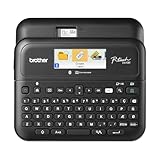
Brother P-Touch PT-D610BT Bluetooth Label Maker
- Advanced Connectivity: Seamlessly create and print labels through Bluetooth or USB connection, enabling multiple users to design custom labels from computers or mobile...
- Brother P-Touch Design Options: Features 17 fonts, 17 styles, 160 frames, and 900 symbols for creating eye-catching labels up to 1 in wide, with high-resolution printing...
- Efficient Organization: Built-in memory stores up to 90 frequently used labels for quick reprinting, while the automatic label cutter and QWERTY keyboard streamline your...
- Visual Preview: Large 20-character, 2-line full color LCD display allows you to preview labels before printing, ensuring accuracy and reducing waste while maintaining...
- Template Library: Access 175 pre-loaded business-specific templates for asset management and inventory tracking, plus customize designs using Brother P-Touch Editor...
The Brother P-Touch PT-D610BT is designed to simplify labeling tasks in busy environments. Its Bluetooth and USB connectivity allow seamless connection to Windows, macOS, Android, and iOS devices. This flexibility helps users print labels directly from their preferred platform without hassle.
With support for TZe tapes up to 24 mm wide, this label maker creates clear, sharp labels using its thermal print technology at 180 x 360 dpi. You can customize labels with 17 fonts, 900 symbols, and 175 business templates, making it ideal for detailed asset tags and inventory management. The built-in automatic cutter and QWERTY keyboard speed up the labeling process, reducing downtime.
Maintenance is straightforward thanks to durable TZe tapes, which resist wear indoors and outdoors. While it prints only in black, the high contrast ensures easy readability. However, the 24 mm tape width may limit larger label needs, and the software might take some time to learn for new users.
Best for: Busy professionals and businesses needing versatile, durable labeling solutions with reliable Bluetooth connectivity.
What We Like:
- Multiple device compatibility via Bluetooth and USB
- Wide range of fonts, symbols, and templates for customization
- Durable labels suitable for indoor and outdoor use
- Built-in automatic cutter for efficient workflow
Specification:
| Feature | Details |
|---|---|
| Manufacturer | Brother |
| Dimensions | Approx. 7.6 x 7.3 x 3.4 inches |
| Weight | Approx. 1.3 lbs (0.6 kg) |
| Tape Width | Up to 24 mm |
| Print Resolution | 180 x 360 dpi |
| Connectivity | Bluetooth, USB |
| Compatible OS | Windows, macOS, Android, iOS |
Factors to Consider When Choosing an Asset Tag Printer
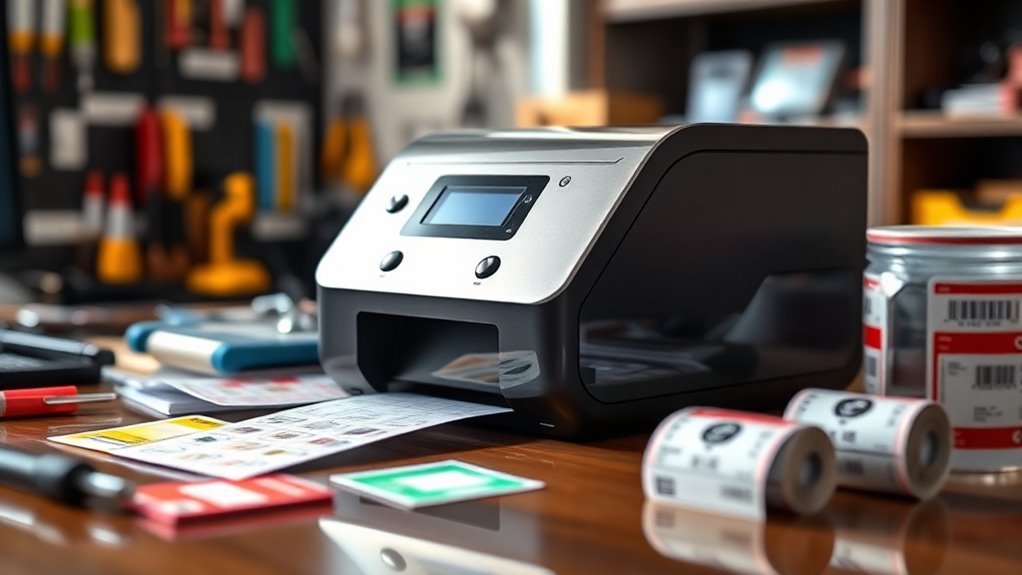
When choosing an asset tag printer, you’ll want to focus on print quality and label durability to guarantee lasting identification. Don’t forget to take into account connectivity options and how fast the printer works to keep your workflow smooth.
Also, check the software and design features to make creating tags easier and more efficient. These little details can really make a difference in your daily use.
Print Quality And Resolution
Choosing the right print quality and resolution is vital to guarantee your asset tags are sharp, readable, and scannable. Higher print resolution, measured in dpi, guarantees crisp text and dense barcodes—203 dpi usually suffices for standard barcodes, but 300 dpi is best for small fonts, fine graphics, or tiny 2D codes.
Low-resolution prints risk blurred barcode edges, causing scanner errors, so match your printer’s dpi to barcode density and scanner specs. Thermal transfer printers with higher dpi produce longer-lasting, clearer labels for detailed logos and small text compared to direct thermal models.
Keep in mind minimum font sizes and barcode quiet zones; higher dpi lets you fit more info without losing scannability. Also, print quality depends on using compatible ribbons and label materials to avoid smudging or fading.
Label Durability And Material
Since asset tags often face harsh conditions, selecting durable label materials is crucial to maintain readability and functionality over time. Choose materials like polyester, vinyl, nylon, or laminated papers rated for exposure to outdoor elements, chemicals, heat, and abrasion.
Use thermal transfer printing with resin or wax-resin ribbons to guarantee water-, chemical-, and abrasion-resistant prints that last longer than direct thermal. Match the print resolution, typically 203 to 300 dpi, to your barcode or QR code density and small fonts. This way, scannability holds up even after wear.
Don’t overlook adhesive strength—pick permanent, removable, or high-tack backing depending on surfaces like metal, plastic, or textured coatings. Finally, verify longevity ratings and test samples under actual conditions to guarantee your labels stay reliable for years.
Connectivity And Compatibility
How do you guarantee your asset tag printer fits seamlessly into your existing setup? Start by ensuring it supports the connection types you need—USB for stable desktop use, Ethernet or Wi-Fi for networked environments, and Bluetooth for mobile printing.
Check if drivers and software cover all your target operating systems like Windows, macOS, Linux, iOS, or Android to avoid compatibility issues. You definitely don’t want to run into problems because your printer won’t talk to your devices.
Confirm the printer supports industry label languages such as ZPL or EPL, or offers APIs to integrate smoothly with your inventory or ERP software. This way, everything works together without a hitch.
Also, make sure it accepts third-party label rolls and ribbons to avoid being locked into costly proprietary supplies. It’s always good to have options, right?
Finally, consider host requirements like USB port type and network security protocols. This ensures you get a quick, secure deployment without any fuss.
Printing Speed And Efficiency
You’ll often find that printing speed directly impacts your workflow efficiency, especially when handling large batches of asset tags. Choose a printer with print speeds that meet your daily label volume to avoid bottlenecks.
Keep in mind, higher resolution improves barcode clarity but may slow printing, so balance dpi with your scanning needs. Features like automatic cutters, peel-and-present, and batch or continuous feed can save you time by reducing manual steps.
Also, check connection stability—USB, Ethernet, or Wi‑Fi—since unreliable links can cancel out fast print speeds. Finally, make certain the printer’s duty cycle surpasses your peak workload to prevent downtime caused by thermal head wear or maintenance, keeping your operation running smoothly and efficiently.
Software And Design Features
When selecting an asset tag printer, the accompanying software and design features play a crucial role in streamlining your labeling process. You’ll want software that supports bulk data import and barcode or serialized generation. This helps cut manual errors and speed up high-volume tagging.
Look for template engines that let you create personalized layouts with multi-line text, logos, QR codes, and standardized fields. Cross-platform compatibility is key—choose software that works on Windows, macOS, Linux, and mobile devices to fit your IT setup.
Make sure it handles variable label sizes, auto-detects media dimensions, and offers calibration controls to avoid misprints. Finally, favor solutions without mandatory subscriptions. It’s great when they offer batch printing, preview options, and exportable libraries to keep costs down and reuse easy.
Portability And Power Options
Choosing the right asset tag printer means weighing portability and power options carefully. Decide if you need a battery-powered portable printer for true mobility or a mains-only desktop model for stability.
Battery life varies from 1 to over 7 hours, so check recharge times and whether batteries are hot-swappable for continuous use. It’s a good idea to consider device weight and size too: handheld units usually weigh under 1 kg for easy carrying, while desktop printers are heavier but steadier.
Connectivity also matters—Bluetooth supports mobile printing from phones or tablets, whereas USB or Ethernet tether you to a workstation. Finally, match power options to your workflow by factoring in daily label volume and print speed. Higher throughput drains batteries faster and might require AC power or larger batteries.
Frequently Asked Questions
How Do I Maintain and Clean an Asset Tag Printer?
You should regularly clean the printhead with isopropyl alcohol, remove dust and debris from rollers, and keep the printer covered when not in use.
Don’t forget to replace worn parts to guarantee consistent print quality. It really helps keep everything running smoothly!
Can Asset Tag Printers Print in Multiple Languages?
Yes, you can print asset tags in multiple languages. Just make sure your printer supports Unicode or the specific fonts you need.
You’ll easily switch languages through the printer software or label design program. It’s pretty straightforward once you get the hang of it.
What Types of Adhesive Labels Are Compatible With These Printers?
You don’t need a crystal ball—these printers handle polyester, vinyl, and paper adhesive labels like pros.
Are There Software Options Included for Designing Custom Labels?
Yes, many asset tag printers include user-friendly software that lets you design custom labels easily. You’ll find options for templates, fonts, and graphics.
This helps you personalize tags to fit your specific needs quickly and efficiently. It’s pretty straightforward, even if you’re new to label design.
How Long Do the Printed Asset Tags Typically Last?
Think of asset tags like a tattoo—they usually last 3 to 5 years, sometimes longer with durable materials.
I once saw tags survive harsh weather for over 7 years, proving their lasting power when printed right.
Conclusion
So, you want the perfect asset tag printer, huh? Well, with options like the speedy Brother QL-800 and the portable MakeID P31S, you might just end up with a whole fleet of label makers instead of one.
But hey, who said organizing your assets was easy? Just remember, the “best” printer is the one that makes your life simpler—not more complicated.
When choosing your asset tag printer, consider factors like speed, portability, and ease of use. The right printer should streamline your workflow and help keep everything organized without hassle.
So, choose wisely, or prepare for a label avalanche! Finding the best asset tag printer means picking a device that suits your unique needs and helps you manage your inventory effortlessly.