6 Best Apparel Printers for 2027
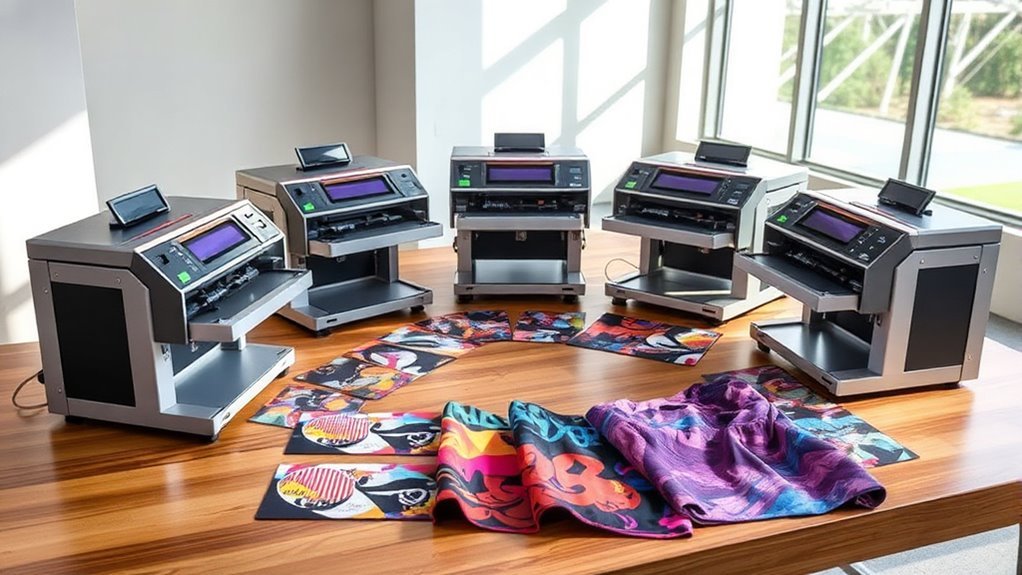
You’ll find the 6 best apparel printers for 2027 deliver stunning print quality and support versatile media sizes, perfect for any creative project. Whether you’re into vibrant DTF prints, sublimation, or just need reliable speed, there’s an option here for you.
Choose the InkSonic C13B if you want vibrant DTF prints—it even comes with a curing oven and a laptop to get you started right away. The Lancelot M1630 Pro stands out with its impressive speed and handy auto-maintenance features.
If sublimation printing is your thing, take a look at Brother’s compact SP-1 or the Epson SureColor F170; both offer high-res output in a small footprint. For DTF fans who prefer stability and easy upkeep, the Procolored K13 Lite is a solid pick.
Explore these options to find the perfect match for your printing needs and boost your productivity effortlessly.
| Image | Name | Editor's Rating | Price |
|---|---|---|---|
|
|
||

|
|
||

|
|
||

|
|
||

|
|
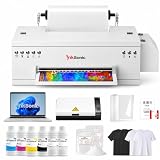
InkSonic C13B R1390 A3 DTF Printer with Curing Oven and Laptop for Apparel
- ✅ [A3 DTF Printer with 13" Print Width] InkSonic R1390 DTF Printer gives beginners, small businesses, and custom apparel makers a wider 13-inch print width for...
- ✅ [24/7 Technical Guidance] InkSonic pairs every printer with 24/7 one-on-one technical guidance, phone assistance, clear installation videos, and detailed user...
- ✅ [3-in-1 White Ink Protection] The R1390's white ink circulation, mixing, and filtration system helps reduce pigment settling and keeps white ink flowing smoothly. The...
- ✅ [3500ml Premium Ink & Matched Consumables] Each bundle includes 3500ml of premium DTF ink, transfer film, hot melt powder, and essential maintenance supplies...
- ✅ [Built for Custom Apparel Businesses] Create custom T-shirts, hoodies, tote bags, hats, uniforms, sportswear, and promotional products with professional-quality...
The InkSonic C13B R1390 A3 DTF Printer is designed to simplify custom apparel production. It delivers vibrant, detailed prints on fabrics like cotton, polyester, and denim, making it ideal for creating personalized T-shirts, hoodies, and hats. This printer helps users achieve professional results without a steep learning curve.
Its six-color ink system, including CMYK and two whites, ensures rich colors and sharp details. The included curing oven guarantees that prints dry properly, enhancing durability and wearability. This combination solves common problems of uneven prints and long drying times.
Maintenance is straightforward, supported by built-in features that keep the printer running smoothly. The package also includes a laptop and all necessary consumables, allowing for quick setup and immediate use. Reliable 24/7 technical support further reduces downtime and troubleshooting stress.
While print speed is modest at around 1.2 pages per minute, it suits small-scale production or startups focused on quality over quantity. Note that this device is print-only, with no scanning or multifunction options.
Best for: Beginners and small business owners seeking a complete, easy-to-use DTF printing system for vibrant custom apparel.
What We Like:
- Six-color system with dual white inks for vivid prints
- Bundled curing oven and consumables for convenient setup
- User-friendly maintenance with continuous technical support
Specification:
| Feature | Details |
|---|---|
| Manufacturer | InkSonic |
| Print Width | 13 inches |
| Print Resolution | Up to 2880 x 1440 dpi |
| Ink System | CMYK + 2 White |
| Included Equipment | Curing oven, laptop, consumables |
| Print Speed | Approximately 1.2 ppm |
Lancelot M1630 Pro DTF Printer Bundle with Auto Maintenance
- ✅【Fast Speed & Auto-Cut DTF Printer】 Lancelot M1630 Pro DTF transfer printer delivers double the speed of L1800/R1390 models with smart auto-film-cutting system...
- ✅【Clog-Free DTF Printer Machine】 Patented Holiday Mode auto-cleaning prevents nozzle clogs during downtime. Advanced white ink circulation (A3 dtf printer...
- ✅【Upgraded Film Feeding System】:Our DTF printer bundle has an upgraded film delivery system enables printing on single sheets of A3/A4 size DTF transfer film or...
- ✅【Beginner-Friendly DTF Printer Bundle】 Designed for DIY enthusiasts and startups: Plug-and-play setup with pre-calibrated impresora dtf settings. Simply import...
- ✅【Highly Compatible DTF Computer】: The package includes a highly compatible DTF computer, pre-installed with the necessary drivers and software. This ensures stable...

The Lancelot M1630 Pro DTF Printer Bundle offers a fast and dependable printing solution designed to simplify your workflow. It addresses common issues like slow print speeds and frequent maintenance, helping you focus on your creative projects without interruptions. This printer’s efficient design cuts downtime and streamlines operations.
With double the speed of comparable models, the M1630 Pro produces vibrant prints on various fabrics without the need for pre-treatment. Its auto-film-cutting system and patented Holiday Mode work together to prevent jams and nozzle clogs, reducing maintenance hassles and extending print head life. The included white ink circulation further protects key components.
This bundle is a complete package that comes with a preloaded laptop, oven, maintenance toolkit, and consumables. It supports Windows operating systems and handles media sizes up to 13 x 19 inches, making it versatile for small to medium print jobs. USB connectivity ensures easy setup and integration into your workspace.
Best for: Small to medium-sized businesses or individuals who need a reliable, high-speed DTF printer bundle that minimizes maintenance while delivering vibrant fabric prints.
What We Like:
- Twice the printing speed compared to similar models
- Auto-film-cutting and Holiday Mode minimize jams and clogs
- Complete bundle including laptop, oven, and maintenance tools
- White ink circulation extends print head longevity
Specification:
| Feature | Details |
|---|---|
| Manufacturer | Lancelot |
| Printer Model | M1630 Pro |
| Media Size | Up to 13 x 19 inches |
| Connectivity | USB |
| Operating System | Windows 7/10/11 |
| Included Accessories | Oven, preloaded laptop, maintenance toolkit, consumables |
| Print Speed | Double speed vs. L1800/R1390 |
Brother Sublimation Printer
No products found.
The Brother Sublimation Printer transforms your creative ideas into vibrant, lasting custom apparel and gifts with ease. Designed for mobile use, it connects seamlessly to the Artspira Creative App, allowing you to design directly from your phone or tablet. This simplifies the process and saves you time when producing personalized items.
Print quickly on polyester-coated fabrics and accessories like shirts, mugs, and hats. The printer uses Brother Genuine Sublimation Ink, ensuring your designs remain bright and durable even after multiple washes. While the printer handles the printing, a separate heat press is required to transfer your designs onto items.
Maintenance is straightforward, focusing mainly on using the correct sublimation ink and polyester materials for optimal results. Its compact and portable design makes it ideal for small spaces and on-the-go projects, offering convenience without sacrificing quality.
Best for: Individuals and small businesses wanting an easy, portable sublimation printer for vibrant custom apparel and gifts created via mobile devices.
What We Like:
- User-friendly mobile app with 100+ sublimation patterns and image saving.
- Fast printing on various polyester-coated items.
- Durable, vivid prints with Brother Genuine Sublimation Ink.
- Compact, portable design suited for small workspaces.
Specification:
| Feature | Details |
|---|---|
| Manufacturer | Brother |
| Dimensions | Compact (exact size not specified) |
| Weight | Lightweight (exact weight not specified) |
| Ink Type | Brother Genuine Sublimation Ink |
| Compatible Items | Polyester-coated fabrics and items |
| Power | 120 volts (US only) |
Epson SureColor F170 Dye-Sublimation Printer Kit
- Confidence - Epson authorized partner. Original Epson Manufactured product delivered in Epson’s factory-sealed packaging with Epson documentation and Epson’s full...
- Genuine Epson Ink Included - Comes with a full set of OEM Epson sublimation inks, certified ECO PASSPORT by OEKO-TEX for safe use on textiles, apparel, mugs, mousepads...
- Astounding Print Quality - Epson's Surecolor F170 Sublimation printer boasts the PrecisionCore printhead which offers Precision Droplet Control for the most outstanding...
- Versatile Media Support - Includes a 150-sheet auto-feed tray for added efficiency. Epson SureColor sublimation printers house the paper in a dust resistant closed tray...
- Compact Reliable Solution - Space-saving design with user-friendly setup for MacOS & Windows. Please note that connection to mobile devices is not supported with this...
Epson SureColor F170 brings professional-quality dye-sublimation printing into a compact and easy-to-use design. This printer is built to deliver sharp, vibrant prints, helping small business owners and hobbyists create standout apparel and promotional items without hassle. Its PrecisionCore printhead ensures detailed results every time.
Designed to work smoothly with fabric and transfer sheets, the SureColor F170 supports media sizes up to 8.5″ x 14″. The 150-sheet dust-resistant tray keeps materials clean and ready, reducing downtime and maintenance needs. Its space-saving build weighs just 16 pounds, fitting comfortably into any workspace.
Connectivity options like USB, Ethernet, and wireless make it simple to integrate this printer into PC or Mac setups. While it lacks mobile device support and duplex printing, its single-sided output and moderate media size focus meet the needs of many small-scale projects.
Routine upkeep is straightforward, thanks to OEM inks that maintain print quality and minimize clogging. This printer is ideal for users who want reliable, high-resolution dye-sublimation printing without complex setup or large-format requirements.
Best for: Small business owners and crafters needing a compact, precise dye-sublimation printer for fabric and transfer projects.
What We Like:
- High print resolution up to 5760 x 1440 dpi for vibrant, detailed images
- Supports media sizes up to 8.5″ x 14″ with a 150-sheet dust-resistant tray
- Multiple connectivity options including USB, Ethernet, and wireless
- Lightweight and compact for easy placement in small workspaces
Specification:
| Feature | Details |
|---|---|
| Manufacturer | Epson |
| Dimensions (W×D×H) | Not specified |
| Weight | 16 lbs (7.3 kg) |
| Print Resolution | Up to 5760 x 1440 dpi |
| Media Size Support | Up to 8.5″ x 14″ (216 x 356 mm) |
| Connectivity | USB, Ethernet, Wireless |
Procolored K13 Lite 13″ DTF Apparel Printer
- 【Reliable Printing with LiteHead Technology】Powered by Procolored LiteHead Technology, the K13 Lite is designed for stable performance with easier maintenance...
- 【Smart & Simplified Operation】The K13 Lite makes DTF printing easier with one-touch ink pumping and an intuitive visual touchscreen interface. Three customizable...
- 【Professional Color Accuracy & Detailed Prints】Achieve vibrant and accurate transfers with G7-certified color accuracy, optimized color curves, and Procolored Studio...
- 【Versatile Printing for Back-to-School & Everyday Projects】 With a 13" A3 printing area, the K13 Lite supports flexible DTF applications across cotton, polyester...
- 【Advanced Printhead Protection System】The Infrared Printhead SafeGuard System monitors the printing area in real time and detects film warping and foreign particles...
Experience crisp, vibrant prints on a wide range of fabrics with the Procolored K13 Lite 13″ DTF Apparel Printer. This machine solves common printing challenges by offering stable performance and easy upkeep, ensuring your workflow remains uninterrupted. Its design focuses on delivering consistent, high-quality results without complicated maintenance.
The printer features Procolored LiteHead Technology and an Infrared Printhead SafeGuard System. These innovations detect film warping and foreign particles early, protecting the printhead from damage. This means fewer breakdowns and less downtime for your business.
Maintenance is simple thanks to the White Ink Circulation System and one-touch ink pumping. These systems keep ink flowing smoothly, preventing clogs and ensuring every print is sharp and vibrant. The user-friendly touchscreen lets you customize settings easily, while Procolored Studio Lite software manages color accuracy with precision.
With a 13″ A3 print area, the K13 Lite handles fabrics like cotton, polyester, and denim effortlessly. It is designed for small to medium-sized apparel businesses aiming to create vibrant custom apparel, team shirts, and personalized accessories.
Best for: Small to medium-sized apparel businesses and custom print shops seeking reliable, high-quality DTF printing on various fabrics with simplified maintenance and accurate color management.
What We Like:
- Durable printhead protection with LiteHead Technology and SafeGuard System
- Smooth, clog-free printing via White Ink Circulation and one-touch pumping
- Easy operation through an intuitive touchscreen and integrated color management software
Specification:
| Specification | Details |
|---|---|
| Manufacturer | Procolored |
| Print Area | 13 inches (A3 size) |
| Suitable Fabrics | Cotton, polyester, denim, others |
| Ink System | White Ink Circulation System |
| Interface | Touchscreen |
| Software | Procolored Studio Lite |
Brother SP-1 Sublimation Printer Starter Bundle
- Brother SP-1 Dye-Sublimation Printer with full set of CMYK inks, 160 sheets sublimation paper, 50 sublimation blanks, heat resistant tape and more
- BUNDLE INCLUDES: Full Set of Sublimation Inks - Black, Cyan, Magenta, Yellow 47ml Each, Prosub 50 Piece Sublimation Blank Set, 500 in SoFontsy Desgins Cards for...
- BUNDLE INCLUDES: 150 Sheets of ProSub 8.5" x 11" Sublimation Paper, 10 Sheets of Brother 8.5" x 11" Sublimation Paper, 4 Rolls of Prosub Heat Resist Tape - .125in, .25in...
- BUNDLE INCLUDES: Artspira Design Software App (digital download), 100 Sublimation Designs, Quick Reference Guide, Wi-Fi & Ethernet Connectivity, Windows, Mac & App...
- Transform your crafting and small business ventures with the Brother SP-1 Sublimation Printer, a compact, high-performance printer designed to bring your imagination to...
Create vibrant, full-color designs with the Brother SP-1 Sublimation Printer Starter Bundle, designed to simplify custom apparel creation. This compact printer offers dependable dye-sublimation printing, making it easier to produce professional-quality prints on t-shirts, mugs, and more.
The bundle comes complete with all essentials, including full CMYK inks, sublimation paper, blanks, and design cards, enabling you to start projects immediately. Its straightforward maintenance and fast print speeds help keep your workflow smooth and efficient.
Connectivity is versatile, supporting Wi-Fi and Ethernet, and compatibility spans Windows, macOS, and mobile devices. While it prints at a clear 600 x 600 dpi, note that it only supports single-sided printing and limits media size to Legal (8.5 x 14 inches).
This printer is ideal for small-scale creators who need a reliable, user-friendly sublimation solution without complex setups or large equipment.
Best for: Hobbyists, artists, and small business entrepreneurs seeking a compact, easy-to-use dye-sublimation printer bundle for vibrant, custom apparel and merchandise.
What We Like:
- Complete starter bundle with inks, paper, blanks, tape, and design cards.
- High-quality prints at 600 x 600 dpi and fast 10 ppm speed.
- Flexible connectivity via Wi-Fi and Ethernet.
- Compatible with Windows, macOS, and mobile devices.
Specification:
| Specification | Details |
|---|---|
| Manufacturer | Brother |
| Dimensions | Compact size (exact size not specified) |
| Weight | Not specified |
| Color Options | Not specified |
| Maximum Print Resolution | 600 x 600 dpi |
| Maximum Media Size | Legal (8.5 x 14 inches) |
| Connectivity | Wi-Fi, Ethernet |
| Supported Platforms | Windows, macOS, Mobile |
Factors to Consider When Choosing an Apparel Printer
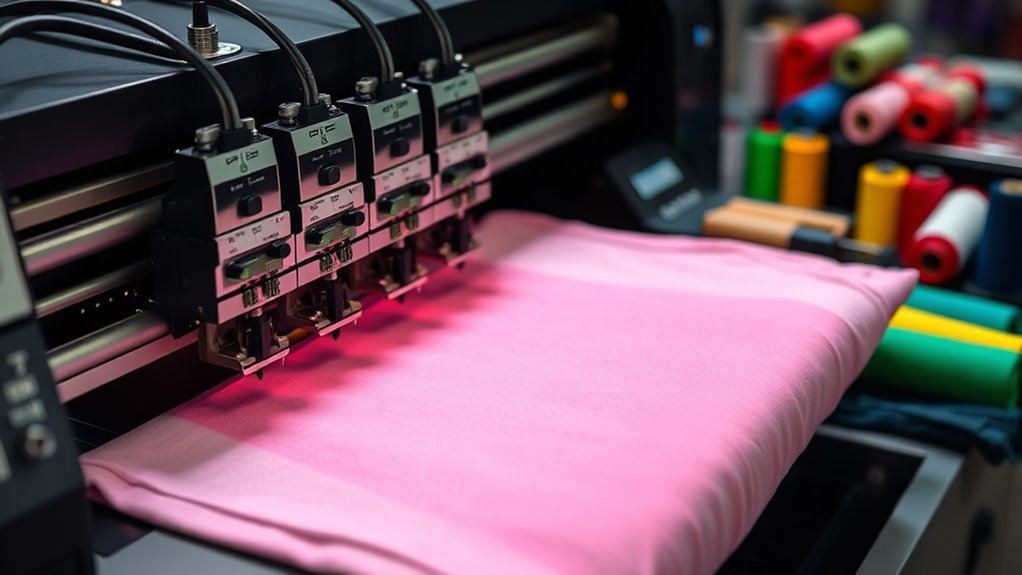
When choosing an apparel printer, you’ll want to focus on print quality and resolution to guarantee sharp designs. Make sure the printer supports the fabric types you plan to use and check its ink system for easy maintenance.
Also, consider printing speed, capacity, and how well the software connects with your devices. These factors can really make a difference in your overall experience. So, take your time and choose wisely!
Print Quality And Resolution
Achieving sharp, vibrant prints starts with understanding print quality and resolution in apparel printers. You’ll want a printer that offers high DPI, ideally between 1440 to 2880 x 1440, to capture fine details and smooth gradients. This is especially important for photo-quality images and small text.
Color fidelity depends on the printer’s ink channels. Look for models with CMYK plus white or spot colors to handle dark or specialty fabrics effectively.
Managing white ink circulation is essential to avoid uneven opacity or banding on dark garments. Keep in mind, higher resolution modes slow down print speed, so balance detail needs with production demands.
Finally, make certain the printer supports calibrated color profiles and management tools. This helps maintain consistent, accurate colors across different prints and devices.
Compatible Fabric Types
Print quality and resolution play a big role in how your designs come to life, but the type of fabric you print on affects the final result just as much. Natural fibers like cotton and blends accept pigment- and water-based inks well, giving you soft prints with vibrant colors.
Polyester fabrics need dye-sublimation or disperse inks for bright, durable results since sublimation bonds directly with polyester fibers. For heavier materials like denim, canvas, or leather, methods like DTF or screen printing with opaque inks or white underbase guarantee coverage on dark or textured surfaces.
If you work with open-mesh athletic fabrics, choose inks that maintain stretch and breathability to avoid stiff prints and preserve wicking. Also, dark garments usually require a white underprint to keep colors true.
Ink System And Maintenance
Selecting the right ink system can make all the difference in your apparel printing workflow. Opt for printers with white-ink circulation or mixing systems to prevent pigment settling and reduce frequent head clogs, especially when printing on dark garments.
Models with automated maintenance features like auto-cleaning or holiday modes help lower downtime and extend printhead life. These little conveniences really add up over time.
Choose printers equipped with continuous ink supply systems (CISS) or large-capacity ink sets, including dampers, to minimize refill frequency and interruptions. It’s all about keeping your workflow smooth.
Look for nozzle protection units, waste-ink alerts, and accessible cleaning solutions to simplify upkeep and avoid costly repairs. These features make maintenance way less of a headache.
Finally, verify that extra maintenance consumables—flush solutions, protectants, spare dampers—are available, along with clear documentation or video guides. This ensures your scheduled servicing goes off without a hitch.
Printing Speed And Capacity
Speed and capacity are essential when you need to keep up with high-volume apparel printing demands. Check print speeds in pages per minute or seconds per page for your typical job size—higher speeds, like 1+ ppm for large-format DTG/DTF or 10+ ppm for compact sublimation units, boost throughput and revenue.
Make sure the printer handles your most common garment sizes by verifying maximum media width and sheet or roll feed options. Also, consider sheet capacity and output trays to minimize frequent reloading during long runs.
Factor in initial page time and warm-up cycles since shorter first-print times improve productivity on small or on-demand jobs. Remember, advertised speeds may slow down with full-color, white ink, and curing time, so factor in post-print processes when calculating your total capacity.
Software And Connectivity
While having the right speed and capacity can keep your production line moving, ensuring your apparel printer integrates smoothly with your design workflow is just as important. Make sure the printer supports drivers compatible with your operating system—whether Windows, macOS, or mobile—to prevent conflicts.
Check connectivity options like USB, Ethernet, Wi-Fi, and mobile app support to fit your studio setup and enable reliable file transfers or remote job submissions. It’s good to have flexibility here so you can work the way you want.
Verify the software handles RIP, color management, and CMYK/white-channel processing, plus ICC profile import/export. These features really help maintain color accuracy and print quality.
Look for automation features such as print queuing, roll management, auto-cropping, and white-ink control to boost efficiency. These tools can save you time and reduce manual errors.
Also, consider how often firmware and software updates are released and their licensing models to keep your system secure and up-to-date. Staying current means fewer headaches down the road.
Warranty And Support Options
Because apparel printers represent a significant investment, you’ll want to carefully evaluate warranty and support options before making a decision. Check the warranty length and scope—does it cover printheads, electronics, and mechanical parts, or just limited components?
Confirm how you can reach technical support—24/7 phone, live chat, email, or remote desktop—and their typical response times. See if on-site service, replacement parts, or loaner units are offered during repairs, and who covers shipping costs.
Installation resources like video guides, software bundles, and one-on-one setup help can reduce downtime. Finally, understand the return policy window, usually around 30 days, and any restocking fees or conditions that could affect your ability to return the printer if needed.
Frequently Asked Questions
How Do Apparel Printers Impact Environmental Sustainability?
You impact environmental sustainability by choosing apparel printers that reduce water and energy use, minimize waste, and use eco-friendly inks. These choices help lower pollution and conserve resources, making your printing process greener and more responsible.
It’s all about making smarter choices. When you pick printers that focus on these eco-friendly practices, you’re helping the planet in a real way. Plus, it sets a great example for others in the industry.
What Are the Common Troubleshooting Tips for Printer Jams?
You should gently remove jammed paper, check for torn scraps inside, and make certain proper paper alignment. Clean rollers regularly and avoid overloading the tray.
If jams persist, restart your printer and update its firmware for smoother operation. This often helps clear any glitches and keeps things running smoothly.
Can These Printers Handle Non-Cotton Fabrics Effectively?
You’d think these printers could handle anything, right? Absolutely—they excel with non-cotton fabrics like polyester and blends.
They deliver vibrant, durable prints without a hitch. You’ll be amazed at their versatility and quality!
What Are the Warranty Terms for Each Apparel Printer?
You’ll find most apparel printers come with one to two-year warranties covering parts and labor, but some brands offer extended options.
Make sure you check each model’s specific terms before buying to avoid surprises.
It’s always a good idea to know exactly what’s covered so you don’t get caught off guard later.
How Do Printing Speeds Compare Across Different Models?
You’ll notice printing speeds vary widely; some models crank out 50+ shirts per hour, while others focus on quality over speed, producing around 20.
It really depends on what you need. Choose based on your volume needs and desired detail.
Conclusion
Choosing the right apparel printer means balancing quality, speed, and budget—just like picking the perfect vinyl record back in the day. Whether you want the precision of the InkSonic C13B or the ease of Brother’s sublimation printers, there’s a perfect fit for your needs.
Keep your unique projects in mind, and you’ll be rocking vibrant designs in no time. So, jump right in and make your apparel printing as timeless as your favorite classic hit!
When selecting from the best apparel printers for 2027, think about what matters most to you—whether it’s sharp detail, fast printing speeds, or budget-friendly options. With so many great choices, you can create standout custom apparel that truly expresses your style.
In the end, the right apparel printer will help you bring your creative visions to life with ease and quality. Get ready to print your way to bold, vibrant designs that last!