9 Best Automatic Double-Sided Printers for 2027
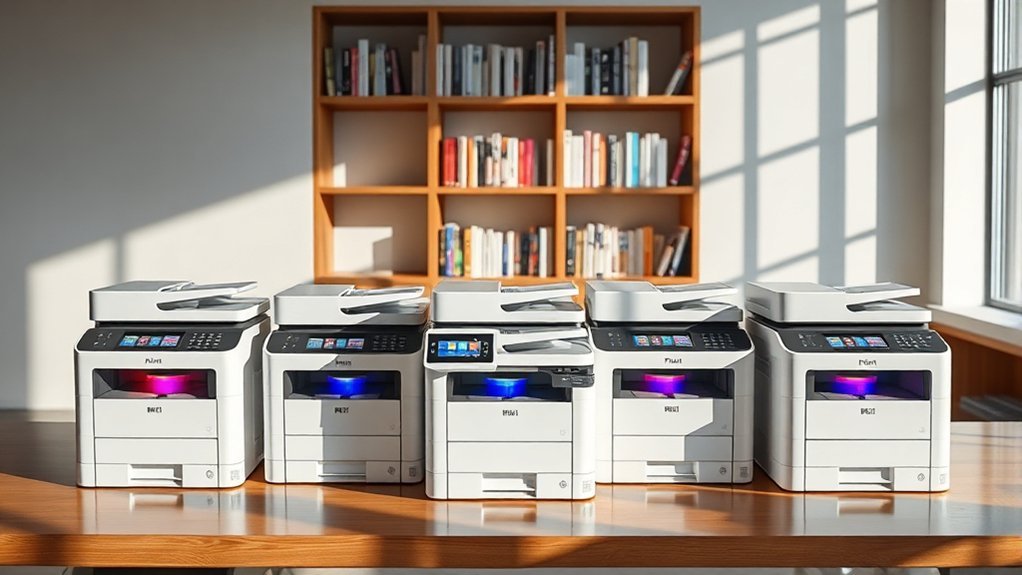
Looking for the best automatic double-sided printers for 2027? You’re in the right place! Whether you need a reliable printer for home, office, or high-volume tasks, there are plenty of fantastic options to choose from.
These printers not only save paper and time but also offer features like wireless connectivity and fast printing speeds to keep up with your busy schedule.
For example, the HP OfficeJet Pro 8125 is a great pick if you want wireless functionality and ease of use.
Then there’s the Canon MAXIFY GX2020, which is perfect for small office needs with its efficient ink system.
If you’re focused on monochrome printing, the Brother DCP-L2640DW has got you covered.
And for those high-volume environments, the Epson Workforce Pro WF-4935 really shines.
Each model comes with unique features designed to enhance your workflow. Stick around to find out which one fits your printing needs best!
| Image | Name | Editor's Rating | Price |
|---|---|---|---|

|
|
||

|
|
||

|
|
||

|
|
||

|
|
HP OfficeJet Pro 8125 Wireless All-in-One Printer
- FROM AMERICA'S MOST TRUSTED PRINTER BRAND – The OfficeJet Pro 8125 is perfect for home offices printing professional-quality color documents like business documents...
- 3 MONTH TRIAL OF INSTANT INK INCLUDED – Subscribe to the Instant Ink delivery service to get ink delivered directly to your door before you run out, and you save up to...
- KEY FEATURES – Fast color printing, scan, copy, auto 2-sided printing, auto document feeder, and a 225-sheet input tray
- 2.7-INCH TOUCHSCREEN – Quickly navigate your printer with a large color touchscreen and a phone-like user interface
- WIRELESS PRINTING – Stay connected with our most reliable dual-band Wi-Fi, which automatically detects and resolves connection issues

The HP OfficeJet Pro 8125 Wireless All-in-One Printer is designed to streamline your home office tasks with speed and ease. It tackles slow printing and frequent paper refills by offering print speeds up to 20 ppm for black and a 225-sheet input tray, reducing interruptions during busy workdays.
Navigating print jobs is simple thanks to the intuitive 2.7-inch color touchscreen. You can manage settings quickly without hassle. Dual-band Wi-Fi and mobile printing support let you print from multiple devices, improving flexibility and convenience in your workspace.
Maintenance is straightforward, but keep in mind it uses HP 923 series cartridges, so replenishing supplies is easy but limited to specific cartridges. The printer’s eco-conscious design, made from over 45% recycled plastic, supports sustainability without sacrificing performance.
While it’s a bit heavy at 17.6 pounds and handles media sizes only up to 8.5 x 11.7 inches, its reliable functionality and security features like HP Wolf Essential Security provide peace of mind for daily printing needs.
Best for: Home office users seeking an efficient and eco-friendly all-in-one printer with versatile wireless capabilities.
What We Like:
- Fast print speeds up to 20 ppm black and 10 ppm color
- Easy-to-use 2.7-inch color touchscreen
- Sustainable design with over 45% recycled plastic
- Dual-band Wi-Fi and mobile printing for flexible usage
- HP Wolf Essential Security for safer printing
Specification:
| Feature | Details |
|---|---|
| Manufacturer | HP |
| Dimensions (W×D×H) | Not specified |
| Weight | 17.6 lb (8.0 kg) |
| Material | Over 45% recycled plastic |
| Color Options | Not specified |
Canon MAXIFY GX2020 All-in-One Wireless Color Printer
- Wireless Print/Copy/Scan/Fax (2)
- Print up to 3,000 black & white / 3,000 color pages using a single set of inks! (1)
- 2.7” LCD Color Touchscreen
- Auto 2-sided printing
- ADF – 35 sheet Auto Document Feeder
Experience seamless printing with the Canon MAXIFY GX2020, designed to meet the needs of busy small offices and home workspaces. This all-in-one printer combines printing, copying, scanning, and faxing into one compact device, helping you manage tasks efficiently without clutter.
Its high-yield ink system reduces the hassle of frequent replacements by delivering up to 3,000 pages per ink set. This feature lowers running costs and keeps your workflow smooth. Fast print speeds of 15 ppm for black and 10 ppm for color mean less waiting and more productivity.
Maintenance is straightforward with a 35-sheet automatic document feeder and a user-friendly 2.7-inch touchscreen for easy navigation. The automatic duplex printing helps save paper by enabling effortless double-sided printing, an eco-friendly benefit.
Though it weighs 17.8 pounds and occupies a moderate desk footprint, its robust design ensures reliable performance. Wireless connectivity supports flexible placement, though mobile printing options may be somewhat limited compared to other models.
Best for: Small businesses and home offices needing a versatile, cost-effective all-in-one printer.
What We Like:
- High page yield reduces ink replacement frequency
- Fast print speeds boost office productivity
- Easy-to-use touchscreen and automatic document feeder
- Automatic duplex printing saves paper
- Compact design fits well in small workspaces
Specification:
| Feature | Details |
|---|---|
| Manufacturer | Canon |
| Dimensions (W×D×H) | Approx. 17.7 × 13.2 × 7.5 in |
| Weight | 17.8 lb (8.1 kg) |
| Color Options | Black |
Canon PIXMA TS6520 Wireless Color Inkjet Printer, 1.42″ OLED Display, White
- Affordable Versatility - A budget-friendly all-in-one printer perfect for both home users and hybrid workers, offering exceptional value
- Crisp, Vibrant Prints - Experience impressive print quality for both documents and photos, thanks to its 2-cartridge hybrid ink system that delivers sharp text and vivid...
- Effortless Setup & Use - Get started quickly with easy setup for your smartphone or computer, so you can print, scan, and copy without delay
- Reliable Wireless Connectivity - Enjoy stable and consistent connections with dual-band Wi-Fi (2.4GHz or 5GHz), ensuring smooth printing from anywhere in your home or...
- Scan & Copy Handling - Utilize the device’s integrated scanner for efficient scanning and copying operations
The Canon PIXMA TS6520 offers a smart solution for your home office printing needs. Its compact design fits easily into limited spaces while delivering versatile functions. This all-in-one printer handles printing, scanning, and copying efficiently, reducing the need for multiple devices.
With its hybrid ink system, the PIXMA TS6520 produces sharp text and vibrant color prints that improve the quality of your documents and photos. The dual-band Wi-Fi connection simplifies setup and lets you print directly from smartphones, tablets, or laptops without hassle.
Maintenance is straightforward thanks to the 1.42” OLED display, which provides clear updates on ink levels and printer status. Automatic double-sided printing helps save paper and speeds up tasks, making your workflow more efficient.
While the printer offers excellent performance for everyday use, print speed is moderate compared to premium models. Ink cartridges require regular replacement, which may increase ongoing costs. The smaller display is functional but may not be ideal for users needing extensive menu navigation.
Best for: Home office users seeking a compact, all-in-one printer that balances quality and convenience.
What We Like:
- Compact design fits well in small workspaces.
- Dual-band Wi-Fi ensures stable connectivity.
- Automatic double-sided printing saves paper.
- Clear OLED display simplifies maintenance.
Specification:
| Feature | Details |
|---|---|
| Manufacturer | Canon |
| Dimensions (W×D×H) | Approximately 14.7 × 12.1 × 5.9 inches |
| Weight | About 12.5 lbs |
| Color Options | White |
| Display | 1.42″ OLED |
| Connectivity | Dual-band Wi-Fi |
Brother INKvestment 1365 Wireless Color All-in-One Printer
- BEST FOR HOME AND HOME OFFICE: This multifunction printer makes it easy to print, copy, and scan—all in one compact printer. Includes one 1,200-page yield black...
- WIRELESS, MOBILE, AND USB CONNECTIVITY: Connect your way. Interface with your printer on your wireless network or via USB. Enhance your workflow with Wi-Fi Direct, which...
- CLOUD APP CONNECTIONS: Print from and scan to popular Cloud apps(3), including Google Drive, Dropbox, Box, OneDrive, and more, from an impressive 1.8” color display...
- PRODUCTIVITY-FOCUSED FEATURES: A 150-sheet paper tray(4), 20-page single-sided automatic document feeder (ADF)(4), and automatic duplex (2-sided) printing. Prints at fast...
- THE BROTHER MOBILE CONNECT APP: Put the power of printing at your fingertips. Go mobile with the Brother Mobile Connect app(6) that delivers easy onscreen menu navigation...
The Brother INKvestment 1365 Wireless Color All-in-One Printer is designed to keep your busy home or small office running smoothly. It handles printing, copying, and scanning tasks effortlessly, helping you stay productive without hassle. Its compact design fits well in tight spaces while delivering multifunctional capabilities.
This printer reduces interruptions with a 150-sheet paper tray and a 20-page automatic document feeder, allowing you to manage multiple pages at once. Wireless and mobile connectivity, including Wi-Fi Direct, means you can print easily from your smartphone or tablet without a network.
Maintenance is straightforward, but for optimal performance and cost-efficiency, using Brother Genuine LC504 ink cartridges is recommended. The automatic duplex printing feature saves paper and time, making it an eco-friendly choice for everyday use.
With a clear 1.8” color display and compatibility with cloud services like Google Drive and Dropbox, managing documents is simple and seamless. This printer balances functionality and convenience for users who need reliable, efficient printing solutions.
Best for: Small offices and busy households seeking a versatile, easy-to-use all-in-one printer.
What We Like:
- Easy wireless and mobile printing with Wi-Fi Direct
- Automatic duplex printing saves paper and effort
- 20-page automatic document feeder boosts productivity
- Simple maintenance with genuine Brother ink cartridges
- Clear color display for easy navigation
Specification:
| Feature | Details |
|---|---|
| Manufacturer | Brother |
| Dimensions (W x D x H) | 16.1 x 14.6 x 7.6 inches |
| Weight | 16.3 lbs (7.4 kg) |
| Paper Tray Capacity | 150 sheets |
| Automatic Document Feeder | 20 pages |
| Connectivity | Wireless, USB, Wi-Fi Direct |
| Display | 1.8-inch color LCD |
| Ink Cartridges | Brother Genuine LC504 recommended |
Canon PIXMA TR4720 All-in-One Wireless Printer
- Wireless 4-in-1 (print | copy | scan | fax)..Power Consumption: 7W (0.8W Standby / 0.3W Off)
- Print speed up to: 4" x 6" Borderless Photo (PP-201): Approx. 65.0 Seconds / Black Document (Letter/Simplex): Approx. 8.8 ipm / Color Document (Letter/Simplex): Approx...
- Designed for easy ink cartridge installation and replacement.
- Auto 2-sided printing and auto document feeder.
- Produce quality documents, photos and boarderless prints up to 8.5" x 11".
The Canon PIXMA TR4720 All-in-One Wireless Printer offers a practical solution for home offices that need reliable multifunction performance. It streamlines your daily tasks by combining printing, copying, scanning, and faxing in one compact device. This versatility helps reduce clutter and saves space on your desk.
Designed for ease of use, it delivers sharp prints with a resolution up to 4800 x 1200 dpi. You’ll get vibrant colors and crisp text, ideal for documents and photo projects. The printer handles black-and-white pages faster than color, supporting efficient workflows without unnecessary delays.
Maintaining this printer is straightforward thanks to its 100-sheet front tray and an auto document feeder that handles multi-page scans and faxes. Smart connectivity options, including Wi-Fi and Canon app compatibility, make mobile printing and scanning simple. Plus, it is ENERGY STAR certified, helping you reduce power consumption.
One consideration is the need for specific Canon cartridges (CL-276 and PG-275), which might limit replacement options. Also, the print speed for color documents is slower, which may affect high-volume color printing tasks.
Best for: Home offices seeking an efficient all-in-one wireless printer with versatile functionality.
What We Like:
- High-quality print resolution for sharp and vibrant output
- Easy mobile printing with Wi-Fi and Canon app support
- ENERGY STAR certification ensures energy-efficient operation
- Compact design with multi-function capabilities saves space
Specification:
| Feature | Details |
|---|---|
| Manufacturer | Canon |
| Dimensions (in) | Approx. 15.7 x 11.7 x 7.5 |
| Weight (lb) | Approx. 12.6 |
| Color Options | Black |
| Print Resolution | Up to 4800 x 1200 dpi |
| Paper Tray Capacity | 100 sheets |
Epson Workforce Pro WF-4930 Wireless All-in-One Printer

- Built for Speed — PrecisionCore Heat-Free technology delivers fast, high-volume printing with 25 (black)/12 (color) ISO ppm and fast first-page-out
- High-Precision Office Printing — Accurate dot placement and DURABrite Ultra instant-dry pigment inks for professional-quality prints
- High-Volume Durability for Heavy Workloads — Innovative heat-free technology engineered for reliability and reduced downtime
- Complete Duplex Solution — All-in-one printer with auto 2-sided print, copy, scan and fax; plus 50-sheet ADF
- Maximize Printing Productivity — High-performance office printer with 500-sheet paper capacity; includes two 250-sheet trays for added convenience
The Epson Workforce Pro WF-4930 is designed to streamline your printing tasks with speed and precision. Its advanced PrecisionCore Heat-Free technology prints up to 25 ISO pages per minute in black and 12 in color, helping you complete large jobs quickly. This makes it ideal for busy offices or home workspaces where time is essential.
This all-in-one printer combines printing, scanning, copying, and faxing, including auto duplex printing to save paper effortlessly. The 50-sheet auto document feeder and dual 250-sheet trays reduce interruptions, allowing you to focus on your work without constant reloading.
Maintenance is simplified with fewer moving parts, which means less downtime and fewer repairs. The large 4.3-inch touchscreen offers intuitive control, while wireless connectivity and the Epson Smart Panel app make managing tasks easy from your devices.
Though weighing 23.6 pounds, the WF-4930 offers a compact footprint that fits well in small offices. However, it relies on genuine Epson cartridges to maintain print quality and avoid warranty issues.
Best for: Small to medium businesses and home offices needing a fast, multifunction printer with reliable performance and easy maintenance.
What We Like:
- High-speed printing with PrecisionCore technology
- Multifunction capabilities including auto duplex
- Large, user-friendly touchscreen interface
- Efficient paper handling with multiple trays and feeder
- Reduced maintenance for less downtime
Specification:
| Feature | Details |
|---|---|
| Manufacturer | Epson |
| Dimensions (W×D×H) | 16.5 × 18.5 × 12.6 inches |
| Weight | 23.6 lbs (10.7 kg) |
| Connectivity | Wi-Fi, USB |
| Display | 4.3-inch color touchscreen |
Brother DCP-L2640DW Wireless Monochrome Multi-Function Printer

- BEST FOR SMALL BUSINESSES – Engineered for extraordinary productivity, the Brother DCP-L2640DW Monochrome (Black & White) 3-in-1 combines laser printer, scanner, copier...
- FAST PRINTER WITH EFFICIENT SCANNING – Produces documents quickly with print speeds up to 36 ppm(2) and scan speeds up to 23.6/7.9 ipm(3) (black/color). A 50-page auto...
- FLEXIBLE CONNECTION OPTIONS – Easily navigate the changing demands of your business with secure multi-device connectivity via built-in dual-band wireless (2.4GHz...
- BROTHER MOBILE CONNECT APP – Print, scan, and manage your wireless printer anytime, from almost anywhere from your mobile device. Order Brother Genuine Supplies, track...
- CHOOSE BROTHER GENUINE TONER – When it’s time to replace your toner, be sure to choose Brother Genuine TN830 or TN830XL replacement toner. And with Refresh EZ Print...
Experience efficient printing and copying with the Brother DCP-L2640DW Wireless Monochrome Multi-Function Printer. Designed to help small businesses manage daily tasks, it delivers fast, reliable performance to keep workflows smooth. Its compact design fits easily into tight office spaces without sacrificing functionality.
This printer speeds through documents at up to 36 pages per minute, reducing wait times for important print jobs. The 50-page automatic document feeder simplifies scanning and copying multiple pages, saving valuable time. Connectivity options include dual-band wireless and Ethernet, allowing flexible setup in various office environments.
Maintenance is straightforward with Brother Genuine TN830 or TN830XL toner cartridges, ensuring consistent print quality and fewer interruptions. The optional Refresh EZ Print Subscription Service helps maintain toner supply effortlessly, so you never run low unexpectedly. Mobile management is simple through the Brother Mobile Connect App, enabling printing and scanning directly from smartphones.
While it prints only in monochrome, this model excels in black-and-white document handling, ideal for text-heavy reports and forms. The absence of color scanning may limit some users, but the printer’s speed and ease of use make it a strong choice for monochrome needs.
Best for: Small businesses seeking a compact, high-speed monochrome multi-function printer with flexible connectivity and easy maintenance.
What We Like:
- Fast printing at up to 36 pages per minute boosts productivity
- Dual-band wireless and Ethernet offer versatile network options
- 50-page automatic document feeder streamlines multi-page tasks
- Mobile control via Brother Mobile Connect App enhances convenience
- Reliable performance with genuine Brother toner and subscription service
Specification:
| Feature | Detail |
|---|---|
| Manufacturer | Brother |
| Dimensions (W x D x H) | 16.1 x 15.7 x 12.5 inches |
| Weight | 16.5 lbs (7.5 kg) |
| Color Options | Monochrome (Black and White) |
| Connectivity | Dual-band Wireless, Ethernet |
Brother HL-L2460DW Wireless Monochrome Laser Printer

- BEST FOR HOME OFFICES & SMALL TEAMS – Engineered for consistent, premium print quality, the Brother HL-L2460DW Monochrome (Black & White) Laser Printer produces...
- COMPACT, CONNECTED, EXCEPTIONALLY EFFICIENT– Connect with built-in dual-band wireless (2.4GHz/5GHz), Ethernet, or to a single computer via USB interface. Prints at...
- BROTHER MOBILE CONNECT APP – Manage your wireless printer remotely and print from your mobile device anytime, from almost anywhere. Order Brother Genuine Supplies...
- VERSATILE PAPER HANDLING – Tackle high-volume black & white printing with the 250-sheet capacity paper tray.(4) The manual feed slot enables printing on envelopes and...
- BROTHER IS AT YOUR SIDE – Backed by Brother with a 1-year limited warranty and free online, call, or live chat support for the life of your printer
The Brother HL-L2460DW wireless monochrome laser printer offers a streamlined solution for busy small offices and home workspaces. Its fast print speeds of up to 36 pages per minute help reduce wait times and keep your workflow smooth. The printer’s automatic duplex printing cuts paper use in half while simplifying double-sided document creation.
Designed for ease of use, this printer features a 250-sheet paper tray and a manual feed slot, making it easy to switch between regular paper and specialty media. With dual-band wireless connectivity and mobile printing through the Brother Mobile Connect App, you can print from multiple devices without hassle. This flexibility supports remote work and multitasking.
Maintenance is straightforward, thanks to the included Refresh Subscription Trial that automates toner delivery. This feature helps avoid downtime and keeps supplies stocked efficiently. While it prints only in black and white, it meets high-volume needs with dependable monochrome output.
Best for: Small businesses and home offices needing a reliable monochrome printer for efficient, high-volume printing.
What We Like:
- Fast printing speeds up to 36 pages per minute
- Automatic duplex printing reduces paper waste
- Mobile printing via Brother Mobile Connect App
- Large 250-sheet capacity and manual feed slot
- Refresh Subscription Trial for automated toner replenishment
Specification:
| Feature | Details |
|---|---|
| Manufacturer | Brother |
| Dimensions (W×D×H) | 16.1 × 15.7 × 7.2 inches |
| Weight | 15.4 lbs (7.0 kg) |
| Color | White |
| Connectivity | Dual-band wireless, USB |
Epson Workforce Pro WF-4935 Wireless All-in-One Printer

- Built for Speed — PrecisionCore Heat-Free technology delivers fast, high-volume printing with 25 (black)/12 (color) ISO ppm and fast first-page-out
- High-Precision Office Printing — Accurate dot placement and DURABrite Ultra instant-dry pigment inks for professional-quality prints
- High-Volume Durability for Heavy Workloads — Innovative heat-free technology engineered for reliability and reduced downtime
- Complete Duplex Solution — All-in-one printer with auto 2-sided print, copy, scan and fax; plus 50-sheet ADF
- Maximize Printing Productivity — High-performance office printer with 500-sheet paper capacity; includes two 250-sheet trays for added convenience
The Epson Workforce Pro WF-4935 is designed to streamline busy office workflows. Its compact footprint fits neatly into tight workspaces, saving valuable desk area without compromising performance. This all-in-one printer delivers fast, reliable printing to keep up with demanding schedules.
Automatic duplex printing helps reduce paper use and cuts down on manual tasks, making large jobs more efficient. The 50-sheet auto document feeder further simplifies multi-page scanning and copying. Maintenance is straightforward, supported by a clear 4.3-inch color touchscreen that guides you through settings and alerts.
Using DURABrite Ultra inks combined with PrecisionCore technology, this printer produces sharp, durable prints suitable for professional documents. Wireless and Ethernet connectivity options enable easy integration into various office networks, enhancing accessibility and convenience.
While the printer weighs 23.6 pounds, which may limit portability, it offers consistent output quality and speed. Initial ink costs may be higher than some alternatives, but the investment ensures long-lasting, high-quality results. Paper size options are somewhat limited, best suited for standard office tasks.
Best for: Professionals and small offices needing efficient, high-quality printing in a compact all-in-one device.
What We Like:
- Fast print speeds of 25 ISO ppm black and 12 ISO ppm color
- Automatic duplex printing reduces paper waste and manual effort
- 50-sheet auto document feeder streamlines multi-page jobs
- Sharp, durable prints from DURABrite Ultra inks and PrecisionCore technology
- Easy operation with a 4.3-inch color touchscreen and versatile connectivity
Specification:
| Feature | Details |
|---|---|
| Manufacturer | Epson |
| Dimensions (D x W x H) | 15.3 x 16.7 x 13 inches |
| Weight | 23.6 pounds |
| Printer Type | Inkjet, All-in-One |
| Print Speed | 25 ISO ppm (black), 12 ISO ppm (color) |
| Connectivity | Wi-Fi, Ethernet |
| Display | 4.3-inch color touchscreen |
Factors to Consider When Choosing an Automatic Double-Sided Printer
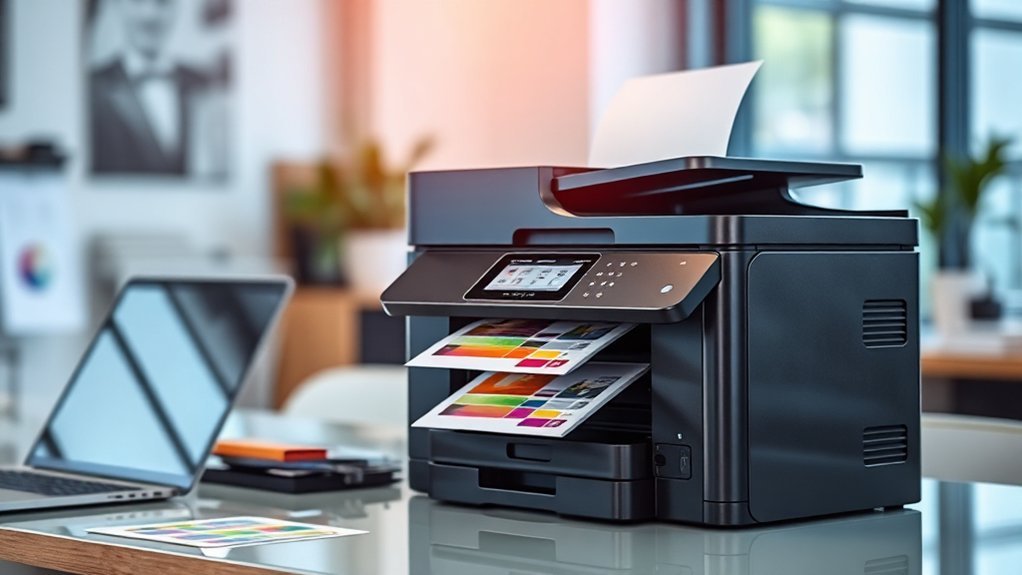
When you’re choosing an automatic double-sided printer, you’ll want to contemplate several key factors. Think about print speed, media handling capacity, and connectivity options that suit your needs.
Don’t forget to evaluate maintenance costs and print quality to guarantee you’re making a smart investment. Taking the time to consider these details will really pay off in the long run.
Print Speed Considerations
Choosing the right automatic double-sided printer means paying close attention to print speed, as it directly impacts your workflow. Print speeds can vary greatly, typically ranging from 8 to 25 pages per minute (ppm).
You’ll find that black and white documents often print faster than color, with many printers exceeding 20 ppm for black compared to 10 ppm or less for color. Also, consider the first page out time; some printers can produce it in under 10 seconds, boosting efficiency in high-volume settings.
Keep in mind that duplex printing may reduce overall speed due to the need to flip the paper. Finally, high-capacity paper trays—250 sheets or more—can minimize interruptions, allowing for sustained printing at higher speeds.
2. Media Handling Capacity
After considering print speeds, it’s important to evaluate media handling capacity, which can greatly impact your printing efficiency. Look for printers with larger input trays, ideally holding 250 sheets or more, to minimize paper reloads during busy tasks.
This feature really enhances workflow, especially in high-volume environments. An automatic document feeder (ADF) is another valuable addition, allowing you to scan or copy multiple pages without constant manual intervention.
Don’t forget to check the maximum media size the printer can accommodate, as this determines the types of documents you can print. Finally, consider printers that support various media types, like photo paper and envelopes, giving you flexibility for diverse printing needs.
3. Connectivity Options Available
How do you guarantee seamless printing in your workspace? Connectivity options play a vital role. Look for automatic double-sided printers that offer wireless capabilities like Wi-Fi and Wi-Fi Direct, allowing you to print without being tethered to a network.
USB connections are also essential, giving you the flexibility to print directly from your computer or laptop. If you’re in a busy office, consider models with Ethernet ports for stable, wired connections that support multiple users.
Don’t overlook mobile printing features through apps, which make it easy to print from your smartphone or tablet. Finally, dual-band wireless support (2.4GHz and 5GHz) can enhance connection reliability and speed, adapting to various network environments.
4. Maintenance and Cost Efficiency
When considering an automatic double-sided printer, maintenance and cost efficiency are essential factors that can impact your long-term investment. These printers can considerably reduce paper usage by up to 50%, translating into cost savings over time.
You’ll also find that the maintenance costs for ink or toner are often lower because these models handle larger print volumes efficiently. Regular upkeep, like cleaning print heads, can extend the printer’s lifespan, further cutting long-term expenses.
Look for models with high-yield cartridges, as they can print thousands of pages before needing replacement. Additionally, energy-efficient printers consume less power, which helps lower your electricity bills during both operation and standby modes.
5. Print Quality Requirements
While cost efficiency and maintenance are essential, print quality shouldn’t be overlooked when choosing an automatic double-sided printer. You’ll want to pay attention to the printer’s resolution, often measured in dpi. Higher resolutions, like 4800 x 2400 dpi, yield sharper text and vibrant images.
If color printing’s a priority, consider a hybrid ink system for enhanced detail, while pigment-based inks are better for sharp text and durability.
Also, check how well the printer handles different media types; specialized projects may require high fidelity. Features like automatic duplex printing can affect quality, so verify alignment and ink bleeding aren’t issues.
Finally, consistent print speeds—around 20 ppm for black and 10 ppm for color—can boost your productivity without sacrificing quality.
Frequently Asked Questions
What Is the Average Lifespan of These Printers?
The average lifespan of these printers is typically around 3 to 5 years. However, with proper maintenance, you can extend their usability.
Regularly replacing ink and keeping the components clean makes a significant difference. It’s a simple habit that really pays off in the long run.
Can These Printers Handle Different Paper Sizes?
Imagine a skilled chef juggling various ingredients; these printers can handle different paper sizes with ease. You’ll find they adapt to your needs, whether it’s letter, legal, or even custom-sized sheets.
Enjoy the flexibility!
How Do I Troubleshoot Common Printing Issues?
To troubleshoot common printing issues, check connections and guarantee paper’s loaded correctly. Also, make sure to clear any jams you find.
Next, update drivers and inspect ink levels. Running a printer diagnostic can really help pinpoint problems.
And don’t forget to restart both your printer and computer. Sometimes, a simple reboot is all it takes to fix things.
Are Replacement Ink Cartridges Readily Available?
You’ll find replacement ink cartridges are usually easy to get. Just stroll into your local store or browse online; there’s a good chance you’ll spot what you need.
Prices are often competitive too, so you don’t have to worry about breaking the bank.
Happy printing!
What Is the Noise Level During Printing?
The noise level during printing varies by model, but you can usually expect a range of 45 to 60 decibels.
Most printers are designed to operate quietly, so it shouldn’t disturb your environment much. It’s pretty manageable in most settings.
Conclusion
In the world of printing, finding the right automatic double-sided printer is like discovering a hidden gem. With options like the HP OfficeJet Pro and the Canon PIXMA, you’re sure to find a perfect match for your needs.
Remember to weigh factors like print quality and speed, ensuring your choice sings in harmony with your workflow. These details really make a difference when you need reliable performance.
Embrace the convenience and efficiency these printers offer, and watch your productivity soar like a bird on the wind!
Automatic double-sided printers are a game changer, especially for busy offices or home setups. They save time, reduce paper waste, and help you get more done with less hassle. So, whether you prioritize speed, quality, or affordability, there’s a model out there to fit your style. Keep these points in mind, and you’ll be printing smarter in no time!