8 Best Anycubic FDM Printers for 2027
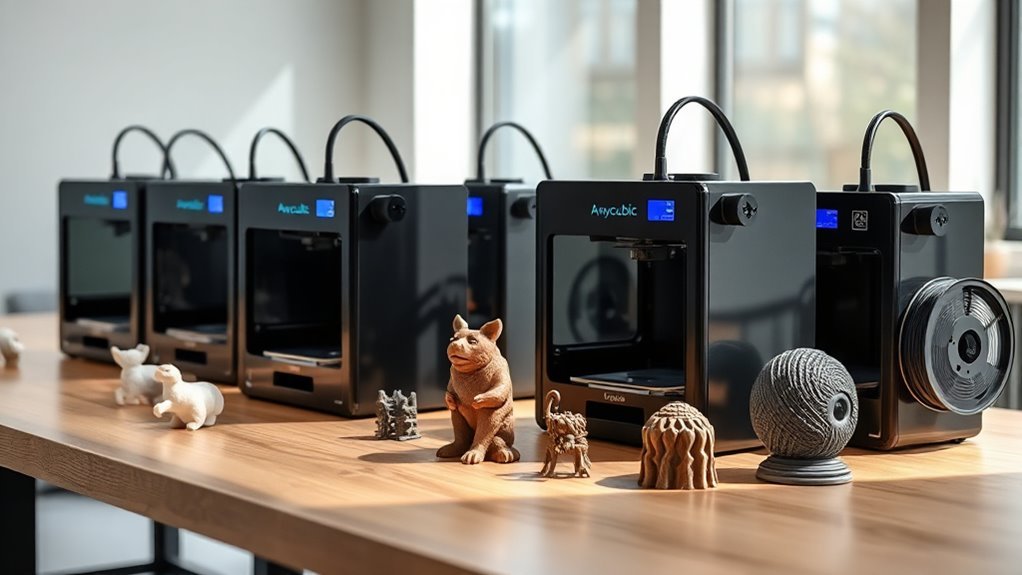
You’ll find Anycubic’s 2027 lineup packed with versatile FDM printers that bring exciting features to the table. These printers offer native 4-color multicolor printing, giving you vibrant results right out of the box. Plus, some models can be expanded up to 19 colors using ACE 2 Pro units, which is pretty impressive.
If you’re looking for something compact, the Kobra X Multicolor is a great pick. It’s easy to set up and has a space-saving top-mount design that fits nicely in smaller workspaces. On the other hand, if precision and a larger build volume matter more, the Kobra S1 Max Combo might be just what you need.
Materials are well-supported across the range, thanks to smart filament management and adaptive extrusion. Keep exploring—there’s an Anycubic FDM printer here that’s perfect for your creative projects or professional work.
| Image | Name | Editor's Rating | Price |
|---|---|---|---|

|
|
||

|
|
||

|
|
||

|
|
||
|
|
Anycubic Kobra X Multicolor 3D Printer, Easy One-Click Printing
- 【Vivid 19-Color and Versatile Materials】Unleash creativity beyond limits. The Kobra X supports 4-color standard and expands up to 19 colors with 4 ACE 2 Pro for...
- 【600mm/s High Speed Performance】Don't let slow speeds limit your creativity. This high-speed FDM 3D printer reaches up to 600mm/s, completing tasks significantly...
- 【True Plug & Play Experience】Start your first project in as little as 15 minutes. The Kobra X arrives with a user-friendly setup and LeviQ 3.0 automatic bed leveling...
- 【LeviQ 3.0 Perfect First Layer】Forget the frustration of manual bed leveling that plagues beginner machines. The LeviQ 3.0 system utilizes 49-point full-auto leveling...
- 【Quiet & Reliable for Home】The ultra-quiet ≤48 dB operation ensures the living or learning space remains peaceful. Combined with power loss recovery and filament...
The Anycubic Kobra X Multicolor 3D printer simplifies multicolor printing with easy one-click operation. It supports up to four colors by default and can be expanded to 19 colors with add-ons, allowing users to create detailed and vibrant models. This versatility addresses the common challenge of managing multiple filaments during printing.
Its adaptive extrusion force compensator ensures smooth transitions between materials like TPU, PLA, and PETG. This reduces print errors and improves the quality of complex multicolor projects. The hardened steel nozzle withstands temperatures up to 300°C, making it compatible with a wide range of filaments.
Maintenance is straightforward with the LeviQ 3.0 automatic bed leveling system, which ensures a properly calibrated print surface every time. The plug-and-play setup lets users start printing within about 15 minutes, minimizing downtime and setup frustration.
The build volume of 260 × 260 × 260 mm provides ample space for most hobbyist and small business projects. However, those requiring very large parts may find this volume limiting. Fine-tuning may be needed for vibration compensation and extrusion settings depending on the filament used.
Best for: hobbyists, educators, and small businesses seeking an easy-to-use multicolor 3D printer with fast setup and material versatility.
What We Like:
- Supports up to 4 colors standard, expandable to 19
- Automatic LeviQ 3.0 bed leveling for consistent prints
- Adaptive extrusion force for smooth filament changes
- Hardened steel nozzle compatible with various filaments
- Quick plug-and-play setup for fast printing start
Specification:
| Feature | Details |
|---|---|
| Manufacturer | Anycubic |
| Build Volume | 260 × 260 × 260 mm |
| Nozzle Material | Hardened Steel |
| Max Nozzle Temperature | 300°C |
| Color Support | Up to 4 colors (expandable) |
Anycubic Kobra X Multicolor 3D Printer, Easy Setup, Native 4-Color
- 【 Newest Level - 19-Color with 4 ACE 2 Pro】Why settle for one color when you can have multicolor? The Kobra X comes born with 4 colors built-in. It is innovative 3D...
- 【 Savings 2X Time】Stop wasting hours and filament on purging! Kobra X impresora 3D reduces the filament and machine travel path by 81.25%, so 2X the Speed, and...
- 【Hardened Precision & High Speed 】 Equipped with a high-durability hardened steel nozzle and vibration compensation, the Kobra X ensures every layer remains smooth...
- 【Flawless First Layer with LeviQ 3.0】The LeviQ 3.0 and auto bed leveling system uses a 49-point calibration and advanced leveling algorithm to ensure 100% bed...
- 【Smart AI Monitoring & Large Model Library】APP remote control, features Spaghetti detection and foreign object detection. The innovative top-mount spool holder...

Experience seamless multicolor 3D printing with the Anycubic Kobra X Multicolor. This printer solves the common hassle of color blending by offering a native 4-color system, which drastically reduces filament purging and travel time by over 80%. As a result, print speeds double, allowing you to complete complex models like a Benchy in just 14 minutes.
The Kobra X is designed for ease of use and minimal maintenance. Its LeviQ 3.0 auto bed leveling ensures a perfectly flat print surface every time, while smart AI continuously monitors prints to catch issues early. Setup is straightforward and takes around 15 minutes, making it accessible for both beginners and professionals.
Built with a hardened steel nozzle and capable of reaching temperatures up to 300°C, this printer supports a wide variety of materials. Its 260 × 260 × 260 mm build volume fits well in home, educational, or professional settings, providing versatile multicolor printing without complexity.
Expanding beyond the four colors requires additional ACE 2 Pro units, though these are only compatible with the Kobra X system. While filament is sold separately, the printer’s design and features offer a reliable, efficient multicolor printing experience.
Best for: Creators seeking a fast, easy-to-use multicolor 3D printer with broad material compatibility for home, educational, or professional projects.
What We Like:
- Efficient native 4-color printing reduces filament waste and speeds up production.
- Reliable LeviQ 3.0 auto bed leveling with smart AI monitoring enhances print quality.
- Hardened steel nozzle supports diverse materials with high-temperature capability.
- Quick 15-minute setup for fast project starts.
Specification:
| Specification | Details |
|---|---|
| Manufacturer | Anycubic |
| Build Volume | 26 × 26 × 26 cm |
| Max Nozzle Temperature | 300°C |
| Colors | Native 4-color system |
| Setup Time | Approximately 15 minutes |
Anycubic Kobra S1 ACE 2 Pro Combo Multicolor 3D Printer, Native 4 Color
- 【Built in 4-Color Multicolor Printing】 Includes ACE 2 Pro for 4-color printing right out of the box; connect up to 4 ACE 2 Pro units to unlock 16-color printing...
- 【High-Speed CoreXY Performance】 Fully enclosed CoreXY structure combined with Kobra OS delivers stable motion at speeds up to 600 mm/s; produces smooth surfaces...
- 【Smart Filament Management】 Features intelligent identification filament recognition, remaining filament estimation and automatic filament refill; automatically...
- 【Print While Drying Technology】 ACE 2 Pro supports simultaneous drying and printing at temperatures up to 65°C; active moisture removal, sealed storage and...
- 【Broad Material Compatibility】Kobra S1 ACE 2 Pro Combo 3D Printer supports PLA, PETG, ABS, ASA and other materials; equipped with a 320°C quick-release hotend, LeviQ...
Experience vivid multicolor 3D printing with the Anycubic Kobra S1 ACE 2 Pro Combo’s native 4-color system. This innovative printer lets you combine up to four ACE 2 Pro units, enabling a remarkable 16-color output. It solves the common challenge of limited color options, allowing creators to produce lifelike models and detailed prototypes with ease.
Its fully enclosed CoreXY frame ensures stable, high-speed printing up to 600 mm/s, providing smooth surfaces and sharp details. The design supports consistent motion, reducing errors and improving overall print quality. This makes it ideal for projects requiring precision and speed.
Maintenance is simplified with smart filament management. The system identifies filaments and dries them during printing, preserving filament quality and reducing downtime. Broad material compatibility and a 320°C hotend add versatility, letting you work with various filaments for different applications.
LeviQ 3.0 automatic leveling guarantees accurate bed calibration every time, minimizing setup effort and enhancing print reliability. While the enclosed design may limit visibility during prints, it helps maintain a stable printing environment. The advanced multi-unit setup offers scalability but can add to cost and complexity.
Best for: Creative professionals and hobbyists needing precise, multicolor 3D printing with efficient filament handling and flexible material options.
What We Like:
- Expands from 4 to 16 colors for detailed, multicolor projects
- Stable CoreXY motion system with speeds up to 600 mm/s
- Smart filament drying and identification during printing
- Automatic bed leveling with LeviQ 3.0 for hassle-free setup
- Supports a wide range of filament materials with a 320°C hotend
Specification:
| Feature | Details |
|---|---|
| Manufacturer | Anycubic |
| Printer Type | Multicolor 3D Printer |
| Color Capability | Native 4 colors, expandable to 16 |
| Motion System | CoreXY |
| Max Printing Speed | 600 mm/s |
| Hotend Max Temp | 320°C |
| Bed Leveling | LeviQ 3.0 Automatic Leveling |
| Design | Fully Enclosed |
ANYCUBIC Kobra X 3D Printer, Native 4-Color, Up 19-Color with 4 ACE 2 Pro
- 【Native 4-Color & 19-Color Expansion】Maximize profit margins with ACE GEN 2 multicolor technology. Kobra X support native 4-color and expansion up to 19 colors with...
- 【81.25% Less Waste & Peak Efficiency】Kobra X shortens filament change length by 81.25%, drastically reducing purge waste. KX allows print farms to produce more parts...
- 【Space-Efficient Top-Mount Design for High Density】The vertical spool holder and top-mount architecture reduce the footprint compared to side-box systems. Fit more...
- 【LeviQ 3.0: Precision Auto-Leveling】Precision is non-negotiable. LeviQ 3.0 uses a 49-point auto-leveling mesh to eliminate bed variances, ensuring a flawless first...
- 【Smart Management & AI Guard】Manage a fleet via Anycubic App with object skipping to save batches. The integrated AI camera and space-saving build offer...
The Anycubic Kobra X is designed to transform multicolor 3D printing for creators who need both precision and flexibility. Its native 4-color printing capability can easily expand up to 19 colors with additional ACE 2 Pro units. This allows users to tackle complex, vibrant projects without switching printers.
With the ACE GEN 2 technology, prints are faster and more efficient, reducing filament waste by over 80%. Its compact, top-mount design saves workspace, enabling more printers on a single bench. The generous 260 × 260 × 260 mm build volume accommodates larger creations without compromising print quality.
Maintenance is straightforward thanks to LeviQ 3.0 auto-leveling and AI-powered monitoring, which detect issues early and keep prints running smoothly. Remote fleet management via the Anycubic App allows users to oversee multiple machines effortlessly, making it ideal for print farms or professional setups.
While expanding to 19 colors requires buying extra ACE 2 Pro units, the system remains scalable. Beginners may face a learning curve with advanced features, but the printer’s design focuses on reliable, high-throughput multicolor printing.
Best for: Professionals and businesses seeking scalable, efficient multicolor 3D printing solutions with minimal waste and easy remote management.
What We Like:
- Native 4-color printing, expandable to 19 colors for complex projects
- Fast printing speeds with significant time and material savings
- Auto-leveling and AI monitoring reduce maintenance hassles
- Space-saving design fits multiple printers on a single bench
- Remote management streamlines large-scale printing operations
Specification:
| Feature | Details |
|---|---|
| Manufacturer | Anycubic |
| Build Volume | 260 × 260 × 260 mm |
| Color Options | Native 4-color, expandable to 19 colors |
| Printing Technology | ACE GEN 2 |
| Design | Top-mount, space-saving |
| Connectivity | Anycubic App remote management |
ANYCUBIC PETG Filament 1.75mm, Multicolor Bundle 10KG, Reusable Spool
- 【Clear and Vibrant】With a vibrant and vivid hue, the prints of Anycubic PETG 3D Printer Filament feature a smooth and delicate surface finish. They exhibit excellent...
- 【Durable & Impact-resist】ANYCUBIC PETG Filament combines the PLA's ease of printing with the toughness of ABS. With impact resistance twice that of standard PLA...
- 【1.75mm Diameter, Wide Compatibility】Without any clogging or bubbles, Anycubic PETG Filament 1.75mm guarantees a seamless extrusion of filament, resulting in a...
- 【Enhanced Chemical & Water Resistance】Enhanced chemical and water resistance ensures stability even in high humidity environments, as well as in the presence of...
- 【Vacuum Packaging】Anycbuic have carefully chosen eco-friendly and non-toxic imported materials. Our vacuum packaging effectively shields against moisture and dust...
Experience vibrant and reliable 3D printing with the ANYCUBIC PETG Filament Multicolor Bundle. This set offers ten distinct colors on reusable spools, minimizing waste and providing flexibility for various projects. Its controlled diameter tolerance of ±0.02 mm ensures consistent extrusion and reduces common printing issues like warping.
PETG filament combines the ease of PLA printing with the toughness of ABS, delivering prints that resist impacts, chemicals, and water. This makes it ideal for creating durable toys, prototypes, and functional parts. Its excellent layer adhesion enhances print quality and longevity.
Maintenance is straightforward thanks to the reusable spools and vacuum-sealed, eco-friendly packaging that preserves filament quality by preventing moisture absorption. The filament is compatible with nearly all FDM 3D printers, though users may need to adjust settings compared to PLA for optimal results.
While slightly more expensive than basic PLA, this filament’s enhanced durability and color variety offer added value. It is not suited for flexible or rubber-like parts but excels in producing sturdy, vibrant models for diverse applications.
Best for: Hobbyists and professionals seeking a durable, versatile PETG filament bundle with a wide color range for high-quality FDM printing.
What We Like:
- Ten vibrant colors on eco-friendly reusable spools
- Precise diameter tolerance for consistent extrusion
- Strong impact, chemical, and water resistance
- Excellent interlayer adhesion for durable prints
- Vacuum-sealed packaging preserves filament quality
Specification:
| Manufacturer | ANYCUBIC |
|---|---|
| Material | PETG |
| Diameter | 1.75 mm |
| Weight | 10 kg (total) |
| Color Options | Multicolor (10 colors) |
| Spool | Reusable, vacuum-sealed |
Anycubic Kobra S1 Max FDM 3D Printer Only, Fully-Enclosed CoreXY System

- 【Stable CoreXY Motion System】 Built with CoreXY structure, Kobra S1 Max delivers smooth and stable movement with reduced vibration during printing. It also helps...
- 【Large-Scale Printing Capability】 Kobra S1 Max large format printer features 350×350×350mm³ build volume, giving you more freedom to create large models and...
- 【600mm/s High-Speed Printing】 Kobra S1 Max delivers speeds up to 600mm/s, with a default speed of 300mm/s and acceleration up to 20000mm/s². Achieve faster printing...
- 【Dual Auxiliary Part Cooling Fans】 Equipped with dual auxiliary part cooling fans, S1 Max improves airflow around the model and extrusion system. Enhanced cooling...
- 【Multi-Material Freedom】 Kobra S1 Max handles various materials with a 350°C hotend, 120°C heated bed, and 65°C heated chamber. Compatible with PLA, PETG, TPU...
The Anycubic Kobra S1 Max is designed to handle large-scale 3D printing projects with precision and speed. Its spacious 350 × 350 × 350 mm build volume allows you to create bigger models without sacrificing accuracy. The stable CoreXY motion system minimizes vibration, ensuring smooth and consistent prints.
This fully enclosed printer maintains a steady internal temperature, which is essential for printing materials like PLA, ABS, and TPU. With a hotend that reaches up to 350°C and a heated bed up to 120°C, it supports a wide range of filament types. Dual cooling fans help reduce stringing and warping, improving print quality.
Maintenance is straightforward thanks to its auto-leveling feature, which saves time and effort in bed calibration. The quiet operation and robust frame, weighing 69.3 pounds, provide a reliable and durable workspace, though it may be less portable.
Overall, the Anycubic Kobra S1 Max offers a precise, fast, and temperature-controlled printing experience in a fully enclosed CoreXY system built for demanding users.
Best for: professionals and enthusiasts needing large, precise, and fast 3D prints with reliable temperature control in a fully enclosed CoreXY printer.
What We Like:
- Large 350 × 350 × 350 mm build volume for big projects
- Stable CoreXY motion reduces vibration for smooth prints
- Fully enclosed design maintains temperature and reduces warping
- Auto-leveling simplifies maintenance and setup
- Quiet operation and sturdy build ensure reliability
Specification:
| Feature | Details |
|---|---|
| Manufacturer | Anycubic |
| Build Volume | 350 × 350 × 350 mm |
| Max Hotend Temp | 350°C |
| Heated Bed Temp | Up to 120°C |
| Motion System | CoreXY |
| Weight | 69.3 lb (31.4 kg) |
| Cooling | Dual fans |
| Design | Fully enclosed |
Anycubic Kobra S1 Max Combo 3D Printer, Large Build Size 350x350x350 mm³
- 【Massive 350x350x350mm³ Build Volume】 Anycubic Kobra S1 Max Combo has extra-large 350x350x350mm³ workspace, provides expansive space for engineers and makers to...
- 【Fully-Enclosed CoreXY Structure】 Built with a solid all-metal frame that stays rock-steady even at top speed. Core XY design eliminates shaking and wobbling, giving...
- 【600mm/s Ultra High-Speed Printing】 Delivers up to 600mm/s print speed and 20,000mm/s² acceleration, finishing a standard Benchy in just 15 minutes. Stop wasting...
- 【Native 4-Color to Max 16-Color】 Bundled with the ACE 2 Pro for 4-color printing out of the box, expanding up to 16 colors with 4 ACE 2 Pro boxes. Say goodbye to...
- 【65°C Heated Chamber for Advanced Materials】Features a 65°C heated chamber and 350°C hotend to easily print tough engineering materials and consumer-grade...
Engineers and designers often face challenges when creating large, detailed prototypes. The Anycubic Kobra S1 Max Combo addresses this with its spacious 350 x 350 x 350 mm³ build volume and fully enclosed CoreXY design. This setup ensures stable and precise prints, even for tall models.
This 3D printer speeds up production with rapid printing up to 600 mm/s, cutting down wait times. Its native 4-color capability, paired with the ACE 2 Pro extruder, expands to 16 colors. This flexibility allows for complex multi-material projects without interrupting your workflow.
Maintenance is simplified with Smart LeviQ 3.0, offering 49-point auto-leveling and real-time flow calibration. These features guarantee strong first layers and consistent adhesion, reducing print failures. The all-metal frame and heated chamber support a wide range of materials like ABS, TPU, and PLA, making it suitable for professional work.
While the printer’s size and weight require a dedicated space, its advanced features empower users to produce high-quality, multi-material parts. Some fine-tuning may be necessary to optimize print speed and quality.
Best for: Engineers, makers, and designers who require a large-format, versatile 3D printer for precise, multi-material prototypes and functional parts.
What We Like:
- Large, stable build volume with enclosed CoreXY design
- Expandable multi-color printing up to 16 colors
- Smart LeviQ 3.0 auto-leveling and flow calibration
- Supports diverse materials with heated chamber
- Robust all-metal frame for durability
Specification:
| Feature | Details |
|---|---|
| Manufacturer | Anycubic |
| Build Volume | 350 x 350 x 350 mm³ |
| Print Speed | Up to 600 mm/s |
| Dimensions (W x D x H) | 21 x 23 x 19 inches |
| Weight | 77.8 pounds |
| Frame Material | All-metal |
| Color Options | Native 4-color, expandable to 16 |
Anycubic Kobra 4 Combo 3D Printer with ACE 2 Pro, Native 4-Color Printing

- 【WHY CHOOSE A GANTRY DESIGN】The Kobra 4’s classic gantry design offers 360° visibility and easy maintenance. It’s the perfect choice for beginners to observe and...
- 【STUNNING 8-COLOR PRINTING】 Unleash your creativity with the born with 1* ACE 2 Pro. Support 4-color printing out of the box and expand to 8 colors for vibrant...
- 【PERFECT FIRST LAYER】 No more manual adjustments. Our intelligent auto-leveling system ensures the first layer sticks perfectly every time, even for absolute 3D...
- 【SMART APP & REMOTE CONTROL】 Monitor and manage your prints via phone or PC. Access a massive library of models to print with just one click, anywhere, anytime.
- 【ULTRA-QUIET & SAFE DESIGN】 Operating at only 48dB, this enclosed printer is perfect for home, classroom, or office use, keeping the workspace peaceful and safe. The...
The Anycubic Kobra 4 Combo transforms 3D printing by enabling vibrant, multi-color creations with native 4-color support. This printer addresses the challenge of producing detailed, colorful models without complex setups or long waits. Its intelligent features help you focus on creativity rather than technical hurdles.
With a build volume of 260 × 260 × 260 mm, it balances size and precision for most hobbyist and enthusiast projects. The included ACE 2 Pro system boosts printing speed and accuracy, ensuring smooth results. Its classic gantry design offers excellent visibility and a compact footprint, fitting well in home or office spaces.
Maintenance is straightforward thanks to the intelligent auto-leveling system and pre-assembled components. This reduces downtime and makes the printer accessible to users with varying experience levels. Remote control via smartphone or PC adds convenience, allowing you to manage prints without being tethered to the machine.
While the build volume suits many applications, very large projects may require alternative solutions. Expanding color options beyond four requires additional ACE 2 Pro modules. The printer’s weight, nearly 30 pounds, means it is stable but less portable.
Best for: hobbyists and beginners seeking an efficient, multi-color 3D printer with easy setup and remote operation.
What We Like:
- Native 4-color printing with optional expansion up to 8 colors
- Intelligent auto-leveling for reliable first layers
- Pre-assembled parts for quick setup
- Ultra-quiet operation suitable for home or office use
Specification:
| Feature | Details |
|---|---|
| Manufacturer | Anycubic |
| Build Volume | 260 × 260 × 260 mm |
| Weight | ~13.6 kg (30 lbs) |
| Color Options | Native 4-color, expandable to 8 colors |
| Design | Classic gantry with 360° visibility |
Factors to Consider When Choosing an Anycubic FDM Printer
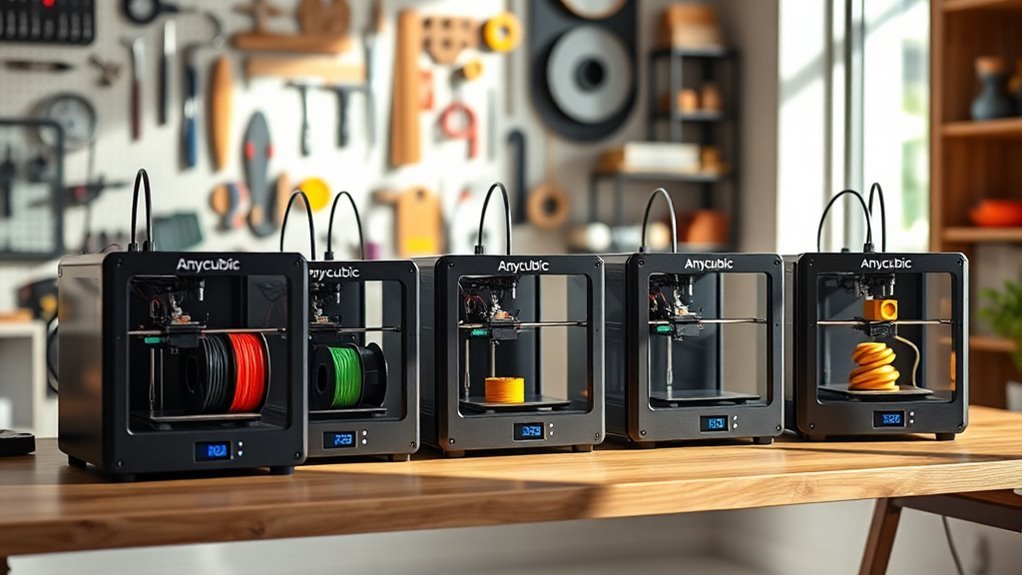
When choosing an Anycubic FDM printer, you need to take into account the print volume capacity and whether multicolor printing suits your projects. Think about the range of materials you want to use and how fast you need your prints to finish.
Don’t forget to check the bed leveling technology for easier setup and consistent results. It really makes a difference when you want hassle-free printing. So, keep these factors in mind to pick the right printer for your needs.
Print Volume Capacity
Choosing an Anycubic FDM printer means matching its print volume capacity to your largest project dimensions. This way, you ensure you have enough space for fixtures and supports. Start by measuring the maximum size of your models (X, Y, Z) and pick a printer with a bit more build space than you actually need.
Larger volumes, around 300–350 mm per axis, let you print full-size prototypes and assemblies. But keep in mind, they demand more workspace and longer print times.
Smaller volumes, about 200–260 mm per axis, heat up faster and use less material. These are great for hobbyists and classrooms.
Also, pay attention to how the bed area fits your part’s base. Height alone isn’t enough if the footprint can’t accommodate the design without compromising strength.
For scaled production, having consistent build volumes across printers really helps simplify workflows.
Multicolor Printing Options
Although multicolor printing adds complexity, it unlocks new creative possibilities by letting you combine multiple filaments in a single print. When choosing an Anycubic FDM printer, check how many native extruders or color modules it supports—some offer 1 to 4 colors natively and allow expansion.
Look for efficient purge systems that minimize filament waste during color changes. You’ll want the printer’s hardware and software to handle color shifts smoothly with features like adaptive extrusion and vibration compensation. This helps keep those color boundaries sharp.
Also, prioritize printers with robust monitoring tools, such as filament run-out detection and power-loss recovery. These features prevent failed prints and give you peace of mind. With all this, your multicolor prints will come out vibrant, precise, and reliable every time.
Material Compatibility Range
Since material compatibility directly impacts the range and quality of your prints, you’ll want to verify key printer specifications like maximum hotend and heated bed temperatures. A hotend capable of 300–350°C and a heated bed around 120°C let you print high-temp filaments such as ABS, ASA, nylon, and polycarbonate.
Make sure the printer supports flexible filaments like TPU, checking recommended shore hardness and print settings. This is especially important if it uses a direct-drive extruder for better handling.
Look for multi-material features—multiple extruders or multicolor modules—and confirm the firmware supports smooth material switching. Also, consider filament management tools like drying systems, sealed chambers, or enclosures to protect hygroscopic filaments.
Finally, make certain the nozzle and feed path use hardened steel or similar materials if you plan to print abrasive filaments. This helps avoid wear and clogs, keeping your printer running smoothly.
Print Speed Performance
Boost your productivity by understanding how print speed performance affects your Anycubic FDM printer’s output. Higher maximum speeds cut print times but demand precise acceleration and jerk tuning to prevent ringing and loss of detail.
You’ll benefit from advanced motion systems like CoreXY or well-calibrated gantries that reduce vibrations and maintain surface quality at fast speeds. Effective cooling setups are essential too, as quick printing leaves less time for layers to solidify, risking poor adhesion and rough overhangs.
Your printer’s extrusion system and hotend must handle high filament throughput reliably to avoid inconsistent flow. Remember, while faster printing saves time, it often compromises surface smoothness and fine detail unless the hardware and firmware actively compensate for these challenges.
Balancing speed with quality is key to ideal results.
Bed Leveling Technology
Mastering bed leveling technology can dramatically improve your Anycubic FDM printer’s first-layer adhesion and overall print success. Look for automatic systems that probe 25–49 points to create a detailed height map, compensating for uneven build plates.
When combined with resonance or vibration compensation, these systems adjust nozzle height in real time, ensuring consistent layer adhesion even at high speeds. A reliable setup uses precise sensors and smart algorithms to minimize manual tweaking, cutting your setup time to minutes.
Integrated leveling that adjusts first-layer height and extrusion flow helps prevent under- or over-extrusion, reducing failed prints. Also, choose solutions compatible with filament run-out and power-loss recovery, so your adjustments hold steady through interruptions during long prints.
This way, you get peace of mind and smooth results every time.
Noise Level Output
Although noise may seem like a minor factor, choosing an Anycubic FDM printer with low noise levels can greatly enhance your printing experience—especially if you work in shared spaces or quiet environments.
Look for models with noise ratings around 45–48 dB, which are considered ultra-quiet. Noise mainly comes from stepper motors, fans, and vibrations, so printers with quieter fans, vibration-damping frames, and advanced motion systems tend to be much quieter.
Enclosed frames or CoreXY designs with resonance compensation also reduce vibration noise compared to open gantries. You’ll want to balance print speed with noise, as faster speeds increase sound output.
For long or overnight prints, check for silent modes, adjustable fan profiles, or sleep timers to keep noise to a minimum without sacrificing print quality.
Connectivity And Monitoring
Alongside managing noise levels, staying connected and monitoring your prints can make a big difference in your 3D printing experience. You’ll want an Anycubic printer with dual-band Wi-Fi (2.4/5 GHz) and LAN support to guarantee reliable remote control and avoid network congestion.
Built-in cameras with at least 720p resolution let you watch prints in real time, catching issues early without being near the machine. It’s super handy to keep an eye on things from wherever you are.
Look for app or web-based interfaces that let you start, pause, or stop prints remotely and manage multiple jobs from one place. This way, you’re always in control, even if you’re not physically by the printer.
Sensors for filament run-out, power-loss recovery, and print failure detection help reduce waste by alerting you instantly. These little features save time and materials, making your printing smoother overall.
Finally, confirm your printer supports direct network uploads and common slicing software for a smooth workflow. It just makes everything easier and keeps your projects moving along without a hitch.
Durability And Build Quality
When choosing an Anycubic FDM printer, you want one built to last with components that can handle long-term use. Look for all-metal frames and reinforced gantries like CoreXY or rigid designs to reduce vibration and maintain accuracy at high speeds.
Also, pay attention to hotend and nozzle materials—hardened steel or wear-resistant alloys offer better durability, especially when you’re using abrasive filaments. It’s a good idea to choose components rated for higher temperatures (hotends ≥300–350°C) to support advanced filaments and prevent thermal wear.
Don’t forget about filament handling features like sealed chambers or active drying. These help avoid moisture issues that can mess with your prints.
Finally, go for printers with maintenance-friendly designs—things like modular hotends, accessible belts, and easy-to-replace parts. Trust me, this makes repairs way simpler and helps extend your printer’s life.
Frequently Asked Questions
What Maintenance Is Required for Anycubic FDM Printers?
You’ll need to regularly clean the nozzle, lubricate the rails, and check belt tension. Updating the firmware and leveling the bed are important too.
Also, don’t forget to replace worn parts like the build surface or filament guide. Doing this helps keep your Anycubic printer running smoothly.
Are Anycubic Printers Compatible With Third-Party Filaments?
Yes, you can use third-party filaments with Anycubic printers. Just make sure to adjust the temperature settings and bed adhesion as needed.
Different filaments might behave differently during printing, so keep an eye on how things are going. It’s pretty straightforward once you get the hang of it!
How Energy-Efficient Are Anycubic FDM Printers?
Energy efficiency in Anycubic FDM printers shines like a lighthouse in fog—you’ll find they use moderate power, balancing performance and consumption well.
They’re designed to keep energy use low without sacrificing print quality or speed.
What Software Is Recommended for Slicing Anycubic Printer Models?
You should use Anycubic’s own Photon Workshop or the popular Ultimaker Cura for slicing Anycubic models. Both are user-friendly, regularly updated, and optimize print quality.
They give you smooth, precise prints every time without hassle. It’s really about finding what works best for you and your printer.
Can Anycubic Printers Be Upgraded or Modified for Advanced Use?
You can definitely turn your Anycubic printer into a beast by upgrading parts like nozzles, extruders, and motherboards.
Don’t hesitate to tweak the firmware or add mods to unlock its full, advanced potential. It’s easier than you might think, and totally worth it!
Conclusion
Choosing the right Anycubic FDM printer comes down to your unique needs—whether it’s multicolor capability, build size, or ease of use. With options ranging from the versatile Kobra X to the powerful S1 Max, you’ve got plenty to pick from.
So, why settle for less when you can elevate your 3D printing game with the perfect Anycubic model tailored just for you? Whether you’re a hobbyist or a professional, finding the best Anycubic FDM printer can make all the difference.
Your ideal printer is waiting, ready to bring your creative ideas to life with precision and reliability. Explore the features that matter most and choose a printer that fits your style and projects perfectly. Don’t just print—make every print count with Anycubic.