8 Best All in One Supertank Printers for 2027
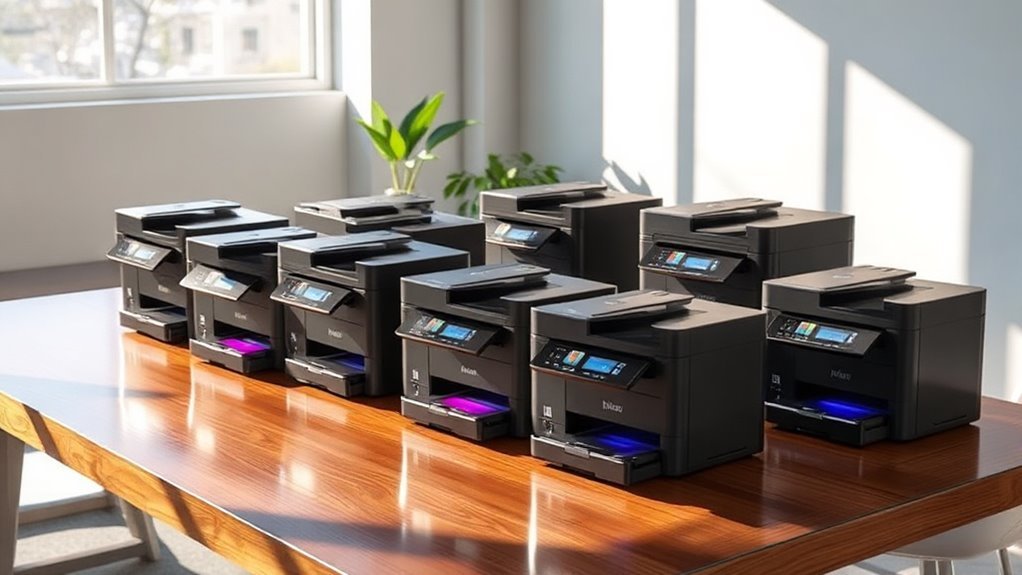
If you want reliable, cost-efficient printing, the best all-in-one supertank printers for 2027 are worth checking out.
Models like the Canon MegaTank G3270, Canon MAXIFY GX2020, Epson EcoTank ET-2900 and ET-4950, plus the HP Smart Tank 7603, lead the pack.
These printers deliver high-quality prints and come with long-lasting ink tanks that save you money over time.
They also offer wireless connectivity and smart features designed to boost your productivity.
Whether you’re printing for home or office use, each printer handles tasks smoothly and efficiently.
Keep exploring to find the perfect model that fits your specific needs without breaking the bank.
| Image | Name | Editor's Rating | Price |
|---|---|---|---|

|
|
||

|
|
||

|
|
||

|
|
||

|
|
Canon MegaTank G3270 All-in-One Wireless Color Printer
- Wireless Print/Copy/Scan
- Up to 2 years of ink included (2)
- Print up to 6,000 black & white / 7,700 color pages using a single set of inks! (1)
- Save up to $1,000 on ink (1)
- 1.35” Square LCD display

Experience hassle-free printing with the Canon MegaTank G3270, designed to meet the needs of both home and office users. This all-in-one wireless color printer offers reliable performance for printing, copying, and scanning tasks, helping you stay productive without interruption.
Its compact and lightweight design fits neatly on any desktop, saving space while providing sharp, high-resolution prints up to 4800 x 1200 dpi. Print speeds reach 11 pages per minute in black and white and 6 in color, ideal for everyday document needs.
The standout feature is the MegaTank ink system, which significantly reduces the frequency of ink refills by allowing you to print thousands of pages. This system lowers maintenance efforts and keeps running costs down, making it convenient for heavy users.
Connectivity options include USB and Wi-Fi, enabling seamless printing from multiple devices without the clutter of cables. However, the 100-sheet paper capacity and single tray design may require regular paper reloads and limit simultaneous use of different paper types.
Best for: users seeking a versatile, high-capacity all-in-one printer that is compact and ideal for both home and office use.
What We Like:
- High page yield with MegaTank ink system reduces refills
- Wireless and USB connectivity for flexible device printing
- Compact, lightweight design fits well in limited spaces
Specification:
| Feature | Details |
|---|---|
| Manufacturer | Canon |
| Dimensions | Compact, desktop-friendly |
| Weight | Lightweight |
| Color Options | Color printer (multicolor) |
| Connectivity | USB, Wi-Fi |
Canon MAXIFY GX2020 Wireless All-in-One Printer
- Wireless Print/Copy/Scan/Fax (2)
- Print up to 3,000 black & white / 3,000 color pages using a single set of inks! (1)
- 2.7” LCD Color Touchscreen
- Auto 2-sided printing
- ADF – 35 sheet Auto Document Feeder
The Canon MAXIFY GX2020 is designed to meet the demands of small offices and home businesses needing consistent, high-volume color printing. Its wireless capability lets you print from multiple devices without hassle, improving workflow and saving time. With print speeds of 15 ppm in black and 10 ppm in color, it delivers steady performance for everyday tasks.
This all-in-one printer simplifies maintenance with pigment-based ink bottles that yield up to 3,000 pages per set. This reduces how often you need to refill, making it ideal for busy environments. The compact design fits neatly on a desk, while handling up to 250 sheets to support long print runs.
Equipped with a 2.7-inch touchscreen and a 35-sheet automatic document feeder, the MAXIFY GX2020 makes copying, scanning, and faxing straightforward. Its automatic duplex printing helps cut paper use and speeds up two-sided jobs, boosting productivity.
Although it’s not the fastest printer available and uses pigment-based ink that may not suit photo-quality prints, the GX2020 excels in reliability and multifunction convenience. It balances performance and ease of use for small-scale professional settings.
Best for: Small offices and home businesses that require efficient, wireless high-volume color printing with multifunction features.
What We Like:
- High page yield of up to 3,000 pages per ink set reduces refill frequency
- Automatic duplex printing and 35-sheet ADF enhance workflow
- Compact design with a user-friendly 2.7-inch touchscreen
- Wireless connectivity simplifies printing from multiple devices
Specification:
| Feature | Details |
|---|---|
| Manufacturer | Canon |
| Dimensions (W×D×H) | Compact, fits on desk |
| Weight | Not specified |
| Ink Type | Pigment-based ink bottles |
| Paper Capacity | Up to 250 sheets |
| Print Speed | 15 ppm (B&W), 10 ppm (Color) |
| Display | 2.7-inch touchscreen |
| Automatic Document Feeder | 35 sheets |
Epson EcoTank ET-2900 Wireless Color All-in-One Supertank Printer – Black
- Epson EcoTank includes enough ink to last up to 3 years⁴
- WORRY-FREE PRINTING — Epson EcoTank comes with enough ink to print up to 3,600 pages black/6,500 color⁹ for fewer out-of-ink frustrations. Each replacement ink bottle...
- SIMPLE INK REFILLING — Supersized ink tanks and uniquely keyed EcoFit bottles make refilling ink simple—no mess, no stress and no ink bottle mix-ups; fits in...
- THE WORLD’S #1 SELLING SUPERTANK PRINTER² — Epson invented EcoTank to revolutionize the way people print; we’ve sold 100 million EcoTanks worldwide⁷ and this is...
- KEY PRODUCTIVITY FEATURES — 11 black/6 color ISO ppm print speeds with zero warmup time, 100-sheet paper tray, high-resolution flatbed scanner and a 1.44" color display...
The Epson EcoTank ET-2900 is designed to meet the needs of users who want a reliable, high-capacity wireless all-in-one printer. Its large ink tanks can print for up to three years without the hassle of frequent refills. This feature reduces interruptions and lowers the overall cost of ink replacement, making it ideal for busy home offices or small businesses.
With heat-free technology, the ET-2900 prints faster while maintaining sharp, vibrant output at a resolution of 5760 x 1440 dpi. It handles both black and color printing efficiently, producing 11 black and 6 color pages per minute. This balance of speed and quality helps users stay productive without sacrificing print detail.
The printer’s compact design fits neatly into any workspace, saving valuable desk space. The 1.44-inch color display makes it easy to navigate settings, while the Epson Smart Panel app enables convenient mobile printing. This connectivity enhances workflow and supports remote printing from smartphones or tablets.
Despite its strengths, the ET-2900 has a modest paper capacity of 100 sheets, which may require frequent reloads in high-volume environments. Additionally, the slower color print speed compared to some models may be a consideration for users with heavy color printing needs.
Best for: small office or home users seeking a cost-effective, high-capacity wireless printer with mobile connectivity and low-maintenance ink supply.
What We Like:
- Supersized ink tanks minimize refills and reduce ink costs
- Heat-free technology delivers faster printing with high-quality resolution
- Compact design fits easily in tight spaces
- Mobile printing supported via the Epson Smart Panel app
- Easy-to-use 1.44-inch color display for quick operation
Specification:
| Feature | Details |
|---|---|
| Manufacturer | Epson |
| Dimensions | 14.8 x 12.2 x 7.7 inches |
| Weight | 8.8 lbs |
| Color Options | Black |
| Print Resolution | Up to 5760 x 1440 dpi |
| Print Speed | 11 ppm (black), 6 ppm (color) |
| Paper Capacity | 100 sheets |
Epson EcoTank ET-4950 Wireless Color All-in-One Supertank Printer – Black
- Epson EcoTank Wireless All-in-One Ink Tank Printer – Cartridge-Free System, High-Capacity Ink Bottles, Mobile Printing, Auto Duplex
- WORRY-FREE PRINTING — Epson EcoTank comes with enough ink to print up to 6,600 pages black/5,500 color⁹ for fewer out-of-ink frustrations. Each replacement ink bottle...
- SIMPLE INK REFILLING — Supersized ink tanks and uniquely keyed EcoFit bottles make refilling ink simple—no mess, no stress and no ink bottle mix-ups
- THE WORLD’S #1 SELLING SUPERTANK PRINTER² — Epson invented EcoTank to revolutionize the way people print; we’ve sold 100 million EcoTanks worldwide⁷ and this is...
- ADVANCED PRODUCTIVITY FEATURES — Fast 18 black/9 color ISO ppm print speeds with zero warmup time, an Auto Document Feeder, fax, a high-capacity 250-sheet paper tray...
Experience hassle-free printing with the Epson EcoTank ET-4950, designed to keep busy homes and small offices running smoothly. Its large ink tanks eliminate frequent cartridge changes, letting you print up to 6,600 black and 5,500 color pages. This reduces interruptions and lowers your overall printing costs.
The ET-4950 offers fast, sharp output at 18 ppm black and 9 ppm color with high resolution of 4800 x 1200 dpi. You can handle multiple tasks quickly thanks to features like the auto document feeder, duplex printing, and a 250-sheet input tray that boost daily productivity.
This all-in-one printer is easy to maintain with EcoFit ink bottles that simplify refills and can last up to three years. Its wireless and Ethernet connectivity, combined with Epson’s Smart Panel app, provide flexible printing options from virtually anywhere.
Compact yet versatile, the ET-4950 also supports scanning and faxing, making it a reliable centerpiece for your everyday document needs. While its size demands a bit more desk space, it offers a robust solution for those needing quality and convenience.
Best for: Busy homes and small offices needing a reliable, high-capacity, cartridge-free all-in-one printer with wireless connectivity and advanced productivity features.
What We Like:
- High ink capacity greatly reduces downtime and costs
- Fast print speeds with sharp, detailed output
- Automatic duplex printing for efficient double-sided documents
- Versatile all-in-one functions including scanning and faxing
- Wireless and Ethernet connectivity with mobile app support
Specification:
| Feature | Details |
|---|---|
| Manufacturer | Epson |
| Model | EcoTank ET-4950 |
| Dimensions (W×D×H) | Approx. 14.5 × 13.6 × 9.8 in (36.8 × 34.5 × 24.9 cm) |
| Weight | Approx. 14.9 lb (6.75 kg) |
| Color | Black |
HP Smart Tank 7603 Ink Tank Printer | 3 Years of Ink Included | All-in-One
- THE LAST PRINTER YOU'LL EVER NEED – Set it up once and print with confidence; no complicated maintenance, just easy, reliable printing you can count on
- FULLY LOADED WITH SAVINGS – Best for low-cost, high-volume printing—up to 3 years of HP Ink included; get up to 8,000 color or 6,000 black pages right out of the box
- KEY FEATURES – Print, copy and scan and fax, auto document feeder, magic touch control panel, plus borderless prints, mobile and wireless printing
- MESS-FREE REFILL – Replenish ink with HP's easy-access, mess-free refill system; simply plug the ink bottles into this cartridge-free ink tank and let them drain—no...
- BEST PRINT QUALITY, PERIOD – Sharper text, richer colors, only with HP Smart Tank
Experience hassle-free printing with the HP Smart Tank 7603, designed to meet the demands of busy workspaces. This all-in-one printer includes up to three years of ink, so you can print thousands of pages without stopping for refills. It helps you stay productive by reducing interruptions and lowering overall ink costs.
Beyond printing, this device handles copying, scanning, and faxing, making it a versatile tool for small offices or home businesses. You’ll get sharp, clear prints with resolutions up to 4800 x 1200 dpi. The printer works efficiently, delivering fast black-and-white and color prints to keep up with your workflow.
Maintenance is simple thanks to the mess-free refill system, which minimizes spills and cleanup. Connectivity is flexible, offering wireless, Ethernet, and USB options so you can print from multiple devices with ease. While the color print speed is moderate, the overall design focuses on reliability and long-term use.
Best for: small offices and busy professionals seeking a cost-effective, versatile all-in-one printer with long-lasting ink and multiple connectivity options.
What We Like:
- Includes up to 3 years of ink, minimizing refill frequency and costs
- High print resolution ensures professional-quality documents
- Supports automatic duplex printing for efficient double-sided printing
- Multiple connectivity options: wireless, Ethernet, and USB
- User-friendly, mess-free ink refill system
Specification:
| Feature | Details |
|---|---|
| Manufacturer | HP |
| Dimensions | Not specified |
| Weight | Not specified |
| Print Resolution | Up to 4800 x 1200 dpi |
| Print Speed | 15 ppm black, 9 ppm color |
| Connectivity | Wireless, Ethernet, USB |
| Functionality | Print, copy, scan, fax |
| Ink Included | Up to 3 years |
HP Smart Tank 7603 Ink Tank Printer | 3 Years of Ink Included | All-in-One

- THE LAST PRINTER YOU'LL EVER NEED – Set it up once and print with confidence; no complicated maintenance, just easy, reliable printing you can count on
- FULLY LOADED WITH SAVINGS – Best for low-cost, high-volume printing—up to 3 years of HP Ink included; get up to 8,000 color or 6,000 black pages right out of the box
- KEY FEATURES – Print, copy and scan and fax, auto document feeder, magic touch control panel, plus borderless prints, mobile and wireless printing
- MESS-FREE REFILL – Replenish ink with HP's easy-access, mess-free refill system; simply plug the ink bottles into this cartridge-free ink tank and let them drain—no...
- BEST PRINT QUALITY, PERIOD – Sharper text, richer colors, only with HP Smart Tank
The HP Smart Tank 7603 is designed for users who need a dependable all-in-one printer with long-lasting ink. Its cartridge-free, refillable ink tank system eliminates the hassle of frequent replacements, making it ideal for heavy printing tasks. This model supports printing, copying, scanning, and faxing, streamlining multiple office needs into one machine.
Maintenance is simplified with the included three years of ink, letting you focus on work rather than constant refills. It offers wireless and Ethernet connectivity, enabling flexible placement and easy sharing across devices. The printer produces sharp color prints at 4800 x 1200 dpi and prints up to 15 black-and-white pages per minute, balancing quality and speed.
Designed for efficiency, the Smart Tank 7603 features two-sided and borderless printing plus a 35-sheet automatic document feeder. Its 250-sheet paper capacity suits busy environments, though its size might require a dedicated space. AI-powered workflow adaptation helps optimize tasks and boost productivity.
While the initial print speed is moderate, this printer excels in reliability and ink economy, making it a strong choice for home offices and small businesses.
Best for: users who require a versatile, high-capacity all-in-one printer with extended ink supply for frequent, heavy-duty printing.
What We Like:
- Includes up to 3 years of ink, supporting high page yields.
- Cartridge-free refillable ink tanks reduce maintenance effort.
- Supports wireless and Ethernet connections for versatile use.
- Features two-sided and borderless printing plus automatic document feeder.
- AI-powered workflow adaptation enhances efficiency.
Specification:
| Feature | Details |
|---|---|
| Manufacturer | HP |
| Model | Smart Tank 7603 |
| Dimensions | Not specified |
| Weight | Not specified |
| Printing Technology | Ink tank, cartridge-free |
| Connectivity | Wireless, Ethernet |
| Print Speed | Up to 15 ppm (black & white) |
| Print Resolution | Up to 4800 x 1200 dpi |
| Paper Capacity | 250 sheets |
| Additional Features | Two-sided, borderless printing, 35-sheet ADF, AI workflow |
Epson EcoTank Photo ET-8550 Wireless Wide-Format All-in-One Tank Printer

- CARTRIDGE-FREE PRINTING — Print lab-quality photos, graphics and creative projects; Get vibrant colors and sharp text with Epson's high-accuracy printhead and Claria ET...
- INK BOTTLES — Save on photos1 and creative projects with affordable in-house printing; All-in-one printer allows you to print 4" x 6" photos for about 4 cents each vs...
- LESS FREQUENT INK REPLACEMENT — Replacement ink bottles don't have to be changed nearly as often as ink cartridges¹; Printer, scanner and copier lets you print up to...
- PRINT FOR LONGER — Up to 2 years of ink in the box² (and with every replacement ink set) for fewer out-of-ink frustrations with this wireless printer
- ZERO CARTRIDGE WASTE — Epson EcoTank printer helps reduce the amount of cartridge waste ending up in landfills; Cartridge-free printer uses high-yield ink bottles; Each...
Experience stunning wide-format photo printing with the Epson EcoTank Photo ET-8550. This all-in-one printer delivers exceptional detail at up to 5760 x 1440 dpi, ensuring your images come out sharp and vibrant every time. Its ability to handle media sizes up to 13 x 19 inches makes it perfect for large, professional-quality photo projects.
Designed for convenience, the ET-8550 offers wireless printing, scanning, and copying. You can easily control it from your PC or smartphone using the intuitive app and touch interface. This wireless functionality streamlines your workflow and reduces clutter from cables.
Maintenance is simple with its cartridge-free Claria ET Premium 6-color ink system. This setup significantly lowers your printing costs to about 4 cents per photo and minimizes waste. The EcoTank system refills easily, so you spend less time replacing cartridges and more time creating.
While it provides high-quality results, note that print speeds are moderate, making it better suited for detailed photo work rather than fast office printing. Its wide-format design requires ample space but rewards you with professional-level images.
Best for: photography enthusiasts and creative professionals who need high-quality, wide-format photo printing with low ongoing ink costs and eco-friendly features.
What We Like:
- High-resolution prints with precise color accuracy.
- Cartridge-free ink system reduces costs and waste.
- Wireless connectivity and app control for easy operation.
- Supports large media sizes up to 13 x 19 inches.
- User-friendly touch interface simplifies tasks.
Specification:
| Feature | Details |
|---|---|
| Manufacturer | Epson |
| Dimensions (W x D x H) | 23.6 x 14.8 x 10.6 inches |
| Weight | 19.6 lbs (8.9 kg) |
| Ink System | Claria ET Premium 6-color |
| Max Print Resolution | 5760 x 1440 dpi |
| Max Media Size | 13 x 19 inches |
Epson EcoTank ET-15000 Wireless All-in-One Wide-Format Supertank Printer

- PHOTO PRINTING — Ultra HD photo printer delivers borderless prints up to 13 in x 19 in with 6-color Claria Photo HD ink system including red and gray for enhanced color...
- COMPACT DESKTOP PRINTER — Wide format A3 plus printer is 30% smaller than predecessor and fits on desktop, easily fits on desktop while accommodating specialty media...
- WIRELESS CONNECTIVITY — Wi-Fi printer enables convenient printing from computers, smartphones and tablets with auto 2-sided document printing capability and 200-sheet...
- INDIVIDUAL INK SYSTEM — 6-color cartridge system with Claria Photo HD technology provides color accuracy and longevity; Designed for use with genuine Epson printer ink...
- SMART CONVENIENCE — Amazon Dash Replenishment Ready feature automatically tracks ink usage and orders replacement cartridges when running low; Supports uninterrupted...
Experience professional-quality wide-format printing with the Epson EcoTank ET-15000, designed to meet the needs of creative professionals and home offices. Its ultra HD borderless printing produces vibrant photos and documents up to 13 x 19 inches, ideal for detailed projects and presentations.
This printer addresses the high cost of ink with its cartridge-free supersized refillable tanks, saving you up to 90% on ink expenses. You can print up to 6,000 pages per ink set, reducing downtime and maintenance efforts. The compact design fits neatly in your workspace without sacrificing performance.
Wireless connectivity allows seamless printing from multiple devices, while the 2.7-inch touchscreen provides easy navigation and control. The EcoTank ET-15000 supports specialty media and offers automatic two-sided printing, increasing efficiency and versatility for various tasks.
Scanning is limited to 8.5 x 14 inches, which may not cover all wide-format needs. Color print speeds are slower compared to black and white, so consider this for high-volume color work. Despite a higher upfront cost, the long-term ink savings and functionality make it a practical investment.
Best for: Creative professionals and home office users needing cost-effective, high-quality wide-format printing with wireless flexibility.
What We Like:
- High-quality borderless prints up to 13 x 19 inches with 6-color Claria Photo HD ink
- Large refillable tanks reduce ink costs and maintenance frequency
- Compact design with wireless printing and an intuitive touchscreen
- Supports specialty media and automatic two-sided printing
Specification:
| Feature | Details |
|---|---|
| Manufacturer | Epson |
| Maximum Print Size | 13 x 19 inches |
| Scanning Size Limit | 8.5 x 14 inches |
| Ink System | 6-color Claria Photo HD |
| Display | 2.7-inch touchscreen |
| Connectivity | Wireless |
| Dimensions (W×D×H) | Compact design (exact dimensions not specified) |
Factors to Consider When Choosing an All in One Supertank Printer
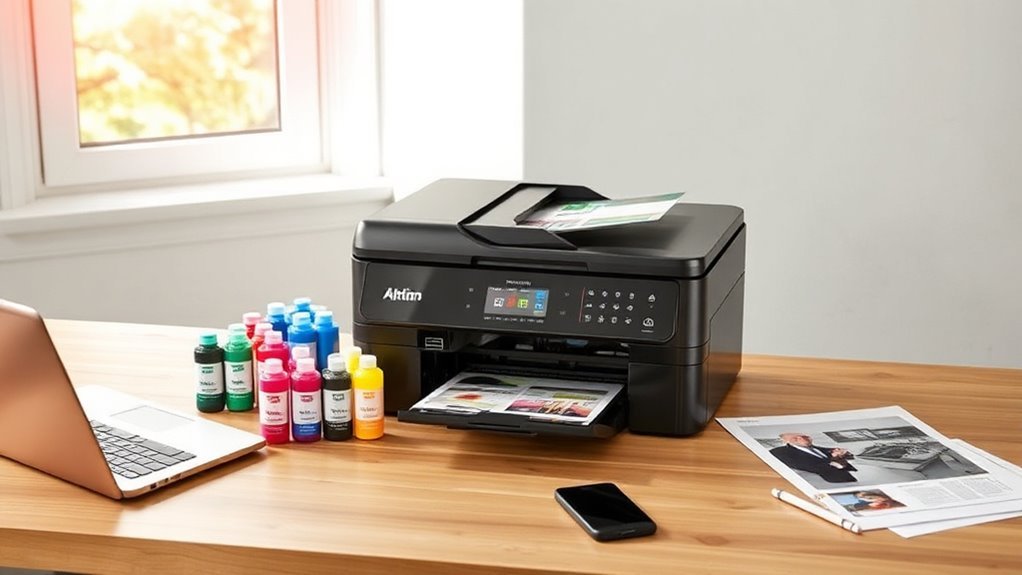
When choosing an all-in-one supertank printer, you’ll want to focus on print quality and resolution to get sharp, vibrant results. Consider ink efficiency, connectivity options, and printing speed to match your workflow needs.
Don’t forget to check the paper handling capacity to guarantee it fits your typical projects. This way, you won’t run into any surprises when you’re in the middle of a big job.
Print Quality And Resolution
Anyone choosing an all-in-one supertank printer should prioritize print quality and resolution, as these directly affect the sharpness and vibrancy of your documents and photos. Look for printers offering high resolutions, like 5760 x 1440 dpi, to capture intricate details and produce sharp, colorful images.
Borderless printing lets you create striking edge-to-edge photos and documents, enhancing their visual appeal. Keep in mind that print speed should complement quality; for example, 11 ppm in black and white keeps your output detailed without sacrificing efficiency.
Also, consider color accuracy—advanced ink systems using multiple colors deliver realistic tones and a broad color spectrum. This is perfect for both professional presentations and personal projects where true-to-life colors matter most.
Ink Efficiency And Yield
Print quality and resolution are essential, but ink efficiency and yield can make a bigger difference in long-term costs and convenience. Supertank printers use high-capacity ink tanks that last much longer than traditional cartridges, often yielding thousands of pages per refill.
For instance, Epson EcoTank models provide enough ink to print for up to three years, considerably reducing replacements and overall expenses. You’ll find many supertank printers hold ink equivalent to about 80 individual cartridges, boosting productivity and minimizing waste.
Plus, their cost-per-page can be as low as 4 cents for photo prints, compared to 40 cents with cartridge printers. These systems also feature mess-free, easy refill bottles, so you can maintain your printer without spills or hassle.
That makes them ideal for both home and office use.
Connectivity Options Available
Choosing the right connectivity options can really make a difference in how easily you set up an all-in-one supertank printer in your workspace. Most models come with USB, Wi-Fi, and Ethernet connections. This gives you plenty of flexibility whether you’re working from home, in an office, or a classroom.
If you like printing directly from your phone or tablet, look for printers that support mobile printing apps and Chromebook compatibility. Some of the more advanced printers even have voice-activated printing. That makes it super easy to start print jobs hands-free.
These features ensure smooth and versatile use across all your devices and environments. While connectivity is definitely important, don’t forget to check if the printer has automatic duplex printing. It saves paper by printing double-sided without any extra effort, helping you cut down on waste and keep your workflow efficient.
Printing Speed Performance
Beyond connectivity and handy features like duplex printing, how quickly a supertank printer delivers your documents greatly impacts your workflow. Printing speed, measured in pages per minute (PPM), usually ranges from 6 to 18 PPM for black and white prints, and 6 to 12 PPM for color.
If you handle high printing demands, opting for faster models with speeds up to 18 PPM can boost productivity. Keep in mind, print quality settings affect speed—draft mode is quicker than standard or high-quality modes.
Duplex printing may slow things down since it processes both paper sides. Also, check the printer’s duty cycle to verify it matches your monthly volume needs. This helps you avoid overworking the machine and maintain smooth performance.
Paper Handling Capacity
While paper handling capacity might seem like a small detail, it plays an essential role in how efficiently your all-in-one supertank printer performs. It refers to the maximum sheets your printer can hold, usually between 100 and 250.
If you print a lot, a larger capacity means fewer interruptions to reload paper, boosting your productivity. Also, consider the types of media your printer supports—photo paper, envelopes, and more—as they can impact how much paper you can load at once.
Look for printers with automatic document feeders (ADF) if you handle multi-page scanning or copying often. Finally, check the maximum media size the printer can accommodate; this guarantees you can print legal documents or larger formats without hassle.
Additional Functional Features
Paper handling sets the stage for smooth printing, but the features your printer offers can make a big difference in daily use. Look for models with Automatic Document Feeders (ADF) so you can scan or copy multi-page documents without lifting a finger.
Duplex printing is another must-have, helping you save paper by printing on both sides automatically. A touchscreen interface makes traversing menus and settings straightforward, letting you manage tasks quickly.
Don’t forget wireless connectivity — it lets you print directly from smartphones and tablets, adding flexibility. Finally, check the ink capacity and yield; supertank printers often provide the equivalent of hundreds of cartridges in one refill, saving you money and trips to restock.
These features combine to boost your productivity and convenience. It’s all about making your printing experience easier and more efficient every day.
Warranty And Support Coverage
When choosing an all-in-one supertank printer, you’ll want to pay close attention to the warranty and support coverage. Warranty periods can range from one to three years or be tied to a specific page yield, like 60,000 pages.
Make sure you understand what’s covered—usually defects in materials and workmanship—and what’s excluded. Also, check the customer support options available, such as phone, online chat, or email, since responsive support can save you time and frustration.
Some brands offer a 30-day return policy, which gives you a safety net if the printer doesn’t meet your expectations. And don’t forget to consider if extended service plans are available. They can provide extra protection beyond the standard warranty, giving you peace of mind for long-term use.
Frequently Asked Questions
How Long Does It Take to Set up a Supertank Printer?
It usually takes you about 15 to 30 minutes to set up a supertank printer. You’ll unpack the box, install the ink tanks, and connect to Wi-Fi.
Then, you run the initial alignment so the printer is ready to go. This way, you can start printing quickly and easily without any hassle.
Are Supertank Printers Compatible With macOS and Windows?
Yes, you’ll find over 85% of supertank printers compatible with both macOS and Windows. Manufacturers design these printers to support multiple platforms, so you won’t have trouble installing drivers or using them seamlessly across devices.
It’s pretty convenient, right? This means whether you’re team Apple or team Windows, you’re mostly covered without any hassle.
What Is the Average Lifespan of Ink Bottles for These Printers?
Ink bottles usually last between 2,000 and 8,000 pages, depending on usage. You’ll get more prints if you print mainly black and white documents.
But if you do a lot of color printing, the ink will run out faster. It all depends on what you print most often.
Can Supertank Printers Print on Specialty Paper Types?
Yes, you can print on specialty paper with supertank printers, but you’ll want to check your printer’s specifications. They usually handle photo paper, cardstock, and labels well.
Glossy or textured papers might need adjustments. So, it’s a good idea to do a test print first to see how it comes out.
Do These Printers Support Mobile Printing Apps?
Did you know 75% of users prefer mobile printing?
Yes, these printers support mobile printing apps. You can print, scan, and manage tasks right from your phone—making your workflow seamless and super convenient wherever you are.
Conclusion
Choosing the right all-in-one supertank printer can save you up to 70% on ink costs compared to traditional cartridges. With models like the Canon MegaTank G3270 and Epson EcoTank ET-15000, you get wireless convenience and high-quality prints all in one device.
Whether you need wide-format printing or photo-quality output, there’s a perfect option waiting for you. Investing in a supertank printer means less hassle, more savings, and reliable performance for years to come.
In short, picking the best all-in-one supertank printer is a smart move if you want to cut down on ink expenses without sacrificing quality. These printers offer a hassle-free experience, combining features like wireless connectivity and versatile print options. So, whether you’re printing documents, photos, or large-format projects, a supertank printer delivers dependable results while keeping your costs low. It’s a win-win for both home and office use.