4 Best All-in-One Samsung Printers for 2027
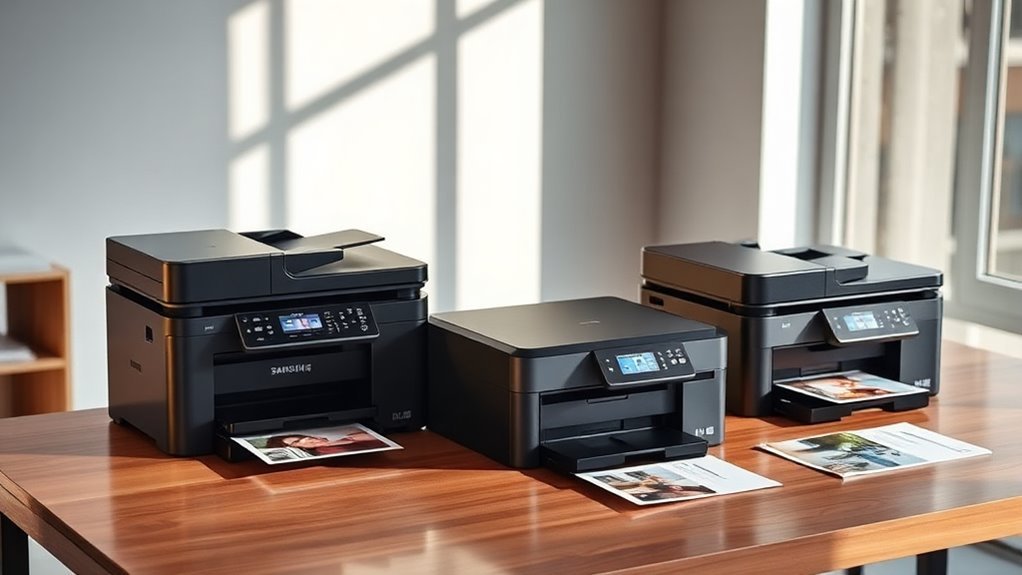
You’ll find the top all-in-one Samsung printers for 2027 offer both wireless color and monochrome options designed to fit a variety of needs.
Whether you’re printing photos, documents, or graphics, these printers deliver quality and convenience right at your fingertips.
The HP Samsung Xpress SL-C480FW and C1860FW models shine with vibrant color prints and smart touchscreen controls.
Meanwhile, the M2070FW and renewed Xpress M3065FW focus on fast, efficient black-and-white output, perfect for everyday use.
All these printers support mobile printing, making it easy to print directly from your phone or tablet.
Plus, they feature eco-friendly settings that help cut costs and reduce waste.
If you’re looking to pick the perfect model, there’s plenty more to explore.
| Image | Name | Editor's Rating | Price |
|---|---|---|---|
|
|
||

|
|
||

|
|
||

|
|
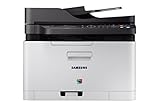
HP Samsung Xpress SL-C480FW Wireless Color Printer
- Easy mobile printing with Samsung mobile Print and Google cloud Print
- Saves up to 20 percent on operating costs with one-touch Eco button
- Produces smooth images and clean text with ReCP technology and smart color management system (cms)
- Prints faster with advanced 800 MHz cpu
Experience efficient printing with the HP Samsung Xpress SL-C480FW, an all-in-one wireless color printer designed to simplify your daily tasks. It seamlessly handles printing, scanning, copying, and faxing, making it an ideal solution for home offices and small businesses. The wireless connectivity allows you to print effortlessly from various devices without the hassle of cables.
This printer’s 800 MHz processor ensures smooth operation and delivers crisp, clear prints at a high resolution of 1200 x 1200 dpi. Whether you need vibrant color documents or sharp black-and-white copies, this model maintains quality throughout your workflow. The mobile printing support through Samsung Mobile Print and Google Cloud Print adds convenience by enabling remote printing.
Maintenance is straightforward with an eco-friendly one-touch button that reduces operating costs by up to 20%. The 250-sheet tray capacity suits moderate printing volumes, but it may require more frequent refills in busier environments. While its color print speed is modest at 1 page per minute, the printer’s design focuses on quality and ease of use.
Best for: users needing a reliable all-in-one wireless color printer with sharp output and mobile printing for home or small office settings.
What We Like:
- High-resolution 1200 x 1200 dpi print quality
- Wireless and mobile printing compatibility
- Eco-friendly one-touch button reduces costs
- Compact all-in-one design for versatile office needs
Specification:
| Feature | Detail |
|---|---|
| Manufacturer | HP Samsung |
| Dimensions (W×D×H) | Approx. 17.2 × 16.1 × 13.1 in (43.7 × 40.9 × 33.3 cm) |
| Weight | Approx. 21.6 lb (9.8 kg) |
| Connectivity | USB 2.0, Wireless |
| Print Resolution | 1200 x 1200 dpi |
| Paper Capacity | 250 sheets |
HP Samsung Xpress M2070FW Wireless Laser Printer
- GREAT VALUE FOR YOUR HOME OFFICE - This Samsung all-in-one laser printer features superior print quality, NFC + WiFi connectivity, monochrome laser printing, copy, scan...
- GET PRINT ON TAP - NFC enables your mobile device to connect and communicate with your printer. Simply tap your NFC-enabled phone or tablet to this monochrome laser...
- EASY MOBILE PRINTING - Download the free Samsung Mobile Print app, use AirPrint or Google Cloud Print and print directly with your mobile device from this wireless laser...
- FAST SPEED PRINTING - Print up to 21 pages per minute. Recommended monthly volume of 100-1,500 pages.
- PROFESSIONAL IMAGE QUALITY – Get sharp, crisp images and text produced by Samsung's innovative imaging technology.
The HP Samsung Xpress M2070FW offers a practical solution for those needing fast, reliable black-and-white printing. Its compact design fits easily into small workspaces, making it ideal for home offices or tight spaces.
This wireless monochrome laser printer handles printing, scanning, copying, and faxing smoothly. You can expect sharp, clear prints at up to 21 pages per minute, helping you complete tasks quickly without sacrificing quality.
Maintenance is straightforward, supported by the Easy Eco Driver that lowers toner use by up to 20%. This feature reduces running costs and helps you print responsibly. Connectivity is flexible, including WiFi, Ethernet, USB, and NFC, allowing seamless mobile printing options through apps like Samsung Mobile Print and AirPrint.
While it only supports monochrome printing and has a recommended monthly volume suited to smaller workloads, the M2070FW covers essential office needs in a compact, efficient package.
Best for: Small office or home users seeking a versatile, wireless monochrome laser printer with basic multifunction capabilities.
What We Like:
- Fast printing speed of up to 21 ppm with sharp 1200 x 1200 dpi quality
- Multiple connectivity options including NFC, WiFi, Ethernet, and USB
- Eco-friendly Easy Eco Driver reduces toner consumption by up to 20%
- Compact footprint ideal for limited workspace environments
Specification:
| Feature | Description |
|---|---|
| Manufacturer | HP Samsung |
| Dimensions | Compact, fits small spaces |
| Print Speed | Up to 21 pages per minute |
| Print Resolution | 1200 x 1200 dpi |
| Connectivity | NFC (Android only), WiFi, Ethernet, USB |
| Functions | Print, Scan, Copy, Fax |
| Color | Monochrome (black and white) |
Samsung Printer Xpress M3065FW Laser All-in-One (Renewed)
- 4-in-One: Print, Copy, Scan, Fax
- Network and Wireless Ready: Hi-Speed USB 2.0, Ethernet 10/100 Base Tx, Wireless 802.11 b/g/n.
- Automatic duplexing (two sided printing)
The Samsung Printer Xpress M3065FW Laser All-in-One (Renewed) delivers reliable black-and-white printing with impressive speed. Printing up to 31 pages per minute, it helps small offices stay productive without long waits. Its resolution of 4800 x 600 dpi ensures sharp, clear text for professional documents.
This all-in-one device handles printing, copying, scanning, and faxing, making it a versatile choice for busy workspaces. Automatic duplexing reduces paper use and costs, while a 250-sheet tray helps manage daily tasks efficiently. Connectivity is simple and flexible with USB, Ethernet, and wireless options to fit various office setups.
Maintenance is straightforward, with a flatbed scanner designed for ease of use and routine care. While it only supports black-and-white prints and has a single tray, its compact design fits well in small office environments. The renewed condition offers a budget-friendly option for those prioritizing functionality over new hardware.
Best for: small offices and home users needing a fast, dependable black-and-white laser printer with multifunction features.
What We Like:
- Fast printing speed of 31 ppm for efficient workflows
- Automatic duplexing saves paper and reduces operational costs
- Multiple connectivity options for versatile device use
- Compact design fits well in limited office spaces
Specification:
| Feature | Details |
|---|---|
| Manufacturer | Samsung |
| Dimensions | Not specified |
| Weight | Not specified |
| Color Options | Black and white printing only |
| Connectivity | USB, Ethernet, Wireless |
| Print Speed | 31 pages per minute |
| Resolution | 4800 x 600 dpi |
| Paper Capacity | 250 sheets |
HP Samsung Xpress C1860FW Wireless Color Laser Printer
- Near Field Communication (NFC) Print
- 4-in1 Multifunction
- Large 4.3" Color Touch Screen for Easy Operation
- Vibrant Color and Razor-sharp Text and Graphics
- Easy Mobile Printing
The HP Samsung Xpress C1860FW is designed for busy professionals who demand efficient, high-quality color printing. This 4-in-1 wireless color laser printer combines printing, scanning, copying, and faxing, streamlining office tasks in one device. Its sharp print resolution up to 1200 dpi ensures clear, vivid documents that enhance your presentations and communications.
With print speeds of 18 pages per minute, it helps reduce wait times, keeping your workflow smooth. Automatic duplex printing saves paper and effort, making double-sided jobs hassle-free. The 4.3-inch color touchscreen simplifies control and navigation, so you can manage tasks quickly without complicated menus.
Connectivity options like NFC, WiFi, and Ethernet provide flexible ways to print from laptops, PCs, or smartphones. Its 500-sheet capacity supports large print jobs and various media sizes up to 8.5 x 14 inches, accommodating envelopes and plain paper. While the single paper tray limits media variety, the printer’s robust design handles daily office demands reliably.
Maintenance requires attention to the replacement cartridges, which can be costly, so managing supplies carefully is important. Weighing 47.3 pounds, the printer is built for a stationary workspace rather than portability.
Best for: Professionals and small office users needing versatile, wireless color printing with integrated scanning, copying, and faxing functions.
What We Like:
- Sharp print resolution up to 1200 dpi for detailed color and monochrome prints
- Multiple connectivity options including NFC, WiFi, and Ethernet for versatile use
- Automatic duplex printing saves time and paper
- Large 500-sheet capacity supports extended print runs
Specification:
| Feature | Details |
|---|---|
| Manufacturer | HP Samsung |
| Dimensions | Not specified |
| Weight | 47.3 lb (21.5 kg) |
| Color Options | Not specified |
| Media Size | Up to 8.5 x 14 inches |
Factors to Consider When Choosing an All in One Samsung Printer
When choosing an all-in-one Samsung printer, you’ll want to focus on key features like functionality options and print speed. Make sure it supports the connectivity and compatibility you need for your devices.
Don’t forget to check print quality, resolution, and paper handling capacity to match your printing demands. These details really make a difference in your overall printing experience.
Printer Functionality Options
Choosing the right all-in-one Samsung printer means looking beyond basic printing and considering a range of functions like scanning, copying, and faxing to boost your versatility. You’ll want a model with automatic duplexing to save paper and cut costs by printing double-sided.
Also, check the maximum print resolution—up to 4800 x 600 dpi guarantees sharp text and vibrant images. Don’t overlook sheet capacity and input trays; higher capacities mean fewer refills and smoother workflow.
While print speed is essential, it’s part of another discussion, so focus here on the multifunction features that suit your needs. By weighing these printer functionality options, you’ll find a Samsung printer that handles your daily tasks efficiently and effectively.
Print Speed Performance
Beyond multifunction features, print speed greatly impacts your productivity, especially if you handle large volumes regularly. Samsung printers offer black-and-white print speeds up to 31 pages per minute, ideal for fast, high-volume tasks.
However, color printing tends to be slower, often around 1 page per minute, which could slow you down if you rely on color outputs frequently. Pay attention to duplex printing capabilities; automatic two-sided printing saves time and reduces paper waste.
Also, consider the printer’s maximum resolution—typically 1200 x 1200 dpi—for crisp, detailed images and documents. Finally, check the recommended monthly print volume, ranging from 100 to 1,500 pages, to guarantee the model matches your workload and maintains long-term reliability.
Connectivity And Compatibility
How do you guarantee your all-in-one Samsung printer fits seamlessly into your workflow? Start by evaluating its connectivity options—USB, WiFi, Ethernet, and NFC—to make sure it matches your existing devices. You’ll want support for mobile printing solutions like AirPrint and Google Cloud Print, making it easy to print from smartphones and tablets.
Check compatibility with your operating systems, whether it’s Windows, macOS, or others, so your laptops and PCs connect without issues. Don’t forget features like automatic duplexing, which saves time and paper by printing double-sided pages efficiently.
Finally, consider the maximum media size and sheet capacity to handle your daily document needs without constant refills. Prioritizing these factors guarantees your Samsung printer delivers smooth, reliable performance tailored to your setup.
Print Quality And Resolution
When you want crisp, clear prints, focusing on print quality and resolution is vital. Print quality hinges on resolution, measured in dots per inch (dpi); higher dpi values, like 1200 x 1200, deliver sharp text and vivid graphics.
Samsung’s color printers often offer different dpi for color and black-and-white prints, with color reaching up to 1200 dpi and black-and-white up to 1200 dpi for fine detail. Technologies like Samsung’s ReCP enhance text sharpness and image clarity, improving overall output.
While higher resolution prints take longer, faster printers balance speed and quality well for everyday use. Also, duplex printing guarantees both sides print evenly, maintaining professional document quality, which is imperative if you print double-sided often.
Paper Handling Capacity
Print quality matters, but so does how much paper your Samsung printer can handle without constant refilling. Look for models with a high sheet capacity—some support up to 500 sheets—so you can breeze through large print jobs.
Consider the tray design; single trays limit flexibility, while multiple trays or automatic document feeders let you switch between paper types easily. Check the maximum media size, too, since printers usually handle standard letter (8.5 x 11 inches) up to legal size (8.5 x 14 inches).
If you print a lot, automatic duplexing is a must for two-sided printing, saving time and paper. Don’t forget to confirm the printer supports various media types like envelopes or plain paper to match your specific needs.
Eco-Friendly Features
Although you want a printer that meets your technical needs, choosing an all-in-one Samsung model with eco-friendly features can greatly reduce your environmental impact and operating costs. Many Samsung printers include an Eco button that cuts operating costs by up to 20% by optimizing print settings and reducing paper use.
The Easy Eco Driver software helps you save toner by letting you remove unnecessary images and text before printing. Automatic duplexing enables two-sided printing, which considerably lowers paper waste during heavy print jobs.
Plus, Samsung designs its printers with energy-efficient components to reduce power consumption in operation and standby modes. Some models also support mobile printing, helping you avoid unnecessary physical printouts by sharing documents directly from your smartphone or tablet.
Warranty And Support
Since your printer plays an important role in daily tasks, choosing a Samsung all-in-one model with solid warranty and support is essential to protect your investment and guarantee smooth operation. Warranty durations vary—some offer a limited one-year warranty, while others only provide 90 days.
Check if the coverage includes key components like toner cartridges or imaging units to avoid unexpected costs. Reliable customer support, especially 24/7 web assistance, guarantees you can get help whenever you need it.
Look for printers with a return policy, such as a 30-day guarantee, giving you flexibility if the device doesn’t meet your expectations. Also, included documentation like installation and troubleshooting guides can make setup and maintenance much easier, saving you time and frustration.
Frequently Asked Questions
How Do Samsung Printers Compare to Other Brands in Ink Efficiency?
Samsung printers generally offer competitive ink efficiency, helping you save on replacements. While some brands might use slightly less ink, Samsung balances quality and cost well.
Are Samsung Printers Compatible With macOS Ventura?
Yes, Samsung printers are compatible with macOS Ventura.
You’ll just need to download the latest drivers from Samsung’s or HP’s website. This ensures a smooth setup and full functionality with your Mac running Ventura.
What Is the Average Lifespan of a Samsung All-In-One Printer?
Like a reliable old friend, your Samsung all-in-one printer typically lasts around 3 to 5 years with regular use.
You’ll get the best lifespan by keeping it clean and updating drivers when needed.
Just a little care goes a long way in making sure it keeps working smoothly.
Can Samsung Printers Be Used With Voice Assistants Like Alexa?
Yes, you can use Samsung printers with voice assistants like Alexa if your printer supports Wi-Fi and is compatible with smart home apps.
This lets you print documents hands-free using simple voice commands.
It’s pretty convenient once you have everything set up. Just make sure your printer is connected to the same network as your Alexa device.
Do Samsung Printers Support Mobile Printing Apps Like Google Cloud Print?
Samsung printers don’t support Google Cloud Print anymore since it was discontinued.
However, you can use Samsung’s Mobile Print app or other compatible apps like Samsung SmartThings for seamless mobile printing from your phone or tablet.
It’s pretty easy to get your documents or photos printed right from your device without any hassle. Just make sure you have the right app installed, and you’re good to go!
Conclusion
Choosing the right all-in-one Samsung printer can save you time and boost productivity. Did you know that 85% of home offices report increased efficiency with wireless multifunction printers?
Whether you need vibrant color prints or reliable laser quality, these Samsung models have you covered. Keep your specific needs in mind, and you’ll find a printer that fits perfectly.
Don’t settle—invest in a versatile printer that works as hard as you do. With an all-in-one Samsung printer, you get convenience, quality, and efficiency all in one device. It’s a smart choice for anyone looking to upgrade their home or office setup in 2027.