10 Best All in One Printers with Duplex Scanning in 2027
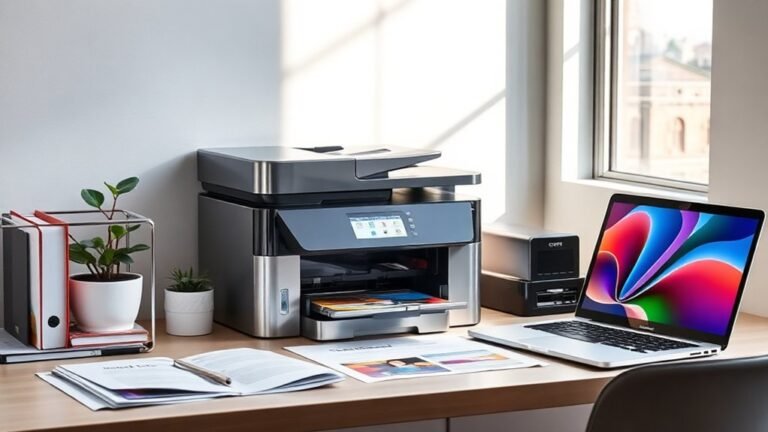
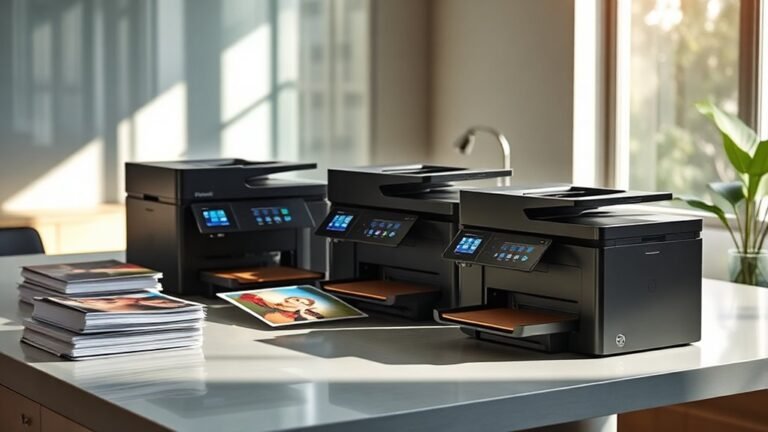
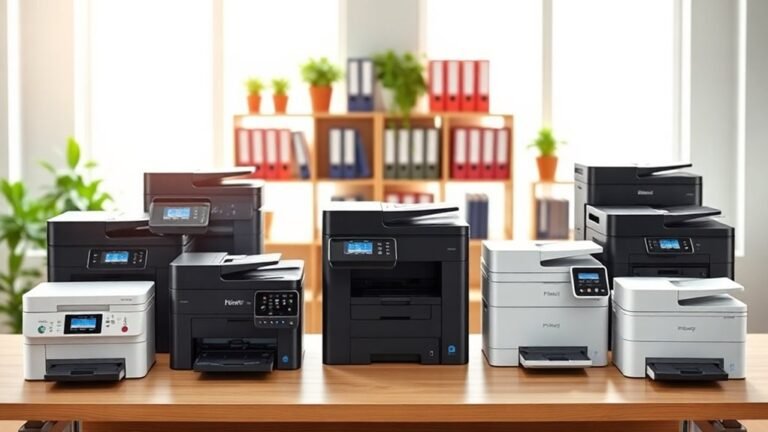
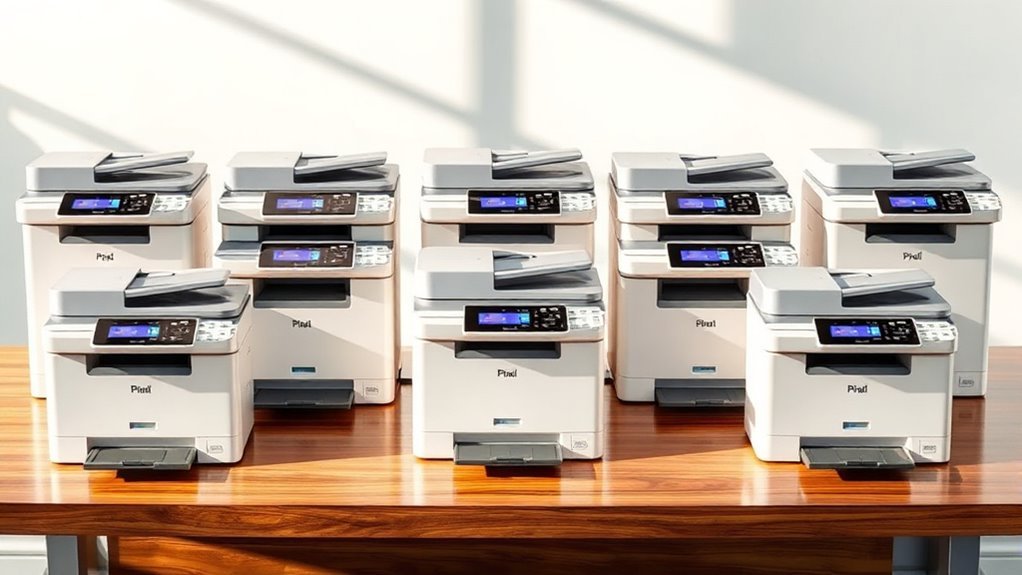
If you’re on the lookout for the best all-in-one printers with duplex scanning in 2027, you’ve got some great options to consider.
These printers not only handle double-sided printing and scanning but also come packed with features that make your workflow smooth and efficient.
For example, the Epson Workforce Pro WF-4935 and Brother INKvestment MCF-J5010DW are known for their fast, reliable performance and smart ink systems that help you save on costs.
Need wireless convenience? The HP OfficeJet Pro 9125 and Canon Megatank G3290 deliver just that, along with eco-friendly designs that are kind to the planet.
If you’re handling high-volume tasks, the Epson EcoTank ET-4950 and Canon MAXIFY GX2020 really shine.
Take a closer look at these top models and find the one that perfectly fits your workspace and printing needs.
| Image | Name | Editor's Rating | Price |
|---|---|---|---|

|
|
||

|
|
||

|
|
||

|
|
||

|
|
Epson Workforce Pro WF-4935 Wireless All-in-One Printer
- Built for Speed — PrecisionCore Heat-Free technology delivers fast, high-volume printing with 25 (black)/12 (color) ISO ppm and fast first-page-out
- High-Precision Office Printing — Accurate dot placement and DURABrite Ultra instant-dry pigment inks for professional-quality prints
- High-Volume Durability for Heavy Workloads — Innovative heat-free technology engineered for reliability and reduced downtime
- Complete Duplex Solution — All-in-one printer with auto 2-sided print, copy, scan and fax; plus 50-sheet ADF
- Maximize Printing Productivity — High-performance office printer with 500-sheet paper capacity; includes two 250-sheet trays for added convenience

The Epson Workforce Pro WF-4935 is designed to handle demanding office tasks with ease. It offers fast, reliable duplex printing and scanning, helping you complete high-volume jobs without delays. This printer’s PrecisionCore Heat-Free technology enables quick prints up to 25 ppm in black and 12 ppm in color, eliminating wait times for warming up.
Its automatic 2-sided printing and 50-sheet Automatic Document Feeder simplify managing multi-page documents. Dual 250-sheet trays reduce the need for frequent paper refills, supporting uninterrupted work during busy days. The 4.3-inch color touchscreen provides intuitive control, making operation straightforward even for complex tasks.
Maintenance is streamlined with DURABrite Ultra pigment inks that deliver sharp, professional-quality prints. Though it uses inkjet technology, which may have higher ink costs than lasers, the printer’s performance suits environments where print quality and duplex functionality are essential. Weighing 23.6 pounds, it’s best suited for stationary use rather than portability.
Best for: Professionals and small businesses needing fast, high-volume duplex printing and scanning with consistent, professional output.
What We Like:
- Rapid print speeds with no warm-up delay
- Efficient duplex scanning and copying with 50-sheet ADF
- Large paper capacity reduces interruptions
- User-friendly 4.3-inch touchscreen
- High-quality DURABrite Ultra pigment inks
Specification:
| Feature | Details |
|---|---|
| Manufacturer | Epson |
| Dimensions | Not specified |
| Weight | 23.6 lbs (10.7 kg) |
| Technology | Inkjet (PrecisionCore) |
| Paper Capacity | 500 sheets (2 x 250 trays) |
| Screen | 4.3-inch color touchscreen |
HP OfficeJet Pro 9125 Wireless All-in-One Printer
No products found.
The HP OfficeJet Pro 9125 Wireless All-in-One Printer is designed to streamline busy office workflows. It tackles common printing challenges by delivering fast, dependable duplex printing and scanning. With print speeds of 22 ppm in black and 18 ppm in color, it helps reduce wait times for essential documents.
This printer’s sharp 4800 x 1200 dpi resolution ensures professional-quality output. Its wireless capability, including dual-band Wi-Fi and mobile printing, allows seamless connectivity across devices. The 2.7-inch touchscreen simplifies operation, making routine tasks quick and intuitive.
Maintenance is straightforward, with a 250-sheet input tray reducing frequent refills and a 99-copy capacity for efficient copying jobs. The requirement to use original HP cartridges supports print quality but may affect ongoing costs. The eco-friendly design uses over 40% recycled plastic, aligning with sustainable office goals.
Security is a priority, with HP Wolf Pro Security protecting your network and AI features optimizing print content to minimize waste. This printer is ideal for offices needing a reliable, multifunctional device that balances speed, quality, and eco-conscious design.
Best for: Busy office environments requiring fast, secure, and wireless all-in-one printing, scanning, copying, and faxing with an eco-friendly focus.
What We Like:
- High-speed printing with sharp resolution
- Easy navigation via 2.7-inch touchscreen
- Reliable wireless connectivity including dual-band Wi-Fi
- Strong security features with HP Wolf Pro Security
- Eco-friendly build using recycled plastics
Specification:
| Feature | Details |
|---|---|
| Manufacturer | HP |
| Dimensions (W×D×H) | Not specified |
| Weight | Not specified |
| Print Speed | Up to 22 ppm (black), 18 ppm (color) |
| Resolution | Up to 4800 x 1200 dpi |
| Paper Tray Capacity | 250 sheets |
| Copy Capacity | Up to 99 copies |
| Display | 2.7-inch touchscreen |
| Connectivity | Dual-band Wi-Fi, mobile printing |
| Material | Over 40% recycled plastic |
Brother INKvestment Wireless Color Inkjet Printer (MCF-J5010DW)
- BEST FOR SMALL BUSINESS: Print, copy, scan, and fax with one powerful device, with advanced security features for business. Includes one 1,800-page yield black ink...
- PRODUCTIVITY-FOCUSED FEATURES: A 250-sheet paper tray, 50-page single-pass duplex (2-sided) automatic document feeder (ADF), and automatic duplex printing on paper up to...
- SUPERIOR PRINTING: Engineered with the Brother PerfectPrint Auto Detection System, which helps ensure reliable, consistent print quality and performance you can depend on...
- SEAMLESS CONNECTIONS: Simplify your workflow with Wi-Fi Direct and multiple connection options, including wireless network interfacing, Ethernet, and USB. Plus, print...
- THE BROTHER MOBILE CONNECT APP: Put the power of printing at your fingertips. Go mobile with the simple-to-use Brother Mobile Connect app, which delivers easy on-screen...
Experience seamless efficiency with the Brother INKvestment Wireless Color Inkjet Printer, designed to boost productivity in busy offices. Its fast duplex scanning and printing tackle double-sided tasks with ease, saving you valuable time. Crisp prints at up to 28 ppm black and 26 ppm color ensure your documents look professional and sharp.
The 50-page single-pass duplex automatic document feeder simplifies double-sided scanning and copying, reducing manual effort. Connectivity is straightforward with Wi-Fi Direct, Ethernet, USB, and the Brother Mobile Connect app, allowing flexible printing from various devices. This versatility adapts well to different workflows.
Maintenance is hassle-free thanks to the smart ink delivery system, which minimizes unexpected ink shortages. Large paper trays also cut down on frequent refills, supporting uninterrupted operation. The compact design fits well in tight office spaces without sacrificing functionality.
While the printer weighs 30.9 pounds, making it less portable, it remains a reliable workhorse. Note that color ink cartridges yield fewer pages compared to black, which may require more frequent replacements. Power consumption is moderate at 33 watts.
Best for: Small business owners needing a fast, versatile all-in-one color inkjet printer with efficient duplex capabilities and smart ink management.
What We Like:
- Fast printing speeds with sharp 4800 x 1200 dpi resolution
- Efficient 50-page single-pass duplex ADF for double-sided tasks
- Multiple connectivity options including Wi-Fi Direct and mobile app
- Smart ink system reduces the risk of running out unexpectedly
- Spacious paper trays decrease the need for frequent reloads
Specification:
| Feature | Details |
|---|---|
| Manufacturer | Brother |
| Dimensions (W x D x H) | 16.1 x 18.5 x 15.7 inches |
| Weight | 30.9 lbs (14 kg) |
| Printing Technology | Wireless Color Inkjet |
| Print Resolution | Up to 4800 x 1200 dpi |
| Duplex Scanning | 50-page single-pass duplex ADF |
| Connectivity | Wi-Fi Direct, Ethernet, USB |
Epson EcoTank ET-4950 Wireless All-in-One Color Supertank Printer, White
- Epson EcoTank Wireless All-in-One Ink Tank Printer – Cartridge-Free System, High-Capacity Ink Bottles, Mobile Printing, Auto Duplex
- WORRY-FREE PRINTING — Epson EcoTank comes with enough ink to print up to 6,600 pages black/5,500 color⁹ for fewer out-of-ink frustrations. Each replacement ink bottle...
- SIMPLE INK REFILLING — Supersized ink tanks and uniquely keyed EcoFit bottles make refilling ink simple—no mess, no stress and no ink bottle mix-ups
- THE WORLD’S #1 SELLING SUPERTANK PRINTER² — Epson invented EcoTank to revolutionize the way people print; we’ve sold 100 million EcoTanks worldwide⁷ and this is...
- ADVANCED PRODUCTIVITY FEATURES — Fast 18 black/9 color ISO ppm print speeds with zero warmup time, an Auto Document Feeder, fax, a high-capacity 250-sheet paper tray...
Experience hassle-free high-volume printing with the Epson EcoTank ET-4950 Wireless All-in-One Color Supertank Printer. Designed for heavy daily use, this printer replaces traditional cartridges with a cartridge-free EcoFit ink system. This means you can print thousands of pages without frequent refills, saving time and reducing mess.
The ET-4950 combines printing, scanning, copying, and faxing in one compact device with a sleek white finish. Its PrecisionCore Heat-Free technology ensures fast, durable prints at up to 18 ppm in black and 9 ppm in color. Duplex printing and a 250-sheet tray further streamline your workflow.
Maintaining the printer is straightforward with easy-to-use ink bottles, though initial setup may require some patience. The 2.4-inch color display provides clear navigation, while versatile connectivity options include Ethernet, USB, Wi-Fi, and mobile printing through Epson’s Smart Panel app.
This all-in-one printer is ideal for individuals or small offices needing efficient, wireless solutions that handle large print volumes with minimal interruptions.
Best for: individuals or small offices requiring a high-capacity, versatile all-in-one printer with efficient ink usage and wireless connectivity for heavy daily tasks.
What We Like:
- Cartridge-free EcoFit ink system supports high page yields, reducing refill frequency
- Fast print speeds with reliable duplex printing enhance productivity
- Multiple connectivity options including Ethernet, USB, Wi-Fi, and mobile printing
- Compact design with a clear 2.4-inch color display for easy operation
Specification:
| Feature | Details |
|---|---|
| Manufacturer | Epson |
| Dimensions | Not specified |
| Weight | Not specified |
| Color Options | White |
| Connectivity | Ethernet, USB, Wi-Fi, Mobile |
| Ink System | Cartridge-free EcoFit bottles |
| Display | 2.4-inch color screen |
Canon Megatank G3290 All-in-One Wireless Printer
- Wireless Print/Copy/Scan (2)
- Up to 2 years of ink included
- Print up to 6,000 black & white / 7,700 color pages using a single set of inks! (1)
- Save up to $1,000 on ink (1)
- 2.7” LCD Color Touchscreen
Experience hassle-free home or office printing with the Canon Megatank G3290, designed to handle all your document needs efficiently. This all-in-one wireless inkjet printer combines printing, copying, and scanning into a compact, user-friendly device. Its MegaTank refillable ink system helps you save money by delivering a high page yield without frequent cartridge changes.
Maintenance is simple, thanks to the large ink tanks that reduce downtime and keep your workflow smooth. The printer supports auto-duplex printing, so you can save paper while producing professional double-sided documents. Wireless connectivity and mobile printing via the Canon PRINT app let you print from anywhere, adding convenience to your daily tasks.
The flatbed scanner captures detailed images, ideal for single-page scanning, and supports a variety of media sizes, including banners up to 8.5 x 47.2 inches. Although the scanning process is manual and the paper tray capacity is limited, the overall design focuses on versatility and ease of use.
Best for: Home users and small offices needing an affordable, high-yield all-in-one printer with wireless functionality and diverse media handling.
What We Like:
- High-volume MegaTank ink system reduces refill frequency.
- Convenient wireless and mobile printing with intuitive touchscreen controls.
- Efficient auto-duplex printing saves paper and time.
- Supports a broad range of media sizes, including large-format banners.
- Compact design fits well in limited spaces.
Specification:
| Feature | Details |
|---|---|
| Manufacturer | Canon |
| Dimensions (W x D x H) | 17.7 x 13.7 x 5.1 inches |
| Weight | Approximately 6.3 lb |
| Ink System | Refillable MegaTank |
| Media Size Support | Up to 8.5 x 47.2 inches |
| Connectivity | Wireless, USB |
| Display | 2.7-inch LCD touchscreen |
Canon MAXIFY GX2020 Wireless All-in-One Printer
- Wireless Print/Copy/Scan/Fax (2)
- Print up to 3,000 black & white / 3,000 color pages using a single set of inks! (1)
- 2.7” LCD Color Touchscreen
- Auto 2-sided printing
- ADF – 35 sheet Auto Document Feeder
The Canon MAXIFY GX2020 Wireless All-in-One Printer is designed to keep busy home offices running smoothly. It tackles the challenge of high-volume printing with ease, delivering sharp color and crisp black-and-white prints quickly. Its wireless setup and compact design make it a seamless fit in any workspace, reducing clutter and setup time.
This printer simplifies multi-page tasks with its 35-sheet automatic document feeder and duplex scanning. You can scan both sides of documents without manual intervention, saving time and effort. The 2.7-inch touchscreen allows for easy navigation and quick access to essential functions.
Maintenance is straightforward with ink sets that yield up to 3,000 pages, minimizing interruptions for refills. The 250-sheet paper capacity supports steady printing but may require occasional reloads for large jobs. Overall, the MAXIFY GX2020 balances performance with manageable upkeep to support productivity.
Best for: Small businesses and home offices needing reliable, high-volume color printing with automatic duplex scanning and wireless convenience.
What We Like:
- High page yield reduces frequent ink replacements.
- Automatic duplex printing and 35-sheet ADF streamline workflows.
- Compact design with easy wireless setup.
- User-friendly 2.7-inch touchscreen for quick control.
Specification:
| Feature | Details |
|---|---|
| Manufacturer | Canon |
| Dimensions (W×D×H) | 18.5 × 14.7 × 8.5 inches |
| Weight | Approx. 15.4 lbs (7 kg) |
| Color Options | Black |
| Connectivity | Wireless, USB |
Canon Color imageCLASS MF753Cdw II – All-in-One Color Duplex Laser Printer

- Color, Wireless, Duplex 4-in-1: Print, scan, copy, fax.
The Canon Color imageCLASS MF753Cdw II is designed to enhance productivity in small and hybrid office settings. Its fast duplex scanning and printing capabilities reduce the time spent managing documents. With print speeds up to 35 pages per minute and sharp 1200 x 1200 dpi resolution, it delivers clear and professional-quality prints quickly.
This all-in-one printer supports print, scan, copy, and fax functions, making it a versatile tool for daily office tasks. The 50-sheet automatic document feeder handles double-sided scanning efficiently, while the 250-sheet paper cassette, expandable to 850 sheets, helps maintain a steady workflow with fewer interruptions.
Maintenance is straightforward, with wireless connectivity and mobile app support simplifying operation and monitoring. The customizable 5-color touchscreen offers an intuitive user experience, allowing for easy navigation through various functions. However, the printer weighs 50 pounds, so it is best suited for a fixed workspace rather than frequent relocation.
The Canon imageCLASS MF753Cdw II balances performance and practicality, offering reliable document handling with eco-friendly Energy Star certification. Its black and white copy resolution is slightly lower, but this does not impact overall color print quality.
Best for: Small and hybrid office workers who need a fast, versatile all-in-one color duplex laser printer to streamline print, scan, copy, and fax tasks.
What We Like:
- Fast print speeds up to 35 ppm with high-resolution output
- Efficient duplex scanning with a 50-sheet automatic document feeder
- Wireless connectivity and mobile app support for flexible operation
- Customizable 5-color touchscreen for easy navigation
- Expandable paper capacity up to 850 sheets to reduce refills
Specification:
| Feature | Detail |
|---|---|
| Manufacturer | Canon |
| Dimensions (W x D x H) | Not specified |
| Weight | 50 lb (22.7 kg) |
| Print Resolution | 1200 x 1200 dpi |
| Copy Resolution (B&W) | 600 x 600 dpi |
| Paper Capacity | 250 sheets (expandable to 850) |
| Document Feeder Capacity | 50 sheets |
| Connectivity | Wireless, Mobile App |
| Touchscreen | Customizable 5-color |
Brother INKvestment 1365 Wireless All-in-One Printer

- BEST FOR HOME AND HOME OFFICE: This multifunction printer makes it easy to print, copy, and scan—all in one compact printer. Includes one 1,200-page yield black...
- WIRELESS, MOBILE, AND USB CONNECTIVITY: Connect your way. Interface with your printer on your wireless network or via USB. Enhance your workflow with Wi-Fi Direct, which...
- CLOUD APP CONNECTIONS: Print from and scan to popular Cloud apps(3), including Google Drive, Dropbox, Box, OneDrive, and more, from an impressive 1.8” color display...
- PRODUCTIVITY-FOCUSED FEATURES: A 150-sheet paper tray(4), 20-page single-sided automatic document feeder (ADF)(4), and automatic duplex (2-sided) printing. Prints at fast...
- THE BROTHER MOBILE CONNECT APP: Put the power of printing at your fingertips. Go mobile with the Brother Mobile Connect app(6) that delivers easy onscreen menu navigation...
The Brother INKvestment 1365 wireless all-in-one printer is designed to streamline your printing tasks. Its efficient duplex scanning feature helps reduce time spent flipping pages manually. This device handles printing, copying, and scanning smoothly, making it a practical choice for daily office needs.
With wireless connectivity options like Wi-Fi Direct and mobile printing, you can easily connect from multiple devices. It also supports cloud access through Google Drive and Dropbox, allowing seamless document management. The 20-page automatic document feeder speeds up your workflow, although it may be limiting for very large scanning jobs.
Maintenance is straightforward with included high-yield ink cartridges that help minimize frequent replacements. The 150-sheet paper tray supports longer print runs without constant refilling. Compact and lightweight at just 16.8 pounds, the printer fits comfortably in small workspaces.
While the color print speed is slower compared to black, the sharp 1,200 x 6,000 dpi resolution ensures clear, high-quality output. The smaller 1.8-inch color display provides basic navigation, though more advanced controls might feel limited.
Best for: Individuals and small offices needing a versatile, wireless all-in-one printer with reliable duplex scanning and quality color printing.
What We Like:
- Automatic duplex scanning and printing save time and paper
- Multiple connectivity options including Wi-Fi Direct and cloud services
- High-yield ink cartridges reduce maintenance frequency
- Compact design fits well in limited office space
Specification:
| Feature | Details |
|---|---|
| Manufacturer | Brother |
| Dimensions (W x D x H) | Not provided |
| Weight | 16.8 lb (7.62 kg) |
| Connectivity | Wi-Fi Direct, USB, Mobile |
| Paper Tray Capacity | 150 sheets |
| Automatic Document Feeder | 20 pages |
| Print Resolution | 1200 x 6000 dpi |
Canon PIXMA TR8620a All-in-One Printer Black

- Never run out of ink. Connect your printer to Alexa and receive notifications when you’re running low. Alexa can even place a smart reorder from Amazon on your behalf...
- Enrolling in Smart Reorders with Alexa ensures that you never have too much or too little ink supplies. No subscription needed.
- Wireless 4-in-1 (Print | Copy | Scan | Fax)
- 15 / 10 ipm Print Speed
- 200 Sheet Capacity (100 Cassette, 100 Rear Feed)
Experience seamless productivity with the Canon PIXMA TR8620a, designed to meet the demands of busy home offices. This all-in-one printer effortlessly handles printing, copying, scanning, and faxing, helping you stay organized and efficient. Its wireless and USB connectivity options keep your workspace clutter-free and flexible.
Maintenance is simple thanks to five individual ink tanks, allowing you to replace only the colors you need. This reduces waste and keeps your prints sharp with high resolution up to 4800 x 1200 dpi. The 20-sheet auto document feeder and auto duplex printing save time on multi-page tasks and double-sided documents.
With print speeds of up to 15 ipm in black and 10 ipm in color, the PIXMA TR8620a ensures your jobs complete quickly. Its 200-sheet paper capacity means fewer interruptions, while the intuitive touchscreen LCD makes operation straightforward.
While the printer weighs 17.4 pounds and has a monthly duty cycle of 1,000 pages, it balances performance with energy efficiency, holding ENERGY STAR and EPEAT Silver certifications for responsible use.
Best for: Busy home office users who need a versatile all-in-one printer with reliable duplex scanning and wireless capabilities.
What We Like:
- Fast print speeds for black and color documents
- Efficient ink usage with five individual tanks
- ENERGY STAR and EPEAT Silver certified for eco-friendly operation
- Easy maintenance and user-friendly touchscreen
- Compact design suitable for home office environments
Specification:
| Feature | Details |
|---|---|
| Manufacturer | Canon |
| Dimensions (W×D×H) | Not specified |
| Weight | 17.4 lb (7.9 kg) |
| Color Options | Black |
| Print Resolution | Up to 4800 x 1200 dpi |
| Monthly Duty Cycle | 1,000 pages |
| Auto Document Feeder | 20 sheets |
Canon PIXMA TR4720 Wireless All-in-One Printer

- Wireless 4-in-1 (print | copy | scan | fax)..Power Consumption: 7W (0.8W Standby / 0.3W Off)
- Print speed up to: 4" x 6" Borderless Photo (PP-201): Approx. 65.0 Seconds / Black Document (Letter/Simplex): Approx. 8.8 ipm / Color Document (Letter/Simplex): Approx...
- Designed for easy ink cartridge installation and replacement.
- Auto 2-sided printing and auto document feeder.
- Produce quality documents, photos and boarderless prints up to 8.5" x 11".
The Canon PIXMA TR4720 is designed to streamline your home office tasks with its wireless all-in-one printing capabilities. It offers reliable print, scan, copy, and fax functions in a compact form that fits easily on your desk. This printer helps reduce clutter and simplifies workflow with automatic two-sided printing, saving both time and paper.
With print speeds of 8.8 ipm for black and 4.4 ipm for color, it handles everyday documents efficiently. The high resolution of 4800 x 1200 dpi ensures clear, sharp output, making it suitable for both text and images. Its 100-sheet tray supports standard letter-sized paper, which is ideal for common office needs.
Maintenance is straightforward with easy-to-replace ink cartridges and ENERGY STAR certification, promoting low power consumption. Connectivity options include Wi-Fi and USB, enabling flexible printing from computers and mobile devices. The Canon app and Alexa integration add extra convenience by allowing remote control and ink level notifications.
Best for: Home office users who need a compact, wireless all-in-one printer that balances efficiency with ease of maintenance.
What We Like:
- Automatic two-sided printing cuts paper use and speeds up tasks
- Wireless and mobile app compatibility for versatile printing and scanning
- ENERGY STAR certified for energy efficiency and simple cartridge changes
- Compact design fits neatly in small workspaces
- Alexa notifications help manage ink levels effortlessly
Specification:
| Feature | Details |
|---|---|
| Manufacturer | Canon |
| Dimensions (W×D×H) | 17.7 × 11.7 × 5.9 inches |
| Weight | 11.2 lb (5.1 kg) |
| Color Options | Black |
| Print Resolution | Up to 4800 x 1200 dpi |
| Paper Capacity | 100 sheets |
| Connectivity | Wi-Fi, USB |
Factors to Consider When Choosing an All in One Printer With Duplex Scanning
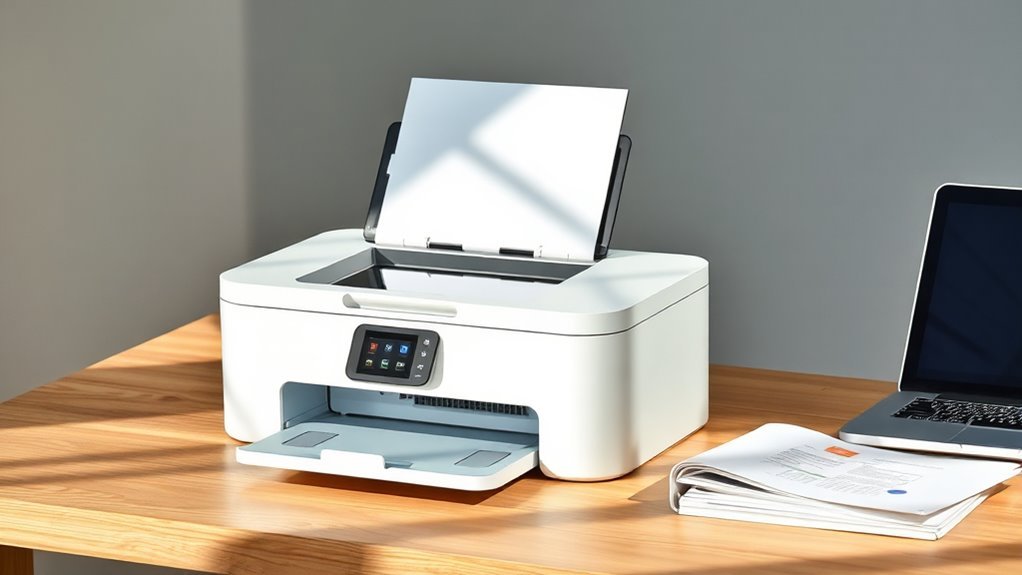
When choosing an all-in-one printer with duplex scanning, you’ll want to focus on print speed and efficiency to match your workflow. It’s important to find one that keeps up with your daily tasks without slowing you down.
Also, consider the quality of duplex scanning, connectivity options, and the type of ink or cartridges it uses. These factors can really affect your overall experience.
Don’t forget to check the paper handling capacity to guarantee it fits your needs. After all, you don’t want to be constantly refilling the tray or dealing with jams.
Print Speed And Efficiency
Print speed plays an essential role in how efficiently you handle your printing tasks, especially in busy environments. When choosing an all-in-one printer with duplex scanning, look for models offering high pages per minute (ppm) rates—some reach up to 35 ppm for black and 18 ppm for color prints, boosting your productivity.
Also, consider the first-page-out time; printers with heat-free technology often deliver faster initial prints than traditional laser models. Efficiency isn’t just about speed—select a printer with a large-capacity paper tray to reduce interruptions caused by frequent refills.
These features combined help maintain a smooth workflow and save you valuable time, especially during high-volume projects. That way, your printing tasks don’t slow down your day.
Duplex Scanning Capabilities
Since scanning both sides of a document manually can be time-consuming, choosing an all-in-one printer with duplex scanning lets you save time by automatically capturing both sides in one pass.
Look for models with Automatic Document Feeders (ADF) that support duplex scanning, so you can handle multi-page documents without flipping pages yourself.
Pay attention to the ADF’s capacity—some can hold up to 50 sheets, which is great for larger tasks.
Also, consider scan speed; some printers reach up to 28 pages per minute in black and white, boosting your efficiency.
Don’t overlook resolution either—high-quality duplex scans can reach up to 4800 x 1200 dpi, ensuring crisp, detailed copies every time you scan double-sided documents.
Connectivity Options Available
You’ll find several connectivity options available on all-in-one printers with duplex scanning, designed to fit different setups and preferences. You can connect via USB for a straightforward wired link to your computer or use Wi-Fi and Bluetooth for wireless convenience.
Many models support Wi-Fi Direct, letting you print directly from your device without a router. Cloud printing compatibility enables you to print files straight from services like Google Drive or Dropbox.
If you work in an office setting, Ethernet connectivity offers a stable, high-speed connection for multiple users. Plus, mobile printing apps make it easy to print and scan from smartphones and tablets.
Choosing a printer with versatile connectivity guarantees it fits seamlessly into your workflow, whether at home or in a busy office. It just makes everything a lot simpler and more flexible.
Ink And Cartridge Type
When choosing an all-in-one printer with duplex scanning, understanding the ink and cartridge type is essential to managing your printing costs and quality. You’ll want to decide between traditional ink cartridges and tank systems—the latter usually offers higher page yields and lower cost-per-page.
That’s ideal if you print a lot. Check the page yield closely; some color cartridges cover around 500 pages, while high-capacity ink bottles can exceed 6,000 pages.
Also, confirm if your printer supports original cartridges or allows third-party replacements. Some printers block non-genuine ones to preserve print quality, so it’s good to know what you’re dealing with.
Consider ink type too: pigment-based inks last longer and handle different media better than dye-based ones.
Finally, look for refillable options to reduce waste and save money instead of relying on single-use cartridges. It’s a smart choice for both your wallet and the environment.
Paper Handling Capacity
Managing ink types and cartridge options plays a big role in print quality and cost, but paper handling capacity also impacts your overall efficiency. This capacity refers to how many sheets your printer can hold at once, which helps minimize interruptions during large print jobs.
If you print frequently or in high volumes, choosing a model with dual paper trays is smart—they can hold up to 500 sheets combined. This setup lets you switch between standard letter paper and specialty media like photo paper without hassle.
Also, check the automatic document feeder (ADF) capacity; some handle up to 50 sheets for smooth multi-page scanning and copying. Picking a printer with higher paper capacity reduces how often you need to reload, keeping your workflow steady and downtime low.
User Interface And Controls
Although duplex scanning adds complexity to printer functions, a well-designed user interface and controls make operating your all-in-one printer straightforward and efficient. Look for a model with a color touchscreen, ideally around 4.3 inches, to navigate duplex scanning and other tasks with ease.
Mobile app compatibility is a bonus, letting you manage printing and scanning directly from your smartphone. This can really speed up your workflow.
An Automatic Document Feeder (ADF) that holds 20 to 50 sheets saves you from manually flipping pages during duplex scanning. Intuitive controls, such as push buttons combined with touch options, simplify copying, faxing, and scanning.
Plus, clear on-screen instructions shorten the learning curve. This helps you get productive fast without frustration.
Device Size And Weight
Size and weight play an essential role in choosing an all-in-one printer with duplex scanning, especially if you have limited space. Printers vary widely, from compact models around 13.5D x 15.4W x 7.2H inches to bulkier devices measuring up to 18.2D x 16.8W x 17H inches.
If your desk or office is small, opting for a printer under 15 inches in depth and width helps keep your workspace uncluttered. Weight also matters—lighter printers at about 14 pounds are easy to move, while heavy-duty models over 30 pounds need sturdy surfaces to avoid shifting during use.
Before buying, measure your available area and consider the printer’s footprint and weight. This way, you can guarantee it fits comfortably without sacrificing accessibility or functionality.
Warranty And Support
When choosing an all-in-one printer with duplex scanning, you should prioritize warranty and support to protect your investment and guarantee smooth operation. Look for a longer warranty period, like a 3-year limited warranty, to cover potential defects and issues over time.
Check the fine print to understand what’s covered—parts, labor, and any exclusions. Also, consider the availability of customer support, including response times and service center accessibility.
A robust support network with online resources, troubleshooting guides, and live representatives can save you headaches. Finally, a return policy, such as a 30-day satisfaction guarantee, lets you test the printer risk-free and return it if it doesn’t meet your expectations.
Prioritizing these factors guarantees reliable, hassle-free use. It’s really worth taking the time to make sure you’re covered.
Frequently Asked Questions
How Does Duplex Scanning Impact Overall Printing Speed?
Duplex scanning speeds up your workflow by scanning both sides of a document automatically, so you don’t have to flip pages manually.
This cuts scanning time in half and boosts overall printing efficiency considerably. It’s a real time-saver!
Are There Any Compatibility Issues With macOS or Linux?
Worried about compatibility with macOS or Linux? Most all-in-one printers support macOS, but Linux drivers can be hit or miss.
You’ll want to check manufacturer support or open-source drivers before buying to avoid surprises. It’s better to be safe than sorry!
What Are Typical Maintenance Costs for Duplex Scanning Printers?
You’ll typically spend on replacement rollers, cleaning kits, and occasional repairs. Duplex scanners need regular maintenance to avoid jams, so budgeting around $50-$100 annually keeps your printer running smoothly without surprise costs.
It’s a good idea to set aside this amount each year. That way, you won’t get caught off guard by unexpected fixes. Regular upkeep really pays off in the long run!
Can Duplex Scanning Handle Thick or Specialty Paper Types?
Duplex scanning dances smoothly with most thick or specialty papers, but you’ll want to check your printer’s specs first.
Treat it gently—like a delicate partner—to avoid jams or damage during the double-sided twirl.
Do These Printers Support Cloud-Based Duplex Scanning Features?
Yes, many of these printers support cloud-based duplex scanning, letting you scan double-sided documents directly to cloud services. You’ll save time and streamline workflows.
Plus, you can access your scans from anywhere without extra steps or software. It makes handling documents way easier and more efficient.
Conclusion
Choosing the right all-in-one printer with duplex scanning might seem simple, but it’s anything but. On one hand, you want speed and efficiency; on the other, you need affordability and quality. Balancing these factors can feel like a juggling act.
But with options like Epson’s Workforce Pro or Canon’s PIXMA, you don’t have to sacrifice one for the other. These models offer a great mix of performance and value, making them solid choices for any home or office setup.
When you invest in an all-in-one printer with duplex scanning, you’re not just buying a device—you’re boosting your workflow. Duplex scanning saves you time and paper, which means smarter, smoother productivity every day. So, whether you prioritize speed, quality, or budget, finding the right all-in-one printer with duplex scanning can transform how you work in 2027.