10 Best 3D Printer Machines for 2027
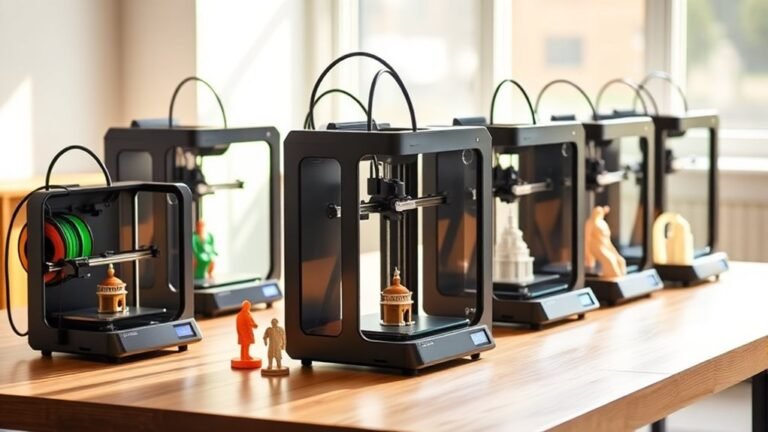
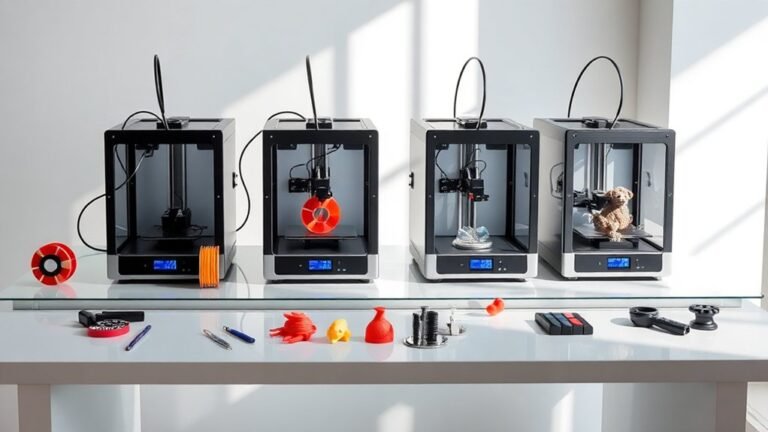
You’ll find top 3D printers for 2027 offer speed, precision, and multi-material versatility to fit your needs.
Whether you’re a hobbyist, professional, or just starting out, there’s a machine designed to match your style and skill level.
The Bambu Lab P1S Combo excels with 16-color printing and fast setups.
FLASHFORGE Adventurer 5M and AD5X bring CoreXY speed and accuracy, while beginner-friendly Bambu Lab A1 simplifies use.
Creality models like Ender 3 V3 SE and K2 Combo provide reliable performance and multi-color options.
Keep exploring to uncover what makes each machine a standout choice.
| Image | Name | Editor's Rating | Price |
|---|---|---|---|

|
|
||

|
|
||

|
|
||

|
|
||

|
|
Bambu Lab P1S Combo, P1S 3D Printer and AMS, Multi-Color 3D Printing
- Up to 16 Colors: Bring your designs to life with vibrant multi-color/multi-material printing capabilities, perfect for showcasing your creativity. Note: Connecting Bambu...
- 500mm/s and 20000 mm/s² Acceleration True High Speed: Don't wait around for your masterpieces. Lightning-fast printing speed lets you focus on creating, not waiting.
- Enclosed Design: Fully enclosed body improves print performance for advanced filaments. Automatic Bed Leveling: Say hello to high-quality, successful prints. Auto bed...
- Set Up in 15 Minutes: Spend more time printing and less time setting up. User-friendly design ensures a hassle-free assembly experience for all skill levels.
- Supported Filament: Ideal: PLA, PETG, TPU, PVA, PET ABS, ASA; Capable : PA, PC; Not Recommended: Carbon/Glass Fiber Reinforced Polymer.
The Bambu Lab P1S Combo redefines multi-color 3D printing by combining convenience with advanced functionality. This system integrates the P1S printer with an Automatic Material System (AMS), allowing seamless use of up to 16 colors or materials. It solves the challenge of complex, multi-material prints by automating filament changes, saving time and reducing errors.
Designed for both beginners and experienced users, the enclosed build chamber enhances print quality by maintaining consistent temperatures. Fast printing speeds of up to 500mm/s with rapid acceleration increase productivity without compromising detail. Setup is simple and takes just 15 minutes, while automatic bed leveling ensures precise results every time.
Maintenance is straightforward thanks to its user-friendly design and reliable components. The printer supports a broad range of filaments, including PLA, PETG, and TPU, providing versatility for various projects. However, it is not suitable for carbon or glass fiber reinforced polymers, which limits certain advanced material applications.
Weighing 47.5 pounds, the P1S Combo strikes a balance between stability and mobility. Its release from July 8, 2024, allows time to prepare for enhanced multi-color printing capabilities.
Best for: hobbyists and professionals seeking efficient, high-quality multi-material 3D printing with easy setup and versatile functionality.
What We Like:
- Supports up to 16 colors or materials for detailed, vibrant prints
- Fast printing speeds up to 500mm/s with smooth acceleration
- Automatic bed leveling for consistent, reliable prints
- Quick 15-minute setup streamlines workflow
Specification:
| Feature | Details |
|---|---|
| Manufacturer | Bambu Lab |
| Dimensions | Not specified |
| Weight | 47.5 lb (21.5 kg) |
| Material Compatibility | PLA, PETG, TPU, others (excluding carbon/glass fiber reinforced polymers) |
| Color Options | Multi-color via AMS |
FLASHFORGE Adventurer 5M 3D Printer, All-Metal CoreXY, 600mm/s Max Travel
- One-Click Automatic Printing: Experience hassle-free 3D printing with the Adventurer 5M Series. Enjoy automatic bed leveling for flawless first layers, ensuring...
- 12X Ultra Fast Printing: Featuring a CoreXY structure with 600mm/s travel speed and 20000mm/s² acceleration, the AD5M maximizes efficiency, reduces production cycles...
- Smart and Efficient Design: Quick 3-second nozzle changes, a high-flow 32mm³/s nozzle, and fast 35-second warm-up to 200°C deliver stable high-speed printing. Its...
- Superior Print Quality & Adaptability: Combines a 280°C direct drive extruder with dual-fan cooling and vibration compensation. Includes a standard 0.4mm nozzle and...
- Real-Time App Monitoring: Monitor print progress, adjust settings, and receive instant status alerts remotely with the Flash Studio. Smart mobile control ensures a...
The FLASHFORGE Adventurer 5M delivers ultra-fast, precise 3D printing designed to meet professional demands. Its all-metal CoreXY mechanism allows travel speeds up to 600mm/s, dramatically cutting production times. This makes it ideal for rapid prototyping and efficient small-batch manufacturing.
Maintenance is straightforward with features like automatic bed leveling, which ensures accurate first layers without manual adjustment. The printer heats up in just 35 seconds, reducing wait time and boosting workflow efficiency. Swapping nozzles takes seconds, simplifying upkeep and print customization.
Designed with a compact build volume of 220 x 220 x 220 mm, it suits projects requiring high detail rather than large-scale prints. Dual-fan cooling combined with vibration compensation improves print quality by stabilizing the process and managing temperature effectively.
Remote monitoring and control through the Flash Studio app provide convenience and oversight, allowing users to manage prints from anywhere. Weighing only 22 pounds, it is portable but better suited for professional environments than heavy-duty industrial use.
Best for: Professionals and businesses seeking rapid, reliable 3D printing with smart features for prototyping and small-scale production.
What We Like:
- High-speed travel of 600mm/s with 20000mm/s² acceleration for quick prints
- Automatic bed leveling and dual-fan cooling enhance print accuracy
- Fast nozzle changes and remote print monitoring via Flash Studio app
- Compact design with vibration compensation for stable, quality output
Specification:
| Feature | Details |
|---|---|
| Manufacturer | FLASHFORGE |
| Dimensions | Not specified |
| Weight | 22 lb (10 kg) |
| Build Volume | 220 x 220 x 220 mm |
| Max Travel Speed | 600 mm/s |
| Acceleration | 20000 mm/s² |
| Core Design | All-metal CoreXY |
Bambu Lab A1 3D Printer, Ready-to-Use FDM 3D Printer for Beginners and Kids
- High-Speed Precision: Experience unparalleled speed and precision with the Bambu Lab A1 3D Printer. With an impressive acceleration of 10,000 mm/s², the A1 delivers...
- Multi-Color Printing with AMS lite: Unlock your creativity with vibrant and multi-colored 3D prints. The Bambu Lab A1 3D printers make multi-color printing accessible and...
- Full-Auto Calibration: Say goodbye to manual calibration hassles. The A1 3D printer takes care of all the calibration processes automatically, ensuring optimal...
- Active Flow Rate Compensation: Achieve consistently smooth prints with active flow rate compensation. The algorithm actively compensates the flow rate according to the...
- Easy and Quiet 3D Printing: Experience effortless printing with the Bambu Lab A1 FDM 3D printer. Its user-friendly interface and simplified touchscreen make it easy to...
The Bambu Lab A1 3D printer is designed to make 3D printing simple and accessible for beginners and kids. Its ready-to-use setup removes common barriers, allowing users to start printing quickly without technical hassle. The full-auto calibration and intuitive touchscreen ensure smooth operation and reduce setup time.
This printer delivers fast and precise prints thanks to its high acceleration of 10,000 mm/s² and active flow rate compensation. The 1-clip quick swap nozzle simplifies maintenance and lets users easily change printing settings. These features help maintain consistent print quality and reduce downtime.
With compatibility for AMS Lite, the Bambu Lab A1 supports multi-color projects, expanding creative possibilities. Weighing just 22 pounds and operating quietly at ≤48 dB, it fits well in home environments without causing disturbance.
While it is limited to FDM technology and requires an additional AMS Lite accessory for multi-color printing, its user-friendly design and compact size make it a practical choice for young creators under supervision.
Best for: Beginners and kids seeking an easy-to-use, fast, and accurate 3D printer with multi-color capabilities.
What We Like:
- Full-auto calibration and touchscreen simplify setup and use
- High acceleration and flow rate control enable precise, fast prints
- Quick swap nozzle design eases maintenance
- AMS Lite compatibility allows vibrant multi-color printing
- Quiet operation suitable for home and educational settings
Specification:
| Feature | Details |
|---|---|
| Manufacturer | Bambu Lab |
| Dimensions | Not specified |
| Weight | 22 lb (10 kg) |
| Printing Technology | FDM |
| Noise Level | ≤48 dB |
| Acceleration | 10,000 mm/s² |
| Interface | Touchscreen |
| Multi-Color Support | AMS Lite accessory required |
FLASHFORGE AD5X Multi-Material 3D Printer
- Build for Speed and Full-Color Printing: Bring your creative vision to life with vibrant and multicolored 3D prints in 4-colors. With speed of up to 600mm/s and...
- Seamless Printing, Precise Control: Full auto leveling sensor measures multiple points on the print bed to ensure consistent distance between nozzle and bed. As well as...
- Multi-Material and Multi-Color Capability: Intelligent Filament System (IFS) allows you to print in multiple colors and materials simultaneously. Among the wide selection...
- CoreXY Structure, Vibration Compensation: With its all-metal motion CoreXY structure offers highly rigid, reducing the risk of errors caused by vibration or mechanical...
- Compact Design, Space Saving: With its lightweight, modular design and intelligent filament system (IFS), Four spools of filament arranged side by side, AD5X offers...
Experience the freedom to create with the FLASHFORGE AD5X Multi-Material 3D Printer, designed to handle complex projects with ease. This printer solves the challenge of combining multiple materials and colors in a single print, streamlining your workflow and enhancing your creative possibilities.
Its compact, lightweight design fits neatly into small workspaces without sacrificing stability. The all-metal CoreXY structure provides precision and reduces errors, so your prints come out accurate and detailed every time. With printing speeds up to 600mm/s and acceleration reaching 20,000mm/s², you can complete projects quickly without compromising quality.
Maintenance is straightforward thanks to features like auto-leveling and vibration compensation, which keep layers aligned and consistent. The intelligent filament system supports a range of materials including PLA, TPU, and PETG, allowing simultaneous multi-material prints without constant adjustments.
While its compact size limits the build volume, the printer remains a versatile powerhouse for advanced DIY projects. Weighing just 22 pounds, it balances portability and performance, ideal for users who require precision and flexibility in one package.
Best for: Creators and advanced DIY enthusiasts who need a versatile, high-speed 3D printer capable of multi-material and multi-color printing with precise and reliable results.
What We Like:
- Supports simultaneous multi-material and four-color printing with Intelligent Filament System (IFS)
- High-speed printing up to 600mm/s with an all-metal CoreXY frame for accuracy
- Auto leveling and vibration compensation ensure consistent layer alignment and print quality
Specification:
| Feature | Details |
|---|---|
| Manufacturer | Zhejiang Flashforge |
| Dimensions | Approximately 15 x 16 in |
| Weight | 22 lb |
| Frame Material | All-metal CoreXY structure |
| Supported Materials | PLA, TPU, PETG, and more |
Creality Ender 3 V3 SE 3D Printer Upgrade
- 【250mm/s High-speed Printing】Creality Ender 3 V3 SE 3d printer supports a maximum printing speed of 250mm/s, 2500mm/s² acceleration.The speed has been greatly...
- 【Powerful ""Sprite"" Direct Extruder】Ender 3 V3 SE is the upgrade of ender 3, ender 3 v2, ender 3 pro, ender 3 neo, ender 3 v2 neo, ender 3 s1, ender 3 s1 pro etc 3d...
- 【Worry-free CR Touch Auto Leveling & Strain Sensor】Creality Ender 3 upgraded 3d printer features a CR Touch sensor for auto leveling and a strain sensor for auto...
- 【Stable Dual Z-axis & Y-axis Linear Shafts】High-precision dual Z-axis lead screws reduce Z wobbling effectively, avoid printing deviation in single-axis printing...
- 【Quick Assembly & Easy to Use】Preassembly has solved those hassles and worries of parts assembly, It only takes 3 steps to complete the assemble the ender-3 v3 se 3d...

Experience faster and more precise 3D printing with the Creality Ender 3 V3 SE. Designed to tackle common printing challenges, it delivers speeds up to 250mm/s, helping you complete projects quicker without sacrificing quality. Its advanced leveling system ensures consistent results, reducing time lost to manual adjustments.
The printer’s CR Touch sensor and strain sensor automate bed leveling and Z-offset calibration. Dual Z-axis lead screws and dual 8mm Y-axis shafts boost stability during printing, minimizing errors from vibrations. This means smoother, more reliable prints every time.
Maintenance is straightforward thanks to preassembled parts and an automatic filament loading system. The upgraded full metal dual-gear extruder supports a variety of filaments like PLA, TPU, and PETG, providing flexibility for different project needs. While the build volume is moderate, it’s ideal for most hobbyist and creative tasks.
Best for: Creators and hobbyists seeking a fast, reliable 3D printer with precise leveling and versatile filament options.
What We Like:
- Fast printing speed up to 250mm/s saves significant build time
- Automatic leveling with CR Touch and strain sensor improves accuracy
- Durable full metal dual-gear extruder supports multiple filament types
- Dual Z-axis and Y-axis design enhances print stability
- Preassembled parts and auto filament loading simplify setup and use
Specification:
| Feature | Details |
|---|---|
| Manufacturer | Creality |
| Max Build Volume | 8.66 x 8.66 x 9.84 inches |
| Printing Speed | Up to 250 mm/s |
| Extruder Type | Full metal dual-gear |
| Leveling System | CR Touch sensor + strain sensor |
| Stability Features | Dual Z-axis lead screws, dual 8mm Y-axis shafts |
Creality SPARKX i7 Nano Combo 3D Printer

- 𝐌𝐮𝐥𝐭𝐢-𝐜𝐨𝐥𝐨𝐫 𝐏𝐫𝐢𝐧𝐭𝐢𝐧𝐠: Supports automatic filament switching for up to 4 colors, no frequent manual...
- 𝐋𝐚𝐫𝐠𝐞 𝟐𝟔𝟎×𝟐𝟔𝟎×𝟐𝟓𝟓𝐦𝐦 𝐁𝐮𝐢𝐥𝐝 𝐒𝐢𝐳𝐞: Break free from size restrictions to complete diverse...
- 𝐂𝐨𝐦𝐩𝐚𝐜𝐭 𝐒𝐩𝐚𝐜𝐞‑𝐒𝐚𝐯𝐢𝐧𝐠 𝐃𝐞𝐬𝐢𝐠𝐧: Features a tiny footprint for easy desk placement. Optimized...
- ...
- 𝐄𝐦𝐩𝐭𝐲 𝐑𝐮𝐧 𝐃𝐞𝐭𝐞𝐜𝐭𝐢𝐨𝐧: Real‑time filament monitoring on all channels. Automatically halts printing upon detecting...
The Creality SPARKX i7 Nano Combo 3D Printer transforms how you create multi-color prints. It eliminates the hassle of manual filament swaps by automatically switching between up to four colors. This feature lets you focus on designing complex projects without interruption.
Its build volume of 260×260×255 mm offers enough space for detailed models and larger prints. Despite the generous size, the printer’s compact design fits easily on your desk, blending stability with space efficiency. This makes it ideal for both home and professional workspaces.
Maintenance is streamlined with real-time filament monitoring and automatic refilling. The printer pauses printing if filament issues arise, reducing the risk of failed prints and wasted materials. Auto feed and retract simplify spool changes, saving time and effort.
Designed for smooth, multi-color printing with minimal manual input, the SPARKX i7 Nano Combo ensures reliability and convenience. Although its build size may not suit very large projects and the automatic features could feel complex for some, it remains a smart choice for efficient production.
Best for: hobbyists and professionals seeking reliable, compact 3D printing with seamless multi-color capabilities and minimal manual intervention.
What We Like:
- Automatic switching of up to 4 filament colors eliminates manual changes.
- Real-time filament monitoring with auto refill prevents print failures.
- Compact, stable design fits easily on desks.
- Auto feed and retract simplify spool handling.
Specification:
| Feature | Details |
|---|---|
| Manufacturer | Creality |
| Build Volume | 260 × 260 × 255 mm |
| Color Options | Multi-color filament support |
| Model Year | 2026 |
| Design | Compact, desk-friendly |
Anycubic Kobra X Multicolor 3D Printer, Easy Setup, Native 4-Color

- 【 Newest Level - 19-Color with 4 ACE 2 Pro】Why settle for one color when you can have multicolor? The Kobra X comes born with 4 colors built-in. It is innovative 3D...
- 【 Savings 2X Time】Stop wasting hours and filament on purging! Kobra X impresora 3D reduces the filament and machine travel path by 81.25%, so 2X the Speed, and...
- 【Hardened Precision & High Speed 】 Equipped with a high-durability hardened steel nozzle and vibration compensation, the Kobra X ensures every layer remains smooth...
- 【Flawless First Layer with LeviQ 3.0】The LeviQ 3.0 and auto bed leveling system uses a 49-point calibration and advanced leveling algorithm to ensure 100% bed...
- 【Smart AI Monitoring & Large Model Library】APP remote control, features Spaghetti detection and foreign object detection. The innovative top-mount spool holder...
The Anycubic Kobra X Multicolor 3D Printer transforms your creative process with its native 4-color printing capability. It solves the common challenge of limited color options, allowing you to produce vibrant, detailed multicolor models without complex setups. You can even expand the system to 19 colors by adding extra units, giving you unmatched flexibility.
Maintenance is simplified thanks to the LeviQ 3.0’s 49-point auto bed leveling, which ensures a perfectly flat print bed and a flawless first layer in just 15 minutes. This reduces manual adjustments and helps avoid print failures. The printer supports various filament types, making it adaptable to different project needs.
Designed for speed and precision, the Kobra X prints up to 600mm/s. This fast printing cuts filament and travel time by over 80%, enabling you to complete models like the Benchy in just 14 minutes. Its dual-band Wi-Fi and smart AI monitoring make remote control and real-time status tracking reliable and straightforward.
While the printer offers a large build volume and advanced features, beginners may find the setup and multicolor expansion a bit challenging. The nozzle’s maximum temperature of 300℃ supports most filaments but may limit use with some high-temp specialty materials.
Best for: hobbyists, educators, and makers seeking fast, precise multicolor 3D printing with easy setup and smart connectivity.
What We Like:
- Native 4-color printing with expansion up to 19 colors
- Fast print speeds up to 600mm/s for quick model completion
- LeviQ 3.0 auto bed leveling for consistent first layers
- Supports multiple filament types for versatile use
- Dual-band Wi-Fi with AI monitoring for convenient remote control
Specification:
| Feature | Details |
|---|---|
| Manufacturer | Anycubic |
| Dimensions | Not specified |
| Weight | Not specified |
| Printing Technology | Multicolor FDM |
| Max Nozzle Temperature | 300℃ |
| Print Speed | Up to 600mm/s |
| Auto Bed Leveling | LeviQ 3.0, 49-point |
| Connectivity | Dual-band Wi-Fi |
| Color Options | Native 4-color, expandable |
Creality K2 Combo 3D Printer with Smart Camera

- Multicolor 3D Printing: 4 × CFS for up to 16 colors. By hooking up as many as four CFS units together, you are able to print in the splendor of 16 colors. Saves the need...
- Ultra Quiet Printing: Silent Mode for a quieter printing experience. Annoyed by the buzzing noise? Not K2. By adopting step-servo motors and dynamically balanced fans. It...
- Out-of-the-Box Experience: Pre-assembled for plug and play. You can use K2 right after unpacking and screen installation. Unlocks a wider selection of materials...
- Smart Auto Leveling & AI Camera: Faster leveling of only the target print area. The leveling sensor only probes and levels the bed area relevant to the desired print...
- Superior Print Quality: Sturdy frame and precise step-servo motor system. K2 uses 3 step-servo motors, both in the extruder and on the X/Y axis. They can adjust torque...
Experience vibrant, multicolor 3D printing with the Creality K2 Combo, designed to simplify and speed up your creative process. Its ability to print up to 16 colors using four CFS units means you can produce detailed, colorful models without tedious post-processing.
Setup is quick thanks to its 95% pre-assembled design, so you can start printing in no time. The smart auto-leveling targets only the necessary print area, enhancing accuracy while reducing preparation time. Maintenance is easier with this focused leveling system, cutting down on calibration hassles.
A standout feature is the integrated AI camera that monitors your prints in real-time. This lets you catch problems early, preventing wasted materials and time. The printer’s quiet, robust frame paired with a next-generation extruder ensures smooth, consistent printing that fits well in any workspace.
While the K2 Combo offers advanced features, it may require some learning for beginners, and its larger size could limit portability. It’s optimized for materials compatible with CFS units, focusing on PLA, PETG, and ABS.
Best for: Creators and professionals needing fast, precise multicolor 3D printing with real-time monitoring and minimal setup.
What We Like:
- Supports up to 16 colors with four CFS units for complex, vibrant prints.
- Smart auto-leveling reduces setup time and improves print accuracy.
- AI camera provides real-time failure detection to save time and materials.
- Quiet operation and sturdy frame suit professional and home workspaces.
Specification:
| Feature | Details |
|---|---|
| Manufacturer | Creality |
| Dimensions | Not specified |
| Weight | Not specified |
| Material Support | PLA, PETG, ABS, others compatible with CFS units |
| Color Options | Multicolor via four CFS units |
FLASHFORGE Creator 5 3D Printer, 4-Toolhead Multi-Color and Multi-Material

- 4 Independent Toolheads for True Multi-Color: Unlike traditional single-nozzle multi-color printers, the Creator 5 utilizes 4 independent toolheads to prevent color...
- 7-Second Swaps with Intelligent Preheating: Standard single-nozzle setups demand constant filament loading, unloading, and purging for every color change. The Creator...
- Up to 80% Less Filament Waste: Single-nozzle multi-color printing generates massive amounts of wasted "poop." The Creator 5's independent architecture completely bypasses...
- True Multi-Material & Clean Support Removal: Print PLA, PETG, TPU, PETG-CF and support materials in a single job. By allocating one toolhead exclusively to specialized...
- 600mm/s CoreXY Speed & Auto Calibration: Built upon a rigid CoreXY motion system with fully automatic calibration, the Creator 5 delivers stable high-speed printing up to...
Experience seamless multi-color and multi-material 3D printing with the FLASHFORGE Creator 5. Its four independent toolheads eliminate color mixing and clogging, allowing you to tackle complex projects without interruption. The printer switches tools in just seven seconds using intelligent preheating, which drastically reduces downtime and avoids lengthy flush cycles.
Maintenance is straightforward, thanks to the dedicated support toolhead that ensures cleaner support removal and a smoother surface finish. This design reduces filament waste by up to 80%, lowering costs and environmental impact. The Creator 5 handles a variety of materials, including PLA, PETG, TPU, and specialized supports, offering versatility for diverse printing needs.
Built on a rigid CoreXY system, this printer moves quickly—up to 600mm/s—while automatic calibration and active vibration compensation maintain consistent print quality. Its robust design supports professional workflows but may be less portable due to its weight of 30.8 pounds. Beginners might face a learning curve when mastering its advanced features.
Best for: Professionals and advanced hobbyists seeking efficient and precise multi-color, multi-material 3D printing with minimal waste.
What We Like:
- Four toolheads prevent color mixing and clogging for reliable multi-material prints
- Fast 7-second tool changes reduce print interruptions
- Significant filament waste reduction lowers material costs and environmental footprint
- Dedicated support toolhead improves support removal and surface quality
- Sturdy CoreXY frame with high-speed printing and automatic calibration
Specification:
| Feature | Details |
|---|---|
| Manufacturer | FLASHFORGE |
| Dimensions (L×W×H) | Not specified |
| Weight | 30.8 lb (14 kg) |
| Material Compatibility | PLA, PETG, TPU, support materials |
| Toolheads | 4 independent toolheads |
| Max Print Speed | Up to 600 mm/s |
Creality SPARKX i7 3D Printer with AI Camera

- Easy 3D Printing with Auto Leveling: The Creality SPARKX i7 features automatic bed leveling, quick setup, and streamlined calibration for a smoother desktop 3D printing...
- Smart Camera Monitoring for Reliable Printing: Built-in smart camera monitoring supports remote viewing, time-lapse recording, and print status detection to help improve...
- Quiet High-Speed Desktop 3D Printer: With an optimized motion system and low-noise operation, the SPARKX i7 delivers stable high-speed 3D printing with reduced vibration...
- Large Build Volume for Bigger Creative Projects: Featuring a 260×260×255mm build volume and flexible PEI build plate, the SPARKX i7 supports larger models, props...
- 5-Second Quick-Swap Hotend for Easy Maintenance: The tool-free quick-swap hotend design allows faster nozzle replacement and simplified maintenance, helping reduce...
The Creality SPARKX i7 3D printer transforms your printing experience by simplifying setup and enhancing control. Its automatic bed leveling removes the hassle of manual calibration, ensuring your prints start perfectly every time. With a spacious 260×260×255mm build area, you can create larger projects without compromise.
Stay connected with the built-in AI camera, which allows for remote monitoring, real-time print status updates, and time-lapse videos. This feature lets you oversee your prints from anywhere, reducing downtime and increasing productivity.
Designed for ease of use, the printer operates quietly and at high speeds, delivering consistent, high-quality results. The flexible PEI build plate helps you remove finished prints effortlessly, improving your workflow and minimizing damage.
Maintenance is straightforward thanks to the quick-swap hotend, which simplifies part replacement and keeps downtime low. For those looking to expand capabilities, the optional CFS Lite system enables multi-color printing, adding versatility to your projects.
Best for: hobbyists and beginners seeking a reliable, easy-to-use 3D printer with smart monitoring and efficient performance.
What We Like:
- Automatic bed leveling for precise printing without manual effort
- Built-in AI camera supports remote monitoring and time-lapse recording
- Large build volume with a flexible PEI plate for easy print removal
- Quiet operation combined with high-speed, stable printing
- Quick-swap hotend simplifies maintenance and upgrades
Specification:
| Feature | Details |
|---|---|
| Manufacturer | Creality |
| Build Volume | 260 × 260 × 255 mm |
| Weight | 29.5 lb (13.4 kg) |
| Build Plate | Flexible PEI |
| Color Options | Not specified |
Factors to Consider When Choosing a 3d Printer Machine
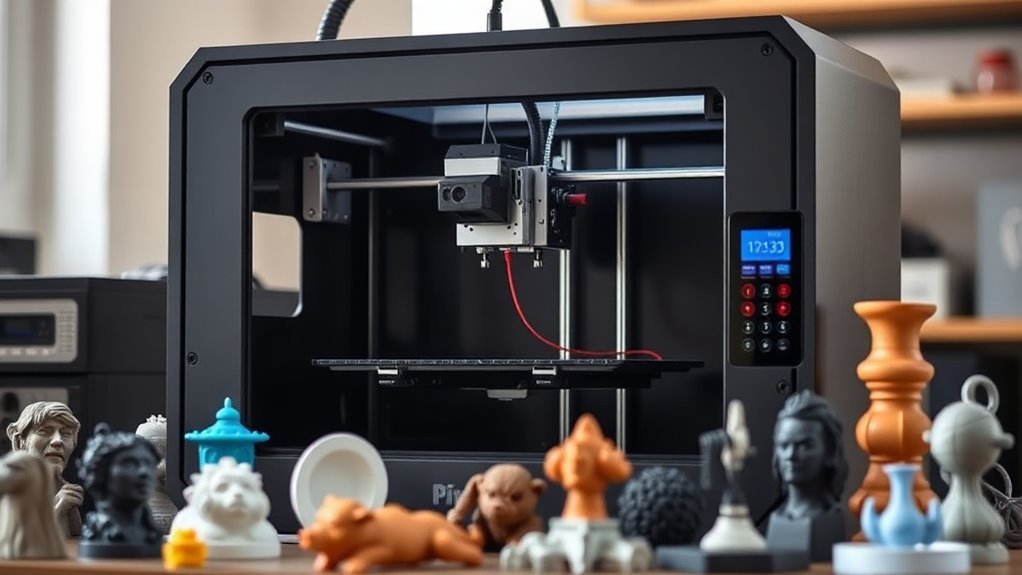
When choosing a 3D printer, you’ll want to compare printing speeds and check if multi-color options fit your projects. Consider the materials it supports and how easy it is to calibrate and level.
Don’t forget to evaluate the build volume and overall size to guarantee it meets your needs. It’s all about finding the right fit for what you want to create.
Printing Speed Comparison
Choosing a 3D printer means balancing speed with quality, and you’ll want to evaluate how fast a machine can print without sacrificing detail.
If you need quick turnaround times, the FLASHFORGE Adventurer 5M, Creality’s SPARKX i7 and K2 Combo, and Anycubic’s Kobra X each reach a max speed of 600mm/s. That’s perfect for rapid prototyping and efficient workflows.
The Bambu Lab P1S Combo isn’t far behind, printing at 500mm/s. It’s suitable for high-speed projects that demand both speed and precision.
Meanwhile, the Creality Ender 3 V3 SE operates at 250mm/s—slower but still reliable for many tasks.
Multi-Color Printing Options
Multi-color printing options can transform your 3D projects by allowing up to 16 colors in a single print, revealing intricate designs and vibrant results. Many advanced 3D printers use Automatic Material Systems (AMS) to switch colors seamlessly, so you won’t need to intervene during prints.
This boosts efficiency and lowers the risk of print failures. Expect speeds up to 600mm/s, helping you produce prototypes or batches quickly.
Calibration features like automatic bed leveling and flow rate compensation maintain consistent adhesion and quality across colors. Plus, some printers handle various filaments—PLA, PETG, TPU, and others—giving you more creative freedom.
When choosing a printer, prioritize these multi-color capabilities to achieve detailed, colorful prints without sacrificing speed or reliability.
Material Compatibility Range
Expanding your 3D printing capabilities goes beyond vibrant colors; the range of materials your printer supports plays a big role in what you can create. You’ll want a printer that handles common filaments like PLA, PETG, TPU, and specialty materials such as ABS and ASA, giving you versatility for various projects.
If you plan to work with advanced materials like nylon or polycarbonate, verify your printer can reach high nozzle temperatures—some go up to 300°C. Keep in mind, not all printers can handle reinforced composites like carbon or glass fiber without damaging parts.
Multi-material printing options let you combine different filaments in one print, boosting both functionality and aesthetics. Choosing a printer with a wide material compatibility range sets you up for endless creative possibilities.
Calibration and Leveling Features
When you want consistent, high-quality prints, precise calibration and leveling are essential. Automatic bed leveling systems simplify setup by perfectly aligning the print bed, which improves print adhesion and reduces failed prints.
Advanced features like 49-point calibration maintain bed flatness, ensuring your prints stick well throughout the process. Some printers even use smart algorithms to adjust material flow in real time, keeping extrusion consistent.
Plus, real-time monitoring can detect filament issues such as breakage or tangling. It automatically pauses the print to prevent waste, which is super helpful.
Quick-swap nozzle designs let you switch nozzles easily. This speeds up maintenance and makes changing between print jobs faster.
All these calibration and leveling features save you time and improve print reliability. So, they’re definitely important factors to consider when choosing your next 3D printer.
Build Volume and Size
Choosing the right build volume is essential because it determines the maximum size of the objects you can print. Build volume is usually measured in cubic millimeters or by dimensions like length, width, and height.
If you want to print larger models or several smaller items at once, a bigger build volume will save you time and reduce material waste. Keep in mind, though, that larger printers take up more space and may need proper ventilation and easy access in your workspace.
Think about what projects you plan to tackle: small volumes work well for prototyping and education, while larger ones suit industrial uses and bigger artistic creations. Matching build volume to your needs guarantees efficient and effective printing.
User-Friendly Setup Process
A smooth setup process can make all the difference in getting your 3D printer up and running quickly. Look for models that require minimal assembly—often just 15 to 20 minutes—so you can start printing without delay.
Automatic bed leveling systems are a huge help, eliminating tricky manual calibrations and ensuring quality prints every time. You’ll appreciate touchscreen interfaces and intuitive controls, which simplify navigation, even if you’re new to 3D printing or involve kids.
Quick-swap nozzles let you maintain your printer easily and change nozzle sizes without hassle. Some printers even feature automatic filament loading and unloading, cutting down on manual steps and streamlining your workflow.
Prioritizing these user-friendly features means less frustration and more time creating. It’s all about making the whole process smoother and more enjoyable for you!
Noise and Vibration Levels
Besides ease of setup, you’ll want to evaluate how much noise and vibration your 3D printer produces. Noise levels can vary widely, with some models running as quietly as 48 dB—similar to a quiet conversation—while others get louder depending on motor design.
Vibration plays a big role too; printers with rigid frames like CoreXY structures usually minimize vibration, improving print accuracy. Keep in mind that faster print speeds often increase both noise and vibrations.
Look for machines featuring vibration compensation algorithms and optimized motors to keep things stable during high-speed jobs. If you plan to print in shared spaces, opting for printers with silent operation modes can make a noticeable difference in comfort and distraction.
That way, you can enjoy a smoother and more pleasant printing experience overall.
Smart Monitoring Capabilities
Smart monitoring capabilities can transform how you manage your 3D printing projects by offering real-time updates and remote control options. With these features, you can track print progress from anywhere and adjust settings on the fly to avoid errors.
Advanced systems use AI to detect problems like filament tangling or breaks, automatically pausing your print to prevent failures. Many printers connect to mobile apps, sending alerts and letting you control prints directly from your smartphone or tablet.
This convenience helps reduce filament waste by halting prints immediately when issues arise, saving both material and time. Additionally, some smart monitoring includes time-lapse recording, so you can document your prints for review or share your projects easily.
Choosing a printer with these capabilities means smarter, more efficient printing. It’s definitely worth considering if you want to take your 3D printing to the next level.
Frequently Asked Questions
How Do 3D Printers Handle Filament Storage and Humidity Control?
You’ll find many 3D printers use sealed filament enclosures or dry boxes to keep humidity out. Some have built-in heaters or desiccants, ensuring your filament stays dry and prints don’t get brittle or fail.
It’s pretty important because moisture can mess with your print quality. So, keeping the filament dry helps avoid those annoying print issues.
What Are the Environmental Impacts of 3D Printing Materials?
Think of 3D printing materials as seeds; some grow green, others pollute. You’ll want to choose biodegradable filaments to reduce waste.
And avoid energy-intensive plastics that release toxins. That way, your prints won’t harm the planet’s garden.
Can These 3D Printers Be Used for Food-Safe Printing Applications?
Yes, you can use some 3D printers for food-safe applications, but you’ll need to choose printers with food-grade materials and guarantee proper cleaning to avoid contamination.
Always check manufacturer guidelines for safety compliance. It’s super important to make sure you’re following their recommendations.
That way, you can keep your prints safe and enjoy your creations without worry!
What Are the Typical Maintenance Costs for These 3D Printers?
You’ll usually spend $100 to $300 yearly on maintenance, including nozzle replacements, bed leveling, and occasional part swaps.
Keeping your printer clean and updated helps avoid costly repairs and guarantees consistent, high-quality prints.
It’s just a bit of effort that goes a long way in making sure your prints come out great every time.
How Secure Is the Data Transmitted Between Smart 3D Printers and Devices?
You’ll find data transmission between smart 3D printers and devices varies in security, often using encryption. Still, you should enable strong passwords and update firmware regularly.
This helps protect your designs from potential cyber threats effectively. It’s a good idea to stay on top of these updates and keep your security settings tight.
Conclusion
Choosing the right 3D printer can transform your projects. Imagine Sarah, a hobbyist who upgraded to the Bambu Lab P1S Combo; she went from simple prototypes to vibrant multi-color models effortlessly.
Whether you’re a beginner or pro, picking a machine that matches your needs—like speed, material variety, or smart features—makes all the difference. So, consider your goals carefully.
With the best 3D printer machines for 2027, you’ll find options that bring your ideas to life with ease and precision. From advanced technology to user-friendly designs, these printers cater to every skill level. Choosing the right 3D printer means faster prints, more material choices, and smarter features that help you create exactly what you envision. So take your time, explore your options, and get ready to elevate your creativity with a 3D printer that truly fits your needs.