11 Best 3D Printer Forums for 2027 Every Maker Should Join
If you’re serious about 3D printing, joining the right forums can turbocharge your skills with expert tips, troubleshooting help, and vibrant communities. These online spaces are goldmines for learning about top printers like the Bambu Lab P2S with its AMS 2 Pro multi-color combo.
You’ll also find plenty of chatter about FLASHFORGE’s high-speed CoreXY models and Anycubic’s easy-to-use multicolor setups.
Whether you want advice on quick nozzle swaps, filament care, or beginner-friendly machines, these forums have you covered. They’re full of makers sharing their experiences and solutions. Keep exploring to discover which communities best fit your making journey.
| Image | Name | Editor's Rating | Price |
|---|---|---|---|

|
|
||

|
|
||

|
|
||

|
|
||

|
|
Bambu Lab P2S Combo, P2S 3D Printer & AMS 2 Pro, Multi-Color 3D Printing
- High-Speed Precision: The Bambu Lab P2S 3D printer prints up to 600 mm/s while maintaining exceptional accuracy. With the PMSM Servo Extruder and Active Flowrate...
- Ready to Print in 15 Minutes: Set up your P2S FDM 3D printer and start printing in just 15 minutes. With AI failure detection, quick-swap nozzles, and automatic...
- Effortless Multi-Color Printing: The AMS 2 Pro enables seamless multi-color/multi-material 3D printing. It features built-in filament drying at up to 65 °C, keeping...
- Smart Airflow for Any Filament: The Adaptive Airflow System automatically balances cooling and heat retention—keeping overhangs crisp with cool air, or maintaining a...
- Limitless Creativity, Seamless Workflow: Explore over one million 3D models on MakerWorld and bring them to life with a smooth, unified workflow using Bambu Studio, Bambu...
Step into the world of advanced 3D printing with the Bambu Lab P2S Combo, designed to simplify multi-color and multi-material projects. This combo pairs the high-speed P2S printer with the AMS 2 Pro, offering smooth transitions between colors for complex designs. It addresses common printing challenges by ensuring consistent quality through a heated chamber and automatic calibration.
Maintenance is straightforward with the AMS 2 Pro’s built-in filament dryer. It keeps filaments dry and ready, reducing print failures caused by moisture. Plus, AI-powered failure detection actively monitors prints, catching issues early to save time and materials.
The system’s user-friendly design supports both beginners and seasoned users. Quick-swap nozzles and a unified software ecosystem make setup and operation intuitive. The combo’s robust CoreXY mechanics enable fast printing without compromising precision.
However, keep in mind that multi-color printing requires the AMS 2 Pro, as the P2S alone cannot handle multiple filaments. Its size and weight may also demand dedicated workspace.
Best for: makers and professionals seeking efficient, precise multi-color 3D printing with reliable filament management.
What We Like:
- Seamless multi-color printing with AMS 2 Pro integration
- Effective filament drying to prevent print errors
- Fast CoreXY printer with automatic calibration
- AI failure detection for reduced waste
- User-friendly setup ideal for varying skill levels
Specification:
| Feature | Details |
|---|---|
| Manufacturer | Bambu Lab |
| Dimensions (Printer) | Not specified |
| Weight (Combo) | Relatively heavy |
| Material Compatibility | Multi-material (with AMS 2 Pro) |
| Color Options | Multi-color prints enabled |
Bambu Lab P1S Combo, P1S 3D Printer and AMS, Multi-Color 3D Printing
- Up to 16 Colors: Bring your designs to life with vibrant multi-color/multi-material printing capabilities, perfect for showcasing your creativity. Note: Connecting Bambu...
- 500mm/s and 20000 mm/s² Acceleration True High Speed: Don't wait around for your masterpieces. Lightning-fast printing speed lets you focus on creating, not waiting.
- Enclosed Design: Fully enclosed body improves print performance for advanced filaments. Automatic Bed Leveling: Say hello to high-quality, successful prints. Auto bed...
- Set Up in 15 Minutes: Spend more time printing and less time setting up. User-friendly design ensures a hassle-free assembly experience for all skill levels.
- Supported Filament: Ideal: PLA, PETG, TPU, PVA, PET ABS, ASA; Capable : PA, PC; Not Recommended: Carbon/Glass Fiber Reinforced Polymer.
Experience vibrant multi-color 3D printing with the Bambu Lab P1S Combo, designed for enthusiasts who demand speed and precision. This printer uses the AMS accessory to deliver up to 16 colors, enabling complex and detailed models without slowing down your workflow. Its CoreXY motion system supports fast printing speeds up to 500 mm/s and acceleration of 20,000 mm/s², ensuring each layer is accurate and sharp.
The fully enclosed design stabilizes printing conditions, allowing you to work confidently with advanced filaments like PLA, PETG, and TPU. Setup is straightforward and takes about 15 minutes, making it accessible even for those new to multi-color 3D printing. Automatic bed leveling reduces maintenance time and improves print reliability, so you spend less time troubleshooting.
While it excels with many materials, it’s not suited for carbon or glass fiber reinforced polymers, which may limit certain applications. The AMS connection is essential for multi-color functionality, adding some initial setup complexity. At 47.5 pounds, it requires a dedicated workspace to accommodate its size.
Best for: Makers and hobbyists seeking fast, high-quality multi-color 3D printing with a user-friendly setup and support for a wide range of filaments.
What We Like:
- Supports up to 16 colors for vibrant, detailed prints
- High-speed CoreXY system with precise motion control
- Fully enclosed body for stable printing with advanced filaments
- Quick 15-minute setup and automatic bed leveling
- Reliable multi-material printing with AMS accessory
Specification:
| Feature | Details |
|---|---|
| Manufacturer | Bambu Lab |
| Dimensions | Not specified |
| Weight | 47.5 lb (21.5 kg) |
| Color Options | Multi-color via AMS |
| Filament Support | PLA, PETG, TPU |
| Motion System | CoreXY |
FLASHFORGE Adventurer 5M 3D Printer, All-Metal CoreXY, 600mm/s Max Travel
- One-Click Automatic Printing: Experience hassle-free 3D printing with the Adventurer 5M Series. Enjoy automatic bed leveling for flawless first layers, ensuring...
- 12X Ultra Fast Printing: Featuring a CoreXY structure with 600mm/s travel speed and 20000mm/s² acceleration, the AD5M maximizes efficiency, reduces production cycles...
- Smart and Efficient Design: Quick 3-second nozzle changes, a high-flow 32mm³/s nozzle, and fast 35-second warm-up to 200°C deliver stable high-speed printing. Its...
- Superior Print Quality & Adaptability: Combines a 280°C direct drive extruder with dual-fan cooling and vibration compensation. Includes a standard 0.4mm nozzle and...
- Real-Time App Monitoring: Monitor print progress, adjust settings, and receive instant status alerts remotely with the Flash Studio. Smart mobile control ensures a...
Experience precision and speed with the FLASHFORGE Adventurer 5M 3D Printer. Designed with an all-metal CoreXY motion system, it reaches rapid print speeds up to 600 mm/s, making it ideal for fast prototyping. This printer helps you save time without compromising on print quality.
Its compact build volume of 220 x 220 x 220 mm suits small to medium projects, while automatic bed leveling and vibration compensation ensure accurate results. Maintenance is simplified with a 3-second nozzle swap, reducing downtime for quick adjustments.
Dual-fan cooling enhances print quality by preventing warping and improving finish consistency. The Flash Studio app enables remote monitoring, giving you control and peace of mind during long prints. This printer’s robust construction supports reliable operation for both beginners and professionals.
While the printer is relatively heavy at 22 pounds, this stability benefits print accuracy. The moderate build size means it is best suited for detailed work rather than large-scale prints.
Best for: professionals and hobbyists seeking a fast, precise 3D printer for rapid prototyping and small-scale production.
What We Like:
- High-speed printing up to 600 mm/s with smooth acceleration
- Quick and easy 3-second nozzle change system
- Automatic bed leveling and vibration compensation for precision
- Remote print monitoring through Flash Studio app
Specification:
| Feature | Details |
|---|---|
| Manufacturer | FLASHFORGE |
| Dimensions | Compact |
| Build Volume | 220 x 220 x 220 mm |
| Weight | 22 lb (10 kg) |
| Motion System | All-metal CoreXY |
| Max Speed | 600 mm/s |
| Cooling | Dual-fan |
Anycubic Kobra X Multicolor 3D Printer, Easy Setup, Native 4-Color
- 【 Newest Level - 19-Color with 4 ACE 2 Pro】Why settle for one color when you can have multicolor? The Kobra X comes born with 4 colors built-in. It is innovative 3D...
- 【 Savings 2X Time】Stop wasting hours and filament on purging! Kobra X impresora 3D reduces the filament and machine travel path by 81.25%, so 2X the Speed, and...
- 【Hardened Precision & High Speed 】 Equipped with a high-durability hardened steel nozzle and vibration compensation, the Kobra X ensures every layer remains smooth...
- 【Flawless First Layer with LeviQ 3.0】The LeviQ 3.0 and auto bed leveling system uses a 49-point calibration and advanced leveling algorithm to ensure 100% bed...
- 【Smart AI Monitoring & Large Model Library】APP remote control, features Spaghetti detection and foreign object detection. The innovative top-mount spool holder...
The Anycubic Kobra X Multicolor 3D Printer brings native 4-color printing right to your workspace, allowing you to create vibrant, multicolor projects with ease. Its straightforward setup takes only about 15 minutes, so you can start printing quickly without fuss. With LeviQ 3.0 auto bed leveling and smart AI monitoring, it ensures precise prints and reduces the need for constant adjustments.
This printer supports a build volume of 260 × 260 × 260 mm, making it ideal for a wide range of projects while maintaining a compact footprint. The hardened steel nozzle handles various filament types with accuracy. Its fast printing speeds of up to 600 mm/s help you complete jobs efficiently without sacrificing quality.
Maintenance is simplified thanks to its reliable design and quiet operation around 45 dB, which makes it suitable for home or office use. The top-mount spool holder saves space and keeps your filament organized. For users seeking even more color options, expansion up to 19 colors is possible with additional ACE 2 Pro units, though this adds to the overall cost.
Best for: hobbyists, educators, and professionals looking for a user-friendly 4-color 3D printer with quick setup and versatile filament compatibility.
What We Like:
- Native 4-color printing with expansion up to 19 colors for creative flexibility
- Quick 15-minute setup with precise LeviQ 3.0 auto bed leveling
- Fast printing speeds up to 600 mm/s combined with quiet 45 dB operation
- Space-saving top-mount spool holder keeps the workspace tidy
Specification:
| Feature | Description |
|---|---|
| Manufacturer | Anycubic |
| Build Volume | 26 × 26 × 26 cm |
| Nozzle Material | Hardened Steel |
| Max Print Speed | 600 mm/s |
| Noise Level | Approximately 45 dB |
| Color Printing | Native 4-color, expandable |
Bambu Lab A1 3D Printer, Ready-to-Use FDM 3D Printer for Beginners and Kids
- High-Speed Precision: Experience unparalleled speed and precision with the Bambu Lab A1 3D Printer. With an impressive acceleration of 10,000 mm/s², the A1 delivers...
- Multi-Color Printing with AMS lite: Unlock your creativity with vibrant and multi-colored 3D prints. The Bambu Lab A1 3D printers make multi-color printing accessible and...
- Full-Auto Calibration: Say goodbye to manual calibration hassles. The A1 3D printer takes care of all the calibration processes automatically, ensuring optimal...
- Active Flow Rate Compensation: Achieve consistently smooth prints with active flow rate compensation. The algorithm actively compensates the flow rate according to the...
- Easy and Quiet 3D Printing: Experience effortless printing with the Bambu Lab A1 FDM 3D printer. Its user-friendly interface and simplified touchscreen make it easy to...
The Bambu Lab A1 3D Printer is designed to make 3D printing accessible and stress-free, especially for beginners and kids. Its fully automated calibration system eliminates the usual setup frustrations by handling Z-offset adjustments and bed leveling on its own. This means users can focus more on creating and less on technical tweaks.
With a quiet operation enhanced by active motor noise canceling, this printer fits comfortably in homes or classrooms without causing distractions. Its compact design, weighing just 22 pounds and measuring under 22 inches wide, allows it to fit neatly into any workspace.
Maintenance is straightforward thanks to the 1-Clip quick swap nozzle, simplifying routine upkeep. The printer also supports multi-color prints through the AMS lite add-on, expanding creative possibilities. However, the AMS lite is sold separately or bundled in combo packages.
While limited to FDM printing technology, it offers a solid entry point for those new to 3D printing. Its user-friendly touchscreen interface further supports easy navigation and control.
Best for: Beginners and kids seeking a quiet, easy-to-use FDM 3D printer with automated calibration and multi-color printing options.
What We Like:
- Fully automated calibration system reduces setup time and errors.
- Quiet printing operation ideal for learning environments.
- Easy maintenance with quick-swap 1-Clip nozzle design.
- Supports multi-color printing through optional AMS lite module.
Specification:
| Feature | Details |
|---|---|
| Manufacturer | Bambu Lab |
| Dimensions | Under 22 inches wide |
| Weight | 22 pounds (10 kg) |
| Printing Technology | FDM |
| Color Options | Multi-color support via AMS lite (optional) |
Anycubic Kobra X Multicolor 3D Printer, Easy One-Click Printing

- 【Vivid 19-Color and Versatile Materials】Unleash creativity beyond limits. The Kobra X supports 4-color standard and expands up to 19 colors with 4 ACE 2 Pro for...
- 【600mm/s High Speed Performance】Don't let slow speeds limit your creativity. This high-speed FDM 3D printer reaches up to 600mm/s, completing tasks significantly...
- 【True Plug & Play Experience】Start your first project in as little as 15 minutes. The Kobra X arrives with a user-friendly setup and LeviQ 3.0 automatic bed leveling...
- 【LeviQ 3.0 Perfect First Layer】Forget the frustration of manual bed leveling that plagues beginner machines. The LeviQ 3.0 system utilizes 49-point full-auto leveling...
- 【Quiet & Reliable for Home】The ultra-quiet ≤48 dB operation ensures the living or learning space remains peaceful. Combined with power loss recovery and filament...
Step into the world of vibrant and hassle-free 3D printing with the Anycubic Kobra X Multicolor 3D Printer. Designed to simplify multi-material printing, it allows users to create colorful projects without complex setups. Its native 4-color printing capability, expandable up to 19 colors, lets you bring intricate, professional-quality designs to life with ease.
The printer operates at impressive speeds up to 600 mm/s, delivering sharp details thanks to built-in vibration compensation. Maintenance is straightforward with its LeviQ 3.0 automatic leveling system, ensuring perfect first layers every time. AI-powered monitoring keeps you informed of any printing errors in real time, reducing wasted materials and downtime.
Setting up the printer takes only about 15 minutes, making it ideal for beginners, educators, and hobbyists. It includes power-loss recovery and filament sensors that enhance reliability during longer prints. Its compact and quiet design fits comfortably in home or classroom environments, supporting seamless one-click printing.
While the build volume of 260 x 260 x 260 mm suits most projects, very large prints may require alternative solutions. Expanding color options involves additional accessories, which might be less appealing to advanced users seeking immediate versatility.
Best for: Beginners, educators, and hobbyists looking for an easy-to-use, multi-material 3D printer with vibrant color options and reliable performance.
What We Like:
- Native 4-color printing with expansion up to 19 colors
- Fast printing speeds with vibration compensation for precision
- Easy setup and maintenance via LeviQ 3.0 automatic leveling
- AI-powered real-time error monitoring for improved print success
- Power-loss recovery and filament sensors enhance reliability
Specification:
| Feature | Details |
|---|---|
| Manufacturer | Anycubic |
| Build Volume | 260 x 260 x 260 mm |
| Print Speed | Up to 600 mm/s |
| Color Options | Native 4-color, expandable |
| Setup Time | Approximately 15 minutes |
| Leveling System | LeviQ 3.0 automatic leveling |
| Monitoring | AI-powered real-time alerts |
| Design | Compact and quiet |
Entina Tina2C Beginner 3D Printer with WiFi Control

- 【Easy to Use 3D Printer – Ready in 5 Minutes】 Meet the Entina Tina2C, a plug-and-play mini 3D printer designed for first-time users. Fully assembled with factory...
- 【3500+ 3D Models & Easy One-Tap Printing】 Explore 3500+ ready-to-print 3D models and 25+ DIY projects in the Poloprint Cloud app, with new designs added daily...
- 【Smart WiFi 3D Printer & AI-Powered App】 Connect via 2.4GHz WiFi and enjoy convenient 3D printer app control through Poloprint Cloud. Explore models, manage prints...
- 【Auto Leveling 3D Printer & Power-Loss Recovery】 Automatic bed leveling helps improve first-layer adhesion and reduces manual adjustments for a smoother 3D printing...
- 【Flexible Magnetic Print Bed & Quick-Swap Nozzle】 The flexible magnetic build plate makes finished 3D prints easier to remove with a gentle bend. A removable...
The Entina Tina2C Beginner 3D Printer with WiFi Control is designed to simplify 3D printing for newcomers. Its fully assembled setup means you can start printing in just five minutes. The auto-leveling feature ensures your prints begin perfectly aligned without manual adjustments.
With WiFi connectivity, you can control your prints remotely or use a TF card for offline printing. The Poloprint app guides you through setup and offers AI-powered tools like text-to-3D conversion and access to thousands of designs. This makes creating models easier and more accessible.
Its compact, quiet design fits neatly in any workspace. The flexible magnetic build plate allows for simple print removal and cleanup, reducing maintenance time. While the build volume is limited to 3.9 x 3.9 x 3.9 inches, it suits small projects and educational purposes well.
This 3D printer is ideal for beginners, children, and families exploring STEM activities at home. It balances ease of use with practical features that encourage creativity and learning without overwhelming new users.
Best for: Beginners, kids, and families seeking an easy-to-use, compact 3D printer with WiFi for home STEM projects.
What We Like:
- Fully assembled with auto-leveling and app-guided setup
- Wireless and offline printing options via TF card
- AI-powered design tools integrated in the Poloprint app
- Quiet operation and compact footprint for small spaces
- Flexible magnetic build plate for effortless print removal
Specification:
| Feature | Details |
|---|---|
| Manufacturer | Entina |
| Build Volume | 3.9 x 3.9 x 3.9 inches |
| Connectivity | WiFi, TF Card |
| Setup | Fully assembled, plug-and-play |
| Control App | Poloprint (with AI tools) |
| Operation Noise | Quiet |
| Build Plate | Flexible, magnetic |
Bambu Lab P1S 3D Printer, Ready-to-Use FDM 3D Printer

- Up to 16 Colors: Bring your designs to life with vibrant multi-color/multi-material printing capabilities, perfect for showcasing your creativity. Note: Connecting Bambu...
- 500mm/s and 20000 mm/s² Acceleration True High Speed: Don't wait around for your masterpieces. Lightning-fast printing speed lets you focus on creating, not waiting.
- Enclosed Design: Fully enclosed body improves print performance for advanced filaments. Automatic Bed Leveling: Say hello to high-quality, successful prints. Auto bed...
- Set Up in 15 Minutes: Spend more time printing and less time setting up. User-friendly design ensures a hassle-free assembly experience for all skill levels.
- Supported Filament: Ideal: PLA, PETG, TPU, PVA, PET ABS, ASA; Capable : PA, PC; Not Recommended: Carbon/Glass Fiber Reinforced Polymer.
Experience fast, precise 3D printing with the Bambu Lab P1S 3D Printer, designed to simplify your creative process. Its CoreXY enclosed design and rapid acceleration up to 20,000 mm/s² enable smooth, high-speed printing up to 500 mm/s. This means you can complete projects faster without sacrificing quality.
Setup is straightforward thanks to automatic bed leveling. You’ll be up and running in about 15 minutes, minimizing downtime and frustration. The enclosed body ensures consistent temperatures, improving print reliability, especially with advanced filaments like PLA, PETG, and TPU.
With the optional AMS accessory, you can print in up to 16 colors, expanding your design possibilities. However, keep in mind that it isn’t suited for carbon or glass fiber reinforced materials, which limits some industrial applications. The printer weighs nearly 39 pounds, so it’s best suited for a stationary workspace.
Maintenance is user-friendly, with accessible components and software designed for smooth operation. The P1S balances speed, versatility, and ease of use, making it a solid choice for both new and experienced makers.
Best for: Creative individuals seeking a fast, accurate 3D printer with multi-material support and a reliable enclosed design.
What We Like:
- High-speed printing up to 500 mm/s with smooth acceleration
- Quick and easy setup with automatic bed leveling
- Supports multiple filament types and up to 16 colors with AMS accessory
- Enclosed design enhances print consistency and filament performance
Specification:
| Feature | Details |
|---|---|
| Manufacturer | Bambu Lab |
| Dimensions | Not specified |
| Weight | Approximately 39 lb (17.7 kg) |
| Material Compatibility | PLA, PETG, TPU, advanced filaments (excludes carbon/glass fiber reinforced) |
| Color Options | Up to 16 colors with AMS accessory |
68Pcs 3D Printer Tools Kit with Storage Case

- 【Upgraded 68-in-1 3D Printer Tools Kit, 1-Year Warranty】Designed by a Team of 15-Year 3D Printing Enthusiasts, the kit includes all essential tools. From wire cutters...
- 【Scrapers for Flawless Removal 3D Printed Models】One Stainless Steel removal scraper features a 15-degree angled (0.5mm thickness, 1.57-inch length), providing...
- 【1 Deburring Tool & 10 HSS BS1010 Swivel Blades】Our model polishing tools include 3 engraving knives with 9 types of blades, 5 different metal files and a...
- 【Nozzle Cleaning Needles, Brushes & Tweezers】To avoid inconsistent filament extrusion caused by a clogged nozzle, we provide 5 types of cleaning needles, (0.2mm...
- 【3D Printer Accessories Gifts Must-Have】4 cut-resistant finger cots to protect your fingers while working. A black sleeve case makes it easy to find, organize, store...
Keep your 3D printing projects running smoothly with the 68-piece 3D Printer Tools Kit, designed to meet all your maintenance needs. This comprehensive set is ideal for tackling common issues like nozzle clogs and surface imperfections, helping you achieve precise, high-quality prints every time.
Each tool is crafted to improve your workflow, from scraping off prints and deburring edges to cleaning nozzles and fine-tuning details. The kit’s durable, dust-proof storage case keeps everything organized and protected, so you can quickly access the right tool when needed without misplacing anything.
Designed for use with most 1.75mm filament printers such as Bambu Lab and Ender 3, this toolkit supports both beginners and experienced users in maintaining their devices efficiently. It also includes wire cutters and pliers, adding versatility and safety to your 3D printing setup.
While the kit offers many specialized tools, it might be more than what casual users require and is slightly bulkier than minimal sets. However, its broad range of functions ensures you’re prepared for virtually any print maintenance task.
Best for: 3D printing enthusiasts and professionals using 1.75mm filament printers who want a complete, organized set of maintenance and precision tools.
What We Like:
- Wide range of specialized tools for detailed maintenance and cleaning
- Durable, dust-proof case keeps tools organized and protected
- Includes safety accessories like wire cutters and finger cots
- Compatible with popular 1.75mm filament printers such as Bambu Lab and Ender 3
- Enhances print quality through effective maintenance capabilities
Specification:
| Feature | Details |
|---|---|
| Manufacturer | Not specified |
| Number of Tools | 68 pieces |
| Compatible Filament Size | 1.75 mm |
| Storage Case | Durable, dust-proof |
| Weight | Not specified |
| Color Options | Not specified |
FLASHFORGE AD5X Multi-Color 3D Printer, Built-In 4-Color IFS

- Vivid Multi-Color Printing: Bring your creations to life with vibrant, multi-color prints. This printer supports up to 4 colors simultaneously, giving you endless...
- 1-Click Auto Leveling: Enjoy smooth, uninterrupted prints with the advanced 1-Click Auto Leveling feature that automatically calibrates your print bed for optimal results...
- Ultra-Fast 12X Printing Speed: The AD5X features a Core XY structure with speeds up to 600mm/s and acceleration of 20,000mm/s². Its stable design boosts both efficiency...
- Exceptional Print Quality: The AD5X delivers outstanding print results with its advanced dual-channel cooling fan, vibration compensation system, and 300°C direct-drive...
- Versatile Nozzle Options: The AD5X supports four nozzle sizes (0.25mm to 0.8mm) for full creative control. The 0.4mm nozzle comes pre-installed for versatile, everyday...
The FLASHFORGE AD5X Multi-Color 3D Printer transforms your creative process by delivering vibrant, multi-color prints without the hassle of manual filament changes. Its built-in 4-color IFS system streamlines multi-hued projects, saving time and reducing errors commonly seen in multi-filament setups.
Designed with a Core XY structure, it achieves impressive speeds up to 600 mm/s while maintaining precise detail. This balance of speed and accuracy helps you complete prototypes or detailed models faster without sacrificing quality. The printer’s multiple nozzle options let you tailor prints to your desired resolution and complexity.
Maintenance is straightforward with 1-Click Auto Leveling, ensuring the build platform is perfectly aligned before each print. Automatic filament feeding reduces manual handling, making the setup process efficient and less prone to mistakes. The Flash Maker app offers remote monitoring, so you can track progress from anywhere.
While the AD5X is robust and feature-rich, its 24.2-pound weight limits portability. Also, swapping nozzles for different detail levels requires manual effort, which some users may find less convenient.
Best for: Makers and professionals who need reliable, fast multi-color 3D printing with easy setup and remote control for prototyping and detailed model production.
What We Like:
- Built-in 4-color IFS for seamless multi-color printing without filament swaps
- Core XY frame enables fast printing speeds up to 600 mm/s with high precision
- 1-Click Auto Leveling and automatic filament feeding simplify maintenance
- Remote print monitoring through the Flash Maker app enhances convenience
Specification:
| Feature | Details |
|---|---|
| Manufacturer | FLASHFORGE |
| Dimensions | Not specified |
| Weight | 24.2 lb (approx. 11 kg) |
| Material | Not specified |
| Color Options | Multi-color printing capability (4 colors) |
FLASHFORGE Adventurer 5M 3D Printer,Support Multi Materials, High Precision

- Unparalleled Speed: With Core XY All Metal Structure, Flashforge Adventurer 5M Can realize Max 600mm/s travel speed and 20000mm/s² acceleration, More than 70% shorter...
- Details Better: 32mm³/s high flow nozzle,rapid heating to 200°C in 35s, to ensure that the filament are fully melted during high-speed and high-temperature printing...
- One-Click Automatic Leveling: Effortless to get flawless first layers without any operation or attention. 5M 3D Printer with dual-sided PEI platform can remove model...
- Significant Feature: Dual-channel effective cooling fan enhances the cooling effect. Various nozzle diameter (0.25/0.4/0.6/0.8mm) options for both high-precision and...
- Remote App Control: Smart App Flash Maker allows for remote real-time monitoring, adjustment of parameters, receiving message alerts, and file sending,etc (Need add...
Experience faster, more precise 3D printing with the FLASHFORGE Adventurer 5M. Designed to accelerate your workflow, this printer features a robust CoreXY all-metal frame that delivers speeds up to 600 mm/s. It significantly reduces print times, enabling you to complete projects efficiently without compromising quality.
This printer supports multiple materials, including PLA, ABS, and carbon-fiber blends. Its 280°C direct extruder with quick-change nozzles allows seamless switching between filaments, expanding your creative possibilities. Maintenance is simplified through one-click automatic leveling and built-in vibration compensation, ensuring consistent, flawless layers with minimal setup.
The Adventurer 5M’s compact build volume of 220 × 220 × 220 mm suits small to medium-sized projects, making it ideal for detailed prototypes and functional parts. Remote monitoring via the Flash Maker app adds convenience by letting you track prints from anywhere, although the camera kit is sold separately.
While its solid metal construction provides stability, it adds weight, making it less portable than lighter models. Overall, this printer balances high speed, material versatility, and smart features to enhance productivity.
Best for: Makers and professionals seeking a fast, precise 3D printer that handles diverse materials with remote monitoring capabilities.
What We Like:
- High-speed printing with CoreXY all-metal design reduces project time.
- Supports a range of materials with a high-temp direct extruder and quick-change nozzles.
- Easy maintenance via automatic leveling and vibration compensation.
- Remote print monitoring through the Flash Maker app (camera sold separately).
- Stable construction ensures print accuracy and durability.
Specification:
| Feature | Details |
|---|---|
| Manufacturer | FLASHFORGE |
| Build Volume | 220 × 220 × 220 mm |
| Max Print Speed | 600 mm/s |
| Acceleration | Up to 20,000 mm/s² |
| Extruder Temp | Up to 280°C |
| Frame Material | All-metal (CoreXY) |
| Weight | 22 lb (10 kg) |
Factors to Consider When Choosing a 3d Printer Forum
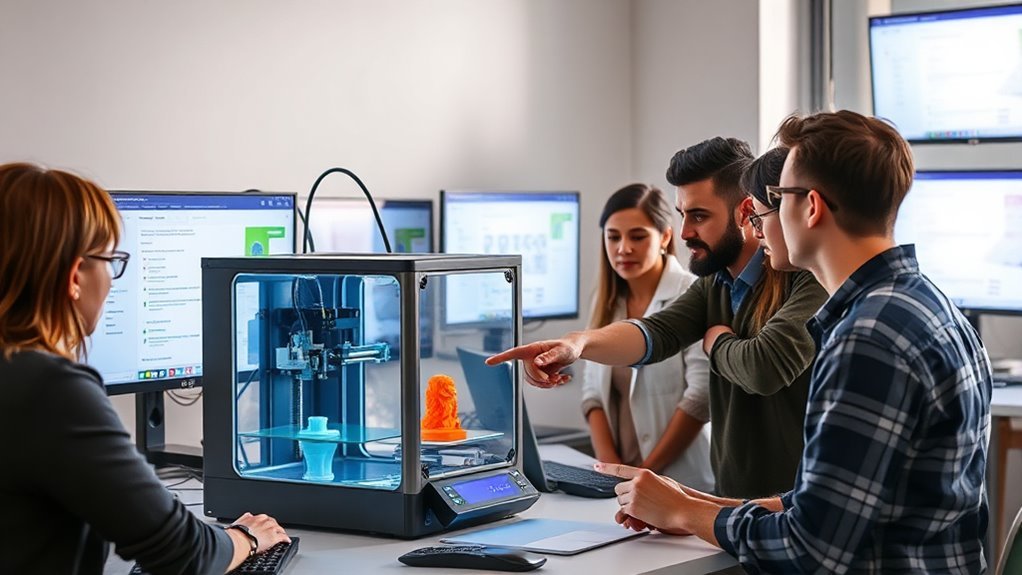
When picking a 3D printer forum, you’ll want to check how big and active the community is. Consider the level of technical expertise shared and whether the topics cover what you need.
Also, look for forums that encourage quality interactions and offer plenty of useful resources. It really helps to find a place where people are supportive and willing to share their knowledge.
Forum Community Size
Although forum size isn’t the only factor to weigh, larger communities usually offer quicker responses and a broader range of expertise. When choosing a 3D printer forum, check active user metrics like daily posts and online members to guarantee the community is lively, not dormant.
Bigger memberships often have niche subforums—covering materials, slicers, or troubleshooting—that boost your chances of finding help for specific issues. Keep in mind, though, large forums can generate noise and duplicate threads, so good search tools and moderation matter.
Also, look at member retention and newcomer growth trends; steady increases signal a healthy, valuable community that will keep evolving. This way, you’ll join a forum that’s both active and rich in resources.
Technical Expertise Level
Since 3D printing skill levels vary widely, choosing a forum that matches your technical expertise guarantees you get relevant advice without feeling overwhelmed or under-supported.
If you’re a beginner, look for forums focused on printers with full-auto calibration, guided setups, and simple touchscreen or app workflows. These features help you avoid complex troubleshooting.
Intermediate users benefit from communities discussing adjustable acceleration, tunable extrusion, and multi-filament support. These topics help improve your print quality step by step.
Advanced users need forums rich in open firmware discussions, fine-grained motion control, and hardware modding like interchangeable hotends and high-temp printing.
Also, consider the forum’s ecosystem knowledge—documentation depth and modding support ease upgrades and maintenance.
Matching your skill level to forum expertise assures you get practical, manageable guidance tailored to your printing journey.
Topic Variety Coverage
Choosing a 3D printer forum with a broad range of topics guarantees you can find precise advice no matter your project stage or skill level. Look for forums covering hardware, firmware, slicer settings, materials, troubleshooting, and even commercial or educational uses.
It’s important the forum supports all skill levels—from beginner tutorials to advanced engineering discussions—so you grow without outgrowing the community. Make sure it spans multiple technologies like FDM, resin, core motion systems, and multi-material workflows to help you solve diverse challenges.
Active discussions on software tools, presets, and configuration examples let you adapt quickly. Finally, seek forums offering varied formats—step-by-step guides, build logs, benchmarks, galleries, and Q&A—to learn best practices and see real-world results.
User Interaction Quality
When you engage in a 3D printer forum, the quality of user interaction shapes how effectively you solve problems and learn new skills. Choose forums with active daily participation and recent thread updates, so your questions get timely replies.
Look for clear moderation and etiquette policies to avoid spam, off-topic posts, and flame wars, guaranteeing helpful discussions. Prefer communities offering a balanced mix of expertise levels, with searchable archives tagged by skill and expert-verified answers for reliable guidance.
Forums that support multiple interaction formats—threaded discussions, private messages, image/video attachments, and code snippets—help clarify troubleshooting. Finally, assess response quality by reviewing past troubleshooting threads for detailed, step-by-step solutions and follow-ups confirming fixes worked.
These factors guarantee you get effective, engaging support every time.
Resource Sharing Options
Beyond just engaging with users, the ability to share and access resources plays a big role in a 3D printer forum’s value. You want a forum offering multiple file hosting options—direct uploads, external repositories, or cloud storage—so large STL or OBJ files don’t overwhelm storage limits.
Look for versioned resource threads with clear naming and change logs to track updates easily. Integrated previews and thumbnails for common 3D formats, plus metadata like print time and filament type, help you quickly assess files before downloading.
Topic-tagged libraries and user-curated collections with ratings and comments highlight quality assets. And importantly, every shared file should include clear licensing and attribution info to avoid intellectual property issues. That way, you can share and use resources responsibly without any worries.
Moderation and Safety
Although a welcoming community is key, ensuring your 3D printer forum stays safe and respectful depends on strong moderation practices. Look for forums with clear, visible guidelines that ban illegal file sharing, harassment, and copyrighted model distribution, setting expectations upfront.
Effective forums combine automated tools like spam filters and keyword scanners with human moderators to catch malware, doxxing, or explicit content without overblocking. They require account verification steps and limit new users’ posting privileges to reduce bots and abuse.
Transparent reporting and appeals processes with quick response times build trust in moderation decisions. Finally, prioritize forums that protect your privacy through data-minimization policies, encrypted storage, and clear moderation logs with redaction protocols during investigations, ensuring your safety and confidentiality while you engage.
Frequently Asked Questions
How Do I Troubleshoot Common 3D Printing Errors?
You troubleshoot 3D printing errors by checking bed leveling, nozzle temperature, and filament quality. Adjust settings, clean components, and update firmware.
Don’t hesitate to ask experienced makers online—they’ll help you solve tricky issues quickly. Sometimes a quick tip from someone who’s been there can save you a lot of time!
What Software Is Best for 3D Printer Slicing?
Simplify slicing with software like Simplify3D, Slic3r, or Cura. They’re powerful, precise, and popular, perfect for polishing your prints.
You’ll enjoy easy editing, efficient exporting, and excellent results every time you slice and start printing. It really makes the whole process smoother and more enjoyable!
Where Can I Find Free 3D Printing Models?
You can find free 3D printing models on sites like Thingiverse, MyMiniFactory, and Cults3D. These platforms let you download designs easily, so you can start printing without spending a dime.
Just hop on any of these sites, and you’ll see tons of options. It’s pretty straightforward to browse and pick what you want. Give it a try!
How Do I Maintain and Clean My 3D Printer?
You’ll want to clean your nozzle and bed regularly, coincidentally right before every print. Don’t forget lubricating moving parts and checking belts.
Keeping firmware updated guarantees smooth operation. These simple steps keep your printer running perfectly.
What Safety Precautions Should I Take When 3D Printing?
You should always wear gloves and safety goggles. Make sure proper ventilation is in place to avoid inhaling fumes.
Keep flammables away from the printer. Never leave the printer unattended while it’s running.
Also, follow the manufacturer’s guidelines closely. This helps you avoid burns, fumes, and electrical hazards while 3D printing.
Conclusion
Imagine diving into a vibrant community where ideas flow like molten filament, and every question sparks a bright new creation. Joining the right 3D printer forum connects you with passionate makers, expert tips, and troubleshooting wisdom. It truly turns your printing journey into an exciting adventure.
Whether you’re fine-tuning your Bambu Lab or exploring multicolor magic with FLASHFORGE, these forums are your creative workshop. Don’t just print—transform your ideas into reality with the support you deserve.
By engaging with the best 3D printer forums, you gain access to a wealth of knowledge tailored for every skill level. From beginners to seasoned pros, these communities help you troubleshoot issues, share projects, and stay updated on the latest tech. If you want to elevate your 3D printing experience in 2027, joining these forums is a must. They’re where creativity meets expertise, making sure your printing projects shine every time.