12 Best 3D Printers Under $2000 for 2027 That Impress
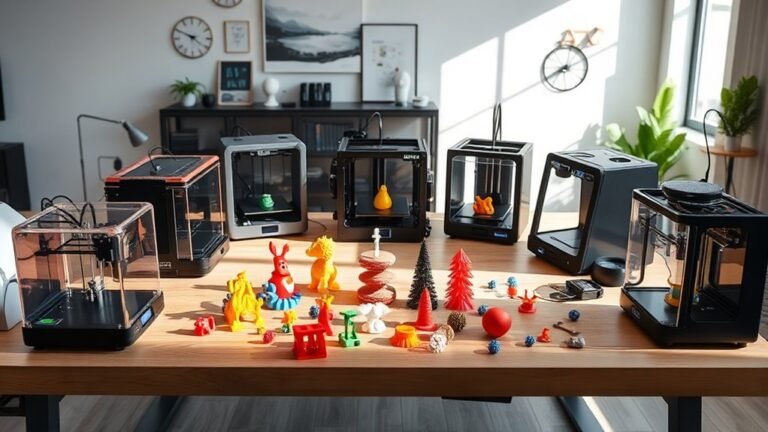
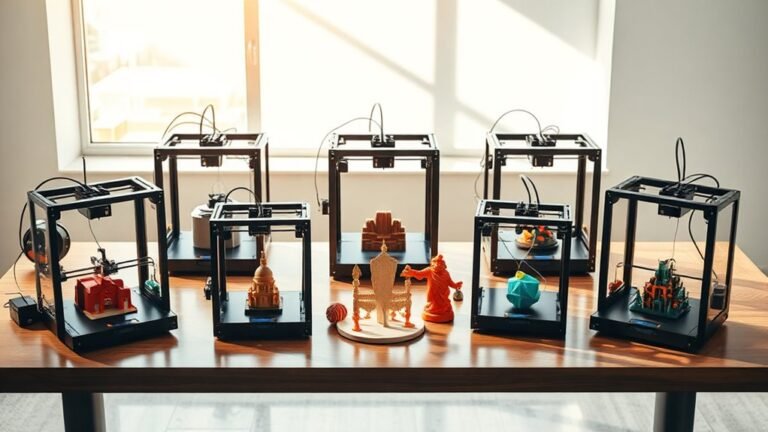
You can find impressive 3D printers under $2000 that fit your needs perfectly. Whether you’re looking for something with a large build volume or advanced features, there’s a great option out there for you.
For example, the Creality K2 Plus Combo offers a massive 350 mm³ build volume and multi-color printing capabilities.
If you’re just starting out, the beginner-friendly Ender 3 V3 SE is a fantastic choice. It comes with auto leveling and smooth filament feeding, making your printing experience hassle-free.
For those who need ultra-fine resin detail, the ANYCUBIC Photon Mono 4 10K really shines. Plus, brands like Bambu Lab and FLASHFORGE provide fast and versatile multi-material options.
Explore these powerful 3D printers under $2000 and see which one matches your projects and skill level perfectly. You’re sure to find a model that impresses and fits your budget!
| Image | Name | Editor's Rating | Price |
|---|---|---|---|

|
|
||

|
|
||

|
|
||

|
|
||

|
|
Creality K2 Plus Combo 3D Printer, Large Build Volume
- Multi Color Printing with All-new CFS: K2 Plus Combo multi-color flagship printing, exciting for you to combine. With four CFS units hooked together, it is possible to...
- Larger Size to Meet More Needs: Compared to Creality K2 and K2 Pro, the Creality K2 Plus offers an extraordinary 350*350*350mm large build volume, great for handling...
- 600mm/s High Speed Printing: Creality 3D Printer K2 Plus Combo adopting industry-grade FOC step-servo motors for the XYZ axis and extrusion, Step-servo Motor System...
- Super Master of Materials: The Creality K2 Plus 3d printer actively maintains a constant temperature of up to 60°C, allowing you to easily print high-end filaments like...
- Dual AI Cameras & Automation: K2 Plus features 18 smart sensors. Everything is automated and closely monitored. It has two AI cameras. One is on the chamber side to watch...
Take on large-scale 3D printing projects with confidence using the Creality K2 Plus Combo 3D Printer. Its generous build volume of 350 × 350 × 350 mm allows you to create detailed, sizable models without constantly splitting your design. This spacious workspace solves the common issue of limited print size, opening new possibilities for professionals and serious hobbyists.
Designed with a sturdy aerospace-grade aluminum frame and dual Z-axis motors, the printer ensures stable and precise vertical movement. This means your prints maintain accuracy and quality even during extended sessions. The robust construction also reduces vibrations, which can otherwise affect print integrity.
Maintenance is simplified thanks to its automated features. Full auto-leveling and 18 smart sensors monitor the printing process, minimizing manual adjustments and errors. The multi-color filament system with automatic switching and RFID detection enhances your ability to produce vibrant, multi-material prints without interruption.
While the printer’s weight of 70.4 lbs demands a dedicated workspace, its reliability and advanced features justify this trade-off. The combination of high-speed printing—up to 600 mm/s—and intelligent monitoring lets you focus on creativity rather than troubleshooting.
Best for: Professionals and serious hobbyists needing a large-volume 3D printer with precise automation and multi-material capabilities.
What We Like:
- Spacious 350 × 350 × 350 mm build volume for large, complex projects
- Multi-color filament system with automatic switching and RFID for seamless multi-material printing
- Aerospace-grade aluminum frame with dual Z-axis motors for enhanced stability and precision
- Full auto-leveling and 18 smart sensors reduce manual calibration and print errors
Specification:
| Feature | Details |
|---|---|
| Manufacturer | Creality |
| Build Volume | 350 × 350 × 350 mm |
| Weight | 70.4 lbs (31.9 kg) |
| Frame Material | Aerospace-grade Aluminum |
| Print Speed | Up to 600 mm/s |
| Key Features | Multi-color filament system, Auto-leveling, Smart sensors |
Creality K2 Plus Combo 3D Printer, Multi Color Printing with New CFS
- 𝐄𝐧𝐣𝐨𝐲 𝐏𝐫𝐢𝐧𝐭𝐢𝐧𝐠 𝐢𝐧 𝐌𝐮𝐥𝐭𝐢𝐩𝐥𝐞 𝐂𝐨𝐥𝐨𝐫𝐬: By hooking up as many as four CFS units...
- 𝐇𝐢𝐠𝐡 𝐒𝐩𝐞𝐞𝐝 𝐏𝐫𝐢𝐧𝐭𝐢𝐧𝐠: Step-servo Motor System 30000mm/s² accelaration, 40mm³/s High-flow and quiet. For a large-format...
- 𝐌𝐮𝐥𝐭𝐢 𝐌𝐚𝐭𝐞𝐫𝐢𝐚𝐥 𝐂𝐚𝐩𝐚𝐛𝐢𝐥𝐢𝐭𝐲: K2 Plus Combo equipped with Actively Heated Chamber & High-temp Nozzle...
- 𝐃𝐮𝐚𝐥 𝐀𝐈 𝐂𝐚𝐦𝐞𝐫𝐚𝐬: K2 Plus uses an Al camera on the chamber side to watch over spaghetti failure, foreign objects, idling, etc. It...
- 𝐈𝐧𝐠𝐞𝐧𝐢𝐨𝐮𝐬 𝐀𝐧𝐭𝐢-𝐭𝐢𝐥𝐭 𝐀𝐮𝐭𝐨 𝐋𝐞𝐯𝐞𝐥𝐢𝐧𝐠: K2 Plus features dual independently motorized...

Discover a new realm of creativity with the Creality K2 Plus Combo 3D Printer, designed for vibrant multi-color printing that enhances your projects with precision and speed. Its innovative system lets you connect up to four CFS units, enabling up to 16 colors in a single print, perfect for detailed and complex designs.
This printer solves the challenge of managing multiple filaments by using Creality’s Automatic Material System, which intelligently controls filament flow. The step-servo motor and turbocharged acceleration push printing speeds up to 600 mm/s without sacrificing quality, helping you complete projects faster.
Built for durability and versatility, the K2 Plus features a heated chamber and hardened steel nozzle, allowing you to work confidently with various materials, from standard PLA to advanced composites like PPA-CF. Its rigid frame and dual Z-axes ensure exceptional accuracy and smooth operation.
Maintenance involves careful filament management, but the AI cameras assist by monitoring prints for errors and safety. While setup may require attention due to its advanced features, the K2 Plus is an excellent choice for those who need high-speed, multi-material 3D printing with reliable performance.
Best for: Professionals and creators looking for a versatile multi-color 3D printer with high precision and material compatibility.
What We Like:
- Supports up to 16 colors with intelligent filament handling
- High-speed printing with robust mechanical design
- Heated chamber and steel nozzle for diverse materials
- AI cameras provide real-time print monitoring
Specification:
| Feature | Details |
|---|---|
| Manufacturer | Creality |
| Dimensions | Not specified |
| Weight | Not specified |
| Material Compatibility | PLA, PPA-CF, and other composites |
| Color Options | Multi-color via up to 4 CFS units |
Creality Ender 3 V3 SE Beginner-Friendly 3D Printer with Auto Leveling
- 250mm/s High-Speed Printing: Print at speeds of up to 250mm/s with 2500mm/s² acceleration, helping you complete prototypes, functional parts, and everyday projects...
- Easy Setup with Auto Leveling: Designed for a fast and straightforward setup, the Ender 3 V3 SE can be assembled in just a few simple steps. CR Touch Auto Leveling and...
- Proven Sprite Direct Drive Extruder: The upgraded Sprite Direct Drive Extruder provides smooth and consistent filament feeding for PLA, PETG, and TPU. Its proven design...
- Stable Motion System for Consistent Results: Dual synchronized Z-axis lead screws and precision Y-axis linear shafts work together to help reduce vibration and Z...
- Quiet Operation with Easy Print Removal: A 32-bit silent mainboard helps reduce operating noise for a more comfortable printing experience, while the flexible PC spring...
The Creality Ender 3 V3 SE transforms 3D printing into a smooth, hassle-free experience. Its auto leveling and automatic Z-offset calibration ensure your first layer is perfect every time, cutting down on setup frustrations. This means you spend less time adjusting and more time creating.
Equipped with the Sprite Direct Drive Extruder, it feeds filament smoothly and even loads it automatically. This system supports a variety of materials like PLA, PETG, and TPU, giving you flexibility for different projects. The dual Z-axis lead screws add stability, maintaining print accuracy throughout your build.
Maintenance is straightforward thanks to the flexible spring steel build plate, which allows easy removal of prints without damage. The 32-bit silent mainboard keeps noise levels low, making it suitable for home or office environments. With a maximum speed of 250 mm/s, it balances decent print times with quality.
Compact yet steady, the Ender 3 V3 SE fits well on a desk and handles everyday printing tasks reliably. Its design focuses on reducing common beginner issues, making it a practical choice for those new to 3D printing.
Best for: Beginners and hobbyists who want a user-friendly 3D printer with reliable auto leveling and versatile filament support.
What We Like:
- Auto leveling and Z-offset calibration simplify the printing process.
- Smooth filament feeding with auto loading supports multiple filament types.
- Stable dual Z-axis lead screws ensure consistent print quality.
- Flexible spring steel build plate allows easy print removal.
- Quiet operation from 32-bit silent mainboard.
Specification:
| Feature | Details |
|---|---|
| Manufacturer | Creality |
| Dimensions | Compact (exact size not specified) |
| Weight | Approximately 20 lb (9 kg) |
| Build Plate Material | Flexible spring steel |
| Supported Filaments | PLA, PETG, TPU, and more |
| Max Print Speed | 250 mm/s |
| Mainboard | 32-bit silent |
Creality Ender 3 V3 SE 3D Printer Upgrade
- 【250mm/s High-speed Printing】Creality Ender 3 V3 SE 3d printer supports a maximum printing speed of 250mm/s, 2500mm/s² acceleration.The speed has been greatly...
- 【Powerful ""Sprite"" Direct Extruder】Ender 3 V3 SE is the upgrade of ender 3, ender 3 v2, ender 3 pro, ender 3 neo, ender 3 v2 neo, ender 3 s1, ender 3 s1 pro etc 3d...
- 【Worry-free CR Touch Auto Leveling & Strain Sensor】Creality Ender 3 upgraded 3d printer features a CR Touch sensor for auto leveling and a strain sensor for auto...
- 【Stable Dual Z-axis & Y-axis Linear Shafts】High-precision dual Z-axis lead screws reduce Z wobbling effectively, avoid printing deviation in single-axis printing...
- 【Quick Assembly & Easy to Use】Preassembly has solved those hassles and worries of parts assembly, It only takes 3 steps to complete the assemble the ender-3 v3 se 3d...
Experience seamless 3D printing with the Creality Ender 3 V3 SE upgrade, designed to minimize setup hassles and deliver consistent results. Its Sprite full-metal dual-gear extruder ensures smooth filament feeding, preventing clogs and improving print reliability.
This model features a high-precision dual Z-axis that stabilizes the print head, reducing wobble and enhancing detail accuracy. The CR Touch auto bed leveling and strain sensor make calibration effortless by automatically adjusting the Z-offset, saving time and reducing errors.
Built for durability, the Ender 3 V3 SE uses steel shafts on the Y-axis to maintain stability through long prints. Maintenance is straightforward thanks to its modular design and preassembly, allowing users to be printing in about 20 minutes. It supports popular filaments like PLA, TPU, and PETG, making it versatile for various projects.
While its build volume of 8.66 x 8.66 x 9.84 inches suits most hobbyist needs, larger projects may require a bigger printer. The simplified assembly still demands some technical comfort, which might challenge beginners.
Best for: hobbyists and professionals seeking a fast, reliable 3D printer with easy setup and advanced automation features.
What We Like:
- Smooth filament feed with the full-metal dual-gear extruder
- Enhanced print quality from the dual Z-axis and sturdy Y-axis
- Automatic bed leveling and Z-offset sensor reduce calibration time
Specification:
| Feature | Details |
|---|---|
| Manufacturer | Creality |
| Build Volume | 8.66 x 8.66 x 9.84 inches |
| Extruder Type | Sprite full-metal dual-gear |
| Bed Leveling | CR Touch auto bed leveling |
| Supported Filaments | PLA, TPU, PETG |
| Setup Time | Approximately 20 minutes |
| Y-Axis Shaft Material | Steel |
ANYCUBIC Photon Mono 4 10K Resin 3D Printer, 7” HD Mono LCD Screen
- 【10K High Resolution】7-inch 10K (9024 x 5120 px) HD Screen of Photon Mono 4 delivers over twice the detail (+105%) vs. Mono 2. With 17×17μm pixel precision, see...
- 【Stabilized Light Source】Anycubic LighTurbo matrix light source system ensures ultra-stable layer curing for smoother surfaces and near-invisible layer lines. Achieve...
- 【Upgraded Build Plate】Anycubic Photon Mono 4 uses the Laser Engraving Platform 2.0, which optimizes pattern and grain depth, enhances model adhesion, and reduces the...
- 【Power Failure Recovery】Resume printing from the original schedule after downtime - save time and materials in case of accidents
- 【Easy to Start】Photon Mono 4 Resin 3D Printer Fully assembled, tested, and factory-calibrated. Just unbox, run a quick 4-point leveling check, and start printing in...
Achieve stunning precision with the ANYCUBIC Photon Mono 4 10K resin 3D printer. Its 10K resolution and 17-micron pixel precision allow you to capture ultra-fine details that standard printers miss. This makes it ideal for creating intricate models where clarity and accuracy matter most.
The 7-inch HD Mono LCD screen significantly enhances detail visibility, offering over 100% more clarity than previous models. Its stabilized LightTurbo matrix ensures consistent light distribution, which helps produce smooth layers and reduces visible layer lines. This translates to cleaner, more professional prints every time.
Setting up the printer is straightforward, thanks to factory calibration and a quick 4-point leveling system. You can start printing within minutes without hassle. The rapid 1.5-second exposure speed also speeds up production, while power failure recovery safeguards your work from unexpected interruptions.
Maintenance is simple, and the printer’s compact build fits well in small workspaces. However, the modest print volume might limit projects that require larger models. Despite a higher price point relative to entry-level options, it offers superior detail and reliability for demanding print jobs.
Best for: professionals and hobbyists who need high-resolution resin prints with exceptional micro-detail and fast, dependable performance.
What We Like:
- Ultra-high 10K resolution with precise 17 µm pixels
- Fast 1.5-second exposure time for quicker print cycles
- Easy setup with factory calibration and streamlined leveling
- Stable LightTurbo matrix for smooth, consistent layers
Specification:
| Feature | Details |
|---|---|
| Manufacturer | ANYCUBIC |
| Print Volume | 6.04 × 3.43 × 6.49 in |
| Screen Size | 7 inches (HD Mono LCD) |
| Resolution | 10K (17-micron pixels) |
| Exposure Time | 1.5 seconds |
| Weight | Not specified |
ANYCUBIC Photon Mono 4, Resin 3D Printer with 7” 10K Mono LCD Screen

- 【7'' 10K High Resolution】Photon Mono 4 boasts an impressive 105% increase in print precision compared to Mono 2. With a resolution of 9024x5120, each pixel measures a...
- 【Powerful Light Source】The time-tested Anycubic LighTurbo matrix light source technology delivers stable, balanced, and uniform lighting to reduce layer lines and...
- 【Sufficient Print Size】With a generous maximum build volume of 6.04'' x 3.42'' x 6.49''/153.4mm x 87mm x 165mm, you have ample print space to easily tackle your daily...
- 【Laser-engraved Print Platform 2.0】With a new design, the laser engraving platform of the photon mono 4 improves adhesion to mitigate lifting and warping of the model...
- 【User-friendly Function】The 4-point leveling method is ideal for beginners, after the first leveling and tightening the 4 screws, no need to repeat leveling. Photon...
Experience precision like never before with the ANYCUBIC Photon Mono 4, a resin 3D printer designed to elevate your creative projects. Its impressive 7-inch 10K monochrome LCD screen delivers ultra-fine detail, improving print accuracy significantly over previous models.
This printer tackles common issues like uneven light exposure with its innovative LighTurbo matrix light source. This feature ensures stable, balanced illumination, allowing you to achieve smooth surfaces and sharp details while reducing print time up to 70 mm/h.
Maintenance is straightforward thanks to the laser-engraved platform and four-point leveling system, which guarantee reliable adhesion and easy setup. Plus, the resume-on-power-loss function protects your work from unexpected interruptions, giving you peace of mind during long prints.
Though the build volume is modest at 6.04 x 3.42 x 6.49 inches, this printer excels in producing highly detailed small to medium-sized models. Its focus on precision and speed makes it ideal for creators who prioritize quality over size.
Best for: Professionals and hobbyists seeking fast, high-resolution resin printing with reliable functionality for detailed, small-scale projects.
What We Like:
- High-resolution 7″ 10K monochrome LCD with 17 μm pixels for exceptional detail
- Fast printing speeds up to 70 mm/h with uniform LighTurbo lighting
- Easy setup and stable adhesion via laser-engraved platform and four-point leveling
- Resume-on-power-loss support to safeguard ongoing prints
Specification:
| Feature | Details |
|---|---|
| Manufacturer | ANYCUBIC |
| Build Volume | 6.04 x 3.42 x 6.49 inches |
| LCD Screen | 7-inch 10K Monochrome LCD |
| Pixel Size | 17 μm |
| Printing Speed | Up to 70 mm/h |
| Special Features | LighTurbo matrix light source, resume-on-power-loss, laser-engraved platform, four-point leveling |
| Dimensions (WxDxH) | Not specified |
| Weight | Not specified |
Bambu Lab P2S Combo, P2S 3D Printer & AMS 2 Pro, Multi-Color 3D Printing

- High-Speed Precision: The Bambu Lab P2S 3D printer prints up to 600 mm/s while maintaining exceptional accuracy. With the PMSM Servo Extruder and Active Flowrate...
- Ready to Print in 15 Minutes: Set up your P2S FDM 3D printer and start printing in just 15 minutes. With AI failure detection, quick-swap nozzles, and automatic...
- Effortless Multi-Color Printing: The AMS 2 Pro enables seamless multi-color/multi-material 3D printing. It features built-in filament drying at up to 65 °C, keeping...
- Smart Airflow for Any Filament: The Adaptive Airflow System automatically balances cooling and heat retention—keeping overhangs crisp with cool air, or maintaining a...
- Limitless Creativity, Seamless Workflow: Explore over one million 3D models on MakerWorld and bring them to life with a smooth, unified workflow using Bambu Studio, Bambu...
The Bambu Lab P2S Combo transforms 3D printing by combining speed and versatility in one package. Its CoreXY design allows print speeds up to 600 mm/s, helping you complete projects faster without sacrificing quality. The heated chamber maintains up to 50 °C, ideal for engineering-grade materials and complex builds.
With the AMS 2 Pro add-on, multi-color and multi-material printing becomes effortless. This system includes built-in filament drying, which reduces print failures caused by moisture. Quick-swap nozzles and adaptive airflow ensure consistent results, while AI failure detection helps catch issues early, saving time and filament.
Maintenance is straightforward, with easily accessible components and user-friendly software. Setup takes about 15 minutes, making it accessible for both beginners and experienced makers. The Bambu Studio software integrates all controls for a smooth workflow.
This combo suits those who need advanced, high-speed 3D printing with multi-color capabilities but want a reliable, easy-to-manage system.
Best for: Makers and professionals requiring fast, multi-color 3D printing with advanced features and straightforward operation.
What We Like:
- High-speed printing up to 600 mm/s with CoreXY mechanics
- Seamless multi-material and multi-color printing with AMS 2 Pro
- Built-in filament drying to minimize print errors
- AI failure detection for proactive print monitoring
- Simple setup and intuitive Bambu Studio software
Specification:
| Feature | Detail |
|---|---|
| Manufacturer | Bambu Lab |
| Dimensions | 18 x 22 x 18 inches |
| Weight | 46.3 lbs |
| Print Speed | Up to 600 mm/s |
| Heated Chamber | Up to 50 °C |
| Multi-color Support | Yes, with AMS 2 Pro |
Anycubic Kobra X Multicolor 3D Printer, Easy Setup, Native 4-Color

- 【 Newest Level - 19-Color with 4 ACE 2 Pro】Why settle for one color when you can have multicolor? The Kobra X comes born with 4 colors built-in. It is innovative 3D...
- 【 Savings 2X Time】Stop wasting hours and filament on purging! Kobra X impresora 3D reduces the filament and machine travel path by 81.25%, so 2X the Speed, and...
- 【Hardened Precision & High Speed 】 Equipped with a high-durability hardened steel nozzle and vibration compensation, the Kobra X ensures every layer remains smooth...
- 【Flawless First Layer with LeviQ 3.0】The LeviQ 3.0 and auto bed leveling system uses a 49-point calibration and advanced leveling algorithm to ensure 100% bed...
- 【Smart AI Monitoring & Large Model Library】APP remote control, features Spaghetti detection and foreign object detection. The innovative top-mount spool holder...
Step into the world of vibrant 3D printing with the Anycubic Kobra X Multicolor 3D Printer. Designed to make multicolor printing accessible and hassle-free, it lets you create detailed models with up to four colors right out of the box. This native 4-color capability simplifies complex projects, eliminating the need for manual filament swaps.
Setup is straightforward and fast, with the innovative LeviQ 3.0 auto bed leveling system ensuring your prints start perfectly every time. The printer’s compact 260mm³ build volume is ideal for hobbyists and professionals alike, providing ample space for creative designs. For those wanting even more color variety, the system supports expansion up to 19 colors by adding compatible units.
Maintenance is easy, with reduced filament travel lowering material waste and costs. Its fast print speeds up to 600 mm/s mean you spend less time waiting and more time creating. Remote control via Wi-Fi and AI-powered print monitoring add convenience and peace of mind during long print jobs.
Quiet and smooth in operation, the Anycubic Kobra X is built for those seeking a reliable, versatile 4-color 3D printer with room to grow.
Best for: Educators, hobbyists, and professionals who need a user-friendly multicolor 3D printer with expansion and remote capabilities.
What We Like:
- Native 4-color printing with option to expand up to 19 colors for detailed multicolor projects
- Fast setup and precise first layers thanks to LeviQ 3.0 auto bed leveling
- High-speed printing (up to 600 mm/s) reduces production time and filament waste
- Remote Wi-Fi control and AI monitoring offer convenience and oversight
- Quiet operation suitable for home or studio environments
Specification:
| Feature | Details |
|---|---|
| Manufacturer | Anycubic |
| Build Volume | 260 x 260 x 260 mm |
| Max Print Speed | 600 mm/s |
| Color Printing | Native 4-color, expandable |
| Connectivity | Wi-Fi |
| Noise Level | Approx. 45 dB |
Bambu Lab A1 3D Printer, Ready-to-Use FDM 3D Printer for Beginners and Kids

- High-Speed Precision: Experience unparalleled speed and precision with the Bambu Lab A1 3D Printer. With an impressive acceleration of 10,000 mm/s², the A1 delivers...
- Multi-Color Printing with AMS lite: Unlock your creativity with vibrant and multi-colored 3D prints. The Bambu Lab A1 3D printers make multi-color printing accessible and...
- Full-Auto Calibration: Say goodbye to manual calibration hassles. The A1 3D printer takes care of all the calibration processes automatically, ensuring optimal...
- Active Flow Rate Compensation: Achieve consistently smooth prints with active flow rate compensation. The algorithm actively compensates the flow rate according to the...
- Easy and Quiet 3D Printing: Experience effortless printing with the Bambu Lab A1 FDM 3D printer. Its user-friendly interface and simplified touchscreen make it easy to...
The Bambu Lab A1 3D Printer is designed to make 3D printing accessible and stress-free for beginners and kids. Its ready-to-use setup means you can start printing right out of the box, without complicated assembly or calibration.
This printer tackles common setup challenges with full-auto calibration, handling bed leveling and Z-offset automatically. You get fast prints with great detail thanks to its high acceleration and precise extrusion control. The intuitive touchscreen simplifies operation for users of all ages.
Maintenance is straightforward with the quick 1-Clip nozzle swapping system, allowing easy changes for different print needs. Noise reduction technology keeps the printer quiet, making it suitable for home and classroom environments.
For more creative freedom, the optional AMS Lite accessory enables multi-color printing. This expands design possibilities while maintaining consistent performance.
Best for: Beginners and kids who want a fast, easy-to-use 3D printer with reliable precision and optional multi-color capability.
What We Like:
- Ready-to-use with full-auto calibration for hassle-free setup
- High-speed printing with precise detail and consistent extrusion
- Quiet operation supported by active motor noise canceling
- Easy maintenance via quick 1-Clip nozzle swaps
- Optional AMS Lite for multi-color printing
Specification:
| Feature | Details |
|---|---|
| Manufacturer | Bambu Lab |
| Dimensions | Not specified |
| Weight | Not specified |
| Printing Technology | FDM |
| Color Options | Standard (multi-color with AMS Lite) |
Original Prusa CORE One+ DIY Enclosed High-Speed CoreXY 3D Printer Kit

- [REWARDING DIY EXPERIENCE] Master your 3D printer by building it yourself with our detailed step-by-step photographic guide. This kit includes 1:1 scale hardware...
- [PRO-GRADE SPEED & QUALITY] Elevate your workshop with this high-speed CoreXY professional 3d printer. The all-steel exoskeleton frame ensures maximum stability for...
- [SMART PLUS UPDATES] The CORE One+ features a redesigned easy-flex loading system and bayonet spool holder. Enjoy a smoother, autonomous experience with the latest...
- [ADVANCED THERMAL CONTROL] Perfect 3d printer for hobby and pros. The enclosed chamber reaches 55°C with active control. The automatic top vent regulates airflow for...
- [SECURE OFFLINE OPERATION] Protect your intellectual property with a 100% offline-capable system. Features a removable Wi-Fi module and local processing. Ideal for...
Experience faster, more precise 3D printing with the Original Prusa CORE One+ DIY kit. Its high-speed CoreXY system and fully enclosed steel frame deliver stability and accuracy, solving common issues like print wobble and slow production times. This compact printer fits perfectly in limited spaces without sacrificing performance.
The printer’s active heated chamber, reaching up to 55°C, enables reliable printing of advanced materials such as Carbon Fiber and Nylon. This feature helps reduce warping and improves layer adhesion. Automatic venting maintains optimal printing conditions, ensuring consistent results.
Assembly takes 15–20 hours, guided by a clear, solder-free step-by-step manual. While this requires time investment, it allows users to understand the machine’s mechanics for easier maintenance and troubleshooting. The offline Wi-Fi module and flexible filament loading system simplify your workflow once built.
Designed for hobbyists, professionals, and educational settings, the Original Prusa CORE One+ combines speed, precision, and material versatility in a compact package. It’s ideal for those who want a customizable, stable 3D printer ready for demanding projects.
Best for: users seeking a fast, reliable, and space-efficient 3D printer kit capable of handling advanced materials.
What We Like:
- Stable, high-speed CoreXY motion with enclosed steel frame
- Larger print volume than comparable models in a smaller footprint
- Heated chamber up to 55°C supports advanced material printing
- Easy-to-follow, solder-free assembly process
- Integrated Wi-Fi module for streamlined offline printing
Specification:
| Specification | Details |
|---|---|
| Manufacturer | Original Prusa |
| Print Technology | CoreXY 3D Printer |
| Frame Material | Steel (fully enclosed) |
| Heated Chamber | Active, up to 55°C |
| Assembly Time | 15–20 hours |
| Connectivity | Offline Wi-Fi Module |
| Print Volume | 30% larger than MK4S |
| Footprint | 50% smaller than MK4S |
FLASHFORGE Creator 5 Pro Multi-Color 3D Printer

- Four Independent Toolheads with Zero Purge Waste, Perfect Multi-Color & Multi-Material. Switch colors/materials in just 7 seconds with FlashSwap. No flushing, no color...
- Blazing 600mm/s Print Speed & 30,000mm/s² Acceleration. CoreXY metal frame ensures stable, high-speed printing without sacrificing quality. Ideal for batch production...
- Fully Automatic Calibration & Smart Sensors. Auto bed leveling + XYZ offset calibration (≤0.04mm). 30 sec quick change nozzle. Detects door open, extruder pickup...
- Active Chamber Heating, HEPA13 Filter & Adaptive Cooling. Heat up to 65°C to prevent warping for ABS/ASA/PA. HEPA13 captures particles – zero emissions. Adaptive...
- Remote Manage Multiple Printers via App/PC. Monitor status, edit temperature/speed, and send batch jobs to one or many printers.
The FLASHFORGE Creator 5 Pro Multi-Color 3D Printer is designed to simplify complex multi-color and multi-material prints. Its innovative system allows you to switch between colors or materials in just 7 seconds, eliminating downtime and waste. This feature ensures your projects are efficient, precise, and vibrant without the hassle of lengthy color changes.
Built with a sturdy CoreXY metal frame, the printer maintains stability even at high speeds up to 600 mm/s. Combined with a heated chamber and HEPA13 filter, it reduces warping and keeps emissions low. These elements work together to deliver consistent, high-quality results for detailed prints.
Maintenance is straightforward thanks to automatic calibration, which saves time and reduces errors. Remote app control adds convenience, allowing you to monitor and manage complex batch jobs from anywhere. This makes it easier to handle demanding workflows with minimal supervision.
While the build volume is moderate at 256 x 256 x 256 mm, it suits most professional and advanced hobbyist needs. The printer’s weight of 35.2 lb may affect portability but contributes to its robust construction.
Best for: professionals and advanced hobbyists who need fast, precise multi-color and multi-material 3D printing with efficient workflow and minimal waste.
What We Like:
- Four independent toolheads with quick 7-second color/material swaps and no purge waste
- CoreXY metal frame for stable, high-speed printing up to 600 mm/s
- Heated chamber and HEPA13 filter reduce warping and emissions
- Automatic calibration streamlines maintenance and improves accuracy
- Remote app control for easy monitoring and job management
Specification:
| Feature | Details |
|---|---|
| Manufacturer | FLASHFORGE |
| Build Volume | 256 x 256 x 256 mm |
| Print Speed | Up to 600 mm/s |
| Frame Material | Metal (CoreXY design) |
| Weight | 35.2 lb (16 kg) |
| Color Options | Multi-color printing enabled |
Creality K2 Pro Combo 3D Printer Machine

- [Enjoy Multi-color Printing] By connecting up to 4 CFS units together, Creality K2 Pro 3d printer can print brilliant prints in up to 16 colors, saving the need for...
- 【Industrial Grade Speed and Accuracy】Driven with 600mm/s lightning printing and industry-leading 20,000mm/s² acceleration. The K2 Pro combination is equipped with a...
- 【Dual AI Camera Monitoring System】K2 Pro Combo uses AI camera indoors to observe pasta failures, foreign objects, idles, etc. It alerts you when an error occurs. It...
- 【Multi-material Capability】 The K2 Pro combination is equipped with a high-temperature nozzle with a hardened steel tip, which enables nozzle temperatures up to...
- 【Ingenious Anti-tilt Auto-leveling】 K2 Pro features dual independent motorized Z-axes to automatically reduce tilt, strain gauge-based auto-leveling compensation, and...
The Creality K2 Pro Combo transforms multicolor 3D printing by combining speed with precision. Its innovative Cartridge Filament System supports up to 16 colors, letting you create vibrant, complex models without constant filament changes. This feature streamlines your workflow and enhances creative possibilities.
Designed for stability and accuracy, the printer features a heavy-duty matrix frame with dual motorized Z-axes to reduce tilt during fast printing. It delivers speeds up to 600 mm/s with micron-level detail, ideal for professionals and hobbyists who demand quality and efficiency. Maintenance is simplified with a next-gen direct drive extruder and a hardened steel nozzle that handles various materials, including PLA, ABS, and carbon-fiber blends.
The heated bed ensures reliable adhesion while accommodating versatile materials, although its maximum temperature of 110°C may limit some high-temp filaments. Dual AI cameras provide real-time print monitoring, reducing errors and enhancing success rates. Auto-leveling helps beginners and experts alike achieve perfect first layers effortlessly.
Best for: Makers, educators, and families seeking a fast, precise multicolor 3D printer with advanced monitoring for creative and educational projects.
What We Like:
- Supports up to 16 colors with Cartridge Filament System for vibrant prints
- High-speed printing at 600 mm/s with stable dual Z-axes
- Real-time monitoring via dual AI cameras for error reduction
- Auto-leveling ensures consistent first layers
- Durable extruder and nozzle for versatile material compatibility
Specification:
| Feature | Specification |
|---|---|
| Manufacturer | Creality |
| Dimensions (inches) | Not specified |
| Weight | 84.7 lb (38.4 kg) |
| Material Compatibility | PLA, ABS, Carbon-fiber blends |
| Max Heated Bed Temp | 110°C |
| Color Support | Up to 16 colors |
Factors to Consider When Choosing a 3d Printer for Under 2000
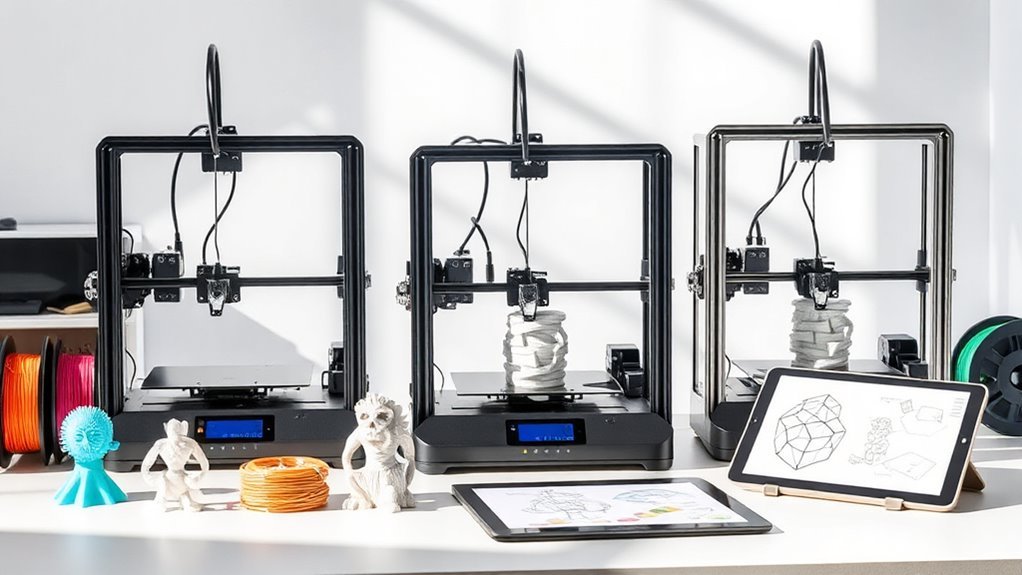
When choosing a 3D printer under $2000, you’ll want to contemplate print volume to make sure it fits your project size. Think about the materials you plan to use and whether the printer supports them.
Also, factor in speed, precision, multi-color capabilities, and how easy the printer is to operate. These things can really make a difference in your printing experience. So, take your time to weigh all these options carefully.
Print Volume Needs
Considering print volume needs plays a crucial role in selecting a 3D printer under $2000, since it directly impacts the size and number of parts you can produce.
Match the build volume to your largest expected parts—350×350×350 mm suits large prototypes or multiple parts, while 150–250 mm cubes fit most hobby projects.
Focus on usable build volume, accounting for enclosures and nozzle reach, to avoid print head interference.
Larger volumes increase warping risks and require heated beds and enclosures, especially above 200×200×200 mm when printing ABS or engineering filaments.
Remember, taller prints mean longer times and higher failure chances on multi-day jobs.
Finally, consider future projects and your workspace—choose a volume that supports growth but still fits your physical space comfortably.
Material Compatibility Options
Though price limits your options, you can still find 3D printers under $2000 that handle a broad range of materials by checking key features. Look for maximum nozzle temperatures of 300–350°C and heated chambers up to 50–65°C to work with high-temp filaments like Nylon and ASA.
Verify whether the extruder is direct-drive or Bowden; direct-drive systems better handle flexible and filled filaments such as TPU or carbon-fiber composites. Also, confirm support for standard 1.75 mm filament diameters and compatibility with specialty spool systems if you plan multi-material printing.
Hardened nozzles are essential for abrasive filaments, so check for wear-resistant materials like hardened steel. And don’t forget to make sure the printer offers a heated bed near 100–110°C and reliable adhesion surfaces to prevent warping with engineering plastics like ABS and PETG.
Speed and Precision
Material compatibility lays the foundation, but speed and precision determine how efficiently and accurately your prints come out. Aim for printers with top speeds between 250–600 mm/s and acceleration rates up to 30,000 mm/s² to cut print times without sacrificing quality.
Make sure the motion system is rigid—CoreXY or high-speed gantry designs with dual Z axes help maintain dimensional accuracy at high speeds. Check extrusion flow rates near 40 mm³/s and nozzle temps up to 350°C for faster printing of engineering materials.
Firmware features like input shaping and stepper-driven controls reduce ringing and improve layer alignment. Balance layer height and nozzle size (0.4–0.8 mm) carefully; thicker layers boost speed but may lower fine detail, so choose based on your desired surface quality and throughput.
Multi-Color Printing Capability
When you want to print in multiple colors, you’ll need to decide between true multi-extruder setups with independent toolheads or simpler multi-filament systems that switch colors through a single nozzle. Independent toolheads let you print multiple materials simultaneously, while filament-switching systems simplify hardware but may show visible color shifts.
Check how many filament inputs the printer supports and confirm it matches your project’s complexity—some models handle 2 to 4 spools or use relay systems for extra colors. Also, look for features like automatic filament selection, run-out detection, and filament cutters to reduce failed prints and contamination.
Good software support is essential for clean toolpath and color mapping, plus effective purge strategies. Finally, make certain the printer manages temperature and cooling well to prevent stringing or ghosting during multi-color prints.
Ease of Use
Ease of use plays a crucial role in choosing a 3D printer under $2000, especially if you want to start printing quickly without wrestling with complicated setups. Look for models with automatic bed leveling, like CR‑Touch or strain‑gauge sensors, and auto Z‑offset to guarantee a smooth first layer without manual tweaks.
Guided setup wizards and pre-calibrated print profiles cut down slicer tuning, helping you print right away. Features like automatic filament loading, runout sensors, and automatic splicing prevent failed prints and simplify material swaps.
An intuitive touchscreen or clear companion apps let you manage prints easily with live monitoring and simple controls. Finally, choose printers with robust firmware, frequent OTA updates, and active communities to access troubleshooting tips and tutorials whenever you need them.
Frequently Asked Questions
How Do 3D Printers Under $2000 Compare in Print Speed?
You’ll find 3D printers under $2000 offer decent print speeds, balancing quality and efficiency. They may not match high-end models but still deliver reliable, reasonably fast prints.
These speeds are suitable for most hobbyist and professional needs. So, if you’re looking for a good mix of speed and quality without breaking the bank, these printers are a solid choice.
What Materials Are Compatible With Budget 3D Printers?
Back in the days of dial-up, you’d be amazed how budget 3D printers now handle PLA, ABS, PETG, and even TPU.
You’ll love experimenting with these materials without breaking the bank or needing a spaceship’s budget.
Are There Any Ongoing Maintenance Costs for These 3D Printers?
Yes, you’ll have some ongoing costs like replacing nozzles, print beds, and filament. Routine cleaning and occasional part upgrades are also needed.
But don’t worry, with proper care, these expenses stay manageable and keep your printer running smoothly. It’s all part of making sure your 3D printer works well over time.
How Noisy Are These 3D Printers During Operation?
You know what they say, “silence is golden.” These 3D printers run fairly quietly, but you’ll still hear some humming and occasional clicking during operation.
They won’t disturb you much, especially with a good enclosure or room setup. So, it’s pretty easy to keep things peaceful while printing.
Do These 3D Printers Support Wireless Connectivity?
Yes, many of these 3D printers support wireless connectivity, letting you control prints remotely via Wi-Fi or Bluetooth.
You’ll love the convenience of managing your projects without being tied directly to the printer. It really makes the whole printing process a lot easier and more flexible.
Conclusion
Choosing the right 3D printer under $2000 can transform your creative projects. Did you know that over 60% of hobbyists prefer printers with multi-color capabilities like the Creality K2 Plus Combo? Whether you’re a beginner or looking to upgrade, these options offer great features and reliability.
Remember, focusing on build volume, ease of use, and print quality will help you get the most bang for your buck. Jump in and start printing your ideas today!
With so many choices available, finding the best 3D printer under $2000 means balancing price and performance. Look for models that deliver precise details without breaking the bank. Whether it’s for detailed prototypes or fun DIY projects, a solid 3D printer under $2000 opens new doors for creativity and innovation. So, don’t wait—explore these top picks and bring your ideas to life with confidence!