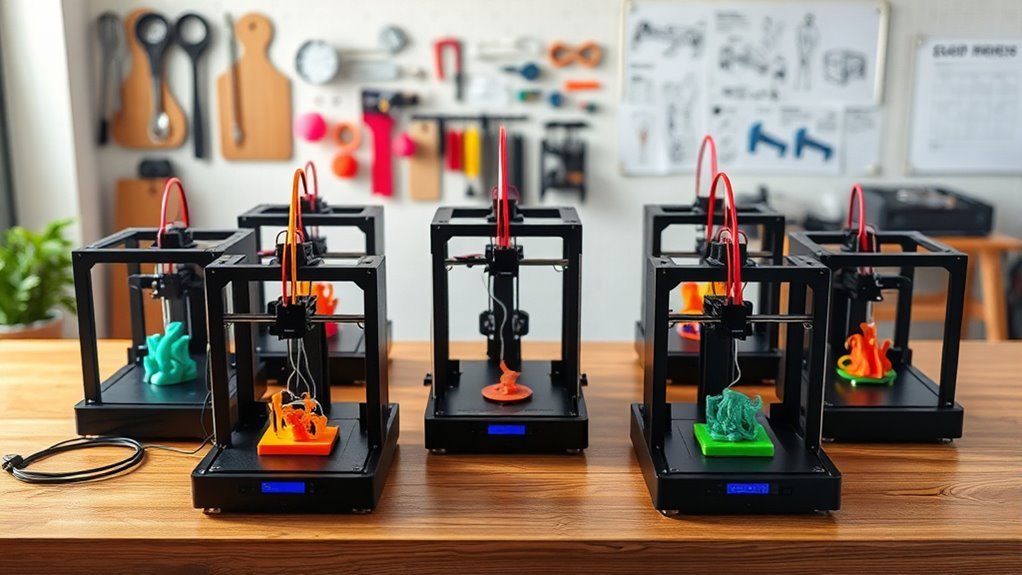
7 Best 3D Printers Under $1000 for 2027 That Impress Creators
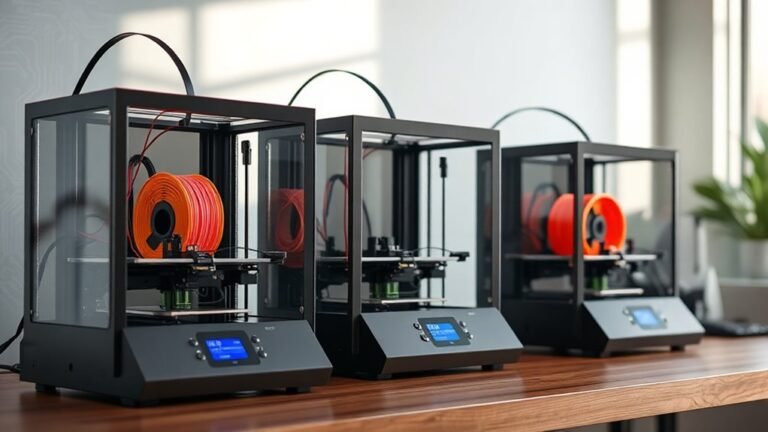
If you’re on the hunt for the best 3D printers under $1000 in 2027, you’re in luck! There are some fantastic models that combine affordability with impressive features. Whether you’re a beginner or a seasoned creator, finding a reliable 3D printer that fits your budget is totally doable.
Take the Creality Ender 3 V3 SE, for example. It offers fast and precise printing, plus user-friendly features like dual Z-axis stability that keep your prints steady. Then there’s the Anycubic Kobra X Multicolor, which really shines with its native multi-color printing and speedy performance.
If ultra-fine details are what you need, the ANYCUBIC Photon Mono 4 resin printer is a standout choice. Beginners will love options with auto-leveling, like the Ender 3 V3 SE Beginner and the compact Entina models. So, dive in and explore these options to find the perfect 3D printer for your creative projects!
| Image | Name | Editor's Rating | Price |
|---|---|---|---|

|
|
||

|
|
||

|
|
||

|
|
||

|
|
Creality Ender 3 V3 SE 3D Printer Upgrade
- 【250mm/s High-speed Printing】Creality Ender 3 V3 SE 3d printer supports a maximum printing speed of 250mm/s, 2500mm/s² acceleration.The speed has been greatly...
- 【Powerful ""Sprite"" Direct Extruder】Ender 3 V3 SE is the upgrade of ender 3, ender 3 v2, ender 3 pro, ender 3 neo, ender 3 v2 neo, ender 3 s1, ender 3 s1 pro etc 3d...
- 【Worry-free CR Touch Auto Leveling & Strain Sensor】Creality Ender 3 upgraded 3d printer features a CR Touch sensor for auto leveling and a strain sensor for auto...
- 【Stable Dual Z-axis & Y-axis Linear Shafts】High-precision dual Z-axis lead screws reduce Z wobbling effectively, avoid printing deviation in single-axis printing...
- 【Quick Assembly & Easy to Use】Preassembly has solved those hassles and worries of parts assembly, It only takes 3 steps to complete the assemble the ender-3 v3 se 3d...

The Creality Ender 3 V3 SE 3D printer offers a smart solution for those needing fast and precise printing without hassle. Its large build volume allows for sizable projects, while a max print speed of 250 mm/s cuts printing time significantly. This means you can complete your designs quicker and move on to the next task with less downtime.
Designed to reduce common printing issues, it features a dual-gear full-metal extruder that ensures smooth filament feeding. The dual Z-axis screws help minimize wobble, delivering sharp and accurate results every time. This reliable setup supports consistent print quality for both hobbyists and small business users.
Maintenance is made simple with auto bed leveling and filament loading. The easy 3-step assembly lets you get started in about 20 minutes, making it suitable for users at all skill levels. While it weighs 15.66 pounds, the sturdy design balances portability and stability.
Some users have noted variability in performance, so while the printer is highly capable, expect some occasional adjustments. Overall, its combination of speed, precision, and automation makes it a valuable tool for efficient 3D printing.
Best for: Enthusiasts and small businesses seeking a fast, precise, and user-friendly 3D printer with advanced features under $1000.
What We Like:
- Fast print speed of 250 mm/s for efficient project completion
- Dual-gear metal extruder and dual Z-axis screws for smooth, accurate prints
- Auto bed leveling and filament loading simplify setup and maintenance
- Large build volume supports bigger and complex designs
- Quick 3-step assembly gets you printing in about 20 minutes
Specification:
| Feature | Details |
|---|---|
| Manufacturer | Creality |
| Build Volume | 8.66 x 8.66 x 9.84 inches |
| Print Speed | Up to 250 mm/s |
| Weight | 15.66 pounds (7.1 kg) |
| Extruder Type | Dual-gear full-metal |
| Axis Configuration | Dual Z-axis screws |
Anycubic Kobra X Multicolor 3D Printer, Easy Setup, Native 4-Color
- 【 Newest Level - 19-Color with 4 ACE 2 Pro】Why settle for one color when you can have multicolor? The Kobra X comes born with 4 colors built-in. It is innovative 3D...
- 【 Savings 2X Time】Stop wasting hours and filament on purging! Kobra X impresora 3D reduces the filament and machine travel path by 81.25%, so 2X the Speed, and...
- 【Hardened Precision & High Speed 】 Equipped with a high-durability hardened steel nozzle and vibration compensation, the Kobra X ensures every layer remains smooth...
- 【Flawless First Layer with LeviQ 3.0】The LeviQ 3.0 and auto bed leveling system uses a 49-point calibration and advanced leveling algorithm to ensure 100% bed...
- 【Smart AI Monitoring & Large Model Library】APP remote control, features Spaghetti detection and foreign object detection. The innovative top-mount spool holder...
Experience vibrant, multicolor 3D printing with the Anycubic Kobra X Multicolor 3D Printer. Designed for simplicity and speed, it delivers native four-color printing without complex setups. This printer helps you create detailed, colorful models quickly, improving your productivity and creative options.
Its fast printing speeds up to 600 mm/s and a build volume of 260mm³ let you complete projects like the Benchy model in just 14 minutes. The LeviQ 3.0 auto bed leveling system ensures a perfectly flat print surface every time, reducing the need for manual adjustments. Vibration compensation technology smooths your layers, enhancing print quality.
Maintenance is straightforward with quiet operation and smart AI monitoring to detect printing errors early. Connectivity through dual-band Wi-Fi or LAN and remote control via the Anycubic app provide flexible management. Its compact, lightweight design suits beginners, makerspaces, and professionals who value easy multicolor printing.
The printer supports multi-material projects and can expand color options up to 19 with compatible units, although filament must be purchased separately. Moderate noise levels may be noticeable in silent environments.
Best for: users seeking a fast, easy-to-setup multicolor 3D printer with advanced features suitable for beginners, makerspaces, and professionals under $1000.
What We Like:
- Native four-color printing with potential expansion to 19 colors
- Fast print speeds up to 600 mm/s with efficient filament travel
- Advanced LeviQ 3.0 auto bed leveling and vibration compensation
- Smart AI monitoring and quiet operation
- Dual-band Wi-Fi and LAN connectivity with remote app control
Specification:
| Feature | Details |
|---|---|
| Manufacturer | Anycubic |
| Build Volume | 260 mm³ |
| Print Speed | Up to 600 mm/s |
| Color Printing | Native 4-color, expandable |
| Bed Leveling | LeviQ 3.0 auto bed leveling |
| Connectivity | Dual-band Wi-Fi, LAN |
| Noise Level | Approximately 45 dB |
| Weight | Lightweight (exact weight not specified) |
| Intended Use | Multicolor 3D printing for beginners to professionals |
ANYCUBIC Photon Mono 4 10K Resin 3D Printer, 7” HD Mono LCD Screen
- 【10K High Resolution】7-inch 10K (9024 x 5120 px) HD Screen of Photon Mono 4 delivers over twice the detail (+105%) vs. Mono 2. With 17×17μm pixel precision, see...
- 【Stabilized Light Source】Anycubic LighTurbo matrix light source system ensures ultra-stable layer curing for smoother surfaces and near-invisible layer lines. Achieve...
- 【Upgraded Build Plate】Anycubic Photon Mono 4 uses the Laser Engraving Platform 2.0, which optimizes pattern and grain depth, enhances model adhesion, and reduces the...
- 【Power Failure Recovery】Resume printing from the original schedule after downtime - save time and materials in case of accidents
- 【Easy to Start】Photon Mono 4 Resin 3D Printer Fully assembled, tested, and factory-calibrated. Just unbox, run a quick 4-point leveling check, and start printing in...
The ANYCUBIC Photon Mono 4 10K Resin 3D Printer redefines precision for creators who need ultra-fine detail and efficiency. Its 7-inch HD Mono LCD screen delivers a stunning 10K resolution with 17-micron pixel precision, allowing you to produce highly detailed prints with clarity that stands out.
This printer improves your workflow with rapid 1.5-second exposure times, reducing overall print times without compromising quality. The power failure recovery feature ensures your projects are protected against unexpected interruptions, preventing material waste and saving time.
Designed for ease of use, the Photon Mono 4 arrives fully assembled and factory-calibrated. Setup takes less than five minutes, and the simple leveling process minimizes downtime, so you can focus on creating. Its compact design fits comfortably in small workspaces while maintaining robust performance.
Maintenance is straightforward, with stable curing that promotes smooth surfaces and consistent results. Although its build volume is limited, this printer excels at delivering precision resin prints, making it ideal for detailed models and prototypes.
Best for: creators and hobbyists seeking ultra-fine detail and fast print speeds in resin 3D printing at an affordable price.
What We Like:
- Ultra-high 10K resolution with 17-micron precision for exceptional detail
- Fast 1.5-second exposure accelerates print completion
- Power failure recovery protects ongoing prints
- Compact and lightweight design fits small workspaces
- Quick, factory-calibrated setup reduces preparation time
Specification:
| Feature | Details |
|---|---|
| Manufacturer | ANYCUBIC |
| Screen Size | 7 inches |
| Resolution | 10K (17 microns) |
| Build Volume | 6.04 × 3.43 × 6.49 inches |
| Weight | Lightweight (exact weight not specified) |
| Material | Resin |
| Color Options | Standard (not specified) |
Creality Ender 3 V3 SE Beginner-Friendly 3D Printer with Auto Leveling
- 250mm/s High-Speed Printing: Print at speeds of up to 250mm/s with 2500mm/s² acceleration, helping you complete prototypes, functional parts, and everyday projects...
- Easy Setup with Auto Leveling: Designed for a fast and straightforward setup, the Ender 3 V3 SE can be assembled in just a few simple steps. CR Touch Auto Leveling and...
- Proven Sprite Direct Drive Extruder: The upgraded Sprite Direct Drive Extruder provides smooth and consistent filament feeding for PLA, PETG, and TPU. Its proven design...
- Stable Motion System for Consistent Results: Dual synchronized Z-axis lead screws and precision Y-axis linear shafts work together to help reduce vibration and Z...
- Quiet Operation with Easy Print Removal: A 32-bit silent mainboard helps reduce operating noise for a more comfortable printing experience, while the flexible PC spring...
Unlock your creativity with the Creality Ender 3 V3 SE, designed to make 3D printing straightforward and reliable for beginners. Its CR Touch auto leveling and automatic Z-offset calibration solve the common challenge of uneven first layers, ensuring your prints start perfectly every time.
The printer’s Sprite Direct Drive Extruder offers smooth and consistent filament feeding, supporting materials like PLA, PETG, and TPU. This versatility allows you to experiment with different filaments without worrying about jams or poor extrusion.
Maintenance is simple thanks to the flexible PC spring steel bed, which makes removing finished prints quick and hassle-free. The compact design features a stable dual Z-axis lead screw system, guaranteeing precise motion and print quality throughout your projects.
Quiet operation is another benefit, with a 32-bit silent mainboard reducing noise for a more comfortable workspace. While the maximum print speed of 250 mm/s suits most hobbyist needs, larger or ultra-fast production might be limited by the build volume and speed.
Best for: Beginners and hobbyists looking for an easy-to-use, reliable 3D printer with auto leveling and smooth filament feeding for everyday projects and prototypes.
What We Like:
- Consistent first layers with CR Touch auto leveling and Z-offset calibration
- Supports multiple filament types including PLA, PETG, and TPU
- Easy print removal with flexible PC spring steel bed
- Quiet printing thanks to 32-bit silent mainboard
- Stable dual Z-axis lead screws for precise prints
Specification:
| Feature | Details |
|---|---|
| Manufacturer | Creality |
| Dimensions | Not specified |
| Weight | Not specified |
| Material | PC spring steel bed, metal frame |
| Color Options | Not specified |
| Max Print Speed | 250 mm/s |
ANYCUBIC Photon Mono 4, Resin 3D Printer with 7” 10K Mono LCD Screen
- 【7'' 10K High Resolution】Photon Mono 4 boasts an impressive 105% increase in print precision compared to Mono 2. With a resolution of 9024x5120, each pixel measures a...
- 【Powerful Light Source】The time-tested Anycubic LighTurbo matrix light source technology delivers stable, balanced, and uniform lighting to reduce layer lines and...
- 【Sufficient Print Size】With a generous maximum build volume of 6.04'' x 3.42'' x 6.49''/153.4mm x 87mm x 165mm, you have ample print space to easily tackle your daily...
- 【Laser-engraved Print Platform 2.0】With a new design, the laser engraving platform of the photon mono 4 improves adhesion to mitigate lifting and warping of the model...
- 【User-friendly Function】The 4-point leveling method is ideal for beginners, after the first leveling and tightening the 4 screws, no need to repeat leveling. Photon...
Experience resin 3D printing with unmatched precision and speed using the ANYCUBIC Photon Mono 4. This printer’s advanced 7-inch 10K monochrome LCD screen offers ultra-fine detail, solving common issues of blurry or imprecise prints. Its high native resolution ensures every model comes out crisp and accurate.
The innovative LighTurbo matrix light source provides consistent, even illumination. This feature reduces surface imperfections and enables fast print speeds up to 70 mm/h, helping you complete projects quickly without sacrificing quality. The compact build volume suits detailed small to medium prints perfectly.
Designed for ease of use, the printer includes a laser-engraved platform that improves print adhesion, minimizing warping and lifting. The straightforward 4-point leveling system makes setup and maintenance hassle-free, even for those new to resin printing.
While the build area limits larger projects, the Photon Mono 4 excels for hobbyists and professionals focused on high-detail work. Its combination of speed, precision, and user-friendly design enhances productivity and print reliability.
Best for: hobbyists and professionals needing a fast, precise resin printer for detailed small to medium models.
What We Like:
- Ultra-high 7″ 10K monochrome LCD delivers exceptional print detail
- LighTurbo matrix light source ensures uniform exposure and smooth surfaces
- Laser-engraved platform improves adhesion and reduces warping
- Simple 4-point leveling system for easy setup and maintenance
Specification:
| Feature | Details |
|---|---|
| Manufacturer | ANYCUBIC |
| Screen Size | 7 inches |
| Screen Resolution | 9024 x 5120 pixels |
| Pixel Size | 17 μm |
| Build Volume | 6.04 x 3.42 x 6.49 inches |
| Print Speed | Up to 70 mm/h |
| Leveling System | 4-point leveling |
| Print Platform | Laser-engraved |
Entina Tina2 Plus Fast WiFi 3D Printer

- 【Start Printing in Minutes – Beginner Friendly】No setup required. Tina2 Plus 3d printer comes fully assembled and ready to use out of the box. With included TF card...
- 【Fast 250mm/s Printing Performance】This Tina2 Plus high speed 3D printer print speeds up to 250 mm/s help reduce waiting time and support fast project turnaround...
- 【WiFi App Control & STEM Model Library】Powered by the Poloprint Cloud app, this WiFi-enabled 3D printer gives access to 3,500+ printable models and 25+ creative DIY...
- 【40-Second Fast Heat Ceramic Hotend】High-efficiency ceramic hotend heats up in just 40 seconds for faster start-up and less downtime. The quick-swap nozzle design...
- 【Compact 3D Printer for Home & Classroom】Designed with a space-saving footprint while maintaining practical print capacity, this compact 3D printer fits easily on...
Entina Tina2 Plus Fast WiFi 3D Printer makes 3D printing accessible and straightforward. Its fully assembled design removes the hassle of setup, allowing beginners and educators to start printing quickly. The intuitive Poloprint Cloud app offers access to thousands of models and STEM resources, enhancing learning and creativity.
This printer’s fast 250 mm/s print speed and quick-swap ceramic hotend, which heats up in just 40 seconds, help reduce wait times. The PEI spring steel build plate ensures prints adhere firmly and release easily, minimizing print failures. Its compact frame fits neatly into classrooms or home workspaces without taking up much space.
Connectivity options like WiFi, USB, and TF card provide flexible control over printing jobs from multiple devices. Safety is enhanced by its partially enclosed frame, protecting users while maintaining airflow. Maintenance is simple with easy access to replaceable parts, supporting consistent, reliable operation.
While the build volume suits small to medium projects, it may limit larger creations. The enclosed frame does not fully contain fumes from all filament types, so ventilation is advised. Overall, this printer balances ease of use, speed, and educational value in one compact package.
Best for: Beginners, educators, and home learners seeking a fast, safe 3D printer with versatile connectivity and educational resources.
What We Like:
- Fully assembled unit requiring no complex calibration
- Rapid print speeds and fast-heating ceramic hotend
- Access to 3,500+ printable models and STEM modules
- Flexible connectivity via WiFi, USB, and TF card
- Easy maintenance with user-friendly design
Specification:
| Specification | Details |
|---|---|
| Manufacturer | Entina |
| Dimensions | Compact size (exact size not specified) |
| Weight | Not specified |
| Material | Includes ceramic hotend, PEI spring steel build plate |
| Connectivity Options | WiFi, USB, TF card |
Entina Tina2 Basic Mini 3D Printer for Beginners
- 3D Printer for Beginners and Kids: Out of the box, fully assembled, Speedy Printing –TINA2 BASIC 3d printer is super easy to use and does not require a complex setup...
- Ready to Print: Equipped with 2.4" LCD screen and Wiibulider slicer software makes it easy to conduct offline printing using the MicroSD Card. The 3-d printer supports...
- Fully Open-Source: Entina TINA2 BASIC Mini 3D printer adopts a safety-first design philosophy, featuring complete open-source compatibility for enhanced flexibility and a...
- Auto Leveling & Magnetic Platform: The small 3d printer does not need manual leveling, the intelligent leveling system can automatically adjust the uneven bed, thus...
- Compact Design:This is light weight and minimalist desktop 3D printers, the mini 3D printer size is 8.3''x8.3''x11.4'', weight is 3kg. Light weight and portable design...
The Entina Tina2 Basic Mini 3D Printer is designed to make 3D printing accessible and straightforward for beginners. Its fully assembled setup means you can start printing within minutes, eliminating the usual hassle of complex assembly. This ease of use is ideal for children, hobbyists, and educators who want to dive into creative projects quickly.
With a compact design, the printer fits comfortably in small workspaces and uses a magnetic removable build plate for effortless model removal. The intuitive 2.4″ LCD screen and simple knob controls streamline operation, while one-button filament loading reduces setup time and frustration. These features help users stay focused on their projects without technical interruptions.
Maintenance is straightforward thanks to the printer’s safety-first design, including auto bed leveling and dual Z-axis rails. These elements ensure precise, stable prints, minimizing the need for constant adjustments. The included TF card with test models and slicing software supports smooth, out-of-the-box functionality.
While the build volume is limited to 100 x 105 x 100 mm, it suits small to medium projects perfectly. This printer is a reliable and practical choice for those beginning their 3D printing journey.
Best for: Beginners, kids, and classrooms seeking a compact, easy-to-use 3D printer with minimal setup.
What We Like:
- Ready to print in minutes with included TF card and software
- Safety features with auto bed leveling for consistent results
- Compact footprint and magnetic build plate for easy model removal
Specification:
| Feature | Details |
|---|---|
| Manufacturer | Entina |
| Dimensions | Compact size (exact size not specified) |
| Build Volume | 100 x 105 x 100 mm |
| Display | 2.4″ LCD screen |
| Controls | Knob controls, one-button filament loading |
| Safety Features | Auto bed leveling, dual Z-axis rails |
| Included Software | Slicing software on TF card |
Factors to Consider When Choosing a 3D Printer for Under 1000

When choosing a 3D printer under $1000, you’ll want to focus on print quality and resolution to get sharp, detailed results. Consider the build volume and size to make sure it fits your projects and workspace.
Also, don’t forget to check material compatibility. It’s important because different printers handle different types of filament.
Think about ease of setup and connectivity options too. You want something that matches your needs and skill level without causing headaches.
Print Quality and Resolution
Although budget 3D printers under $1000 might seem limited, many offer impressive print quality and resolution that suit various projects. You want to look for minimum layer heights between 50–100 microns for detailed prints, while 200–300 microns speed up prototyping.
The XY resolution depends on nozzle diameter and motion system; common 0.4 mm nozzles deliver about 0.2–0.4 mm feature accuracy. Resin printers shine here with pixel sizes under 30 microns for finer details.
Also, check the printer’s mechanical build and lead-screw quality to reduce vibration and make certain precise layer alignment. Stability of the extrusion or light source matters, too—consistent hotend temperature or uniform curing avoids banding.
Finally, consider material compatibility and temperature ranges since they affect surface finish and achievable resolution.
Build Volume and Size
Since your project size varies, matching the 3D printer’s build volume to your largest intended print is essential. Measure your typical projects and add some margin for clamps or supports instead of relying solely on max specs.
Larger volumes—over 250×250×250 mm—let you print bigger single parts or multi-part batches but increase the printer’s footprint, weight, and warmup times. Also, check the usable print height carefully; bed clamps or leveling probes can reduce effective Z clearance by several millimeters or more.
Keep in mind that smaller printers can still create large assemblies by printing parts separately, but that adds complexity in post-processing and alignment. Finally, consider how build size affects heated bed power and thermal control, especially for materials like PETG or ABS, to avoid warping on bigger prints.
Material Compatibility Options
Matching your printer’s build volume to project size matters, but so does guaranteeing it handles the materials you want to use.
Start by checking which filament types the printer supports—PLA, PETG, TPU, ABS, Nylon, or PVA—since each demands specific temperature ranges and handling.
Verify the hotend’s max temperature; flexible and common filaments print well between 200–250°C, while Nylon and engineering plastics require 250–300°C.
A heated bed capable of reaching 60–110°C is vital to prevent warping with high-temp materials.
Also, consider the build plate surface—PEI, glass, or textured—to guarantee reliable adhesion, especially for flexible or high-temp filaments.
If you plan multi-material prints or soluble supports like PVA, confirm the printer supports multi-extrusion setups and moisture-sensitive filament handling.
Ease of Use Setup
When choosing a 3D printer under $1000, you want a model that gets you printing quickly without overwhelming setup steps. Look for printers that arrive mostly assembled and promise a ready-to-print time of 15–30 minutes to minimize frustration.
It’s best to prioritize automated bed leveling and automatic Z-offset calibration to simplify first-layer adjustments. These features really help avoid those fiddly manual tweaks.
Choose models with guided touchscreen interfaces or companion apps offering step-by-step setup wizards and tutorials. They’re great for shortening your learning curve and making the whole process less intimidating.
Built-in filament loading controls or single-button filament handling make changing filament easy and reduce jams. Trust me, this saves a lot of headaches during busy print sessions.
Also, favor printers with preloaded test prints and pre-configured profiles for common materials like PLA, PETG, and TPU. Clear slicing integration matters too — it means you spend less time setting up and more time creating.
Connectivity and Software
Beyond ease of setup, how your 3D printer connects and interacts with software plays a big role in your printing experience. Make sure your printer supports multiple connection options like USB, SD/TF cards, and at least Wi-Fi or Ethernet. That way, you can print locally, from removable media, or even remotely.
Check if the firmware supports common protocols like Marlin or Klipper. These are great for community features and make tuning easier. The slicer software should fit your workflow, offering presets, print estimates, and exporting standard G-code or remote-print formats.
Look for built-in monitoring such as onboard cameras or print status telemetry. This helps you manage prints remotely and get failure alerts. Also, confirm the firmware and software get regular updates. Those updates improve reliability, add features, and patch security vulnerabilities.
Frequently Asked Questions
What Materials Are Compatible With These 3D Printers?
You can print with PLA, ABS, PETG, TPU, and sometimes nylon. These materials suit various projects, offering flexibility, strength, or flexibility.
Just check your printer’s specs to confirm compatibility before buying filaments. It’s always good to be sure!
How Long Does It Typically Take to Print an Average-Sized Object?
You’ll usually spend two to six hours printing an average-sized object—just enough time to grab coffee or catch an episode.
The exact duration depends on your design’s complexity and your printer’s speed settings. It can vary quite a bit, really.
Are These Printers Suitable for Commercial Use or Only Hobbyists?
You can use these printers for light commercial projects, but they’re mostly designed for hobbyists. They handle prototyping well.
However, if you need heavy-duty, high-volume production, you’ll want to evaluate more industrial options. Those are built to handle the demands of larger scale work.
What Kind of Maintenance Do These 3D Printers Require?
You’ll need to clean the print bed and lubricate moving parts regularly. Also, updating the firmware and checking the nozzle condition are important to keep things running smoothly.
Replacing worn components when needed and calibrating the printer helps guarantee consistent, high-quality prints. That way, you avoid any unexpected issues down the line.
Can These Printers Connect to Software on Both Windows and Mac?
You’ll be amazed—these printers easily connect to software on both Windows and Mac!
You won’t struggle with compatibility, letting you design and print smoothly no matter your operating system.
Just plug in and create!
Conclusion
Choosing the right 3D printer under $1000 can seriously boost your creativity without breaking the bank. Did you know that over 60% of hobbyists prefer printers with easy setup and auto-leveling features?
Whether you want multicolor options or high-res resin printing, there’s a model here to fit your needs. So go ahead, pick the one that matches your style, and start bringing your ideas to life with confidence and ease.
With so many 3D printers under $1000 available, you can find one that offers great print quality, user-friendly features, and reliable performance. These affordable printers are perfect for beginners and seasoned creators alike.
Explore the best 3D printers under $1000 to unlock your creative potential and enjoy hassle-free printing. Your next masterpiece is just a print away!