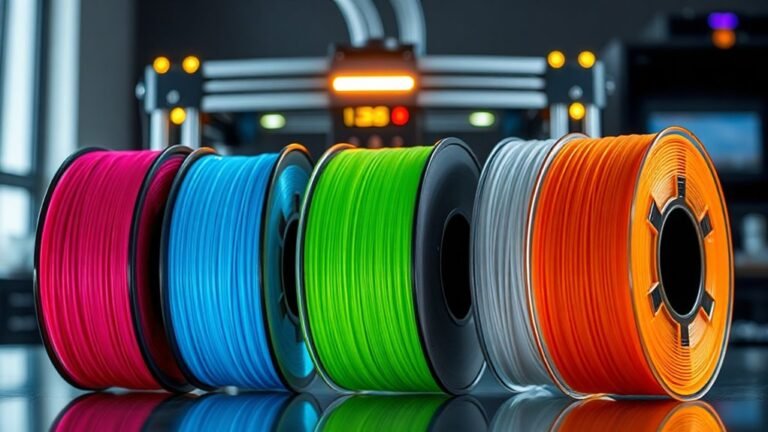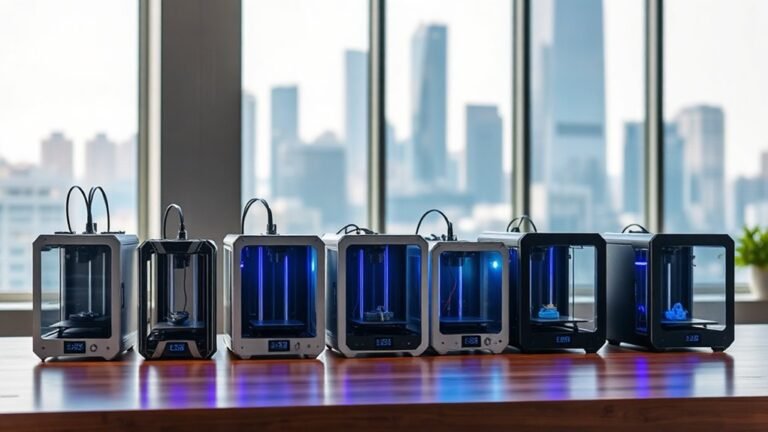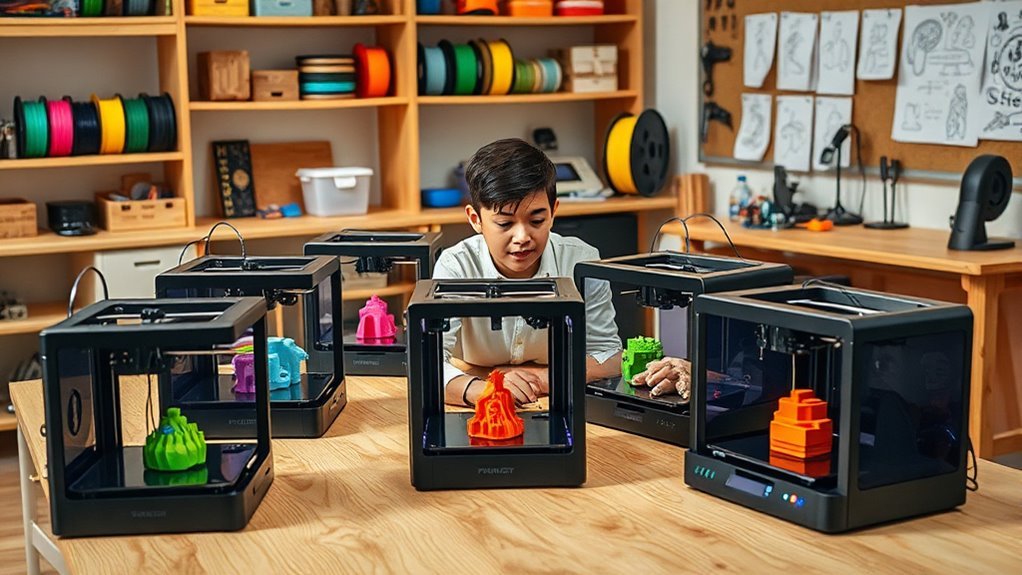
7 Best 3D Printers for Teenagers to Explore in 2027
If you’re looking for the best 3D printers for teenagers in 2027, you want something easy to set up and fun to use. The Entina Tina2C is a solid pick—it comes fully assembled and is WiFi-enabled, making it perfect for teens just starting out.
For those who love experimenting with colors, the Anycubic Kobra X Multicolor lets you print in four colors natively and works at fast speeds. It’s great for creative projects that need a colorful touch.
The Bambu Lab P1S Combo takes multicolor printing even further, supporting up to 16 colors and using a speedy CoreXY system. If you want something simple and beginner-friendly, the Geeetech M1S is a plug-and-play option that’s easy to get started with.
Remember to look for features like auto-leveling and app control, which make printing hassle-free. Keep reading to explore more options and handy tips!
| Image | Name | Editor's Rating | Price |
|---|---|---|---|

|
|
||

|
|
||

|
|
||

|
|
||

|
|
Entina Tina2C 3D Printer for Beginners & Kids
- 【Easy to Use 3D Printer – Ready in 5 Minutes】 Meet the Entina Tina2C, a plug-and-play mini 3D printer designed for first-time users. Fully assembled with factory...
- 【3500+ 3D Models & Easy One-Tap Printing】 Explore 3500+ ready-to-print 3D models and 25+ DIY projects in the Poloprint Cloud app, with new designs added daily...
- 【Smart WiFi 3D Printer & AI-Powered App】 Connect via 2.4GHz WiFi and enjoy convenient 3D printer app control through Poloprint Cloud. Explore models, manage prints...
- 【Auto Leveling 3D Printer & Power-Loss Recovery】 Automatic bed leveling helps improve first-layer adhesion and reduces manual adjustments for a smoother 3D printing...
- 【Flexible Magnetic Print Bed & Quick-Swap Nozzle】 The flexible magnetic build plate makes finished 3D prints easier to remove with a gentle bend. A removable...
The Entina Tina2C is an ideal 3D printer for teenagers and beginners who want a hassle-free start. It arrives fully assembled and ready to use within minutes, eliminating the frustration of complicated setups. This means users can focus on creating rather than fiddling with hardware.
Its auto leveling feature and guided setup through the Poloprint app simplify print preparation. The app also offers AI tools and access to thousands of models, making it easy to explore new projects. Quiet operation and built-in LED lighting ensure a distraction-free experience.
Designed with convenience in mind, the Tina2C includes a magnetic build plate and quick-swap nozzle. These features allow for effortless print removal and straightforward maintenance, which helps beginners avoid common printing issues. Its compact size fits neatly on any desk or workspace.
The printer’s small build volume suits smaller projects, making it perfect for learning but less ideal for larger prints. It connects via 2.4 GHz WiFi but lacks USB support. While beginner-focused, it may not meet advanced users’ needs.
Best for: beginners and kids seeking an easy-to-use, fully assembled 3D printer with guided setup and family-friendly features.
What We Like:
- Fully assembled and plug-and-play with auto leveling for quick start
- Poloprint app with AI tools and extensive model library
- Quiet operation with magnetic build plate and quick-swap nozzle for easy maintenance
- Compact design fits well on any desk
Specification:
| Specification | Details |
|---|---|
| Manufacturer | Entina |
| Build Volume | 3.9 x 3.9 x 3.9 inches |
| Connectivity | 2.4 GHz WiFi |
| Setup | Fully assembled, auto leveling |
| Lighting | Built-in LED |
| Dimensions | Compact, desk-friendly size |
Anycubic Kobra X Multicolor 3D Printer, Easy Setup, Native 4-Color
- 【 Newest Level - 19-Color with 4 ACE 2 Pro】Why settle for one color when you can have multicolor? The Kobra X comes born with 4 colors built-in. It is innovative 3D...
- 【 Savings 2X Time】Stop wasting hours and filament on purging! Kobra X impresora 3D reduces the filament and machine travel path by 81.25%, so 2X the Speed, and...
- 【Hardened Precision & High Speed 】 Equipped with a high-durability hardened steel nozzle and vibration compensation, the Kobra X ensures every layer remains smooth...
- 【Flawless First Layer with LeviQ 3.0】The LeviQ 3.0 and auto bed leveling system uses a 49-point calibration and advanced leveling algorithm to ensure 100% bed...
- 【Smart AI Monitoring & Large Model Library】APP remote control, features Spaghetti detection and foreign object detection. The innovative top-mount spool holder...

The Anycubic Kobra X Multicolor 3D Printer brings multicolor creativity right to your workspace with its native 4-color printing capability. It’s designed for easy setup, making it ideal for beginners and families eager to explore 3D printing without a steep learning curve. The printer’s LeviQ 3.0 auto bed leveling ensures smooth, accurate prints every time, reducing frustration and wasted materials.
Speed is a key advantage with printing speeds up to 600 mm/s. This, combined with reduced filament travel, helps cut filament costs by nearly half. The hardened steel nozzle supports a variety of materials like PLA, TPU, and PETG, offering flexibility for different projects. Smart AI monitoring keeps an eye on the print process to minimize errors and interruptions.
Connectivity options such as Wi-Fi and LAN allow for easy remote control and access to a large model library. The printer operates quietly, making it suitable for home environments where noise can be a concern. Maintenance is straightforward, thanks to its robust design and user-friendly interface.
Best for: Families and hobbyists seeking a fast, reliable, and easy-to-use multicolor 3D printer with advanced auto-leveling and smart features.
What We Like:
- Native 4-color printing expands creative possibilities without complex modifications.
- LeviQ 3.0 auto bed leveling guarantees consistent print quality with minimal effort.
- High-speed printing and filament travel reduction lower material costs effectively.
- Hardened steel nozzle supports multiple filament types for versatile printing.
- Quiet operation suitable for home and educational environments.
Specification:
| Feature | Details |
|---|---|
| Manufacturer | Anycubic |
| Dimensions (L×W×H) | Not specified |
| Weight | Not specified |
| Material Compatibility | PLA, TPU, PETG |
| Color Options | Native 4-color printing |
Bambu Lab P1S Combo, P1S 3D Printer and AMS, Multi-Color 3D Printing
- Up to 16 Colors: Bring your designs to life with vibrant multi-color/multi-material printing capabilities, perfect for showcasing your creativity. Note: Connecting Bambu...
- 500mm/s and 20000 mm/s² Acceleration True High Speed: Don't wait around for your masterpieces. Lightning-fast printing speed lets you focus on creating, not waiting.
- Enclosed Design: Fully enclosed body improves print performance for advanced filaments. Automatic Bed Leveling: Say hello to high-quality, successful prints. Auto bed...
- Set Up in 15 Minutes: Spend more time printing and less time setting up. User-friendly design ensures a hassle-free assembly experience for all skill levels.
- Supported Filament: Ideal: PLA, PETG, TPU, PVA, PET ABS, ASA; Capable : PA, PC; Not Recommended: Carbon/Glass Fiber Reinforced Polymer.
Discover the Bambu Lab P1S Combo, a versatile 3D printer designed to bring multi-color creations to life effortlessly. Its innovative AMS attachment supports up to 16 colors, unlocking new possibilities for detailed and vibrant prints. This feature is ideal for users who want to explore complex, colorful designs without manual filament changes.
The printer’s CoreXY motion system delivers speeds up to 500 mm/s, allowing fast production without sacrificing precision. Its fully enclosed body supports advanced filaments like PLA, PETG, and TPU, ensuring reliable printing and consistent quality. Automatic bed leveling and a quick 15-minute setup make it accessible, even for those new to 3D printing.
Maintenance is straightforward, though the unit’s 47.5-pound weight means it’s best suited for stationary use rather than portability. While advanced features offer great control, beginners might require some time to fully master its capabilities. It does not support carbon or glass fiber reinforced polymers, which limits some specialty material options.
Overall, the Bambu Lab P1S Combo excels in delivering fast, precise, and colorful 3D prints with minimal hassle, making it a strong choice for creative enthusiasts.
Best for: Teens and hobbyists looking to create multi-color 3D prints with speed and ease.
What We Like:
- Up to 16-color printing capability with AMS attachment.
- Fast CoreXY system reaching 500 mm/s with precise tuning.
- Simple setup and automatic bed leveling.
- Supports advanced filaments like PLA, PETG, and TPU.
- Fully enclosed design for consistent print quality.
Specification:
| Feature | Details |
|---|---|
| Manufacturer | Bambu Lab |
| Dimensions | Not specified |
| Weight | 47.5 lb (21.5 kg) |
| Supported Filaments | PLA, PETG, TPU |
| Color Options | Multi-color via AMS |
Geeetech M1S 3D Printer for Kids and Beginners
- Smart 3D Printer: Compact body with sleek design. Access massive 3D models, enjoy WiFi printing, and experience seamless smart operation-connect the "Geeetech" APP and...
- Designed for Kids and Beginners: The Geeetech M1 comes fully assembled and is incredibly user-friendly with knob operation and one-button filament loading. Its 2.4" LCD...
- High-Speed Printing & Superior Quality: Experience the future of printing with Geeetech M1's advanced nozzle and 50W heating rod, ensuring efficient heat dissipation for...
- Innovative Direct Drive Extruder: Equipped with a high-performance dual-drive metal gear system offering a 1:5 gear ratio for unmatched torque and extrusion force...
- Auto-Leveling & Heated Build Plate: Simplify your printing process with our 16-point full-auto leveling technology and a heated, flexible magnetic build plate. These...
The Geeetech M1S 3D Printer is designed to make creativity accessible for kids and beginners. Its plug-and-play operation via TF card and WiFi lets users start printing quickly without hassle. The intuitive knob control and one-button filament loading simplify the process, making it easy to maintain and operate.
Its compact, sleek design fits well in any room, while the bright 2.4″ LCD screen provides clear status updates. The direct drive extruder combined with 16-point auto-leveling ensures consistent, high-quality prints. This reduces common printing issues and helps users achieve reliable results with minimal adjustments.
Maintenance is straightforward thanks to the heated magnetic build plate, which allows for easy model removal and cleaning. The printer supports filament spools up to 0.5 kg, suitable for most beginner projects, though larger filaments need additional setup. Print speeds up to 250 mm/s deliver a balance between speed and detail.
This 3D printer is ideal for educational use and home projects, offering an engaging introduction to 3D printing technology. It helps users develop skills without overwhelming complexity, promoting learning through hands-on experience.
Best for: Kids and beginners seeking a simple, reliable 3D printer that combines ease of use with quality results.
What We Like:
- Fully assembled with easy plug-and-play and WiFi printing support
- User-friendly controls including knob operation and one-button filament loading
- Reliable printing with direct drive extruder and 16-point auto-leveling
- Heated magnetic build plate for effortless print removal
Specification:
| Feature | Details |
|---|---|
| Manufacturer | Geeetech |
| Dimensions | Compact (exact size not specified) |
| Print Area | 3.94 × 4.33 × 3.94 inches |
| Filament Capacity | Primarily 0.5 kg spools |
| Display | 2.4″ LCD screen |
| Connectivity | TF card, WiFi |
| Print Speed | Up to 250 mm/s |
Entina Tina2C Beginner 3D Printer with WiFi Control
- 【Easy Start – Beginner Friendly 3D Printer】Tina2C mini 3d printer is designed for first-time users, with guided setup through the Poloprint Cloud app. Fully...
- 【AI Creativity & STEM Learning 3D Printer】Powered by the Poloprint Cloud app, users can access AI-powered search, photo-to-print features, and 25+ creative modules...
- 【WiFi & Offline Printing Flexibility】Mini 3d printer Tina2C supports both 2.4G WiFi printing and TF card offline mode, giving users flexible ways to create anytime...
- 【Self-Cleaning Nozzle & Easy Maintenance】Flexible magnetic build plate allows easy model removal with a simple bend. The improved nozzle design enhances print...
- 【Auto Leveling & Easy Printing】Intelligent auto-leveling reduces manual bed adjustment and helps ensure better first-layer adhesion. Combined with power-loss...
Discover the ease of 3D printing with the Entina Tina2C Beginner 3D Printer, designed to make creativity accessible for newcomers. This compact, fully assembled printer fits snugly on any desk, eliminating setup frustrations. Its guided instructions via the Poloprint Cloud app help users start printing within minutes, making it ideal for teens and beginners.
The printer’s WiFi control and offline TF card support allow seamless printing from multiple devices, offering flexibility and convenience. Maintenance is straightforward thanks to features like auto leveling and a magnetic build plate, which ensure consistent print quality and simplify bed cleaning.
Power-loss recovery safeguards your projects against interruptions, reducing waste and frustration. While the print volume suits small to medium projects, the extensive model library and integrated STEM courses provide valuable learning tools. This combination supports both creative exploration and practical skill development.
Best for: Beginners and teenagers seeking an easy-to-use, compact 3D printer with educational support and reliable connectivity.
What We Like:
- Quick start with guided setup via Poloprint Cloud app
- Auto leveling and magnetic build plate for hassle-free maintenance
- WiFi and offline TF card printing for versatile device access
- Power-loss recovery to protect ongoing prints
- Rich model library and STEM courses to enhance learning
Specification:
| Feature | Details |
|---|---|
| Manufacturer | Entina |
| Dimensions (WxDxH) | 11.8 × 11.8 × 12.2 inches |
| Weight | Lightweight |
| Connectivity | WiFi (2.4 GHz), TF card |
| Print Volume | 3.9 × 3.9 × 3.9 inches |
| Build Plate | Magnetic |
Creality Ender 3 V3 SE 3D Printer Upgrade

- 【250mm/s High-speed Printing】Creality Ender 3 V3 SE 3d printer supports a maximum printing speed of 250mm/s, 2500mm/s² acceleration.The speed has been greatly...
- 【Powerful ""Sprite"" Direct Extruder】Ender 3 V3 SE is the upgrade of ender 3, ender 3 v2, ender 3 pro, ender 3 neo, ender 3 v2 neo, ender 3 s1, ender 3 s1 pro etc 3d...
- 【Worry-free CR Touch Auto Leveling & Strain Sensor】Creality Ender 3 upgraded 3d printer features a CR Touch sensor for auto leveling and a strain sensor for auto...
- 【Stable Dual Z-axis & Y-axis Linear Shafts】High-precision dual Z-axis lead screws reduce Z wobbling effectively, avoid printing deviation in single-axis printing...
- 【Quick Assembly & Easy to Use】Preassembly has solved those hassles and worries of parts assembly, It only takes 3 steps to complete the assemble the ender-3 v3 se 3d...
The Creality Ender 3 V3 SE brings fast and reliable 3D printing to your fingertips. It tackles common beginner challenges like uneven print layers and filament jams with its automatic bed leveling and dual-gear direct extruder. These features ensure consistent, high-quality prints without constant adjustments.
Assembly is designed to be hassle-free, requiring only three simple steps to get started in about 20 minutes. The sturdy frame supports smooth operation and reduces vibrations, enhancing print accuracy. Plus, the auto filament loading and unloading system make material changes quick and straightforward.
Maintenance is straightforward thanks to its robust construction and user-friendly design. The printer handles a variety of filaments such as PLA and TPU, giving you flexibility for different projects. Its compact yet solid build provides stability, though its weight may limit portability.
Overall, this printer makes 3D printing accessible and efficient for users who want to focus on creativity, not technical headaches.
Best for: Teens and beginners looking for a fast, reliable 3D printer with easy setup and automated features.
What We Like:
- High print speed of up to 250 mm/s with precise auto bed leveling.
- Reliable full-metal dual-gear extruder compatible with multiple filaments.
- Quick 3-step assembly with auto filament loading for ease of use.
- Sturdy frame reduces vibration for better print quality.
Specification:
| Feature | Details |
|---|---|
| Manufacturer | Creality |
| Dimensions (L×W×H) | Not specified |
| Weight | 15.66 lb (7.1 kg) |
| Material | Metal frame |
| Supported Filaments | PLA, TPU |
| Print Speed | Up to 250 mm/s |
Anycubic Kobra X Multicolor 3D Printer, Easy One-Click Printing

- 【Vivid 19-Color and Versatile Materials】Unleash creativity beyond limits. The Kobra X supports 4-color standard and expands up to 19 colors with 4 ACE 2 Pro for...
- 【600mm/s High Speed Performance】Don't let slow speeds limit your creativity. This high-speed FDM 3D printer reaches up to 600mm/s, completing tasks significantly...
- 【True Plug & Play Experience】Start your first project in as little as 15 minutes. The Kobra X arrives with a user-friendly setup and LeviQ 3.0 automatic bed leveling...
- 【LeviQ 3.0 Perfect First Layer】Forget the frustration of manual bed leveling that plagues beginner machines. The LeviQ 3.0 system utilizes 49-point full-auto leveling...
- 【Quiet & Reliable for Home】The ultra-quiet ≤48 dB operation ensures the living or learning space remains peaceful. Combined with power loss recovery and filament...
The Anycubic Kobra X Multicolor 3D Printer revolutionizes multicolor printing with its native 4-color system, allowing users to create vibrant, detailed models with ease. Its user-friendly one-click setup streamlines the printing process, making it accessible for beginners and hobbyists alike.
Designed for precision, the printer handles professional-grade projects up to 260 mm in all directions. The hardened steel nozzle heats to 300 °C, enabling smooth printing of various materials. Automatic LeviQ 3.0 leveling and the optimized Kobra OS reduce setup time to just 15 minutes, simplifying maintenance and calibration.
Fast printing speeds of up to 600 mm/s combined with vibration compensation deliver crisp, sharp details. The built-in AI-powered 720p camera continuously monitors prints, alerting users to filament issues or errors in real time. This feature provides peace of mind during long or complex multi-material jobs.
While the build volume suits most creative projects, it may limit very large prints. Expanding beyond 4 colors requires an additional accessory, which adds to the cost. Still, its easy operation and reliable performance make it an excellent choice for multicolor 3D printing.
Best for: Teens, educators, and hobbyists seeking a straightforward, reliable multicolor 3D printer for creative, professional-level models.
What We Like:
- Native 4-color printing with option to expand up to 19 colors
- Quick setup with LeviQ 3.0 auto-leveling and plug & play design
- High-speed printing up to 600 mm/s with vibration compensation
- AI-powered camera for real-time print monitoring
Specification:
| Feature | Details |
|---|---|
| Manufacturer | Anycubic |
| Build Volume | 260 x 260 x 260 mm |
| Nozzle Material | Hardened Steel |
| Maximum Nozzle Temp | 300 °C |
| Print Speed | Up to 600 mm/s |
| Color Capability | Native 4 colors (expandable to 19) |
| Camera | AI-powered 720p |
Factors to Consider When Choosing a 3d Printer for Teenager

When picking a 3D printer for a teenager, you’ll want to focus on safety features to keep things secure and ease of use to avoid frustration. It’s important that the printer is user-friendly, so they don’t get overwhelmed.
Also, think about the print size limitations and connectivity options to match their projects and devices. You want something that fits what they’ll actually be making and works smoothly with their tech.
Don’t forget the educational value. A good printer can really boost learning and creativity, making the whole experience more rewarding for them.
Safety Features Importance
Safety features always play a critical role in choosing a 3D printer for teenagers, as they help prevent accidents and injuries. Look for printers with enclosed or partially enclosed build areas and guarded hot components to minimize burns from hot nozzles and heated beds.
Automatic functions like filament run-out detection and power-loss recovery reduce the need for teens to interact with hot parts during failed prints. Features such as bed and nozzle auto-leveling with reliable Z‑offset protection prevent crashes that could eject hot filament.
Physical interlocks or door sensors that pause the printer when opened add another safety layer. Finally, choose non-toxic, low-odor filaments like PLA, make certain good ventilation, or opt for printers with HEPA or activated carbon filters to limit exposure to harmful particles during printing.
Ease of Use
Since teenagers are often new to 3D printing, choosing a printer that’s easy to use can make all the difference in keeping them engaged and successful. Opt for fully assembled, plug-and-play models with guided setup and app-based wizards, so they can start printing within 5–20 minutes without complicated calibration.
Look for features like automatic bed leveling and auto Z-offset to reduce first-layer failures, ensuring reliable prints. One-click filament loading, power-loss recovery, and filament run-out detection simplify operation and minimize interruptions.
A flexible magnetic build plate and easy nozzle cleaning make print removal and maintenance quick and safe. Finally, intuitive touchscreen or mobile app controls with presets and built-in model libraries help lower the learning curve, so teens can focus on creativity rather than technical hurdles.
Print Size Limitations
Beyond ease of use, you’ll want to take into account the print size limitations of a 3D printer to match your teen’s project needs. Check the maximum print dimensions—common hobby printers offer around 200–260 mm per axis, perfect for toys or cosplay parts, while mini printers under 100 mm limit larger projects.
Remember, usable volume shrinks due to clearances, bed rails, or enclosures, so verify the actual printable X×Y×Z space. Large prints take longer and risk failure, so consider printers that allow modular printing for assembly.
Also, big prints consume more filament, requiring proper spool management or run-out recovery features. If multi-color or multi-material prints are planned, make sure the print size works with any multi-extrusion hardware, as some accessories reduce usable build area.
Connectivity Options
How will your teenager connect to their 3D printer? Look for models supporting both Wi-Fi (2.4 GHz or dual-band 2.4/5 GHz) and offline options like SD cards or USB. This flexibility lets them print from laptops, tablets, or even without network access.
Mobile apps and cloud integration simplify printing with one-tap commands, remote queue control, and live monitoring—perfect for parental oversight. If Wi-Fi is unstable, built-in Ethernet or LAN can guarantee a steady connection, especially in shared spaces or classrooms.
Onboard cameras with real-time notifications help catch failed prints early and make troubleshooting easier. For advanced users, printers supporting network protocols like SMB or FTP and integration with slicers or OctoPrint streamline workflow automation and file management.
Connectivity options greatly impact ease and reliability of your teen’s 3D printing experience. So, it’s worth choosing a printer that fits their lifestyle and tech comfort level.
Educational Value
When choosing a 3D printer for your teenager, consider how it can enhance their educational growth. A good printer teaches spatial reasoning and CAD skills as your teen designs and slices models, turning 2D sketches into precise 3D parts.
It supports STEM learning by blending electronics, programming, engineering, and materials science through iterative prototyping. Access to a vast model library and simple slicing software helps beginners quickly advance from printing pre-made models to creating custom designs.
Hands-on printing fosters problem-solving and resilience by encouraging troubleshooting of common issues. Plus, integrating 3D printing into projects boosts creativity and builds a portfolio with functional prototypes and art, showcasing skills that impress colleges and future employers.
Choose a printer that supports this rich, practical learning experience.
Frequently Asked Questions
What Safety Precautions Are Needed for Teenagers Using 3D Printers?
You should always wear safety goggles, keep the workspace ventilated, and never touch hot parts.
Make sure to supervise your printing sessions and handle materials carefully. Avoid inhaling fumes to stay safe while creating with your 3D printer.
How Much Maintenance Do These 3D Printers Typically Require?
You’ll need to perform regular maintenance like cleaning the nozzle, leveling the bed, and lubricating moving parts.
Typically, it takes about 30 minutes weekly to keep the printer running smoothly and avoid print issues.
Keeping up with these small tasks really helps prevent bigger problems down the line.
Are There Any Subscription Fees for Software or Materials?
Nope, you won’t need to shell out subscription fees like it’s a rotary phone plan.
Most 3D printers come with free software, and materials you buy separately, so you only pay for what you use.
Can These Printers Be Used for School Projects or Just Hobbies?
You can definitely use these printers for school projects as well as hobbies. They’re versatile, helping you create models, prototypes, and art.
This makes learning hands-on and fun while supporting a variety of subjects and assignments. So, whether it’s for class or just for fun, these printers have got you covered!
What Types of Filaments Are Best for Beginners to Use?
You’ll want to start with PLA filament since 60% of beginners choose it for its ease and low odor. It’s biodegradable, cools quickly, and works well with most printers, making your first prints hassle-free and fun.
Plus, PLA is pretty forgiving if you’re just getting the hang of 3D printing. It’s a great way to avoid frustration and enjoy the process right from the start.
Conclusion
Choosing the right 3D printer for a teenager doesn’t have to be an intimidating task. With options like the Entina Tina2C and Anycubic Kobra X, you’re setting them up for creative success without overwhelming complexity.
Remember, a printer that’s user-friendly and reliable can turn curious minds into confident creators. These models are designed to be easy to operate, making the learning curve smooth and enjoyable.
So, why not give your teen the gentle nudge they need to explore a world where imagination meets innovation? With the best 3D printers for teenagers in 2027, they can dive into hands-on projects that boost creativity and problem-solving skills. Choosing a suitable 3D printer is an investment in your teen’s future, blending fun with education seamlessly.