5 Best 3D Printers for Starting a Business in 2027
If you’re launching a 3D printing business in 2027, choosing the right 3D printer can make all the difference. The Original Prusa CORE One+ offers a compact, high-speed, enclosed design that’s perfect for working with advanced materials. It’s ideal if you want reliability and quality in a smaller footprint.
The Bambu Lab P1S stands out for its ready-to-use versatility and fast multi-color printing capabilities. This makes it great for businesses needing quick turnaround times without compromising on detail.
FLASHFORGE Creator 5 Pro models bring multi-material toolchanging to the table, perfect for professional-grade projects that require precision and flexibility. Meanwhile, the Original Prusa XL is tailored for serious users who need large-format printing with dual-tool capability.
Knowing these options helps you pick the best fit for your business. That way, you can maximize your workflow and boost your ROI efficiently.
| Image | Name | Editor's Rating | Price |
|---|---|---|---|

|
|
||

|
|
||

|
|
||

|
|
||

|
|
Original Prusa CORE One+ DIY Enclosed High-Speed CoreXY 3D Printer Kit
- [REWARDING DIY EXPERIENCE] Master your 3D printer by building it yourself with our detailed step-by-step photographic guide. This kit includes 1:1 scale hardware...
- [PRO-GRADE SPEED & QUALITY] Elevate your workshop with this high-speed CoreXY professional 3d printer. The all-steel exoskeleton frame ensures maximum stability for...
- [SMART PLUS UPDATES] The CORE One+ features a redesigned easy-flex loading system and bayonet spool holder. Enjoy a smoother, autonomous experience with the latest...
- [ADVANCED THERMAL CONTROL] Perfect 3d printer for hobby and pros. The enclosed chamber reaches 55°C with active control. The automatic top vent regulates airflow for...
- [SECURE OFFLINE OPERATION] Protect your intellectual property with a 100% offline-capable system. Features a removable Wi-Fi module and local processing. Ideal for...

Experience professional-grade 3D printing with the Original Prusa CORE One+ DIY Enclosed High-Speed CoreXY 3D Printer Kit. Designed to solve workspace limitations, this compact printer offers a 30% larger print volume while occupying just half the footprint of similar models. Its fully enclosed steel frame ensures precise temperature control, enabling consistent prints with advanced materials like Carbon Fiber and Nylon.
Assembly is straightforward and solder-free, guided by clear, step-by-step instructions. You can expect to have your printer ready in about 15–20 hours. Once set up, the enclosed chamber actively maintains temperatures up to 55°C, reducing warping and improving print quality on demanding filaments.
Maintenance is simplified by robust design and smart firmware, combined with an offline-capable Wi-Fi module that secures your projects and streamlines workflow. This printer fits perfectly in busy professional environments or serious hobbyist workshops where reliability and speed are essential.
Best for: Professionals and advanced hobbyists needing a compact, high-speed 3D printer that supports complex materials with controlled printing conditions.
What We Like:
- Compact footprint with increased build volume
- Temperature-controlled enclosed chamber for advanced filaments
- Guided, solder-free assembly for easier setup
- Smart firmware and offline-capable Wi-Fi for secure and efficient operation
Specification:
| Feature | Details |
|---|---|
| Manufacturer | Original Prusa |
| Build Volume | 30% larger than comparable models |
| Frame Material | All-steel |
| Enclosure Chamber Temp | Up to 55°C |
| Assembly Time | 15–20 hours |
| Connectivity | Offline-capable Wi-Fi |
Bambu Lab P1S 3D Printer, Ready-to-Use FDM 3D Printer
- Up to 16 Colors: Bring your designs to life with vibrant multi-color/multi-material printing capabilities, perfect for showcasing your creativity. Note: Connecting Bambu...
- 500mm/s and 20000 mm/s² Acceleration True High Speed: Don't wait around for your masterpieces. Lightning-fast printing speed lets you focus on creating, not waiting.
- Enclosed Design: Fully enclosed body improves print performance for advanced filaments. Automatic Bed Leveling: Say hello to high-quality, successful prints. Auto bed...
- Set Up in 15 Minutes: Spend more time printing and less time setting up. User-friendly design ensures a hassle-free assembly experience for all skill levels.
- Supported Filament: Ideal: PLA, PETG, TPU, PVA, PET ABS, ASA; Capable : PA, PC; Not Recommended: Carbon/Glass Fiber Reinforced Polymer.
Experience the power of speed and versatility with the Bambu Lab P1S 3D printer. Designed to accelerate your workflow, it prints at impressive speeds up to 500 mm/s, making it ideal for entrepreneurs who need quick turnaround times without sacrificing quality. Its CoreXY enclosed design ensures precision and stability throughout every project.
The P1S supports multi-material and multi-color printing with its AMS system, allowing up to 16 colors in a single print. This feature opens creative possibilities for complex prototypes and detailed models. Setup is straightforward, taking just 15 minutes, while automatic bed leveling reduces the hassle of manual adjustments.
Maintenance is simplified thanks to its ready-to-use build, reducing downtime and technical barriers. Although it does not support carbon or glass fiber reinforced polymers, it handles popular filaments like PLA, PETG, and TPU efficiently. Its larger footprint requires dedicated workspace but contributes to its robust construction.
This 3D printer is a practical solution for small businesses aiming to enhance productivity with multi-color capabilities and user-friendly operation.
Best for: Entrepreneurs and small business owners needing a fast, versatile 3D printer for multi-material and multi-color projects.
What We Like:
- High-speed printing up to 500 mm/s with precise acceleration
- AMS system supports up to 16 colors for versatile designs
- Quick 15-minute setup and automatic bed leveling
- Compatible with common filaments like PLA, PETG, and TPU
- Sturdy CoreXY enclosed frame ensures consistent results
Specification:
| Feature | Details |
|---|---|
| Manufacturer | Bambu Lab |
| Dimensions | Over 15 inches (each side) |
| Weight | 38.9 pounds |
| Supported Filaments | PLA, PETG, TPU |
| Color Options | Up to 16 colors via AMS |
FLASHFORGE Creator 5 Pro Multi-Material 3D Printer
- More Savings: Featuring 4 independent toolheads and a 7-second FlashSwap changer, the Creator 5 Pro switches nozzles without flushing filament. This completely eliminates...
- More Possibilities: Designed for industrial engineering, the fully enclosed frame features an active heated chamber up to 65°C to prevent warping in advanced filaments...
- More Stability: Built on a ultra-rigid integrated architecture combining a CoreXY motion structure, precision linear rails, and 1.5GT high-torque timing belts. Delivers...
- More Safety: Prioritizing workspace safety, the dual HEPA 13 and activated carbon system effectively traps ultrafine particles and fumes from filaments. Paired with a...
- More Control: Get a flawless first layer with automated toolhead offset calibration, vibration compensation, and dynamic flow calibration. Monitor real-time progress via...
The FLASHFORGE Creator 5 Pro Multi-Material 3D Printer transforms complex design challenges into precise, multi-color creations with ease. Its four independent toolheads and rapid 7-second FlashSwap changer enable seamless transitions between materials and colors, enhancing productivity and design freedom. This setup reduces downtime and material waste, streamlining your workflow.
Built around a sturdy CoreXY motion system and an ultra-rigid frame, the printer delivers accuracy and speed up to 600 mm/s. An active heated chamber maintains optimal printing conditions, improving layer adhesion and reducing warping. Automated calibrations ensure perfect first layers, minimizing errors and saving time during setup.
Maintenance is straightforward thanks to its near-zero purge waste system, which cuts material costs and cleanup. Dual HEPA 13 and activated carbon filters maintain a clean, odorless environment, making it suitable for office or industrial spaces. Real-time monitoring with an HD camera keeps you informed throughout the print process.
Designed for industrial-grade materials, this printer fits seamlessly into professional workflows, offering the durability and precision required for high-quality parts. While it weighs 39 pounds and may require an initial learning period, its advanced capabilities deliver significant efficiency gains.
Best for: Industrial engineers and manufacturers needing fast, multi-material 3D printing with precise, robust output and integrated workflow support.
What We Like:
- Four independent toolheads with quick FlashSwap changer for versatile multi-material printing
- Ultra-rigid CoreXY frame with automated calibration ensures high precision and flawless first layers
- Active heated chamber maintains ideal printing conditions for better print quality
- Dual HEPA and carbon filters provide a safe, odorless workspace
- Near-zero purge waste reduces material costs and cleanup time
Specification:
| Feature | Details |
|---|---|
| Manufacturer | FLASHFORGE |
| Dimensions | Not specified |
| Weight | 39 lb (approx. 17.7 kg) |
| Motion System | CoreXY |
| Toolheads | Four independent |
| Print Speed | Up to 600 mm/s |
| Filtration | Dual HEPA 13 and activated carbon |
| Chamber | Active heated chamber |
FLASHFORGE Creator 5 Pro 3D Printer with Toolchanger
- Swap Toolheads, Not Filament. Most filament-changing systems spend precious time loading, unloading, and purging. Creator 5 Pro flips the script with four preloaded...
- One Print. Every Material. Limitless Possibilities. Push multi-material printing beyond the ordinary. Four independent toolheads automatically switch between materials...
- Fresh filament is soft. Gravity is relentless. The C5P fights back with an adaptive airflow system, rapidly refreshing the chamber with cool air to help each layer set at...
- Engineered Heat for Engineering Materials. The C5P doesn't just turn up the temperature—it controls it. A 320°C hardened nozzle handles demanding filaments, while the...
- Precision That Adapts. Results That Repeat. Extrusion conditions can change over time. Flow Dynamics Calibration models extrusion as a dynamic, nonlinear system, allowing...
Unlock new possibilities with the FLASHFORGE Creator 5 Pro 3D Printer, engineered for smooth multi-material printing. Its innovative 7-second toolchanger allows quick switching between materials like PLA, ABS, TPU, and carbon-fiber composites without interrupting your workflow. This feature ensures efficient production and reduces downtime.
The printer’s fully enclosed CoreXY design maintains a stable environment with a 65°C heated chamber and a 320°C hardened nozzle. These elements help minimize warping and support printing with advanced engineering-grade filaments. Adaptive airflow cools each layer precisely, delivering sharp, detailed results.
Maintenance is simplified with the toolchanger’s reliability and the printer’s consistent extrusion, thanks to its Flow Dynamics Calibration. This precision reduces the need for frequent adjustments and keeps prints uniform. The compact yet robust build supports complex projects while fitting comfortably in professional workspaces.
Designed for professionals and serious hobbyists, the Creator 5 Pro excels in multi-material and multi-color tasks. It streamlines production, making it ideal for engineering applications and small-scale manufacturing.
Best for: Professionals and advanced hobbyists seeking efficient multi-material 3D printing with reliable toolchanging and high-quality engineering-grade prints.
What We Like:
- Rapid 7-second toolchanger with four independent toolheads for versatile printing
- Enclosed CoreXY design with heated chamber and hardened nozzle reduces warping
- Adaptive airflow and Flow Dynamics Calibration ensure consistent, crisp prints
- Compact build supports intricate engineering projects efficiently
Specification:
| Specification | Details |
|---|---|
| Manufacturer | FLASHFORGE |
| Dimensions | Not specified |
| Weight | Not specified |
| Material | Various filaments including PLA, ABS, TPU, carbon-fiber composites |
| Color Options | Not specified |
Original Prusa XL 2-Toolhead Multi-Material Large-Format CoreXY 3D Printer
- [MULTI-MATERIAL DUAL TOOL SYSTEM] Enables seamless switching between materials for complex prints, functional prototypes, and soluble support structures.
- [LARGE-SCALE PROFESSIONAL OUTPUT] Built for engineering teams, studios, and advanced makers requiring reliable industrial-grade performance at scale. Build Volume of...
- [SEGMENTED HEATED BED SYSTEM] Intelligent heating zones improve energy efficiency and reduce warping on large prints for reliable first-layer adhesion across the entire...
- [REDUCED MATERIAL WASTE WORKFLOW] Intelligent tool switching minimizes purge waste while maintaining high-quality transitions between materia
- [COREXY PRECISION & SPEED] Stable CoreXY motion system ensures accurate, fast printing even during complex multi-material operations.
The Original Prusa XL 2-Toolhead is a powerful solution for those tackling large-format, multi-material 3D printing challenges. Its advanced CoreXY system delivers fast, precise movements across a spacious 14.17-inch cubic build volume. This means you can confidently produce detailed, large-scale models without compromising accuracy.
The printer’s intelligent dual-toolhead allows smooth switching between materials, cutting down purge waste and saving you money. Its segmented heated bed keeps prints firmly in place, improving adhesion while reducing energy consumption. Sensors embedded in the 32-bit control platform ensure consistent first layers, making setup easier and results more reliable.
Designed for professionals and serious hobbyists, this printer demands a stable workspace due to its size and weight. Some parts require careful assembly, but once set up, maintenance is straightforward thanks to its thoughtful design and monitoring features. It’s built to improve productivity and streamline complex projects.
Best for: Professionals and hobbyists seeking a reliable large-format 3D printer with multi-material capabilities and precise, high-quality output.
What We Like:
- CoreXY system provides fast, accurate printing on a large build platform
- Dual-toolhead enables efficient multi-material prints with minimal waste
- Segmented heated bed enhances adhesion and energy efficiency
- Intelligent sensors ensure consistent, high-quality first layers
Specification:
| Feature | Details |
|---|---|
| Manufacturer | Original Prusa |
| Build Volume | 14.17 inches cubic (approx.) |
| Motion System | CoreXY |
| Toolheads | 2 (dual-tool setup) |
| Heated Bed | Segmented, with sensors |
| Controller | Embedded 32-bit platform |
| Weight | Relatively heavy (exact weight not specified) |
Factors to Consider When Choosing a 3d Printer for Starting a Business
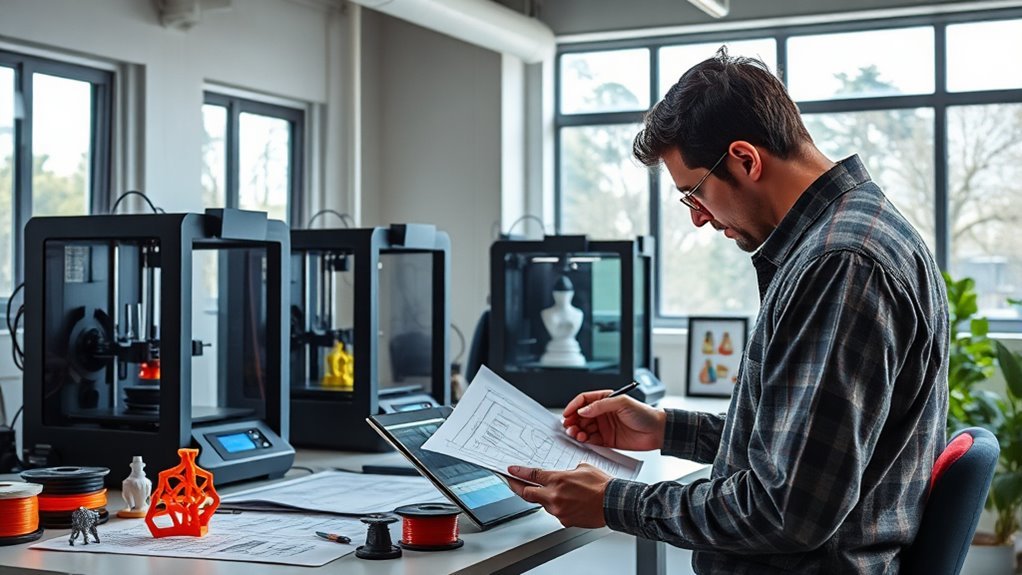
When choosing a 3D printer for your business, you’ll want to take into account factors like print volume, build quality, and the range of materials it supports. Speed and efficiency also play a big role in meeting deadlines and managing costs.
Don’t forget to check if the software and connectivity options fit your workflow. It’s all about making sure everything works smoothly together. That way, you can focus more on creating and less on troubleshooting.
Print Volume Needs
Because your print volume determines the size and quantity of parts you can produce efficiently, you should choose a 3D printer that matches your largest anticipated part plus any necessary fixturing or supports. Remember, printing a 14 × 14 × 14-inch part requires a bigger machine envelope to handle tooling and removal.
Also, aim for a build volume that fits multiple identical parts to batch print efficiently, reducing cycle time and boosting throughput. Keep in mind that larger volumes may introduce thermal and mechanical challenges affecting accuracy and surface finish.
If you plan to use high-temperature or engineering filaments, make sure the printer has an enclosed chamber or heated build area proportional to the part size to prevent warping. Finally, consider your workspace constraints and future scaling to pick a printer footprint that fits now but allows growth.
Build Quality Importance
Choosing a 3D printer with the right build quality directly impacts the reliability and finish of your prints, which matters a lot when starting a business. A rigid, all-steel frame reduces vibrations, ensuring consistent accuracy and smooth surfaces, especially during high-speed or production runs.
Precision motion parts like linear rails and quality steppers minimize layer defects and keep repeatability tight, cutting scrap rates. Look for enclosed, thermally stable chambers and reliable heated beds to improve adhesion and prevent warping with engineering materials like ABS and nylon.
Durable, serviceable components with easy access for replacements reduce downtime and costs. Finally, consistent manufacturing tolerances paired with calibration features guarantee predictable first layers, saving you time tuning and maximizing productivity from the start.
Material Compatibility Range
Since your business may require a variety of finished products, you’ll want a 3D printer that supports a broad range of materials. Make sure it handles common filaments like PLA and PETG for prototypes, flexible TPU parts, and engineering-grade plastics such as PA, PC, or ASA—each needs specific nozzle and chamber temperatures.
Check the printer’s max nozzle temperature (ideally ≥300°C) and chamber heating (around 55–65°C) to print high-temp polymers effectively. Also, verify it has hardened steel or coated nozzles and a strong extruder to manage abrasive or brittle filaments.
Support for soluble materials like PVA or HIPS enables complex geometries and easier cleanup. Finally, consider enclosures with filtration systems to control odors and moisture, ensuring print quality and a safe workspace.
Speed and Efficiency
When you’re aiming to meet production goals, knowing your printer’s real-world speed and efficiency is essential. Calculate the target cycle time per part to determine the print speed and acceleration needed to hit your throughput goals—cutting print time in half doubles output.
Don’t just trust maximum listed speeds; consider usable print speed under actual conditions. Make sure acceleration is tuned and mechanics are stiff to avoid defects.
Also, remember to account for overhead like bed preheat, tool changes, and cooling. These can add 10–30% or more to the total job time.
If you use multi-head or multi-material setups, factor in extra time for tool swaps and purging. Finally, look for features like heated chambers, automation, and remote monitoring to minimize downtime and maximize continuous operation.
Software and Connectivity
Beyond speed and mechanical efficiency, the software and connectivity features of your 3D printer play a big role in keeping your production smooth and secure. Choose printers with firmware that supports offline operation and local processing to protect your intellectual property and avoid relying on the cloud.
Look for standard connections like USB, Ethernet, and removable Wi-Fi modules, plus local network printing for reliable, low-latency file transfers and remote job queuing. Make sure your printer works well with your favorite slicer and supports workflow integration, so you can easily handle batch processing and automation.
Also, prioritize secure update mechanisms and modular connectivity to reduce risks from forced cloud updates or vulnerabilities. Finally, double-check that your printer allows direct printing from removable media and has strong file validation to minimize failed prints caused by interrupted transfers.
Maintenance and Support
You should always prioritize maintenance and support when choosing a 3D printer for your business. Check the manufacturer’s warranty details—make sure it covers on-site service, parts, and labor to avoid unexpected downtime.
Also, confirm how quickly the vendor ships replacement parts and consumables like nozzles and belts. This way, you can plan inventory better and prevent production halts.
Look for printers with modular designs and easy-to-service components. These features help reduce repair time and lower labor costs.
Don’t forget to verify the frequency and clarity of firmware updates. Ensure they’re backward-compatible and well-documented to keep your printer stable and secure.
Finally, make sure the manufacturer offers accessible technical documentation, troubleshooting guides, and responsive support channels with guaranteed service levels. That way, you can resolve issues quickly and keep your business running smoothly.
Budget and Warranty
Maintaining your 3D printer efficiently also means planning your budget carefully, especially for warranty and ongoing expenses. Set aside 20–30% of your printer’s purchase price annually to cover filament, nozzles, bed surfaces, electricity, and maintenance.
Choose a warranty lasting at least 12 months that guarantees parts, electronics, and mechanical failures to avoid unexpected repair costs. Be aware of warranty conditions like registration, professional servicing, or authorized parts use, as restrictive terms might increase lifetime expenses if you seek third-party repairs.
Consider warranty response times—fast service or replacement within 48–72 hours can prevent costly downtime. If you plan heavy use, an extended warranty or service contract might save money long-term.
Compare costs against typical repair rates of 10–25% of the printer’s price to guarantee a good return on investment. It’s all about balancing peace of mind with smart budgeting.
Frequently Asked Questions
What Are the Common Maintenance Tasks for These 3D Printers?
You’ll regularly clean the print bed, lubricate moving parts, and check nozzle clogs.
Also, don’t forget to update the firmware and calibrate the printer. These tasks keep your 3D printer running smoothly.
They guarantee high-quality prints every time. It’s really worth staying on top of them!
How Do Energy Consumption Levels Compare Among These Printers?
Energy consumption varies; some printers use more power during heating and printing, while others are more efficient with standby modes.
You’ll want to check each model’s specs to balance energy use with performance for your business. It’s all about finding what works best for your needs without wasting energy.
Are There Any Subscription or Software Fees Associated With These Printers?
Yes, some 3D printers require subscription fees for advanced software features or cloud services.
You’ll want to check each model’s specifics since basic software is often free, but premium tools or updates might cost extra.
It’s a good idea to look into what comes with the printer and what might require additional payment down the line.
What Safety Precautions Are Necessary When Operating These 3D Printers?
You should always wear safety goggles and make certain there is proper ventilation. Avoid touching hot surfaces, and keep your workspace clean.
Don’t leave the printer unattended during operation. Also, make sure to follow the manufacturer’s guidelines to prevent accidents or exposure to harmful fumes.
How Do Warranty and Customer Support Services Differ Between Brands?
Warranty and customer support vary widely; some brands offer longer warranties and 24/7 support, while others have limited coverage and slower response times.
You’ll want to choose a brand that prioritizes reliable service and quick assistance. It makes a big difference when you need help fast.
Conclusion
Choosing the right 3D printer to start your business is like picking the perfect engine for a rocket—you want power, precision, and reliability to launch your ideas sky-high. It’s all about finding that balance between performance and ease of use.
Whether you go for the versatility of the Original Prusa XL or the ready-to-use Bambu Lab P1S, make sure it fits your needs and budget. Starting a business means investing wisely, so think about what features matter most to you.
With the right tool in hand, you’ll turn your creative sparks into a thriving business that takes off and soars. The best 3D printers for starting a business in 2027 offer innovation and dependability, helping you deliver quality products quickly. So choose smart, print smart, and watch your entrepreneurial dreams become reality with a top-notch 3D printer.