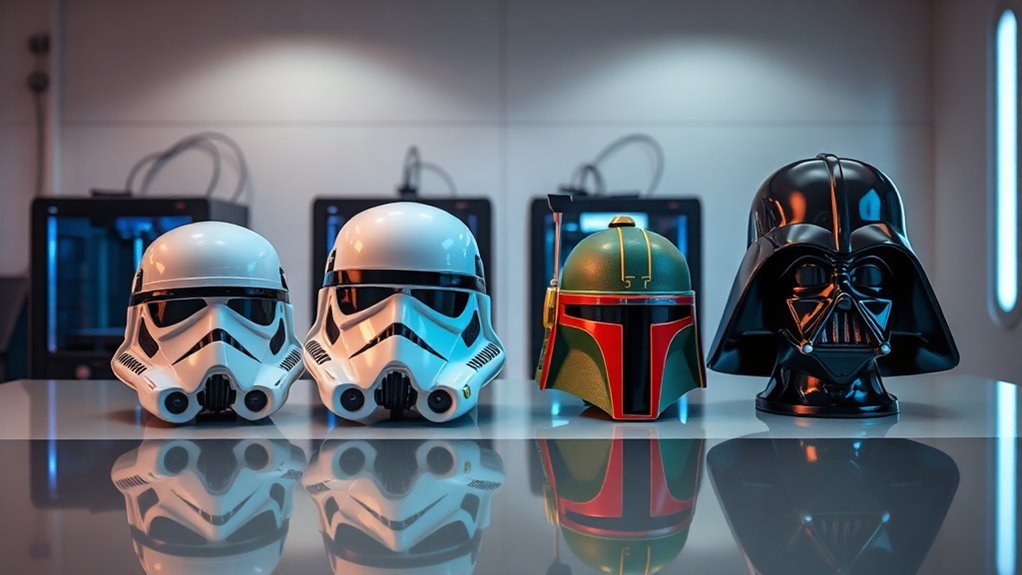
4 Best 3D Printers for Star Wars Helmets in 2027
If you’re diving into the world of 3D printing Star Wars helmets, choosing the right printer is key. You want something that can handle detailed designs and produce high-quality results without a hitch. In 2027, some standout options have emerged that cater specifically to these needs. Whether you’re aiming for vibrant multi-color prints or full-size, accurate replicas, there’s a printer out there to match your project perfectly.
Take the Bambu Lab P2S Combo, for example. It’s known for its speedy CoreXY design and the AMS 2 Pro, which lets you print in multiple colors vibrantly. Then there’s the Anycubic Kobra 3 Max V2, offering a massive build volume ideal for full-size helmets. Plus, it features a reliable full-metal hotend that’s great for consistent printing quality.
The Bambu Lab P1S is another solid pick, especially if you want speed and quality packed into a compact CoreXY setup. And don’t overlook the FLASHFORGE Creator 5—it’s unique with its four independent toolheads, making multi-material prints seamless. Keep exploring these options to find the best fit for your Star Wars helmet projects!
| Image | Name | Editor's Rating | Price |
|---|---|---|---|

|
|
||

|
|
||

|
|
||

|
|
Bambu Lab P2S Combo, P2S 3D Printer & AMS 2 Pro, Multi-Color 3D Printing
- High-Speed Precision: The Bambu Lab P2S 3D printer prints up to 600 mm/s while maintaining exceptional accuracy. With the PMSM Servo Extruder and Active Flowrate...
- Ready to Print in 15 Minutes: Set up your P2S FDM 3D printer and start printing in just 15 minutes. With AI failure detection, quick-swap nozzles, and automatic...
- Effortless Multi-Color Printing: The AMS 2 Pro enables seamless multi-color/multi-material 3D printing. It features built-in filament drying at up to 65 °C, keeping...
- Smart Airflow for Any Filament: The Adaptive Airflow System automatically balances cooling and heat retention—keeping overhangs crisp with cool air, or maintaining a...
- Limitless Creativity, Seamless Workflow: Explore over one million 3D models on MakerWorld and bring them to life with a smooth, unified workflow using Bambu Studio, Bambu...
Bring your multi-color 3D printing projects to life with the Bambu Lab P2S Combo. This system combines the P2S 3D printer and AMS 2 Pro filament management system to deliver seamless multi-material and multi-color prints. It solves the challenge of producing vibrant, detailed parts in one run, eliminating the need for manual filament changes.
The P2S printer features a high-speed CoreXY design and a precise PMSM Servo Extruder, ensuring sharp layers and smooth surfaces. A heated chamber supports engineering-grade materials, improving print quality and strength. Meanwhile, the AMS 2 Pro keeps filaments dry and ready with its controlled drying environment, reducing print failures caused by moisture.
Maintenance is straightforward with AI-powered failure detection that monitors prints in real time, alerting users to potential issues. The system’s setup is user-friendly, making it accessible for beginners while still meeting the demands of professionals who require reliability in complex prints.
The combo’s size and weight mean it needs a dedicated workspace. Also, the P2S printer alone cannot perform multi-color printing without the AMS 2 Pro, which adds to the overall investment. However, this pairing unlocks advanced multi-material capabilities with consistent results.
Best for: Professionals and hobbyists who require fast, precise multi-color and multi-material 3D printing with reliable performance and easy maintenance.
What We Like:
- Enables vibrant multi-color printing with seamless filament switching.
- High-speed CoreXY motion system with precise PMSM Servo Extruder.
- Heated chamber supports a variety of engineering-grade materials.
- AMS 2 Pro filament dryer reduces moisture-related print failures.
- AI failure detection enhances print reliability and user confidence.
Specification:
| Feature | Details |
|---|---|
| Manufacturer | Bambu Lab |
| Dimensions (Printer) | Not specified |
| Weight (Combo) | 46.3 lb (21 kg) |
| Material Compatibility | Multi-material (with AMS 2 Pro) |
| Color Options | Multi-color printing enabled |
Anycubic Kobra 3 Max V2, Large Format 3D Printer Only, Full-Metal Hotend
- 【16.5"x16.5"x19.7" Build Volume】 Bring full-scale ideas to life with an expansive 88L build volume, roughly equivalent to two carry-on suitcases. Print oversized...
- 【300°C High-Temp Hotend】 The 300°C full-metal hotend supports PLA, PETG, and TPU, giving you more flexibility across different projects. The optimized extrusion...
- 【Expanded Multicolor Printing】 Pair the Kobra 3 Max V2 with 1 or 2 Anycubic ACE 2 Pro units for 4- or 8-color printing. Create vibrant, intricate models with smooth...
- 【Up to 600mm/s Printing Speed】 The Anycubic Kobra 3 Max V2 reaches speeds of up to 600mm/s with 10,000mm/s² max acceleration to shorten printing time. Its 18-minute...
- 【Smooth Surfaces, Fine Details】 One-click calibration helps reduce vibration marks and uneven surfaces, while smart flow adjustment controls material output in real...
The Anycubic Kobra 3 Max V2 is designed for creators who need a large and versatile 3D printer. Its spacious build volume of 420 × 420 × 500 mm allows you to print large, complex parts like full-sized Star Wars helmets without breaking them into smaller pieces. This saves time and ensures better structural integrity in your projects.
Equipped with a full-metal hotend reaching up to 300°C, it supports a wide range of materials including PLA, PETG, and flexible TPU. This flexibility lets you experiment with different filament types to achieve the best finish and durability for your prints. The printer’s design also focuses on maintaining consistent temperature for reliable results.
Maintenance is straightforward thanks to its robust construction and smart features like vibration reduction and flow control. These help produce smooth, detailed surfaces while minimizing print errors. The Anycubic app adds convenience by allowing remote monitoring and adjustment, making it easier to manage print jobs.
The printer’s weight near 40 lbs means it’s stable during operation but less portable. While some users report quality concerns, its combination of large build area and high-temperature performance positions it well for demanding 3D printing tasks.
Best for: Creators and hobbyists needing a large-format 3D printer with high-temperature capability for detailed, sizeable prints.
What We Like:
- Large build volume enables printing of full-scale helmet parts.
- Full-metal hotend supports versatile filament types up to 300°C.
- Smart flow control and vibration reduction improve print quality.
- Remote print monitoring and control via the Anycubic app.
Specification:
| Feature | Details |
|---|---|
| Manufacturer | Anycubic |
| Build Volume | 420 × 420 × 500 mm |
| Hotend Material | Full-metal |
| Max Hotend Temp | 300°C |
| Weight | ~18 kg (40 lbs) |
| Supported Materials | PLA, PETG, TPU |
Bambu Lab P1S 3D Printer, Ready-to-Use FDM 3D Printer
- Up to 16 Colors: Bring your designs to life with vibrant multi-color/multi-material printing capabilities, perfect for showcasing your creativity. Note: Connecting Bambu...
- 500mm/s and 20000 mm/s² Acceleration True High Speed: Don't wait around for your masterpieces. Lightning-fast printing speed lets you focus on creating, not waiting.
- Enclosed Design: Fully enclosed body improves print performance for advanced filaments. Automatic Bed Leveling: Say hello to high-quality, successful prints. Auto bed...
- Set Up in 15 Minutes: Spend more time printing and less time setting up. User-friendly design ensures a hassle-free assembly experience for all skill levels.
- Supported Filament: Ideal: PLA, PETG, TPU, PVA, PET ABS, ASA; Capable : PA, PC; Not Recommended: Carbon/Glass Fiber Reinforced Polymer.
Experience the power of fast, precise 3D printing with the Bambu Lab P1S. This ready-to-use FDM printer excels at handling complex, multi-material projects like Star Wars helmets. Its CoreXY enclosed design ensures consistent quality while reaching speeds up to 500 mm/s, saving you valuable production time.
Setup is straightforward, taking just 15 minutes. The printer’s automatic bed leveling reduces manual adjustments, making it accessible for both beginners and experienced users. With support for a variety of filaments like PLA, PETG, and TPU, you can explore different materials without hassle.
For multi-color prints, the optional AMS accessory allows up to 16 colors, perfect for detailed and vibrant helmet designs. While it’s not suitable for carbon or glass fiber reinforced polymers, it manages advanced filaments like PA and PC with reasonable performance.
Maintenance is simple thanks to its enclosed frame, which protects prints and components from dust. Although it weighs nearly 39 pounds, the sturdy build supports stable and precise printing.
Best for: enthusiasts and professionals needing a high-speed, multi-material 3D printer for detailed helmet projects and similar complex prints.
What We Like:
- High-speed printing with precise CoreXY enclosed design
- Multi-material capability with up to 16 colors via AMS accessory
- Quick, easy setup with automatic bed leveling
- Supports a wide range of common filaments
- Enclosed frame for consistent print quality and protection
Specification:
| Feature | Details |
|---|---|
| Manufacturer | Bambu Lab |
| Dimensions | Not specified |
| Weight | 38.9 lb (17.6 kg) |
| Supported Filaments | PLA, PETG, TPU, PA, PC |
| Color Options | Up to 16 colors with AMS |
| Printing Speed | Up to 500 mm/s |
| Design | CoreXY enclosed frame |
FLASHFORGE Creator 5 Multi-Material 3D Printer
- 4 Independent Toolheads for True Multi-Color: Unlike traditional single-nozzle multi-color printers, the Creator 5 utilizes 4 independent toolheads to prevent color...
- 7-Second Swaps with Intelligent Preheating: Standard single-nozzle setups demand constant filament loading, unloading, and purging for every color change. The Creator...
- Up to 80% Less Filament Waste: Single-nozzle multi-color printing generates massive amounts of wasted "poop." The Creator 5's independent architecture completely bypasses...
- True Multi-Material & Clean Support Removal: Print PLA, PETG, TPU, PETG-CF and support materials in a single job. By allocating one toolhead exclusively to specialized...
- 600mm/s CoreXY Speed & Auto Calibration: Built upon a rigid CoreXY motion system with fully automatic calibration, the Creator 5 delivers stable high-speed printing up to...
Creating vibrant, multi-colored 3D prints is simpler than ever with the FLASHFORGE Creator 5 Multi-Material 3D Printer. Its design addresses common issues like color mixing and nozzle clogging by using four independent toolheads. This setup lets you produce detailed, flawless multi-color models without interruptions.
Switching between toolheads is fast and seamless thanks to FlashSwap technology, which takes only seven seconds. This reduces downtime and keeps your workflow smooth. The printer also minimizes filament waste by up to 80%, making your projects more cost-effective and eco-friendly.
Maintenance is straightforward with the dedicated support filament that ensures easy removal of supports. The rigid CoreXY motion system delivers precise and consistent movements, while automatic calibration saves time and effort, ensuring every print meets high standards.
The printer supports a variety of materials including PLA, TPU, and carbon-fiber PETG, offering versatility for different project needs. Its robust construction and advanced features suit both hobbyists and professionals aiming for high-quality, multi-material prints.
Best for: Enthusiasts and professionals requiring efficient multi-material 3D printing with minimal waste and reliable results.
What We Like:
- Four independent toolheads prevent color mixing and clogging.
- Fast 7-second toolhead swaps streamline printing.
- Supports diverse materials including flexible and carbon-fiber filaments.
- Automatic calibration ensures accurate prints.
- Reduces filament waste by up to 80%.
Specification:
| Feature | Details |
|---|---|
| Manufacturer | FLASHFORGE |
| Dimensions | Not specified |
| Weight | Not specified |
| Material Support | PLA, TPU, Carbon-fiber PETG |
| Toolheads | Four independent |
| Motion System | CoreXY |
| Color Options | Not specified |
Factors to Consider When Choosing a 3d Printer for Star Wars Helmets
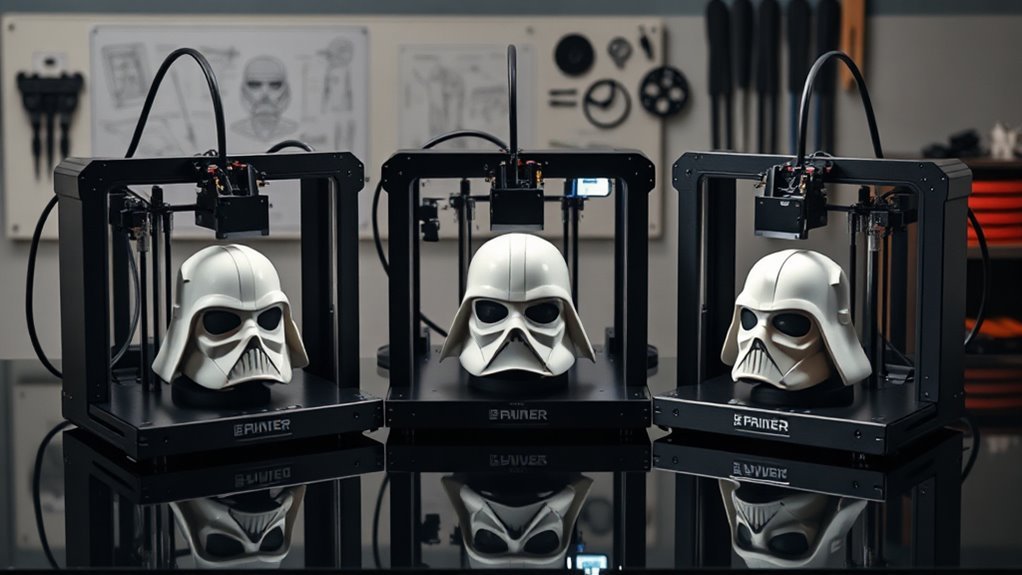
When choosing a 3D printer for Star Wars helmets, you need to take into account print volume size to make certain your helmet fits the build platform. Material compatibility matters too, since different plastics affect durability and finish.
Also, factor in print speed, resolution, and whether the printer supports multi-color printing for more detailed and vibrant results. These details can really make your helmet stand out and look more authentic.
Print Volume Size
Choosing the right print volume size plays a crucial role in successfully producing Star Wars helmets. First, measure the helmet’s largest dimension—height, width, or circumference—and make sure your printer’s build volume exceeds it.
For full-size adult helmets, aim for at least 300–400 mm on one axis to reduce seams. Smaller volumes under 250 mm mean more panels and extra post-processing.
Also, consider the printer’s bed shape and Z-axis clearance; tall gantry or open-top designs handle height better than enclosed boxes. Keep in mind, larger single-piece prints need stable platforms and heated beds or chambers to prevent warping.
While bigger builds take longer and risk failure, printing in fewer, larger sections minimizes seams and simplifies finishing, making your helmet look smoother and more authentic.
Material Compatibility
Print volume and material compatibility go hand in hand when building Star Wars helmets. You want filaments with high tensile strength and impact resistance like PETG, ABS, or Nylon to guarantee your helmet withstands handling and post-processing.
If you plan to acetone-smooth or solvent-bond parts for seamless finishes, choose materials tolerating higher bed and ambient temperatures, such as ABS, ASA, or PC. Also, consider the support removal method: water-soluble supports like PVA or breakaway supports paired with flexible TPU simplify complex overhangs and internal structures.
PLA prints easily with low warping but can be brittle for wearable helmets unless reinforced. Finally, pick materials that accept sanding, filler, and primer well to achieve smooth, paint-ready surfaces—essential for screen-accurate helmets.
Print Speed Efficiency
Speed up your Star Wars helmet builds by selecting a 3D printer that handles high linear speeds between 200 and 600 mm/s without sacrificing quality. Prioritize models with high acceleration capabilities to shorten print times on complex contours, but make sure they have effective vibration control to avoid ringing artifacts.
Reliable extrusion and flow compensation are vital at faster speeds to maintain consistent layer deposition and prevent under- or over-extrusion on long toolpaths. Consider using larger nozzles (0.6–1.0 mm) and thicker layers to drastically cut print time, though this will reduce fine surface detail.
If you’re printing multi-piece helmets, look for printers designed for high throughput with features like filament drying and heat management. These help minimize failures during extended, high-speed jobs. This balance guarantees efficient prints and dependable results.
Resolution and Detail
While faster printing helps get your Star Wars helmets built quickly, maintaining sharp resolution and intricate detail is just as important for an authentic look. Aim for layer heights between 0.08 and 0.16 mm to capture smooth contours without slowing your workflow too much.
Choose a nozzle diameter around 0.25 mm for fine detail or 0.4 mm when you need strength and speed. You can even swap nozzles for tiny ornaments to get just the right touch.
Prioritize a printer with high XY precision (≤0.05 mm) and a rigid motion system to minimize stair-stepping on curves and keep panel lines crisp. Printing outer perimeters slower, around 20–40 mm/s, helps with this, while you can speed up the infill.
For details smaller than 0.5 mm, consider planning multi-pass prints or post-processing with sanding and filler. These extra steps will really perfect your helmet’s look.
Multi-Color Capability
When you want to bring your Star Wars helmets to life with authentic color patterns or emblems, multi-color capability is a game-changer. It lets you print integrated colors in one job, saving you from time-consuming post-painting and maintaining sharp color registration.
True multi-head systems use independent extruders, eliminating purges and filament waste. This is unlike single-nozzle multi-material setups that require tool changes and can leave visible purge marks on curved surfaces.
Using a dedicated extruder for support materials alongside color extruders helps with complex overhangs without contaminating visible areas. Also, consider how many colors the printer supports simultaneously, its filament-drying features to avoid jams, and software control for smooth, precise color shifts.
These factors guarantee your helmet looks vibrant and flawless straight off the printer. So, you get that perfect finish without any extra hassle!
Ease of Use
Multi-color printing brings your Star Wars helmets to life, but ease of use guarantees you can achieve those vibrant designs without frustration. Look for printers with automatic bed leveling and one-click calibration to save setup time and prevent failed first layers on large helmet parts.
A heated build chamber with stable temperature control helps you print heat-sensitive filaments smoothly, reducing warping and layer separation. Choose a printer with an intuitive touchscreen and integrated slicer software to simplify slicing complex helmet geometries.
Easy access to the build plate and quick-release surfaces let you remove large prints safely and quickly, lowering damage risks. And don’t forget filament management features like built-in drying or hassle-free spool changes—they help keep extrusion consistent during those lengthy helmet prints.
Frequently Asked Questions
How Do I Post-Process 3D Printed Star Wars Helmets?
You’ll sand your helmet to smooth surfaces, then fill gaps with putty. After priming, paint with durable spray paint, add weathering for realism, and seal with clear coat.
Don’t forget to let each layer dry completely! It really makes a difference in the final look. Just take your time, and you’ll get a great finish on your Star Wars helmet.
What Filament Colors Best Match Star Wars Helmet Designs?
You’ll want black, white, gray, and metallic silver filaments to match most Star Wars helmets. Adding red or blue highlights helps capture character-specific details.
Using matte finishes can give a more authentic, battle-worn look too. It really brings out that rugged vibe, you know?
Can These Printers Handle Flexible or Specialty Filaments?
You’ll find these printers easily handle flexible or specialty filaments, bending like a Jedi’s lightsaber. With precise temperature controls and sturdy extruders, they let you craft intricate, durable designs that bring your creative visions vividly to life.
Plus, they make switching between different filament types a breeze. So whether you’re experimenting with TPU or other specialty materials, these printers have got you covered.
Are There Recommended Software Tools for Helmet Modeling?
You should try software like Blender, Fusion 360, or ZBrush for helmet modeling. They offer powerful sculpting and precision tools, making it easier for you to create detailed Star Wars helmet designs efficiently.
These programs are pretty user-friendly once you get the hang of them. Plus, there are tons of tutorials online to help you get started and master the techniques.
How Long Does It Typically Take to Print a Full Helmet?
Printing a full helmet usually takes 20 to 40 hours, like watching a sculpture slowly rise layer by layer.
You’ll want patience, as intricate details and size affect the time considerably. It’s not just about how big the helmet is, but also how complex the design gets.
Conclusion
Choosing the right 3D printer for your Star Wars helmets is like picking the perfect lightsaber—it shapes your entire crafting journey. Whether you need multi-color precision, large build volume, or ease of use, these top models have you covered.
Trust your instincts and consider your priorities carefully. Get ready to bring those iconic helmets to life with stellar detail.
Your dream build is just a print away—may the best printer be with you! Picking a 3D printer that matches your needs will ensure every Star Wars helmet you create looks amazing. So whether you’re after high resolution, speed, or versatility, the right choice will make your crafting experience truly out of this galaxy.