11 Best All-in-One Printers for High Volume Printing in 2027
If you need an all-in-one printer that handles high-volume jobs with ease, models like the Epson Workforce Pro WF-4935 and EcoTank Pro ET-16600 are great options.
They offer fast speeds, large paper capacities, and low ink costs, which are perfect for busy offices.
Brother’s color laser models bring durability and secure printing to the table.
Meanwhile, HP’s PageWide and LaserJet series impress with their speed and advanced security features.
These printers combine efficiency with versatile functions to keep your office running smoothly.
Curious about which features will best suit your workflow? Let’s explore them next!
| Image | Name | Editor's Rating | Price |
|---|---|---|---|

|
|
||

|
|
||

|
|
||

|
|
||

|
|
Epson Workforce Pro WF-4935 Wireless All-in-One Printer
- Built for Speed — PrecisionCore Heat-Free technology delivers fast, high-volume printing with 25 (black)/12 (color) ISO ppm and fast first-page-out
- High-Precision Office Printing — Accurate dot placement and DURABrite Ultra instant-dry pigment inks for professional-quality prints
- High-Volume Durability for Heavy Workloads — Innovative heat-free technology engineered for reliability and reduced downtime
- Complete Duplex Solution — All-in-one printer with auto 2-sided print, copy, scan and fax; plus 50-sheet ADF
- Maximize Printing Productivity — High-performance office printer with 500-sheet paper capacity; includes two 250-sheet trays for added convenience

The Epson Workforce Pro WF-4935 is designed to keep up with demanding office tasks. It tackles printing, copying, scanning, and faxing smoothly, helping you stay productive without interruptions. This all-in-one wireless printer handles large jobs efficiently, reducing downtime and boosting workflow.
Its large paper capacity and automatic document feeder make managing multiple pages simple. The printer’s PrecisionCore Heat-Free technology speeds up printing while using less energy. Auto duplex printing cuts paper use and saves time on double-sided documents.
Maintenance is straightforward with DURABrite Ultra pigment inks that deliver sharp, smudge-resistant prints. Connectivity options include wireless, Ethernet, and USB, offering flexible setup choices for busy workspaces. The 4.3″ color touchscreen makes operation intuitive and quick.
While color prints run slower than black, this printer excels in handling heavy workloads with reliable output. Its size supports standard and legal media but doesn’t accommodate larger formats. Overall, it balances speed, quality, and versatility for daily business needs.
Best for: Busy professionals and small businesses needing a versatile, high-capacity all-in-one printer that handles heavy workloads efficiently.
What We Like:
- Large 500-sheet capacity and 50-sheet auto document feeder for multitasking
- Fast printing with energy-efficient PrecisionCore Heat-Free technology
- Auto duplex printing for time and paper savings
- Multiple connectivity options including wireless, Ethernet, and USB
- Durable DURABrite Ultra pigment inks for crisp, smudge-free results
Specification:
| Feature | Details |
|---|---|
| Manufacturer | Epson |
| Dimensions | 18.1 x 17.3 x 12.6 inches |
| Weight | 18.7 lbs (approximate) |
| Print Technology | PrecisionCore Heat-Free Inkjet |
| Paper Capacity | 500 sheets |
| Auto Document Feeder | 50 sheets |
| Media Size Support | Up to 8.5 x 14 inches |
| Connectivity | Wireless, Ethernet, USB |
| Display | 4.3″ color touchscreen |
Epson EcoTank Pro ET-16600 Wireless All-in-One Wide-Format Tank Printer
- Sold as 1 Each.
- All-in-one printer gives you printing, faxing, copying, and scanning capability. Inkjet printer has a resolution that goes up to 4800 x 2400 dpi for excellent...
- Dimensions: 13.8"H x 20.3"W x 19.7"D. Types of media supported include glossy photo paper, plain paper, cardstock, photo paper, envelopes, and matte paper. Fax memory...
- Easily manage tasks with the 4.3" touch screen. 1200 dpi optical resolution, 9600 dpi interpolated resolution, 24-bit color depth for good-quality printed text and...
- 2-year manufacturer limited warranty.
Experience efficient, high-volume printing with the Epson EcoTank Pro ET-16600, designed to meet the demands of busy offices. This wireless all-in-one printer combines print, copy, scan, and fax functions with fast black-and-white speeds up to 25 ppm. It helps reduce downtime and keeps workflows smooth by handling multiple tasks quickly.
The EcoTank Pro ET-16600’s cartridge-free system uses supersized ink tanks, cutting ink costs by up to 80% and minimizing waste. This design means fewer interruptions for ink replacements, making maintenance easier and more economical. You can print wide-format documents up to 11 x 17 inches, ideal for professional presentations and detailed layouts.
With a 500-sheet front tray and rear specialty feed, this model supports continuous printing without frequent paper reloads. Its 4.3-inch touchscreen and voice-activated printing simplify operation, while automatic duplexing saves paper and time. The printer’s sturdy build and high monthly duty cycle of 66,000 pages ensure it handles heavy workloads reliably.
Best for: Professionals and businesses requiring fast, cost-efficient wide-format printing with versatile all-in-one capabilities.
What We Like:
- Cartridge-free supersized ink tanks reduce ink costs and waste
- Supports high volume printing with a 66,000-page monthly duty cycle
- User-friendly 4.3-inch touchscreen and voice-activated printing
- Wide-format printing up to 11 x 17 inches for versatile document needs
Specification:
| Feature | Details |
|---|---|
| Manufacturer | Epson |
| Dimensions | Not specified |
| Weight | 40 lb (approx. 18.1 kg) |
| Color Options | Not specified |
| Print Speed (B&W) | Up to 25 ppm |
| Print Speed (Color) | Up to 12 ppm |
| Monthly Duty Cycle | 66,000 pages |
Brother Workhorse MFC-L9630CDN Laser Multifunction Printer – Color
- Sold as 1 Each
- Supports duplex printing; two-sided A4 color print speed: 28 pages per minute; A4 standard color print speed: 40 pages per minute
- With GigE (10Base-T/100Base-TX/1000Base-T), hi-speed USB 2.0 and USB host (front and rear)
- Laser technology provides 2400 dpi class (2400 x 600) and 600 x 600 dpi quality resolution
- Professional all-in-one A4 color printer is perfect for all office tasks
The Brother Workhorse MFC-L9630CDN is designed for businesses that demand efficient, high-volume color printing. It delivers crisp, vibrant documents with a sharp 2400 x 600 dpi resolution, making every page stand out. The fast 40 pages per minute speed keeps your workflow moving without delays.
This all-in-one printer simplifies tasks by combining printing, copying, and scanning at matching speeds. Automatic duplex printing helps reduce paper use and saves time on double-sided documents. Its robust design supports A4 media, fitting common office needs.
Connectivity is straightforward with Ethernet and USB options, while Cloud Secure Print protects sensitive information, ensuring confidentiality. The intuitive touchscreen interface makes operation easy, even for those new to multifunction printers. Mobile device compatibility integrates smoothly into modern work environments.
Maintenance is manageable despite the printer’s 55-pound weight, which limits portability but adds durability. The USB 2.0 connection is reliable, though not the fastest available. Overall, this printer balances speed, security, and ease of use for busy offices.
Best for: Offices and businesses requiring fast, secure, and high-volume color printing with versatile connectivity.
What We Like:
- Fast printing and copying at 40 ppm in color and black & white
- Automatic duplex printing reduces paper waste
- Sharp color resolution at 2400 x 600 dpi
- Secure Cloud Secure Print protects sensitive documents
- User-friendly touchscreen enhances operational ease
Specification:
| Feature | Details |
|---|---|
| Manufacturer | Brother |
| Dimensions | Not specified |
| Weight | 55 lb (25 kg) |
| Media Size | A4 |
| Color Output | 2400 x 600 dpi |
| Connectivity | Ethernet, USB 2.0 |
Brother MFC-L5915DW Professional Laser Printer All-in-One
- FAST BUSINESS PRINTING AND COPYING: The Brother MFC-L5915DW business monochrome laser all-in-one printer delivers high-quality output and print and copy speeds of up to...
- LOW-COST OUTPUT: Help reduce operating costs by using the Brother Genuine TN920UXXL ultra high-yield 18,000-page replacement toner cartridge. Includes a Brother Genuine...
- FAST, HIGH-VOLUME SCANNING: The 70-page capacity(3) auto document feeder offers single-pass, two-sided scanning up to 56ipm(4). Features a large document glass for up to...
- FLEXIBLE CONNECTIVITY OPTIONS: Features built‐in Gigabit Ethernet and dual band wireless networking to seamlessly set up and share on your wired.
The Brother MFC-L5915DW is designed to keep busy offices running smoothly. It offers fast printing speeds of up to 50 pages per minute, helping reduce wait times and increase productivity. Its single-pass, two-sided scanning quickly handles large documents, while the 70-page auto document feeder minimizes manual input.
This all-in-one printer features a 5-inch color touchscreen, making task management and customization straightforward. Connectivity options like dual-band WiFi, Gigabit Ethernet, and voice control ensure you stay connected effortlessly across multiple devices. Maintenance is simplified with an ultra high-yield toner cartridge that prints up to 18,000 pages, lowering your overall operating costs.
The sleek design fits well in professional environments, offering reliable performance for high-volume printing and scanning. Security is a priority with Triple Layer Security that safeguards your sensitive data. However, this model supports only monochrome printing, which may limit use for color documents.
Best for: busy offices and businesses needing fast, secure, high-volume monochrome printing and scanning with advanced connectivity.
What We Like:
- Rapid printing and efficient two-sided scanning with a large document feeder
- Cost-effective ultra high-yield toner cartridge for extended use
- Wide connectivity options including voice control compatibility
- Intuitive 5-inch color touchscreen for easy operation
Specification:
| Feature | Details |
|---|---|
| Manufacturer | Brother |
| Dimensions (W x D x H) | 16.1 x 15.7 x 12.7 inches |
| Weight | 23.6 lbs (10.7 kg) |
| Printing Technology | Monochrome Laser |
| Print Speed | Up to 50 ppm |
| Scanner Type | Single-pass, duplex |
| Auto Document Feeder | 70 pages |
| Connectivity | Dual-band WiFi, Gigabit Ethernet, Voice control compatible |
| Touchscreen | 5-inch color |
Epson Workforce Pro WF-4920 Wireless All-in-One Printer
- Built for Speed — PrecisionCore Heat-Free technology delivers fast, high-volume printing with 25 (black)/12 (color) ISO ppm and fast first-page-out
- High-Precision Office Printing — Accurate dot placement and DURABrite Ultra instant-dry pigment inks for professional-quality prints
- High-Volume Durability for Heavy Workloads — Innovative heat-free technology engineered for reliability and reduced downtime
- Designed for Productivity — All-in-one printer with auto 2-sided printing and 1-sided, 35-page ADF streamline workflow
- Maximize Printing Efficiency — High-performance office printer with large, 250-sheet paper capacity
Experience fast, dependable printing with the Epson Workforce Pro WF-4920, designed to keep your workflow smooth and efficient. This wireless all-in-one inkjet printer tackles high-volume jobs with ease, reducing downtime and boosting productivity.
Its PrecisionCore Heat-Free Technology delivers crisp black and color prints quickly, while the 250-sheet tray and 35-page automatic document feeder support large tasks without constant refills. Automatic duplex printing saves paper and time, enhancing office efficiency.
The user-friendly 4.3-inch touchscreen and wireless connectivity options like Wi-Fi Direct and Apple AirPrint simplify setup and control. Maintenance is minimal, thanks to durable DURABrite Ultra pigment inks and genuine cartridge support, ensuring consistent, professional-quality output.
Though it has a larger footprint and weighs 22.5 pounds, it fits well in busy workspaces. The maximum media size is legal (8.5 x 14 inches), so it’s ideal for standard office documents rather than oversized prints.
Best for: professionals and small businesses seeking reliable, high-speed wireless printing with advanced features and low maintenance.
What We Like:
- Fast print speeds with up to 25 ppm black and 12 ppm color
- Easy wireless setup including Wi-Fi Direct and Apple AirPrint
- Large paper capacity and automatic duplex printing
- Sharp, long-lasting prints from DURABrite Ultra pigment inks
- Intuitive 4.3-inch touchscreen for simple navigation
Specification:
| Feature | Details |
|---|---|
| Manufacturer | Epson |
| Model | Workforce Pro WF-4920 |
| Dimensions (W x D x H) | 16.3 x 15.9 x 11.7 inches |
| Weight | 22.5 lbs (10.2 kg) |
| Print Technology | Wireless Inkjet with PrecisionCore Heat-Free Technology |
| Paper Capacity | 250-sheet tray, 35-page ADF |
| Max Media Size | Legal (8.5 x 14 inches) |
| Connectivity | Wi-Fi Direct, Apple AirPrint |
HP Smart Tank 5003 Ink Tank Printer | 3 Years of Ink Included | All-in-One

- THE LAST PRINTER YOU'LL EVER NEED – Set it up once and print with confidence; no complicated maintenance, just easy, reliable printing you can count on
- FULLY LOADED WITH SAVINGS – Best for low-cost, high-volume printing—up to 3 years of HP Ink included; get up to 6,000 color or black pages right out of the box
- KEY FEATURES – Print, copy and scan, plus borderless prints, mobile and wireless printing
- MESS-FREE REFILL – Replenish ink with HP's easy-access, mess-free refill system; simply plug the ink bottles into this cartridge-free ink tank and let them drain—no...
- BEST PRINT QUALITY, PERIOD – Sharper text, richer colors, only with HP Smart Tank
Experience hassle-free printing with the HP Smart Tank 5003, an all-in-one solution designed to keep your workflow smooth. This printer comes with up to 3 years of ink included, allowing you to print thousands of pages without the constant worry of refills. Its cartridge-free design simplifies maintenance, saving you time and effort.
The Smart Tank 5003 delivers sharp color prints with resolutions up to 4800 x 1200 dpi. It supports multiple paper sizes, including legal, and holds up to 100 sheets, making it versatile for various tasks. Wireless printing is seamless via AirPrint, HP ePrint, and Wi-Fi, helping you print conveniently from mobile devices or laptops.
Ideal for home offices or small workgroups, this printer handles print, copy, and scan functions with consistent quality. While the print speed is modest—5 pages per minute in color—the device balances efficiency with reliability. Its intuitive design adapts well to everyday printing needs without complicated setup.
Best for: users who need a dependable all-in-one printer with a large ink capacity and wireless flexibility for home or small office environments.
What We Like:
- Up to 3 years of included ink supports high-volume printing.
- High-resolution color output with versatile paper handling.
- Multiple wireless options enable easy mobile and remote printing.
- Cartridge-free ink tank reduces maintenance complexity.
Specification:
| Feature | Details |
|---|---|
| Manufacturer | HP |
| Dimensions | Not specified |
| Weight | Not specified |
| Ink System | Cartridge-free ink tank |
| Print Resolution | Up to 4800 x 1200 dpi |
| Paper Capacity | 100 sheets |
| Supported Paper Sizes | Includes legal size |
| Wireless Printing | AirPrint, HP ePrint, Wi-Fi |
HP Smart Tank Plus 570 Tank Printer | 2 Years of Ink Included | All-in-One

- SET IT UP ONCE AND PRINT WITH CONFIDENCE. No complicated maintenance. Just easy, reliable printing you can count on.
- INK FOR YEARS. NOT MONTHS. Up to 2 years of ink included. Get thousands of pages of cartridge-free printing. More pages, less hassle
- KEEPS PRINTING WELL AFTER COMPETITORS HAVE QUIT. No complex maintenance. Sharper text, richer colors.[2] Only with HP Smart Tank
- INNOVATION YOU CAN TRUST. Cartridge-free printing that keeps you printing longer with fewer interruptions, powered by the trusted HP innovation you rely on today
- THE LAST PRINTER YOU'LL EVER NEED. Enjoy years of refillable, cartridge-free printing.[
The HP Smart Tank Plus 570 offers a practical solution for those who need reliable, high-volume printing without frequent ink replacements. Its refillable, cartridge-free ink tanks supply up to 2 years of ink, reducing interruptions and lowering running costs.
Designed for busy environments, this all-in-one printer handles large print jobs with ease. It delivers up to 8,000 color pages or 6,000 black-and-white pages using a mess-free refill system that keeps maintenance simple and clean.
Connectivity options are versatile, including wireless, Ethernet, HDMI, USB 2.0, 3.0, and USB-C, so it easily integrates with laptops, tablets, and smartphones. While print speeds of 11 pages per minute in black and 5 in color may be slower than some laser printers, it balances efficiency with quality.
Compact yet sturdy at 13.6 pounds, the HP Smart Tank Plus 570 fits well in small offices or home workspaces. Its design focuses on ease of use and long-term reliability, making it a practical choice for cost-effective printing.
Best for: individuals or small businesses that require high-volume, cost-effective printing with minimal maintenance and versatile connectivity options.
What We Like:
- Up to 2 years of included ink minimizes refills and costs
- Cartridge-free, refillable ink tanks with mess-free refilling
- Multiple connectivity options including Wi-Fi, Ethernet, HDMI, and USB-C
- Compact design suitable for small workspaces
- Reliable all-in-one functionality for printing, scanning, and copying
Specification:
| Feature | Details |
|---|---|
| Manufacturer | HP |
| Dimensions | Not specified |
| Weight | 13.6 lb (6.17 kg) |
| Ink System | Refillable ink tanks |
| Connectivity | Wireless, Ethernet, HDMI, USB 2.0/3.0, USB-C |
| Print Capacity | Up to 8,000 color / 6,000 black pages |
Canon MegaTank G3270 All-in-One Wireless Color Printer

- Wireless Print/Copy/Scan
- Up to 2 years of ink included (2)
- Print up to 6,000 black & white / 7,700 color pages using a single set of inks! (1)
- Save up to $1,000 on ink (1)
- 1.35” Square LCD display
The Canon MegaTank G3270 is designed for users who need high-volume color printing without constant ink replacements. Its refillable MegaTank system lets you print up to 7,700 color pages per ink set, reducing both downtime and ink expenses. This makes managing print tasks more efficient and cost-effective.
This all-in-one printer offers sharp, detailed prints at 4800 x 1200 dpi. It handles printing, copying, and scanning with ease, supporting wireless connections to smartphones and tablets. You can print from anywhere, simplifying your workflow and saving time.
Maintenance is straightforward thanks to the refillable tanks, which cut down on frequent cartridge changes. The compact design fits well in small offices or home workspaces and supports borderless printing on various paper types.
While the print speed is moderate at 11 black-and-white and 6 color pages per minute, this printer balances quality and functionality for everyday tasks. The 100-sheet capacity suits typical workloads but may require refills during larger projects.
Best for: Small offices or home users seeking an affordable, wireless, all-in-one color printer with low ink costs.
What We Like:
- High page yield per ink set reduces interruptions.
- Refillable tanks lower long-term ink expenses.
- Wireless printing with smartphone and tablet support.
- Compact design fits diverse printing needs.
- Borderless printing on multiple media types.
Specification:
| Feature | Details |
|---|---|
| Manufacturer | Canon |
| Dimensions (W×D×H) | 17.7 × 13.7 × 7.5 inches |
| Weight | Approximately 8.4 lbs (3.8 kg) |
| Print Resolution | Up to 4800 x 1200 dpi |
| Print Speed | 11 B&W, 6 color ppm |
| Ink System | Refillable MegaTank |
| Connectivity | Wireless, smartphone/tablet compatible |
| Paper Capacity | 100 sheets |
Canon MAXIFY GX2020 Wireless All-in-One Printer

- Wireless Print/Copy/Scan/Fax (2)
- Print up to 3,000 black & white / 3,000 color pages using a single set of inks! (1)
- 2.7” LCD Color Touchscreen
- Auto 2-sided printing
- ADF – 35 sheet Auto Document Feeder
The Canon MAXIFY GX2020 is designed to handle demanding printing tasks with ease. It delivers up to 3,000 black-and-white and color pages per ink set, reducing the hassle of frequent replacements. This makes it a strong choice for users needing consistent, high-volume output.
Print speeds are efficient, with 15 ppm for black and white and 10 ppm for color, helping to keep workflows moving quickly. The printer’s 4-color pigment-based ink system ensures sharp text and vibrant images, meeting both professional and creative needs.
Connectivity is seamless thanks to wireless dual-band WiFi and Chromebook compatibility. Its compact design fits comfortably on most desks without taking up too much space. The 35-sheet automatic document feeder and automatic duplex printing save time on multi-page tasks.
Maintenance is straightforward, but keep in mind the maximum media size is limited to 8 x 10 inches. Paper capacity caps at 250 sheets, which may require more frequent refills in very busy settings. The 2.7-inch LCD touchscreen is functional, though it might feel small for complex navigation.
Best for: Businesses or individuals who need fast, reliable, and versatile wireless printing for high-volume tasks.
What We Like:
- High page yield reduces ink replacement frequency
- Fast print speeds improve daily productivity
- Automatic duplex printing and document feeder enhance efficiency
- Wireless dual-band WiFi supports flexible connectivity
Specification:
| Feature | Details |
|---|---|
| Manufacturer | Canon |
| Dimensions (W x D x H) | 18.1 x 14.1 x 7.3 inches |
| Weight | Approx. 14.5 lb |
| Ink System | 4-color pigment-based ink |
| Max Media Size | 8 x 10 inches |
| Paper Capacity | 250 sheets |
| Connectivity | Wireless dual-band WiFi, Chromebook compatible |
HP PageWide Pro 577dw Color Business Printer (D3Q21A)

- Low color cost: Print, copy, scan, and fax professional documents and vivid graphics with the HP PageWide Pro 577dw Multifunction Printer, for low color cost per page
- Easy mobile printing: Use built-in Wi-Fi Direct or NFC touch-to-print technology to connect your smartphone directly to your printer for easy mobile printing, even...
- Fast print speeds: Drive productivity forward with print speeds up to 70 ppm and the fastest first-page printing in its class
- Manage tasks quickly and easily: Manage tasks from a 4.3" touchscreen, and scan digital files directly to email, network folders, and the cloud
- Unparalleled security and management: Help secure your confidential information with built-in security essentials like PIN printing and secure code integrity validation...
Experience efficient, high-speed printing with the HP PageWide Pro 577dw, designed to keep up with busy work environments. This color multifunction printer delivers sharp 1200 dpi output at speeds up to 70 pages per minute, helping you complete large print jobs quickly. Its versatility supports printing, copying, scanning, and faxing, streamlining office workflows in one device.
Connecting to your network is simple and flexible. The printer offers multiple options including dual-band Wi-Fi, Wi-Fi Direct, NFC, and USB, enabling seamless mobile and desktop printing. The 4.3-inch touchscreen interface makes managing tasks intuitive and straightforward, reducing downtime and boosting productivity.
Maintenance is convenient with an automatic document feeder that enhances scanning efficiency. HP’s Color Access Control feature helps manage and reduce printing costs by controlling color usage. While the printer occupies a larger footprint and uses inkjet technology, it offers reliable performance for moderate to high-volume office needs.
Security is a priority with PIN printing and secure code validation, protecting sensitive documents from unauthorized access. This printer combines functionality and ease of use, making it a solid choice for businesses requiring fast, versatile color printing.
Best for: Businesses and professionals needing a multifunction printer that balances speed, security, and mobile connectivity for everyday office tasks.
What We Like:
- Fast printing and copying at up to 70 pages per minute with crisp 1200 dpi quality
- Multiple connectivity options including dual-band Wi-Fi, Wi-Fi Direct, NFC, and USB
- User-friendly 4.3-inch touchscreen for easy job management
- Security features like PIN printing to safeguard sensitive documents
- Color Access Control to help reduce printing expenses
Specification:
| Feature | Details |
|---|---|
| Manufacturer | HP |
| Dimensions | Approx. 16.7 x 18.9 x 14.6 in |
| Weight | Approx. 37.5 lb (17 kg) |
| Color Options | Black |
| Connectivity | Dual-band Wi-Fi, Wi-Fi Direct, NFC, USB |
HP Color LaserJet Enterprise MFP M577f with Fax (B5L47A)

- Productivity Meets Energy Efficiency– Produce vibrant, professional-quality prints with the HP Color LaserJet Enterprise MFP M577f with Fax , an all-in-one printer...
- Speed Up Your Workflow – Get print, copy, scan, and fax versatility, fast two-sided printing—up to 40 pages per minute— with single-pass, two-sided scanning, and...
- The World's Most Secure Printing – Help protect your business with comprehensive security—features like HP Web Jetadmin that centralizes control of your printer fleet...
- Leading color quality with Jet Intelligence– this color LaserJet printer's automatic media sensor combined with original HP toner cartridges with Jet Intelligence...
- Optional mobile printing – have the option to print directly from a variety of smartphones and tablets without accessing the company network using Wi-Fi Direct...
The HP Color LaserJet Enterprise MFP M577f with Fax (B5L47A) is designed to streamline busy office workflows. It delivers fast printing speeds of up to 40 pages per minute in both color and black-and-white, helping teams meet tight deadlines without delay. This all-in-one device also features single-pass, two-sided scanning, saving time on document handling.
With sharp 1200 x 1200 dpi output, it produces vibrant and clear prints using Original HP toner with Jet Intelligence. The printer supports automatic duplex printing and various standard paper sizes, enabling efficient high-volume printing while minimizing paper waste. Its compact design fits well in shared workspaces.
Maintenance is straightforward with easily accessible toner cartridges and centralized management via HP Web Jetadmin. Built-in security safeguards protect sensitive data, providing peace of mind for enterprise environments. The device also supports mobile printing through Wi-Fi Direct, though this requires additional hardware.
Best for: Enterprises and medium-sized businesses needing a fast, secure, and versatile all-in-one color laser printer with fax functionality.
What We Like:
- Fast print speed of up to 40 ppm in color and black-and-white
- Secure with over 200 built-in protections and centralized management
- Efficient single-pass duplex scanning and automatic two-sided printing
- Vibrant, sharp prints at 1200 x 1200 dpi using Original HP toner
- Supports mobile printing via Wi-Fi Direct with extra hardware
Specification:
| Feature | Details |
|---|---|
| Manufacturer | HP |
| Model | Color LaserJet Enterprise MFP M577f with Fax (B5L47A) |
| Print Speed | Up to 40 pages per minute |
| Print Resolution | 1200 x 1200 dpi |
| Paper Sizes Supported | Up to 8.5 x 14 inches |
| Scanning | Single-pass, two-sided |
| Connectivity | USB, Ethernet, Wi-Fi Direct (with hardware) |
| Power Consumption | 592 watts |
Factors to Consider When Choosing an All in One Printer for High Volume Printing
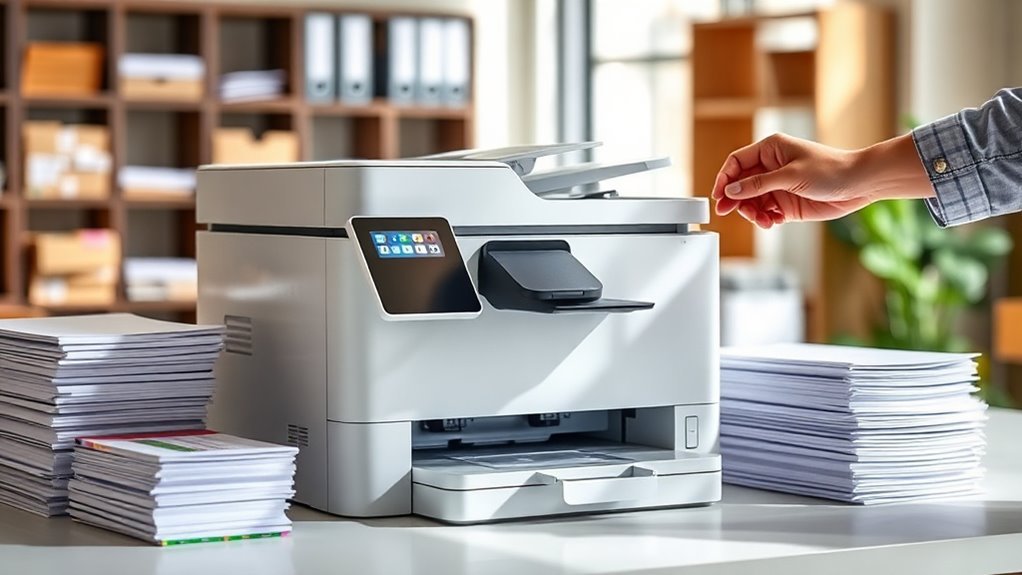
When choosing an all-in-one printer for high volume printing, you’ll want to focus on print speed and efficiency to keep up with your workload. Consider ink and toner costs, along with paper capacity and supported sizes, to avoid frequent interruptions.
Also, don’t forget to check connectivity options and device compatibility. It’s important to think about the printer’s durability and maintenance needs for smooth, long-term use.
Print Speed And Efficiency
Print speed plays an essential role if you handle large printing jobs regularly. Choosing a printer that can produce up to 70 pages per minute can dramatically boost your workflow efficiency.
You’ll also want to take into account the first-page output time—faster starts mean less waiting and smoother document processing. Automatic duplex printing is another time-saver, letting you print double-sided without manual intervention while cutting down on paper use.
Don’t overlook the monthly duty cycle, which shows how many pages a printer can handle each month. A higher duty cycle is vital for heavy workloads.
Finally, look for printers with advanced technologies like PrecisionCore or laser printing—they usually deliver faster speeds and greater efficiency than traditional inkjets. These are perfect for meeting your high-volume demands.
Ink And Toner Costs
Speed and efficiency mean little if ink and toner costs end up eating your budget. When choosing a high-volume all-in-one printer, focus on cost per page and ink system type.
Cartridge-free printers can slash your ink costs by up to 80%, while high-capacity ink tanks let you print thousands of pages per refill, often around 6,000 pages. Keep in mind, color printing usually costs about 15 cents per page compared to 5 cents for black-and-white.
Laser printers have pricier toner cartridges but offer high-yield options printing up to 18,000 pages, making them economical over time. Also, consider eco-friendly models that minimize cartridge waste, reducing disposal costs and environmental impact.
Balancing upfront costs with long-term savings is key to smart printer selection. It’s all about finding the right fit for your needs and budget.
Paper Capacity And Sizes
Paper capacity plays an essential role in minimizing interruptions during high-volume printing, letting you focus on your work without constantly refilling trays. Look for printers with large input trays, ranging from 100 to over 500 sheets, to handle extensive print jobs smoothly.
Consider the maximum paper size your printer supports; common sizes like letter (8.5 x 11 inches) and legal (8.5 x 14 inches) suit most tasks. But if you need versatility, a printer that handles tabloid (11 x 17 inches) or larger formats is ideal.
Automatic Document Feeders (ADF) with capacities of 35 to 70 sheets boost efficiency when scanning or copying multiple pages. Also, duplex printing helps reduce paper use by printing on both sides automatically, saving you money and resources.
Choose a printer compatible with various media types for greater flexibility. This way, you’re ready for whatever printing task comes your way.
Connectivity And Compatibility
When choosing an all-in-one printer for high-volume tasks, you’ll want to make sure it offers versatile connectivity options like USB, Ethernet, and Wi-Fi to fit seamlessly into your existing network. Look for dual-band Wi-Fi or Wi-Fi Direct features to guarantee stable, interference-free wireless connections, especially in busy environments.
Mobile printing is a must; verify compatibility with Apple AirPrint, Google Cloud Print, or manufacturer-specific apps so you can print directly from your smartphone or tablet. Also, confirm the printer supports multiple operating systems, including Windows, macOS, and Linux, to accommodate everyone’s devices.
Finally, check if it handles various media types and sizes and supports multiple paper trays to keep your high-volume printing efficient and hassle-free. It’s all about making sure your printer works smoothly with whatever you need.
Durability And Maintenance
Ensuring your all-in-one printer can withstand heavy use is just as important as its connectivity features. Choose models with fewer maintenance parts to cut downtime and reduce ongoing costs.
Look for printers using technologies like PrecisionCore Heat-Free, which boost durability and efficiency while lowering maintenance needs. Pay close attention to the monthly duty cycle; pick a printer designed for high-volume workloads to avoid premature wear.
Also, consider ink or toner longevity—high-yield cartridges or refillable tanks help extend time between replacements and save money. Finally, don’t overlook warranty and support options. A longer warranty and strong customer service give you peace of mind and help keep your printer running smoothly in demanding environments.
Security And User Controls
Because high-volume printing often involves sensitive information, you’ll want a printer with robust security and user controls to protect your data. Look for built-in features like PIN printing and secure code integrity validation to safeguard your documents during busy tasks.
Make sure the printer supports user access controls so administrators can set permissions and limit functions for different users. It’s really helpful to have that level of control to keep things running smoothly.
Consider models offering centralized management software, which lets you monitor and configure security settings across multiple devices easily. This way, managing your printers becomes much less of a hassle.
Also, evaluate printers with run-time intrusion detection to spot and address threats quickly. And don’t forget to choose devices providing extensive audit logs to track usage patterns and detect unauthorized access or unusual printing behavior.
These features keep your printing environment secure and efficient, giving you peace of mind while handling high-volume tasks.
Frequently Asked Questions
What Are the Environmental Impacts of High Volume Printers?
You’ll notice high volume printers consume lots of energy and produce significant waste from cartridges and paper.
They also emit ozone and volatile organic compounds, so choosing eco-friendly models and recycling supplies can help reduce your environmental impact.
It’s really worth considering these options if you want to be kinder to the planet while still getting your printing done.
How Do Printer Warranties Typically Handle High Usage?
You might be surprised—warranties usually cover high usage but with limits. They often exclude parts worn by heavy printing, so you’ll want extended coverage or a service plan.
This helps you avoid unexpected costs as your printing demands grow. It’s a smart move if you’re planning to print a lot.
Can These Printers Integrate With Mobile Printing Apps?
Yes, these printers usually integrate seamlessly with mobile printing apps, letting you print directly from your smartphone or tablet.
You’ll find compatibility with popular apps like Apple AirPrint, Google Cloud Print, and proprietary manufacturer apps for easy use.
It’s pretty convenient, making printing on the go super simple!
What Maintenance Routines Extend Printer Lifespan?
Like tending a garden, you should regularly clean print heads, update firmware, and replace cartridges timely.
Also, keep the printer dust-free. These routines help your printer work smoothly and last longer without unexpected breakdowns.
Are There Subscription Services for Ink or Toner Refills?
Yes, many brands offer subscription services for ink or toner refills. You’ll get automatic deliveries before you run out, saving time and money.
Plus, it ensures your printer stays ready for high-volume tasks without interruptions. It’s a pretty convenient way to keep things running smoothly!
Conclusion
When choosing your all-in-one printer for high volume printing, focus on speed, reliability, and cost-efficiency. Look for wireless connectivity, easy maintenance, and vibrant print quality.
Consider your specific needs, whether it’s color accuracy, volume capacity, or multifunction features. These factors will help you narrow down the best options.
By balancing speed, reliability, and cost, you’ll find a printer that works hard, saves you time, and fits your budget.
Remember, the right all-in-one printer doesn’t just print—it powers your productivity every day. Picking a high volume printer means investing in smooth wireless connectivity, hassle-free maintenance, and sharp, vibrant prints that meet your demands. When you prioritize these features, you’re not just buying a device—you’re boosting your workflow and getting the most value for your money. So, choose wisely and watch your productivity soar with the perfect all-in-one printer for high volume printing.