10 Best All-in-One Multifunction Laser Printers for 2027
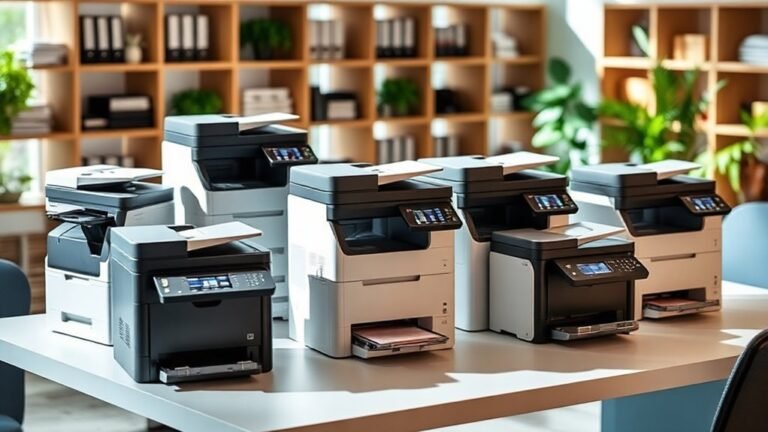
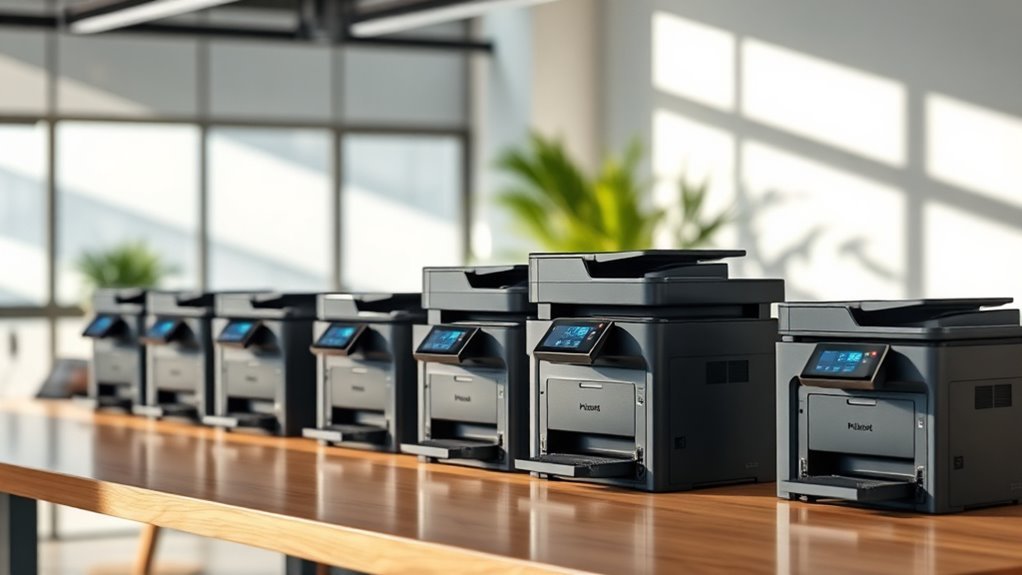
If you’re on the hunt for a reliable all-in-one multifunction laser printer for 2027, you’ve got plenty of great options to choose from. These printers are perfect for anyone needing fast, efficient printing with added features like scanning, copying, and faxing all in one device. Whether you want blazing monochrome speeds or vibrant color prints, there’s something tailored for your needs.
For instance, the Brother DCP-L2640DW is excellent for quick monochrome printing, while the Canon imageCLASS MF753Cdw II offers versatile color printing with duplex and expandable capacity. Need smart features? The Brother MFC-L3780CDW comes with voice control and NFC. And if you’re part of a small team looking for speed, HP’s LaserJet Pro 3105sdw delivers high-speed black-and-white prints.
These printers blend speed, connectivity, and energy efficiency, making them ideal for various workstyles. Keep reading to discover which model fits you best!
| Image | Name | Editor's Rating | Price |
|---|---|---|---|

|
|
||

|
|
||

|
|
||

|
|
||

|
|
Brother DCP-L2640DW Wireless Monochrome Printer
- BEST FOR SMALL BUSINESSES – Engineered for extraordinary productivity, the Brother DCP-L2640DW Monochrome (Black & White) 3-in-1 combines laser printer, scanner, copier...
- FAST PRINTER WITH EFFICIENT SCANNING – Produces documents quickly with print speeds up to 36 ppm(2) and scan speeds up to 23.6/7.9 ipm(3) (black/color). A 50-page auto...
- FLEXIBLE CONNECTION OPTIONS – Easily navigate the changing demands of your business with secure multi-device connectivity via built-in dual-band wireless (2.4GHz...
- BROTHER MOBILE CONNECT APP – Print, scan, and manage your wireless printer anytime, from almost anywhere from your mobile device. Order Brother Genuine Supplies, track...
- CHOOSE BROTHER GENUINE TONER – When it’s time to replace your toner, be sure to choose Brother Genuine TN830 or TN830XL replacement toner. And with Refresh EZ Print...

If you need a dependable printer that simplifies your workload, the Brother DCP-L2640DW delivers consistent performance for high-volume monochrome printing. This compact all-in-one device handles printing, copying, and scanning with speed and precision, helping you stay productive without interruptions.
Its design focuses on ease of use and efficiency. The 50-page automatic document feeder and 250-sheet paper tray reduce frequent refills, letting you manage large jobs effortlessly. Wireless dual-band connectivity makes it simple to print from multiple devices, whether in an office or home setting.
Maintenance is straightforward with eco-friendly features like automatic duplex printing and toner save mode that help cut waste and lower operating costs. Despite its power during peak use, the printer maintains ENERGY STAR and EPEAT Silver certifications, reflecting a balance between performance and environmental responsibility.
With these capabilities, the Brother DCP-L2640DW is a practical solution for users needing reliable, high-speed monochrome output combined with smart connectivity and minimal upkeep.
Best for: Small businesses and home offices requiring a compact, efficient monochrome all-in-one printer with wireless features and eco-conscious operation.
What We Like:
- Fast printing and copying speeds up to 36 pages per minute.
- Large capacity 50-page auto document feeder and 250-sheet paper tray.
- Dual-band wireless support with seamless mobile app control.
- Eco-friendly duplex and toner save modes.
- Compact design suitable for limited workspace.
Specification:
| Feature | Details |
|---|---|
| Manufacturer | Brother |
| Dimensions (W x D x H) | 16.1 x 14.0 x 7.2 inches (40.9 x 35.6 x 18.3 cm) |
| Weight | 14.3 lbs (6.5 kg) |
| Color Options | White |
| Connectivity | Wireless dual-band, USB |
Canon imageCLASS MF662Cdw Wireless Duplex Laser Printer
- Color, Wireless, Duplex 3-in-1: Print, scan, copy.
- Fast Print Speeds: Print up to 26 ppm in both color and monochrome and spend less time waiting with a quick first print time of approximately 10.3 seconds.
- Easy Wireless Setup: Setup your wireless connection and get up and running in just a few steps.
- 5-inch Color Touchscreen: Get the job done quickly with Application Library - an intuitive and easy to use customizable access to the features you use most.
- Mobile Device Printing: Print from your compatible mobile devices using the free Canon PRINT app, Apple AirPrint and Mopria Print Service.
The Canon imageCLASS MF662Cdw is designed to enhance productivity in small offices and hybrid workspaces. Its wireless duplex printing capability helps reduce paper use and streamlines document handling. This 3-in-1 laser printer handles printing, copying, and scanning with ease, meeting the demands of busy environments.
With print speeds reaching up to 26 ppm in both color and black-and-white, it keeps up with fast-paced workflows. The sharp 600 x 600 dpi resolution ensures clear text and images, suitable for everyday business needs. The intuitive 5-inch touchscreen offers customizable shortcuts, making frequent tasks faster and more efficient.
Maintenance is straightforward thanks to the 250-sheet main tray and multipurpose slot, which accommodate various paper sizes including legal documents. While the starter toner yields are modest, this printer is built for durability and energy efficiency. Its size and weight require a dedicated space but contribute to a stable and robust build.
Best for: Small offices and hybrid work environments needing reliable wireless duplex printing, copying, and scanning with user-friendly controls.
What We Like:
- Fast print speeds up to 26 ppm in color and black-and-white
- Easy-to-use 5-inch color touchscreen with customizable shortcuts
- Supports legal-size documents and automatic duplex printing
- Multiple connectivity options including Wi-Fi, Ethernet, and mobile printing
- Durable design with energy-efficient operation
Specification:
| Feature | Details |
|---|---|
| Manufacturer | Canon |
| Dimensions (W×D×H) | 16.8″ × 18.2″ × 15.7″ |
| Weight | 55.1 lb (25 kg) |
| Print Resolution | 600 x 600 dpi |
| Print Speed | Up to 26 ppm |
| Connectivity | Wi-Fi, Ethernet, USB |
| Screen | 5-inch color touchscreen |
Canon Color imageCLASS MF753Cdw II – All-in-One Color Duplex Laser Printer
- Color, Wireless, Duplex 4-in-1: Print, scan, copy, fax.
Experience vibrant, professional-quality color printing that keeps your small office or hybrid workspace running smoothly. The Canon Color imageCLASS MF753Cdw II combines printing, scanning, copying, and faxing in one reliable device. It handles up to 35 pages per minute, so you can complete tasks quickly without sacrificing sharp detail.
This all-in-one laser printer features duplex automatic printing and a 50-sheet duplex ADF, making double-sided jobs faster and easier. Its flexible connectivity options—including Ethernet, USB, Wi-Fi, and mobile printing—allow seamless integration into your office setup. The 5-inch customizable touchscreen simplifies operation, helping you manage tasks efficiently.
Maintenance is straightforward with a 250-sheet paper capacity that can expand using an optional cassette. While the printer is relatively heavy at 50 lb and has only one USB port, its compact design fits well into busy workspaces. Energy Star certification ensures it runs efficiently, minimizing power consumption.
With its blend of speed, functionality, and versatile connectivity, this device supports busy teams needing dependable all-in-one color printing with duplex capabilities.
Best for: Small offices, home offices, and hybrid work environments needing a versatile, fast color laser printer with duplex features.
What We Like:
- Fast printing up to 35 ppm with clear 1200 x 1200 dpi resolution
- Efficient duplex printing with 50-sheet automatic document feeder
- Multiple connectivity options including Ethernet, Wi-Fi, and mobile print support
- User-friendly 5-inch customizable touchscreen
- Energy Star certified for energy efficiency
Specification:
| Feature | Details |
|---|---|
| Manufacturer | Canon |
| Dimensions | Not specified |
| Weight | 50 lb (22.7 kg) |
| Color Options | Not specified |
| Paper Capacity | 250 sheets (expandable) |
Brother MFC-L3780CDW Wireless Digital Color All-in-One Printer
- Best for Small Businesses: The Brother MFC L3780CDW small business printer is a wireless multi-function digital color printer with copy, scan, and fax functionalities...
- AMPLIFY YOUR PROFESSIONAL DOCUMENTS. This Brother laser printer provides the consistent performance of laser-quality digital color printing
- MAXIMIZE EFFICIENCY WITH ALL-IN-ONE FUNCTIONALITY. This Brother all in one printer has print speeds up to 31 ppm(1) and scan speeds up to 29/22 ipm(2) (black/color) with...
- RELIABLE RESULTS WITH BROTHER GENUINE TONER. Choose Brother Genuine TN229 Standard Yield, TN229XL High Yield, or TN229XXL Super High Yield for your Brother printer...
- Flexible Connection Options: Brother laser color printer has built-in dual band wireless (2.4GHz / 5GHz)(5), Gigabit Ethernet, and Wi-Fi Direct connections, plus a USB...
The Brother MFC-L3780CDW is designed to meet the demands of small businesses and home offices. It combines printing, copying, scanning, and faxing into one efficient device. This all-in-one color laser printer delivers sharp, smudge-free documents quickly, helping you maintain productivity without sacrificing quality.
Its intuitive 3.5″ touchscreen makes operation straightforward, reducing time spent on setup and adjustments. The printer supports multiple media types and sizes, adapting to various tasks and projects with ease. Automatic duplex printing saves paper while enhancing workflow efficiency.
Connectivity options include dual-band wireless, Ethernet, Wi-Fi Direct, and NFC, ensuring seamless integration into your existing network. Voice control with Alexa adds convenience, allowing hands-free commands. Maintenance is simplified thanks to energy-saving modes that help reduce toner use and power consumption.
Though the unit is relatively large and weighs nearly 48 pounds, its robust build supports heavy-duty use. Some setup steps require compatible apps, which may pose challenges for users unfamiliar with network configurations.
Best for: Small businesses and home office users who need a fast, versatile, and secure all-in-one color laser printer with wireless connectivity and professional-quality output.
What We Like:
- Fast printing and copying at up to 31 pages per minute with crisp color quality
- Multiple connectivity options including dual-band Wi-Fi, Ethernet, NFC, and Alexa voice control
- Eco-friendly features like ENERGY STAR compliance, Eco Mode, and automatic duplex printing
- Responsive 3.5″ touchscreen for easy navigation and control
Specification:
| Feature | Details |
|---|---|
| Manufacturer | Brother |
| Dimensions (W×D×H) | 18.2″ × 16.1″ × 15.8″ (46.2 × 40.9 × 40.1 cm) |
| Weight | 47.8 lb (21.7 kg) |
| Color Options | White with black accents |
| Connectivity | Dual-band Wi-Fi, Ethernet, Wi-Fi Direct, NFC, Alexa voice control |
HP LaserJet Pro 3105sdw Monochrome Laser Printer | All-in-One
No products found.
The HP LaserJet Pro 3105sdw delivers fast, dependable monochrome printing designed to keep small teams productive. Its ability to print up to 33 pages per minute with sharp 1200 x 1200 dpi resolution helps reduce wait times and improve workflow. Automatic duplex printing saves paper and supports eco-friendly office practices.
This all-in-one printer combines printing, scanning, copying, and faxing in a compact design that fits well in limited spaces. Connectivity is flexible, allowing users to print via Wi-Fi, Ethernet, USB, or directly from mobile devices using AirPrint or Mopria. These options simplify sharing and collaboration across the office.
Maintenance is straightforward but requires original HP toner cartridges with chip authentication, which ensures print quality but may increase running costs. The 250-sheet tray capacity suits moderate workloads but may need frequent refilling in busy environments.
Built-in AI features streamline scanning and printing tasks, improving efficiency and reducing manual effort. Security is enhanced with HP Wolf Pro Security, safeguarding sensitive data and protecting the network from threats.
Best for: Small to medium business teams needing reliable, high-speed black-and-white printing with integrated multifunction capabilities.
What We Like:
- Fast print speed with professional-quality resolution
- Multiple connectivity options for seamless office integration
- AI-enhanced scanning and printing efficiency
- Automatic duplex printing for paper savings
- Robust security features to protect data
Specification:
| Feature | Details |
|---|---|
| Manufacturer | HP |
| Dimensions | Not specified |
| Weight | Not specified |
| Color Options | Monochrome (Black and White) |
| Connectivity | Wi-Fi, Ethernet, USB, AirPrint, Mopria |
| Print Speed | Up to 33 pages per minute |
| Print Resolution | 1200 x 1200 dpi |
| Tray Capacity | 250 sheets |
Xerox C245 Wireless Color All-in-One Printer – Amazon Exclusive – 3 in 1
- AMAZON EXCLUSIVE & COMPACT MULTIFUNCTION DESIGN: This full-featured Xerox color MFP fits neatly on small desks, packing Print, Scan, and Copy functionality into a compact...
- VIBRANT PRINT QUALITY: Produce sharp text and brilliant color graphics. Ensure your business documents, presentations, and reports look professional and impressive every...
- WIRELESS & MOBILE PRINTING: Stay connected with dual-band Wi-Fi, Apple AirPrint, and Mopria. Effortlessly print and scan from your laptop, smartphone, or tablet from...
- EASY SMARTPHONE SETUP: Get printing in minutes. Use the Xerox Easy Assist App for a simplified, guided installation that eliminates complex manuals and traditional driver...
- 3-IN-1 VERSATILITY: Maximize productivity with 26ppm printing, scanning, and copying. The 50-sheet document feeder ensures efficient document handling for real estate...
The Xerox C245 Wireless Color All-in-One Printer delivers reliable performance for home professionals and hybrid teams. Its compact design fits easily into busy workspaces while providing fast, high-quality prints. With a speed of 26 pages per minute and sharp details up to 2400 x 600 dpi, it ensures your documents look professional every time.
This versatile 3-in-1 device handles printing, scanning, and copying with ease. It supports duplex printing and various media types, so you can manage envelopes, glossy photo paper, and more without hassle. Setup is straightforward thanks to Wi-Fi, Ethernet, and the Xerox Easy Assist App, making it simple to integrate into your workflow.
Maintenance is designed to be efficient, though the 50-sheet paper feeder may require frequent refills during heavy use. The printer’s weight of 42.8 pounds offers stability but could be less convenient if you need to move it often. Power consumption is moderate, which balances performance with energy use.
Overall, this printer improves productivity by combining essential functions in a space-saving unit. Its Amazon exclusivity and intuitive touchscreen add to its appeal for busy remote and home offices.
Best for: Home professionals and hybrid teams seeking a compact, all-in-one printer for dependable color and black-and-white document handling.
What We Like:
- Fast printing with high-resolution output for clear, detailed documents
- Supports automatic duplex printing and diverse media types
- Easy network setup via dual-band Wi-Fi, Ethernet, and user-friendly app
- Energy-efficient features with optional high-yield toner for cost savings
Specification:
| Feature | Details |
|---|---|
| Manufacturer | Xerox |
| Dimensions | Not specified |
| Weight | 42.8 lb (19.4 kg) |
| Color Options | Not specified |
| Print Speed | 26 pages per minute |
| Print Resolution | Up to 2400 x 600 dpi |
| Paper Capacity | 50 sheets |
HP Color LaserJet Pro 3304fdw | Color Laser Printer | Wireless | All-in-One

- FROM AMERICA'S MOST TRUSTED PRINTER BRAND – Perfect for office teams creating professional-quality color documents and reports. Auto 2-sided printing/scanning, auto...
- SIMPLIFY SCAN TO EMAIL – Save time when scanning documents to email. HP AI automatically generates smart subject lines, file names, and actionable summaries to...
- BLAZING FAST COLOR – Up to 26 color pages per minute, with sharp details and incredible color
- STAYS CONNECTED – Reliable Wi-Fi automatically reconnects to stay online and ready to print
- PROTECTS YOUR DATA – Includes HP Wolf Pro Security with customizable settings so your printer and information are always secure
Experience efficient color printing tailored for small office teams with the HP Color LaserJet Pro 3304fdw. This all-in-one device streamlines your workflow by delivering professional-quality color documents quickly and reliably. It tackles the challenge of slow printing and scanning, helping your team stay productive without delays.
With print speeds up to 26 pages per minute and automatic two-sided printing, it reduces waiting time and paper waste. The integrated auto document feeder makes scanning, copying, and faxing seamless, saving you valuable time on routine tasks. Mobile connectivity through the HP app lets you manage print jobs conveniently from your smartphone.
Maintenance is straightforward but requires original HP cartridges with embedded chips to function properly. Firmware updates enhance security with HP Wolf Pro Security but may limit compatibility with non-HP cartridges. This printer is designed to protect sensitive data while ensuring smooth operation for smaller teams.
Its compact design fits well in smaller office environments, supporting up to seven users efficiently. The AI-powered scanning features improve document management by creating smart subject lines and summaries, reducing manual effort.
Best for: Office teams of up to seven people who need fast, professional-quality color printing with reliable wireless and mobile connectivity.
What We Like:
- Quick color printing up to 26 pages per minute with auto duplex.
- AI-enhanced scanning for smart subject lines and summaries.
- Robust security with HP Wolf Pro Security and regular firmware updates.
- Convenient mobile printing and task management via the HP app.
Specification:
| Feature | Details |
|---|---|
| Manufacturer | HP |
| Model | Color LaserJet Pro 3304fdw |
| Type | Color Laser Printer, All-in-One |
| Print Speed | Up to 26 pages per minute |
| Connectivity | Wireless, Mobile App compatible |
| Security | HP Wolf Pro Security |
| Cartridge Requirement | Original HP cartridges only |
| Intended Users | Small office teams (up to 7) |
HP LaserJet MFP M235sdw | Monochrome | Laser Printer | All-in-One | Duplex

- FROM AMERICA'S MOST TRUSTED PRINTER BRAND – Perfect for offices printing, scanning and copying black & white brochures, business documents and presentations. Perfect...
- FASTEST TWO-SIDED PRINTING IN ITS CLASS – Up to 28 black-and-white pages per minute single-sided. Quickly finish multipage print projects with the fastest in-class...
- DUAL-BAND WI-FI WITH SELF-RESET – Automatically detects and resolves connectivity issues
- STRONG SECURITY – Built-in security features help protect your printer from potential attacks
- PRINT FROM ANY DEVICE – Wireless printing from any mobile device, PC or tablet. Ethernet included. Works with Microsoft, Mac, AirPrint, Android, Chromebook and more.
The HP LaserJet MFP M235sdw is designed to meet the needs of small offices and home workspaces. It simplifies everyday tasks by combining printing, copying, and scanning into one compact device. With sharp monochrome output, it delivers clear documents quickly, helping you stay productive.
This all-in-one printer features automatic duplex printing, which reduces paper use and cuts costs. The built-in automatic document feeder speeds up multi-page jobs, making it easier to handle busy workloads. Its energy-efficient design includes Auto-On/Auto-Off technology, which helps save power without extra effort.
Connectivity options are versatile to fit various setups. Dual-band Wi-Fi with self-reset keeps you online, while Ethernet and USB connections provide reliable alternatives. Mobile printing through the HP app allows convenient access from smartphones and tablets, enhancing flexibility.
Maintenance is straightforward thanks to the device’s compact design and efficient paper handling. Although it’s limited to monochrome printing and holds up to 150 sheets, it balances functionality and space-saving for small-scale environments.
Best for: Small offices and home users needing efficient black-and-white printing, copying, and scanning with duplex printing and reliable connectivity.
What We Like:
- Fast printing up to 28 pages per minute with automatic duplex functionality
- Multiple connectivity options including dual-band Wi-Fi, Ethernet, USB, and mobile printing
- Compact footprint with energy-saving features and automatic document feeder
- Easy maintenance and paper handling designed for small office workflows
Specification:
| Feature | Details |
|---|---|
| Manufacturer | HP |
| Dimensions | Compact size (exact not provided) |
| Weight | Not specified |
| Color Options | Monochrome (black and white) |
| Printer Type | Laser, All-in-One |
| Connectivity | Dual-band Wi-Fi, Ethernet, USB |
| Duplex Printing | Automatic duplex |
Brother MFC-L8930CDW Color Laser All-in-One Printer

- Updated design, professional results. High-quality output with sharp color and black printing. Fast print and copy speeds up to 33ppm(1) help boost productivity. Reliable...
- Maximize printing budgets. Offers built-in value with included Brother Genuine 3,000-page black and 1,800-page color standard yield toner cartridges. Help lower printing...
- Advanced scanning. High-speed, two-sided scanning up to 104ipm(3) with 80-page auto document feeder(4) and legal-size glass. Scan to cloud, email, SharePoint, and more...
- Productivity-enhancing features. Flexible connectivity, including built-in dual-band (2.4GHz / 5GHz) wireless networking and Gigabit Ethernet networking. 7” color...
- Triple Layer Security. Advanced security features to help keep devices secure, protect documents in transit to and from print devices, and safeguard networks. Includes an...
Boost productivity with the Brother MFC-L8930CDW, designed to handle busy office demands with ease. This color laser all-in-one printer delivers sharp, professional-quality prints at speeds up to 33 pages per minute. Duplex printing helps reduce paper waste, making your workflow more efficient and eco-friendly.
Its intuitive 7-inch touchscreen simplifies scanning and printing tasks. You can scan directly to cloud services or create editable Office documents, enabling quick file sharing and collaboration. The compact design fits well in constrained office spaces without sacrificing functionality.
Maintenance is straightforward thanks to high-yield toner options that lower running costs and reduce the frequency of replacements. The multipurpose tray accommodates various paper types, allowing for versatile media handling. Built-in security features protect sensitive information, ensuring safe operation in shared environments.
While the touchscreen may take some getting used to, and standard toners need more frequent replacement in high-volume settings, this all-in-one strikes a good balance between performance and convenience. Its slightly larger footprint compared to single-function printers is offset by its multifunction capabilities.
Best for: busy offices and professionals who require fast, high-quality color printing, scanning, and cost-effective operation in a compact multifunction device.
What We Like:
- Fast print and scan speeds with duplex printing to save time and paper
- User-friendly 7″ touchscreen with direct cloud access and editable document creation
- High-yield toner options reduce maintenance frequency and costs
- Strong security features protect sensitive data in shared workspaces
- Compact design fits well in limited office spaces
Specification:
| Feature | Details |
|---|---|
| Manufacturer | Brother |
| Dimensions | Approx. 17.3 x 19.1 x 16.1 in (44 x 48.5 x 41 cm) |
| Weight | Approx. 38.6 lb (17.5 kg) |
| Device Type | Color Laser All-in-One Printer |
| Touchscreen Size | 7 inches |
| Print Speed | Up to 33 ppm |
HP Color LaserJet Pro MFP 4301fdw | Color Printer | Wireless | All-in-One

- EVERYTHING SMALL TEAMS NEED – Print, scan and copy professional-quality color documents and reports plus fax. Auto 2-sided printing and auto document feeder for fast...
- BLAZING FAST COLOR – Up to 35 color pages per minute, with sharp details and incredible color
- STAYS CONNECTED – Intelligent Wi-Fi looks for the best connection to stay online and ready to print
- PROTECTS YOUR DATA – Includes HP Wolf Pro Security with customizable settings so your printer and information are always secure
- PRINT FROM ANY DEVICE – Wireless printing from any mobile device, PC or tablet. Ethernet and Bluetooth included. Works with Microsoft, Mac, AirPrint, Android...
The HP Color LaserJet Pro MFP 4301fdw delivers efficient and reliable printing for small teams and home offices. Its fast print speeds of up to 35 pages per minute in black and white, and 33 in color, help keep your workflow smooth. Automatic duplex printing reduces paper waste and saves time on double-sided documents.
This all-in-one device goes beyond printing by handling scanning, copying, and faxing with ease. Its versatile connectivity options, including Ethernet, USB, Wi-Fi, and Bluetooth, allow seamless mobile printing from various devices. The 300-sheet capacity with two trays supports different media types like envelopes and glossy photo paper to meet diverse office needs.
Maintenance is straightforward with original HP cartridges designed for optimal performance and security. HP Wolf Pro Security safeguards your data, providing peace of mind for sensitive information. While the printer’s 45-pound weight means it requires a dedicated space, it remains a solid choice for offices with up to 10 users.
Best for: Small teams or home offices needing a fast, secure, and multifunctional color laser printer.
What We Like:
- Fast print speeds with automatic duplexing
- Multiple connectivity options including mobile support
- All-in-one functionality: print, scan, copy, fax
- Strong security features with HP Wolf Pro Security
- Large paper capacity supporting various media types
Specification:
| Feature | Details |
|---|---|
| Manufacturer | HP |
| Dimensions | Not specified |
| Weight | 45 lb (20.4 kg) |
| Connectivity | Ethernet, USB, Wi-Fi, Bluetooth |
| Paper Capacity | 300 sheets (two trays) |
| Max Media Size | 8.5 x 14 inches (legal size) |
| Security | HP Wolf Pro Security |
Factors to Consider When Choosing an All in One Multifunction Laser Printer
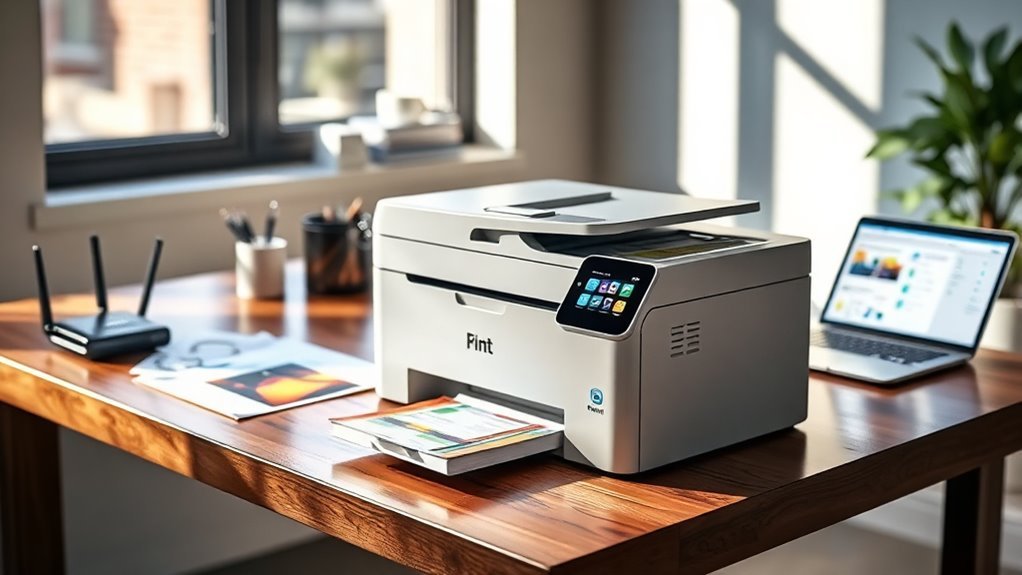
When picking an all-in-one multifunction laser printer, you’ll want to focus on print speed and quality to match your workload. It’s important to find a printer that can keep up without compromising on the output.
Check the connectivity options and paper handling capacity to guarantee smooth operation. You don’t want to get stuck with limited features that slow you down.
Don’t forget to factor in consumables, costs, and energy efficiency to keep things affordable and eco-friendly. These details add up over time, so choosing wisely pays off in the long run.
Print Speed And Quality
Print speed and quality often determine how well an all-in-one laser printer fits your workflow. You should check rated print speeds in pages per minute (ppm) for both color and monochrome prints—higher ppm means faster turnaround and handling heavier volumes.
Don’t overlook the first-page-out time; quicker starts boost efficiency, especially for small, frequent jobs. Assess maximum print resolution (dpi) and color depth to guarantee sharp text and accurate graphics.
Also, consider duplex printing and the printer’s monthly duty cycle, as these impact real-world speed and reliability. Keep in mind, quoted speeds usually reflect ideal conditions—expect slower output with duplexing, high-quality modes, or complex color jobs.
Balancing speed and quality helps you pick a printer that meets your daily demands without compromise.
Connectivity Options Available
Choosing the right connectivity options guarantees your all-in-one laser printer integrates smoothly into your workspace. Look for dual-band Wi-Fi (2.4 GHz and 5 GHz) to secure reliable wireless performance, especially in busy environments.
You’ll want Ethernet support, preferably Gigabit, for fast, stable wired connections and easy sharing among multiple users. Check if the printer offers Wi-Fi Direct and supports mobile protocols like AirPrint or Mopria. This way, you can print directly from smartphones and tablets without relying on a network.
Don’t forget USB ports for direct, secure local printing and scanning. For added convenience and security, consider models with NFC, Bluetooth, or network card readers. These features simplify mobile pairing and enable badge authentication for controlled access.
Paper Handling Capacity
Reliable connectivity sets the stage for smooth printer operation, but managing your paper supply effectively keeps your workflow uninterrupted. Start by checking the standard input tray capacity—aim for at least 250 sheets if you print large batches to cut down on refills.
Don’t overlook a multipurpose or bypass tray; it lets you handle specialty media like envelopes or labels without stopping your main print job. An automatic document feeder (ADF) with a 50-sheet capacity or more is essential if you scan or copy multi-page documents frequently, saving time and effort.
Also, consider the output tray’s size—120 to 250 sheets helps prevent overflow during big jobs. For high-volume needs, look for models that support paper cassette expansion up to 1,000 sheets or more, ensuring continuous operation with less daily maintenance.
Consumables And Costs
When you break down the costs of running an all-in-one laser printer, consumables play a huge role in your budget. Start by comparing toner cartridge yields and their cost per page to estimate ongoing expenses.
Don’t forget to factor in drum or imaging unit replacements. Many models require these after several toner cycles, which adds to your costs.
Beyond toner, consider other consumables like transfer belts, fusers, and maintenance kits. These also impact total ownership costs.
Check if the printer enforces manufacturer-authenticated cartridges through firmware. This can block cheaper third-party options, so keep that in mind.
Finally, evaluate subscription or automatic-replenishment plans versus pay-as-you-go purchasing. This helps you find the most economical choice based on your printing volume.
Doing this kind of careful analysis really helps you control long-term costs effectively.
Energy Efficiency Standards
Managing consumable costs is just one part of owning an all-in-one laser printer; energy efficiency also plays a significant role in your overall expenses and environmental impact. Start by choosing a model with ENERGY STAR certification, ensuring it meets strict EPA energy-saving standards during both active use and idle times.
Look for automatic sleep modes and low-power idle settings that cut standby energy to just a few watts. Automatic duplex printing not only saves paper but reduces your environmental footprint.
You should also consider the EPEAT rating—Bronze, Silver, or Gold—to gauge broader sustainability aspects like material use and recyclability. Finally, compare typical and maximum power draws, plus watts-per-page or ECO mode stats, to estimate ongoing electricity costs and select the most efficient printer for your needs.
Device Size And Weight
Choosing the right all-in-one multifunction laser printer means paying close attention to its size and weight. First, measure your available desk or shelf space and compare it to the printer’s footprint and height to guarantee a comfortable fit. Make sure to leave room for paper trays and easy scanner lid access.
Also, consider the device’s weight, especially if it’s 40+ pounds. You might need a sturdy stand or some help moving it during setup.
Don’t forget clearance for paper loading and consumable replacement. Allow extra space so trays and the automatic document feeder open fully.
If you plan to move the printer frequently, go for compact, lighter models or use furniture with casters. Larger units with multiple trays and finishers weigh more and take up more space. So, match the size to your paper handling needs.
Frequently Asked Questions
How Do I Properly Recycle Toner Cartridges?
You should remove the toner cartridge carefully. Place it in the original packaging or a sealed bag.
Then, take it to a recycling center or use a manufacturer’s mail-back program. This way, you guarantee it’s properly recycled without harming the environment.
Can These Printers Connect to Smart Home Devices?
Yes, many multifunction laser printers connect to smart home devices. You can easily print, scan, or manage settings via voice assistants like Alexa or Google Assistant. This makes your workflow smoother and more integrated with your smart home setup.
It’s super convenient to just use your voice instead of fumbling with buttons or apps. Plus, it helps keep everything connected and running seamlessly at home.
What Is the Average Energy Consumption for These Printers?
You’ll find these printers typically consume around 300 watts while printing and drop to about 5 watts in standby mode.
That means you can save energy by using sleep mode when you’re not actively printing. It’s a simple way to cut down on power use without much effort.
Are There Any Subscription Services for Toner Replacement?
Yes, many printers offer subscription services like HP’s Instant Ink or Brother’s Refresh. You’ll get automatic toner replacements before running out, saving time and ensuring you never face unexpected printing interruptions.
It’s super convenient because you don’t have to remember to order toner yourself. Plus, it helps you avoid those annoying moments when your printer runs out right in the middle of a job.
How Do I Troubleshoot Common Paper Jam Issues?
Got a paper jam again? First, turn off your printer and gently remove stuck paper without tearing it.
Check for small scraps inside. Clean rollers if needed.
Don’t forget to realign the paper tray properly before restarting.
It’s usually a quick fix once you know what to look for!
Conclusion
Choosing the perfect all-in-one multifunction laser printer can feel like searching for a needle in a haystack, but it doesn’t have to be that way. With options like Brother, Canon, and HP, you’re sure to find a powerhouse that fits your needs and budget.
Whether you want speed, color, or wireless convenience, one of these top printers will transform your workspace into the ultimate productivity hub. Don’t settle—grab the best!
Finding the best all-in-one multifunction laser printer for 2027 means looking at features that really matter: fast printing speeds, crisp color output, reliable wireless connectivity, and user-friendly interfaces. These printers are designed to boost efficiency and handle all your printing, scanning, copying, and faxing needs in one sleek package.
So, if you want to upgrade your home office or business setup, choosing a multifunction laser printer that balances performance, quality, and cost is key. With the right model, you’ll enjoy seamless printing and a clutter-free workspace all year long.