13 Best All in One Color Laser Printers for 2027 Reviewed
If you need a fast, reliable all-in-one color laser printer, models like the Canon imageCLASS MF753Cdw II and Brother MFC-L8930CDW are excellent choices. They deliver sharp prints at speeds up to 35 ppm, plus they come with handy duplex and wireless features.
HP’s Color LaserJet Pro 3304fdw stands out with solid security options, making it a great pick for protecting your documents. Meanwhile, Canon’s MF662Cdw offers great value for moderate workloads without compromising quality.
When choosing the right all-in-one color laser printer, consider your speed needs, connectivity options, and running costs carefully. Picking the best model can really streamline your workflow and keep your office running efficiently. Take a look at the top picks to find the perfect fit for your printing needs.
| Image | Name | Editor's Rating | Price |
|---|---|---|---|

|
|
||

|
|
||

|
|
||

|
|
||

|
|
Canon imageCLASS MF662Cdw Wireless Duplex Laser Printer
- Color, Wireless, Duplex 3-in-1: Print, scan, copy.
- Fast Print Speeds: Print up to 26 ppm in both color and monochrome and spend less time waiting with a quick first print time of approximately 10.3 seconds.
- Easy Wireless Setup: Setup your wireless connection and get up and running in just a few steps.
- 5-inch Color Touchscreen: Get the job done quickly with Application Library - an intuitive and easy to use customizable access to the features you use most.
- Mobile Device Printing: Print from your compatible mobile devices using the free Canon PRINT app, Apple AirPrint and Mopria Print Service.

Experience streamlined productivity with the Canon imageCLASS MF662Cdw, a versatile all-in-one color laser printer designed for small offices and hybrid work environments. It delivers sharp black-and-white and vibrant color prints at a steady pace of up to 26 pages per minute, helping you handle daily tasks efficiently.
The device features automatic duplex printing, reducing paper use and saving time on double-sided documents. Its intuitive 5-inch color touchscreen offers customizable shortcuts, making navigation and operation quick and straightforward. Connectivity is flexible, supporting Wi-Fi, Ethernet, USB, and mobile printing through Canon PRINT, AirPrint, and Mopria, so you can print effortlessly from various devices.
Maintenance requires attention to toner levels, as the starter cartridges yield 500 pages for color and 700 for black, which may necessitate frequent replacements initially. The printer’s size and weight (55.1 lb) should be considered for limited workspace setups. While the 600 x 600 dpi resolution ensures clear output, it may not meet the needs of users requiring ultra-high print quality.
Overall, the Canon imageCLASS MF662Cdw combines speed, convenience, and connectivity to support the demands of busy workspaces.
Best for: Small or home offices and hybrid work environments needing a reliable, fast, and versatile color laser all-in-one printer with wireless and mobile printing capabilities.
What We Like:
- Fast print speed of up to 26 ppm with automatic duplexing
- Easy-to-use 5-inch touchscreen with customizable shortcuts
- Multiple connectivity options including Wi-Fi and mobile printing apps
Specification:
| Feature | Details |
|---|---|
| Manufacturer | Canon |
| Dimensions | Not specified |
| Weight | 55.1 lb (25 kg) |
| Color Options | Not specified |
| Print Resolution | 600 x 600 dpi |
Canon Color imageCLASS MF753Cdw II – All-in-One Color Duplex Laser Printer
- Color, Wireless, Duplex 4-in-1: Print, scan, copy, fax.
The Canon Color imageCLASS MF753Cdw II is designed to simplify office tasks and boost productivity in small or home offices. It delivers fast, high-quality color and duplex printing, helping you handle documents efficiently without sacrificing clarity. The sharp 1200 x 1200 dpi resolution ensures crisp printouts, whether color or black and white.
This all-in-one printer also scans, copies, and faxes, reducing the need for multiple devices. Its automatic duplex ADF with a 50-sheet capacity saves time by handling double-sided documents effortlessly. Paper capacity can be expanded up to 850 sheets, minimizing interruptions for refills.
Connecting is easy with Wi-Fi, Ethernet, and USB options, plus mobile printing via the Canon PRINT app. The 5-inch customizable touchscreen interface makes navigating functions quick and intuitive. While it weighs around 50 pounds, making it less portable, this printer is built for consistent, reliable use.
Maintenance requires replacing toner cartridges periodically, as starter toner yields are moderate. The single USB port limits simultaneous wired connections but suits typical home or small office setups well.
Best for: Small and home office users seeking a fast, reliable all-in-one color laser printer with duplex capabilities and versatile connectivity options.
What We Like:
- Fast print speed up to 35 ppm with sharp 1200 x 1200 dpi resolution
- Automatic duplex ADF with 50-sheet capacity and expandable paper trays
- Multiple connectivity options including Wi-Fi, Ethernet, USB, and mobile printing
- Intuitive 5-inch customizable touchscreen interface
Specification:
| Feature | Details |
|---|---|
| Manufacturer | Canon |
| Dimensions (W x D x H) | 16.5 x 17.1 x 18.5 inches |
| Weight | 50 lbs (22.7 kg) |
| Color Options | White with gray accents |
| Print Speed | Up to 35 pages per minute |
| Print Resolution | 1200 x 1200 dpi |
| Connectivity | Wi-Fi, Ethernet, USB, Mobile |
| Duplex Printing | Automatic |
| ADF Capacity | 50 sheets |
Canon Color imageCLASS MF665Cdw – Wireless, All-in-One Duplex Laser Printer
- Color, Wireless, Duplex 4-in-1: Print, scan, copy, fax.
- Fast Print Speeds: Print up to 26 ppm in both color and monochrome and spend less time waiting with a quick first print time of approximately 10.3 seconds.
- Easy Wireless Setup: Setup your wireless connection and get up and running in just a few steps.
- 5-inch Color Touchscreen: Get the job done quickly with Application Library - an intuitive and easy to use customizable access to the features you use most.
- Mobile Device Printing: Print from your compatible mobile devices using the free Canon PRINT app, Apple AirPrint and Mopria Print Service.
The Canon Color imageCLASS MF665Cdw transforms your small office or home workspace with its versatile all-in-one capabilities. It combines fast, reliable color printing with scanning, copying, and faxing to streamline your daily tasks. This wireless duplex laser printer tackles high-volume jobs efficiently, helping you save time and reduce hassle.
With print speeds of up to 26 pages per minute, it delivers sharp color and monochrome output quickly. Its automatic two-sided printing and 50-sheet duplex ADF handle multi-page documents smoothly, cutting down manual work. The 5-inch touchscreen and mobile printing options simplify control, so you can manage jobs on the go.
Maintenance is straightforward thanks to a large 250-sheet cassette and high-capacity toner, which minimize interruptions. While laser printers may have a higher initial cost than inkjets, this model’s robust design suits busy environments. Keep in mind that fax features might be less used in many offices, and wireless setups may require occasional troubleshooting.
Best for: Small offices and home workspaces needing fast, reliable color printing with versatile all-in-one functions.
What We Like:
- Quick print speed up to 26 ppm with automatic duplex and 50-sheet duplex ADF
- Intuitive 5-inch color touchscreen and mobile printing support
- Large 250-sheet paper capacity and high-yield toner cut downtime
Specification:
| Feature | Details |
|---|---|
| Manufacturer | Canon |
| Dimensions (W×D×H) | 17.5 × 19.7 × 18 inches |
| Weight | 42.6 lbs (19.3 kg) |
| Printer Type | Wireless All-in-One Duplex Laser |
| Touchscreen | 5-inch color touchscreen |
| Paper Capacity | 250-sheet cassette + 50-sheet duplex ADF |
HP Color LaserJet Pro 3304fdw | Color Laser Printer | Wireless | All-in-One
- FROM AMERICA'S MOST TRUSTED PRINTER BRAND – Perfect for office teams creating professional-quality color documents and reports. Auto 2-sided printing/scanning, auto...
- SIMPLIFY SCAN TO EMAIL – Save time when scanning documents to email. HP AI automatically generates smart subject lines, file names, and actionable summaries to...
- BLAZING FAST COLOR – Up to 26 color pages per minute, with sharp details and incredible color
- STAYS CONNECTED – Reliable Wi-Fi automatically reconnects to stay online and ready to print
- PROTECTS YOUR DATA – Includes HP Wolf Pro Security with customizable settings so your printer and information are always secure
The HP Color LaserJet Pro 3304fdw transforms office productivity by combining printing, scanning, copying, and faxing into one compact device. Designed for small to medium businesses, it supports seamless multi-user access, allowing up to seven users to work efficiently without interruptions. Its wireless connectivity simplifies setup and reduces cable clutter, making it perfect for modern workspaces.
This all-in-one printer addresses common office workflow challenges with auto duplex printing and a 250-sheet input capacity, minimizing the need for frequent paper refills. Printing at speeds up to 26 pages per minute, it delivers sharp, colorful documents at 600 x 600 dpi resolution, ensuring professional-quality output every time.
Maintenance is straightforward with intuitive controls and the HP app, which enables printing and scanning directly from smartphones. Built-in security features, including HP Wolf Pro Security, help safeguard sensitive business information, giving users peace of mind.
However, it supports media sizes up to 8.5 x 11.7 inches, which might limit large-format needs. Additionally, its power consumption is relatively high, and firmware updates may restrict use of third-party cartridges, potentially affecting operating costs.
Best for: Small to medium businesses and teams needing a reliable, versatile all-in-one color laser printer with wireless connectivity and enhanced security.
What We Like:
- Fast print speeds with vibrant color quality
- Multi-functionality including scanning, copying, faxing, and duplex printing
- Wireless setup and mobile device integration
- Robust security features to protect sensitive data
Specification:
| Feature | Details |
|---|---|
| Manufacturer | HP |
| Dimensions (W×D×H) | 16.3 × 15.1 × 10.3 inches |
| Weight | Approximately 27.3 lb |
| Print Technology | Color Laser |
| Maximum Media Size | 8.5 × 11.7 inches |
| Connectivity | Wireless, USB |
Canon imageCLASS MF652Cw Wireless Color Laser Printer
- Wireless 3-in-1 (print, scan, copy)
- Print up to 22 pages per minute (CL/BW), with first print out in approximately 10.3 seconds
- Uses Canon Genuine Toner 067 / 067 high capacity
- Print on-the-go using a variety of mobile apps, including the Canon PRINT app using your compatible mobile device
- 250-sheet standard cassette, 1-sheet multipurpose tray
Experience efficient printing with the Canon imageCLASS MF652Cw Wireless Color Laser Printer, designed to meet the demands of small and medium-sized businesses. This all-in-one printer combines reliable wireless connectivity with sharp, vibrant output, helping you maintain professional-quality documents effortlessly.
Its crisp 1200 x 1200 dpi resolution ensures detailed color and black-and-white prints, making every page clear and impactful. The intuitive 5-color LCD touchscreen streamlines navigation and operation, reducing downtime and simplifying routine tasks.
Handling up to 250 sheets, the paper cassette supports various media types, including plain paper and glossy photo paper, adapting easily to diverse printing needs. Mobile printing through the Canon PRINT app enhances flexibility, allowing you to print directly from your smartphone or tablet.
While the manual duplex feature requires extra attention for double-sided prints, it still offers versatility for different projects. Keep in mind that the device’s power consumption is relatively higher, which might impact energy usage in busy office environments.
Best for: Small and medium-sized businesses seeking a versatile wireless color laser multifunction printer with sharp print quality and convenient mobile access.
What We Like:
- Crisp 1200 x 1200 dpi resolution for sharp color and monochrome prints
- User-friendly 5-color LCD touchscreen for easy operation
- Supports various paper types including glossy photo paper and envelopes
- Wireless and Ethernet connectivity plus mobile printing via Canon PRINT app
Specification:
| Feature | Details |
|---|---|
| Manufacturer | Canon |
| Dimensions (W×D×H) | 16.2 x 18.3 x 15.7 inches |
| Weight | Approximately 40 lbs (18.1 kg) |
| Print Speed | Up to 22 pages per minute |
| Resolution | 1200 x 1200 dpi |
| Paper Capacity | 250 sheets |
| Connectivity | Wireless, Ethernet |
| Display | 5-color LCD touchscreen |
HP Color LaserJet Pro MFP 3301sdw Printer

- FROM AMERICA'S MOST TRUSTED PRINTER BRAND – Perfect for small teams printing, scanning and copying professional-quality color documents and reports. Print speeds up to...
- PROFESSIONAL PRODUCTIVITY – Proficiency with every print—next-generation TerraJet toner brings your business to life with more vivid colors.
- ORIGINAL HP TONER CARTRIDGES – This HP printer uses Original HP 218A standard and 218X high yield LaserJet toner cartridges.
- UPGRADED FEATURES – Fast color printing, scan, copy, auto 2-sided printing, auto document feeder, and a 250-sheet input tray.
- AWARD-WINNING RELIABILITY – Performance you can count on page after page, and always ready for the high demands of business.
The HP Color LaserJet Pro MFP 3301sdw is designed to enhance productivity for small teams with its fast, reliable printing. Its wireless capabilities and all-in-one functions simplify office workflows by combining printing, scanning, and copying in one compact device. You get sharp black and vibrant color prints at speeds up to 26 pages per minute, helping you meet tight deadlines.
This printer’s 250-sheet input tray and automatic two-sided printing reduce manual handling, saving time and paper. It uses Original HP 218A or 218X toner cartridges with advanced TerraJet toner technology, ensuring consistent, vivid colors that stand out on every page. Firmware updates help maintain security by restricting the use of non-HP cartridges, which can be a consideration for maintenance.
While it’s tailored for small office environments, the printer’s design may not suit very high-volume printing needs. Additionally, the requirement to update firmware for cartridge compatibility could interrupt workflow if not managed proactively. Still, its balance of performance and quality makes it a practical choice for many businesses.
Best for: Small businesses and teams needing a wireless all-in-one printer that delivers professional-quality color documents with efficient operation.
What We Like:
- Fast print speeds up to 26 ppm in black and color
- Automatic two-sided printing and large 250-sheet tray for convenience
- Uses Original HP 218A/218X cartridges with TerraJet toner for vivid colors
- Wireless connectivity streamlines office setup and use
Specification:
| Feature | Details |
|---|---|
| Manufacturer | HP |
| Model | Color LaserJet Pro MFP 3301sdw |
| Print Speed | Up to 26 ppm (black/color) |
| Input Tray Capacity | 250 sheets |
| Connectivity | Wireless |
| Cartridge Type | Original HP 218A/218X toner cartridges |
Brother MFC-L8930CDW Color Laser All-in-One Printer

- Updated design, professional results. High-quality output with sharp color and black printing. Fast print and copy speeds up to 33ppm(1) help boost productivity. Reliable...
- Maximize printing budgets. Offers built-in value with included Brother Genuine 3,000-page black and 1,800-page color standard yield toner cartridges. Help lower printing...
- Advanced scanning. High-speed, two-sided scanning up to 104ipm(3) with 80-page auto document feeder(4) and legal-size glass. Scan to cloud, email, SharePoint, and more...
- Productivity-enhancing features. Flexible connectivity, including built-in dual-band (2.4GHz / 5GHz) wireless networking and Gigabit Ethernet networking. 7” color...
- Triple Layer Security. Advanced security features to help keep devices secure, protect documents in transit to and from print devices, and safeguard networks. Includes an...
The Brother MFC-L8930CDW is designed to fit seamlessly into tight office spaces without compromising on performance. Its compact size, 25% smaller than the previous model, makes it ideal for environments where space is limited. Despite its small footprint, it delivers fast print and copy speeds of up to 33 pages per minute, helping you finish tasks quickly.
This all-in-one color laser printer offers sharp, vibrant output and a user-friendly 7-inch touchscreen with scan preview. The 80-page auto document feeder scans documents efficiently at speeds up to 104 images per minute. It supports searchable Microsoft Office scans, simplifying document management and editing.
Connectivity options include dual-band Wi-Fi and Gigabit Ethernet, allowing flexible network integration. Security is a priority with triple-layer protection and NFC badge authentication to keep sensitive information safe. Maintenance is straightforward with low-cost toner options, although color toner yields are lower than black, which may increase running costs for color-heavy tasks.
Best for: Small to medium-sized offices and home workspaces needing a compact, secure, and efficient color laser all-in-one printer with advanced scanning and connectivity.
What We Like:
- Space-saving design with fast print/copy speeds
- Advanced scanning with searchable Microsoft Office support
- Strong security features including NFC badge authentication
- Multiple connectivity options for versatile network setup
Specification:
| Feature | Details |
|---|---|
| Manufacturer | Brother |
| Dimensions (W×D×H) | Approximately 16.3 × 18.5 × 15.7 inches (41.4 × 47 × 39.9 cm) |
| Weight | Around 39.7 lbs (18 kg) |
| Color Options | White with gray accents |
| Connectivity | Dual-band Wi-Fi, Gigabit Ethernet, USB |
Brother MFC-L3720CDW Wireless Color Laser Printer

- Professional Performance: Dominate your business printing with this Brother Genuine color laser printer delivering exceptional print speeds up to 19 ppm and stunning...
- Advanced Connectivity: Take command of your workflow with dual-band wireless networking (2.4GHz/5GHz), Wi-Fi Direct, and USB 2.0 interface, enabling multiple users to...
- Productivity Powerhouse: Maximize efficiency with the 50-sheet auto document feeder, 250-sheet adjustable paper tray, and automatic duplex printing, ensuring...
- Smart Integration: Transform your workflow with the intuitive 3.5" color touchscreen featuring 48 customizable shortcuts and direct access to popular cloud services...
- Mobile Command Center: Leverage the power of mobile printing with remote access capabilities, toner level monitoring, and complete printer management directly from your...
The Brother MFC-L3720CDW Wireless Color Laser Printer is designed to keep your workflow smooth and efficient. It delivers sharp, laser-quality prints at up to 19 pages per minute, helping you meet deadlines without delays. Its compact design fits well in home offices or small workspaces, balancing performance and space.
Navigating tasks is simple with the 3.5″ touchscreen featuring 48 customizable shortcuts. This reduces time spent on repetitive jobs like scanning and copying. The 250-sheet paper tray and 50-sheet automatic document feeder minimize interruptions, letting you focus on more important work.
Maintenance is straightforward, with eco-friendly settings like automatic duplex printing and toner save mode to reduce waste and operating costs. Connectivity options include dual-band Wi-Fi, USB, and Wi-Fi Direct, allowing flexible setups and remote printing via the Brother app.
Security features protect your sensitive information, making it suitable for environments where document safety is a priority. While the printer is relatively heavy at 44 lb and consumes up to 500 W of power, these factors come with its robust all-in-one functionality.
Best for: small businesses and home offices needing a reliable, wireless color laser printer that combines speed, convenience, and security.
What We Like:
- Fast print speed of up to 19 ppm for color and black prints
- User-friendly 3.5″ touchscreen with customizable shortcuts
- Eco-friendly duplex printing and toner save mode
- Versatile connectivity including dual-band Wi-Fi and Wi-Fi Direct
- Automatic document feeder for efficient multi-page scanning and copying
Specification:
| Feature | Details |
|---|---|
| Manufacturer | Brother |
| Dimensions (WxDxH) | Approx. 16.1 x 18.7 x 15.7 in (41 x 47.5 x 40 cm) |
| Weight | 44 lb (20 kg) |
| Printing Technology | Wireless Color Laser |
| Connectivity | Dual-band Wi-Fi, USB, Wi-Fi Direct |
| Display | 3.5″ Touchscreen |
Brother MFC-L3780CDW Wireless Digital Color All-in-One Printer

- Best for Small Businesses: The Brother MFC L3780CDW small business printer is a wireless multi-function digital color printer with copy, scan, and fax functionalities...
- AMPLIFY YOUR PROFESSIONAL DOCUMENTS. This Brother laser printer provides the consistent performance of laser-quality digital color printing
- MAXIMIZE EFFICIENCY WITH ALL-IN-ONE FUNCTIONALITY. This Brother all in one printer has print speeds up to 31 ppm(1) and scan speeds up to 29/22 ipm(2) (black/color) with...
- RELIABLE RESULTS WITH BROTHER GENUINE TONER. Choose Brother Genuine TN229 Standard Yield, TN229XL High Yield, or TN229XXL Super High Yield for your Brother printer...
- Flexible Connection Options: Brother laser color printer has built-in dual band wireless (2.4GHz / 5GHz)(5), Gigabit Ethernet, and Wi-Fi Direct connections, plus a USB...
Experience efficient and vibrant printing with the Brother MFC-L3780CDW Wireless Digital Color All-in-One Printer. This device is designed to handle all your office needs by combining printing, copying, scanning, and faxing into one compact unit. It delivers crisp, smudge-free color prints at speeds up to 31 pages per minute, helping you meet deadlines without sacrificing quality.
The printer’s intuitive 3.5-inch touchscreen makes operation straightforward, while automatic duplex printing reduces paper use and saves time. Maintenance is simplified through Brother’s subscription service, which helps manage toner replacement and keeps operating costs low. Energy-saving features also minimize environmental impact during daily use.
Connectivity is strong with dual-band Wi-Fi and NFC badge authentication, ensuring secure and flexible network integration. This makes it especially useful in small office environments where multiple users need fast, reliable access. However, its 250-sheet paper capacity may require frequent refills under heavy workloads.
Best for: Small businesses and home offices seeking a versatile, reliable all-in-one printer with fast color laser printing and robust connectivity options.
What We Like:
- Fast, high-quality color laser printing at up to 31 ppm.
- Easy-to-use 3.5″ touchscreen and automatic duplex printing.
- Secure network access via dual-band Wi-Fi and NFC badge authentication.
- Energy-efficient design with toner subscription to reduce costs.
Specification:
| Feature | Details |
|---|---|
| Manufacturer | Brother |
| Dimensions (W×D×H) | 16.1 × 18.7 × 17.7 inches |
| Weight | Approximately 44 lbs |
| Color Options | White |
| Connectivity | Dual-band Wi-Fi, NFC |
HP Color LaserJet Pro MFP 4301fdw | Color Printer | Wireless | All-in-One

- EVERYTHING SMALL TEAMS NEED – Print, scan and copy professional-quality color documents and reports plus fax. Auto 2-sided printing and auto document feeder for fast...
- BLAZING FAST COLOR – Up to 35 color pages per minute, with sharp details and incredible color
- STAYS CONNECTED – Intelligent Wi-Fi looks for the best connection to stay online and ready to print
- PROTECTS YOUR DATA – Includes HP Wolf Pro Security with customizable settings so your printer and information are always secure
- PRINT FROM ANY DEVICE – Wireless printing from any mobile device, PC or tablet. Ethernet and Bluetooth included. Works with Microsoft, Mac, AirPrint, Android...
The HP Color LaserJet Pro MFP 4301fdw offers a smart solution for small teams needing fast and dependable color printing. It handles print jobs quickly—up to 35 pages per minute in both black and color—helping offices stay productive without delays. This device also supports automatic duplex printing, reducing paper waste and saving time on double-sided documents.
Beyond printing, it combines scanning, copying, and faxing capabilities, which streamlines multiple tasks into one compact machine. Dual trays accommodate up to 300 sheets, allowing users to manage different media sizes without frequent reloading. Wireless, Ethernet, and Bluetooth connectivity provide flexible printing options from desktops or mobile devices, making it easier to work from anywhere in the office.
Maintenance is straightforward with original HP cartridges designed for consistent quality, though starter cartridges have lower yields and require earlier replacement. The printer enforces the use of genuine HP supplies, which ensures performance but may increase operating costs. Its built-in security features protect sensitive information, a crucial benefit for office environments.
Best for: Small teams up to 10 people seeking a versatile, secure all-in-one color printer with reliable performance and efficient workflows.
What We Like:
- Fast print speeds with automatic duplexing for efficient document handling
- Multiple connectivity options including wireless and Bluetooth for easy mobile printing
- Combined printing, scanning, copying, and faxing in one compact device
- Advanced security features to safeguard office data
- Dual trays supporting various media sizes for versatile use
Specification:
| Feature | Details |
|---|---|
| Manufacturer | HP |
| Dimensions | Approx. 17.6 x 19.5 x 15.2 in (44.7 x 49.5 x 38.6 cm) |
| Weight | Approx. 44.5 lb (20.2 kg) |
| Color Options | White with black accents |
| Connectivity | Wireless, Ethernet, Bluetooth |
Canon imageCLASS MF751Cdw II Wireless Laser Printer
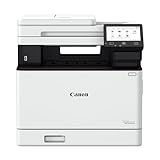
- Color, Wireless, Duplex 3-in-1: Print, scan, copy.
- Fast Print Speeds: Print up to 35 ppm in both color and monochrome and spend less time waiting with a quick first print time of approximately 7 seconds.
- Easy Wireless Setup: Setup your wireless connection and get up and running in just a few steps.
- 5-inch Color Touchscreen: Get the job done quickly with Application Library - an intuitive and easy to use customizable access to the features you use most.
- Mobile Device Printing: Print on-the-go using your compatible mobile devices with the free Canon PRINT app, Apple AirPrint and Mopria Print Service.
Experience seamless productivity with the Canon imageCLASS MF751Cdw II, designed for small offices and hybrid workspaces. This all-in-one wireless color laser printer simplifies daily tasks by combining fast printing, scanning, and copying in a compact design. Its sharp 600 x 600 dpi resolution ensures professional-quality output every time.
Printing speeds reach up to 35 pages per minute, helping you complete jobs quickly without sacrificing clarity. The 5-inch color touchscreen offers an intuitive interface for customizing workflows, while the 50-sheet automatic document feeder makes multi-page scanning and copying effortless.
Connectivity options include Wi-Fi, Ethernet, and USB, plus support for mobile printing, fitting smoothly into diverse work environments. Paper handling is flexible with expandable capacity, though additional accessories are needed to reach the full 850-sheet limit. Maintenance involves managing moderate toner yields, which might require replacements more often under heavy use.
Best for: Small or home offices and hybrid work environments needing fast, reliable wireless color laser printing, scanning, and copying with expandable paper capacity.
What We Like:
- Fast print speeds up to 35 ppm with clear 600 x 600 dpi resolution.
- User-friendly 5-inch color touchscreen and 50-sheet automatic document feeder.
- Multiple connectivity options including Wi-Fi, Ethernet, USB, and mobile printing.
- Compact all-in-one design fits well in limited spaces.
Specification:
| Feature | Details |
|---|---|
| Manufacturer | Canon |
| Dimensions | Compact (exact size not specified) |
| Weight | Not specified |
| Print Speed | Up to 35 ppm |
| Print Resolution | 600 x 600 dpi |
| Touchscreen | 5-inch color touchscreen |
| Automatic Document Feeder | 50-sheet ADF |
| Connectivity | Wi-Fi, Ethernet, USB, Mobile printing support |
| Paper Capacity | Expandable, up to 850 sheets (with optional accessories) |
Brother HL-L3300CDW Wireless Color Laser Printer

- Best for Small Offices and Work from Home, the Brother HL-L3300CDW wireless compact 3-in-1 digital color printer with copy & scan functionalities consistently produces...
- UPGRADE YOUR PROFESSIONAL DOCUMENTS. With the consistent dependability of laser-quality digital color printing.
- EFFECTIVE PRODUCTIVITY WITH THREE-IN-ONE FUNCTIONALITY. Featuring a flatbed scan glass for convenient copying and scanning capabilities from a single, compact machine...
- FLEXIBLE CONNECTION OPTIONS. Count on steady connections at the office or on the go. Built-in dual band wireless (2.4GHz / 5GHz)(4), and Wi-Fi Direct, or USB interface...
The Brother HL-L3300CDW Wireless Color Laser Printer is designed to meet the needs of small offices and freelancers who require reliable, high-quality color printing without bulk. Its compact design saves space while providing versatile functionality, including printing, copying, and scanning in one device. This helps streamline your workspace and reduces the need for multiple machines.
Prints come out sharp and smudge-free with a resolution of 2400 x 600 dpi, delivering professional results at up to 19 pages per minute. Automatic duplex printing cuts paper use and saves time on two-sided documents. It handles various media types like cardstock and labels, making it adaptable to different projects.
Connectivity is flexible with built-in dual-band Wi-Fi, USB options, and voice control through Alexa, allowing you to print from multiple devices and hands-free. The 250-sheet paper capacity supports moderate workloads, while the Refresh EZ Print trial simplifies supply management, though it requires a subscription.
Overall, this printer balances efficient functionality and practical maintenance, though its weight and size may be less ideal for frequent relocation.
Best for: Small offices, freelancers, and hybrid workers needing a compact, versatile wireless color laser printer with voice control.
What We Like:
- Produces sharp, smudge-free color prints at 19 ppm.
- Supports automatic duplex printing and various media types.
- Offers convenient dual-band Wi-Fi, USB, and Alexa voice control.
- Includes manageable 250-sheet capacity for moderate printing needs.
- Refresh EZ Print service simplifies supply replenishment.
Specification:
| Feature | Details |
|---|---|
| Manufacturer | Brother |
| Dimensions (W×D×H) | Compact size (exact dimensions not provided) |
| Weight | Over 40 lbs |
| Printing Technology | Wireless Color Laser |
| Print Resolution | 2400 x 600 dpi |
| Connectivity | Dual-band Wi-Fi, USB, Alexa voice control |
| Paper Capacity | 250 sheets |
Brother MFC-L8730CDW Color Laser All-in-One Printer

- UPDATED DESIGN, PROFESSIONAL RESULTS. High-quality output with vibrant color and sharp black printing. Fast print and copy speeds up to 33ppm(1) help boost productivity...
- MAXIMIZE PRINTING BUDGETS. Offers built-in value with included Brother Genuine 3,000-page black and 1,800-page color toner cartridges. Print cost-efficiently by using...
- ADVANCED SCANNING. High-speed, two-sided scanning up to 104ipm(3) with 80-page auto document feeder(4) and legal-size glass. Scan to cloud, email, SharePoint, and more...
- PRODUCTIVITY-ENHANCING FEATURES. Flexible connectivity, including built-in dual-band (2.4GHz / 5GHz) wireless networking and Gigabit Ethernet networking. 3.5” color...
- TRIPLE LAYER SECURITY. Advanced security features to help keep devices secure, protect documents in transit to and from print devices, and safeguard networks. Includes an...
Experience fast, reliable color printing designed to keep your office productive. The Brother MFC-L8730CDW all-in-one laser printer tackles demanding print jobs with ease. It delivers crisp prints at up to 33 pages per minute, helping teams meet tight deadlines.
Scanning and copying are streamlined with a robust 80-page auto document feeder and two-sided scanning at 104 images per minute. This versatility reduces manual tasks and speeds up document handling, improving workflow efficiency.
Connectivity options are flexible, featuring dual-band wireless, Gigabit Ethernet, and NFC badge authentication. These ensure secure, seamless integration into busy networks and support mobile printing for on-the-go convenience.
Maintenance is straightforward but consider the moderate yield of standard cartridges if your printing volume is high. The printer supports various media types, from plain sheets to glossy photo paper, adapting to diverse office needs.
Best for: Businesses and workgroups needing efficient color printing combined with versatile scanning and copying in a professional environment.
What We Like:
- Fast printing and two-sided scanning with a large document feeder
- Multiple connectivity options including NFC and mobile printing
- Supports a variety of media types for diverse office tasks
- Energy-efficient with ENERGY STAR certification
Specification:
| Feature | Details |
|---|---|
| Manufacturer | Brother |
| Dimensions (W x D x H) | 20.7 x 16.1 x 21 inches |
| Weight | 67.9 pounds |
| Printing Technology | Color Laser |
| Connectivity | Dual-band Wi-Fi, Ethernet, NFC |
| Auto Document Feeder | 80 pages |
| Scanning Speed | Up to 104 ipm (two-sided) |
Factors to Consider When Choosing an All in One Color Laser Printer
You’ll want to think about print speed to keep your workflow smooth and connectivity options that fit your devices.
Don’t overlook paper handling capacity and how cost-efficient the consumables are for your budget.
Plus, strong security features are essential to protect your sensitive information.
Print Speed Importance
Print speed often plays a crucial role when selecting an all in one color laser printer, especially if you handle large or frequent print jobs. Look for models offering 20–35+ pages per minute (ppm) to reduce wait times and boost small-office productivity.
Don’t overlook first-page-out time—printers delivering results in under 10 seconds feel noticeably faster, especially for short runs. If you print double-sided documents, pay attention to duplex and one-pass duplex ADF speeds, as these effectively double throughput.
Connectivity Options Variety
When choosing an all in one color laser printer, consider the variety of connectivity options it offers to guarantee seamless integration with your devices and network. Make sure the printer supports both wired connections like Ethernet and USB, as well as wireless standards such as Wi‑Fi and Wi‑Fi Direct. This way, you can connect mobile devices without needing a router.
Look for compatibility with mobile printing protocols like AirPrint and Mopria. These let you print directly from iOS or Android without extra drivers, which is super convenient.
Check if it supports duplex scanning and network scanning features like scan-to-email or cloud uploads. These options help streamline your workflows and save time.
Also, prioritize printers with multiple simultaneous connection options and strong security features. Things like WPA3 Wi‑Fi, VPN support, and user authentication are key to keeping your data safe and connections stable.
Paper Handling Capacity
Although paper handling capacity might seem straightforward, it plays a crucial role in matching a printer to your workload. You’ll want to check the standard input capacity, like a 250-sheet cassette plus a multipurpose tray, to guarantee it handles your usual print volume without constant refills.
It’s smart to confirm if the printer supports expandable paper capacity, letting you add trays for higher demands. Pay attention to the automatic document feeder (ADF) size and duplex scanning capabilities, as these affect batch job efficiency.
Also, verify supported paper sizes and media types in all trays to avoid manual feeding for specialty prints. Don’t overlook output tray capacity and the printer’s duty cycle; limited output space or a low duty cycle can slow down large jobs.
Consumable Cost Efficiency
Evaluate consumable cost efficiency carefully to keep your all-in-one color laser printer affordable over time. Start by comparing page yield and cost per page—divide the cartridge price by its ISO yield to find actual printing costs.
Favor printers with high- or extra-high-yield toner options, as larger cartridges reduce cost per page and cut replacement frequency.
Don’t overlook other consumables like imaging drums, transfer belts, and maintenance kits; include their costs and replacement intervals in your total ownership estimate.
Also, check if the printer needs manufacturer-specific chips or firmware locks. These can limit third-party cartridge use and raise ongoing expenses.
Finally, match your monthly print volume to recommended cartridge life and duty cycle. This helps you avoid costly mid-cycle replacements that inflate your effective cost.
Security Features Necessity
Besides managing consumable costs, you should pay close attention to the security features of an all-in-one color laser printer. Make sure the device supports user authentication methods like PINs, card access, or network login to block unauthorized use of printing, scanning, and faxing.
Look for secure network protocols such as WPA3, TLS, or IPsec to protect data during transmission and remote management. It’s also important to confirm the printer’s firmware is regularly updated with security patches to prevent vulnerabilities and unauthorized cartridge use.
Choose models offering data-at-rest protections like encrypted drives or secure wipe options for stored jobs. And don’t forget to verify administrative controls with role-based access, activity logs, and secure remote management capabilities to enforce policies and investigate incidents effectively.
Frequently Asked Questions
How Do Color Laser Printers Compare to Inkjet Printers in Print Quality?
You’ll find color laser printers deliver sharper text and faster prints.
Inkjet printers, on the other hand, excel in vibrant photo quality and smooth color gradients.
Depending on your needs, you might go for laser if efficiency is key.
Or, choose inkjet when you want detailed, rich images.
What Is the Typical Lifespan of an All-In-One Color Laser Printer?
You can expect an all-in-one color laser printer to last around 3 to 5 years with regular use. Proper maintenance and usage habits can extend its lifespan, keeping it reliable for your printing needs.
Taking good care of your printer really makes a difference. Simple things like cleaning it regularly and using it as recommended can help it run smoothly for longer. So, if you treat it well, you might get even more years out of it!
Are There Any Environmental Concerns With Laser Printers?
Yes, laser printers are convenient but can release tiny toner particles and use more energy than inkjets. You should recycle cartridges and choose energy-efficient models to reduce their environmental impact while enjoying sharp prints.
It’s a good idea to keep these points in mind if you want to be eco-friendly. Taking simple steps can really make a difference!
How Energy-Efficient Are Color Laser Printers Compared to Other Printer Types?
You’ll find color laser printers generally consume more energy than inkjets but less than older models. Newer energy-efficient lasers reduce power use during idle and printing, helping you save electricity without sacrificing print quality.
In other words, while they do use more power than inkjets, they’re getting better with each generation. So, if you’re looking for a balance between quality and efficiency, modern color laser printers are worth considering.
Can These Printers Handle Printing on Different Paper Types or Sizes?
Of course, your all-in-one color laser printer magically adapts to every paper size and type—because who wouldn’t want their printer to be a shape-shifting paper wizard?
Seriously, they handle various papers and sizes with ease, no sweat.
Conclusion
Choosing the perfect all-in-one color laser printer doesn’t have to feel like searching for a needle in a haystack. With options from trusted brands like Canon, HP, and Brother, you have plenty of choices that offer wireless connectivity, duplex printing, and high-quality color output.
You’re sure to find a model that fits both your needs and budget. Just remember to weigh important factors like speed, connectivity, and print quality before making your decision.
Once you do, you’ll have a reliable workhorse ready to tackle all your printing tasks with ease. Whether it’s for home office use or a busy workplace, an all-in-one color laser printer can streamline your workflow and deliver vibrant, professional results every time. So, take your time, compare features, and pick the best all-in-one color laser printer that matches your requirements perfectly.