7 Best 11×17 Printers for Art Prints to Elevate Your Work in 2027
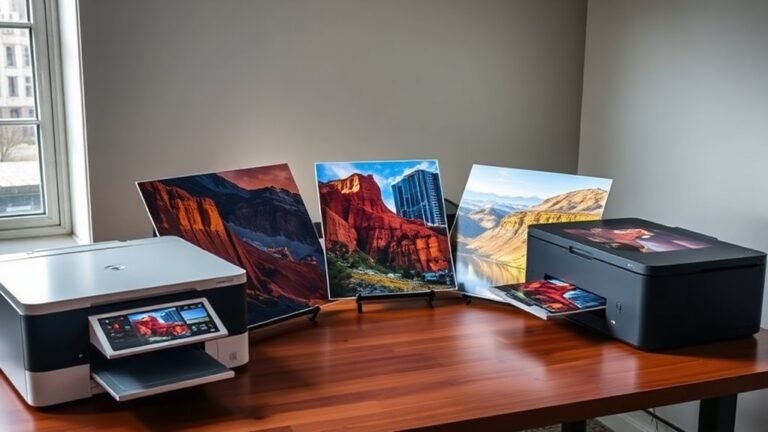
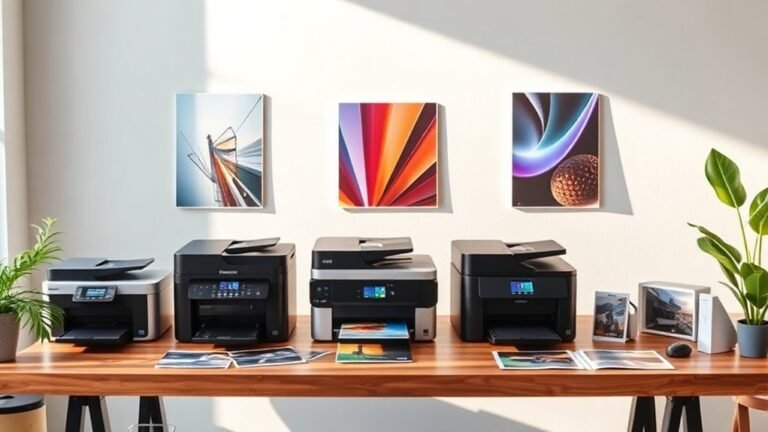
If you’re aiming for vibrant, precise 11×17 art prints in 2027, choosing the right printer is key to elevating your artwork. Epson’s XP-15000 stands out for its vivid colors and borderless printing, perfect for eye-catching art prints.
For those looking at low-cost, high-volume output, the EcoTank ET-8550 and ET-15000 offer refillable tanks that make large print runs affordable and convenient.
The Canon PRO-1100 is a great pick if professional-grade durability and color accuracy are your top priorities. Meanwhile, the Epson R3000 guarantees long-lasting, vibrant results that won’t fade over time.
If versatility is important, multifunction models like the Epson WF-7820 and XP-980 combine printing with scanning and copying features. Ready to elevate your print quality? You’ll find detailed features and key factors ahead to help you decide.
Epson Expression Photo HD XP-15000 Wireless Wide-Format Inkjet Printer
The Epson Expression Photo HD XP-15000 transforms your creative vision into vivid, borderless wide-format prints up to 13 x 19 inches. This printer is designed to solve the challenge of achieving rich, true-to-life colors that bring your photos and artwork to life. Its six-color Claria Photo HD ink set, including gray and red inks, enhances color depth and tonal range for stunning results.
Compact and space-saving, the XP-15000 fits easily into home studios or small offices. Wireless and Ethernet connectivity options let you print effortlessly from your computer or tablet, simplifying your workflow. The 50-sheet specialty media tray supports various paper types, so you can experiment with different textures and finishes.
Maintenance is straightforward, but note that the printer requires Epson Genuine Cartridges, which ensures consistent quality but may add to operating costs. While it does not scan or copy, its focus on high-quality photo printing makes it ideal for artists and photographers who need precision and vibrancy.
Best for: Photographers and artists needing vibrant, wide-format photo prints with excellent color accuracy and borderless capabilities.
What We Like:
- Compact design saves workspace without sacrificing print size
- Six-color ink system delivers richer, more accurate colors
- Wireless and Ethernet connectivity for versatile printing options
- Supports a wide range of specialty photo papers and sizes
Specification:
| Feature | Details |
|---|---|
| Manufacturer | Epson |
| Dimensions | Approx. 23.6 x 13.3 x 6.7 in (W x D x H) |
| Weight | Approx. 15.2 lb (6.9 kg) |
| Ink System | 6-color Claria Photo HD |
| Max Print Resolution | 5760 x 1440 dpi |
| Connectivity | Wireless, Ethernet |
Epson EcoTank ET-15000 Wireless All-in-One Wide-Format Supertank Printer
The Epson EcoTank ET-15000 is designed for those who need a versatile all-in-one printer with wide-format capabilities. It effortlessly handles prints up to 13 x 19 inches, making it ideal for vibrant art projects and large documents. This flexibility helps you create professional-quality prints without the hassle of cartridges.
Its cartridge-free Supertank system means you won’t have to worry about frequent ink replacements. The refillable ink tanks save up to 90% on ink costs, making it economical for users who print in high volumes. This system also simplifies maintenance and reduces downtime.
With print speeds up to 17 ppm in black and 9 ppm in color, it balances quality and efficiency, suitable for home offices and small businesses. Connectivity options include wireless, Ethernet, and USB, while a 2.7″ touchscreen and voice commands make operation straightforward and convenient.
Scanning and copying support sizes up to 8.5 x 14 inches, which fits most standard documents but is smaller than the maximum print size. Some features, like voice-activated printing, require an Epson Connect account, which is worth noting.
Best for: users needing an all-in-one printer that supports wide-format printing with low-cost, high-volume ink for home or small office use.
What We Like:
- Cartridge-free printing with refillable supersized ink tanks reduces ink costs by up to 90%.
- Supports wide-format prints up to 13 x 19 inches for vibrant, large-size projects.
- Multiple connectivity options including wireless, Ethernet, and USB plus voice-activated printing.
- Easy operation with a 2.7″ color touchscreen and simple maintenance.
Specification:
| Feature | Details |
|---|---|
| Manufacturer | Epson |
| Print Technology | Supertank Cartridge-Free |
| Max Print Size | 13 x 19 inches |
| Scan/Copy Max Size | 8.5 x 14 inches |
| Print Speed | Up to 17 ppm (black), 9 ppm (color) |
| Resolution | Up to 4800 x 1200 dpi |
| Connectivity | Wireless, Ethernet, USB |
| Display | 2.7″ Color Touchscreen |
Epson EcoTank Photo ET-8550 Wireless Wide-Format All-in-One Tank Printer
The Epson EcoTank Photo ET-8550 redefines home and studio photo printing with its wide-format, wireless design. It eliminates the hassle of cartridges, using refillable EcoTank bottles that cut costs and waste. This system is ideal for anyone looking to print vibrant, lab-quality photos up to 13 x 19 inches without frequent ink replacements.
Its 6-color Claria ET Premium ink produces sharp, vivid images on various media, including cardstock up to 1.3 mm thick. This versatility supports creative projects and everyday document needs. The all-in-one functionality adds scanning and copying, making it a comprehensive solution for home or small studio environments.
Maintenance is straightforward with the cartridge-free EcoTank system, helping users save money and reduce environmental impact. Wireless connectivity and app control simplify operation, while duplex printing streamlines workflow. The printer’s size may require dedicated space, but its performance and print quality balance this limitation.
Best for: Creators and photo enthusiasts seeking affordable, high-quality wide-format photo printing with eco-friendly ink technology.
What We Like:
- Cartridge-free EcoTank system lowers ink costs and waste
- Produces sharp, vibrant prints up to 13 x 19 inches, including borderless options
- Supports cardstock and thick media up to 1.3 mm
- Wireless connectivity and app control for easy operation
- Duplex printing enhances productivity
Specification:
| Feature | Details |
|---|---|
| Manufacturer | Epson |
| Dimensions (W×D×H) | Approx. 23.7″ × 17.7″ × 9.8″ |
| Weight | Approx. 22.7 lb |
| Ink System | 6-color Claria ET Premium |
| Media Thickness | Up to 1.3 mm |
| Connectivity | Wireless, USB |
Epson Workforce Pro WF-7820 Wireless All-in-One Wide-Format Inkjet Printer
The Epson Workforce Pro WF-7820 Wireless All-in-One Wide-Format Inkjet Printer is designed to meet the needs of artists and professionals who require vibrant, large-format prints. Its ability to print up to 13 x 19 inches allows you to create detailed, high-quality art without compromising on size. This printer helps you produce stunning visuals with sharp 5760 x 1440 dpi resolution, ensuring your work stands out.
This all-in-one device simplifies your workflow by combining printing, scanning, copying, and faxing in one unit. The automatic duplexing and 50-sheet automatic document feeder (ADF) make multi-page tasks quick and efficient. Wireless, Bluetooth, and Ethernet connectivity options give you the freedom to print from various devices without hassle.
Maintaining the printer is straightforward, but it requires Epson Genuine Cartridges to operate properly and preserve warranty coverage. While the printer is somewhat large and may need ample space, its robust build supports high productivity and consistent performance. The DURABrite Ultra inks provide vibrant, long-lasting colors that resist fading.
Best for: Artists and professionals needing reliable, high-quality wide-format prints combined with versatile all-in-one functionality.
What We Like:
- Wide-format printing up to 13 x 19 inches with excellent resolution
- Fast print speeds and automatic duplexing improve efficiency
- Multiple connectivity options including wireless and Ethernet
- Integrated scanning, copying, and faxing with a 50-sheet ADF
- Durable inks ensure vivid, long-lasting prints
Specification:
| Feature | Details |
|---|---|
| Manufacturer | Epson |
| Maximum Print Size | 13 x 19 inches |
| Print Resolution | 5760 x 1440 dpi |
| Print Speed | 25 ppm black, 12 ppm color |
| Connectivity | Wireless, Bluetooth, Ethernet |
| ADF Capacity | 50 sheets |
| Dimensions | Approx. 23.7 x 20.6 x 13.9 in |
| Weight | Approx. 25.1 lbs |
Epson Expression Photo XP-980 Wireless All-in-One Wide-Format Printer
Experience professional-quality photo printing at home with the Epson Expression Photo XP-980. This versatile all-in-one printer lets you create vibrant, wide-format prints up to 11×17 inches, perfect for showcasing your artwork or family memories. Its high-resolution output ensures your photos come out sharp and true to life every time.
Designed for convenience, the XP-980 supports multiple paper types and sizes with dual trays and a rear feed. Wireless, Ethernet, and USB connectivity allow easy printing from smartphones, tablets, or computers, making it simple to integrate into any home or studio setup. The intuitive 4.3″ touchscreen and creative apps help you customize projects with ease.
Maintenance is straightforward thanks to the six-color Claria Photo HD ink system, which delivers rich colors but requires genuine Epson 279 cartridges for optimal performance. While copy speeds are modest, this printer excels in producing detailed, borderless photos and wide-format prints for creative projects.
Best for: photographers, artists, and home users needing a reliable all-in-one printer for high-quality wide-format photo prints and creative work.
What We Like:
- Exceptional 5760 x 1440 dpi resolution with 6-color ink for vivid color accuracy
- Wide-format borderless printing up to 11 x 17 inches with versatile paper handling
- Multiple wireless and wired connectivity options, including Wi-Fi Direct and Ethernet
- Easy-to-use 4.3″ touchscreen with creative apps for project customization
Specification:
| Feature | Details |
|---|---|
| Manufacturer | Epson |
| Dimensions (W×D×H) | 15.6 × 12.8 × 6.3 inches |
| Weight | Approximately 13.2 lbs (6 kg) |
| Ink System | 6-color Claria Photo HD inks |
| Max Print Resolution | 5760 x 1440 dpi |
| Connectivity | Wi-Fi, Wi-Fi Direct, Ethernet, USB |
Canon imagePROGRAF PRO-1100: 17” Professional Wireless Inkjet Photo Printer
Experience superior photo printing with the Canon imagePROGRAF PRO-1100, a wireless inkjet printer designed for stunning 17-inch art prints. It solves common printing challenges by delivering exceptional color accuracy and durable results, perfect for professional and fine-art applications.
This printer uses 11 pigment-based LUCIA PRO II inks combined with Chroma Optimizer to ensure a broad color gamut and enhanced gloss. These technologies also improve scratch resistance, keeping your prints vibrant and protected over time.
Maintenance is straightforward thanks to the FINE print head and L-COA PRO engine, which provide precise ink placement and fast output. The air feeding system prevents paper skewing, reducing wasted prints and allowing smooth operation.
Canon’s professional print software integrates seamlessly with Adobe programs, helping users manage color calibration and print layouts efficiently. Despite its 17-inch width limit, this device offers unparalleled print quality in a compact design suitable for studios.
Best for: Professional photographers and fine-art printers who need precise, durable, and high-quality 17-inch photo prints with wireless convenience.
What We Like:
- Broad color gamut and scratch-resistant prints from 11 LUCIA PRO II inks plus Chroma Optimizer
- Precise and fast printing with FINE print head and L-COA PRO engine
- Air feeding system prevents paper skewing for consistent results
- Seamless Adobe integration and professional print software for efficient color management
Specification:
| Feature | Details |
|---|---|
| Manufacturer | Canon |
| Maximum Print Width | 17 inches (43.2 cm) |
| Ink Type | 11 Pigment-based LUCIA PRO II |
| Ink Cartridge Size | 80 mL |
| Connectivity | Wireless |
| Print Technology | Inkjet |
Epson Stylus Photo R3000 Wireless Wide-Format Printer
The Epson Stylus Photo R3000 Wireless Wide-Format Printer is designed for artists and photographers who demand precise, vibrant prints. It solves the challenge of achieving rich, long-lasting color on larger art pieces by using Epson UltraChrome K3 pigment inks. This ensures your prints maintain superior contrast and detail over time.
Its capability to handle media up to 13 inches wide lets you create wide-format prints without compromising quality. The high resolution of 5760 x 1440 dpi captures fine details, making your artwork stand out. Wireless and Ethernet connectivity simplify printing from laptops and smartphones, enhancing your workflow.
Maintenance is straightforward with nine individual high-capacity cartridges, reducing the frequency of replacements. Although the unit weighs 35 pounds and does not support duplex printing, its design prioritizes print quality and reliability over portability.
Best for: Artists and photographers seeking high-quality, wide-format art prints with vibrant colors and sharp detail.
What We Like:
- Uses Epson UltraChrome K3 pigment inks for durable, vivid colors
- Supports wide-format printing up to 13 inches wide
- Wireless and Ethernet connectivity for versatile device compatibility
- Nine individual cartridges reduce maintenance interruptions
Specification:
| Feature | Details |
|---|---|
| Manufacturer | Epson |
| Dimensions (W x D x H) | Approximately 20 x 18 x 9 in |
| Weight | 35 lb (15.9 kg) |
| Ink Type | UltraChrome K3 pigment |
| Maximum Media Width | 13 inches |
| Maximum Resolution | 5760 x 1440 dpi |
Factors to Consider When Choosing an 11X17 Printer for Art Prints
When choosing an 11×17 printer for your art prints, you’ll want to focus on print quality and color accuracy to guarantee your work looks its best. Consider the type of ink it uses and whether it supports the media sizes you need.
Don’t forget to check its connectivity options and compatibility with your devices for a smooth printing experience. It’s all about making sure everything works together seamlessly so you can create without hassle.
Print Quality Essentials
Selecting the right 11×17 printer for art prints often hinges on print quality essentials that guarantee your work looks its best. You’ll want a printer with at least 2400 x 1200 dpi resolution to capture subtle gradients and fine textures accurately.
Opt for a wide-gamut, multi-ink system—beyond the standard four inks—that includes light or gray inks to enhance skin tones and neutral grays smoothly. Choose pigment or high-quality dye-based inks rated for longevity and fade resistance to make sure your prints last decades.
Make sure the printer handles high bit-depth processing at 8-bit per channel or higher, reducing banding and preserving tonal shifts. Finally, confirm it supports heavyweight, textured media up to 300–400 gsm and offers borderless 11×17 printing with precise media feeding for flawless edge-to-edge results.
Color Accuracy Importance
Because even slight shifts in hue, saturation, or brightness can alter an artwork’s mood and meaning, you need a printer that delivers precise color accuracy. Look for printers supporting wide color gamuts like Adobe RGB or P3, so your reds, greens, and blues stay vibrant and true.
Consistent color management using ICC profiles, calibrated monitors, and custom printer profiles guarantees your prints match what you see on screen. Pay attention to how well the printer renders neutral tones and smooth gradients—high dmax and fine dot placement help avoid banding and preserve subtle tonal shifts.
Finally, check the printer’s repeatability and color stability across multiple prints, so your colors remain consistent over time and under varying lighting conditions. It’s these details that really make your artwork shine exactly as you intended.
Ink Type Options
Achieving precise color accuracy depends heavily on the type of ink your 11×17 printer uses. Pigment inks offer superior longevity and color stability thanks to their lightfast, stable pigments. This makes them ideal for fine art prints on rag or cotton papers.
If you want vibrant, glossy images with a wider color gamut, dye-based inks might suit you better. Just keep in mind, they’re less resistant to water and fading. Some printers use hybrid ink systems, adding gray, red, or photo-black inks to enhance tonal gradation and shadow detail. This helps improve grayscale neutrality.
Also, consider printers with more than the standard CMYK channels—6+ colors and smaller droplet sizes provide smoother gradations and finer tonal control. Always check archival permanence ratings and substrate compatibility to guarantee your prints stand the test of time.
Media Size Compatibility
When choosing an 11×17 printer for your art prints, you’ll want to make certain it truly supports borderless printing at that size to avoid unwanted white margins. Check the maximum media thickness and weight capacity to ensure it can handle heavier fine-art papers or boards you prefer.
Consider the input options too—whether it offers rear specialty feed or a straight-through paper path—to handle delicate sheets without jams or edge damage. Verify the printable area and margin limits since some printers crop slightly or need manual tweaks for full coverage.
Look for adjustable guides and anti-skew sensors that improve reliability and print quality. Ensuring these features lets you produce flawless, full-bleed art prints on diverse media sizes without hassle.
Connectivity and Compatibility
After ensuring your printer handles various media sizes and weights smoothly, the next step is to confirm it connects seamlessly with your devices and software. Make sure it supports essential connection methods like wired Ethernet, USB 2.0/3.0, Wi‑Fi, and Wi‑Fi Direct to fit your studio setup.
Check compatibility with your operating systems—Windows, macOS, iOS, and Android—to avoid driver issues. If you print from mobile or remote devices, look for AirPrint, Mopria, or cloud printing support.
Also, verify it handles standard file formats and color profiles (PDF, TIFF, JPEG, ICC) to maintain color accuracy. Finally, prioritize printers with straightforward setup, user-friendly interfaces, and regular firmware updates to keep your workflow smooth and secure.
Speed and Efficiency
Though print quality is essential, you’ll want to prioritize speed and efficiency to keep your art print projects on schedule. Look for printers with high ISO print speeds for both color and monochrome, so you can estimate how long batch jobs will take.
First-page-out and warm-up times matter too, especially if you often print short runs. Duplex and automatic document feeder features save time when handling two-sided proofs or scans.
Pay attention to input and output tray capacities—larger trays mean less frequent paper reloads during high-volume runs. Also, consider the printer’s processor speed, memory, and network connection type; faster processors and wired Ethernet connections improve throughput and reduce delays, especially when working with large, high-resolution files.
Maintenance and Durability
Since you rely on your 11×17 printer to produce high-quality art prints consistently, choosing a model with durable components and straightforward maintenance is essential. Look for printers with robust printheads and feeding systems rated for high monthly duty cycles to minimize downtime.
Opt for models offering user-replaceable parts like capping stations and maintenance tanks. This makes routine upkeep simple and helps avoid costly repairs.
Prioritize printers with automatic nozzle checks, head-cleaning cycles, and waste-ink-tank monitoring to prevent clogging and maintain color accuracy.
Also, factor in the availability and cost of genuine consumables and maintenance kits. Specialty inks can increase long-term expenses, so it’s good to be prepared.
Finally, make certain the printer’s recommended environment matches your studio conditions. Performing regular care, like short prints when idle, can extend component life and preserve print consistency.
Frequently Asked Questions
How Do I Properly Store 11X17 Art Prints to Prevent Fading?
You should store your 11×17 art prints in acid-free sleeves or archival-quality folders. This helps protect them from harmful chemicals that can cause fading.
Keep them away from direct sunlight. Sunlight can quickly dull those vibrant colors you love.
Also, try to maintain a cool, dry environment. This prevents moisture damage and keeps your prints looking fresh over time.
What Types of Paper Are Best for 11X17 Art Prints?
You’ll want to use heavyweight, acid-free paper like cotton rag or fine art matte. These types resist fading and enhance color vibrancy.
This way, your 11×17 art prints look professional and last longer without yellowing or damage. It’s all about keeping your artwork looking fresh and vibrant over time.
Can These Printers Handle Borderless Printing for Art Prints?
You’ll find these printers gracefully manage borderless printing, ensuring your art flows seamlessly to the edges. They don’t just print; they embrace your work, giving it a polished, professional finish without any unwanted margins.
It’s like your artwork gets a little extra love, stretching right out to the very edge of the paper. So, no more worrying about white borders ruining the vibe of your prints.
How Often Should I Clean the Printer Heads for Optimal Print Quality?
You should clean the printer heads every 2-4 weeks or whenever you notice streaks or color fading.
Regular cleaning keeps your prints sharp and vibrant. It also helps prevent clogs and ensures consistent, high-quality results every time.
Are There Specific Inks Recommended for Archival-Quality Art Prints?
Yes, you should use pigment-based inks for archival-quality art prints because they resist fading and moisture better than dye-based inks.
These inks guarantee your prints last longer and maintain vibrant colors over time. So, if you want your artwork to stand the test of time, pigment inks are definitely the way to go.
Conclusion
Imagine your vibrant art bursting to life on crisp 11×17 prints, each detail sharp and colors rich. Choosing the right printer is like picking the perfect brush for your masterpiece—it brings your vision to reality with ease and brilliance.
Whether you lean toward Epson’s versatility or Canon’s precision, these top printers will elevate your work, making every print feel like a gallery-worthy display. Ready to transform your creations?
Your perfect 11×17 printer awaits to take your art prints to the next level. With the best 11×17 printers for art prints, you can ensure every detail and hue shines through beautifully. Elevate your work and impress your audience by choosing a printer that matches your creative needs perfectly. Don’t settle—make your art stand out with prints that truly reflect your talent.