How Does a Laser Printer Work Step by Step
You send a digital file to your laser printer, which first converts it into a high-resolution electrostatic blueprint on a charged photosensitive drum. This step is crucial because it creates a precise map of your image or text for the printer to follow.
Next, a laser scans the drum, discharging specific areas to form the image. Toner particles then stick to these charged spots and transfer onto paper. It’s pretty fascinating how this invisible process turns into something you can hold.
Finally, heat and pressure from the fuser permanently bond the toner to the paper. This step produces crisp, smudge-resistant prints that look professional and clean. Keep following to uncover how each precise step guarantees fast, sharp results.
Key Takeaways
- The printer processor converts the digital file into a high-resolution rasterized blueprint for printing.
- A photosensitive drum is uniformly charged and then selectively discharged by a scanning laser to form an electrostatic image.
- Toner particles cling to the discharged areas on the drum, creating the visible image to be printed.
- The toner image is transferred from the drum onto paper using a transfer roller with an opposite charge.
- Heat and pressure from the fuser unit permanently bond the melted toner to the paper fibers for a durable print.
So, that’s the basic idea behind how a laser printer works! It’s all about charges, light, and heat coming together to create sharp, lasting prints.
Overview: How Laser Printers Process Digital Files
When you send a digital file to a laser printer, its processor quickly converts your text and images into a high-resolution rasterized blueprint. This blueprint directs the entire printing process.
It guides a focused laser that scans a photosensitive drum, selectively discharging areas to form an electrostatic image corresponding to your document. Toner particles, made from pigmented plastic resins, are then attracted to these charged or discharged regions on the drum, creating a visible toner image.
Your printer receives the file through USB, Wi-Fi, Ethernet, or cloud service, ensuring seamless communication. This precise interaction between the electrostatic image and toner particles sets the stage for transferring and permanently bonding your document onto paper with heat and pressure.
Charging the Drum: Preparing the Printing Surface

Before printing begins, the photosensitive drum gets a uniform electrostatic charge to create a receptive surface. You rely on this consistent charge to guarantee the laser can accurately shape the image or text.
Maintaining this even charge is key for sharp, high-quality prints every time. It’s what makes sure your prints come out looking just right, page after page.
Drum Electrostatic Charging
The photosensitive drum starts by receiving a uniform high-voltage electrostatic charge, typically several hundred volts, applied by a corona wire or charge roller. This charge creates a stable, receptive printing surface essential for the laser printer’s function.
The drum’s photoconductive coating holds these electrostatic charges firmly in the dark, setting a baseline so only areas hit by the laser will change potential. You’ll find that controlling this initial charge precisely is vital because it influences how strongly toner particles are attracted. This directly impacts print density and contrast.
The printer’s power supply and monitoring circuits maintain charge uniformity, ensuring consistent prints across thousands of pages. Keep in mind, environmental factors like humidity and temperature can affect the drum’s charging. So, stable, ventilated placement helps preserve reliable performance.
Uniform Charge Application
Applying a uniform charge across the photosensitive drum sets the stage for precise image creation. You’ll find either a primary charge roller or a corona wire applying a consistent negative or positive voltage—usually several hundred volts—across the drum’s surface.
This creates a stable electrostatic baseline on the drum’s organic photoconductor coating. Maintaining this uniform charge is critical for print quality, so the printer uses regulated high-voltage circuits and feedback sensors to keep the surface potential steady within tight limits.
Each print cycle, the charging unit refreshes this uniform charge before the laser scans the drum, ensuring even toner attraction and preventing ghosting. To keep this process reliable, you should regularly clean the corona wire or primary charge roller and store the drum properly to avoid humidity or sunlight damage.
Preparing Drum Surface
You start preparing the drum surface by charging it evenly with a corona wire or a high-voltage primary charge roller, typically to several hundred volts. This process creates a uniform electrostatic charge on the photosensitive drum, forming a ready-to-write printing surface.
The drum’s photoconductive coating holds this charge in the dark but discharges where light hits it, enabling precise image formation. Achieving a consistent uniform electrostatic charge is vital for even toner adhesion and print density.
To keep things running smoothly, printers regulate voltage tightly and recharge the drum periodically between pages. Environmental factors like humidity and temperature can affect charge retention, so placing the printer properly and ensuring good ventilation really helps.
Over time, the drum’s coating wears out, so following replacement intervals is key to keeping print quality sharp. It’s a small step that makes a big difference in your prints!
Laser Imaging: Creating the Electrostatic Image

Every laser printer relies on a rotating photosensitive drum that’s charged uniformly by a primary corona wire or charge roller. This creates a surface ready to capture an image.
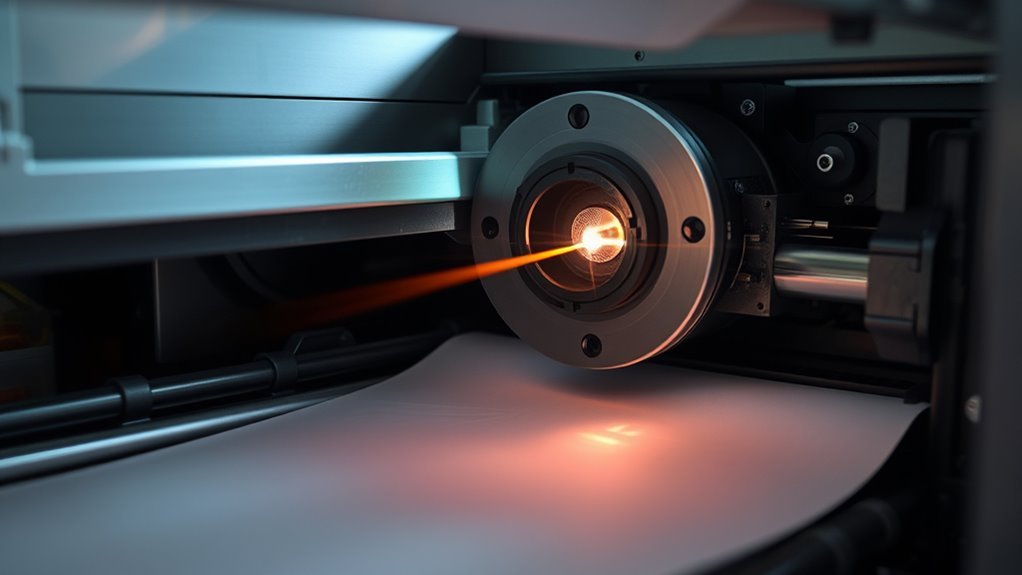
Next, a precise laser beam scans the drum line by line, selectively discharging tiny charged areas. This process forms a latent electrostatic image that mirrors your digital page with sharp text and graphics.
High-speed polygon mirrors steer the laser beam, keeping the spot focused and aligned as it draws hundreds of lines per second. The discharged and remaining charged areas create a detailed charge pattern at resolutions up to 1200 x 1200 dpi.
This electrostatic image sets the foundation for toner attraction, directly affecting the clarity and precision of your final print. It’s pretty amazing how this invisible pattern makes your documents come to life!
Applying Toner in Laser Printers
Once the laser forms the electrostatic image on the drum, toner particles are attracted to those charged areas, bringing your digital design into the physical world. Toner cartridges contain a finely engineered powder made of pigment, plastic resin, and charging agents that cling precisely to the charged regions on the drum.
A developer roller or magnetic brush presents these toner particles, ensuring only the image areas receive toner. The toner’s plastic resin is tailored to melt at specific fusing temperatures, which play a pivotal role later in fixing the image permanently onto paper.
Proper storage and monitoring of toner cartridges help maintain consistent application and print quality. This step sets the stage for transferring toner onto paper, where the image truly comes alive.
Transferring Toner Onto Paper
Now that the toner image is ready on the drum, you’ll see how the paper feeds through the printer to pick up that toner. A charged roller or wire gives the paper an opposite charge, pulling the toner particles off the drum in the exact pattern needed.
Timing is essential here to make sure the paper aligns perfectly as the toner transfers. It’s all about getting everything to line up just right so your print comes out clear and sharp.
Toner Transfer Mechanism
The toner transfer mechanism pulls charged toner particles from the drum onto the paper by passing the sheet between the drum and a transfer roller or corona wire. This controlled electric field attracts the fine powder toner from the drum, overcoming its adhesion and ensuring over 95% transfer efficiency.
You’ll notice the transfer roller plays a pivotal role by applying a high-voltage bias that matches the paper’s slight opposite charge.
Here’s what you should know:
- The paper’s timing and alignment with the drum image are critical to avoid misprints.
- For color prints, multiple toners transfer sequentially or via a combined belt.
- Sensors adjust voltage based on humidity and paper type to maintain quality.
This precise mechanism guarantees sharp, consistent prints every time.
Paper Feeding Process
A timed paper feed mechanism pulls a sheet from the input tray and guides it along a precisely aligned path to meet the drum at the transfer zone. Here, a transfer roller applies a strong opposite electrical charge to the paper’s back. This charge attracts toner particles from the drum, transferring the image almost completely onto the sheet.
Registration sensors and rollers synchronize the paper’s leading edge and lateral position with the drum rotation. This ensures accurate alignment without skewing. Static control elements and separation pads prevent multiple sheets from feeding at once.
Keep in mind, factors like humidity and paper type affect transfer efficiency. So, the transfer roller’s voltage may adjust accordingly. After transfer, the paper moves to the fuser, where heat and pressure permanently bond the toner to the paper fibers.
Fusing Toner With Heat and Pressure
Feel the paper as it passes through the fuser unit, where heat and pressure work together to permanently bond toner to the fibers. The fuser uses a heated roller and a pressure roller to apply around 180–220°C and mechanical pressure.
This melts the toner resin, turning it into a smooth, durable film that resists smudging.
Here’s what happens next:
- Toner resin softens and flows at the fuser’s temperature.
- Heat and pressure fuse the toner to paper fibers instantly.
- Non-stick coatings and sensors prevent toner from sticking to rollers.
This rapid heating and cooling process happens in fractions of a second. It ensures your prints are durable and crisp without slowing down your printer.
How Laser Technology Ensures Fast, Sharp Prints
When you send a document to print, laser technology kicks in to deliver fast, sharp results by precisely controlling electrical charges on a photosensitive drum. A high-voltage roller charges the drum uniformly, then a laser beam scans it line-by-line, discharging areas where toner should stick.
This creates a detailed electrostatic image with crisp text and fine graphics. Toner particles cling only to discharged spots, then transfer to paper with exact alignment. Finally, heat and pressure fuse the toner, ensuring durable prints at high speed.
| Step | Function |
|---|---|
| Charging | Uniform negative charge on drum |
| Laser Scanning | Discharges selected areas |
| Toner Attraction | Toner sticks to discharged spots |
| Transfer to Paper | Toner moves onto paper |
| Fusing | Heat melts toner for permanence |
Laser printing achieves sharp, fast results you can rely on. It’s pretty impressive how smoothly it all works together, don’t you think?
Maintenance Tips for Laser Printers in India
Since laser printers rely on precise toner and component conditions, you’ll want to store toner cartridges in cool, dry places to prevent clumping and charge loss—especially in India’s humid coastal areas.
Proper maintenance helps keep your cost per page low and guarantees a smooth printing process. Here are three key tips for laser printer care in India:
- Place your printer away from direct sunlight with 5–10 cm clearance around vents to avoid overheating and toner fusing issues.
- Clean paper path rollers and air vents monthly using a dry, lint-free cloth or compressed air to prevent paper jams and streaks.
- Use manufacturer-recommended paper and keep humidity-sensitive paper sealed to avoid misfeeds and poor toner transfer.
Regular firmware updates and diagnostics also help maintain print quality and extend component life. So, keep your printer in top shape by following these simple steps!
Frequently Asked Questions
How Does a Laser Printer Work?
You charge the drum, then a laser draws your image by discharging specific areas. Toner sticks to those spots, transfers to paper, and fuses with heat.
This creates a sharp, permanent print of your document. It’s pretty cool how it all comes together, right?
What Are the Steps of the Printing Process?
You start by charging the drum, then expose it with a laser to form an image.
Next, toner sticks to the drum, transfers to paper, and finally, the fuser melts toner, bonding the image permanently.
Which Is Better, Laser or Inkjet?
You want speed and crisp text? Laser’s your pick.
Prefer vibrant photos and smooth gradients? Inkjet wins.
Each suits different needs, so choose based on what you print most—documents or high-quality images.
Do Laser Printers Need Ink?
No, laser printers don’t need ink. Instead, you use toner—a powdered mix of pigment and resin.
It sticks to paper electrically and fuses with heat, so you avoid liquid ink hassles. Plus, you get longer-lasting prints.
Conclusion
So, now you know your laser printer isn’t just magically spitting out pages—it’s a high-tech dance of lasers, drums, and toner. Isn’t it ironic that such a complex process happens so fast you barely notice it?
Next time you hit “print,” remember: behind that quick click, a whole science is hard at work. Your laser printer uses precision technology to create sharp, speedy prints every time.
So, don’t just take your crisp, clear prints for granted—your printer deserves a little respect (and maybe some maintenance, too). Understanding how a laser printer works step by step helps you appreciate the amazing technology that powers your everyday printing.