8 Best Copier Printer Fax Machines for 2027
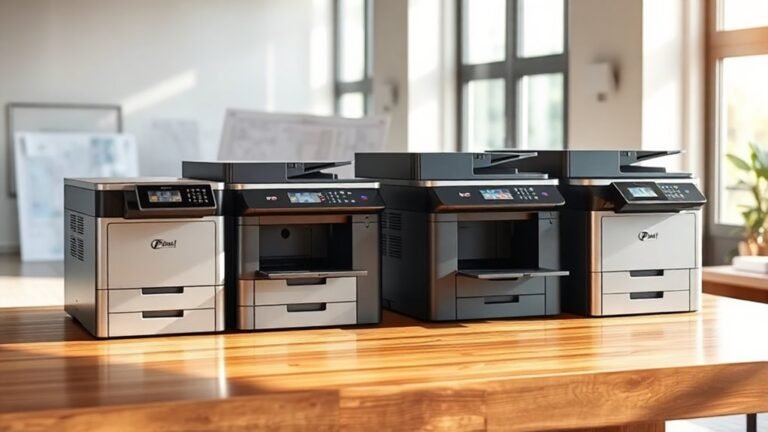
You’ll want reliable copier printer fax machines that balance speed, quality, and smart features for 2027. Finding a device that handles all three well can really boost your office productivity. Whether you need wireless printing, fast output, or vibrant color laser prints, there’s something out there for you.
Consider the Canon PIXMA TR4720 for easy wireless printing with duplex and an auto document feeder. It’s simple to set up and perfect for everyday use.
The HP OfficeJet Pro 8125 offers fast output, AI-driven formatting, and a large input tray that keeps things running smoothly.
For color laser power, check out the Canon Color imageCLASS MF753Cdw II. It delivers sharp prints and solid performance for busy offices.
Other strong choices include Epson Workforce Pro WF-4920 and HP OfficeJet Pro 9125. Keep exploring to find the perfect fit for your office!
| Image | Name | Editor's Rating | Price |
|---|---|---|---|

|
|
||

|
|
||

|
|
||

|
|
||

|
|
Canon PIXMA TR4720 Wireless All-in-One Printer
- Wireless 4-in-1 (print | copy | scan | fax)..Power Consumption: 7W (0.8W Standby / 0.3W Off)
- Print speed up to: 4" x 6" Borderless Photo (PP-201): Approx. 65.0 Seconds / Black Document (Letter/Simplex): Approx. 8.8 ipm / Color Document (Letter/Simplex): Approx...
- Designed for easy ink cartridge installation and replacement.
- Auto 2-sided printing and auto document feeder.
- Produce quality documents, photos and boarderless prints up to 8.5" x 11".

The Canon PIXMA TR4720 combines compact design with versatile functionality. It tackles everyday printing, copying, scanning, and faxing needs in one device. This wireless inkjet printer makes managing documents simple and efficient, whether at home or in a small office.
Its hybrid ink system ensures sharp black text and vibrant color prints, enhancing the quality of your documents. Automatic two-sided printing saves paper and time, while the 100-sheet paper tray supports moderate workloads without constant refilling. The flatbed scanner with an auto document feeder streamlines multi-page scanning and copying tasks.
Connectivity is seamless with USB and Wi-Fi options, along with mobile printing support. Alexa integration adds convenience by enabling voice-activated smart ink reordering. Energy-efficient design helps reduce power consumption, making it an eco-friendly choice.
Maintenance is straightforward with user-friendly Canon apps that simplify setup and printer management. However, print speeds are moderate, especially for color prints, and the limited paper capacity may challenge heavy users. Shipping restrictions apply for the PIXMA Print Plan in certain U.S. regions.
Best for: individuals or small businesses seeking an all-in-one wireless printer that balances quality, convenience, and compact design for everyday use.
What We Like:
- Easy wireless and mobile printing setup through Canon apps
- Automatic duplex printing and auto document feeder boost productivity
- Sharp text and vibrant color output with hybrid ink system
- Energy-efficient with low power consumption
Specification:
| Feature | Details |
|---|---|
| Manufacturer | Canon |
| Dimensions | 17.7 x 12.7 x 6.0 inches |
| Weight | 11.7 lbs (5.3 kg) |
| Printing Technology | Wireless Inkjet |
| Paper Capacity | 100 sheets |
| Connectivity | USB, Wi-Fi, Mobile, Alexa |
HP OfficeJet Pro 8125 Wireless All-in-One Printer
- FROM AMERICA'S MOST TRUSTED PRINTER BRAND – The OfficeJet Pro 8125 is perfect for home offices printing professional-quality color documents like business documents...
- 3 MONTH TRIAL OF INSTANT INK INCLUDED – Subscribe to the Instant Ink delivery service to get ink delivered directly to your door before you run out, and you save up to...
- KEY FEATURES – Fast color printing, scan, copy, auto 2-sided printing, auto document feeder, and a 225-sheet input tray
- 2.7-INCH TOUCHSCREEN – Quickly navigate your printer with a large color touchscreen and a phone-like user interface
- WIRELESS PRINTING – Stay connected with our most reliable dual-band Wi-Fi, which automatically detects and resolves connection issues
The HP OfficeJet Pro 8125 Wireless All-in-One Printer is designed to enhance productivity with fast, reliable color printing and versatile wireless functions. It solves the hassle of managing multiple devices by combining printing, scanning, copying, and faxing in one compact unit. You can easily control tasks from your smartphone through the HP app, making office workflows smoother.
Its print speeds of up to 20 ppm in black and 10 ppm in color ensure you meet deadlines without delay. The water- and fade-resistant output keeps documents professional and durable. Navigating options is simple with a 2.7-inch touchscreen, while dual-band Wi-Fi and Ethernet provide stable connections. This helps eliminate printing interruptions during busy workdays.
Maintenance is straightforward with a 225-sheet input tray and automatic duplex printing, which reduces paper waste and saves time. HP’s AI-driven formatting and Wolf Essential Security enhance document quality and network protection. However, it requires original HP cartridges and supports only standard letter-size paper, which may limit some users.
Best for: Professionals and home office users who need efficient, high-quality color printing with integrated wireless and multifunction capabilities.
What We Like:
- Fast, reliable print speeds with water- and fade-resistant output
- Multifunction access via smartphone app and easy touchscreen
- Strong connectivity with dual-band Wi-Fi, Ethernet, and secure printing
- Automatic duplex printing and large input tray for increased efficiency
Specification:
| Feature | Description |
|---|---|
| Manufacturer | HP |
| Dimensions | Approx. 17.3 x 14.2 x 9.5 in |
| Weight | Approx. 17.4 lb (7.9 kg) |
| Color Options | White with gray accents |
| Connectivity | Dual-band Wi-Fi, Ethernet, USB |
Canon Color imageCLASS MF753Cdw II – All-in-One Color Duplex Laser Printer
- Color, Wireless, Duplex 4-in-1: Print, scan, copy, fax.
The Canon Color imageCLASS MF753Cdw II redefines efficiency for small offices and hybrid workspaces. It tackles multiple tasks—printing, scanning, copying, and faxing—helping streamline daily operations. With sharp 1200 x 1200 dpi resolution, your documents come out crisp and professional every time.
This all-in-one printer speeds up workflows with duplex printing at up to 35 pages per minute. Its 50-sheet duplex automatic document feeder simplifies handling two-sided documents, saving time and reducing manual effort. Wireless, Ethernet, and USB connections offer flexible options to stay connected in any setup.
Maintenance is straightforward, but the starter toner cartridges for color may require earlier replacement, especially in heavy-use environments. Paper capacity can be expanded up to 850 sheets to minimize refills, though the base setup may need more frequent attention during peak workloads.
The 5-inch color touchscreen ensures easy navigation, while the printer’s size and weight call for a dedicated space in your office. Energy Star certification highlights its energy efficiency, making it a practical choice for professional settings.
Best for: Small offices and hybrid work environments needing a versatile, fast, and reliable all-in-one color laser printer with duplex and wireless capabilities.
What We Like:
- Fast duplex printing at 35 ppm with high-resolution output
- Efficient 50-sheet duplex automatic document feeder
- Multiple connectivity options including wireless and mobile printing
- Expandable paper capacity up to 850 sheets
- Intuitive 5-inch color touchscreen for easy operation
Specification:
| Feature | Details |
|---|---|
| Manufacturer | Canon |
| Dimensions (W x D x H) | 16.5 x 18.1 x 15.4 inches |
| Weight | 50 lbs (22.7 kg) |
| Print Resolution | 1200 x 1200 dpi |
| Print Speed | Up to 35 ppm duplex |
| Connectivity | Wireless, Ethernet, USB |
| Automatic Document Feeder | 50-sheet duplex ADF |
HP OfficeJet Pro 9125 Wireless All-in-One Printer
No products found.
Experience professional-quality color printing designed to keep busy offices productive and efficient. The HP OfficeJet Pro 9125 delivers sharp, fade-resistant prints that help reduce the need for reprints and wasted materials. Its fast print speeds and multifunction capabilities let you handle printing, scanning, copying, and faxing with ease.
Maintenance is simple thanks to a 250-sheet input tray and automatic duplex printing, which minimizes paper handling and interruptions. The 2.7-inch color touchscreen provides intuitive control, making it easy to manage tasks and settings quickly. Versatile connectivity options, including dual-band Wi-Fi, Ethernet, and Apple AirPrint, support seamless integration into any office environment.
This all-in-one printer is designed to solve common workflow challenges by optimizing layouts with AI-driven features, cutting down on unnecessary page use. HP Wolf Pro Security safeguards your network, adding an important layer of protection for sensitive documents. Instant Ink support helps ensure you stay stocked without hassle.
While the printer only accepts original HP cartridges due to chip-based ink control, this helps maintain consistent print quality. It supports standard letter and legal media sizes, ideal for typical office documents but not large-format needs.
Best for: Professionals and busy offices needing a reliable all-in-one device that offers high-quality color prints and flexible wireless connectivity.
What We Like:
- Fast printing speeds with sharp, fade-resistant output
- Automatic duplex printing and large 250-sheet tray reduce paper handling
- Easy-to-use 2.7-inch color touchscreen for quick control
- Multiple wireless options including dual-band Wi-Fi and Apple AirPrint
- AI-driven print layout optimization minimizes wasted pages
Specification:
| Feature | Details |
|---|---|
| Manufacturer | HP |
| Dimensions (W×D×H) | Approx. 17.4 × 19.9 × 12.4 in |
| Weight | Approx. 21.6 lb (9.8 kg) |
| Color Options | Black |
| Media Sizes Supported | Letter, Legal |
Canon PIXMA TR8620a All-in-One Printer Black
- Never run out of ink. Connect your printer to Alexa and receive notifications when you’re running low. Alexa can even place a smart reorder from Amazon on your behalf...
- Enrolling in Smart Reorders with Alexa ensures that you never have too much or too little ink supplies. No subscription needed.
- Wireless 4-in-1 (Print | Copy | Scan | Fax)
- 15 / 10 ipm Print Speed
- 200 Sheet Capacity (100 Cassette, 100 Rear Feed)
Experience efficient home office workflows with the Canon PIXMA TR8620a All-in-One Printer. This compact device combines printing, copying, scanning, and faxing to save space and streamline tasks. Its wireless printing and Alexa voice control enable hands-free operation, making daily tasks easier.
The printer handles multi-page jobs smoothly with a 20-sheet Auto Document Feeder and a large 200-sheet input tray. Duplex printing speeds up your work by producing double-sided pages at up to 15 black-and-white and 10 color pages per minute. High-quality output at 4800 x 1200 dpi ensures sharp, vibrant results.
Maintenance is simple thanks to the intelligent ink reorder system via Alexa, preventing unexpected ink shortages. The five-ink system delivers rich colors, ideal for professional documents and photos. However, the 1,000-page duty cycle means it’s best suited for moderate printing volumes.
Best for: Small home offices and remote workers needing a versatile, wireless all-in-one printer with duplex printing and smart ink management.
What We Like:
- Wireless printing with Alexa voice control and smart ink reorder
- Fast duplex printing and copying with high-resolution output
- Large 200-sheet input capacity and 20-sheet document feeder
Specification:
| Feature | Details |
|---|---|
| Manufacturer | Canon |
| Model | PIXMA TR8620a |
| Dimensions (W×D×H) | Approx. 14.5 × 12.7 × 7.5 in |
| Weight | Approx. 16.6 lb (7.5 kg) |
| Color | Black |
| Print Resolution | Up to 4800 x 1200 dpi |
| Input Capacity | 200 sheets |
| Auto Document Feeder | 20 sheets |
| Connectivity | Wireless, USB 2.0 |
Canon imageCLASS MF465dw II Wireless Laser Printer
- Monochrome Wireless, Duplex 4-in-1: Print, Scan, Copy, Fax
- Print up to 42 ppm
- Easy Wireless Setup
- 5-inch Touchscreen
- Mobile Device Printing
The Canon imageCLASS MF465dw II is designed to meet the demands of busy small offices and home workspaces. It delivers fast, sharp monochrome prints at up to 42 pages per minute, helping you complete tasks quickly and efficiently. This printer’s multifunction capabilities simplify your workflow by combining printing, scanning, copying, and faxing in one device.
Its automatic duplex printing and 50-sheet two-sided ADF reduce manual handling and save time on double-sided documents. Connectivity is flexible with wireless, Ethernet, and USB options, plus mobile printing through the Canon PRINT app, allowing you to print from virtually anywhere. This versatility supports a variety of work styles and environments.
Maintenance is straightforward with a 250-sheet paper cassette that suits daily printing volumes, and options for expansion if your needs grow. The printer’s compact design fits well in tight spaces, making it a practical choice for small setups. However, it only supports monochrome printing and offers a single USB port, which might limit some connectivity preferences.
Best for: Small or home offices and hybrid work environments requiring fast, reliable black-and-white printing with multifunction features and wireless access.
What We Like:
- Fast print and copy speeds up to 42 ppm with crisp 1200 x 1200 dpi output
- Efficient double-sided printing and 50-sheet duplex ADF for streamlined document handling
- Multiple connectivity options including wireless, Ethernet, USB, and mobile printing
- Compact footprint ideal for limited office space
- Easy maintenance with expandable paper capacity
Specification:
| Feature | Details |
|---|---|
| Manufacturer | Canon |
| Dimensions | Approx. 16.5 x 15.7 x 14.7 inches (W x D x H) |
| Weight | Approx. 31.1 lbs (14.1 kg) |
| Printing Technology | Monochrome Laser |
| Print Speed | Up to 42 pages per minute |
| Print Resolution | 1200 x 1200 dpi |
| Duplex Printing | Automatic |
| ADF Capacity | 50 sheets, two-sided |
| Paper Capacity | 250-sheet cassette, expandable |
| Connectivity | Wireless, Ethernet, USB, Mobile (Canon PRINT app) |
Brother Work Smart 1360 Wireless Color Inkjet All-in-One Print, Scan, Copy

- AFFORDABLE ALL-IN-ONE FOR HOME AND HOME OFFICE: Print, copy, and scan on one compact wireless printer designed for everyday home office printing, schoolwork, documents...
- EASY TO USE WITH CLOUD APP CONNECTIONS: Print from and scan to popular Cloud apps(2), including Google Drive, Dropbox, Box, OneDrive, and more from the simple-to-use...
- FULL-SIZE FEATURES IN A COMPACT DESIGN: This printer includes automatic duplex (2-sided) printing, a 20-sheet single-sided Automatic Document Feeder (ADF)(3), and a...
- MULTIPLE CONNECTION OPTIONS: Connect your way. Interface with your printer on your wireless network or via USB.
- MOBILE PRINTING MADE EASY: Go mobile with the Brother Mobile Connect app(5) that delivers easy onscreen menu navigation for printing, copying, scanning, and device...
Experience seamless productivity with the Brother Work Smart 1360, designed to handle all your home printing needs in one compact device. This wireless color inkjet printer simplifies your tasks by combining printing, scanning, and copying into a single, easy-to-use machine. It tackles everyday document challenges with sharp prints and efficient workflows.
The printer delivers clear black prints at up to 16 pages per minute and vibrant color prints at 9 pages per minute. Its automatic duplexing feature saves paper, while the 20-sheet single-sided automatic document feeder speeds up multi-page scanning and copying. The 150-sheet paper tray minimizes interruptions, supporting various media types including envelopes and glossy photo paper.
Connectivity is straightforward with Wi-Fi, Wi-Fi Direct, and USB options. You can print directly from mobile apps like Brother Mobile Connect or AirPrint, making it convenient for modern households. The user-friendly 1.8-inch color display guides you through operations with ease.
Maintenance is simple, and the ENERGY STAR rating reflects its energy-efficient design. Note that the single-sided document feeder limits double-sided scanning, and the print resolution varies between Mac and Windows users. The single paper tray capacity may require refilling during heavy use.
Best for: Home users needing a reliable all-in-one wireless color inkjet printer for everyday document tasks.
What We Like:
- Fast black and color print speeds with automatic duplexing
- Efficient multi-page handling via 20-sheet single-sided ADF
- Versatile connectivity including Wi-Fi, Wi-Fi Direct, USB, and mobile apps
- Supports various media types and includes a 1.8” color display
Specification:
| Feature | Details |
|---|---|
| Manufacturer | Brother |
| Dimensions (W×D×H) | 16.1 × 14.0 × 7.8 inches |
| Weight | Approx. 15.4 lbs (7.0 kg) |
| Color Options | White |
| Print Speed | 16 ppm (black), 9 ppm (color) |
| ADF Capacity | 20 sheets (single-sided) |
| Paper Tray Capacity | 150 sheets |
Epson Workforce Pro WF-4920 Wireless All-in-One Printer

- Built for Speed — PrecisionCore Heat-Free technology delivers fast, high-volume printing with 25 (black)/12 (color) ISO ppm and fast first-page-out
- High-Precision Office Printing — Accurate dot placement and DURABrite Ultra instant-dry pigment inks for professional-quality prints
- High-Volume Durability for Heavy Workloads — Innovative heat-free technology engineered for reliability and reduced downtime
- Designed for Productivity — All-in-one printer with auto 2-sided printing and 1-sided, 35-page ADF streamline workflow
- Maximize Printing Efficiency — High-performance office printer with large, 250-sheet paper capacity
The Epson Workforce Pro WF-4920 is built to handle demanding office tasks with ease. Its PrecisionCore Heat-Free technology delivers sharp, fast prints—up to 25 black and 12 color pages per minute—helping you meet tight deadlines without sacrificing quality. This printer reduces wait times and keeps your workflow smooth.
With its DURABrite Ultra pigment inks, prints dry instantly to prevent smudges. The all-in-one design supports printing, copying, scanning, and faxing, making it a versatile addition to any work environment. The 35-page automatic document feeder and 250-sheet input tray enhance productivity by minimizing interruptions.
Maintaining the printer is straightforward, but it requires genuine Epson cartridges to ensure consistent performance. Wireless connectivity options, including Wi-Fi Direct and voice commands via Siri, provide flexible printing from multiple devices. The large touchscreen and Epson Smart Panel app make operation intuitive and efficient.
This model suits businesses or professionals who need a reliable, high-volume printer with strong mobile and wireless features. It balances speed, quality, and ease of use for everyday office demands.
Best for: Businesses and professionals needing a fast, reliable, high-volume all-in-one printer with wireless and mobile printing capabilities.
What We Like:
- High-speed printing with PrecisionCore Heat-Free technology
- Instant-drying DURABrite Ultra inks for smudge-free results
- Versatile all-in-one functions including copying, scanning, and faxing
- Convenient wireless options including voice printing via Siri
- Large touchscreen and mobile app simplify operation
Specification:
| Feature | Details |
|---|---|
| Manufacturer | Epson |
| Dimensions (W×D×H) | 16.7 × 17.1 × 9.8 inches |
| Weight | 17.9 lb (8.1 kg) |
| Color Options | Black |
| Paper Capacity | 250 sheets |
| Automatic Document Feeder | 35 pages |
Factors to Consider When Choosing a Copier Printer Fax
When selecting a copier printer fax, you’ll want to focus on its functionality and features to match your needs. Consider print quality, speed, and how well it handles different paper sizes.
Also, review the connectivity options and paper capacity to ensure it fits your workflow. It’s all about finding the right balance for what you actually use.
Functionality And Features
Because you rely on your copier printer fax for multiple tasks, choosing one with all-in-one functionality—covering print, scan, copy, and fax—helps you streamline your workflow without juggling devices. Prioritize models with duplex features like automatic two-sided printing and a duplex automatic document feeder (ADF), ideally with a 50-sheet or higher capacity, to accelerate through multi-page jobs.
Also, consider whether the device offers a one-pass duplex ADF versus just a flatbed scanner, especially if you scan various paper types. Look for practical connectivity options such as Wi-Fi, AirPrint, or Mopria support, paired with an intuitive touchscreen interface, so you can easily set up and manage tasks.
These features together ensure your machine handles office demands efficiently and flexibly. It’s all about making your work easier and faster, without the hassle of multiple gadgets.
Print Quality And Resolution
A key factor to assess when choosing a copier printer fax is its print quality and resolution, since these determine how sharp and detailed your documents and images will appear. Check the maximum print resolution, usually listed in dpi, like 4800 × 1200 optimized dpi for inkjets or 1200 × 1200 dpi for lasers.
Remember, higher dpi enhances fine text and image edges. Compare black-and-white and color resolutions separately, as some models differ in output quality.
For inkjets, distinguish between rendered dpi (actual hardware output) and optimized dpi (may use interpolation). When copying or scanning, focus on copy or scanner resolution—for example, duplex laser copiers often offer 600 × 600 dpi, but some boast higher 1200 × 1200 dpi for color copies.
Prioritize models with strong text resolution for crisp documents and adequate color quality for graphics. It really makes a difference in how professional your prints look.
Speed And Efficiency
Consider print speed and efficiency to keep your workflow smooth and productive. Check printing speed ratings, noting separate black-and-color speeds since color printing is usually slower.
You’ll want to prioritize models with automatic duplex printing—it doubles your throughput for double-sided documents without extra work. Also, look for an Automatic Document Feeder (ADF) with a large capacity, like 35 or 50 sheets. This helps speed up multipage scanning and copying without constant refilling.
Compare copy and scan resolutions and choose one-pass duplex scanning to finish both sides faster. If you often fax or scan long documents, check the “first page out” time and output tray capacity. These reduce downtime caused by waiting or full trays.
All these factors make sure your copier printer fax handles tasks swiftly and efficiently.
Connectivity Options Available
How do you make sure your copier printer fax fits seamlessly into your workspace? Start by focusing on connectivity options that suit your environment. Look for Wi‑Fi, especially dual-band models or those offering wireless direct printing when a router isn’t available.
If you want a stable office network, check for Ethernet support alongside Wi‑Fi. Don’t forget USB ports for direct connection to a single computer. Make sure it supports mobile standards like Apple AirPrint and Mopria, so you can print easily from iOS or Android without extra drivers.
If scanning to workflows matters, confirm companion apps and touchscreen controls for remote access. Choose a device with Wi‑Fi only for simpler setups or Wi‑Fi plus Ethernet and USB for flexibility and reliability.
Paper Handling Capacity
Many copier printer fax models offer varying paper handling capacities that directly impact your workflow efficiency. You should check the input paper capacity—some hold around 100 sheets, while higher-capacity office models reach 250 sheets. This means you’ll spend less time reloading paper.
Compare output tray capacities too; these range from 20 to 150 sheets, so you won’t run out of space during large print or fax jobs. Also, look at the number of trays and feeding options. Having multiple trays increases total capacity and gives you more flexibility with paper types.
Don’t forget to verify the maximum supported paper size. It’s usually up to 8.5 x 11, but some models can handle legal size paper, which is 8.5 x 14. And if you scan or copy a lot, choose models with an automatic document feeder (ADF) that holds 35–50 sheets. That way, your workflow runs smoother without constant interruptions.
Ink And Toner Costs
What really drives the ongoing cost of using a copier printer fax? Primarily, it’s the ink or toner expenses. You should compare whether the device uses individual color cartridges or a single combined cartridge—replacing only the depleted color saves money and reduces waste.
Check the stated page yields for both starter and standard cartridges; higher yields usually mean a lower cost per page. Subscription ink plans can offer savings and automatic deliveries, but watch cancellation policies and your usage patterns.
For laser models, toner yields make estimating costs easier, especially with high-capacity options. Also, consider maintenance and compatibility—some printers block non-genuine cartridges or require chips, limiting cheaper refills and increasing long-term costs.
Careful evaluation here can substantially affect your total spending. It’s definitely worth taking the time to figure this out before you buy.
Device Size And Design
Device footprint plays a vital role when choosing a copier printer fax, as it directly impacts where you can place the machine in your workspace. You’ll find models ranging from compact (about 11.7 x 17.2 x 7.5 inches, 12.7 lbs) to larger office units (around 18.2 x 16.8 x 17 inches, 50 lbs).
Consider the number and arrangement of trays since adding a second cassette or multipurpose tray increases space needs. Also, check if the design includes an automatic document feeder (ADF) and its size—larger ADFs add bulk on top.
Pay attention to the front panel and screen size for comfortable workflow. Finally, make sure there’s enough clearance behind the device for output trays, especially if they hold 100+ sheets, to avoid cramped setups.
Frequently Asked Questions
How Do I Recycle Old Copier Printer Fax Machines?
You can recycle old copier printer fax machines by contacting local e-waste recycling centers or retailers with take-back programs.
Don’t forget to erase personal data before dropping them off to protect your information securely.
It’s a simple way to make sure your devices don’t just end up in a landfill.
Plus, recycling helps recover valuable materials and keeps harmful substances out of the environment.
What Are the Environmental Impacts of All-In-One Printers?
You’ll find all-in-one printers use energy and produce electronic waste, which impacts the environment. Choosing energy-efficient models and recycling cartridges helps reduce their carbon footprint and waste.
This way, you make your use greener and more responsible. It’s a simple step but it really adds up over time!
Can These Machines Handle International Voltage Standards?
You might expect universal compatibility, but not all machines handle international voltage standards seamlessly.
You’ll need to check specs carefully or use adapters, ensuring your device works safely whether you’re in Tokyo or Toronto.
What Is the Average Lifespan of a Copier Printer Fax Machine?
You can expect a copier printer fax machine to last around 5 to 7 years with regular use. Proper maintenance and quality parts can extend its lifespan.
Are There Any Subscription Services for Ink or Toner Refills?
Yes, you can find subscription services that deliver ink or toner regularly. They save you time and often offer discounts, so you never run out.
Just sign up, and refills arrive automatically at your door. It’s super convenient and takes the hassle out of remembering to reorder.
Conclusion
Choosing the right copier printer fax machine doesn’t have to be a challenging task. With these top picks for 2027, you’re well on your way to making your workspace a little more magical and a lot more efficient.
Whether you lean toward sleek wireless models or dependable laser options, there’s something here to gently elevate your daily tasks without breaking a sweat. So, go ahead—embrace the upgrade and watch your productivity blossom effortlessly.
Finding the best copier printer fax machine means blending convenience with performance. These 2027 models offer excellent features that fit any office setup, helping you save time and reduce hassle. By choosing the right machine, you’re investing in smoother workflows and smarter workdays.
So, don’t wait—step into the future with one of these top copier printer fax machines and see how easy and efficient your work life can become.