10 Best Consumer Grade 3D Printers for 2027
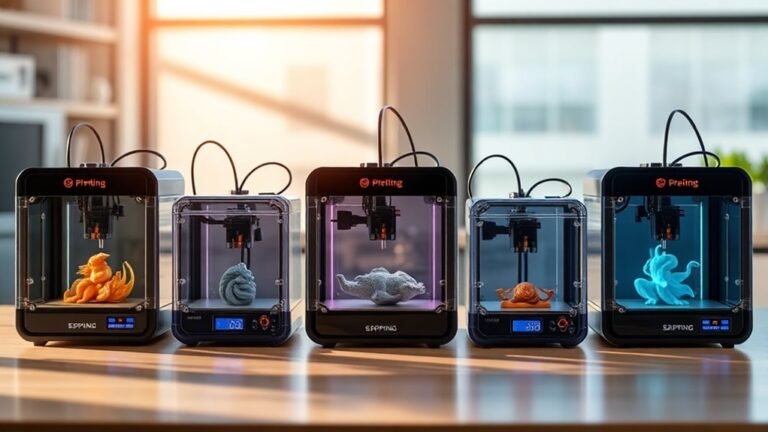
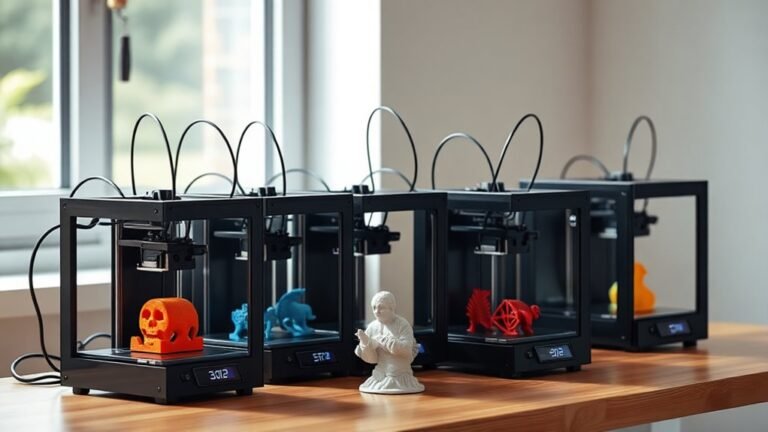
For 2027, you’ll want to check out some of the best consumer-grade 3D printers that combine speed, precision, and versatility. Models like the Bambu Lab P2S Combo or Creality K2 Plus Combo stand out, offering blazing speeds up to 600 mm/s along with multi-material and multi-color printing capabilities.
These features really push the boundaries of what you can create at home or in a small workshop.
FLASHFORGE Adventurer 5M and Snapmaker U1 are also worth considering. They deliver fast, precise prints and come equipped with smart automation plus quick tool changes to keep your projects moving smoothly.
If you’re working on larger prints, the Anycubic Kobra 3 MAX is a solid choice.
For beginners, the Bambu Lab A1 mini offers a user-friendly experience without compromising on quality.
Explore these top picks to find the ideal match for your projects and workflow needs. Whether speed, size, or ease of use matters most, there’s a great option waiting for you.
| Image | Name | Editor's Rating | Price |
|---|---|---|---|

|
|
||

|
|
||

|
|
||

|
|
||

|
|
Bambu Lab P2S Combo, P2S 3D Printer & AMS 2 Pro, Multi-Color 3D Printing
- High-Speed Precision: The Bambu Lab P2S 3D printer prints up to 600 mm/s while maintaining exceptional accuracy. With the PMSM Servo Extruder and Active Flowrate...
- Ready to Print in 15 Minutes: Set up your P2S FDM 3D printer and start printing in just 15 minutes. With AI failure detection, quick-swap nozzles, and automatic...
- Effortless Multi-Color Printing: The AMS 2 Pro enables seamless multi-color/multi-material 3D printing. It features built-in filament drying at up to 65 °C, keeping...
- Smart Airflow for Any Filament: The Adaptive Airflow System automatically balances cooling and heat retention—keeping overhangs crisp with cool air, or maintaining a...
- Limitless Creativity, Seamless Workflow: Explore over one million 3D models on MakerWorld and bring them to life with a smooth, unified workflow using Bambu Studio, Bambu...
The Bambu Lab P2S Combo redefines 3D printing by merging exceptional speed with precise, professional-quality output. Its advanced PMSM servo extruder and active flowrate compensation deliver smooth layers and sharp details, even at speeds up to 600 mm/s. This means you can produce complex models faster without sacrificing accuracy or finish.
This combo includes the AMS 2 Pro, which expands the printer’s capabilities to handle multi-color and multi-material projects seamlessly. The AMS 2 Pro also features filament drying to maintain print quality and reduce maintenance issues. Together, they simplify the printing process and minimize downtime.
Maintenance is user-friendly with features like automatic calibration, quick-swap nozzles, and AI failure detection, helping to keep your workflow smooth and reliable. The printer’s robust design requires a dedicated space but supports consistent, high-quality results for demanding tasks.
Ideal for professionals and advanced hobbyists, this setup enhances productivity and creativity while addressing common multi-material printing challenges.
Best for: Professionals and advanced users needing high-speed, multi-material 3D printing with reliable precision.
What We Like:
- High-speed printing up to 600 mm/s with precise detail
- Seamless multi-color and multi-material printing via AMS 2 Pro
- Filament drying system to reduce print failures
- User-friendly features like AI failure detection and automatic calibration
Specification:
| Specification | Details |
|---|---|
| Manufacturer | Bambu Lab |
| Printer Model | P2S |
| Accessory | AMS 2 Pro |
| Maximum Speed | 600 mm/s |
| Weight | Relatively large, heavy |
| Color Options | Multi-color printing with AMS 2 Pro only |
Creality K2 Plus Combo 3D Printer, High-Speed
- Multi Color Printing with All-new CFS: K2 Plus Combo multi-color flagship printing, exciting for you to combine. With four CFS units hooked together, it is possible to...
- Larger Size to Meet More Needs: Compared to Creality K2 and K2 Pro, the Creality K2 Plus offers an extraordinary 350*350*350mm large build volume, great for handling...
- 600mm/s High Speed Printing: Creality 3D Printer K2 Plus Combo adopting industry-grade FOC step-servo motors for the XYZ axis and extrusion, Step-servo Motor System...
- Super Master of Materials: The Creality K2 Plus 3d printer actively maintains a constant temperature of up to 60°C, allowing you to easily print high-end filaments like...
- Dual AI Cameras & Automation: K2 Plus features 18 smart sensors. Everything is automated and closely monitored. It has two AI cameras. One is on the chamber side to watch...
Experience fast, vibrant 3D printing with the Creality K2 Plus Combo. Designed for multi-color projects, it solves the challenge of seamless color transitions with its linked CFS system. This allows you to print up to 16 colors without manual filament swaps, streamlining complex designs effortlessly.
The large 350 × 350 × 350 mm build volume lets you create bigger models or multiple parts in one run. High-speed printing up to 600 mm/s boosts productivity while step-servo motors ensure precise, quiet extrusion. This combination supports a smooth workflow for both professional and hobbyist use.
Maintenance is simplified by the smart RFID filament loading and automatic switching, reducing downtime and errors. The high-temperature nozzle expands your material options, accommodating advanced filaments for specialized projects. Dual AI cameras monitor prints in real-time, helping catch issues early and improving print quality.
Built with a sturdy aerospace-grade frame, the printer maintains accuracy throughout long sessions. While the multi-color system and sensors add complexity, the benefits in automation and output quality are significant. The size and advanced features require a dedicated workspace but deliver reliable, high-quality results.
Best for: professionals and enthusiasts needing high-speed, multi-color 3D printing with a large build area and smart automation.
What We Like:
- Up to 16-color printing with intelligent filament management
- Large build volume for diverse project sizes
- Fast, precise printing with quiet step-servo motors
- Smart RFID loading and automatic filament switching
- Dual AI cameras for continuous print monitoring
Specification:
| Feature | Details |
|---|---|
| Manufacturer | Creality |
| Build Volume | 350 × 350 × 350 mm |
| Print Speed | Up to 600 mm/s |
| Filament System | 4 linked CFS units, RFID |
| Frame Material | Aerospace-grade |
| Nozzle Temperature | High-temp compatible |
| Cameras | Dual AI cameras |
FLASHFORGE Adventurer 5M 3D Printer, All-Metal CoreXY, 600mm/s Max Travel
- One-Click Automatic Printing: Experience hassle-free 3D printing with the Adventurer 5M Series. Enjoy automatic bed leveling for flawless first layers, ensuring...
- 12X Ultra Fast Printing: Featuring a CoreXY structure with 600mm/s travel speed and 20000mm/s² acceleration, the AD5M maximizes efficiency, reduces production cycles...
- Smart and Efficient Design: Quick 3-second nozzle changes, a high-flow 32mm³/s nozzle, and fast 35-second warm-up to 200°C deliver stable high-speed printing. Its...
- Superior Print Quality & Adaptability: Combines a 280°C direct drive extruder with dual-fan cooling and vibration compensation. Includes a standard 0.4mm nozzle and...
- Real-Time App Monitoring: Monitor print progress, adjust settings, and receive instant status alerts remotely with the Flash Studio. Smart mobile control ensures a...
The FLASHFORGE Adventurer 5M redefines fast and precise 3D printing with its innovative all-metal CoreXY design. It tackles common setup frustrations by offering a one-click automatic start and bed leveling, so you can begin printing without manual adjustments. This streamlines your workflow and reduces downtime.
Its high-speed motion system achieves up to 600mm/s max travel and 20,000mm/s² acceleration, cutting production cycles and boosting throughput. The printer’s quick 3-second nozzle swaps and rapid 35-second warm-up ensure minimal interruption during longer jobs. Maintenance is straightforward, with dual-fan cooling and vibration compensation helping maintain consistent quality.
Designed for demanding prototyping and small-scale production, the dual-sided PEI platform delivers reliable adhesion and easy part removal. Remote monitoring and control via the Flash Studio app add a layer of convenience, letting you manage prints from anywhere.
The FLASHFORGE Adventurer 5M is ideal for users who value speed, precision, and ease of use, especially in professional environments where efficiency matters.
Best for: Professionals and businesses requiring fast, reliable 3D printing for rapid prototyping and mass production.
What We Like:
- One-click automatic start and bed leveling simplify setup.
- High-speed CoreXY system accelerates print times.
- 3-second nozzle swaps reduce downtime.
- Remote control through Flash Studio app enhances convenience.
- Dual-fan cooling and vibration compensation maintain print quality.
Specification:
| Feature | Details |
|---|---|
| Manufacturer | FLASHFORGE |
| Motion System | All-metal CoreXY |
| Max Travel Speed | 600 mm/s |
| Max Acceleration | 20,000 mm/s² |
| Nozzle Swap Time | 3 seconds |
| Warm-up Time | 35 seconds |
| Cooling | Dual-fan cooling system |
| Platform | Dual-sided PEI platform |
Snapmaker U1 3D Printer,4-Toolhead with 5s Toolchanger,Multi-Color Printing
- 【4-Toolhead System with 5-Second Tool Changer】 Powered by the SnapSwap system, Snapmaker U1 multi-color 3D printer features four independent toolheads with filaments...
- 【5X Faster Printing, 5X Less Waste】 Unlike traditional filament-changing systems, Snapmaker U1 3D printer swaps toolheads instead of repeatedly loading, unloading...
- 【True Multi-Material & Mixed-Material Printing】 Snapmaker U1 3D printer combines rigid and flexible materials, water-soluble supports, and engineering materials in a...
- 【Smart Calibration】 Automatic toolhead offset calibration, vibration compensation, fine-tuned extrusion, and perfect first-layer work together to deliver smooth...
- 【Easy to Use for Beginners & Professionals】 With a built-in model library, Snapmaker Orca — custom open-source slicing software, makes it easy to get started with...
The Snapmaker U1 redefines multi-material 3D printing with its innovative 4-toolhead system. This design allows users to switch between four preloaded filaments in just five seconds using the SnapSwap toolchanger. It eliminates the hassle of manual filament swaps and purging, saving time and reducing filament waste by up to five times.
This printer supports a wide range of materials such as PLA, TPU, and soluble supports. You can create intricate prototypes or functional parts without stopping the print job. The smart calibration system and CoreXY motion technology, reaching speeds up to 500 mm/s, ensure precise and consistent results.
Maintenance is simplified thanks to the automated toolchanger and smart calibration, which streamlines setup and reduces errors. The Snapmaker U1’s compact build volume fits most common projects, though very large prints may require alternative solutions. Its sturdy design weighs 57.9 pounds, balancing stability with desktop usability.
Best for: Makers and small businesses seeking fast, reliable multi-color and multi-material 3D printing with minimal filament waste and easy tool changes.
What We Like:
- Quick 5-second SnapSwap toolchanger for seamless multi-material printing
- Up to 5X faster printing and reduced filament waste
- Smart calibration and high-speed CoreXY motion for precise prints
- Supports various materials including TPU and soluble supports
- User-friendly software simplifies setup and operation
Specification:
| Feature | Details |
|---|---|
| Manufacturer | Snapmaker |
| Dimensions | 270 x 270 x 270 mm |
| Weight | 57.9 lb (26.3 kg) |
| Material Support | PLA, TPU, Soluble Supports |
| Toolhead | 4-toolhead with 5s SnapSwap |
FLASHFORGE AD5X Multi-Material 3D Printer
- Build for Speed and Full-Color Printing: Bring your creative vision to life with vibrant and multicolored 3D prints in 4-colors. With speed of up to 600mm/s and...
- Seamless Printing, Precise Control: Full auto leveling sensor measures multiple points on the print bed to ensure consistent distance between nozzle and bed. As well as...
- Multi-Material and Multi-Color Capability: Intelligent Filament System (IFS) allows you to print in multiple colors and materials simultaneously. Among the wide selection...
- CoreXY Structure, Vibration Compensation: With its all-metal motion CoreXY structure offers highly rigid, reducing the risk of errors caused by vibration or mechanical...
- Compact Design, Space Saving: With its lightweight, modular design and intelligent filament system (IFS), Four spools of filament arranged side by side, AD5X offers...
Experience ultrafast, multi-material 3D printing with the FLASHFORGE AD5X, designed to enhance precision and efficiency. Its high-speed capabilities reach up to 600mm/s with smooth acceleration, allowing you to complete projects faster without losing detail.
This printer’s full auto-leveling sensor ensures perfect first-layer adhesion by measuring multiple points on the bed. Maintenance is straightforward, helping you keep prints consistent and reducing downtime. The Intelligent Filament System lets you print up to four colors or materials like PLA, TPU, and PETG simultaneously, expanding creative possibilities and practical applications.
Built with a sturdy CoreXY all-metal frame, the AD5X minimizes vibrations for stable and accurate results. Its compact size and lightweight design save workspace without compromising reliability. The 1-click print feature simplifies operation, making complex multi-material prints easier to manage.
While ideal for detailed, multi-material projects, the printer’s size may limit very large prints. It is a practical choice for users needing speed, precision, and versatile material options in one machine.
Best for: Professionals and hobbyists who require fast, precise multi-material 3D printing with automated leveling and easy workflow.
What We Like:
- Rapid printing speeds up to 600mm/s with maintained accuracy
- Intelligent Filament System supports multi-color and multi-material use
- Auto-leveling sensor ensures consistent first-layer adhesion
- CoreXY all-metal structure reduces vibration for precision
- Compact and lightweight design for space-saving setup
Specification:
| Feature | Details |
|---|---|
| Manufacturer | FLASHFORGE |
| Dimensions | Not specified |
| Weight | 22 lb (10 kg) |
| Structure Material | All-metal CoreXY frame |
| Supported Materials | PLA, TPU, PETG, multi-color filament |
FLASHFORGE Creator 5 Pro Multi-Color 3D Printer,4-Toolheads,Fully Enclosed

- True Multi-Color & Multi-Material Printing – Equipped with independent 4 toolheads, the Flashforge Creator 5 Pro enables simultaneous multi-color and multi-material...
- Zero Purge Waste:Say goodbye to filament "poop." Each material has its own dedicated nozzle, the Creator 5 Pro eliminates the need to flush and purge filament during...
- Blazing-Fast Printing: Experience professional-grade speed with a maximum travel speed of 600 mm/s and acceleration up to 30,000mm/s². The CoreXY system delivers results...
- Fully Automatic Calibration & Smart Compensation:Never wrestle with manual bed leveling again. The Creator 5 Pro features fully automatic calibration and dynamic flow...
- Heated Chamber & HEPA Filtration: The fully enclosed design with active chamber heating up to 65°C and a heated bed up to 120°C ensures warp-free printing with...
Experience the power of true multi-color and multi-material 3D printing with the FLASHFORGE Creator 5 Pro. Designed to eliminate common printing challenges, it uses four independent toolheads that print simultaneously without wasting filament. This means every gram of material directly contributes to your project, saving time and resources.
Its advanced CoreXY motion system accelerates print speeds up to five times faster than standard models. Automatic calibration ensures every layer is precise and consistent, even when switching between nozzles. The fully enclosed chamber maintains stable temperatures, preventing warping with tough materials like ABS and Nylon.
Maintenance is straightforward thanks to the enclosed design, which also features HEPA and carbon filters to keep air quality high and noise levels below 55 dB. This creates a cleaner, quieter workspace suitable for professional environments and detailed prototypes.
With its robust build and smart automation, the Creator 5 Pro is ideal for users who require fast, reliable, and high-quality multi-material prints without compromise.
Best for: Professionals and advanced hobbyists needing efficient, precise multi-color and multi-material 3D printing with reliable thermal control.
What We Like:
- Four independent toolheads enable efficient multi-material printing with zero filament waste
- CoreXY system significantly boosts print speed without losing quality
- Fully enclosed heated chamber supports warp-free printing of engineering materials
- HEPA and carbon filters ensure clean air during operation
- Quiet functioning maintains a comfortable workspace environment
Specification:
| Specification | Details |
|---|---|
| Manufacturer | FLASHFORGE |
| Dimensions | Not specified |
| Weight | Not specified |
| Material Compatibility | ABS, Nylon, and more |
| Color Options | Multi-color printing via 4 toolheads |
Anycubic Kobra S1 Max FDM 3D Printer Only, Fully-Enclosed CoreXY System

- 【Stable CoreXY Motion System】 Built with CoreXY structure, Kobra S1 Max delivers smooth and stable movement with reduced vibration during printing. It also helps...
- 【Large-Scale Printing Capability】 Kobra S1 Max large format printer features 350×350×350mm³ build volume, giving you more freedom to create large models and...
- 【600mm/s High-Speed Printing】 Kobra S1 Max delivers speeds up to 600mm/s, with a default speed of 300mm/s and acceleration up to 20000mm/s². Achieve faster printing...
- 【Dual Auxiliary Part Cooling Fans】 Equipped with dual auxiliary part cooling fans, S1 Max improves airflow around the model and extrusion system. Enhanced cooling...
- 【Multi-Material Freedom】 Kobra S1 Max handles various materials with a 350°C hotend, 120°C heated bed, and 65°C heated chamber. Compatible with PLA, PETG, TPU...

The Anycubic Kobra S1 Max offers a powerful solution for users needing large, precise 3D prints with minimal noise and vibration. Its fully-enclosed CoreXY system delivers smooth and stable motion, making it easier to produce detailed models without print errors caused by shaking.
With a generous build volume of 350×350×350mm, this 3D printer accommodates bigger projects and complex designs. It supports high speeds of up to 600mm/s and accelerations reaching 20,000mm/s², helping you complete prints faster while maintaining excellent accuracy.
Maintenance is straightforward thanks to its dual cooling fans and heated bed within a heated chamber. These features reduce common issues like stringing and warping, allowing you to work confidently with materials such as PLA, ABS, and TPU. The printer operates quietly at 45-48dB, which helps maintain a comfortable environment.
Overall, the Kobra S1 Max balances size, speed, and precision in a fully enclosed frame. Its robust build may limit portability, but it excels in delivering quality large-scale prints with reduced noise and vibration.
Best for: professionals and hobbyists requiring reliable large-format 3D printing with high speed and minimal operational noise.
What We Like:
- Large 350×350×350mm build volume for sizeable projects
- Stable CoreXY motion system enables fast, precise printing
- Fully enclosed design with dual cooling fans reduces warping
- Heated bed and chamber support a variety of materials
- Quiet operation between 45-48dB enhances working comfort
Specification:
| Feature | Details |
|---|---|
| Manufacturer | Anycubic |
| Build Volume | 350 × 350 × 350 mm |
| Motion System | Fully enclosed CoreXY |
| Max Speed | 600 mm/s |
| Max Acceleration | 20,000 mm/s² |
| Noise Level | 45-48 dB |
| Weight | 69.3 lb (31.4 kg) |
Creality K2 Plus Combo Multi-Color 3D Printer

- 𝐒𝐮𝐩𝐩𝐨𝐫𝐭 𝐌𝐮𝐥𝐭𝐢-𝐂𝐨𝐥𝐨𝐫 𝟑𝐃 𝐏𝐫𝐢𝐧𝐭𝐢𝐧𝐠: By connecting up to four CFS units together, you can...
- 𝟏𝟑.𝟕𝟖𝐱𝟏𝟑.𝟕𝟖𝐱𝟏𝟑.𝟕𝟖𝐢𝐧 𝐋𝐚𝐫𝐠𝐞 𝐏𝐫𝐢𝐧𝐭𝐢𝐧𝐠 𝐒𝐢𝐳𝐞: The K2 Plus Combo boasts an...
- 𝟔𝟎𝟎𝐦𝐦/𝐬 𝐇𝐢𝐠𝐡-𝐒𝐩𝐞𝐞𝐝 𝐏𝐫𝐢𝐧𝐭𝐢𝐧𝐠: In blazing speed, this new large-format machine reaches an impressive...
- 𝐄𝐱𝐭𝐫𝐞𝐦𝐞𝐥𝐲 𝐐𝐮𝐢𝐞𝐭 𝐖𝐡𝐞𝐧 𝐏𝐫𝐢𝐧𝐭𝐢𝐧𝐠: Utilizing step-servo motors and well-balanced fans, it's as...
- 𝐏𝐫𝐢𝐧𝐭 𝐨𝐮𝐭 𝐨𝐟 𝐭𝐡𝐞 𝐁𝐨𝐱: The K2 Plus comes fully assembled, so you can start using it immediately after unpacking and...
The Creality K2 Plus Combo transforms multi-color 3D printing by offering up to 16 vibrant hues with its innovative CFS system. This printer eliminates the need for post-print painting, letting you produce complex, colorful models straight from the build plate. Its large 350 × 350 × 350 mm build volume allows for creating sizable, detailed projects that meet professional standards.
Designed for efficiency, the K2 Plus Combo features turbocharged step-servo motors that reach speeds up to 600 mm/s with rapid acceleration. Setup is effortless since the printer comes fully assembled and includes auto leveling alongside dual AI cameras. This smart calibration system enables hands-free setup, saving you time and effort.
Maintenance is straightforward due to its robust design and reliable components, ensuring consistent performance during extended print runs. The ability to connect up to four CFS units expands your color palette, making this printer ideal for creators who demand versatility without complicated workflows.
While the printer’s weight of 88 pounds may reduce portability, its solid build enhances stability during high-speed printing. Noise levels can reach 45 dB, which is moderate but worth considering in quiet environments.
Best for: Creators and professionals needing high-speed, large-volume multi-color 3D printing with minimal setup and no post-painting required.
What We Like:
- Supports up to 16 colors with connectable CFS units for true multi-color printing
- Large 350 × 350 × 350 mm build volume for detailed, sizable prints
- Fully assembled with auto leveling and dual AI cameras for quick, hassle-free setup
- Turbocharged motors deliver fast printing speeds and smooth acceleration
Specification:
| Specification | Details |
|---|---|
| Manufacturer | Creality |
| Build Volume | 350 × 350 × 350 mm |
| Weight | 88 lb (40 kg) |
| Color Options | Multi-color via CFS units |
| Max Print Speed | 600 mm/s |
| Acceleration | 30,000 mm/s² |
Anycubic 3D Printer Kobra 3 MAX Only, Large Printing Volume
No products found.
The Anycubic Kobra 3 MAX stands out with its large printing volume of 420 x 420 x 500 mm, perfect for creating life-sized projects in a single print. Whether you’re building custom pet playgrounds or detailed sand tables, this printer lets you bring your ideas to life without size limitations.
Designed for speed and precision, it prints up to 600 mm/s with smooth acceleration, helping you complete projects faster. Its AI-powered monitoring system detects print issues early and pauses automatically, saving materials and avoiding wasted time.
Setup and maintenance are straightforward thanks to auto-leveling and anti-skip features, reducing common printer frustrations. Though it weighs 48 lbs and requires space, its robust design supports consistent large-format printing with reliable results.
Multicolor printing can be achieved with additional ACE 2 Pro units, offering flexibility for complex projects but at extra cost. The Kobra 3 MAX is a practical solution for users who need fast, precise, and automated 3D printing on a large scale.
Best for: Makers and professionals focused on high-speed, large-volume 3D printing with minimal downtime.
What We Like:
- Generous build volume enables life-sized prints.
- Fast printing speeds with smooth acceleration.
- AI monitoring reduces material waste.
- Easy setup with auto-leveling and anti-skip.
- Supports multicolor printing with add-ons.
Specification:
| Feature | Details |
|---|---|
| Manufacturer | Anycubic |
| Build Volume | 420 x 420 x 500 mm |
| Max Print Speed | 600 mm/s |
| Acceleration | 10,000 mm/s² |
| Weight | 21.8 kg (48 lbs) |
| Color Options | Not specified |
Bambu Lab A1 mini 3D Printer + LED Lamp Kit, Ready-to-Use for Beginners

- A1 mini + LED Lamp Kit for Creative Light Projects: Bring your ideas to life with the included LED Lamp Kit. Simply print compatible lamp models and turn your 3D...
- The Perfect 3D Printer for Beginners: A1 mini 3D Printer is designed to make 3D printing easy from day one with automatic calibration, simple setup, and a smooth printing...
- Experience the Bambu Lab Ecosystem: Access MakerWorld’s huge library of ready-to-print models, manage prints through the Bambu Handy app, and enjoy a connected...
- Fast, Quiet, and Reliable Printing: Compact and beginner-friendly, A1 mini delivers high-speed, high-quality printing with quiet operation that fits naturally into your...
- Made for Everyday Creativity: From toys and home décor to functional tools and personalized gifts, A1 mini makes it easy to turn ideas into real-life creations with a...
Discover the Bambu Lab A1 mini 3D Printer + LED Lamp Kit, designed to make 3D printing accessible and practical for beginners. This compact printer simplifies the creative process by offering automatic calibration and an intuitive setup, so you can start printing without hassle. Its quiet operation ensures it fits seamlessly into your home or workspace without disruption.
This device excels at turning your ideas into functional art. Print customized lamp models and transform them into unique decorative LED lights. It’s an ideal solution for DIY enthusiasts looking to personalize their rooms or create meaningful gifts with ease.
Maintaining the printer is straightforward thanks to its reliable design and smooth printing technology, which reduces common issues. The Bambu Handy app and MakerWorld library provide easy print management and access to a variety of models, enhancing your creative options.
While the LED lamp kit supports specific compatible models, this focus helps ensure quality results for lighting projects. Its size is perfect for desktop use, though it may not suit those needing ultra-portable equipment. Occasional troubleshooting may be required, but the printer’s user-friendly features help keep challenges minimal.
Best for: Beginners and hobbyists seeking a compact, easy-to-use 3D printer for creative DIY lighting and decoration projects.
What We Like:
- Automatic calibration and simple setup streamline use for new users
- Quiet printing (≤48 dB) ideal for home or office environments
- Access to MakerWorld library and Bambu Handy app for versatile print management
- Compact design fits comfortably on desks or small workspaces
- Smooth printing with Active Flow Rate Compensation reduces errors
Specification:
| Feature | Details |
|---|---|
| Manufacturer | Bambu Lab |
| Dimensions | Compact size (exact size not specified) |
| Weight | Not specified |
| Material | Not specified |
| Color Options | Not specified |
Factors to Consider When Choosing a Consumer Grade 3D Printer
When choosing a consumer grade 3D printer, you’ll want to focus on print speed and accuracy to get the quality and efficiency you need. These two factors really make a difference in the final outcome of your projects.
Also, think about whether multi-color printing options and a suitable build volume match what you’re planning to create. It’s important to have enough space and color flexibility to bring your ideas to life.
Don’t forget to check material compatibility. You’ll want a printer that works well with the materials you intend to use.
And be sure to look for automation features that make calibration easier. Trust me, they save a lot of time and hassle down the road.
Print Speed And Accuracy
Since print speed alone doesn’t guarantee faster results, you’ll want to evaluate both maximum speed and acceleration. The latter often drives real-world time savings.
Look for printers with high acceleration—around 20,000 to 30,000 mm/s²—and rigid motion systems like CoreXY or servo-driven setups. These help maintain accuracy at fast speeds.
Vibration compensation also helps reduce layer misalignment, so prints stay sharp. Don’t forget that consistent first layers and dimensional stability matter, too.
Features like automatic calibration, bed leveling, and active thermal control keep quality intact. Check how quickly the printer starts, since reliable auto calibration can save time and prevent errors.
Finally, seek out active flowrate or dynamic control technologies. They help maintain crisp corners and smooth layers even when printing at high throughput.
Multi-Color Printing Options
Choosing a 3D printer that handles multi-color printing well can really expand your creative possibilities. Multi-color FDM printers usually use either automated filament systems with multiple feeders or multiple toolheads that switch colors during printing.
Automated systems let you print with up to 16 colors if you connect multiple feeders. On the other hand, multi-toolhead setups enable quick color changes in about 5 to 7 seconds. Plus, they help minimize waste by using dedicated nozzles.
If your printer doesn’t have built-in multi-color hardware, you’ll often need a “Combo” or multi-color variant. Otherwise, you might be stuck with single-material prints.
Also, if you want to work with different material types, make sure your printer supports the necessary temperature ranges. It should also have reliable color or material switching—through sensors or automatic calibration—for smooth, consistent results.
Build Volume And Size
Although build volume might seem like just a number, it directly impacts the size of the largest object you can print without breaking it into parts. You’ll want to check the printer’s build volume (X × Y × Z) carefully, especially if you plan on large projects.
For near full-scale builds, aim for volumes like 350 × 350 × 350 mm³ or even 420 × 420 × 500 mm. Keep in mind, bigger build volumes usually mean larger, heavier machines that need more workshop space.
If you mostly print small models in batches, a moderate build size can save you time and hassle. Always match the build volume to your actual needs since even large printers might require splitting prints depending on part height or orientation.
Material Compatibility Range
Beyond build volume, the types of materials your 3D printer can handle will shape what projects you can undertake. Confirm the printer’s max hotend temperature—some reach up to 350°C—so you can print high-melt engineering plastics like ASA or PPA, not just basic filaments.
Verify the heated bed range, ideally up to 120°C, to ensure materials such as ABS, PC, or Nylon adhere well and avoid warping. Look for an enclosure or heated chamber feature that maintains around 65°C to reduce thermal shock with higher-temp polymers.
Also, verify the listed compatible materials—PLA, PETG, TPU, plus advanced options like ABS, ASA, PA, and PC. If you want multi-material or multi-color prints, ensure all tools handle the same thermal ranges to prevent compatibility issues during printing.
Automation And Calibration Features
When evaluating consumer-grade 3D printers, automation and calibration features can save you hours of setup and troubleshooting. Look for full automatic bed leveling systems that measure multiple points to improve first-layer adhesion without manual tweaks.
If you use multi-nozzle setups, prioritize extruder offset calibration to keep each head perfectly aligned for consistent accuracy across colors and materials. Dynamic flow compensation with sensors helps prevent under- or over-extrusion during fast printing by adjusting flow rates automatically.
Also, consider models with camera- or sensor-based automation that monitor print failures in real-time, catching issues early. Finally, printers with quick-swap nozzle features paired with automated recalibration steps ensure you maintain print quality even when frequently changing parts or nozzles.
Noise Level And Operation
If you plan to run long print jobs at home or in an office, you’ll want a 3D printer that operates quietly and smoothly. Look for models with acoustic ratings of ≤48 dB or lower in quiet or standard modes to minimize disturbance.
Printers advertising silent modes around 45 dB are especially appealing for daily use. Pay attention to design features like vibration compensation, which reduces resonance and mechanical noise during operation.
Also, consider how enclosure and airflow systems, including active cooling and filtration, affect noise levels compared to open-frame designs. If possible, check noise claims at specific print speeds, since noise can increase greatly at higher speeds.
Choosing a printer with these noise control features ensures a more comfortable and productive printing environment. It really makes a difference when you’re using it regularly!
Software And Ecosystem Integration
Quiet operation makes your printing experience more pleasant, but seamless software and ecosystem integration keeps your projects running smoothly from start to finish. You want a printer with tight slicer-to-hardware integration, offering full workflows and automatic calibration to cut down setup time.
Companion apps are a big plus, letting you monitor progress, make remote adjustments, and get instant alerts—essential for long prints. Choose systems that support multi-material workflows if that’s your focus, as some handle toolhead and filament switching automatically.
Don’t overlook connectivity and built-in libraries, which speed up going from model download to print. Finally, pick an ecosystem with smart print-time issue handling, like AI failure detection and automated recovery, so your printer feels truly hands-off.
Frequently Asked Questions
What Types of Filaments Are Compatible With These 3D Printers?
You can use PLA, ABS, PETG, TPU, and sometimes specialty filaments like nylon or carbon fiber blends. Just verify your printer’s specs to make sure it supports the filament’s temperature and flexibility requirements before printing.
It’s always a good idea to double-check what your printer can handle. That way, you avoid any surprises mid-print!
How Do I Maintain and Clean My 3D Printer Regularly?
Think of your 3D printer as a garden—clean the nozzle like pruning, wipe the bed like watering, and lubricate moving parts like feeding soil.
You’ll keep it thriving and producing vibrant prints without fail. Just a little regular care goes a long way!
Are These 3D Printers Suitable for Kids or Educational Use?
Yes, these 3D printers are great for kids and educational use. You’ll find them safe, user-friendly, and designed to spark creativity.
They make learning hands-on and fun while teaching important STEM skills effectively. Plus, kids really enjoy seeing their ideas come to life right before their eyes!
What Software Is Recommended for Designing 3D Models?
Designing 3D models is like painting on a digital canvas. You’ll want software like Tinkercad for beginners, Fusion 360 for pros, or Blender if you crave artistic freedom.
Each lets you sculpt your imagination into reality. It’s all about picking the tool that fits your style and skill level.
How Energy-Efficient Are Consumer Grade 3D Printers?
You’ll find most consumer 3D printers are moderately energy-efficient, using between 50 to 150 watts during printing.
Choosing models with power-saving modes and efficient heating elements can help you reduce electricity consumption substantially. It’s pretty handy if you want to keep your energy bills in check while creating cool projects.
Conclusion
Choosing the right 3D printer is like picking the perfect brush to paint your ideas into reality. Whether you crave speed, color, or simplicity, these top models offer a gateway to endless creativity.
With the right tool in your hands, you’ll sculpt dreams layer by layer, turning imagination into tangible art. So, start confidently—your next masterpiece is just a print away, waiting to spring from the digital canvas to life.
When it comes to consumer grade 3D printers for 2027, finding a model that matches your needs can make all the difference. From beginners to seasoned creators, the best 3D printers combine ease of use, reliability, and vibrant output.
Explore these options to unlock your creative potential and bring your ideas off the screen and into the real world. Your perfect 3D printer is ready to help you craft everything from prototypes to personalized gifts with precision and flair.