8 Best Converted Sublimation Printers for 2027
You’ll find top converted sublimation printers like the Epson SureColor F170 for compact tasks and the larger Epson F570 with 24″ wide printing and built-in cutter, ideal for bigger projects.
These sublimation printers are perfect for anyone looking to elevate their printing game, whether for hobby or business.
The Sawgrass VersiFlex SG500 lets you print on porous fibers, expanding your creative options.
Meanwhile, Pinckney and Brother offer cartridge-free, wireless models that deliver excellent print quality with convenience.
If you need speed, the DNP DS820A is great for fast 8×10 prints.
Ready to discover what makes each printer stand out and fits your workflow?
Let’s dive in and explore the best sublimation printers available for 2027!
| Image | Name | Editor's Rating | Price |
|---|---|---|---|

|
|
||
|
|
||

|
|
||

|
|
||

|
|
Epson SureColor F170 Compact Dye-Sublimation Printer
- 𝗔𝘀𝘁𝗼𝘂𝗻𝗱𝗶𝗻𝗴 𝗣𝗿𝗶𝗻𝘁 𝗤𝘂𝗮𝗹𝗶𝘁𝘆: Epson's Surecolor F170 Sublimation printer boasts the PrecisionCore printhead...
- 𝗚𝗲𝗻𝘂𝗶𝗻𝗲 𝗘𝗽𝘀𝗼𝗻 𝗗𝘆𝗲-𝗦𝘂𝗯𝗹𝗶𝗺𝗮𝘁𝗶𝗼𝗻 𝗜𝗻𝗸 𝗧𝗲𝗰𝗵𝗻𝗼𝗹𝗼𝗴𝘆: Epson...
- 𝗩𝗲𝗿𝘀𝗮𝘁𝗶𝗹𝗲 𝗠𝗲𝗱𝗶𝗮 𝗦𝘂𝗽𝗽𝗼𝗿𝘁: Includes a 150-sheet auto-feed tray for added efficiency. Epson SureColor...
- 𝗥𝗲𝗽𝗹𝗮𝗰𝗲 𝗜𝗻𝗸 𝗟𝗲𝘀𝘀 𝗢𝗳𝘁𝗲𝗻: Our high-capacity sublimation ink bottles with auto-stop for easy, mess-free filling...
- Versatile Wi-Fi and USB Connectivity: Easily print from Windows or macOS computers using Epson Print Layout or Epson Edge Print software. Compatible with the Epson iPrint...
The Epson SureColor F170 is designed to bring professional dye-sublimation printing into small workspaces with ease. Its compact size fits neatly on any desk, making it ideal for users who need high-quality transfers without bulky equipment. The printer combines advanced PrecisionCore technology with Precision Droplet Control to produce sharp, vibrant images every time.
Maintenance is simple thanks to the 150-sheet auto-feed tray, which keeps your sublimation paper clean and ready to use by protecting it from dust. This feature helps reduce interruptions and keeps your workflow smooth. Connecting to the printer is straightforward, with options for both Wi-Fi and USB, compatible with Windows, macOS, Android, and iOS devices.
The SureColor F170 is best suited for small business owners and hobbyists who want professional-grade dye-sublimation prints in a compact format. It requires Epson’s dedicated software or apps for printing, which ensures optimized results but may limit flexibility for some workflows. Note that the ink is non-returnable due to shipping risks.
Best for: Small business owners and hobbyists needing a compact, high-quality dye-sublimation printer for detailed transfers in limited spaces.
What We Like:
- Compact design ideal for tight workspaces
- PrecisionCore printhead delivers sharp, vibrant colors
- 150-sheet auto-feed tray maintains paper cleanliness and efficiency
- Easy connectivity with Wi-Fi and USB options
- Compatible with multiple operating systems via Epson software
Specification:
| Feature | Details |
|---|---|
| Manufacturer | Epson |
| Dimensions | Fits 8.5″ x 11″ format |
| Weight | Not specified |
| Ink Type | Genuine Epson dye-sublimation ink |
| Connectivity | Wi-Fi, USB |
| Supported OS | Windows, macOS, Android, iOS |
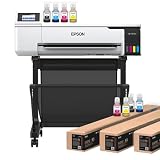
Epson Surecolor F570 24″ Desktop Sublimation Printer
- ...
- Astounding Print Quality - PrecisionCore MicroTFP printhead offers Precision Droplet Control for outstanding clarity, plus reliability with Nozzle Verification...
- Versatile Media Support - Accommodates rolls and sheets up to 24" wide; includes a 50-sheet auto-feed tray and built-in cutter for added efficiency.
- Professional Software - Epson Edge Print Pro with an Adobe PostScript 3 and Adobe PDF Print Engine features job layout and nesting, pattern repeats, and advanced color...
- Compatibility - The T49M inks are engineered to work seamlessly with Epson SureColor printers, ensuring optimal performance and reliability. The inks are compatible with...
The Epson Surecolor F570 24″ Desktop Sublimation Printer is designed for businesses that demand reliable, high-quality sublimation printing. It streamlines your workflow by handling both rolls and sheets up to 24 inches wide. The built-in cutter and 50-sheet auto-feed tray reduce manual tasks, saving valuable time.
This printer features Epson’s PrecisionCore MicroTFP printhead with Precision Droplet Control technology. These innovations deliver sharp, vivid images consistently, enhancing the quality of your products. Maintenance is straightforward with included remote installation support, minimizing downtime.
The Surecolor F570 includes two full T49M ink sets, ensuring seamless compatibility and smooth color transitions. Epson Edge Print Pro software offers precise color management and flexible job layouts. This combination helps you achieve professional results with less effort.
While the printer’s desktop footprint with the included stand requires adequate space, it fits well in most small to medium workspaces. Delivery involves LTL freight and requires a valid phone number for scheduling, which may affect timing but ensures careful handling.
Best for: Small businesses and creative professionals needing a dependable sublimation printer with advanced media handling and color precision.
What We Like:
- PrecisionCore MicroTFP printhead with droplet control for sharp, vivid prints
- Supports rolls and sheets up to 24″ wide with auto-feed and built-in cutter
- Includes two full T49M ink sets and Epson Edge Print Pro software
- Remote installation assistance for easy setup
Specification:
| Feature | Detail |
|---|---|
| Manufacturer | Epson |
| Print Width | Up to 24 inches (61 cm) |
| Ink Sets Included | Two full T49M sets |
| Media Handling | Rolls and sheets, 50-sheet auto-feed tray |
| Software | Epson Edge Print Pro |
| Installation Support | Remote |
| Footprint | Desktop with stand |
Sawgrass VersiFlex SG500 Printer, Ink and Transfer Paper Bundle
- A pressure adjustable manual heat press is required. VersiFlex Kit Includes: A Sawgrass SG500 printer, 31ml VersiFlex ink cartridge 4 Pack, 50 sheets of VersiFlex Light...
- VersiFlex Unique Decoration System – Next-gen decoration solution for durable, high-quality prints on porous materials like natural fibers & untreated wood—more...
- Simplified Decoration - No Pre-treatment Needed! VersiFlex technology enables high-quality decoration on porous surfaces - natural fibers, cotton, canvas, and untreated...
- Unleash Vibrant Colors & Soft Feel - VersiFlex Decoration Inks exclusively for the SG500 that deliver stunning, true-to-life colors with a soft touch. No more stiff...
- Industry-Trusted Printers, Innovative Inks & Specialized Papers: Experience flawless prints, REACH/RoHS/OEKO-TEX certified.
Experience high-quality, vibrant prints on porous surfaces with the Sawgrass VersiFlex SG500 Printer, Ink, and Transfer Paper Bundle. Designed to bring versatility to creative projects, this system allows you to print directly on natural fibers like cotton, canvas, and untreated wood without any pre-treatment.
This bundle includes the SG500 printer, four 31ml VersiFlex ink cartridges, and 50 sheets of Light Heat Transfer Paper. To complete your setup, a pressure-adjustable manual heat press is required, giving you full control over the transfer process for consistent, professional results.
Maintenance is straightforward with the compact ink cartridges, though high-volume users may need to replace them more often. The printer supports true-to-life colors and produces a soft-touch finish, avoiding the stiffness common in typical DTF transfers.
Built for North American outlets, the system meets strict safety and environmental standards with REACH, RoHS, and OEKO-TEX certifications. This ensures reliable performance with minimal environmental impact.
Best for: creatives and small business owners producing vibrant, durable prints on porous materials without the hassle of pre-treatment.
What We Like:
- Direct printing on natural fibers without pre-treatment
- Soft-touch finish reduces stiffness compared to typical DTF transfers
- Certified for safety and environmental standards
- Compatible with North American power outlets
Specification:
| Feature | Details |
|---|---|
| Manufacturer | Sawgrass |
| Printer Model | VersiFlex SG500 |
| Ink Cartridge Volume | 31 ml each |
| Included Transfer Paper | 50 sheets Light Heat Transfer Paper |
| Power Compatibility | North American outlets |
Pinckney Cartridge-Free Super-Tank Wide Format Printer
- 【Sublimation Printing】Wireless Super-Tank AIl-in-One Printer with Scanner and Copier. High-capacity ink tanks mean no more ink cartridges.
- 【Bigger and Powerful】Take on Bigger Project with Wide-Format Printing up to 13" x 19". Scanning with ADF. Features a 250-sheet front tray paper capacity with...
- 【Sublimation Ink Contents】Sublimation Ink Contents: Black 127mL; Magenta 85mL; Cyan 85mL; Yellow 85mL. Ink may be shipped in a separate package based on logistic...
- 【Easy to Fill】Easy to Fill: the auto-fill nozzle fits the printer ink inlet perfectly and allows easily ink fill. No syringe needed, no squeezing, no ink leakage.
- 【What's in the box】Converted ET-15000 all-in-one White; Pinckney Sublimation Ink; Manual, CD-ROM for product setup; Power cord
Experience hassle-free sublimation printing with the Pinckney Cartridge-Free Super-Tank Wide Format Printer. Designed to eliminate cartridge replacements, it offers a smooth and efficient printing process that saves time and reduces interruptions. This printer is ideal for producing high-quality heat press transfers, making your creative projects stand out.
The device supports wide-format printing up to 13 x 19 inches, allowing you to create vibrant designs on t-shirts, mugs, and phone cases with sharp 4800 x 1200 dpi resolution. Its borderless printing options up to 11 x 17 inches provide professional results without the need for trimming. Wireless connectivity and an intuitive 2.7-inch touchscreen simplify operation and workflow.
Maintaining this printer is straightforward thanks to its cartridge-free EcoTank-style system. The included sublimation inks refill easily and cleanly, reducing mess and waste. With a 250-sheet capacity, it can handle larger print jobs efficiently, though paper options are limited to one tray.
While the scanner’s automatic document feeder is limited to 8.5 x 14 inches, the printer’s robust features make it a reliable choice for small businesses and creative professionals focused on sublimation printing.
Best for: Creative professionals and small business owners needing a cartridge-free sublimation printer for wide-format heat press transfers on various products.
What We Like:
- Cartridge-free super-tank system with easy, mess-free ink refills
- Wide-format printing up to 13 x 19 inches with high resolution and borderless options
- Wireless all-in-one functionality with printing, scanning, and copying
- User-friendly 2.7-inch touchscreen enhances ease of use
Specification:
| Feature | Details |
|---|---|
| Manufacturer | Pinckney |
| Maximum Print Size | 13 x 19 inches |
| Print Resolution | 4800 x 1200 dpi |
| Scanner ADF Size Limit | 8.5 x 14 inches |
| Paper Tray Capacity | 250 sheets |
| Connectivity | Wireless |
| Touchscreen Size | 2.7 inches |
Pinckney Cartridge-Free Sublimation Printer Bundle (White)
- 【Sublimation Printing】Wireless Super-Tank AIl-in-One Printer with Scanner and Copier. High-capacity ink tanks mean no more ink cartridges.
- 【Sublimation Ink Contents】Black 127mL; Magenta 85mL; Cyan 85mL; Yellow 85mL. Ink may be shipped in a separate package based on logistic optimizations.
- 【Easy to Fill】the auto-fill nozzle fits the printer ink inlet perfectly and allows easily ink fill. No syringe needed, no squeezing, no ink leakage.
- 【Supported Paper Sizes】Letter A Size (8.5 in x 11 in), Legal (8.5 in x 14 in), Executive (7.25 in x 10.5 in), A4 (8.25 in x 11.7 in), A6 (4.13 in x 5.83 in), 5.5 in x...
- 【High-resolution printing】up to 5760 x 1440 dpi. Finer ink droplet size, Worry less about clogging.
Experience hassle-free sublimation with the Pinckney Cartridge-Free Sublimation Printer Bundle. This all-in-one device, based on a converted ET-2800 or ET2803 model, offers wireless printing, scanning, and copying—all in sleek white. It eliminates the mess and fuss of cartridges with high-capacity ink tanks filled with vibrant sublimation ink.
Maintenance is simple thanks to the auto-fill nozzle, which makes refills quick and spill-free. The printer supports various paper sizes, from small 2.2 x 3.4 inches to wide 8.5 x 47.2 inches, and produces sharp, high-resolution prints up to 5760 x 1440 dpi. These features make it ideal for creating detailed heat transfer projects.
Designed for ease of use, setup is straightforward with clear instructions. Keep in mind that sublimation prints may look dull on paper before heat transfer, which is normal but can confuse first-timers. Ink might also arrive separately, so plan accordingly.
This bundle is a practical choice for those wanting a reliable, cartridge-free sublimation printer with versatile functions and mess-free maintenance.
Best for: Creatives and small business owners seeking a versatile, all-in-one sublimation printer with easy wireless use and efficient ink refills.
What We Like:
- Cartridge-free tanks with spill-free auto-fill refilling
- High-resolution printing supporting diverse paper sizes
- Wireless printing, scanning, and copying in one compact unit
- Easy setup with clear manual guidance
Specification:
| Feature | Details |
|---|---|
| Manufacturer | Pinckney |
| Model | Converted ET-2800 / ET2803 |
| Color | White |
| Print Resolution | Up to 5760 x 1440 dpi |
| Paper Size Support | 2.2 x 3.4 in to 8.5 x 47.2 in |
| Ink Colors | Black, Magenta, Cyan, Yellow |
| Connectivity | Wireless |
Brother Sublimation Printer and 4-Color Sublimation Ink Cartridge Set

- Powered by Artspira: Import printing images easily with the free Artspira app. With access to printing patterns and designs, plus the ability to convert images into...
- Create in Artspira: To start using the Brother Sublimation Printer, you must first download the free Artspira app. Once in Artspira, you can access over 100 sublimation...
- Make readymade clothes all yours: Use the Brother Sublimation Printer for your next DIY Project! It's as easy as creating your design on Artspira, transferring it...
- Fast printing speeds: With fast printing speeds, up to 45 seconds per sheet, you can quickly show off your custom project in full color.
- Complete Bundle: This product bundle also includes an extra set of 4 standard yield color sublimation ink cartridges
The Brother Sublimation Printer and 4-Color Ink Cartridge Set is designed to make vibrant, personalized printing straightforward and accessible. It helps creators produce sharp, colorful dye sublimation prints without the frustration of inconsistent results.
This bundle includes the SP1 printer and four genuine Brother ink cartridges in black, yellow, magenta, and cyan. Using the free Artspira app, you can easily import images, choose from over 100 designs, and share your creations online. The printer supports Wi-Fi connectivity and features a simple 2.7-inch touch panel for hassle-free operation.
Print your graphics on sublimation paper, then transfer them to apparel or merchandise with a heat press (sold separately). The 1200 × 1200 dpi resolution delivers detailed images, while maintenance is straightforward thanks to the use of original Brother inks, ensuring consistent quality and less downtime.
One limitation is the maximum media size of 8.5 × 11 inches, which may restrict larger projects. Additionally, print speeds are moderate, so it’s best suited for small batches rather than high-volume production.
Best for: Creators and small businesses needing a reliable and vibrant dye sublimation printing solution for custom apparel and merchandise.
What We Like:
- Genuine Brother 4-color sublimation ink for consistent, high-quality prints
- Easy design management with the Artspira app and Wi-Fi connectivity
- Sharp 1200 × 1200 dpi resolution with an intuitive touch panel
Specification:
| Feature | Details |
|---|---|
| Manufacturer | Brother |
| Printer Model | SP1 |
| Ink Colors | Black, Yellow, Magenta, Cyan |
| Max Media Size | 8.5 × 11 inches |
| Print Resolution | 1200 × 1200 dpi |
| Connectivity | Wi-Fi |
| Touch Panel Size | 2.7 inches |
Epson F170 Cartridge-Free Sublimation Printer Starter Bundle

- DESCRIPTION You will receive: 1 Original F170 sublimation printer. 10 Sheets of original sublimation Paper for polyester garments 1 Mini Iron Heat Press Machine 1 Thermal...
- Original Sublimation Printer
- We request signature at the delivery
- It prints 8.5x11 or 8.5x14 sheets
- Once you fill in with inks the printer, can't be returned.
The Epson F170 Cartridge-Free Sublimation Printer Starter Bundle offers a practical solution for those entering the world of dye sublimation printing. Its cartridge-free design reduces hassle and lowers running costs, making it ideal for beginners and small businesses. The bundle provides all essential tools to start customizing polyester and cotton garments with ease.
This printer supports printing sizes up to 8.5×14 inches at a sharp 1200×600 dpi resolution. Automatic duplex printing helps save time and effort. Multiple connectivity options, including Bluetooth, Wi-Fi, USB, and Ethernet, allow seamless integration into various work environments.
Maintenance is straightforward with the included sublimation inks and thermal tape, but note that returns are not accepted once inks are filled. The mini iron heat press included helps achieve vibrant, lasting prints on fabrics, enhancing product quality.
Weighing just 16 pounds, this compact system fits comfortably on most work surfaces. It is designed to streamline the printing process and improve productivity without requiring extensive technical knowledge.
Best for: Small businesses and beginners seeking an easy-to-use, cartridge-free sublimation printing solution for polyester and cotton garment customization.
What We Like:
- Complete starter kit with printer, inks, papers, heat press, and thermal tape
- Supports automatic duplex printing for efficient workflow
- Multiple connectivity options for versatile use
- Sharp print resolution of 1200×600 dpi
- Compact and lightweight design for easy placement
Specification:
| Feature | Details |
|---|---|
| Manufacturer | Epson |
| Maximum Print Size | 8.5 × 14 inches |
| Print Resolution | 1200 × 600 dpi |
| Connectivity | Bluetooth, Wi-Fi, USB, Ethernet |
| Weight | 16 lbs (7.3 kg) |
DNP DS820A 8″ Pro Dye-Sublimation Printer with Premium Media 8×10″/Case

- INCLUDED - DNP DS820A Printer, US Power Cord, USB Cable, Cleaning Kit, Manual, 2x 130 Print Rolls, Premium Media for DS820A, Padded Case & 3-Year Warranty.
- SUPERIOR QUALITY - Dye-sublimation thermal transfer ensures vibrant, detailed prints with 300 x 600 dpi resolution for professional-grade photos every time.
- VERSATILE PRINTING - Supports various sizes from 4x8" to 8x32", catering to diverse needs, from standard photos to panoramic prints with ease and precision.
- HIGH-SPEED OUTPUT - Experience rapid printing at just 29.3 seconds for an 8x10" photo, boosting productivity for events and high-volume print jobs efficiently.
- FLEXIBLE CONNECTIVITY - Seamlessly connect via USB 2.0 with Windows & Mac OS X, ensuring compatibility and straightforward integration into existing workflows.
Experience high-quality dye-sublimation printing designed to keep up with your busy event photography. The DNP DS820A delivers sharp, vibrant images with a resolution of 300 × 600 dpi, helping you create professional prints that impress your clients every time.
This printer handles a wide range of media sizes, from standard 4 × 8 inches to panoramic 8 × 32 inches, giving you the flexibility to meet diverse printing needs. It produces an 8 × 10 photo in just 29.3 seconds, speeding up your workflow without sacrificing detail.
Maintenance is straightforward with the included cleaning kit, ensuring consistent print quality and reliable operation. Its sturdy design and included padded case make it ideal for on-the-go use at events or studios.
Connectivity is via USB 2.0, compatible with both Windows and Mac OS X systems. You can choose from glossy, luster, or matte finishes to match the style your clients prefer.
Best for: Professional photographers and event organizers needing fast, versatile dye-sublimation printing with dependable performance.
What We Like:
- Produces sharp, vibrant prints at 300 × 600 dpi resolution
- Fast print speed of under 30 seconds per 8 × 10 photo
- Supports a versatile range of media sizes, including panoramic prints
- Includes a cleaning kit for easy maintenance and consistent results
- Portable design with a padded case for event and studio use
Specification:
| Feature | Details |
|---|---|
| Manufacturer | DNP |
| Print Resolution | 300 × 600 dpi |
| Print Speed | 29.3 seconds per 8 × 10 |
| Media Size Range | 4 × 8 to 8 × 32 inches |
| Connectivity | USB 2.0 |
| Compatible OS | Windows, Mac OS X |
| Included Accessories | Premium media, cleaning kit, padded case |
Factors to Consider When Choosing a Converted Sublimation Printer
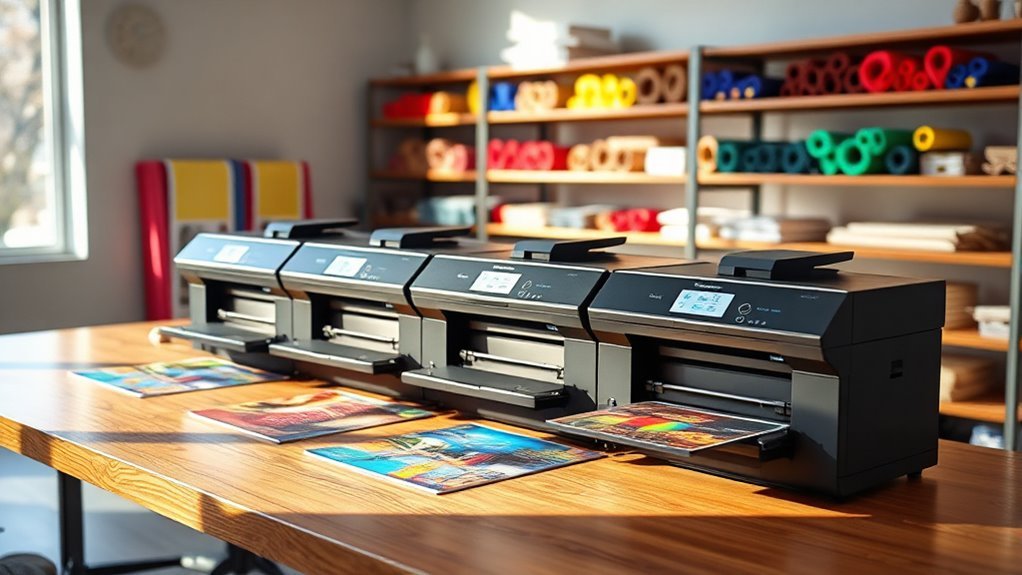
When choosing a converted sublimation printer, you’ll want to focus on ink system efficiency and print quality standards. This way, you can ensure your results look professional.
Also, consider the media handling capacity and connectivity options available. Matching these to your workflow needs makes a big difference.
Don’t forget to check the printer’s size and portability. These matter a lot if space or mobility is important for you.
Ink System Efficiency
Although ink system efficiency might seem like a minor detail, it plays a critical role in your overall printing experience and cost management. Look for printers with cartridge-free “super-tank” designs that hold large ink volumes, so you refill less often and avoid downtime.
Choose models featuring auto-stop, mess-free refilling to prevent spills and waste. Make sure the refill process is simple—no squeezing or syringes needed—to ensure your workflow stays smooth and error-free.
Also, check if the ink system is designed to work exclusively with specific sublimation inks; this reduces clogging and ensures consistent output. Finally, watch for return policies tied to ink loading, since once ink is added, your ability to return the printer might be limited.
Prioritize these factors to maximize efficiency and minimize hassle. It really makes a difference in the long run!
Print Quality Standards
Print quality standards often determine whether a converted sublimation printer meets your creative and professional requirements. You’ll want to look for high print resolution specs, like up to 4800×1200 dpi or at least 1200×1200 dpi, since higher dpi sharpens fine text and photo details.
Check if the printer uses Precision Droplet Control or nozzle verification features—these ensure accurate droplet placement and keep colors consistent with sharp edges. Confirm the print clarity for your typical output sizes, from photo-like 8×10 prints to larger variable runs, so quality stays reliable.
Also, verify the printer supports full color ranges matching your needs, distinguishing between true color and limited formats. Finally, consider real-world print speeds that balance quality and efficiency without compromises.
Media Handling Capacity
To make sure smooth and efficient production, you’ll want to carefully evaluate a converted sublimation printer’s media handling capacity. Check the input tray sheet capacity—some wide-format models hold up to 250 sheets, while smaller ones may only fit 100–150. This impacts how often you’ll need to reload.
Also, confirm if the printer supports both rolls and sheets; roll support reduces interruptions during long runs. Don’t overlook the maximum media size—it can range from 8.5×11 inches up to 13×19 inches, which affects material waste and trimming.
Look for features like auto-feed and dust-resistant closed trays to keep media clean and feeding smooth. For high-volume work, larger trays help maintain throughput without frequent stops, keeping your production running seamlessly.
Connectivity Options Available
When choosing a converted sublimation printer, you’ll want to prioritize connectivity options that fit your workflow and device setup. Look for Wi-Fi connectivity to send print jobs wirelessly, which most converted all-in-one models offer.
At the same time, check for USB ports to ensure dependable, direct printing from your computer. Confirm app-based or mobile sending support if you prefer controlling prints via smartphone, especially with iOS compatibility.
If you use a stand-alone PC or Mac, verify standard software compatibility for smooth printing without specialized connections. For business consistency, pick models providing both wireless and wired options to keep printing during network issues or troubleshooting.
Balancing these connectivity features will help you maintain flexibility and reliability in your sublimation printing process. It’s all about making sure your setup works seamlessly for you.
Printer Size And Portability
Connectivity options help keep your sublimation printer integrated into your workflow, but you’ll also want to assess its size and portability.
First, check the printer’s maximum media width and whether it handles sheets or rolls to match your usual transfer sizes. Compact models support about 8.5″×11″ to 8.5″×14″, while larger desktops handle up to 24″ wide.
Consider the footprint and weight; small desktop units weigh 16–22 lbs and are easier to move. Larger production printers, on the other hand, aren’t as portable.
Tray design matters too—sheet auto-feed trays speed up media swapping compared to rear-feed trays, especially during events or on the go.
Also, decide if you need an all-in-one with scanning or copying, as that adds to the desk space required.
Software Compatibility Features
Although hardware specs are essential, making sure your converted sublimation printer works smoothly with your software is just as important. Check if the printer supports common operating systems like Windows or macOS. Also, see if it includes companion software for layout and print control.
If you often print from mobile devices, look for Wi-Fi-based app integration for Android and iOS. Choosing software with advanced print features like job layout, nesting, pattern repeats, and color controls can really boost your efficiency and consistency.
Make sure the printer’s driver supports your workflow, such as Adobe PDF Print Engine or PostScript. And don’t forget to verify the software can handle your media sizes and output formats natively. This helps avoid issues with registration or color accuracy.
Prioritizing compatibility will keep your sublimation projects running smooth and professional every time.
Warranty And Support
To get the most from your converted sublimation printer, you’ll want to make sure to carefully review its warranty and support options. Check the warranty term and coverage since many converted wide-format printers offer limited warranties—often one year, sometimes up to three.
Also, confirm ink-related restrictions. Some units become non-returnable once ink is loaded, which helps prevent issues like leakage or skin irritation.
Make sure to verify if technical support or remote assistance is included. This can really speed up troubleshooting when you need it.
Additionally, look for documentation such as manuals or setup CDs. These materials can simplify configuration and make warranty claims easier.
If your printer ships in parts, like separate ink deliveries, ensure you understand how that impacts warranty coverage. Being thorough here saves you headaches and ensures your investment is protected.
Frequently Asked Questions
How Long Do Sublimation Prints Typically Last Without Fading?
Sublimation prints typically last around 3 to 5 years without fading if you avoid direct sunlight and harsh chemicals.
You’ll keep colors vibrant longer by protecting your prints and using quality sublimation materials. Just a little care goes a long way!
Can Sublimation Printers Print on Dark Fabrics or Only Light Ones?
You can’t print directly on dark fabrics with sublimation printers because the inks are transparent.
Instead, you’ll need to use white or light-colored polyester materials for vibrant, lasting prints that really pop.
What Maintenance Is Required to Keep Sublimation Printers in Good Condition?
You’ll want to clean print heads weekly since 70% of printer issues stem from clogs. Regularly check ink levels, perform nozzle checks, and use recommended cleaning solutions to keep your sublimation printer running smoothly and producing vibrant prints.
Keeping up with these simple steps can really save you a lot of trouble down the line. Plus, it helps ensure your prints always look their best!
Are Sublimation Inks Safe and Non-Toxic for Home Use?
Sublimation inks are generally safe and non-toxic for home use, but you should still handle them carefully. Avoid direct skin contact and inhaling fumes.
It’s a good idea to work in a well-ventilated area to keep yourself safe. Just a little extra care goes a long way!
Can Sublimation Printers Be Used for Custom Phone Cases or Only Textiles?
You can absolutely use sublimation printers to customize phone cases, not just textiles.
Think of your printer as a magic wand, transferring vibrant designs onto hard surfaces like cases, mugs, and more.
The colors come out stunning and last a long time, making your custom items really stand out.
Conclusion
Choosing the perfect sublimation printer is like finding the right brush for your masterpiece—it shapes every vibrant detail of your creativity. Whether you want compact power or wide-format freedom, these converted printers bring your ideas to life with dazzling clarity.
Begin, trust your instincts, and let your imagination run wild. With the right tool in hand, your projects won’t just print—they’ll sing.
Your creative journey starts now. Finding the best converted sublimation printer for 2027 means unlocking endless possibilities for vibrant, high-quality prints. These printers offer versatility, precision, and reliability—everything you need to make your designs stand out. So dive in, explore your options, and choose a sublimation printer that fits your style and needs perfectly. With the right sublimation printer, your creativity can truly soar, turning every project into a vivid work of art.