9 Best Colour Printers for Photos in 2027
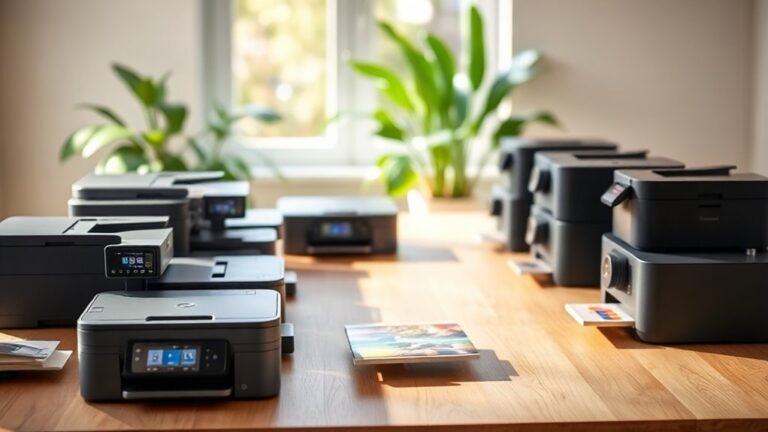
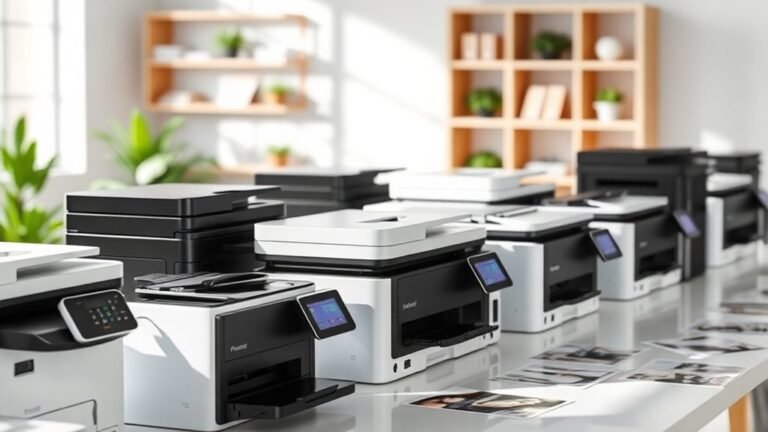
You’ll find top photo printers like the Liene M100 for sharp, durable 4×6 prints, and the KODAK Step for quick, portable 2×3 photos with smudge resistance. These printers are perfect if you want quality and convenience in one package.
For vibrant, borderless prints, the Canon PIXMA TS4320 and Epson XP-8800 excel with high resolution and rich colors. They bring your photos to life with every print.
If portability matters, consider the HP Sprocket or Liene Pearl K100. Each model offers unique features to fit your photo printing needs—explore how they match your style and workflow.
| Image | Name | Editor's Rating | Price |
|---|---|---|---|

|
|
||

|
|
||

|
|
||

|
|
||

|
|
Liene M100 Portable 4×6 Photo Printer with Wi-Fi
- User-Friendly Portable Photo Printer for iPhone, Android & PC - Get beautiful and colourful memories with Liene 4x6 photo printer! After opening the entire package, you...
- Superior Quality 4x6 Photo Printer - Print photos like no other thanks to the thermal-dye sublimation tech adopted by the picture printer for iphone. The dyes deeply...
- Wi-Fi Photo Printer for Smartphone - The built-in hotspot of the photo printer makes it easy to print pictures from your phone, avoiding outside interference with a fast...
- Multiple Device Compatibility - Liene phone printer provides instant photo printing for up to 5 simultaneous connections. Share with family and friends or print from your...
- Customize your Printing with the Liene App - Customize your photos with our specialized App! You can add a Square border, insert filters, enhance the contrast and...
The Liene M100 Portable 4×6 Photo Printer offers a compact solution for printing vibrant photos on the go. Its thermal dye-sublimation technology creates sharp, borderless images with a laminated finish that protects against water, scratches, and fading. This ensures your memories stay vivid and durable over time.
Designed for ease of use, the printer connects seamlessly to up to five devices via Wi-Fi or USB-C. You can print directly from your smartphone, tablet, or laptop using the intuitive Liene app, which allows for easy customization. Its lightweight design, weighing just 200 grams, makes it convenient to carry anywhere.
Maintenance is simple with included color cartridges and 100 sheets of photo paper. Just ensure cartridges are properly clicked in before printing. Although the printer handles only single-sided prints and prints at a moderate pace, it remains ideal for quick, high-quality 4×6 photos.
Best for: Anyone needing a lightweight, portable photo printer to produce durable, vibrant 4×6 photos quickly from multiple devices.
What We Like:
- Compact and lightweight for easy portability
- Produces glossy, water- and scratch-resistant photos
- Connects up to five devices via Wi-Fi or USB-C
- Includes 100 sheets and color cartridges for immediate use
Specification:
| Feature | Details |
|---|---|
| Manufacturer | Liene |
| Dimensions | Not specified |
| Weight | 200 grams (0.44 lbs) |
| Printing Method | Thermal dye-sublimation |
| Photo Size | 4 x 6 inches (10 x 15 cm) |
| Connectivity | Wi-Fi, USB-C |
| Compatible OS | iOS, Android, Windows, Mac |
| Paper Capacity | 20 sheets max |
KODAK Step Portable Wireless Smartphone Photo Printer
- STEP UP YOUR PRINTING GAME. KODAK Step Printer Connects to Any iOS or Android Device [Via Bluetooth or NFC] Turn Your Selfies, Portraits, Social Media Posts Into Physical...
- AMAZING ZERO-INK TECHNOLOGY. ZINK 2” x 3” Sticky-Back Paper with Embedded Dye Crystals Delivers High-Quality, Durable, Affordable, Beautifully Detailed Prints That...
- FULL EDITING SUITE VIA APP. Download the KODAK App to Create Collages & Customize Your Snaps with Stunning Filters, Interesting Borders, Cool Stickers, Funny Text & Other...
- TAKE YOUR PROJECTS TO GO. Our Palm-Sized Printer Weighs Less Than a Pound, Sets Up Fast & Delivers Gorgeous Prints You Can Peel & Stick Everywhere.
- CUTE, COMPACT & COLORFUL. Step Printer is Designed for Photo-Loving Influencers & Crafters of All Ages & Skill Levels! Portable, Lightweight Device Features Built-In...

Experience the joy of instant photo printing with the KODAK Step Portable Wireless Smartphone Photo Printer. This compact device lets you create vibrant, peel-and-stick photos wherever you are. It solves the hassle of waiting for prints by delivering quick, colorful results directly from your smartphone.
Designed for convenience, the printer connects wirelessly through Bluetooth or NFC. The intuitive KODAK app offers editing features like filters and stickers, helping you personalize every print. Its lightweight build makes it easy to carry, perfect for capturing memories on the move.
Maintenance is simple with a rechargeable battery that prints about 25 photos per charge. However, frequent recharging may be needed during heavy use. The small paper tray holds up to 10 sheets, so keep extras handy for uninterrupted printing sessions.
The printer uses ZINK thermal technology, producing smudge- and tear-resistant 2×3-inch photos. While the print resolution is moderate, it delivers reliable quality suitable for casual use and creative projects.
Best for: Travelers, social influencers, and crafters who want a portable device for quickly printing vibrant photos from their smartphones.
What We Like:
- Compact and lightweight for easy portability
- Wireless Bluetooth and NFC connectivity with a feature-rich app
- Durable, peel-and-stick photos resistant to smudges and tears
- Quick recharge and simple battery management
Specification:
| Feature | Details |
|---|---|
| Manufacturer | KODAK |
| Dimensions | Compact (specific size not provided) |
| Weight | Lightweight (exact weight not provided) |
| Print Size | 2 x 3 inches |
| Connectivity | Bluetooth, NFC |
| Battery Life | Approximately 25 prints/charge |
| Print Technology | ZINK thermal |
| App Features | Editing tools with filters and stickers |
KODAK Dock Plus 4×6 Photo Printer, Smartphone Docking, 4PASS, 50 Sheets
- Dock Photo Printer: The KODAK Dock Plus is a home photo printer that produces high-quality 4x6” prints directly from compatible smartphones. Featuring an integrated...
- Genuine 4PASS dye sublimation printing: Each photo is produced in three color layers and finished with a clear protective lamination layer. In approximately 55 seconds...
- Easy to Use: Print photos quickly without complicated setup or technical steps. Simply power on, connect wireless bluetooth, and start printing within seconds. The Dock...
- Home Printing Station: Designed for stable desktop use, this dock photo printer connects to a power outlet for consistent performance and larger 4x6” prints. Ideal for...
- KODAK Photo Printer APP: Featuring integrated Bluetooth connectivity, this portable printer connects to compatible iOS and Android devices through the KODAK Photo Printer...
The KODAK Dock Plus 4×6 Photo Printer transforms how you print photos from your smartphone. It solves the hassle of transferring images to a computer by allowing direct docking and printing. This design keeps your phone charged and ready while producing vibrant, durable photos quickly.
Using advanced 4PASS dye sublimation technology, it delivers sharp, fingerprint- and water-resistant prints in just under a minute. The compact desktop dock keeps your workspace organized and makes setup straightforward, especially for first-time users. Maintaining the printer is easy with included 50 sheets, minimizing the need for frequent refills.
Connectivity through Bluetooth and the KODAK Photo Printer app enables simple editing and customization before printing. This combination enhances your creative control without complicated software. However, it requires a constant power connection, which limits portability.
The printer is ideal for everyday photo printing, scrapbooking, or framing memories in a convenient 4×6″ size. Its balance of functionality and ease of use makes it a practical addition to any home.
Best for: Users wanting a compact, easy-to-use photo printer that works directly with smartphones for quick 4×6″ prints.
What We Like:
- Produces vibrant, fingerprint- and water-resistant photos with 4PASS dye sublimation.
- Integrated phone dock charges the device while printing.
- Simple Bluetooth setup with a companion app for photo editing.
- Compact desktop design ideal for home use.
- Includes 50 sheets for immediate printing.
Specification:
| Feature | Details |
|---|---|
| Manufacturer | KODAK |
| Print Size | 4 x 6 inches |
| Printing Technology | 4PASS dye sublimation |
| Connectivity | Bluetooth |
| Included Paper | 50 sheets |
| Power Requirement | Continuous power connection |
| Dimensions | Desktop dock design |
Canon PIXMA TS4320 – Wireless Color Inkjet Printer with Print, Copy, Scan
- Affordable Versatility - A budget-friendly all-in-one printer perfect for both home users and hybrid workers, offering exceptional value
- Crisp, Vibrant Prints - Experience impressive print quality for both documents and photos, thanks to its 2-cartridge hybrid ink system that delivers sharp text and vivid...
- Effortless Setup & Use - Get started quickly with easy setup for your smartphone or computer, so you can print, scan, and copy without delay
- Reliable Wireless Connectivity - Enjoy stable and consistent connections with dual-band Wi-Fi (2.4GHz or 5GHz), ensuring smooth printing from anywhere in your home or...
- Scan & Copy Handling - Utilize the device’s integrated scanner for efficient scanning and copying operations
Experience crisp, vibrant photo printing with the Canon PIXMA TS4320, designed to simplify your everyday tasks. This all-in-one wireless inkjet printer is ideal for home and hybrid work environments, delivering sharp 1200 x 1200 dpi color prints that bring your images and documents to life.
Its compact and stylish design fits easily into any space, while the auto duplex printing helps save paper effortlessly. The dual-band Wi-Fi allows smooth wireless connections from smartphones, tablets, or PCs, making printing on the go straightforward and hassle-free.
Maintenance is simple with support for various media types, including glossy photo paper and envelopes. The 100-sheet capacity reduces frequent reloads, although the single paper tray means you’ll need to swap paper manually when switching types. Print speeds are moderate, so it’s best suited for light, everyday use rather than high-volume jobs.
Overall, the PIXMA TS4320 combines functionality and ease of use, helping you produce high-quality prints without complexity or clutter.
Best for: Home users and hybrid workers needing a compact, versatile printer for everyday printing, copying, and scanning with excellent photo quality.
What We Like:
- Sharp 1200 x 1200 dpi color printing with automatic duplexing
- Dual-band Wi-Fi supports seamless wireless printing from multiple devices
- Accommodates various media types with a 100-sheet paper capacity
- Compact, stylish design fits well in small spaces
Specification:
| Feature | Details |
|---|---|
| Manufacturer | Canon |
| Dimensions | Compact design (exact size not specified) |
| Weight | Not specified |
| Color Options | Not specified |
| Print Resolution | 1200 x 1200 dpi |
| Connectivity | Dual-band Wi-Fi |
| Paper Capacity | 100 sheets |
Liene Pearl K100 Portable Photo Printer Bundle White
- [Easy Printing via Bluetooth 5.2] The Liene photo printer does not need a Wi-Fi connection, just connect it via Bluetooth 5.2, and you can enjoy a smooth and fast...
- [Print Mono Photo Paper Function & Wireless Printing] Liene designed the portable photo printer to allow you to print color and mono photos(you could buy extra mono...
- [Zink Inkless Printing] Liene photo printer uses advanced inkless printing technology, which will significantly reduce damage to print head parts & extend the life of the...
- [2x3 Sticky-Backed Paper] The iphone picture printer comes with an extra 50 sheets of Zink photo paper 2x3. An economical 2x3 photo printer is the first choice for photo...
- [New App function - Clean print head] Don't know what to do when there are white spots, white lines or other dirt on the photo when printing? The Liene phone printer has...
Capture your favorite moments instantly with the Liene Pearl K100 Portable Photo Printer. This compact printer lets you create vibrant, durable photos wherever you are, eliminating the need for Wi-Fi. With easy Bluetooth 5.2 connectivity, it pairs quickly with both iOS and Android devices, making mobile printing hassle-free.
Using inkless ZINK thermal technology, this mini printer produces sharp 2 x 3-inch color or mono prints on sticky-backed paper. These prints are water- and dust-resistant, lasting up to 10 years, perfect for decorating, sharing, or scrapbooking. The included sticky-backed sheets add versatility by turning photos into stickers or mounts.
Maintenance is simple with the Liene app, which provides a one-touch option to clean the print head. This feature helps maintain clear, high-quality images over time, ensuring consistent print performance. A single battery charge supports about 30 prints, making it reliable for on-the-go use.
The Liene Pearl K100 is designed for users who want a portable, easy-to-use printer without the bulk. Its small size and lightweight build make it ideal for casual photo printing anytime.
Best for: Anyone seeking a compact photo printer for quick, durable sticker-ready prints while on the move.
What We Like:
- Bluetooth 5.2 for fast, Wi-Fi-free pairing
- Inkless ZINK printing delivers long-lasting, water- and dust-resistant photos
- Compact design with sticky-backed paper included
- Easy print head maintenance via the dedicated app
Specification:
| Feature | Details |
|---|---|
| Manufacturer | Liene |
| Dimensions | Not specified |
| Weight | Not specified |
| Printing Technology | Inkless ZINK thermal |
| Print Size | 2 x 3 inches |
| Connectivity | Bluetooth 5.2 |
| Color Options | White |
Epson Expression Premium XP-7100 Wireless Color All-in-One Inkjet Printer
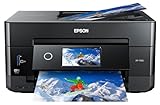
- CLEAR AND VIBRANT PRINT QUALITY ― All-in-one inkjet color printer produces sharp text for eye-catching documents and impressive color photos and graphics; Your next...
- PRINTER FOR HOME USE ― Designed to increase your productivity at home, this wireless color printer features a 30 page auto document feeder (ADF), auto 2-sided print...
- CREATIVITY MADE EASY ― Epson color printer provides creative versatility, allowing you to print photos and documents on specialty paper¹ and DVDs; You can even print...
- SIMPLE FUNCTIONALITY ― Convenient features make printing, scanning, and copying a snap; Use the large, intuitive 4.3 in touchscreen to view, edit and print photos...
- CONVENIENT WIRELESS PRINTER ― Ultimate wireless plus ethernet; Easily print photos and documents directly from your tablet or smartphone³; Includes Wi-Fi direct for...
The Epson Expression Premium XP-7100 is designed to bring vibrant, professional-quality photos right to your home or office. With its 5-color Claria Premium ink system, it produces sharp, borderless prints up to 8 x 10 inches, ideal for photo enthusiasts and creative projects. Printing 4 x 6 photos takes just 12 seconds, helping you complete tasks quickly.
This all-in-one printer supports various media types thanks to its rear manual feed, allowing you to handle specialty paper with ease. The compact design fits comfortably in smaller spaces without compromising performance. Automatic duplex printing, copying, and scanning add convenience and save time in daily use.
Connectivity is flexible, with Wi-Fi, Ethernet, and SD card support to fit different workflows. The 4.3-inch touchscreen makes navigation simple and lets you print directly from USB drives or memory cards. Maintenance is straightforward, though the single 30-sheet tray means frequent refills during heavy tasks.
Best for: users who need a versatile, space-saving all-in-one printer for high-quality photos and everyday office tasks.
What We Like:
- Sharp, vibrant borderless photo printing up to 8 x 10 inches
- Flexible connectivity including Wi-Fi, Ethernet, USB, and SD card
- Rear manual feed supports specialty media
- Automatic duplex printing and scanning for efficiency
- User-friendly 4.3-inch touchscreen interface
Specification:
| Feature | Details |
|---|---|
| Manufacturer | Epson |
| Dimensions (W×D×H) | 14.8 × 12.6 × 6.0 inches |
| Weight | 13.9 lbs (6.3 kg) |
| Ink System | 5-color Claria Premium |
| Maximum Print Size | 8 x 10 inches |
| Connectivity | Wi-Fi, Ethernet, USB, SD card support |
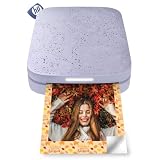
HP Sprocket 2×3 Portable Wireless Photo Printer Purple
- PRINT PHOTOS ON DEMAND HP Sprocket 2nd Edition Printer Prints 2”x 3” Photographs from Your Smartphone or Social Media. For iOS 10-Plus & Android 5-Plus, Bluetooth 5.3
- ZINK ZERO INK TECHNOLOGY No Expensive Toner or Ribbon Replacements. Glossy Sticky-Back Photo Paper Has Colors Embedded Inside for Amazing Resistance to Water, Smudges...
- UNIQUE FILTERS, FRAMES & FLAIR Customize Your Snaps with Cool Editing Tools on the Free HP App. Apply Stickers, Borders & Emojis, Share Albums.
- CONNECT TO MULTIPLE DEVICES Set Up Sprocket at Parties So Friends Can Print Instantly Shareable Photos—At the Same Time. Personalized LED Light Lets You Know Who’s...
- SLIM, PORTABLE DESIGN Wireless Pocket-Sized Rechargeable Printer is Compact Enough to Carry in Your Backpack, Purse, or Pocket. Micro USB Charging Cable with...
Capture and print your memories instantly with the HP Sprocket 2×3 Portable Wireless Photo Printer. This compact device solves the hassle of waiting for photos by delivering 2″ x 3″ full-color prints directly from your smartphone. Its pocket-sized design means you can take it anywhere, making photo sharing quick and effortless.
Using ZINK technology, the printer produces vibrant, water-, smudge-, and tear-resistant sticky-back photos without needing ink cartridges. Connect easily via Bluetooth to the free app, which lets you customize images with filters, frames, and emojis. This adds a fun, personal touch to your prints.
Maintenance is simple since you only need to keep the ZINK paper stocked. The rechargeable battery ensures the printer stays ready on the go, while the lightweight build fits comfortably in your bag or pocket. Multiple users can print simultaneously, with personalized LED indicators showing who’s printing.
While print resolution is modest at 313 x 400 DPI, it’s suitable for casual use and quick sharing. The printer handles up to 10 sheets in its tray, perfect for small batches of photos. Overall, it’s designed for those who want instant, portable photo printing with easy wireless connectivity.
Best for: Smartphone users looking for a compact, portable photo printer that delivers customizable 2″ x 3″ prints quickly and wirelessly.
What We Like:
- Produces full-color sticky-back photos without ink cartridges
- Supports multiple users with personalized LED indicators
- Lightweight and rechargeable for easy portability
- Uses ZINK technology for water-, smudge-, and tear-resistant prints
Specification:
| Feature | Details |
|---|---|
| Manufacturer | HP |
| Dimensions | Pocket-sized (approx. 3.5” x 2.3” x 0.9”) |
| Weight | Lightweight (approx. 0.5 lbs) |
| Print Technology | ZINK (Zero Ink) |
| Photo Size | 2″ x 3″ |
| Color Options | Purple |
HP Envy 6155 Wireless All-in-One Inkjet Printer

- FROM AMERICA'S MOST TRUSTED PRINTER BRAND – The Envy 6155 is perfect for homes printing everyday high-quality color documents like homework and borderless photos. Print...
- 3 MONTH TRIAL OF INSTANT INK – Subscribe to the Instant Ink delivery service to get ink delivered directly to your door before you run out, and you save up to 50% on...
- KEY FEATURES – Color print, copy and scan, plus auto 2-sided printing and a 100-sheet input tray
- HP'S MOST INTUITIVE COLOR TOUCHSCREEN – Smoothly navigate your printer with the easy-to-use 2.4" touchscreen
- WIRELESS PRINTING – Stay connected with our most reliable dual-band Wi-Fi, which automatically detects and resolves connection issues
Experience hassle-free printing with the HP Envy 6155 Wireless All-in-One Inkjet Printer, designed to simplify your everyday tasks. It effortlessly produces vibrant, borderless photos and sharp color documents right from your home. This printer combines convenience and efficiency, making printing, scanning, and copying straightforward.
Its automatic duplex printing feature helps you save both paper and time by printing on both sides without manual effort. The easy-to-use 2.4″ color touchscreen enhances navigation, while HP’s AI print optimization reduces ink waste and ensures precise formatting. This means fewer errors and lower costs in the long run.
Maintaining the printer is simple with the included Instant Ink trial, which automatically replenishes cartridges before they run out. Wireless connectivity via dual-band Wi-Fi and the HP App lets you print or scan directly from your smartphone, increasing flexibility and convenience.
With true-to-screen color accuracy thanks to P3 technology and a sustainable design using recycled materials, the HP Envy 6155 meets modern home printing needs with environmental consciousness.
Best for: home users seeking a versatile all-in-one printer for vibrant photos, color documents, and everyday printing tasks.
What We Like:
- Automatic duplex printing saves paper and time
- HP AI print optimization reduces ink waste
- Wireless printing and scanning via dual-band Wi-Fi and HP App
- Instant Ink trial for seamless cartridge replenishment
Specification:
| Feature | Details |
|---|---|
| Manufacturer | HP |
| Dimensions | 17.2 x 14.5 x 5.9 inches |
| Weight | 13.5 lbs (6.12 kg) |
| Printing Technology | Inkjet |
| Touchscreen | 2.4-inch color touchscreen |
| Connectivity | Dual-band Wi-Fi, HP App support |
| Duplex Printing | Automatic |
Epson Expression Photo XP-8800 Wireless Color All-in-One Inkjet Printer

- Lab-quality photos and prints — 6-color Claria Photo HD ink and high print resolution for amazing borderless prints up to 8.5" x 11"
- Fast photo printing — delivers 4" x 6" borderless photos with astounding detail and accuracy in as fast as 10 seconds (1)
- Convenient, easy operation — features flush 4.3" color touchscreen, plus Easy Mode for enhanced visibility and ease of use
- Versatile paper handling — separate trays for plain and photo paper, plus a rear feed for specialty paper
- Easy wireless printing — print from your laptop, desktop, smartphone or tablet (3); use Wi-Fi Direct (4) for router-free printing
Capture stunning photo prints effortlessly with the Epson Expression Photo XP-8800. Designed for creative enthusiasts and home users, this wireless all-in-one inkjet printer simplifies your workflow by combining printing, scanning, and copying in one compact device. Its 6-color Claria Photo HD ink system ensures rich, detailed images that bring your photos to life.
This printer addresses common frustrations like slow photo printing and limited connectivity. With borderless photo printing up to 8.5 x 11 inches and fast 4×6 prints in just 10 seconds, it helps you produce professional-quality photos quickly. Wireless options like Wi-Fi, Wi-Fi Direct, and USB make it easy to connect multiple devices without hassle.
Maintenance is straightforward thanks to Epson’s Smart Panel and Creative Print apps, which streamline project management and photo creativity. The dual trays for plain and photo paper add convenience, minimizing the need to switch media frequently. Its compact size and 4.3″ touchscreen make operation intuitive and space-efficient.
While print speed varies based on settings, this printer offers reliable quality for everyday use. Note that it supports Epson Genuine Cartridges only, which may impact ongoing ink expenses. Its maximum media size is limited to standard letter dimensions, so it may not suit large-format printing needs.
Best for: Creative hobbyists and home users who want versatile photo printing with easy wireless connectivity and straightforward maintenance.
What We Like:
- Produces vivid, detailed photos with 6-color Claria Photo HD ink
- Fast 4×6 borderless prints in about 10 seconds
- Compact design with an intuitive 4.3″ touchscreen interface
- Flexible wireless connectivity including Wi-Fi and Wi-Fi Direct
- Dual trays for convenient paper handling and media switching
Specification:
| Feature | Details |
|---|---|
| Manufacturer | Epson |
| Dimensions (W x D x H) | 14.8 x 11.7 x 5.8 inches |
| Weight | 11.7 lbs (5.3 kg) |
| Ink System | 6-color Claria Photo HD |
| Media Size Max | 8.5 x 11 inches |
| Connectivity | Wi-Fi, Wi-Fi Direct, USB |
| Display | 4.3-inch color touchscreen |
Factors to Consider When Choosing a Colour Printer for Photos
When choosing a colour printer for photos, you’ll want to focus on print quality and resolution to get sharp, vibrant results. Consider the printing technology, connectivity options, and the media sizes the printer can handle to match your needs.
Don’t forget to check the durability of prints and how long the ink lasts. This way, you can make certain your photos stay beautiful over time.
Print Quality And Resolution
Print quality hinges on resolution and color depth, which together determine how sharp and vibrant your photos appear. Resolution, measured in dots per inch (dpi), directly impacts detail—aim for 300–600 dpi or higher for fine photo prints with smooth gradients.
Color depth, often 24-bit (~16.7 million colors), affects how many tones your printer can reproduce. Wider gamuts yield richer, more accurate hues, especially for skin tones.
Remember, print media also matters. Glossy or laminated papers preserve detail better than textured or low-quality options.
Finally, don’t overlook your printer driver settings and image preparation. Using the right color profiles and source file resolution prevents banding and loss of detail, ensuring that your printer’s high dpi capability truly shines in every photo you print.
Printing Technology Types
Choosing the right printing technology plays a pivotal role in achieving the photo quality you want. Dye-sublimation printers offer continuous-tone, laminated prints that resist fingerprints and water, delivering smooth color gradations and durability.
Inkjet printers, especially photo-specific ones, spray tiny ink droplets, producing high resolutions and wide color gamuts perfect for detailed, large-format prints. Meanwhile, ZINK and thermal dye-crystal printers heat embedded dye crystals to create instant, compact prints without ink cartridges, but with smaller sizes and limited color depth.
Keep in mind, thermal and dye-sublimation methods provide protective, smudge-resistant surfaces, while inkjets often need special papers for longevity. So, consider factors like print longevity, color accuracy, resolution, media size, and ongoing costs to pick the best technology for your photo printing needs.
Connectivity Options Available
Several connectivity options can impact how easily and efficiently you send photos to your colour printer. Wi-Fi, including Wi-Fi Direct, allows wireless printing from multiple devices and typically handles full-size photo files faster than Bluetooth.
If you want quick, direct smartphone pairing, Bluetooth and NFC work well but have shorter range and slower speeds. USB connections, whether Type-A or Type-C, offer reliable wired transfers, ideal for high-resolution images or PC-based editing.
Cloud and app-based printing let you print remotely from your phone or cloud storage, though they need internet access and compatible apps. For multi-user setups or heavy workloads, Ethernet ports provide stable, fast network printing, especially for large files.
Think about your workflow and devices to choose the best connectivity for your photo printing needs. It really depends on what works best for you!
Media Size And Capacity
After deciding how you’ll connect your devices to the printer, the next step is to evaluate the media size and capacity your printer can handle. Choose a printer that supports the photo sizes you plan to print—common options include 2×3″, 4×6″, 5×7″, 8×10″, and up to letter/A4. This way, you won’t waste paper trimming.
Check the maximum input tray and output capacity; larger trays holding 20–100 sheets save you from frequent reloads during multiple prints. Look for printers with dedicated photo paper trays or rear/manual feeds to minimize jams and guarantee better borderless prints.
If you want to print on specialty media like sticker paper or card stock, confirm the maximum media thickness and substrate compatibility. Also, consider borderless printing support and margin tolerances for flawless, gallery-quality photos.
Durability And Ink Longevity
When you want your photos to last, focus on durability and ink longevity as key factors in selecting a colour printer. Opt for printing technologies with protective lamination or overcoats, like dye-sublimation, to resist water, fingerprints, and fading.
Choose papers and processes rated for light and humidity resistance, ensuring prints remain stable indoors for years. Pigmented inks generally outperform dye-based inks in fade resistance and color stability, so prioritize printers using them.
To keep prints vibrant longer, store them and unused paper in sealed, dust-free packaging, away from direct sunlight and humidity. Also, regularly maintain your printer by cleaning print heads and properly seating cartridges to avoid defects that shorten print life.
These steps really help your photos stay vivid and durable over time. It’s all about a little care and the right choices!
Frequently Asked Questions
How Do Photo Printers Compare to Professional Photo Labs in Print Quality?
Photo printers can match professional labs in sharpness and color, but you’ll notice labs use specialized papers and inks for longer-lasting prints.
You’ll get great quality at home, but pros still edge out in durability. It’s kind of like having a really good setup versus the experts with their top-tier materials.
Are Photo Printer Inks Safe for Archival Storage of Photographs?
Yes, you can trust photo printer inks for archival storage if you use pigment-based inks. They resist fading and moisture better than dye-based ones, ensuring your photos last decades when stored properly.
Pigment-based inks are really your best bet for keeping those memories vibrant over time. Just make sure you store your photos in a cool, dry place to get the most out of them.
What Is the Average Lifespan of Photo Printer Cartridges?
You’d think photo printer cartridges last forever, but they usually give you around 6 to 12 months of vibrant prints before drying out or fading.
Can These Photo Printers Handle Borderless Printing on Various Paper Sizes?
Yes, these photo printers can handle borderless printing on various paper sizes. You’ll enjoy vibrant, edge-to-edge prints without white margins.
Whether you’re using standard photo paper or larger formats for different creative projects, these printers have got you covered. It’s perfect for making your photos pop!
Do Photo Printers Support Printing From Cloud Storage Services?
Yes, many photo printers support printing directly from cloud storage services like Google Drive or Dropbox. You can easily access and print your photos wirelessly.
This makes your workflow faster and more convenient wherever you are. It’s a great way to print on the go without needing to transfer files manually.
Conclusion
Choosing the perfect colour photo printer isn’t just about features or price—it’s about what fits your lifestyle. You could opt for the ultra-portable Liene M100 to print memories on the go, or the powerful Epson XP-8800 for studio-quality results at home.
Whether you want convenience or professional quality, each printer offers something unique. So, think about your priorities—speed versus detail, portability versus versatility.
When choosing from the best colour printers for photos in 2027, consider how you create and share your images. Finding a printer that matches your needs ensures you get the most out of every print, whether it’s quick snapshots or gallery-worthy photos.