5 Best Colour Laser Printers in NZ for 2027
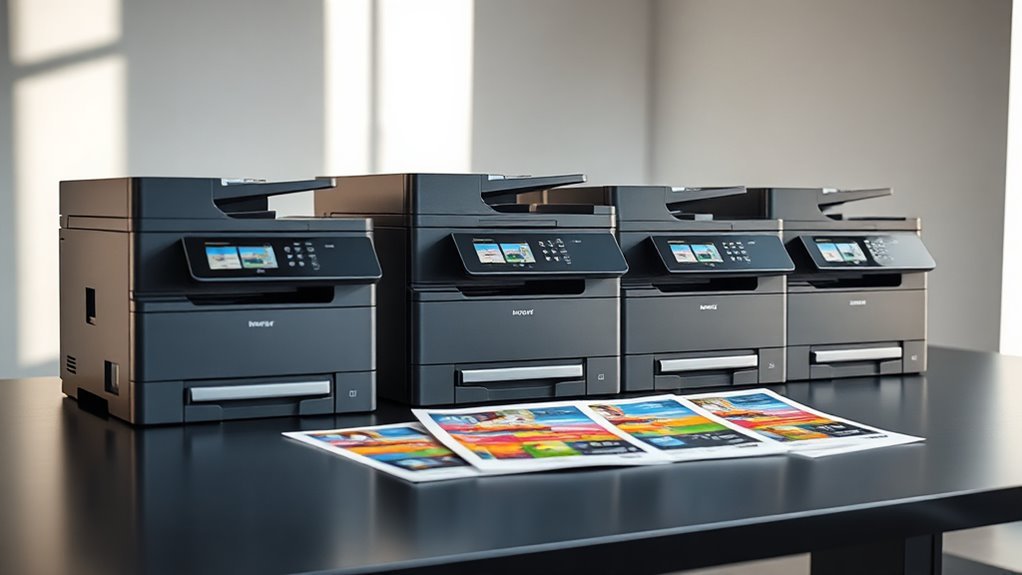
You’ll want reliable colour laser printers like the Brother HL-L3220CDW for wireless duplex printing at home, or the HP Color LaserJet Pro 3201dw if speed and sharp output matter for small teams.
The Canon imageCLASS MF662Cdw and Brother MFC-L8930CDW cover multifunction needs with fast scanning and large trays, while the Brother MFC-L3780CDW boosts productivity for small offices with Alexa support.
Explore more to find the perfect fit for your 2027 printing demands.
| Image | Name | Editor's Rating | Price |
|---|---|---|---|

|
|
||

|
|
||

|
|
||

|
|
||

|
|
Brother HL-L3220CDW Wireless Color Laser Printer
- Professional Quality: Brother Genuine color laser printer delivers stunning business documents with crisp text and vibrant graphics at impressive 19 PPM speed...
- Wireless Connectivity: Brother Genuine advanced wireless capabilities enable seamless printing from laptops, smartphones, and tablets, with built-in security protocols...
- High-Volume Capacity: Brother Genuine laser printer includes a generous 250-sheet paper tray minimizing refills, while the manual feed slot offers versatility for...
- Efficient Performance: Brother Genuine automatic duplex printing saves time and paper, while delivering professional-quality double-sided documents at speeds up to...
- Mobile Integration: Brother Genuine technology ensures seamless compatibility with major mobile printing platforms and cloud services, enabling effortless document...

Experience professional-quality color printing right in your home office with the Brother HL-L3220CDW wireless color laser printer. This reliable printer delivers sharp text and vibrant graphics at a steady pace of 19 pages per minute, helping you complete tasks efficiently. Automatic duplex printing reduces paper use, making double-sided jobs simple and cost-effective.
Designed for convenience, the printer’s 250-sheet tray combined with a manual feed slot handles envelopes and specialty media with ease. Wireless connectivity allows seamless printing from laptops, smartphones, and tablets through popular mobile and cloud platforms. This flexibility helps you stay productive without being tied to a desk.
Maintenance is straightforward with genuine Brother components ensuring consistent performance. While the manual feed slot may require some care for specialty media, the overall design supports high-volume printing without frequent interruptions. Its security features protect sensitive documents, adding peace of mind for professional environments.
The Brother HL-L3220CDW balances quality, speed, and convenience in a compact design tailored to meet the demands of busy home offices and small workgroups.
Best for: professionals and home office users needing dependable, high-quality color printing with wireless functionality and efficient duplexing.
What We Like:
- Sharp text and vivid color output at 19 ppm
- Automatic duplexing saves paper on two-sided prints
- Large 250-sheet tray supports high-volume jobs
- Wireless printing from multiple devices and cloud platforms
- Security features safeguard sensitive documents
Specification:
| Feature | Details |
|---|---|
| Manufacturer | Brother |
| Dimensions | Approx. 16.1 x 19.0 x 15.7 in (41 x 48.3 x 39.9 cm) |
| Weight | Approx. 36.3 lb (16.5 kg) |
| Paper Capacity | 250-sheet tray + manual feed slot |
| Printing Technology | Color Laser |
| Connectivity | Wireless (Wi-Fi), USB |
HP Color LaserJet Pro 3201dw | Color Laser Printer | Wireless | Duplex
- FROM AMERICA'S MOST TRUSTED PRINTER BRAND – Perfect for small teams printing professional-quality color documents and reports. Print speeds up to 26 ppm black/color.
- PROFESSIONAL PRODUCTIVITY – Proficiency with every print—next-generation TerraJet toner brings your business to life with more vivid colors
- UPGRADED FEATURES – Fast color printing, auto 2-sided printing, and a 250-sheet input tray
- AWARD-WINNING RELIABILITY – Performance you can count on page after page, and always ready for the high demands of business
- WIRELESS PRINTING – Stay connected with dual-band Wi-Fi with self-reset, which automatically detects and resolves connection issues
Experience vibrant, professional-quality color printing with the HP Color LaserJet Pro 3201dw. Designed for home offices and small teams, this printer delivers sharp prints at 600 x 600 dpi resolution. It keeps your workflow efficient by producing up to 26 pages per minute, reducing wait times.
This printer simplifies daily tasks with automatic duplex printing, helping you save paper effortlessly. Connectivity is versatile, allowing seamless wireless, Ethernet, or USB connections. It supports a variety of media types, including envelopes and glossy photo paper, adapting to diverse printing needs.
Maintenance is straightforward with the TerraJet toner cartridges, which provide vivid colors but require original HP supplies due to proprietary chips. While the 250-sheet paper capacity suits moderate use, heavy printing may require frequent refills.
Security is enhanced through the built-in HP Wolf Pro, protecting sensitive documents. The compact design fits neatly on any desk without sacrificing reliability or print quality. Note that this is a single-function printer, so scanning and copying are not supported despite some product information references.
Best for: Small teams and home offices needing reliable, efficient color printing with wireless and duplex functions.
What We Like:
- Fast, clear prints at 26 ppm and 600 x 600 dpi resolution
- Automatic duplex printing saves paper and time
- Supports multiple media types, including photo paper and envelopes
- Enhanced security via HP Wolf Pro protection
- Compact design fits well in limited spaces
Specification:
| Feature | Details |
|---|---|
| Manufacturer | HP |
| Dimensions (W x D x H) | Approx. 15.5 x 14.1 x 9.9 in (39.4 x 35.8 x 25.1 cm) |
| Weight | Approx. 19.4 lb (8.8 kg) |
| Printing Technology | Color Laser |
| Print Resolution | 600 x 600 dpi |
| Print Speed | Up to 26 pages per minute |
| Connectivity | Wireless, Ethernet, USB |
| Duplex Printing | Automatic |
Canon imageCLASS MF662Cdw Wireless Duplex Laser Printer
- Color, Wireless, Duplex 3-in-1: Print, scan, copy.
- Fast Print Speeds: Print up to 26 ppm in both color and monochrome and spend less time waiting with a quick first print time of approximately 10.3 seconds.
- Easy Wireless Setup: Setup your wireless connection and get up and running in just a few steps.
- 5-inch Color Touchscreen: Get the job done quickly with Application Library - an intuitive and easy to use customizable access to the features you use most.
- Mobile Device Printing: Print from your compatible mobile devices using the free Canon PRINT app, Apple AirPrint and Mopria Print Service.
The Canon imageCLASS MF662Cdw brings reliable color printing to small office and home environments. Its fast print speed of up to 26 pages per minute helps reduce wait times during busy workdays. You’ll get clear, sharp prints at 600 x 600 dpi, making it easy to produce professional documents without complicated settings.
This 3-in-1 wireless laser printer also handles copying and scanning seamlessly. The 5-inch touchscreen provides simple navigation for everyday tasks. Wireless connectivity supports mobile printing through the Canon PRINT app, AirPrint, and Mopria, offering flexibility for hybrid work setups.
Maintaining this printer is straightforward, though toner yields are modest, which means you may need to replace cartridges sooner than with some models. The automatic duplex feature cuts paper use and saves time on double-sided documents. Its compact yet sturdy design fits well in tight spaces but weighs over 55 pounds, so consider desk size before placement.
Best for: Small and home offices or hybrid work environments needing a reliable, fast, and versatile color laser printer with wireless and mobile printing capabilities.
What We Like:
- Fast, sharp color and monochrome printing at 26 ppm and 600 x 600 dpi
- Easy-to-use 5-inch touchscreen interface for print, copy, and scan
- Wireless connectivity with mobile printing support
- Automatic duplex printing to save time and paper
- Solid build suitable for compact office spaces
Specification:
| Feature | Details |
|---|---|
| Manufacturer | Canon |
| Dimensions | 16.5 x 18.5 x 18.5 inches |
| Weight | 55.1 lb (25 kg) |
| Printing Type | Wireless Duplex Color Laser |
| Functions | Print, Copy, Scan |
| Print Resolution | Up to 600 x 600 dpi |
| Paper Capacity | 250 sheets |
Brother MFC-L8930CDW Color Laser All-in-One Printer
- Updated design, professional results. High-quality output with sharp color and black printing. Fast print and copy speeds up to 33ppm(1) help boost productivity. Reliable...
- Maximize printing budgets. Offers built-in value with included Brother Genuine 3,000-page black and 1,800-page color standard yield toner cartridges. Help lower printing...
- Advanced scanning. High-speed, two-sided scanning up to 104ipm(3) with 80-page auto document feeder(4) and legal-size glass. Scan to cloud, email, SharePoint, and more...
- Productivity-enhancing features. Flexible connectivity, including built-in dual-band (2.4GHz / 5GHz) wireless networking and Gigabit Ethernet networking. 7” color...
- Triple Layer Security. Advanced security features to help keep devices secure, protect documents in transit to and from print devices, and safeguard networks. Includes an...
Experience efficient, high-quality printing with the Brother MFC-L8930CDW, designed to meet the demands of busy office environments. This color laser all-in-one printer delivers sharp color and black prints at speeds up to 33 pages per minute, helping you complete tasks quickly and reliably.
Its compact design fits well in limited spaces without sacrificing durability. The intuitive 7-inch touchscreen makes managing scanning, copying, and sending documents simple. You can easily connect to cloud services or email, streamlining your workflow.
Handling large jobs is hassle-free thanks to the 80-page automatic document feeder and fast two-sided scanning. Maintenance is straightforward, with high-yield toner options that reduce running costs and keep your office productive.
Built-in security features protect sensitive information, while eco-friendly certifications ensure a responsible printing solution. Although slightly larger than some home models, it balances size and functionality effectively.
Best for: Offices and professionals needing reliable, fast color and black printing with advanced scanning and secure, cost-efficient operation.
What We Like:
- Sharp color and black prints at speeds up to 33 ppm
- Easy-to-use 7″ touchscreen for managing multiple tasks
- Efficient two-sided scanning with large document feeder
- Cost-saving high-yield toner options
- Security features that protect sensitive data
Specification:
| Specification | Details |
|---|---|
| Manufacturer | Brother |
| Dimensions (W x D x H) | 16.1 x 18.1 x 15.7 inches |
| Weight | 42.6 lb (19.3 kg) |
| Material | Durable plastic housing |
| Color Options | White with gray accents |
Brother MFC-L3780CDW Wireless Digital Color All-in-One Printer
- Best for Small Businesses: The Brother MFC L3780CDW small business printer is a wireless multi-function digital color printer with copy, scan, and fax functionalities...
- AMPLIFY YOUR PROFESSIONAL DOCUMENTS. This Brother laser printer provides the consistent performance of laser-quality digital color printing
- MAXIMIZE EFFICIENCY WITH ALL-IN-ONE FUNCTIONALITY. This Brother all in one printer has print speeds up to 31 ppm(1) and scan speeds up to 29/22 ipm(2) (black/color) with...
- RELIABLE RESULTS WITH BROTHER GENUINE TONER. Choose Brother Genuine TN229 Standard Yield, TN229XL High Yield, or TN229XXL Super High Yield for your Brother printer...
- Flexible Connection Options: Brother laser color printer has built-in dual band wireless (2.4GHz / 5GHz)(5), Gigabit Ethernet, and Wi-Fi Direct connections, plus a USB...
The Brother MFC-L3780CDW is a reliable all-in-one printer designed to streamline office tasks. It efficiently handles printing, scanning, copying, and faxing, making it ideal for small businesses and home offices. With a print speed of up to 31 pages per minute, it helps reduce waiting times and boost productivity.
This printer produces crisp, professional-quality color documents with a resolution of 2400 x 600 dpi. Its compact design includes a 3.5″ touchscreen that simplifies navigation and supports voice commands through Alexa for hands-free control. Connectivity is versatile, featuring dual-band Wi-Fi, Ethernet, and NFC, allowing seamless integration with various devices.
Maintenance is made easier with eco-friendly features like ENERGY STAR compliance and an automated toner subscription service. These options help manage supplies efficiently while reducing environmental impact. However, its weight of 47.8 lb limits portability, and the maximum media size of 8.5 x 14 inches may restrict larger print jobs.
Best for: Small businesses and home office users seeking a fast, versatile, and eco-conscious color laser printer with modern connectivity options.
What We Like:
- Fast print speed with sharp, professional-quality color output
- Multiple connectivity options including Wi-Fi, Ethernet, NFC, and voice control
- Eco-friendly operation with ENERGY STAR rating and automated toner subscription
- Easy-to-use 3.5″ touchscreen interface
Specification:
| Feature | Details |
|---|---|
| Manufacturer | Brother |
| Dimensions | Not provided |
| Weight | 47.8 lb (21.7 kg) |
| Color Options | Not provided |
| Connectivity | Dual-band Wi-Fi, Ethernet, NFC, Alexa voice commands |
Factors to Consider When Choosing a Colour Laser Printer NZ
When choosing a colour laser printer in NZ, you’ll want to compare print speeds and quality standards to match your needs.
Make sure to check if duplex printing and the right connectivity options are included for convenience.
Also, think about the paper handling capacity to avoid frequent refills during busy print jobs.
Print Speed Comparison
Understanding print speed is pivotal when choosing a colour laser printer in NZ because it directly impacts your productivity. Print speed, measured in pages per minute (ppm), shows how many single-sided pages you can expect per minute.
You should compare rated colour and black-and-white ppm separately, as printers often handle these speeds differently. Also, consider first-page-out time, especially if you frequently print short jobs, and time-to-first-colour for colour-heavy workflows.
If you print double-sided documents regularly, check the duplex printing speed since it can differ from single-sided ppm. Remember, manufacturer-rated speeds are tested under ideal conditions, so looking at independent reviews or user feedback helps you gauge real-world performance, particularly for mixed-content jobs and monthly volume demands.
Print Quality Standards
Although print speed matters, you’ll also want to prioritise print quality standards when choosing a colour laser printer in NZ. Aim for at least 600 x 600 dpi resolution to get sharp text and solid colours. But 1200 x 1200 dpi or higher is better for detailed graphics and photos.
Check the toner’s colour gamut and consistency to avoid banding or colour shifts, especially during long print runs. Also, consider first-page-out time since faster starts boost responsiveness for frequent short jobs.
Don’t forget to evaluate toner yield and uniformity—higher-yield cartridges help maintain consistent print density and reduce costs over time. Keeping an eye on these factors guarantees your printer produces professional, reliable output every time you print.
Duplex Printing Features
Since duplex printing can cut your paper use—and costs—by up to half, it’s a feature worth prioritizing in a colour laser printer. You want a model with true automatic duplex hardware, not manual duplexing that forces you to flip pages and slows down your workflow.
Check the duplex print speeds carefully; some printers are slower on two-sided jobs, so verify the rated pages-per-minute for duplex printing. Make sure the duplex mechanism handles the paper sizes and weights you use regularly, like letter, legal, or card stock. Heavier media might jam or feed unreliably, so it’s good to keep that in mind.
If you scan or copy double-sided originals, look for a duplex automatic document feeder (DADF). It scans both sides in one pass, speeding up your document handling markedly. That can save you a lot of time when working with lots of double-sided pages.
Connectivity Options Available
Offering a range of connectivity options guarantees your colour laser printer fits seamlessly into your workspace. Look for dual-band Wi‑Fi (2.4 GHz and 5 GHz) with Wi‑Fi Direct support to assure stable wireless printing and fewer dropouts, especially in busy networks.
Ethernet ports, preferably Gigabit, provide reliable wired connections and faster large-file transfers on office LANs. USB host or USB-B ports let you connect directly to a PC, while a USB thumb-drive slot offers walk-up printing and easy local file access.
Don’t forget to check for mobile printing and cloud integration standards like AirPrint, Mopria, and app-based printing to print effortlessly from smartphones and tablets. NFC or Bluetooth pairing adds quick setup and secure one-touch mobile printing, perfect for shared workspaces.
Paper Handling Capacity
Paper handling capacity plays a crucial role in ensuring your colour laser printer meets your printing demands efficiently. Start by checking the input tray capacity—small office models typically hold 150–250 sheets. This helps reduce how often you need to refill.
Look for multi-purpose or manual feed slots if you print envelopes, labels, or heavy media. Also, confirm the supported media weights and sizes to make sure the printer can handle what you need.
Consider the total maximum paper capacity, including optional feeders. This is especially important if you handle large continuous runs or batch jobs.
Make sure the printer supports automatic duplexing. It’s good to understand if duplexing affects printing speed or requires separate tray capacity.
Finally, assess the output tray’s capacity and stacking method. You want to avoid jams or mixed-order stacking during large print jobs.
Security Protocols Included
When choosing a colour laser printer in NZ, you’ll want to prioritise robust security protocols to protect sensitive documents and control access. Look for built-in device authentication like user or PIN login and NFC or badge support to restrict who can print, scan, or access settings.
Make certain encrypted data transmission using TLS, SSL, IPsec, or HTTPS safeguards documents sent over Wi-Fi, Ethernet, or cloud. Opt for secure printing features such as hold-and-release or pull-printing that require user authentication before releasing documents.
Confirm the printer supports firmware signing, automatic updates, audit logs, and network hardening options like disabling unused ports and firewall rules. Also, check for secure storage methods like drive encryption or data overwrite to protect cached or spooled files effectively.
Energy Efficiency Ratings
Although performance and security are essential, you shouldn’t overlook energy efficiency when choosing a colour laser printer in NZ. Look for ENERGY STAR-certified models or those with equivalent local ratings—they usually consume less power both in active and standby modes.
Check the printer’s wattage during printing, idle, and sleep; aim for under 50 W idle and 2–3 W in sleep mode for better efficiency. Features like automatic duplexing and sleep/wake timers help reduce paper use and energy per page.
Also, consider toner yield and print efficiency, as higher-yield cartridges often lower your energy and material footprint. Finally, opt for printers with customizable power management settings so you can schedule sleep modes to minimize energy waste outside office hours.
Maintenance And Consumables
Energy efficiency plays a big role in lowering your printing costs, but maintenance and consumables can have an even greater impact over time. When choosing a colour laser printer, check toner yield and cost-per-page—high-yield or XXL cartridges often cut costs if you print heavily.
Also, confirm if the printer uses separate CMYK cartridges so you replace only the colour you need, not a full set. Don’t overlook drum, fuser, and transfer belt replacement intervals and costs, as these parts add up.
Look for automatic toner subscriptions or bulk buying options, but be aware of vendor-specific chips that may limit third-party supplies. And definitely budget for imaging units, maintenance kits, and specialty media.
Lastly, compare page yields of starter versus replacement consumables to avoid surprises down the road. It’s all about planning ahead to keep your costs in check.
Frequently Asked Questions
How Environmentally Friendly Are Colour Laser Printers in New Zealand?
Colour laser printers in New Zealand use more energy and toner than inkjets, so they aren’t the greenest choice. But you can reduce impact by recycling cartridges, choosing energy-efficient models, and printing only when necessary.
It might sound a bit tricky, but swapping to energy-saving models really helps. And honestly, printing only what you need makes a bigger difference than you might think. Plus, recycling those cartridges is a simple step that adds up over time.
What Is the Average Lifespan of a Colour Laser Printer?
Imagine your colour laser printer humming reliably for years—on average, it lasts about 4 to 7 years.
With proper care, you’ll keep printing vibrant documents longer than you might expect.
Don’t rush replacements! Taking your time can save you money and hassle.
Can Colour Laser Printers Handle Photo Printing Quality?
Colour laser printers can handle photo printing, but they won’t match inkjet quality. You’ll get decent, vibrant images for everyday use.
That said, if you want professional-grade photos, it’s better to consider a dedicated photo printer instead.
Are There Maintenance Tips to Extend Printer Cartridge Life?
Think of your printer cartridge as a garden—regular watering and gentle care keep it thriving. You should store cartridges properly and avoid overprinting.
Cleaning the printer often and using it regularly also helps extend its life. This way, you save money and keep everything running smoothly.
How Do Colour Laser Printers Compare in Energy Consumption?
Colour laser printers usually consume more energy than inkjets, especially during warm-up. You’ll find newer models more efficient, with energy-saving modes.
Conclusion
Choosing the perfect colour laser printer in NZ means prioritizing performance, price, and practicality. Whether you want wireless wonders, duplex delights, or all-in-one advantages, balancing your budget with brilliant features brings bold benefits.
Don’t delay—dive into dependable devices designed to deliver dazzling documents daily. With careful consideration, you’ll capture crisp colours and consistent quality, crafting a clever choice that complements your creative and professional needs perfectly.
When picking a colour laser printer, think about what suits your space and workflow best. Look for printers that offer reliable speed and sharp output without breaking the bank. By focusing on key features like connectivity options and print resolution, you’ll find a model that ticks all the boxes.
In the end, the best colour laser printers in NZ for 2027 combine affordability, efficiency, and quality. Whether for home or office, these printers ensure vibrant colours and smooth performance, making your printing tasks easier and more enjoyable every day.