6 Best Colour Laser Printers for 2027
You’ll want a color laser printer that balances speed, quality, and versatility for your space. Whether you’re setting up a home office or upgrading your small business equipment, finding the right model can make all the difference. A good printer should deliver sharp prints, fast output, and useful features without taking up too much room.
The Canon MF753Cdw II shines with fast 35 ppm and all-in-one functions, perfect for small offices. The LBP646Cdw and Brother HL-L3280CDW offer reliable, compact options with crisp 1200 dpi prints.
HP’s 3204dw delivers solid color at 26 ppm with secure, professional-grade output. Xerox and HP’s multifunction models add convenience. Explore their strengths to find your ideal match.
| Image | Name | Editor's Rating | Price |
|---|---|---|---|

|
|
||

|
|
||

|
|
||

|
|
||

|
|
Canon imageCLASS LBP646Cdw Wireless Laser Printer
- Single-Function, Color, Wireless, Duplex Printer: Print only. — No Scanning, Copying, or Faxing
- Fast Print Speeds: Print up to 26 ppm in both color and monochrome and spend less time waiting with a quick first print time of approximately 10.3 seconds.
- Easy Wireless Setup: Setup your wireless connection and get up and running in just a few steps.
- 5-inch LCD Screen: Navigate through all the features using the 5-line LCD screen.
- Mobile Device Printing: Print from your compatible mobile devices using the free Canon PRINT app, Apple AirPrint and Mopria Print Service.

If your small or home office needs a dependable color laser printer, the Canon imageCLASS LBP646Cdw offers a smart solution. It produces sharp prints quickly, helping you complete tasks without delays. With a resolution of 1200 x 1200 dpi and speeds up to 26 pages per minute, your documents come out clear and professional every time.
This printer handles double-sided printing automatically, saving paper and reducing manual effort. It connects seamlessly to Chromebooks, mobile devices, and traditional computers via Wi-Fi, Ethernet, or USB. Setup is straightforward, making it easy to integrate into busy workspaces.
Maintenance is simple, though the starter toner cartridges have a limited yield, so frequent replacement may be necessary for heavy users. The 250-sheet paper tray suits moderate workloads but might require refills during larger print jobs.
Designed for single-function use, this printer focuses on high-quality output without scanning or copying features. It is ENERGY STAR certified, which helps reduce energy consumption while maintaining reliable performance.
Best for: Small or home office users and hybrid workers needing a reliable, high-quality color laser printer with wireless connectivity and duplex printing.
What We Like:
- Sharp prints at 1200 x 1200 dpi with fast 26 ppm speed
- Automatic duplex printing reduces paper use and effort
- Easy wireless setup with multiple connectivity options (Wi-Fi, Ethernet, USB)
- ENERGY STAR certified for energy efficiency
Specification:
| Feature | Details |
|---|---|
| Manufacturer | Canon |
| Dimensions | Approx. 16.4 x 18.1 x 14.6 in (41.7 x 46 x 37.1 cm) |
| Weight | Approx. 31.7 lb (14.4 kg) |
| Color Options | White |
| Connectivity | Wi-Fi, Ethernet, USB |
Canon Color imageCLASS MF753Cdw II – All-in-One Color Duplex Laser Printer
- Color, Wireless, Duplex 4-in-1: Print, scan, copy, fax.
The Canon Color imageCLASS MF753Cdw II is designed to streamline your office workflow with fast, high-quality color printing. It delivers crisp prints at up to 35 pages per minute, helping you meet tight deadlines without sacrificing detail. Automatic duplex printing saves time and reduces paper use, making it ideal for busy environments.
This all-in-one laser printer combines printing, scanning, copying, and faxing into a single device, simplifying your workspace. The 50-sheet duplex automatic document feeder (ADF) enhances productivity by handling two-sided documents efficiently. Its intuitive 5-inch touchscreen keeps controls straightforward and accessible.
Connectivity is flexible with Ethernet, USB, and Wi-Fi options, including mobile printing support. The printer’s 250-sheet paper capacity, expandable to 850 sheets, minimizes interruptions. While it weighs 50 lb and has only one USB port, these factors suit stationary office setups rather than portability.
Maintenance is manageable with Energy Star certification promoting energy efficiency. Starter toner cartridges yield around 1,100 pages for color, so keeping extra supplies handy is advisable to avoid downtime.
Best for: Small offices and hybrid workspaces needing a versatile, reliable all-in-one color laser printer with duplex features.
What We Like:
- Fast printing speed up to 35 ppm with sharp 1200 x 1200 dpi resolution
- Efficient 50-sheet duplex ADF for two-sided scanning and copying
- Multiple connectivity options including Wi-Fi and Ethernet
- User-friendly 5-inch touchscreen interface
Specification:
| Feature | Detail |
|---|---|
| Manufacturer | Canon |
| Dimensions (W×D×H) | 16.5 × 18.1 × 18.5 inches |
| Weight | 50 lb (22.7 kg) |
| Printing Technology | Color Laser |
| Print Resolution | 1200 x 1200 dpi |
| Paper Capacity | 250 sheets (expandable to 850) |
Brother HL-L3280CDW Wireless Color Laser Printer
No products found.
The Brother HL-L3280CDW Wireless Color Laser Printer delivers dependable, high-quality color prints that fit perfectly in small offices or home workspaces. Its fast print speeds and automatic duplexing help reduce wait times and save paper, making everyday printing tasks smoother and more efficient.
Designed with a compact footprint, this printer fits easily into limited spaces. The 2.7″ touchscreen simplifies job management, allowing you to control printing without hassle. Connectivity options like dual-band Wi-Fi, Ethernet, and USB enable flexible, wireless printing directly from smartphones or cloud services.
Maintenance is straightforward with its 250-sheet capacity, which reduces the need for frequent paper refills. It supports various media types, giving you versatility for different printing needs. The ENERGY STAR compliance ensures the printer operates efficiently, keeping energy use low.
While primarily focused on printing, this model does not include built-in scanning, which may require additional equipment. The single paper tray limits simultaneous media handling, and some cloud features need setup through apps and internet access.
Best for: Small offices, home offices, and shared workspaces requiring reliable, versatile color printing with easy connectivity.
What We Like:
- Fast print speeds up to 27 ppm with automatic duplexing.
- Compact design with a user-friendly 2.7″ touchscreen.
- Multiple connectivity options including dual-band Wi-Fi, Ethernet, and USB.
- Supports various media types with a large 250-sheet input capacity.
- ENERGY STAR certified for eco-friendly operation.
Specification:
| Feature | Details |
|---|---|
| Manufacturer | Brother |
| Dimensions | Compact design (exact size not specified) |
| Weight | Not specified |
| Connectivity | Dual-band Wi-Fi, Ethernet, USB |
| Touchscreen | 2.7-inch color touchscreen |
| Paper Capacity | 250 sheets |
| Printing Speed | Up to 27 pages per minute |
| Duplex Printing | Automatic duplexing |
| Energy Rating | ENERGY STAR compliant |
HP Color LaserJet Pro 3204dw | Color Laser Printer | Duplex
- FROM AMERICA'S MOST TRUSTED PRINTER BRAND – Perfect for office teams creating professional-quality color documents and reports; auto 2-sided printing; perfect for up to...
- OPTIMIZE PRINT FORMATTING WITH HP AI – Print web pages and emails with precision—no wasted pages or awkward layouts; HP AI easily removes unwanted content, so your...
- BLAZING FAST COLOR – Up to 26 color pages per minute, with sharp details and incredible color
- STAYS CONNECTED – Reliable Wi-Fi automatically reconnects to stay online and ready to print
- PROTECTS YOUR DATA – Includes HP Wolf Pro Security with customizable settings so your printer and information are always secure
Experience fast, professional-quality color printing designed to meet the needs of small teams and home offices. The HP Color LaserJet Pro 3204dw delivers clear, sharp prints at up to 26 pages per minute, helping you stay productive without sacrificing print quality. Its 600 x 600 dpi resolution ensures your documents look crisp and vibrant every time.
This printer simplifies your workflow with automatic duplex printing, saving paper and time on two-sided documents. It supports a wide range of media sizes, from small 3 x 5-inch cards to legal 8.5 x 14-inch sheets, offering flexibility for various projects. Connectivity options are extensive, including Wi-Fi, Ethernet, USB, and AirPrint, allowing seamless printing from laptops, smartphones, or PCs.
Maintenance is straightforward, but keep in mind the 250-sheet paper capacity may require more frequent refills during heavy use. The printer only accepts original HP cartridges due to chip restrictions, which supports reliable performance but could increase operating costs. Security features are built-in to protect your data and simplify setup through HP’s dedicated app.
Best for: Small work teams or home offices of up to seven people needing fast, professional-quality color printing with versatile media handling and secure connectivity.
What We Like:
- Fast print speed of up to 26 pages per minute with clear 600 x 600 dpi quality
- Automatic duplex printing reduces paper waste and boosts efficiency
- Supports multiple media sizes and types for versatile printing needs
- Flexible connectivity options including Wi-Fi, Ethernet, USB, and AirPrint
- Built-in security features protect sensitive information and simplify setup
Specification:
| Feature | Details |
|---|---|
| Manufacturer | HP |
| Dimensions | 16.3 x 21.5 x 16.5 inches |
| Weight | 39.5 lbs |
| Print Resolution | 600 x 600 dpi |
| Paper Capacity | 250 sheets |
| Connectivity | Wi-Fi, Ethernet, USB, AirPrint |
| Supported Media | 3 x 5 inches to 8.5 x 14 inches |
Xerox C245 Wireless Color All-in-One Printer – Amazon Exclusive – 3 in 1
- AMAZON EXCLUSIVE & COMPACT MULTIFUNCTION DESIGN: This full-featured Xerox color MFP fits neatly on small desks, packing Print, Scan, and Copy functionality into a compact...
- VIBRANT PRINT QUALITY: Produce sharp text and brilliant color graphics. Ensure your business documents, presentations, and reports look professional and impressive every...
- WIRELESS & MOBILE PRINTING: Stay connected with dual-band Wi-Fi, Apple AirPrint, and Mopria. Effortlessly print and scan from your laptop, smartphone, or tablet from...
- EASY SMARTPHONE SETUP: Get printing in minutes. Use the Xerox Easy Assist App for a simplified, guided installation that eliminates complex manuals and traditional driver...
- 3-IN-1 VERSATILITY: Maximize productivity with 26ppm printing, scanning, and copying. The 50-sheet document feeder ensures efficient document handling for real estate...
Experience efficient and versatile printing with the Xerox C245 Wireless Color All-in-One Printer. Designed for home professionals and remote teams, this compact device simplifies daily tasks by combining printing, scanning, and copying in one unit. It helps reduce clutter while delivering reliable, high-quality results.
The printer offers a solid print speed of 26 pages per minute, producing sharp images at up to 2400 x 600 dpi. Automatic duplex printing cuts paper use in half, making it an eco-friendly choice. Setup and operation are straightforward, thanks to the intuitive touchscreen and the Xerox Easy Assist App.
Maintenance is hassle-free with energy-saving features and optional high-yield toner cartridges that lower operating costs. Although the input tray holds only 50 sheets and the monthly duty cycle is limited to 1,500 pages, the Xerox C245 fits neatly on small desks and supports various media types, including envelopes and glossy photo paper.
Connectivity is flexible, offering dual-band Wi-Fi, Ethernet, and USB options for seamless integration into any workspace. Its sturdy build weighs 42.8 pounds, providing stability but limiting portability for some users.
Best for: Home professionals, remote teams, and small office users seeking a compact, easy-to-use color all-in-one printer with versatile media support.
What We Like:
- Fast 26 ppm print speed with sharp 2400 x 600 dpi resolution
- Automatic duplex printing saves paper and cost
- Multiple connectivity options including dual-band Wi-Fi and Ethernet
- Intuitive touchscreen and helpful Xerox Easy Assist App for easy setup
- Supports a variety of media types including envelopes and photo paper
Specification:
| Feature | Details |
|---|---|
| Manufacturer | Xerox |
| Dimensions (W×D×H) | Compact size (exact size not provided) |
| Weight | 42.8 lb (19.4 kg) |
| Color Options | Not specified |
| Monthly Duty Cycle | Up to 1,500 pages |
| Print Speed | 26 pages per minute |
| Resolution | Up to 2400 x 600 dpi |
| Connectivity | Dual-band Wi-Fi, Ethernet, USB |
HP Color LaserJet Pro MFP 4301fdw | Color Printer | Wireless | All-in-One
- EVERYTHING SMALL TEAMS NEED – Print, scan and copy professional-quality color documents and reports plus fax. Auto 2-sided printing and auto document feeder for fast...
- BLAZING FAST COLOR – Up to 35 color pages per minute, with sharp details and incredible color
- STAYS CONNECTED – Intelligent Wi-Fi looks for the best connection to stay online and ready to print
- PROTECTS YOUR DATA – Includes HP Wolf Pro Security with customizable settings so your printer and information are always secure
- PRINT FROM ANY DEVICE – Wireless printing from any mobile device, PC or tablet. Ethernet and Bluetooth included. Works with Microsoft, Mac, AirPrint, Android...
The HP Color LaserJet Pro MFP 4301fdw is designed to boost productivity for small teams and home offices. It tackles slow printing and dull output by delivering fast, vibrant color pages with sharp resolution. This all-in-one printer simplifies your workflow by combining printing, scanning, copying, and faxing in one device.
Its high-speed printing of up to 35 black or 33 color pages per minute helps reduce wait times. Automatic duplex printing and a 300-sheet capacity minimize interruptions, letting you focus on your work. Easy wireless connectivity through Wi-Fi and Bluetooth enables seamless mobile printing from various devices.
Maintenance is straightforward but requires original HP cartridges to ensure reliable performance, which may affect running costs. The printer’s robust security features, including HP Wolf Pro, protect sensitive information, providing peace of mind in shared workspaces.
With a solid build at 45 pounds, it’s stable but less portable, best suited for a dedicated workspace. Its combination of speed, security, and all-in-one functionality makes it a practical choice for busy environments.
Best for: Small teams and home offices needing fast, reliable color printing with all-in-one functionality and secure wireless connectivity.
What We Like:
- Fast print speed of up to 35 black and 33 color pages per minute.
- All-in-one capabilities including scanning, copying, faxing, and duplex printing.
- Strong security with HP Wolf Pro and versatile wireless connectivity.
- Large 300-sheet input capacity supports continuous printing.
- Intuitive controls and easy setup for quick operation.
Specification:
| Feature | Details |
|---|---|
| Manufacturer | HP |
| Dimensions (W×D×H) | Not specified |
| Weight | 45 lb (20.4 kg) |
| Print Resolution | 607 x 600 dpi |
| Print Speed | Up to 35 ppm (black), 33 ppm (color) |
| Paper Capacity | 300 sheets |
| Connectivity | Wi-Fi, Bluetooth, Mobile printing |
Factors to Consider When Choosing a Colour Laser Printer
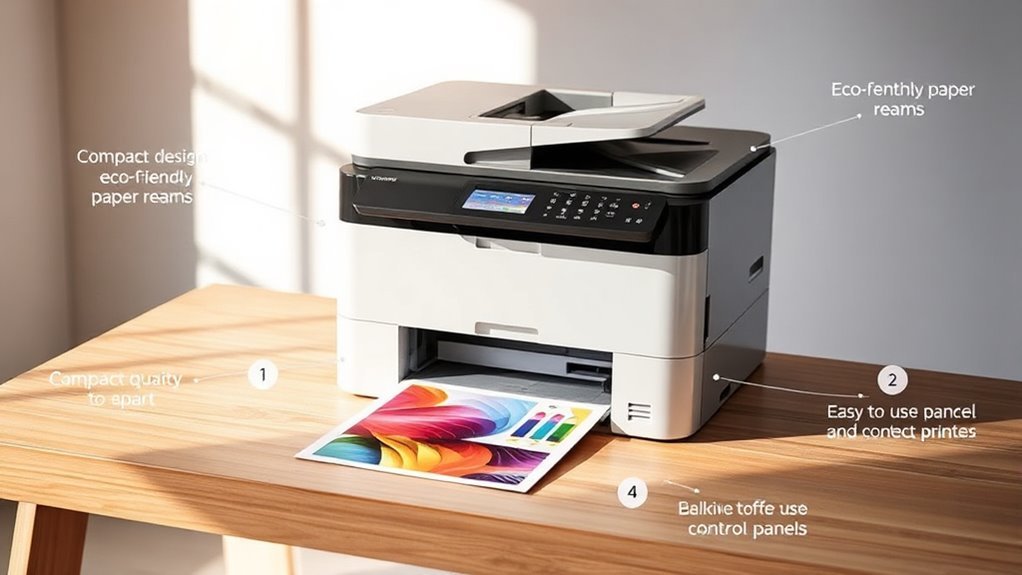
When choosing a colour laser printer, you’ll want to focus on print speed and quality to match your workflow needs. It’s important to find a printer that keeps up with how fast you work.
Also, consider connectivity options and paper handling capacity to guarantee seamless operation. You don’t want to get stuck waiting or constantly refilling paper trays.
Don’t forget to factor in consumables and ongoing costs to keep your budget on track. These expenses can add up quicker than you might expect!
Print Speed Importance
Although print speed might seem like a simple specification, it plays an essential role in how efficiently you handle large or frequent print jobs. Measured in pages per minute (ppm), higher speeds—especially in the mid-20s to mid-30s—cut down wait times for both first and subsequent pages, boosting productivity in busy or multi-user settings.
You should check both color and monochrome ppm, since color printing often runs slower. This can impact your workflow if you print a lot of color documents.
Don’t overlook first-page-out time; shorter times mean faster results for quick, single-page prints. Also, consider duplex printing speeds and how the printer handles double-sided jobs.
Single-pass duplexing is faster than re-feeds, which matters if you print many two-sided documents. So, it’s worth paying attention to these details when choosing a printer.
Print Quality Factors
Because print quality directly affects how professional your documents look, you’ll want to focus on several key factors before choosing a colour laser printer. First, check the resolution—higher dpi, like 1200 x 1200 instead of 600 x 600, means sharper text and smoother gradients.
Toner and imaging technology matter too. High-quality toner and precise registration reduce banding and color shifts.
Look at the printer’s color gamut and support for color management profiles like ICC. This helps guarantee accurate color matching.
Halftoning and screening algorithms affect how smooth photos and gradients appear. So, it’s worth paying attention to those details.
Finally, consider printer calibration and maintenance. Regular cleaning, checking the fuser condition, and using genuine consumables help keep your prints consistent and free of artifacts over time.
That way, your documents will always look their best.
Connectivity Options Available
Print quality sets the foundation for professional documents, but how you connect your colour laser printer can impact your overall experience just as much. You’ll want a printer that supports both wired options like Ethernet and USB, plus wireless connections such as Wi-Fi and Wi-Fi Direct.
This flexibility lets you choose reliable network printing for your office or quick mobile printing from phones and tablets. Check for mobile-printing protocols like Apple AirPrint and Mopria, so you can print directly without installing drivers.
Also, confirm the number and types of physical ports to fit your network and devices. If you need multi-function workflows, look for duplex ADF and network scan-to features.
Don’t forget security—features like secure PIN release, WPA3 Wi-Fi, and remote firmware updates keep your data safe. It’s all about making sure your printing setup is both convenient and secure.
Paper Handling Capacity
Many colour laser printers offer varying paper handling capacities that directly affect your efficiency and convenience. You should check the standard input tray capacity, typically between 50 and 250 sheets, and see if a multipurpose tray is included for specialty media.
It’s essential to verify if the printer allows expanding paper capacity with optional trays to handle peak workloads without frequent reloading. Don’t forget to confirm the output tray’s size and placement to prevent jams or overflow during large print jobs.
Look for built-in duplex printing and trays that support various paper sizes like legal, letter, envelopes, or cardstock. If you often print envelopes, labels, or mixed media, consider the multipurpose feeder and automatic document feeder capacities to support your scanning and copying needs efficiently.
Consumables And Costs
When choosing a colour laser printer, understanding consumable costs can save you significant money over time. Start by comparing page yield and cost-per-page—divide the toner cartridge price by its stated yield.
High-yield cartridges often lower per-page costs despite higher upfront prices. Remember, starter cartridges usually have lower yields than replacements, so initial costs might underestimate ongoing expenses.
Also, factor in other consumables like drum units, transfer belts, and maintenance kits, which add to total ownership costs. Keep in mind that certified yields assume about 5% coverage.
Heavy graphics or photos use more toner, increasing costs. Finally, weigh savings from third-party cartridges against potential print quality issues, reliability concerns, and possible warranty impacts to make an informed choice.
Device Size And Weight
To find the right spot for your colour laser printer, start by measuring your available desk or shelf space and comparing it to the printer’s footprint. Most colour laser printers range from compact tabletop sizes (around 15–19 inches deep and 10–17 inches wide) to larger multifunction models exceeding 18 inches deep and 16–23 inches wide.
Check the printer’s weight—typically between 25 and 50+ pounds—to make certain your surface can support it and you can move it easily for maintenance. Don’t forget vertical clearance for lid opening, ADF use, and paper access; leave several inches above the height dimension.
If you plan to add trays or accessories, allocate extra space for installation and ventilation. For shared or mobile setups, pick lighter, compact models and plan cable or wireless placement to avoid crowding. It’ll make your workspace much more manageable.
Frequently Asked Questions
How Do Colour Laser Printers Compare to Inkjet Printers in Print Quality?
You’ll find colour laser printers deliver sharper text and vibrant graphics, while inkjets excel at photo quality with smoother gradients.
It depends on your needs, but lasers print faster and handle high volumes better. So, if speed and quantity matter, lasers might be your best bet.
What Is the Typical Lifespan of a Colour Laser Printer?
You can expect a typical colour laser printer to last around 3 to 5 years with regular use. Proper maintenance and occasional part replacements can extend its lifespan even further.
This way, you’ll keep your prints looking sharp and consistent. Taking care of your printer really pays off in the long run!
Are Colour Laser Printers Compatible With Mac and Windows Systems?
Think of your colour laser printer as a universal key; it fits both Mac and Windows locks seamlessly. You’ll find most models come with drivers supporting both systems, so you won’t have compatibility headaches or delays.
It’s pretty handy, right? This means you can switch between your Mac and Windows devices without any fuss. No need to worry about whether your printer will play nice with your computer.
How Energy-Efficient Are Modern Colour Laser Printers?
Modern colour laser printers are quite energy-efficient, especially with Energy Star certifications. You’ll find they use less power in sleep mode and during printing, helping you save on electricity without sacrificing performance or print quality.
It’s pretty impressive how much energy these printers can save. Plus, they’re designed to be eco-friendly without making you compromise on the quality of your prints.
Can Colour Laser Printers Handle Heavy-Duty Printing Tasks?
Yes, colour laser printers can handle heavy-duty printing tasks. You’ll find many models designed for high volume, durability, and fast speeds.
Conclusion
So, you want a colour laser printer that’s perfect for 2027? Easy—just pick one from this list and you’re set for the future. No need to stress over features or prices; these printers practically print themselves, right? Well, almost.
Whether it’s Canon, Brother, HP, or Xerox, you can’t really go wrong. Just remember, the “best” printer is the one that actually works when you need it—not the one boasting the fanciest specs.
When choosing the best colour laser printer for 2027, focus on reliability, print quality, and cost-efficiency. It’s not about having every single feature but finding a printer that fits your needs and budget. So, pick smart, and your new colour laser printer will serve you well for years to come.