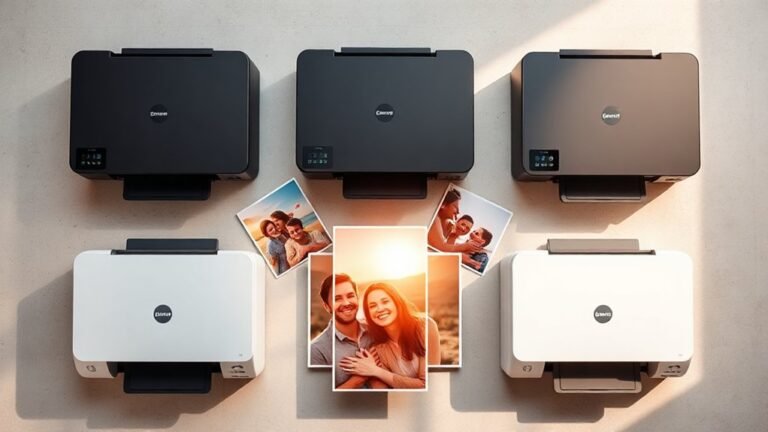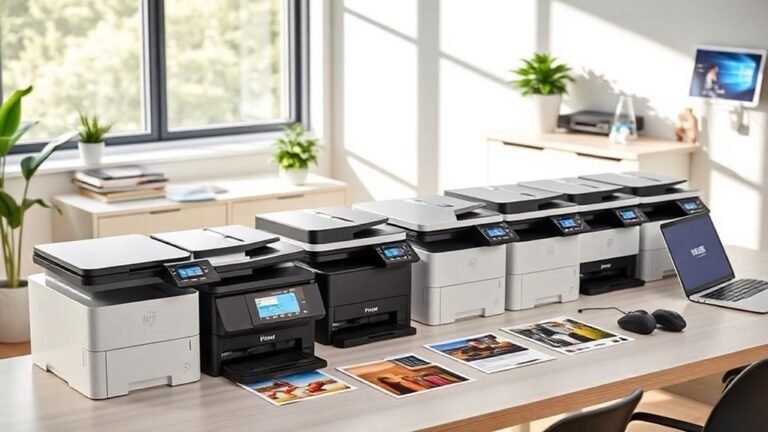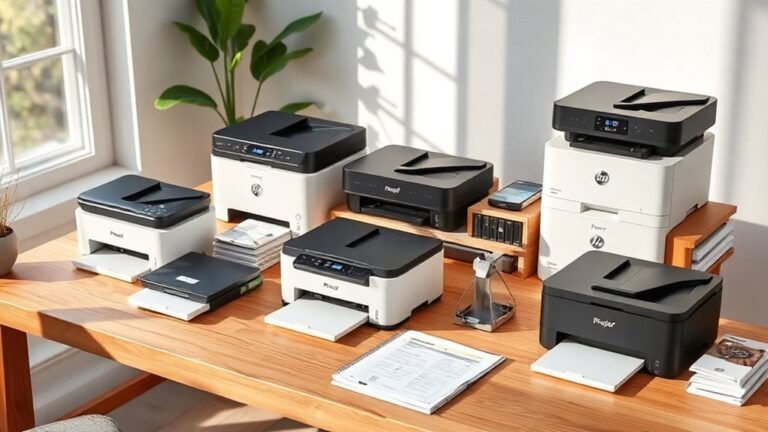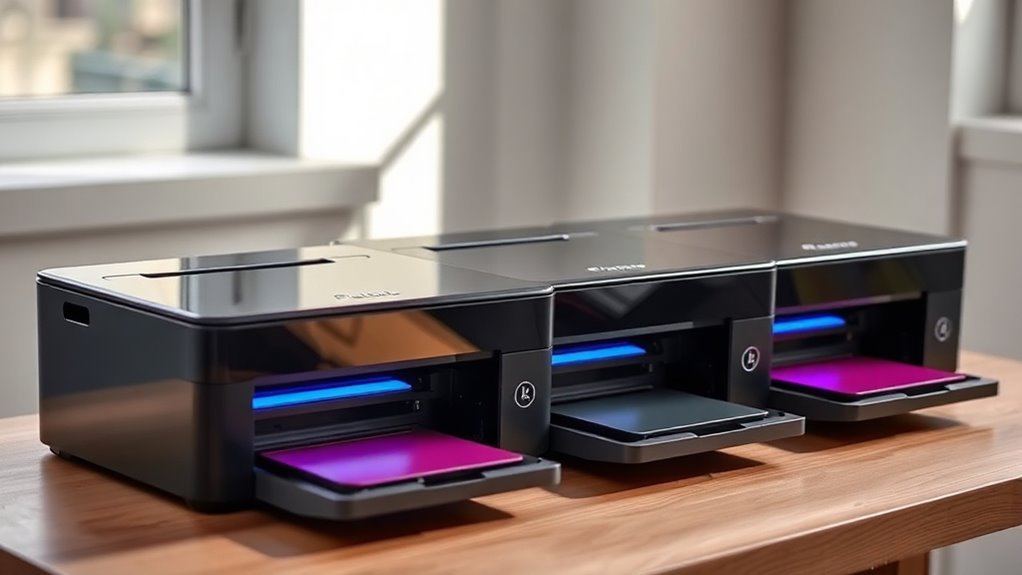
4 Best Cheapest Sublimation Printers for 2027
You’ll want to check out the Brother Sublimation Printer SP-1 for its compact design and easy setup.
It’s perfect if you’re looking for something that won’t take up much space but still delivers great results.
The Epson SureColor F170 is another excellent choice.
It produces sharp, vibrant prints and offers versatile connectivity options, making it super convenient for different setups.
Then there’s the Pinckney Cartridge-Free Super-Tank Bundle.
This one is great for cost-effective, high-resolution output without the hassle of constantly changing cartridges.
If larger print sizes are what you need, the Pinckney Super-Tank Wide Format Bundle has got you covered.
Each of these printers offers great value and quality without breaking the bank.
Keep exploring to find which best fits your printing needs and budget!
| Image | Name | Editor's Rating | Price |
|---|---|---|---|

|
|
||

|
|
||

|
|
Brother Sublimation Printer
No products found.
The Brother Sublimation Printer (Model SP-1) is a practical solution for those who want to create personalized items at home. Its compact and lightweight design fits easily into small workspaces, making it ideal for DIY projects without requiring much room. The printer’s straightforward setup and operation reduce hassle, letting you focus on creativity.
With the Artspira app, you can access over 100 ready-to-use designs and save your favorites, streamlining your workflow. The printer uses Brother’s genuine sublimation inks and paper to produce vibrant and long-lasting prints. This ensures your custom mugs, shirts, and decor items stand out with sharp, durable colors.
Maintenance is simple, but keep in mind that a separate heat press is necessary to complete your sublimation projects. The printer supports media up to 8.5 x 11 inches, suitable for most home craft needs. Although black and white print resolution is lower at 300 x 300 dpi, color prints remain clear and bright.
Best for: DIY enthusiasts and crafters seeking an affordable, compact, and easy-to-use sublimation printer for home-based custom apparel and decor projects.
What We Like:
- Compact, lightweight design ideal for small workspaces
- Artspira app offers over 100 sublimation designs with save option
- Produces vibrant, durable color prints with genuine Brother inks
- Simple maintenance with straightforward operation
Specification:
| Feature | Details |
|---|---|
| Manufacturer | Brother |
| Dimensions | Compact (exact dimensions not specified) |
| Weight | Lightweight (exact weight not specified) |
| Media Size | Up to 8.5 x 11 inches |
| Connectivity | Wi-Fi, USB |
| Display | 2.7-inch touch LCD |
| Ink Type | Brother genuine sublimation inks |
Epson SureColor F170 Compact Dye-Sublimation Printer
- 𝗔𝘀𝘁𝗼𝘂𝗻𝗱𝗶𝗻𝗴 𝗣𝗿𝗶𝗻𝘁 𝗤𝘂𝗮𝗹𝗶𝘁𝘆: Epson's Surecolor F170 Sublimation printer boasts the PrecisionCore printhead...
- 𝗚𝗲𝗻𝘂𝗶𝗻𝗲 𝗘𝗽𝘀𝗼𝗻 𝗗𝘆𝗲-𝗦𝘂𝗯𝗹𝗶𝗺𝗮𝘁𝗶𝗼𝗻 𝗜𝗻𝗸 𝗧𝗲𝗰𝗵𝗻𝗼𝗹𝗼𝗴𝘆: Epson...
- 𝗩𝗲𝗿𝘀𝗮𝘁𝗶𝗹𝗲 𝗠𝗲𝗱𝗶𝗮 𝗦𝘂𝗽𝗽𝗼𝗿𝘁: Includes a 150-sheet auto-feed tray for added efficiency. Epson SureColor...
- 𝗥𝗲𝗽𝗹𝗮𝗰𝗲 𝗜𝗻𝗸 𝗟𝗲𝘀𝘀 𝗢𝗳𝘁𝗲𝗻: Our high-capacity sublimation ink bottles with auto-stop for easy, mess-free filling...
- Versatile Wi-Fi and USB Connectivity: Easily print from Windows or macOS computers using Epson Print Layout or Epson Edge Print software. Compatible with the Epson iPrint...
The Epson SureColor F170 Compact Dye-Sublimation Printer brings professional-quality sublimation printing into a small, manageable footprint. It solves the challenge of producing vibrant, detailed prints without requiring a large workspace. This makes it ideal for small businesses and hobbyists who need reliable, high-impact results in limited spaces.
Its PrecisionCore printhead delivers sharp images at a resolution of 5760 x 1440 dpi, ensuring rich color saturation that enhances every design. The compact size does not sacrifice functionality, supporting media widths up to 8.5 inches with a dust-resistant tray that holds 150 sheets for longer, uninterrupted runs.
Maintenance is straightforward with high-capacity sublimation ink bottles that reduce the frequency of replacements. However, it is important to note that once inks are loaded, returns are not accepted due to possible leakage during shipping.
Connectivity is versatile, offering wireless, USB, and Ethernet options. It works seamlessly with Windows, macOS, Android, and iOS devices through Epson’s dedicated apps, providing flexibility for various workflows.
Best for: Small businesses and hobbyists seeking a compact, high-quality dye-sublimation printer with vibrant color output and versatile connectivity options.
What We Like:
- Sharp, vibrant images from the high-resolution PrecisionCore printhead
- Compact design with a dust-resistant 150-sheet auto-feed tray
- Multiple connectivity options including wireless, USB, and Ethernet
- High-capacity ink bottles reduce maintenance time
Specification:
| Feature | Details |
|---|---|
| Manufacturer | Epson |
| Dimensions (W×D×H) | Compact size (exact dimensions not provided) |
| Weight | Compact (exact weight not provided) |
| Maximum Media Width | 8.5 inches (21.6 cm) |
| Ink Type | Dye-sublimation ink bottles |
| Connectivity | Wireless, USB, Ethernet |
| Compatible Systems | Windows, macOS, Android, iOS |
Pinckney Cartridge-Free Super-Tank Printer Bundle (White)
- 【Sublimation Printing】Wireless Super-Tank AIl-in-One Printer with Scanner and Copier. High-capacity ink tanks mean no more ink cartridges.
- 【Sublimation Ink Contents】Black 127mL; Magenta 85mL; Cyan 85mL; Yellow 85mL. Ink may be shipped in a separate package based on logistic optimizations.
- 【Easy to Fill】the auto-fill nozzle fits the printer ink inlet perfectly and allows easily ink fill. No syringe needed, no squeezing, no ink leakage.
- 【Supported Paper Sizes】Letter A Size (8.5 in x 11 in), Legal (8.5 in x 14 in), Executive (7.25 in x 10.5 in), A4 (8.25 in x 11.7 in), A6 (4.13 in x 5.83 in), 5.5 in x...
- 【High-resolution printing】up to 5760 x 1440 dpi. Finer ink droplet size, Worry less about clogging.
Experience hassle-free sublimation printing with the Pinckney Cartridge-Free Super-Tank Printer Bundle. Designed for high-volume use, this wireless all-in-one printer delivers sharp, vibrant prints with a resolution of up to 5760 x 1440 dpi. It simplifies your workflow by combining printing, scanning, and copying in one compact device.
Its cartridge-free design features large ink tanks and an easy-fill system, cutting down on messy refills and frequent ink replacements. This setup ensures uninterrupted printing, making it ideal for busy users who need consistent output. The printer supports various paper sizes, from A4 to 4 x 6 inches, providing flexibility for different projects.
Connectivity is straightforward with built-in Wi-Fi and USB options, paired with an intuitive LCD interface that makes operation simple for any user. While the print speed is moderate, it balances quality and efficiency well for home or small office environments. Note that ink may arrive separately, which could slightly delay initial setup.
Best for: Users seeking a versatile, easy-to-maintain sublimation printer with wireless features suited for home or small office printing needs.
What We Like:
- Cartridge-free system with high-capacity ink tanks reduces refill frequency and mess.
- High-resolution dye sublimation printing produces sharp, vivid images.
- Wireless and USB connectivity with a user-friendly LCD screen.
Specification:
| Feature | Details |
|---|---|
| Manufacturer | Pinckney |
| Dimensions | Not specified |
| Weight | Not specified |
| Color Options | White |
| Print Resolution | Up to 5760 x 1440 dpi |
| Paper Sizes | A4 to 4 x 6 inches |
| Connectivity | Wi-Fi, USB |
Pinckney Super-Tank Wide Format Printer Bundle
- 【Sublimation Printing】Wireless Super-Tank AIl-in-One Printer with Scanner and Copier. High-capacity ink tanks mean no more ink cartridges.
- 【Bigger and Powerful】Take on Bigger Project with Wide-Format Printing up to 13" x 19". Scanning with ADF. Features a 250-sheet front tray paper capacity with...
- 【Sublimation Ink Contents】Sublimation Ink Contents: Black 127mL; Magenta 85mL; Cyan 85mL; Yellow 85mL. Ink may be shipped in a separate package based on logistic...
- 【Easy to Fill】Easy to Fill: the auto-fill nozzle fits the printer ink inlet perfectly and allows easily ink fill. No syringe needed, no squeezing, no ink leakage.
- 【What's in the box】Converted ET-15000 all-in-one White; Pinckney Sublimation Ink; Manual, CD-ROM for product setup; Power cord
Experience vibrant, large-format sublimation printing with the Pinckney Super-Tank Wide Format Printer Bundle. Designed for creatives and small business owners, it delivers sharp, detailed prints up to 13 x 19 inches, perfect for custom T-shirts, mugs, and phone cases. The wireless setup simplifies your workflow, allowing you to print, scan, and copy without hassle.
Maintenance is easy with the easy-fill auto nozzle, which prevents mess and keeps ink refills minimal. Large ink tanks hold 127mL of black and 85mL for each color, reducing downtime. This ensures you focus more on creating and less on constant refills.
The printer offers high-resolution output at 4800 x 1200 dpi and supports borderless printing up to 11 x 17 inches. Its 250-sheet tray and responsive 2.7-inch touchscreen help streamline your tasks. Though the scanning size is limited to 8.5 x 14 inches, the multifunction design keeps your workspace efficient.
Weighing 22 pounds, it balances portability and robust functionality. This bundle supports your creative needs with reliable, large-format sublimation printing and convenient wireless features.
Best for: Creatives and small business owners needing high-quality, large-format sublimation printing with minimal upkeep and versatile wireless operation.
What We Like:
- Large sublimation ink tanks with mess-free auto-fill nozzle
- Sharp 4800 x 1200 dpi resolution and borderless printing capability
- Multifunction wireless printer with intuitive 2.7-inch touchscreen
- Generous 250-sheet paper capacity for uninterrupted printing
Specification:
| Feature | Details |
|---|---|
| Manufacturer | Pinckney |
| Dimensions (D x W x H) | 20 x 14 x 10 inches |
| Weight | 22 lbs |
| Maximum Print Size | 13 x 19 inches |
| Maximum Scan Size | 8.5 x 14 inches |
| Ink Capacity | 127mL black, 85mL colors |
| Resolution | 4800 x 1200 dpi |
| Paper Tray Capacity | 250 sheets |
| Touchscreen Size | 2.7 inches |
Factors to Consider When Choosing the Cheapest Sublimation Printer
When choosing the cheapest sublimation printer, you’ll want to compare print quality and ink cost efficiency to get the best value. It’s important to make sure the prints look good without draining your budget on ink.
Check if the printer supports the media sizes you plan to use. Also, consider the connectivity options it offers so it fits well with your setup.
And don’t forget—make sure the printer is easy to use. You want to get started without any hassle or confusing setup steps.
Print Quality Comparison
Choosing the right sublimation printer means considering several key factors that affect print quality. For instance, the Brother Sublimation Printer offers a maximum color resolution of 1440 x 1440 dpi, delivering vibrant prints ideal for apparel and home decor.
In contrast, the Epson SureColor F170 and Pinckney Cartridge-Free Super-Tank Printer both support a higher resolution of 5760 x 1440 dpi, producing exceptional color saturation and sharp details. The Pinckney Super-Tank Wide Format Printer provides 4800 x 1200 dpi, balancing wide format capability with good detail retention.
Ink Cost Efficiency
Since ink costs can quickly add up in sublimation printing, focusing on ink cost efficiency is essential for saving money over time. You should look for printers with high-capacity ink tanks because they reduce how often you need replacements and cut expenses compared to traditional cartridges.
Also, consider models with auto-stop ink bottles—they help minimize waste and manage ink usage better, which adds up to savings. Choosing genuine sublimation ink matters too; it affects print quality and durability, impacting overall project costs.
To get a clear picture of efficiency, compare ink yield in milliliters to the number of images you can print. By weighing these factors, you’ll pick a sublimation printer that keeps your ink costs low without sacrificing quality.
Media Size Compatibility
A key factor to evaluate is the maximum media size your sublimation printer can handle, as it directly affects the range of items you can customize. Most printers handle up to 8.5 x 11 inches, suitable for common projects like mugs and small shirts.
However, if you plan to print larger designs—think bigger apparel or home decor—look for models that support sizes up to 13 x 19 inches. Also, consider printers compatible with various paper sizes like A4 and legal formats to expand your project options.
Don’t forget to check the sheet capacity too; a higher capacity reduces interruptions for reloading. Choosing a printer with versatile media size compatibility guarantees you can tackle a wider variety of creative projects efficiently without limiting your printing possibilities.
Connectivity Options Available
When picking the cheapest sublimation printer, you’ll want to evaluate the connectivity options it offers. Most printers provide Wi-Fi, Ethernet, and USB connections, giving you flexible setup choices.
Wi-Fi lets you print wirelessly from smartphones, tablets, and multiple devices. This is perfect if you need convenience and mobility. Ethernet connections deliver a stable, fast network link, ideal for high-volume printing in busy offices or studios.
USB remains the simplest option, offering a direct and reliable connection to your computer. Additionally, some printers support apps that let you manage prints and access designs right from your mobile device. This can really help streamline your workflow.
Ease Of Use
Although price plays a big role, ease of use should never be overlooked when choosing the cheapest sublimation printer. You want a model with a user-friendly interface, like a touch panel or app connectivity, to make designing and printing smoother.
Look for printers that come with straightforward software offering easy access to templates and design elements. Clear setup instructions and troubleshooting guides help you get started quickly and fix issues without frustration.
Consider how the printer handles media—features like auto-feed trays and dust-resistant designs save you time and effort. Also, pick a printer that simplifies ink replacement, such as cartridge-free systems or easy-fill nozzles, to minimize mess and downtime.
These factors guarantee your printing experience stays hassle-free. It’s all about making the whole process as smooth and simple as possible.
Warranty And Support
Since even the most affordable sublimation printers can encounter issues, having solid warranty coverage and responsive support is essential. You should look for a limited warranty—typically 1 to 2 years—that covers defects and potential problems. This gives you peace of mind if something goes wrong.
Also, check the warranty terms carefully to know what’s included and what’s not. Customer support availability matters a lot; quick access to help can solve technical troubles without delays. Some manufacturers provide dedicated support teams, which can make your experience smoother.
Don’t forget to reflect on return policies, like a 30-day guarantee, so you can return the printer if it doesn’t meet your expectations. Overall, good warranty and support protect your investment and keep printing hassle-free.
Speed And Performance
Three key aspects define the speed and performance of a sublimation printer: print speed, resolution, and media handling. You’ll find printers that offer print speeds between 5 to 17 pages per minute, which directly affects how quickly you can complete your projects.
Resolution matters too—ranging from 300 x 300 dpi to an impressive 5760 x 1440 dpi. Higher resolutions deliver sharper, more vibrant prints.
Efficient media handling, like auto-feed trays holding up to 150 sheets, minimizes interruptions by reducing how often you reload paper. Some models speed up the printing process for custom items like apparel or home décor, letting you produce faster without sacrificing quality.
Plus, sublimation guarantees your prints stay vibrant after multiple washes, so performance isn’t just about speed—it’s about lasting quality too.
Frequently Asked Questions
Can Sublimation Printers Print on Dark Fabrics?
No, you can’t print directly on dark fabrics with sublimation printers because the inks are transparent. You’ll need a white or light-colored polyester fabric for the best results.
Alternatively, you can use special printable heat transfer paper designed for dark materials. This way, your design will show up clearly and vibrantly. It’s a bit of a workaround, but it works!
How Long Do Sublimation Printer Inks Typically Last?
Wondering how long sublimation inks last? They typically last anywhere from 2 to 5 years when properly stored and used.
You’ll want to keep them sealed and away from heat to maintain their vibrant quality. That way, your prints stay bright and sharp for a good while.
Are Sublimation Printers Compatible With Standard Ink Cartridges?
No, sublimation printers aren’t compatible with standard ink cartridges. You’ll need special sublimation inks designed to turn into gas and bond with polyester.
What Maintenance Is Required for Sublimation Printers?
You don’t need a PhD in printer whispering—just clean printheads regularly, run ink cycles, and avoid letting ink dry.
Oh, and don’t ignore error messages; your printer’s not being dramatic, it really needs you.
Can Sublimation Printers Be Used for Large-Scale Commercial Printing?
Yes, you can use sublimation printers for large-scale commercial printing, but you’ll need high-capacity models and frequent maintenance to keep quality consistent.
Plus, managing ink and heat settings carefully helps you avoid costly errors. It’s all about staying on top of the details to make sure everything runs smoothly.
Conclusion
Choosing the cheapest sublimation printer doesn’t mean you have to sacrifice quality or creativity. By balancing your budget with brand reliability and standout features, you can boost your business or hobby with bold, beautiful prints.
Whether you pick a perfect Pinckney powerhouse or a Brother brilliance, smart shopping helps safeguard both your savings and satisfaction. Remember to focus on key factors like functionality, print format, and your future needs.
Taking the time to research and weigh your options will fuel fruitful, flawless fabrications every time. So, immerse yourself in your decision with diligence and watch your work wonderfully wow. With the right cheap sublimation printer, you’ll enjoy vibrant prints and lasting results without breaking the bank.