7 Best Color Printers for Photos in 2027
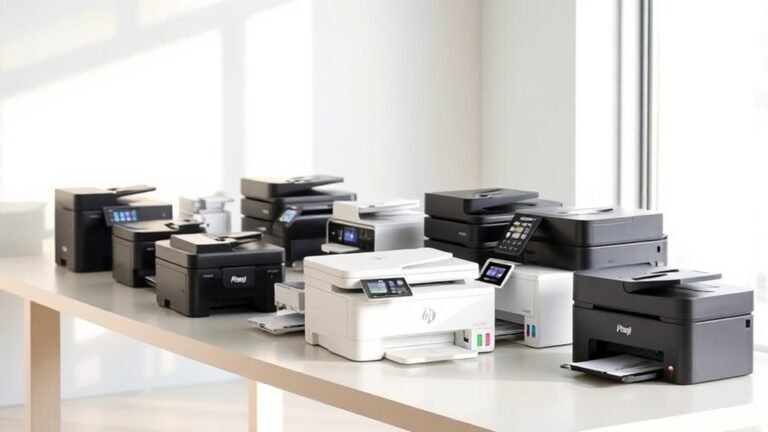
You’ll find top photo printers like the portable KODAK Step with vibrant ZINK prints and the KODAK Dock Plus delivering durable 4×6” dye-sublimation photos with lamination. These are perfect if you want quick, on-the-go photo prints without fuss.
For versatile inkjet options, Canon PIXMA TS4320 and HP Envy Photo 7975 offer wireless convenience and solid color quality. They’re great for everyday photo printing with crisp details and bright colors.
Epson’s XP-7100, XP-8800, and wide-format XP-15000 shine with rich color depth, fast speeds, and advanced features. Whether you need standard or large-format prints, these models handle it all beautifully.
Explore how these models fit different photo needs and budgets below. There’s something for everyone, whether you’re a casual snapshooter or a serious photo enthusiast.
| Image | Name | Editor's Rating | Price |
|---|---|---|---|

|
|
||

|
|
||

|
|
||
|
|
||

|
|
KODAK Step Portable Wireless Smartphone Photo Printer
- STEP UP YOUR PRINTING GAME. KODAK Step Printer Connects to Any iOS or Android Device [Via Bluetooth or NFC] Turn Your Selfies, Portraits, Social Media Posts Into Physical...
- AMAZING ZERO-INK TECHNOLOGY. ZINK 2” x 3” Sticky-Back Paper with Embedded Dye Crystals Delivers High-Quality, Durable, Affordable, Beautifully Detailed Prints That...
- FULL EDITING SUITE VIA APP. Download the KODAK App to Create Collages & Customize Your Snaps with Stunning Filters, Interesting Borders, Cool Stickers, Funny Text & Other...
- TAKE YOUR PROJECTS TO GO. Our Palm-Sized Printer Weighs Less Than a Pound, Sets Up Fast & Delivers Gorgeous Prints You Can Peel & Stick Everywhere.
- CUTE, COMPACT & COLORFUL. Step Printer is Designed for Photo-Loving Influencers & Crafters of All Ages & Skill Levels! Portable, Lightweight Device Features Built-In...

Capture and share your favorite moments instantly with the KODAK Step Portable Wireless Smartphone Photo Printer. Designed for people who love to print photos on the go, this compact device makes turning digital memories into tangible prints effortless. No more waiting or complicated setups—just connect your smartphone and start printing.
This printer uses advanced ZINK thermal technology to produce vibrant, full-color 2×3” sticky-back photos. These prints are durable and moisture-resistant, perfect for scrapbooking, decorating, or gifting. The lightweight design fits comfortably in your hand or bag, making it an ideal travel companion.
Maintenance is simple since no ink cartridges are required. The printer’s rechargeable battery supports up to 25 prints per charge, enabling you to print throughout the day without hassle. Control everything through the KODAK app, which lets you edit photos, add filters, text, and create collages before printing.
While the print size is small and the print speed is about one minute per photo, this printer excels at delivering quick, quality prints wherever you are. It’s a practical solution for anyone wanting instant, portable photo prints without extra fuss.
Best for: Travelers, social influencers, scrapbookers, and on-the-go photographers who want instant, portable, and vibrant photo prints from their smartphones.
What We Like:
- Compact and lightweight for easy portability
- Durable, moisture-resistant sticky-back photo prints
- Simple wireless setup with Bluetooth and NFC
- Rechargeable battery supports multiple prints per charge
- User-friendly app with editing and creative options
Specification:
| Feature | Details |
|---|---|
| Manufacturer | KODAK |
| Print Size | 2 x 3 inches (5.08 x 7.62 cm) |
| Connectivity | Bluetooth, NFC |
| Battery | Rechargeable, ~25 prints per charge |
| Weight | Palm-sized, lightweight |
| Printing Technology | ZINK thermal |
KODAK Dock Plus 4×6 Photo Printer, Smartphone Docking, 4PASS, 50 Sheets
- Dock Photo Printer: The KODAK Dock Plus is a home photo printer that produces high-quality 4x6” prints directly from compatible smartphones. Featuring an integrated...
- Genuine 4PASS dye sublimation printing: Each photo is produced in three color layers and finished with a clear protective lamination layer. In approximately 55 seconds...
- Easy to Use: Print photos quickly without complicated setup or technical steps. Simply power on, connect wireless bluetooth, and start printing within seconds. The Dock...
- Home Printing Station: Designed for stable desktop use, this dock photo printer connects to a power outlet for consistent performance and larger 4x6” prints. Ideal for...
- KODAK Photo Printer APP: Featuring integrated Bluetooth connectivity, this portable printer connects to compatible iOS and Android devices through the KODAK Photo Printer...
The KODAK Dock Plus 4×6 Photo Printer offers a straightforward way to print vibrant 4×6″ photos directly from your smartphone. Its built-in docking station not only holds your phone securely but also charges it while printing. This design simplifies the process, eliminating the hassle of cables or additional devices.
Using advanced 4PASS dye sublimation technology, the printer produces durable prints with a protective lamination. This coating helps resist fingerprints, water, and fading, ensuring your photos stay clear and vivid over time. The device connects easily via Bluetooth, compatible with both iOS and Android through the KODAK Photo Printer app.
Maintenance is minimal, with the printer designed for desktop stability and easy setup. It comes with 50 sheets, so you can start printing right away. While each photo takes about 55 seconds to print, the quality and durability make it ideal for everyday photo albums and preserving family memories.
Best for: Anyone who wants a convenient, reliable home photo printer to create lasting 4×6″ prints directly from their smartphone.
What We Like:
- Produces high-quality, long-lasting photos with protective lamination
- Integrated phone dock that charges while printing
- Simple Bluetooth setup compatible with iOS and Android devices
- Compact and stable desktop design for easy use
- Includes starter pack of 50 sheets
Specification:
| Feature | Details |
|---|---|
| Manufacturer | KODAK |
| Print Size | 4×6 inches (10×15 cm) |
| Printing Technology | 4PASS Dye Sublimation |
| Connectivity | Bluetooth |
| Compatibility | iOS, Android (via KODAK app) |
| Included Paper | 50 sheets |
| Dimensions | Compact desktop size |
| Phone Dock | Integrated charging dock |
Canon PIXMA TS4320 – Wireless Color Inkjet Printer with Print, Copy, Scan
- Affordable Versatility - A budget-friendly all-in-one printer perfect for both home users and hybrid workers, offering exceptional value
- Crisp, Vibrant Prints - Experience impressive print quality for both documents and photos, thanks to its 2-cartridge hybrid ink system that delivers sharp text and vivid...
- Effortless Setup & Use - Get started quickly with easy setup for your smartphone or computer, so you can print, scan, and copy without delay
- Reliable Wireless Connectivity - Enjoy stable and consistent connections with dual-band Wi-Fi (2.4GHz or 5GHz), ensuring smooth printing from anywhere in your home or...
- Scan & Copy Handling - Utilize the device’s integrated scanner for efficient scanning and copying operations
The Canon PIXMA TS4320 is designed to streamline your home printing tasks with its compact and efficient build. It fits neatly into small spaces, making it a practical choice for home offices or hybrid work setups. The versatile functions allow you to print, copy, and scan without hassle, reducing the need for multiple devices.
Wireless connectivity via dual-band Wi-Fi and USB ensures you can send documents from your smartphone, tablet, or PC with ease. The printer supports duplex printing, saving paper and time by printing on both sides automatically. Its ability to handle various paper types, including glossy photos and cardstock, adds flexibility for different projects.
Maintenance is straightforward, though frequent users may need to replace the starter ink tanks sooner than expected. The single paper tray holds up to 100 sheets, which suits light to moderate printing but may require regular refills for heavier use.
With a crisp print resolution of up to 1200 dpi and quick speeds of 9 ppm for color and 14 ppm for black-and-white, the PIXMA TS4320 balances quality and efficiency. The PIXMA Print app and Alexa compatibility further enhance user convenience.
Best for: Home users and hybrid workers seeking a compact, versatile printer for everyday printing, copying, and scanning needs.
What We Like:
- Compact size ideal for limited spaces
- Dual-band Wi-Fi and USB connectivity for flexible device support
- Automatic duplex printing saves paper
- Supports various paper types including photo paper
- Fast print speeds with high-resolution output
Specification:
| Feature | Description |
|---|---|
| Manufacturer | Canon |
| Dimensions | Compact footprint (exact size not specified) |
| Weight | Not specified |
| Print Resolution | Up to 1200 dpi |
| Print Speed | 9 ppm color, 14 ppm black & white |
| Connectivity | Dual-band Wi-Fi, USB |
| Paper Capacity | 1 tray, up to 100 sheets |
| Functions | Print, Copy, Scan |
Epson Expression Premium XP-7100 Wireless Color All-in-One Inkjet Printer
- CLEAR AND VIBRANT PRINT QUALITY ― All-in-one inkjet color printer produces sharp text for eye-catching documents and impressive color photos and graphics; Your next...
- PRINTER FOR HOME USE ― Designed to increase your productivity at home, this wireless color printer features a 30 page auto document feeder (ADF), auto 2-sided print...
- CREATIVITY MADE EASY ― Epson color printer provides creative versatility, allowing you to print photos and documents on specialty paper¹ and DVDs; You can even print...
- SIMPLE FUNCTIONALITY ― Convenient features make printing, scanning, and copying a snap; Use the large, intuitive 4.3 in touchscreen to view, edit and print photos...
- CONVENIENT WIRELESS PRINTER ― Ultimate wireless plus ethernet; Easily print photos and documents directly from your tablet or smartphone³; Includes Wi-Fi direct for...
Discover how the Epson Expression Premium XP-7100 can elevate your home printing with vibrant, professional-quality photos. Its 5-color Claria Premium ink system ensures sharp, borderless prints up to 8 x 10 inches, solving the common challenge of dull or faded images. You can quickly produce 4 x 6 photos in just 12 seconds, ideal for busy households or creative projects.
Designed for multitasking, this all-in-one inkjet printer includes a 30-page auto document feeder and automatic duplex printing. These features help you manage documents efficiently, reducing the time spent on manual paper handling. Its compact design fits easily into home offices without taking up too much space.
Maintaining the XP-7100 is straightforward, but it requires genuine Epson cartridges to ensure print quality and reliability. While the paper tray holds up to 30 sheets, it may need frequent refills during heavy use. The printer supports scanning, copying, and CD/DVD printing, making it a versatile tool for various tasks.
Connectivity is versatile with Wi-Fi, Ethernet, USB, and voice control through Alexa. This allows seamless printing from multiple devices and adds convenience to your workflow.
Best for: Home users and creative professionals seeking a versatile all-in-one printer with high-quality photo printing and wireless connectivity.
What We Like:
- Sharp, vibrant borderless photos up to 8 x 10 inches with fast 4 x 6 prints in 12 seconds
- 30-page auto document feeder and automatic duplex printing for efficient multitasking
- Multiple connectivity options including Wi-Fi, Ethernet, USB, and Alexa voice control
Specification:
| Feature | Details |
|---|---|
| Manufacturer | Epson |
| Dimensions (W x D x H) | 14.8 x 12.7 x 6.0 inches |
| Weight | 13.9 lb (6.3 kg) |
| Ink System | 5-color Claria Premium ink |
| Maximum Print Size | 8 x 10 inches |
| Paper Tray Capacity | 30 sheets |
| Connectivity | Wi-Fi, Ethernet, USB, Alexa Voice Control |
HP Envy Photo 7975 Wireless Color Inkjet Printer
- From America's most trusted printer brand, the HP Envy Photo 7975 is a premium multi-purpose home printer with everything families need to learn, work, and create. Loaded...
- PERFECT FOR HOME - The HP Envy Photo 7975 is great for printing documents, high-quality true-to-screen borderless photos, creative projects and more. Print speeds up to...
- 3 MONTHS OF INK INCLUDED - Subscribe to the Instant Ink delivery service to get ink delivered directly to your door before you run out. After 3 months, a monthly fee...
- KEY FEATURES - Print, copy, scan, automatic 2-sided printing, advanced photo features, separate photo tray, auto document feeder, mobile and wireless printing.
- EFFORTLESS PRINTING - Smoothly navigate printing with a large intuitive printer color touchscreen.
The HP Envy Photo 7975 is designed to simplify busy family life by handling photos, homework, and office tasks with ease. Its wireless functionality lets you print, scan, and copy without being tied down. This printer adapts to your needs, helping you stay organized and productive.
Maintenance is straightforward with an automatic two-sided printing feature and an auto document feeder that speeds up your workflow. The separate photo tray and advanced borderless photo printing ensure your photos come out sharp and true to screen colors. This makes it ideal for preserving memories in vibrant detail.
The large touchscreen offers intuitive navigation, making it easy to operate even for non-tech-savvy users. Printing from mobile devices is seamless, adding convenience to your daily routine. To avoid running out of ink, the printer comes with three months of Instant Ink delivery, though you will need a subscription afterward.
While print speeds are moderate, this printer balances quality and functionality well. It caters to home users looking for a versatile machine that combines creativity with everyday productivity.
Best for: Families seeking a reliable home printer that manages photos and documents with wireless convenience and high-quality photo output.
What We Like:
- Automatic two-sided printing and auto document feeder improve efficiency
- Separate photo tray with borderless photo printing for vivid, true-to-screen images
- Large touchscreen and mobile printing support simplify operation
Specification:
| Feature | Details |
|---|---|
| Manufacturer | HP |
| Dimensions (inches) | Approx. 17.28 x 14.21 x 5.75 |
| Weight (lb) | Around 14.6 |
| Printer Type | Wireless Color Inkjet |
| Key Functions | Print, Scan, Copy |
Epson Expression Photo XP-8800 Wireless Color All-in-One Inkjet Printer

- Lab-quality photos and prints — 6-color Claria Photo HD ink and high print resolution for amazing borderless prints up to 8.5" x 11"
- Fast photo printing — delivers 4" x 6" borderless photos with astounding detail and accuracy in as fast as 10 seconds (1)
- Convenient, easy operation — features flush 4.3" color touchscreen, plus Easy Mode for enhanced visibility and ease of use
- Versatile paper handling — separate trays for plain and photo paper, plus a rear feed for specialty paper
- Easy wireless printing — print from your laptop, desktop, smartphone or tablet (3); use Wi-Fi Direct (4) for router-free printing
Bring your photos to life with the Epson Expression Photo XP-8800, designed to deliver vibrant, borderless prints with ease. Its compact all-in-one design fits comfortably in any workspace, making it simple to create sharp photos and artistic projects up to 8.5 x 11 inches. This printer solves the common hassle of complicated printing by offering intuitive wireless control through Wi-Fi, Wi-Fi Direct, and USB connections.
The 6-color Claria Photo HD ink system ensures your images come out vivid and detailed, while the 4.3″ touchscreen with Easy Mode simplifies navigation and setup. Automatic duplex printing saves time and paper, and dual paper trays allow you to switch between various media sizes, including specialty photo papers, without interrupting your workflow.
Maintenance is straightforward but requires Epson Genuine Cartridges to maintain print quality, which might be costlier than some alternatives. Most features work best with an internet connection and companion app, which may add a learning curve for users unfamiliar with wireless setups.
Overall, the XP-8800 is ideal for photo enthusiasts who need reliable, high-quality prints combined with convenient wireless functionality in a compact package.
Best for: Photo enthusiasts and creative users seeking vibrant, borderless photo prints with easy wireless control in a compact all-in-one printer.
What We Like:
- Sharp, vivid prints from a 6-color Claria Photo HD ink system
- Easy wireless and USB connectivity with a user-friendly 4.3″ touchscreen
- Automatic duplex printing and dual paper trays for versatile media handling
Specification:
| Feature | Details |
|---|---|
| Manufacturer | Epson |
| Dimensions | Compact size (exact size not provided) |
| Weight | Not specified |
| Ink System | 6-color Claria Photo HD |
| Connectivity | Wi-Fi, Wi-Fi Direct, USB |
| Display | 4.3″ touchscreen |
Epson Expression Photo HD XP-15000 Wireless Wide-Format Inkjet Printer
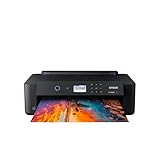
- Epson printing system is designed to be used exclusively with Epson Genuine Cartridges. Use of non-genuine ink could cause damage not covered under the printer’s ltd...
- Professional ultra HD photo quality get brilliant border less prints upto 13 inches X 19 inches
- Individual 6 color Claria photo HD ink includes red and gray inks for an ultra wide color gamut and enhanced black and white prints. Sound pressure level: Pressure...
- Professional projects: Made easy features a 50 sheet rear tray for specialty media, including cardstock (1); Accommodates a variety of paper finishes and border less...
- Ultra compact wide format A3 plus printer 30 percent smaller than its predecessor (2); Easily fits on your desktop
The Epson Expression Photo HD XP-15000 transforms your photo printing experience with stunning, wide-format output up to 13 x 19 inches. Its 6-color Claria Photo HD ink system, featuring gray and red inks, enhances color depth and sharpness, producing vibrant images and rich black-and-white prints. This printer solves the challenge of achieving professional-quality photos without needing bulky equipment.
Designed with compactness and quiet operation, it fits seamlessly into home studios or small offices. Dual trays hold up to 200 sheets, allowing you to switch between media types like cardstock and specialty papers effortlessly. The auto duplexing feature streamlines double-sided printing, saving time and reducing paper waste.
Connectivity is flexible with both wireless and wired options, including Ethernet, to easily integrate with multiple devices. Maintenance is straightforward, but note that the printer uses exclusive Epson Genuine Cartridges, which ensures consistent quality but may limit ink choices and affect long-term costs.
Best for: Photographers and creative professionals seeking high-quality, wide-format photo printing with precise color and borderless capabilities.
What We Like:
- Produces vibrant, wide-format borderless prints up to 13 x 19 inches
- Compact design with quiet operation and dual media trays
- Flexible connectivity options including wireless and Ethernet
- Auto duplexing for efficient double-sided printing
Specification:
| Feature | Details |
|---|---|
| Manufacturer | Epson |
| Dimensions (W×D×H) | Compact size (exact not provided) |
| Weight | Not specified |
| Ink System | 6-color Claria Photo HD |
| Maximum Print Size | 13 x 19 inches |
| Connectivity | Wireless, Wired (Ethernet) |
| Media Handling | Dual trays (up to 200 sheets), auto duplexing |
Factors to Consider When Choosing a Color Printer for Photos
When choosing a color printer for photos, you’ll want to focus on print quality and resolution to guarantee sharp, vibrant images. Consider the types of ink it uses and how long your prints will last.
Also, don’t forget to check media size options, connectivity features, and how fast the printer works to match your needs. It’s all about finding the right balance for what you want to do.
Print Quality And Resolution
Achieving stunning photo prints hinges on understanding print quality and resolution. You’ll want a printer with at least 1200 x 1200 dpi to capture sharp details, while professional models offer up to 5760 x 1440 dpi for smooth tonal gradients.
Don’t overlook the number of ink colors; more inks like light cyan or gray enhance color accuracy, skin tones, and subtle gradations. Color depth matters too—higher bits per channel reduce banding and deliver richer, smoother shades.
Consider the printing technology: dye-sublimation guarantees durable, continuous-tone prints, while pigment-based inkjets provide higher resolution and media versatility.
Finally, check if the printer supports native paper sizes and ICC color profiles for precise color management. That way, your photos look exactly as you envision them.
Ink Types And Durability
Understanding print quality and resolution sets the stage, but selecting the right ink type plays a major role in how long your photos last and how they handle environmental stress.
Dye-sublimation printers use layered dye transfer with a clear protective overcoat. This produces water- and fade-resistant photos that mimic lab-quality prints.
Pigment-based inks deposit tiny colorant particles. They resist fading and water damage better than dye inks and can last decades if displayed properly.
Dye-based (solvent) inks offer vibrant colors but tend to fade faster. They’re also more vulnerable to moisture unless you add protective coatings or laminate.
Media Size And Handling
Selecting a printer that supports the photo sizes you plan to print guarantees you won’t have to crop or scale your images unexpectedly. Look for models that handle common sizes like 4×6, 5×7, 8×10, or even up to 13×19 inches, especially if you want flexibility.
Check if the printer offers borderless printing for true edge-to-edge photos on your chosen sizes. Many only support this on select dimensions, so it’s worth double-checking.
Also, consider paper feed options—a dedicated photo tray or rear specialty feed helps manage different media easily. Make sure it supports the media types you use, such as glossy, matte, or cardstock, plus the thickness your projects require.
Finally, if you need double-sided prints on heavier paper, confirm whether duplexing is automatic or manual. That way, you won’t run into surprises when printing.
Connectivity Options Available
When choosing a color printer for photos, you’ll want to zero in on connectivity options that fit your setup and workflow. Make sure the printer supports wireless standards like dual-band Wi‑Fi (2.4 GHz and 5 GHz) or Wi‑Fi Direct. This will guarantee faster, more reliable photo transfers with less interference.
If you often print from smartphones, look for Bluetooth or NFC for quick, on-the-go printing without network access. Don’t overlook wired options like USB and Ethernet for stable, high-speed connections or network integration.
Also, check compatibility with mobile printing protocols such as AirPrint, Mopria, or manufacturer apps. This way, you can print directly from iOS or Android devices without any hassle.
Finally, consider printers with memory card slots or USB drive support. These let you print high-resolution images without needing a computer or phone, which can be super convenient.
Speed And Efficiency
Although photo quality matters most, speed and efficiency can make a big difference if you print frequently or in large batches. Check the print speed measured in seconds per photo or pages per minute, but remember photo-optimized settings are often slower than draft modes.
Don’t overlook warm-up and first-page-out times, as scanners or thermal processes can add 10–60+ seconds before printing starts. Higher DPI or photo-quality modes reduce throughput, so balance resolution with speed based on your needs.
Also, consider the duty cycle and monthly throughput to avoid downtime from maintenance or ink replacement. Finally, look for features like large paper trays, automatic duplexing, and batching, which minimize your intervention and keep your workflow smooth and efficient.
Frequently Asked Questions
How Long Do Photo Printer Ink Cartridges Typically Last?
Ink cartridges typically last between 100 to 300 pages, depending on usage and printer type.
You’ll want to replace them sooner if you print high-quality photos frequently, as photo ink depletes faster than regular document ink. It’s just how these printers work!
Are Photo Printers Compatible With Mac and Windows Systems?
Yes, most photo printers are compatible with both Mac and Windows systems. You’ll find drivers and software for easy setup, ensuring you can print high-quality photos regardless of your computer’s operating system.
It’s pretty straightforward to get started. Just download the right software, and you’re good to go!
Can These Printers Print Directly From Cloud Storage Services?
Yes, you can print directly from cloud storage services with these printers. They usually support popular platforms like Google Drive and Dropbox.
This means you can access and print your photos seamlessly without needing to download files first. It’s super convenient and saves you a bunch of time.
What Types of Photo Paper Are Best for High-Quality Prints?
You’ll want to use glossy or semi-gloss photo paper for vibrant colors and sharp details. Matte paper works well for softer images.
Choose heavyweight options with a smooth finish to guarantee high-quality, professional-looking prints every time. It really makes a difference in how your photos turn out.
Do Photo Printers Support Borderless Printing Options?
Yes, many modern photo printers proudly provide perfect, professional borderless printing options. You’ll love how they let you effortlessly enjoy edge-to-edge excellence.
They eliminate limits and let your lively, luscious images leap off the paper without borders blocking their beauty. It’s a great way to make your photos stand out!
Conclusion
Choosing the perfect color printer for your photos is like finding the right brush for a masterpiece—you want precision, vibrancy, and ease. Whether you’re capturing memories with the KODAK Step or going wide with the Epson Expression Photo HD XP-15000, each option brings your vision to life.
So, don’t just print photos—create art that tells your story.
Ready to make every snapshot a vibrant memory? Your perfect printer awaits!
When it comes to the best color printers for photos in 2027, it’s all about blending quality, speed, and affordability. Whether you’re a casual snap-happy photographer or a seasoned pro, choosing a printer that delivers stunning color accuracy and sharp details makes all the difference.
Explore the latest models designed to meet your creative needs, from compact portable options to wide-format powerhouses. Find the color printer that fits your style, budget, and photo goals. Your memories deserve nothing less than brilliant prints that pop off the page!