8 Best Color Laser Printers for Office Use in 2027
You’ll want fast, reliable color laser printers like the Canon imageCLASS MF753Cdw II with its sharp 1200 dpi output and duplex scanning.
Or maybe the HP Color LaserJet Pro MFP 3301sdw is more your style, offering strong speeds and mobile printing.
Brother’s MFC-L8930CDW is perfect for busy offices needing high-speed scanning.
And if space is tight, the Canon LBP646Cdw provides wireless duplex printing without taking up much room.
Xerox’s C245 strikes a nice balance between efficiency and quality.
Explore these top picks and key features to find the perfect fit for your office needs.
| Image | Name | Editor's Rating | Price |
|---|---|---|---|

|
|
||

|
|
||

|
|
||

|
|
||

|
|
Canon Color imageCLASS MF753Cdw II – All-in-One Color Duplex Laser Printer
- Color, Wireless, Duplex 4-in-1: Print, scan, copy, fax.

The Canon Color imageCLASS MF753Cdw II delivers a powerful solution for busy small offices and hybrid workspaces. It streamlines daily tasks by combining printing, scanning, copying, and faxing into one efficient device. With a fast output of up to 35 pages per minute, it keeps your workflow moving without delays.
This all-in-one printer offers high-quality prints at 1200 x 1200 dpi resolution, ensuring sharp, professional documents. Its one-pass duplex printing and scanning with a 50-sheet automatic document feeder save time and reduce manual handling. The 250-sheet paper capacity, expandable to 850 sheets, minimizes interruptions for reloading.
Connectivity is flexible with Wi-Fi, Ethernet, and mobile printing options, supporting diverse work environments. The intuitive 5-inch touchscreen simplifies operation, while Energy Star certification means it uses power efficiently. Maintenance is straightforward, though toner yields require periodic replacement after about 1,100 color pages.
Best for: Small offices and hybrid work environments needing a fast, reliable all-in-one color laser printer with duplex capabilities and versatile connectivity.
What We Like:
- Fast printing speed up to 35 ppm with sharp 1200 x 1200 dpi quality
- One-pass duplex scanning and printing with a 50-sheet ADF
- Expandable paper capacity up to 850 sheets
- Multiple connectivity options including Wi-Fi, Ethernet, and mobile printing
- Energy-efficient design with an easy-to-use 5-inch touchscreen
Specification:
| Feature | Details |
|---|---|
| Manufacturer | Canon |
| Dimensions (W x D x H) | Not specified |
| Weight | 50 lb (approx. 22.7 kg) |
| Print Resolution | 1200 x 1200 dpi |
| Print Speed | Up to 35 ppm |
| Duplex Printing/Scanning | Yes, one-pass duplex |
| Paper Capacity | 250 sheets (expandable to 850) |
| Connectivity | Wi-Fi, Ethernet, USB, Mobile Printing |
| Display | 5-inch touchscreen |
| Energy Certification | Energy Star certified |
Canon imageCLASS LBP646Cdw Wireless Laser Printer
- Single-Function, Color, Wireless, Duplex Printer: Print only. — No Scanning, Copying, or Faxing
- Fast Print Speeds: Print up to 26 ppm in both color and monochrome and spend less time waiting with a quick first print time of approximately 10.3 seconds.
- Easy Wireless Setup: Setup your wireless connection and get up and running in just a few steps.
- 5-inch LCD Screen: Navigate through all the features using the 5-line LCD screen.
- Mobile Device Printing: Print from your compatible mobile devices using the free Canon PRINT app, Apple AirPrint and Mopria Print Service.
The Canon imageCLASS LBP646Cdw brings efficient color printing to small offices and hybrid workspaces. Its fast output of up to 26 pages per minute helps keep your workflow smooth and deadlines on track. The sharp 1200 x 1200 dpi resolution ensures your documents and presentations look professional every time.
This wireless laser printer simplifies printing with automatic duplexing and support for legal-size paper. A 250-sheet cassette combined with a multipurpose tray means less frequent paper refills, reducing interruptions. You can connect easily via Wi-Fi, Ethernet, or USB, and print directly from your smartphone using the Canon PRINT app or Apple AirPrint.
Maintenance is straightforward, though the starter toner yields are on the lower side, which may require more frequent replacements if you print in high volumes. The single-function design focuses solely on printing, without scanning or copying features.
Compact and ENERGY STAR certified, the LBP646Cdw saves space and energy without compromising on performance. It’s a practical choice for those needing reliable, high-quality color prints with versatile connectivity.
Best for: Small offices and hybrid work environments needing fast, high-quality color printing with versatile connectivity options.
What We Like:
- Fast print speed with crisp 1200 x 1200 dpi resolution
- Automatic duplex printing and legal-size paper support
- Multiple connection options including Wi-Fi, Ethernet, and USB
- Compact design with ENERGY STAR certification
Specification:
| Feature | Details |
|---|---|
| Manufacturer | Canon |
| Dimensions (W×D×H) | Approx. 16.5 × 18.5 × 14.3 in |
| Weight | Approx. 34.4 lb (15.6 kg) |
| Printing Technology | Wireless Color Laser |
| Paper Capacity | 250-sheet cassette + multipurpose tray |
| Connectivity | Wi-Fi, Ethernet, USB |
HP Color LaserJet Pro 3204dw | Color Laser Printer | Duplex
- FROM AMERICA'S MOST TRUSTED PRINTER BRAND – Perfect for office teams creating professional-quality color documents and reports; auto 2-sided printing; perfect for up to...
- OPTIMIZE PRINT FORMATTING WITH HP AI – Print web pages and emails with precision—no wasted pages or awkward layouts; HP AI easily removes unwanted content, so your...
- BLAZING FAST COLOR – Up to 26 color pages per minute, with sharp details and incredible color
- STAYS CONNECTED – Reliable Wi-Fi automatically reconnects to stay online and ready to print
- PROTECTS YOUR DATA – Includes HP Wolf Pro Security with customizable settings so your printer and information are always secure
The HP Color LaserJet Pro 3204dw delivers fast, high-quality color prints that keep your team productive. With a speed of up to 26 pages per minute and sharp 600 x 600 dpi resolution, it handles everyday printing needs efficiently. Automatic duplex printing reduces paper use and speeds up tasks, making it ideal for busy small offices.
This printer supports various media types, from labels to cardstock, enhancing your creative and professional output. Its compact design fits well in tight workspaces without sacrificing performance. The reliable wireless, Ethernet, and USB connections offer flexible placement and easy network integration.
Maintenance is straightforward, but note this model uses original HP cartridges with embedded chips, ensuring print quality and security but limiting third-party options. Its 250-sheet paper capacity suits small to moderate print volumes, though frequent refills may be necessary for larger jobs.
The HP app simplifies setup and allows seamless printing from smartphones. Enhanced security features help protect sensitive documents, supporting a secure and efficient workflow for your team.
Best for: Small offices or teams of up to seven people needing fast, professional-quality color printing with versatile media handling and secure connectivity.
What We Like:
- Fast print speed with clear, vibrant color output
- Automatic duplex printing saves paper and time
- Multiple connectivity options including Wi-Fi and Ethernet
- Compact design fits well in busy office environments
- Enhanced security features protect sensitive documents
Specification:
| Feature | Details |
|---|---|
| Manufacturer | HP |
| Dimensions | Not provided |
| Weight | 30.4 lb (13.78 kg) |
| Print Speed | Up to 26 pages per minute |
| Resolution | 600 x 600 dpi |
| Paper Capacity | 250 sheets |
| Connectivity | Wireless, Ethernet, USB |
Canon imageCLASS MF662Cdw Wireless Duplex Laser Printer
- Color, Wireless, Duplex 3-in-1: Print, scan, copy.
- Fast Print Speeds: Print up to 26 ppm in both color and monochrome and spend less time waiting with a quick first print time of approximately 10.3 seconds.
- Easy Wireless Setup: Setup your wireless connection and get up and running in just a few steps.
- 5-inch Color Touchscreen: Get the job done quickly with Application Library - an intuitive and easy to use customizable access to the features you use most.
- Mobile Device Printing: Print from your compatible mobile devices using the free Canon PRINT app, Apple AirPrint and Mopria Print Service.
The Canon imageCLASS MF662Cdw is designed to streamline work for small offices and remote employees. Its wireless all-in-one functionality combines printing, copying, and scanning, reducing the need for multiple devices. This helps save space and simplifies daily tasks.
With sharp 600 x 600 dpi resolution and fast printing speeds up to 26 pages per minute, it handles typical office documents quickly and clearly. Automatic duplex printing cuts paper use, supporting more efficient and eco-friendly operations.
The 5-inch touchscreen offers easy customization of shortcuts, letting users access common functions with a tap. Connectivity is versatile, including Wi-Fi, Ethernet, USB, and mobile printing via the Canon PRINT app or AirPrint, fitting well into hybrid work environments.
Maintenance is straightforward but note that starter toner yields are modest, which might require more frequent replacements. The printer’s size and weight may also be less suitable for very small desks or tight spaces.
Best for: Small offices and remote workers needing a reliable wireless all-in-one laser printer with efficient duplex printing and flexible connectivity.
What We Like:
- Fast 26 ppm print speed with automatic two-sided printing
- Multiple connectivity options, including mobile printing apps
- Intuitive 5-inch color touchscreen with customizable shortcuts
- Compact all-in-one design for space-saving office setup
Specification:
| Feature | Details |
|---|---|
| Manufacturer | Canon |
| Dimensions | Approx. 16.5 x 18.7 x 16.3 in |
| Weight | Approx. 40.8 lb (18.5 kg) |
| Print Resolution | 600 x 600 dpi |
| Connectivity | Wi-Fi, Ethernet, USB, Mobile |
Xerox C245 Wireless Color All-in-One Printer – Amazon Exclusive – 3 in 1
- AMAZON EXCLUSIVE & COMPACT MULTIFUNCTION DESIGN: This full-featured Xerox color MFP fits neatly on small desks, packing Print, Scan, and Copy functionality into a compact...
- VIBRANT PRINT QUALITY: Produce sharp text and brilliant color graphics. Ensure your business documents, presentations, and reports look professional and impressive every...
- WIRELESS & MOBILE PRINTING: Stay connected with dual-band Wi-Fi, Apple AirPrint, and Mopria. Effortlessly print and scan from your laptop, smartphone, or tablet from...
- EASY SMARTPHONE SETUP: Get printing in minutes. Use the Xerox Easy Assist App for a simplified, guided installation that eliminates complex manuals and traditional driver...
- 3-IN-1 VERSATILITY: Maximize productivity with 26ppm printing, scanning, and copying. The 50-sheet document feeder ensures efficient document handling for real estate...
Experience efficient multitasking with the Xerox C245 Wireless Color All-in-One Printer. This compact device combines printing, scanning, and copying, making it ideal for home offices and remote teams. Its small footprint fits neatly on limited desk space without sacrificing functionality.
Designed to handle moderate workloads, the C245 supports up to 1,500 pages per month. It delivers sharp color and black-and-white prints at a fast 26 pages per minute, ensuring your documents look professional and are ready quickly. Automatic duplex printing saves paper, adding convenience and reducing waste.
Maintenance is straightforward with a flatbed scanner and a 50-sheet feeder to speed up daily tasks. The printer connects seamlessly through dual-band Wi-Fi, AirPrint, Ethernet, or USB, providing flexible options for different work environments. Energy-saving modes and high-yield toner options help lower operating costs.
While the feeder capacity may require frequent refills for large jobs, and the power consumption is higher than some compact printers, the Xerox C245 balances performance and efficiency well for its size.
Best for: Home professionals, hybrid offices, and remote workers needing a reliable, space-saving color all-in-one printer for moderate monthly use.
What We Like:
- Fast 26 ppm printing with high resolution up to 2400 x 600 dpi
- Multiple connectivity options including dual-band Wi-Fi and AirPrint
- Energy-efficient design with high-yield toner for cost savings
- Compact footprint suited for small workspaces
Specification:
| Feature | Details |
|---|---|
| Manufacturer | Xerox |
| Dimensions | Compact (specific dimensions not provided) |
| Weight | Not specified |
| Color Options | Standard (color not specified) |
| Monthly Duty Cycle | Up to 1,500 pages |
| Print Speed | 26 pages per minute |
| Print Resolution | Up to 2400 x 600 dpi |
| Connectivity | Dual-band Wi-Fi, AirPrint, Ethernet, USB |
HP Color LaserJet Pro MFP 3301sdw Printer

- FROM AMERICA'S MOST TRUSTED PRINTER BRAND – Perfect for small teams printing, scanning and copying professional-quality color documents and reports. Print speeds up to...
- PROFESSIONAL PRODUCTIVITY – Proficiency with every print—next-generation TerraJet toner brings your business to life with more vivid colors.
- ORIGINAL HP TONER CARTRIDGES – This HP printer uses Original HP 218A standard and 218X high yield LaserJet toner cartridges.
- UPGRADED FEATURES – Fast color printing, scan, copy, auto 2-sided printing, auto document feeder, and a 250-sheet input tray.
- AWARD-WINNING RELIABILITY – Performance you can count on page after page, and always ready for the high demands of business.
Experience efficient color printing designed for busy teams with the HP Color LaserJet Pro MFP 3301sdw. This all-in-one device simplifies your workspace by combining printing, scanning, and copying functions in one compact unit. Its fast output keeps your workflow smooth, handling high volumes without delay.
The printer’s auto duplexing and 250-sheet tray reduce manual effort, saving time and paper. Connectivity options like Wi-Fi, Ethernet, and the HP app enable easy mobile printing from anywhere in the office. This flexibility helps teams stay connected and productive throughout the day.
Maintaining the device is straightforward but requires Original HP toner cartridges with HP chips. This ensures consistent quality and performance but limits the use of third-party options. The device’s moderate resolution supports everyday business needs without overcomplicating print quality.
Security is a priority, with HP Wolf Pro guarding your device and data against threats. Although the printer is somewhat bulky at 37.7 lb and over 16 inches in each dimension, its robust design supports demanding office environments.
Best for: Small teams and offices seeking a reliable, secure color laser all-in-one printer with versatile connectivity.
What We Like:
- Fast print speeds up to 30 ppm in color and 26 ppm in black
- Convenient all-in-one functionality with a large 250-sheet tray
- Strong security features via HP Wolf Pro protection
- Flexible connectivity including Wi-Fi, Ethernet, and mobile printing
Specification:
| Feature | Details |
|---|---|
| Manufacturer | HP |
| Dimensions (W×D×H) | Approximately 16.8 × 18.1 × 15.9 inches |
| Weight | 37.7 lb (17.1 kg) |
| Print Speed | Up to 30 ppm (color), 26 ppm (black) |
| Print Resolution | 600 × 600 dpi |
Brother MFC-L8930CDW Color Laser All-in-One Printer

- Updated design, professional results. High-quality output with sharp color and black printing. Fast print and copy speeds up to 33ppm(1) help boost productivity. Reliable...
- Maximize printing budgets. Offers built-in value with included Brother Genuine 3,000-page black and 1,800-page color standard yield toner cartridges. Help lower printing...
- Advanced scanning. High-speed, two-sided scanning up to 104ipm(3) with 80-page auto document feeder(4) and legal-size glass. Scan to cloud, email, SharePoint, and more...
- Productivity-enhancing features. Flexible connectivity, including built-in dual-band (2.4GHz / 5GHz) wireless networking and Gigabit Ethernet networking. 7” color...
- Triple Layer Security. Advanced security features to help keep devices secure, protect documents in transit to and from print devices, and safeguard networks. Includes an...
Experience fast, sharp color printing designed to keep your office productive. The Brother MFC-L8930CDW delivers crisp prints and copies at speeds up to 33 pages per minute. Its duplex printing and multipurpose tray handle various media types, reducing manual tasks and saving time.
Scanning is streamlined with two-sided scanning at up to 104 images per minute and an 80-page automatic document feeder. This boosts efficiency for busy workflows, while the 7″ touchscreen offers intuitive navigation and easy access to scan-to-cloud features.
Connectivity options include dual-band Wi-Fi, Gigabit Ethernet, and NFC, ensuring seamless integration into modern offices. Maintenance is simplified with high-yield toner cartridges that lower replacement frequency, although color toner yields less than black, which may increase costs for heavy color use.
The compact design suits medium to large office spaces but may be bulkier than needed for home setups. Strong security features protect sensitive data, and energy certifications support eco-friendly operations.
Best for: Busy offices and professionals needing a reliable, cost-efficient all-in-one color laser printer with versatile scanning and robust connectivity.
What We Like:
- Fast printing and two-sided scanning with a large automatic document feeder
- Easy-to-use 7″ touchscreen with customizable shortcuts
- Multiple connectivity options including dual-band Wi-Fi and NFC
- High-yield toner cartridges for reduced maintenance frequency
- Strong security measures and eco-friendly design
Specification:
| Feature | Details |
|---|---|
| Manufacturer | Brother |
| Dimensions | 16.1″ x 18.9″ x 18.5″ (WxDxH) |
| Weight | 38.6 lbs (17.5 kg) |
| Color Options | White |
| Print Speed | Up to 33 ppm |
| Scanner Speed | Up to 104 ipm (two-sided) |
| Touchscreen Size | 7 inches |
| Connectivity | Dual-band Wi-Fi, Ethernet, NFC |
Brother MFC-L3720CDW Wireless Color Laser Printer

- Professional Performance: Dominate your business printing with this Brother Genuine color laser printer delivering exceptional print speeds up to 19 ppm and stunning...
- Advanced Connectivity: Take command of your workflow with dual-band wireless networking (2.4GHz/5GHz), Wi-Fi Direct, and USB 2.0 interface, enabling multiple users to...
- Productivity Powerhouse: Maximize efficiency with the 50-sheet auto document feeder, 250-sheet adjustable paper tray, and automatic duplex printing, ensuring...
- Smart Integration: Transform your workflow with the intuitive 3.5" color touchscreen featuring 48 customizable shortcuts and direct access to popular cloud services...
- Mobile Command Center: Leverage the power of mobile printing with remote access capabilities, toner level monitoring, and complete printer management directly from your...
The Brother MFC-L3720CDW wireless color laser printer is designed to streamline office tasks with reliable and fast performance. It handles printing, scanning, and faxing efficiently, helping busy professionals stay productive. With clear laser-quality output and a print speed of up to 19 pages per minute, it delivers sharp, professional documents quickly.
Its automatic duplex printing reduces paper use, and the 50-sheet auto document feeder simplifies handling multi-page jobs. The 250-sheet adjustable tray supports longer print runs without frequent refills, keeping your workflow uninterrupted. Dual-band Wi-Fi and Wi-Fi Direct allow multiple users to connect wirelessly without hassle.
Maintenance is straightforward, with remote toner monitoring and management through the companion app. The 3.5″ color touchscreen offers easy access to 48 customizable shortcuts and direct cloud integration with Google Drive, Dropbox, and OneNote. While the touchscreen is compact, it provides clear navigation for essential functions.
Best for: Small to medium-sized offices and professionals who need dependable, versatile color printing with scanning and faxing capabilities.
What We Like:
- Fast 19 ppm print speed with sharp laser output
- Automatic duplex printing and 50-sheet auto document feeder
- Dual-band Wi-Fi and Wi-Fi Direct for seamless wireless connectivity
- Remote toner monitoring and cloud service access
- Compact 3.5″ touchscreen with customizable shortcuts
Specification:
| Feature | Details |
|---|---|
| Manufacturer | Brother |
| Dimensions (W x D x H) | 16.1 x 18.0 x 15.7 inches |
| Weight | 27.3 lbs (12.4 kg) |
| Color Options | White |
Factors to Consider When Choosing Color Laser Printer Office
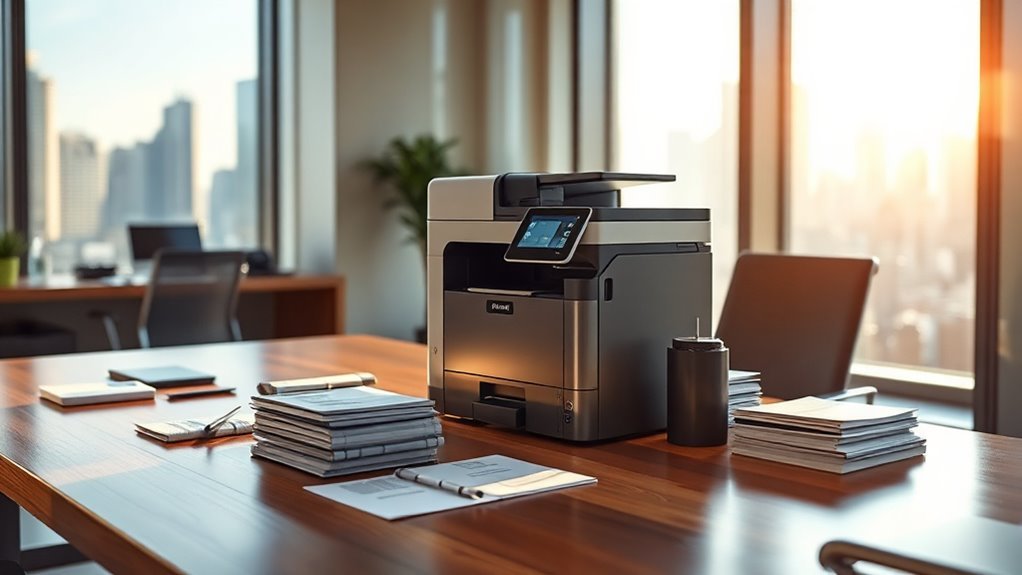
When choosing a color laser printer for your office, you’ll want to focus on print speed and color accuracy to keep your workflow smooth and professional.
Also, consider connectivity options and paper handling capacity to guarantee the printer fits your setup and volume needs.
And don’t forget to check if multifunction features like scanning and copying are included to boost your office’s productivity.
Print Speed Importance
You’ll often find that print speed plays a pivotal role in maintaining smooth office workflows, especially during high-volume tasks. Moving from around 25 ppm to 35 ppm can cut total print time by 30–40% on large jobs, helping you avoid bottlenecks.
Check both color and black-and-white ppm since mixed-color prints often run slower than monochrome. First-page-out time is vital too—printers that deliver a page in 7–10 seconds keep latency low for quick single prints.
Don’t forget duplex and ADF speeds for two-sided or multi-page documents; one-pass duplex feeders speed up copying and scanning. Match your printer’s rated ppm with your typical monthly volume, especially if multiple users share the device or you handle frequent large print jobs to keep everything flowing smoothly.
Color Accuracy Needs
Although print speed is essential, color accuracy often takes precedence when producing marketing materials or client proofs. You should determine the required color accuracy by your use cases—Delta E ≤ 2 guarantees near-perfect matches for client-facing work, while internal documents allow more flexibility.
Choose printers supporting color management standards like ICC profiles, sRGB, and Adobe RGB. This lets you embed or select profiles during printing, which is super helpful.
Prioritize models with high native resolution (600–1200 dpi+) and stable toner formulations to improve gradation and spot color fidelity. These features really make a difference.
Make sure your printer and software support manual or automatic calibration tools, such as spectrophotometers, to maintain consistent results. Keeping things calibrated is key.
Finally, consider how your chosen paper affects color accuracy. Coated, uncoated, and recycled stocks absorb toner differently and impact achievable color fidelity, so pick wisely!
Connectivity Options Available
Several connectivity options can impact how easily you integrate a color laser printer into your office environment. Ethernet (Gigabit LAN) offers reliable, high-speed wired networking, perfect for shared printers handling multiple users with low latency.
Dual-band Wi-Fi supports wireless printing from laptops and mobile devices. The 5 GHz band reduces interference and boosts speed in busy offices.
USB ports let you connect directly to a single workstation, which is handy during setup or if network access isn’t available.
Mobile printing protocols like AirPrint and Mopria make printing from smartphones and tablets hassle-free—no extra drivers needed.
Wi-Fi Direct and wireless-P2P let you print securely without joining the office network. This is ideal for guest devices or BYOD setups.
Choosing the right connectivity guarantees smooth, flexible printing for your office needs.
Paper Handling Capacity
When choosing a color laser printer for your office, pay close attention to paper handling capacity to keep your workflow smooth. Start by comparing the standard input capacity—often around 250 sheets—and see if you can expand it to handle peak jobs without constant reloads.
Don’t forget to check the multipurpose tray and manual feed options, especially if you print on envelopes, cardstock, or labels. Make sure they support your required sizes.
Also, evaluate the automatic document feeder (ADF) capacity and whether it offers duplex scanning to speed up multi-page tasks. This can really save you time.
Finally, consider the output tray capacity to avoid overflow during large print runs. Match these factors with your printer’s monthly duty cycle and recommended page volumes to prevent paper handling issues during heavy office use.
Multifunction Features Included
Since multifunction features can markedly impact your office efficiency, you’ll want to carefully assess which capabilities you truly need. Decide if you require true all-in-one functionality—print, scan, copy, and fax—or just print, scan, and copy.
Fax hardware and duplex ADFs add cost and complexity. Check the scanner type and ADF capacity; single-pass duplex ADFs with 50-sheet capacity speed two-sided scanning, while flatbed-only scanners slow multi-page tasks.
Confirm copy and scan resolutions to guarantee text and image clarity, aiming for up to 1200 x 1200 dpi if quality is critical. Paper handling matters too—look for a standard cassette plus multipurpose tray, with expandable input to reduce manual feeding.
Finally, prioritize workflow conveniences like touchscreen size, customizable shortcuts, and mobile/cloud scan-to-email support for smoother multifunction use. These little extras really make a difference in day-to-day operations.
Energy Efficiency Ratings
Although energy efficiency might not be your top priority when choosing a color laser printer for the office, it can materially impact your operating costs and environmental footprint.
Look for ENERGY STAR and EPEAT Silver or Gold certifications, as they guarantee the printer meets strict power-saving standards and overall eco-performance.
Compare active printing power—usually between 200 and 1,200 watts—with ready or sleep mode consumption, often under 30 watts, to gauge real-world usage. Check the Typical Electricity Consumption (TEC) rating to estimate yearly energy costs.
Printers with automatic duplexing help reduce paper waste and energy per page. Also, prioritize devices with smart power management features like quick wake from sleep, auto-off timers, and network wake controls to minimize idle energy consumption without slowing your workflow.
Frequently Asked Questions
How Do Color Laser Printers Compare to Inkjet Printers for Photo Printing?
You’ll find color laser printers produce sharper text but less vibrant photos than inkjets. Inkjet printers handle photo gradients and color depth better, making them ideal for high-quality photo printing.
Meanwhile, lasers excel in speed and durability. So, if you need quick prints that last, lasers are great. But for rich, detailed photos, inkjets usually take the cake.
What Maintenance Is Required to Keep a Color Laser Printer Running Smoothly?
Just like tuning a vintage jukebox, you’ll need to regularly clean the printer, replace toner cartridges, and check the drum unit.
Don’t forget firmware updates—they keep your color laser printer humming smoothly without hiccups.
Keeping up with these simple steps will help your printer last longer and perform better.
It’s all about a little regular care to avoid bigger problems down the line.
Are Color Laser Printers Compatible With Mac and Linux Operating Systems?
Yes, many color laser printers are compatible with Mac and Linux. You’ll want to check the manufacturer’s driver support and software updates to guarantee smooth installation and functionality on your specific operating system.
It’s a good idea to visit the printer maker’s website before buying. That way, you can make sure they offer the latest drivers for your Mac or Linux setup. This helps avoid any hiccups when you’re getting everything set up.
Can Color Laser Printers Handle Heavy Printing Loads Without Overheating?
Yes, you can rely on many color laser printers to handle heavy printing loads without overheating.
In fact, top models often sustain continuous printing rates of up to 40 pages per minute. This helps ensure smooth, efficient office workflows.
What Are the Energy Consumption Differences Among Various Color Laser Printers?
Energy consumption varies widely; you’ll find some color laser printers use more power during warm-up and printing, while others have energy-saving modes.
Choosing models with ENERGY STAR certification helps you save on electricity costs over time.
It’s a smart move if you want to keep your energy bills down without sacrificing performance.
Conclusion
Choosing the perfect color laser printer for your office isn’t just important—it’s like finding the holy grail of productivity! You don’t want to be stuck with slow prints or blurry colors that make your reports look like a toddler’s art project.
With any of these high-quality printers, you’ll be powering through tasks faster than a caffeine-fueled team on deadline day. So, pick one, and watch your office workflow soar into the future!
Investing in the best color laser printer for office use can truly transform how your team works. Fast printing speeds, sharp color quality, and reliable performance are essential for keeping your business running smoothly.
By choosing one of these top-rated printers, you’re not just buying a device—you’re boosting efficiency and professionalism in every document. So, make the smart move today and upgrade to a color laser printer that meets your office’s needs perfectly!