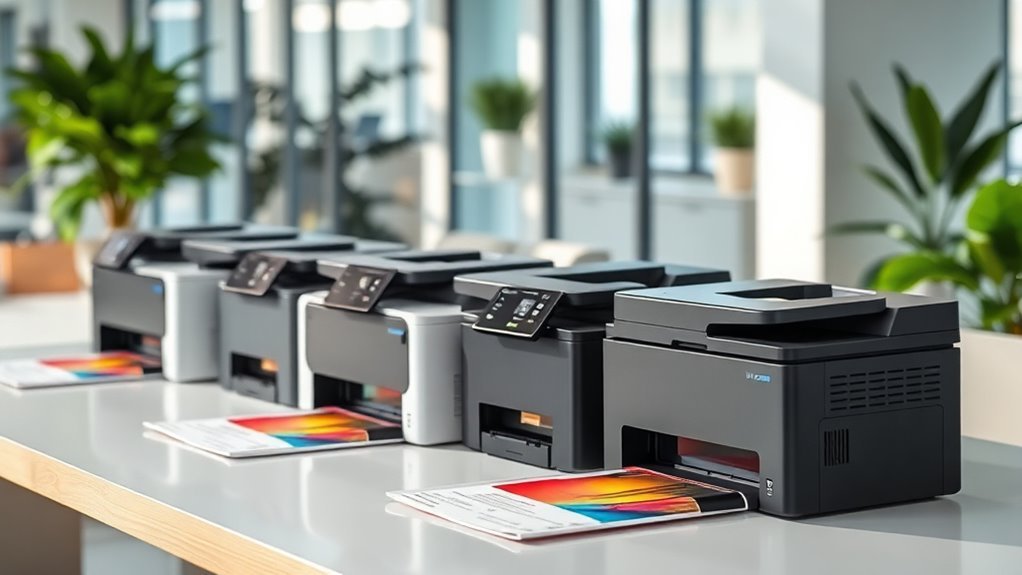
8 Best Colour Printers for Business in 2027
You’ll find top choices like the HP OfficeJet Pro 8125, perfect for small businesses needing mobile-friendly color prints. It’s great when you’re on the go but still want professional-quality results.
Then there’s the Brother MFC-L8930CDW, which is ideal for secure, fast laser all-in-one use. If speed and security matter most, this one has you covered.
For versatile mid-volume demands, the Brother INKvestment MFC-J6960DW really shines. It offers a large paper capacity and handy cloud features, making busy office tasks smoother.
Epson’s Workforce Pro WF-4930 suits high-volume offices that require durable pigment inks. It’s built to handle heavy workloads without compromising print quality.
Each option balances speed, quality, and connectivity. So, take a closer look at these factors to find the perfect color printer for your business needs.
| Image | Name | Editor's Rating | Price |
|---|---|---|---|

|
|
||

|
|
||

|
|
||

|
|
||

|
|
HP OfficeJet Pro 8125 Wireless All-in-One Printer
- FROM AMERICA'S MOST TRUSTED PRINTER BRAND – The OfficeJet Pro 8125 is perfect for home offices printing professional-quality color documents like business documents...
- 3 MONTH TRIAL OF INSTANT INK INCLUDED – Subscribe to the Instant Ink delivery service to get ink delivered directly to your door before you run out, and you save up to...
- KEY FEATURES – Fast color printing, scan, copy, auto 2-sided printing, auto document feeder, and a 225-sheet input tray
- 2.7-INCH TOUCHSCREEN – Quickly navigate your printer with a large color touchscreen and a phone-like user interface
- WIRELESS PRINTING – Stay connected with our most reliable dual-band Wi-Fi, which automatically detects and resolves connection issues

The HP OfficeJet Pro 8125 Wireless All-in-One Printer delivers professional-quality color printing with ease. It helps you produce sharp documents at a high resolution of 4800 x 1200 dpi, making your reports and presentations stand out. With a print speed of up to 20 pages per minute in black and 10 pages in color, it keeps your workflow efficient.
This printer combines print, scan, copy, and fax functions in one compact device. Its wireless dual-band Wi-Fi and HP Smart app support make printing and scanning from your mobile devices convenient and straightforward. The 225-sheet tray and automatic duplex printing reduce the need for frequent paper refills and manual page turning.
Designed for home offices and small businesses, the OfficeJet Pro 8125 fits neatly on your desk without sacrificing performance. Maintenance is streamlined but requires original HP cartridges with proprietary chips, which may limit third-party cartridge options. Faxing is handled through the app, which might not suit all users.
Best for: professionals and small business users seeking a reliable all-in-one printer with high-quality color output and mobile connectivity.
What We Like:
- Vibrant print quality with 4800 x 1200 dpi resolution
- Wireless dual-band Wi-Fi and HP Smart app for easy mobile use
- Automatic duplex printing boosts productivity
- Large 225-sheet input tray reduces paper refills
Specification:
| Feature | Details |
|---|---|
| Manufacturer | HP |
| Dimensions | Not specified |
| Weight | 17.6 lb (8 kg) |
| Color Options | Not specified |
| Connectivity | Wireless dual-band Wi-Fi |
Brother MFC-L8930CDW Color Laser All-in-One Printer
- Updated design, professional results. High-quality output with sharp color and black printing. Fast print and copy speeds up to 33ppm(1) help boost productivity. Reliable...
- Maximize printing budgets. Offers built-in value with included Brother Genuine 3,000-page black and 1,800-page color standard yield toner cartridges. Help lower printing...
- Advanced scanning. High-speed, two-sided scanning up to 104ipm(3) with 80-page auto document feeder(4) and legal-size glass. Scan to cloud, email, SharePoint, and more...
- Productivity-enhancing features. Flexible connectivity, including built-in dual-band (2.4GHz / 5GHz) wireless networking and Gigabit Ethernet networking. 7” color...
- Triple Layer Security. Advanced security features to help keep devices secure, protect documents in transit to and from print devices, and safeguard networks. Includes an...
The Brother MFC-L8930CDW offers reliable, high-quality color printing that helps businesses stay productive. Its fast print and copy speeds up to 33 ppm reduce wait times, keeping workflows smooth. Duplex printing also cuts paper use, supporting cost savings and environmental care.
Designed to fit tight office spaces, this model is 25% smaller than its predecessor, making it ideal for compact work areas. The intuitive 7″ touchscreen simplifies scanning directly to cloud services and allows users to customize up to 64 shortcuts for faster task management.
Maintenance is straightforward with genuine high-yield toners that balance print volume and cost efficiency. Built-in triple-layer security protects sensitive data, giving peace of mind in busy office environments. ENERGY STAR certification further supports eco-friendly business practices.
While its paper capacity is moderate, it suits small to medium-sized teams well and may require more frequent refills during heavy use. Mobile app support is not included, which could limit printing convenience from smartphones or tablets.
Best for: Small to medium-sized businesses needing a compact, efficient, and secure all-in-one color laser printer for daily office tasks.
What We Like:
- Fast color and black print speeds up to 33 ppm
- Dual-band Wi-Fi, Gigabit Ethernet, and NFC connectivity
- Two-sided scanning at 104 ipm with cloud integration
- Compact design saves office space
- Strong security features to protect data
Specification:
| Feature | Details |
|---|---|
| Manufacturer | Brother |
| Dimensions | Not specified |
| Weight | Not specified |
| Color Options | Standard color model |
| Connectivity | Dual-band Wi-Fi, Gigabit Ethernet, NFC card reader |
| Touchscreen Size | 7 inches |
Xerox C245 Wireless Color All-in-One Printer – Amazon Exclusive – 3 in 1
- AMAZON EXCLUSIVE & COMPACT MULTIFUNCTION DESIGN: This full-featured Xerox color MFP fits neatly on small desks, packing Print, Scan, and Copy functionality into a compact...
- VIBRANT PRINT QUALITY: Produce sharp text and brilliant color graphics. Ensure your business documents, presentations, and reports look professional and impressive every...
- WIRELESS & MOBILE PRINTING: Stay connected with dual-band Wi-Fi, Apple AirPrint, and Mopria. Effortlessly print and scan from your laptop, smartphone, or tablet from...
- EASY SMARTPHONE SETUP: Get printing in minutes. Use the Xerox Easy Assist App for a simplified, guided installation that eliminates complex manuals and traditional driver...
- 3-IN-1 VERSATILITY: Maximize productivity with 26ppm printing, scanning, and copying. The 50-sheet document feeder ensures efficient document handling for real estate...
Experience smooth and efficient color printing with the Xerox C245 Wireless Color All-in-One Printer. Designed for home professionals and hybrid office setups, this compact device streamlines your workflow by combining printing, scanning, and copying in one space-saving unit. It handles moderate monthly volumes with ease, delivering sharp images and clear text at a speed of 26 pages per minute.
The printer’s automatic duplex feature reduces paper waste, making it an environmentally friendlier choice. Its 50-sheet feeder supports a variety of media types, including card stock and envelopes, helping you tackle diverse tasks without hassle. Setup is straightforward through multiple connection options like dual-band Wi-Fi, Ethernet, and USB, aided by the Xerox Easy Assist App.
Maintenance is simple, with high-yield toner options that minimize replacements and keep operating costs manageable. While the printer’s monthly duty cycle caps at 1,500 pages, it perfectly suits small workspaces and remote teams needing reliable performance without heavy usage demands. The intuitive touchscreen interface further enhances ease of use.
Best for: Small offices, home professionals, and hybrid teams requiring a versatile, compact 3-in-1 printer for moderate printing, scanning, and copying tasks.
What We Like:
- Fast 26 ppm printing with crisp 2400 x 600 dpi color output
- Automatic duplex printing to save paper
- Supports diverse media types including envelopes and card stock
- Multiple connectivity options for flexible setup
- High-yield toner reduces maintenance frequency
Specification:
| Feature | Details |
|---|---|
| Manufacturer | Xerox |
| Dimensions (W×D×H) | Compact design (exact not provided) |
| Weight | Not specified |
| Color Options | Not specified |
| Connectivity | Dual-band Wi-Fi, Ethernet, USB |
| Print Speed | 26 pages per minute |
| Resolution | 2400 x 600 dpi |
| Monthly Duty Cycle | Up to 1,500 pages |
| Paper Capacity | 50-sheet feeder |
Canon Color imageCLASS MF753Cdw II – All-in-One Color Duplex Laser Printer
- Color, Wireless, Duplex 4-in-1: Print, scan, copy, fax.
Experience seamless productivity with the Canon Color imageCLASS MF753Cdw II, designed to enhance efficiency in small and hybrid offices. This all-in-one color duplex laser printer simplifies printing, scanning, copying, and faxing, reducing the need for multiple devices. Its fast output of up to 35 ppm keeps your workflow smooth, while crisp 1200 x 1200 dpi resolution ensures professional-quality prints every time.
The compact design fits comfortably in limited spaces, though it weighs 50 lb, requiring a stable spot. With a 50-sheet duplex automatic document feeder and 250-sheet paper capacity, it handles daily tasks with minimal interruptions. Connectivity options like Ethernet, USB, Wi-Fi, and mobile app support provide flexible control and easy integration into various work environments.
Maintenance is straightforward thanks to efficient paper handling and Energy Star certification, which helps reduce power consumption. However, the standard paper capacity may need frequent refills during heavy use, and only one USB port is available for direct connections. These factors are worth considering based on your office’s volume and setup.
Best for: Small and hybrid office environments needing a reliable, fast, and versatile all-in-one color duplex laser printer with advanced connectivity.
What We Like:
- Fast print speeds of up to 35 ppm with sharp 1200 x 1200 dpi output.
- Multifunction 4-in-1 device supporting duplex scanning, copying, faxing, and mobile printing.
- Energy Star certified to save power and optimize efficiency.
- Flexible connectivity including Ethernet, Wi-Fi, USB, and mobile app support.
Specification:
| Feature | Details |
|---|---|
| Manufacturer | Canon |
| Dimensions (W×D×H) | 18.1 × 18.7 × 16.5 inches |
| Weight | 50 lb (22.7 kg) |
| Printing Technology | Color Duplex Laser |
| Paper Capacity | 250 sheets |
| ADF Capacity | 50 sheets |
| Connectivity | Ethernet, USB, Wi-Fi, Mobile Apps |
Epson Workforce Pro WF-4930 Wireless All-in-One Printer
- Built for Speed — PrecisionCore Heat-Free technology delivers fast, high-volume printing with 25 (black)/12 (color) ISO ppm and fast first-page-out
- High-Precision Office Printing — Accurate dot placement and DURABrite Ultra instant-dry pigment inks for professional-quality prints
- High-Volume Durability for Heavy Workloads — Innovative heat-free technology engineered for reliability and reduced downtime
- Complete Duplex Solution — All-in-one printer with auto 2-sided print, copy, scan and fax; plus 50-sheet ADF
- Maximize Printing Productivity — High-performance office printer with 500-sheet paper capacity; includes two 250-sheet trays for added convenience
The Epson Workforce Pro WF-4930 is designed for those who need a fast and reliable all-in-one printer that handles heavy workloads with ease. It tackles large print jobs without slowing down, helping businesses stay productive. This printer’s PrecisionCore Heat-Free technology delivers sharp prints quickly, so you won’t wait around for your documents.
Maintenance is simple thanks to DURABrite Ultra pigment inks, which produce durable, professional-quality prints while resisting smudges and fading. The auto duplex printing feature saves paper and cuts costs, making it an efficient choice for busy offices. Wireless connectivity options, including Wi-Fi Direct and mobile app control, allow you to print from virtually any device without hassle.
The WF-4930’s dual 250-sheet trays and 50-sheet automatic document feeder keep your workflow smooth and reduce interruptions. Its 4.3-inch touchscreen offers intuitive navigation, minimizing setup time and making operation straightforward. While it requires Epson Genuine Cartridges, this ensures consistent print quality, though it may increase running costs.
Best for: businesses and professionals seeking a versatile, high-volume all-in-one printer with strong wireless features and reliable performance.
What We Like:
- Fast print speeds of 25 ppm (black) and 12 ppm (color) with energy-efficient technology
- Auto duplex printing and large paper capacity for uninterrupted work
- Comprehensive wireless connectivity including Wi-Fi Direct and mobile app support
- Durable pigment inks that produce sharp, smudge-resistant prints
Specification:
| Specification | Details |
|---|---|
| Manufacturer | Epson |
| Dimensions (W×D×H) | 17.3 × 19.7 × 12.2 inches |
| Weight | 24.7 lb (11.2 kg) |
| Ink Technology | DURABrite Ultra pigment inks |
| Connectivity | Wireless, Wi-Fi Direct, USB |
HP Color LaserJet Pro 3204dw | Color Laser Printer | Duplex

- FROM AMERICA'S MOST TRUSTED PRINTER BRAND – Perfect for office teams creating professional-quality color documents and reports; auto 2-sided printing; perfect for up to...
- OPTIMIZE PRINT FORMATTING WITH HP AI – Print web pages and emails with precision—no wasted pages or awkward layouts; HP AI easily removes unwanted content, so your...
- BLAZING FAST COLOR – Up to 26 color pages per minute, with sharp details and incredible color
- STAYS CONNECTED – Reliable Wi-Fi automatically reconnects to stay online and ready to print
- PROTECTS YOUR DATA – Includes HP Wolf Pro Security with customizable settings so your printer and information are always secure
The HP Color LaserJet Pro 3204dw is designed to meet the needs of small teams or home offices that require quick and dependable color printing. Its fast printing speed of up to 26 pages per minute helps reduce wait times, so projects keep moving smoothly. With sharp 600 x 600 dpi resolution, printouts come out clear and professional every time.
This printer supports automatic duplexing, saving both time and paper by printing on both sides without manual intervention. It handles a variety of media types, including glossy paper and cardstock, offering flexibility for different projects. The 250-sheet capacity balances convenience with a compact design.
Connectivity options such as Wi-Fi, Ethernet, and USB provide flexible ways to connect, while the HP app simplifies setup and mobile printing. Maintenance is straightforward, but note that it requires original HP cartridges with chip enforcement, which limits third-party cartridge options.
Built to fit neatly in small workspaces, the HP Color LaserJet Pro 3204dw combines reliable performance with smart features like AI-driven layout optimization to minimize waste. Its design supports efficient printing for teams up to seven users.
Best for: Small work teams or home offices needing efficient, versatile color printing with automatic duplexing.
What We Like:
- Fast print speed with clear 600 x 600 dpi output
- Multiple connectivity options including mobile printing
- Automatic duplex printing reduces paper waste
- AI features optimize print layouts for efficiency
- Compact design fits small office spaces
Specification:
| Feature | Details |
|---|---|
| Manufacturer | HP |
| Model | Color LaserJet Pro 3204dw |
| Print Speed | Up to 26 pages per minute |
| Resolution | 600 x 600 dpi |
| Paper Capacity | 250 sheets |
| Connectivity | Wi-Fi, Ethernet, USB |
| Media Types | Glossy paper, cardstock, others |
| Dimensions (W×D×H) | Not specified |
| Weight | Not specified |
HP Color LaserJet Pro MFP 3301sdw Printer

- FROM AMERICA'S MOST TRUSTED PRINTER BRAND – Perfect for small teams printing, scanning and copying professional-quality color documents and reports. Print speeds up to...
- PROFESSIONAL PRODUCTIVITY – Proficiency with every print—next-generation TerraJet toner brings your business to life with more vivid colors.
- ORIGINAL HP TONER CARTRIDGES – This HP printer uses Original HP 218A standard and 218X high yield LaserJet toner cartridges.
- UPGRADED FEATURES – Fast color printing, scan, copy, auto 2-sided printing, auto document feeder, and a 250-sheet input tray.
- AWARD-WINNING RELIABILITY – Performance you can count on page after page, and always ready for the high demands of business.
Experience sharp, vibrant color prints with the HP Color LaserJet Pro MFP 3301sdw, crafted to enhance productivity in small offices. This multifunction printer simplifies everyday tasks by combining fast printing, copying, and scanning in one compact device. Its speed keeps pace with busy workflows, delivering up to 26 ppm in black and 30 ppm in color.
Maintenance is straightforward with Original HP toner cartridges featuring HP chips, ensuring consistent quality and reliability. The next-generation TerraJet toner produces crisp, vivid output, while firmware updates maintain optimal performance. Auto duplex printing saves paper and time, reducing manual effort.
Designed for connectivity, this printer supports built-in Wi-Fi, Ethernet, and mobile printing through the HP app, allowing easy access from multiple devices. Security is a priority, with HP Wolf Pro guarding your printer and data against threats. The moderate tray capacity suits small to medium print volumes, though frequent refills may be needed in high-demand environments.
Its sturdy build and multifunction capabilities make it a versatile solution for teams needing reliable color printing with robust security and seamless network integration.
Best for: small teams and offices requiring fast, high-quality color printing combined with scanning and copying functions.
What We Like:
- Fast print speeds with automatic duplexing for efficient workflows
- Multiple connectivity options, including Wi-Fi and mobile printing
- Sharp, vibrant output thanks to advanced TerraJet toner technology
- Strong security features protecting device and data integrity
Specification:
| Feature | Details |
|---|---|
| Manufacturer | HP |
| Dimensions | Not specified |
| Weight | 37.7 lb (17.1 kg) |
| Color Options | Not specified |
| Connectivity | Wi-Fi, Ethernet, Mobile (HP app) |
Brother INKvestment MFC-J6960DW Wireless Color Printer

- BEST FOR SMALL BUSINESS: This multifunction printer makes it easy to print, copy, scan, and fax on up to 11”x17” paper. Includes one 1,800-page yield black ink...
- PRODUCTIVITY-FOCUSED FEATURES: 500-sheet capacity with two trays(3), 100-sheet multipurpose tray(3), up to 50-page single-pass duplex copy & scan via ADF(3), and...
- SPEED & QUALITY: Engineered with MAXIDRIVE Technology with print speeds of up to 31 pages per minute (ppm) in black and up to 30 ppm in color(5). The PerfectPrint Auto...
- INNOVATIVE TECHNOLOGY: With Wi-Fi Direct, print wirelessly without an external network connection. Print from and scan to Cloud apps(6), including Google Drive, Dropbox...
- THE BROTHER MOBILE CONNECT APP: The power of printing at your fingertips. Go mobile with the simple-to-use Brother Mobile Connect app(7) that delivers onscreen menu...
Maximize efficiency with the Brother INKvestment MFC-J6960DW wireless color printer. It tackles high-volume tasks with its large paper capacity and fast print speeds, reducing downtime and keeping your workflow smooth. The 500-sheet dual trays and a 100-sheet multipurpose tray minimize the need for constant refills.
This printer simplifies multi-page scanning and copying through its single-pass duplex ADF that handles up to 50 pages in one go. Print crisp documents quickly with speeds up to 31 ppm black and 30 ppm color, using Brother’s Genuine LC506 ink cartridges designed for sharp, consistent results.
Connectivity is seamless with wireless, Ethernet, and Wi-Fi Direct options. You can easily print from mobile devices or access cloud storage services like Google Drive and Dropbox. The 2.7” touchscreen and Brother Mobile Connect app provide intuitive controls and added convenience.
Maintenance is straightforward, though frequent ink replacement may be necessary for high-volume color use. The compact touchscreen and limited ADF capacity might be less ideal for very large scanning jobs but suit most small to medium business needs well.
Best for: Small to medium-sized businesses and home offices needing a versatile, high-capacity wireless color printer with reliable performance and flexible connectivity.
What We Like:
- Large 500-sheet paper capacity supports heavy printing tasks
- Fast print speeds boost everyday productivity
- Multiple wireless and wired connectivity options
- Easy mobile and cloud printing integration
Specification:
| Feature | Details |
|---|---|
| Manufacturer | Brother |
| Dimensions (W×D×H) | Approx. 18.5 × 15.7 × 8.7 in (47 × 40 × 22 cm) |
| Weight | Approx. 17.6 lb (8 kg) |
| Color Options | White/Gray |
| Paper Capacity | 500-sheet dual trays + 100-sheet multipurpose tray |
| Duplex ADF Capacity | Up to 50 pages |
Factors to Consider When Choosing a Colour Printer for Business
When choosing a colour printer for your business, you’ll want to take into account print speed and how accurate the colours need to be.
Think about the connectivity options and whether the printer can handle the volume of paper you use.
Don’t forget to factor in the cost and availability of consumables to keep running smoothly.
Print Speed Importance
Consider print speed carefully, as it directly impacts how quickly your team completes tasks and maintains workflow. Look at pages per minute (ppm) separately for black and color prints—color jobs typically run slower and can bottleneck mixed workflows.
For heavy-duty printing, check first-page-out time and duplex speed; faster responses and two-sided printing boost efficiency. Match the printer’s speed to your team size and printing volume: devices with 25+ ppm suit larger teams and bulk jobs, while slower models work for light use.
Don’t forget scanner speed—images per minute (ipm) matters if you digitize multi-page documents, since slow scanning can offset quick print speeds. Prioritizing these factors guarantees you pick a printer that keeps up with your business needs without causing delays.
Color Accuracy Needs
Print speed keeps your business moving, but color accuracy guarantees the final output truly represents your brand and message. First, identify your acceptable Delta E threshold—aim for ≤2 if you need near-imperceptible color, ideal for high-end proofing, or accept up to 5 for general marketing materials.
Choose printers supporting ICC profiles and device calibration to keep colors consistent across devices and media. Specify your target color gamut, like sRGB or Adobe RGB, and make certain the printer reproduces critical brand colors accurately.
Connectivity Options Available
Although speed and color accuracy are essential, your printer’s connectivity options can make or break your workflow efficiency. Make sure the printer supports both dual-band Wi-Fi (2.4 GHz and 5 GHz) and wired Ethernet for reliable connections across mobile devices and office computers.
Look for Wi-Fi Direct or AirPrint/Mopria compatibility to print directly from smartphones and tablets without routing through the network. USB ports, including optional USB host or thumb-drive support, and a Gigabit Ethernet port speed up local file transfers and handle heavy print loads.
If multiple employees share the device, built-in NFC or badge readers with secure authentication help control access and track usage. Finally, verify cloud service support and scan-to workflows with companion apps or web interfaces for easy remote job management.
Paper Handling Capacity
A reliable colour printer for your business handles paper efficiently to keep your workflow smooth. Start by evaluating your monthly page volume and choose a printer with input tray capacity and duty cycle that exceed your peak needs to reduce refills.
If you often scan or copy multi-page documents, look for an automatic document feeder (ADF) holding 50–80 sheets or more to save time. It really makes a difference when you don’t have to keep loading paper.
Opt for printers with multiple trays or a total paper capacity of 300–500+ sheets to minimize interruptions and handle various media types like envelopes, cardstock, or legal sizes seamlessly. This way, you won’t have to stop and swap paper as often.
Don’t forget to check duplex printing capabilities and output bin capacity to efficiently manage double-sided prints and large jobs without frequent emptying. That ensures your printer keeps up with your business demands effortlessly.
Consumables And Costs
When choosing a colour printer for your business, you’ll want to zero in on consumables and their costs since they directly impact your bottom line. Start by comparing the cost per page (CPP) for black and color by dividing the replacement cartridge price by its yield.
Check if cartridges are standard, high-yield, or super high-yield, as higher yields usually lower CPP and reduce replacement frequency—key for high-volume printing. Consider whether the printer uses ink or toner; toner generally offers lower CPP and higher yields, while inkjets provide superior color quality but at a higher cost per page.
Also, verify if the printer requires manufacturer-encoded cartridges, which can block third-party supplies and increase expenses. Don’t forget about other consumables like maintenance kits and drums, as their replacement costs affect total ownership costs.
Security Features Included
Since printers often handle sensitive documents and data, you need to prioritize robust security features when choosing a colour printer for your business. Look for device-level protections like secure boot, firmware authentication, and intrusion detection to prevent malicious code and guarantee secure updates.
Make sure the printer supports network security with TLS/SSL for encrypted print jobs and IPsec or secure SNMP for management traffic. It’s also a good idea to choose models offering user authentication via PIN, badge/NFC, or LDAP/Active Directory integration to control access to printing, copying, and scanning.
Verify document protection features such as secure print with hold-and-release, encrypted cached storage, and automatic job data deletion. And don’t forget to confirm auditing and administrative controls like event logs, role-based management, and remote wipe capabilities to monitor usage and respond quickly to security incidents.
Device Size And Weight
Although colour printers come in various sizes and weights, you should measure your available workspace carefully to make sure the device fits comfortably without causing installation problems. Check the printer’s footprint and height to guarantee it fits under desks, shelves, or in cabinets.
Remember to leave extra clearance around the unit for paper trays, ADF/lid opening, and ventilation. If you plan to move the printer or place it on furniture, consider its weight—heavier models often weigh 30–50+ pounds and need sturdy surfaces or two people to lift.
Also, factor in shipping and installation constraints like narrow doorways or staircases that affect placement options. For small teams, compact models save space, while larger multifunction printers need dedicated areas but offer higher capacity and easier media handling.
Frequently Asked Questions
How Do Colour Printers Impact Overall Business Productivity?
Colour printers boost your business productivity by enabling quick, high-quality document creation. You’ll save time and reduce outsourcing costs.
Plus, they enhance presentations, helping your team communicate clearly. This way, you make a stronger impression on clients and partners.
What Are the Environmental Benefits of Colour Laser Printers?
You might think colour laser printers waste energy, but they actually reduce paper use with precise printing.
That means you’ll cut emissions and toner waste. It’s a smart way to help your business become more eco-friendly.
Plus, you still get vibrant, high-quality documents every time.
Can Colour Printers Handle High-Volume Printing Efficiently?
Yes, colour printers can handle high-volume printing efficiently if you choose models designed for heavy use. They offer fast speeds, large paper capacities, and durable components.
This means you can print large jobs without frequent interruptions or maintenance. So, if you need to print a lot, just make sure to pick the right printer for the task.
Are There Subscription Services for Printer Ink or Toner?
Yes, you can subscribe to ink or toner delivery services that automatically send replacements when you’re running low. These subscriptions save time, prevent interruptions, and often offer discounted rates compared to buying cartridges individually.
It’s pretty convenient because you don’t have to keep track of your ink levels all the time. Plus, many services tailor deliveries based on your printer’s usage, so you get exactly what you need, right when you need it.
How Secure Are Colour Printers Against Data Breaches?
Colour printers can be secure if you enable encryption, use strong passwords, and update firmware regularly.
You shouldn’t ignore network security settings, or you risk exposing sensitive data during printing or through saved print jobs. It’s really important to stay on top of these things to keep your information safe.
Conclusion
Choosing the perfect colour printer for your business isn’t just important—it’s absolutely mission-critical, like the heartbeat of your entire workflow.
With options like the HP OfficeJet Pro 8125 or the Brother MFC-L8930CDW, you’re not just buying a printer; you’re unleashing productivity rockets fueled by vibrant, flawless prints.
Don’t settle for less—your business deserves nothing short of printing perfection that’ll blow your mind and clients away every single time. Investing in the right colour printer means smoother operations, sharper presentations, and a professional edge that stands out.
So, when searching for the best colour printer for business in 2027, focus on reliability, print quality, and speed. These factors will ensure your office stays efficient, vibrant, and ready to impress every client that walks through your door.