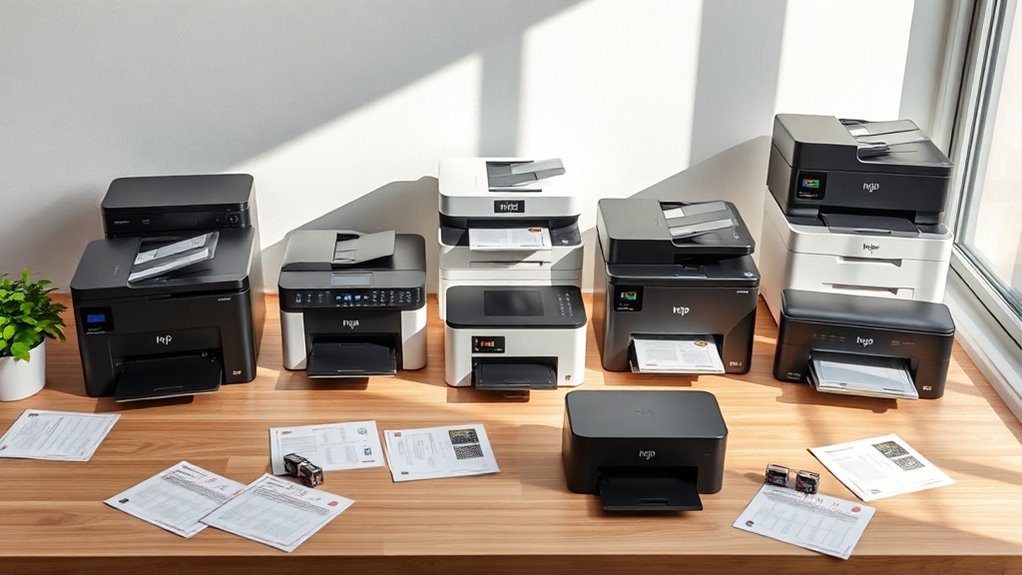
8 Best Cheap Printers and Copiers for 2027
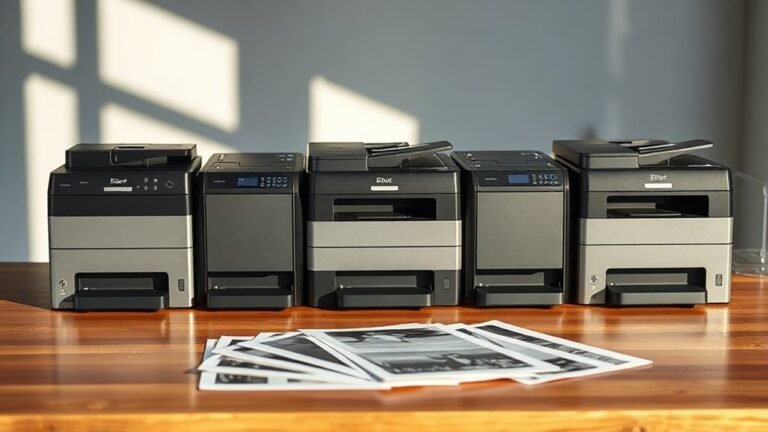
You’ll find great budget-friendly printers like the HP DeskJet 2923, Canon PIXMA TS4320, and Brother DCP-L2640DW offering solid wireless convenience and reliable output. These models are perfect if you’re looking for affordable options that don’t skimp on quality. Plus, they make printing from your phone or laptop super easy.
For versatile all-in-ones, check out Canon PIXMA TR4720/TR4520 or Epson Expression Home XP-5250. They’re perfect for home offices, handling printing, scanning, and copying without a hitch. Need something speedy for black-and-white documents? Canon imageCLASS MF284dw shines with fast monochrome printing.
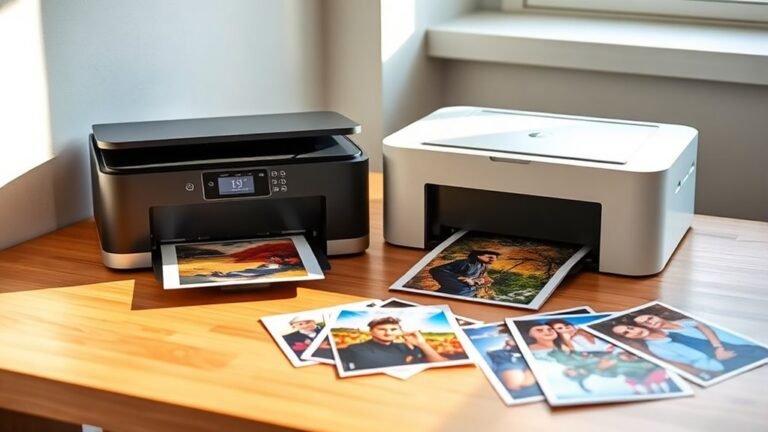
The HP Envy 6155 is great if you want vibrant photo prints, but just keep an eye on cartridge limits to avoid surprises. Explore these options to find the best cheap printer or copier that fits your budget and meets your everyday printing needs with ease.
| Image | Name | Editor's Rating | Price |
|---|---|---|---|

|
|
||

|
|
||

|
|
||

|
|
||

|
|
HP DeskJet 2923 Color Inkjet Printer | Wireless | All-in-One
- Perfect for basic printing needs – Print everyday color documents like to-do lists, letters, financial documents and recipes
- KEY FEATURES – Color print, copy, scan, and a 60-sheet input tray, plus mobile and wireless printing
- OPTIMIZE PRINT FORMATTING WITH HP AI – Print web pages and emails with precision—no wasted pages or awkward layouts; HP AI easily removes unwanted content, so your...
- ICON LCD – Print your basic documents with ease from the intuitive control panel
- PRINT SPEED – Up to 7.5 ppm black, 5.5 ppm color

The HP DeskJet 2923 is a compact all-in-one printer designed to make home printing, copying, and scanning effortless. Its small size fits neatly into limited spaces, perfect for busy households needing reliable color printing without bulk. The simple icon LCD control panel ensures easy operation, even for users new to printing technology.
This model connects seamlessly via dual-band Wi-Fi, allowing you to print directly from your smartphone through the HP App. This feature eliminates the hassle of cables and makes managing print jobs quick and convenient. The 60-sheet input tray supports everyday printing needs but may require refilling during larger tasks.
Maintenance is straightforward with the included 6-month trial of Instant Ink, which automates ink replacement and can help reduce costs. The printer’s eco-friendly design, featuring ENERGY STAR certification and recycled plastics, supports sustainable use without sacrificing performance.
While the print speeds of 7.5 ppm in black and 5.5 ppm in color suit typical home tasks, they may be slower for heavy printing volumes. Overall, the HP DeskJet 2923 balances functionality and convenience for everyday home use.
Best for: Individuals or families needing a compact and easy-to-use all-in-one printer for everyday color printing, copying, and scanning at home.
What We Like:
- Wireless dual-band Wi-Fi with smartphone app printing
- Simple icon LCD control panel for easy use
- Eco-friendly design with ENERGY STAR certification
- Includes 6-month Instant Ink trial for automated ink management
Specification:
| Feature | Details |
|---|---|
| Manufacturer | HP |
| Dimensions | Compact size (exact size not provided) |
| Weight | Not specified |
| Connectivity | Wireless dual-band Wi-Fi |
| Input Tray Capacity | 60 sheets |
| Print Speed | 7.5 ppm black, 5.5 ppm color |
| Design | All-in-One (print, copy, scan) |
Canon PIXMA TS4320 – Wireless Color Inkjet Printer with Print, Copy, Scan
- Affordable Versatility - A budget-friendly all-in-one printer perfect for both home users and hybrid workers, offering exceptional value
- Crisp, Vibrant Prints - Experience impressive print quality for both documents and photos, thanks to its 2-cartridge hybrid ink system that delivers sharp text and vivid...
- Effortless Setup & Use - Get started quickly with easy setup for your smartphone or computer, so you can print, scan, and copy without delay
- Reliable Wireless Connectivity - Enjoy stable and consistent connections with dual-band Wi-Fi (2.4GHz or 5GHz), ensuring smooth printing from anywhere in your home or...
- Scan & Copy Handling - Utilize the device’s integrated scanner for efficient scanning and copying operations
The Canon PIXMA TS4320 is designed to simplify printing, copying, and scanning for home and hybrid work environments. Its compact and stylish design fits easily into small spaces, making it a practical choice for desks or shelves. You get sharp color and black-and-white prints with up to 1200 dpi resolution, ensuring your documents look professional.
This printer helps save time and effort with auto duplexing, allowing double-sided printing without manual intervention. Wireless dual-band Wi-Fi and mobile app compatibility keep you connected and in control, whether you’re working from home or on the go. Copy and scan functions handle everyday tasks smoothly, reducing the need for multiple devices.
Maintenance is straightforward with a 100-sheet paper capacity suitable for light to occasional use. While the starter ink tanks may need replacement sooner if you print frequently in color, the PIXMA Print Plan offers cost savings for regular users. Its versatile media handling accommodates various paper types, adding flexibility to your printing needs.
Best for: Home users and hybrid workers needing a compact, stylish all-in-one printer for light to occasional printing, copying, and scanning tasks.
What We Like:
- Compact design ideal for limited spaces
- Wireless dual-band Wi-Fi with mobile app support
- Auto duplex printing for easy double-sided documents
- Versatile media handling for different paper types
Specification:
| Feature | Details |
|---|---|
| Manufacturer | Canon |
| Dimensions | Compact, fits small spaces |
| Weight | Not specified |
| Color Options | Not specified |
| Connectivity | Wireless dual-band Wi-Fi |
| Print Resolution | Up to 1200 dpi |
| Paper Capacity | 100 sheets |
Canon PIXMA TR4720 Wireless All-in-One Printer
- Wireless 4-in-1 (print | copy | scan | fax)..Power Consumption: 7W (0.8W Standby / 0.3W Off)
- Print speed up to: 4" x 6" Borderless Photo (PP-201): Approx. 65.0 Seconds / Black Document (Letter/Simplex): Approx. 8.8 ipm / Color Document (Letter/Simplex): Approx...
- Designed for easy ink cartridge installation and replacement.
- Auto 2-sided printing and auto document feeder.
- Produce quality documents, photos and boarderless prints up to 8.5" x 11".
Experience seamless wireless printing with the Canon PIXMA TR4720, designed to simplify your home or office tasks. This all-in-one printer combines printing, copying, scanning, and faxing in a compact, easy-to-use device. It helps reduce your workload with automatic duplex printing and a 100-sheet auto document feeder, allowing you to handle multiple pages efficiently.
The TR4720 produces sharp black text and vibrant color prints, perfect for documents and photos up to 8.5 x 11 inches. Its compatibility with Canon’s app and Alexa makes managing print jobs and monitoring ink levels effortless. This feature ensures you stay informed about low ink without interrupting your workflow.
Maintenance is straightforward, with the printer’s lightweight design and ENERGY STAR certification highlighting its eco-friendly operation. While print speeds may be slower for color documents, the printer balances quality and functionality well. Note that it includes only one USB port, which might limit wired connection options.
Best for: individuals and small offices needing a versatile, compact all-in-one wireless printer that supports duplex printing and mobile connectivity.
What We Like:
- Wireless and mobile printing with app and Alexa integration
- Automatic two-sided printing and 100-sheet document feeder
- High-resolution prints with sharp text and vivid colors
Specification:
| Manufacturer | Canon |
|---|---|
| Dimensions | 16.1 x 11.7 x 6 inches |
| Weight | 12.5 lb (approx.) |
| Material | Plastic |
| Color Options | Black |
Brother DCP-L2640DW Wireless Compact Monochrome Printer
- BEST FOR SMALL BUSINESSES – Engineered for extraordinary productivity, the Brother DCP-L2640DW Monochrome (Black & White) 3-in-1 combines laser printer, scanner, copier...
- FAST PRINTER WITH EFFICIENT SCANNING – Produces documents quickly with print speeds up to 36 ppm(2) and scan speeds up to 23.6/7.9 ipm(3) (black/color). A 50-page auto...
- FLEXIBLE CONNECTION OPTIONS – Easily navigate the changing demands of your business with secure multi-device connectivity via built-in dual-band wireless (2.4GHz...
- BROTHER MOBILE CONNECT APP – Print, scan, and manage your wireless printer anytime, from almost anywhere from your mobile device. Order Brother Genuine Supplies, track...
- CHOOSE BROTHER GENUINE TONER – When it’s time to replace your toner, be sure to choose Brother Genuine TN830 or TN830XL replacement toner. And with Refresh EZ Print...
The Brother DCP-L2640DW offers a practical solution for small businesses and home offices needing efficient monochrome printing. It delivers fast printing, copying, and scanning at speeds up to 36 pages per minute, helping you handle high-volume tasks without delays. Its 50-page auto document feeder simplifies multi-page jobs, saving you time.
Designed with a compact footprint, this wireless 3-in-1 printer fits easily into tight spaces while supporting duplex printing to reduce paper waste. Connectivity options include dual-band Wi-Fi, Ethernet, and USB, allowing flexible setup and remote management via the Brother Mobile Connect app. This streamlines your workflow whether you’re at your desk or on the go.
Maintenance is straightforward, with toner save mode extending cartridge life and lowering operational costs. The printer’s ENERGY STAR and EPEAT Silver certifications reflect its eco-friendly design, making it a responsible choice for everyday use. However, it prints only in black and white and has a 250-sheet input tray, which may require refilling during large jobs.
Best for: Small businesses and home offices that need fast, reliable monochrome printing with versatile wireless connectivity and eco-conscious features.
What We Like:
- Fast 3-in-1 functionality with a 50-page auto document feeder
- Flexible connectivity: dual-band Wi-Fi, Ethernet, USB, and remote app control
- Eco-friendly design with ENERGY STAR, EPEAT Silver, and toner save mode
Specification:
| Feature | Details |
|---|---|
| Manufacturer | Brother |
| Dimensions (W×D×H) | 16.1 × 15.7 × 12.7 inches |
| Weight | 14.3 lbs (6.5 kg) |
| Color Options | White |
| Print Speed | Up to 36 pages per minute |
| Input Tray Capacity | 250 sheets |
Epson Expression Home XP-5250 Wireless All-in-One Printer
- Remarkable Prints and Photos — Home printer with Epson's leading-edge printing technology produces crystal clear prints and rich colors
- Our Fastest Expression Home Printer — Plus, a 150-sheet paper tray for convenient paper handling
- Convenient Operation — Large 2.4" color display for effortless navigation
- Epson Smart Panel App¹ — Transforms your mobile device into a high-performance command center and adds time-saving features like Smart Setup
- Engineered for Reliability — Consistently delivers high-quality prints with PrecisionCore Heat-Free technology and a permanent printhead designed to last the life of...
Experience hassle-free printing with the Epson Expression Home XP-5250, designed to meet the needs of wireless home offices. This all-in-one printer delivers vibrant, sharp prints using Epson’s PrecisionCore Heat-Free technology. Its permanent printhead ensures consistent quality and durability over time.
Managing paper is simple with a 150-sheet input tray and automatic two-sided printing, helping you reduce waste and save time. The 2.4″ color display provides straightforward navigation, while Wi-Fi Direct allows you to print wirelessly from virtually any device.
Maintenance is user-friendly thanks to individual ink cartridges, letting you replace only the colors that run out. This approach keeps operating costs down, though frequent color changes may require more attention. Using Epson Genuine Cartridges is essential to maintain print quality and avoid potential hardware issues.
The Epson Smart Panel app further streamlines setup and daily operation by turning your smartphone into a convenient control center. It’s an ideal solution for individuals or home office users who need reliable, high-quality wireless printing with simple mobile management.
Best for: Home office users and individuals who want a dependable wireless all-in-one printer with easy mobile app control and efficient paper handling.
What We Like:
- Sharp, vibrant printing with long-lasting PrecisionCore Heat-Free technology
- Convenient wireless printing and easy setup via Wi-Fi Direct and mobile app
- Efficient paper management with 150-sheet tray and automatic two-sided printing
- Cost-effective maintenance using individual ink cartridges
Specification:
| Feature | Details |
|---|---|
| Manufacturer | Epson |
| Dimensions | Not specified |
| Weight | Not specified |
| Color Options | Not specified |
| Display | 2.4″ color LCD |
| Paper Capacity | 150-sheet tray |
| Connectivity | Wi-Fi Direct |
Canon imageCLASS MF284dw Multifunction Wireless Monochrome Laser Printer

- Print up to 35 pages-per-minute with a first print out of time of less than 4.9 seconds (letter)
- Print on-the-go with Canon Print App, Canon PRINT Business, Apple AirPrint and Mopria Print Service
- High capacity toner option keeps up with your printing needs and limits toner replacement interruptions
- Duplex print saves paper and related costs
- High speed scanning. Single-sided: up to 15/21 ipm (BW/Color)
The Canon imageCLASS MF284dw offers a practical solution for offices needing fast and dependable monochrome printing. It prints up to 35 pages per minute, ensuring documents are ready quickly, with the first page available in under 5 seconds. This efficiency helps reduce wait times and keeps workflows moving smoothly.
Designed to handle multiple tasks, this multifunction printer lets you print, copy, and scan with ease. Its auto document feeder and duplex printing save time on multi-page jobs and reduce paper waste. The wireless connectivity supports printing from mobile devices using Canon PRINT, Apple AirPrint, and Mopria, helping teams stay productive from anywhere.
Maintaining the MF284dw is straightforward, with two trays accommodating plain paper and an option for high-capacity toner to extend usage between replacements. Although it prints only in black and white and supports plain paper only, its compact design fits well in busy workspaces without overwhelming desk space.
Best for: Small to medium-sized offices and professionals needing a reliable monochrome multifunction printer with wireless capabilities.
What We Like:
- Fast print speed with quick first-page output
- Efficient duplex printing and auto document feeder
- Wireless mobile printing via multiple platforms
- Compact design suitable for busy office environments
Specification:
| Feature | Details |
|---|---|
| Manufacturer | Canon |
| Dimensions | Not specified |
| Weight | 27.6 lb (12.5 kg) |
| Color Options | Monochrome (black/white) |
| Paper Handling | Two trays, plain paper |
Canon PIXMA TR4520 Wireless All-in-One Printer

- With wireless connect and the Canon Print app, use your smartphone to quickly and easily set up your printer and print right from your smartphone or tablet
- With features like AirPrint, Mopria Print Service, auto power On/Off, a built in ADF, and Wi-Fi it's easy to see why Pixma printers are so simple to use
- Connectivity technology: USB. Printer technology: Inkjet. Mobile Operating Systems- iOS, Android, Windows 10 Mobile, and Fire OS (Amazon Fire) devices
- Save 10 percentage on all ink reorders with Dash Replenishment; Upon activation your printer measures ink levels and places smart reorders when you are running low; No...
- WORKS WITH ALEXA: Ask Alexa to print your shopping list, to-do list, crosswords, coloring pages, and more; To set up, say “Alexa, discover my printer;” Alexa can also...
The Canon PIXMA TR4520 is designed to simplify your everyday printing tasks. It combines printing, scanning, copying, and faxing into one compact device, making it ideal for home or small office use. With automatic duplex printing and an Auto Document Feeder, it handles multi-page documents efficiently, saving you time and effort.
Wireless connectivity means you can print easily from your smartphone or tablet using iOS, Android, or Alexa voice commands. This feature reduces clutter and adds convenience, letting you work from anywhere in your space. The printer produces sharp photos and documents with a resolution up to 4800 x 1200 dpi, ensuring clear, professional-quality results.
Maintenance is straightforward thanks to the Dash Replenishment system, which monitors ink levels and can automatically reorder cartridges. This helps avoid interruptions and keeps your workflow smooth. Despite its compact size, the PIXMA TR4520 fits well in tight spaces but has a limited paper tray capacity, which may require frequent refilling.
The color print speed is moderate, so it suits users with light to moderate printing needs rather than high-volume tasks. Installation requires a setup CD, which might be inconvenient if your device lacks an optical drive. Overall, this all-in-one printer offers reliable, versatile functionality for everyday office or home use.
Best for: individuals or small offices seeking an affordable, compact all-in-one printer with wireless and mobile connectivity for everyday printing, scanning, copying, and faxing needs.
What We Like:
- Efficient multi-page handling with automatic duplex and Auto Document Feeder
- Wireless printing via Wi-Fi, mobile apps, and Alexa voice control
- Dash Replenishment monitors and reorders ink automatically
- Compact design suitable for limited spaces
Specification:
| Feature | Details |
|---|---|
| Manufacturer | Canon |
| Dimensions (W×D×H) | 17.7 × 11.7 × 7.5 inches (45 × 30 × 19 cm) |
| Weight | Approx. 12.5 lbs (5.7 kg) |
| Color Options | Black |
HP Envy 6155 Wireless All-in-One Inkjet Printer

- FROM AMERICA'S MOST TRUSTED PRINTER BRAND – The Envy 6155 is perfect for homes printing everyday high-quality color documents like homework and borderless photos. Print...
- 3 MONTH TRIAL OF INSTANT INK – Subscribe to the Instant Ink delivery service to get ink delivered directly to your door before you run out, and you save up to 50% on...
- KEY FEATURES – Color print, copy and scan, plus auto 2-sided printing and a 100-sheet input tray
- HP'S MOST INTUITIVE COLOR TOUCHSCREEN – Smoothly navigate your printer with the easy-to-use 2.4" touchscreen
- WIRELESS PRINTING – Stay connected with our most reliable dual-band Wi-Fi, which automatically detects and resolves connection issues
The HP Envy 6155 Wireless All-in-One Inkjet Printer brings convenience and versatility to your home printing needs. It effortlessly handles printing, scanning, and copying, helping you manage everyday tasks with ease. Its automatic duplex printing saves paper and time, making it ideal for busy households.
With wireless printing via dual-band Wi-Fi, you can print directly from your smartphone or laptop without hassle. The 2.4″ color touchscreen simplifies operation, while HP’s AI print optimization ensures your documents and vibrant photos are perfectly formatted every time.
Maintenance is straightforward thanks to the 100-sheet input tray and reliable ink system. However, the printer requires original HP cartridges due to chip and firmware restrictions, which may limit cartridge options. After the included 3-month Instant Ink trial, a subscription fee applies if you choose to continue.
Designed with recycled plastics, this printer offers an eco-friendly choice for home offices. Its moderate print speeds meet everyday demands without compromising quality or ease of use.
Best for: Home users needing an all-in-one printer for everyday color documents, homework, and vibrant borderless photos with convenient wireless features.
What We Like:
- Automatic duplex printing reduces paper use and saves time.
- Easy navigation via 2.4″ color touchscreen with AI print optimization.
- Wireless printing through dual-band Wi-Fi for flexible device connectivity.
- Includes a 3-month Instant Ink trial for cost-effective ink management.
- Sustainable design using recycled plastics.
Specification:
| Feature | Details |
|---|---|
| Manufacturer | HP |
| Dimensions (W x D x H) | 17.0 x 14.2 x 5.6 in (43.2 x 36.1 x 14.2 cm) |
| Weight | Approx. 13.5 lb (6.1 kg) |
| Material | Recycled plastics |
| Color Options | White with black accents |
Factors to Consider When Choosing a Cheap Printer and Copier
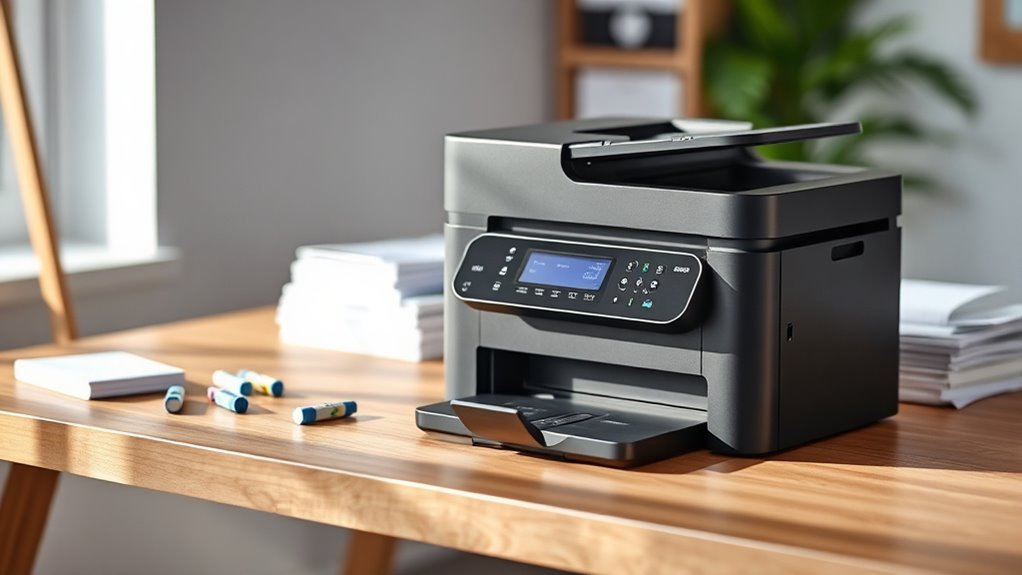
When choosing a cheap printer and copier, you’ll want to focus on print quality, connectivity options, and how much ink or toner will cost you over time.
Also, think about the speed and efficiency to match your daily needs. Plus, consider the device’s size if space or portability matters to you.
Keeping these factors in mind helps you find the best fit without overspending. It’s all about balancing what you need with what you pay.
Print Quality Essentials
Often, choosing a cheap printer or copier means balancing cost with print quality essentials to get the best value. First, check the print resolution—higher dpi like 1200 x 1200 guarantees sharper details and smoother gradients, especially for photos.
Next, consider color accuracy and color space support; wider gamuts like sRGB or P3 matter if you want true-to-screen prints. Look at the ink system—printers with separate color tanks offer better color mixing and lower replacement costs.
Keep in mind print speed varies; high-quality modes often slow down, so compare pages per minute for both normal and photo settings. Don’t forget the scanner/copier’s optical resolution and color depth—higher dpi and bit depth preserve detail and tonal range when copying or scanning originals.
Connectivity Options Available
In choosing a cheap printer or copier, connectivity options play a pivotal role in how easily you can integrate the device into your workflow. Make sure the printer supports both 2.4 GHz and 5 GHz Wi-Fi bands for a stable wireless connection with less interference.
Also, look for Wi-Fi Direct or peer-to-peer features to print straight from your mobile device without needing a router. This makes printing on the go super convenient.
If you prefer wired connections, check for USB and Ethernet ports to guarantee reliable, low-latency performance, especially in shared-office environments. It’s all about keeping things smooth and steady.
Don’t forget to confirm compatibility with mobile printing standards like AirPrint or Mopria, or vendor apps. That way, you can print effortlessly from smartphones and tablets without any hassle.
Finally, features like automatic reconnect, network diagnostics, and cloud printing support simplify multi-device and remote workflows. These keep your setup flexible and efficient, no matter where you are.
Ink and Toner Costs
Connectivity features can get your printer or copier up and running smoothly, but keeping ongoing costs manageable requires paying close attention to ink and toner expenses. Start by calculating the cost per page—divide the cartridge or toner price by its estimated page yield.
For example, a $30 cartridge with a 300-page yield costs $0.10 per page. Opt for high-yield or XL cartridges and subscription refill plans to cut per-page costs by 20–50%.
Remember, inkjet color printing is usually 3 to 10 times more expensive per page than monochrome laser printing. Also, factor in wasted ink from maintenance cycles, especially with inkjets.
Finally, choose printers with individual color tanks rather than combined cartridges to replace only depleted colors and save money over time.
Speed and Efficiency
When choosing a cheap printer or copier, you’ll want to prioritize speed and efficiency to keep your workflow smooth. Check the print speeds—pages per minute (ppm)—for black and color separately. Higher ppm means faster completion for large text jobs.
Don’t overlook first-page-out time, as a low number lets you get quick single-page prints without long waits. Duplex and automatic document feeder (ADF) features can save you time on multi-page scans and copies by reducing manual handling.
Also, consider the duty cycle to make certain the device handles your monthly volume without slowing down or wearing out prematurely. Finally, warm-up time, scan speed (images per minute), and processor specs matter for managing complex tasks and multiple users efficiently.
Device Size and Portability
Speed and efficiency matter, but you also need to think about where you’ll put your printer or copier and how often you’ll move it. Start by measuring your available desk or storage space, then compare it to the device’s footprint and height to make certain it fits comfortably, especially under shelves.
If you plan to move it frequently, consider weight—portable models typically weigh under 10–15 pounds. Check whether the input/output trays fold or add extra depth when extended. Also, see if the unit supports vertical or wall-adjacent placement, keeping clearance for feeders in mind.
For mobile or temporary setups, prioritize compact models with simple plug-and-play connectivity and smaller footprints. Ideally, look for ones under 15 inches wide and 12 inches deep to keep setup hassle-free and save space.
Frequently Asked Questions
How Do Printer Ink Subscription Services Work?
You sign up, and the service automatically sends ink before you run out. It tracks your usage, so you don’t have to reorder.
You get convenience, often with discounted prices, and never worry about empty cartridges again. It’s a pretty hassle-free way to keep your printer ready to go!
Can Cheap Printers Handle Photo Printing Quality?
You might expect grainy, dull prints, but many cheap printers can surprise you with decent photo quality. They won’t match high-end models, but if you choose wisely, your snapshots will look vibrant and clear enough.
What Is the Average Lifespan of a Budget Printer?
You can expect a budget printer to last around 2 to 4 years with moderate use. If you print frequently or with heavy volumes, its lifespan might shorten.
Are Third-Party Ink Cartridges Compatible With These Printers?
Wondering if third-party ink cartridges work with your printer? They usually do, saving you money.
Just make sure to check compatibility and reviews since some printers might reject or print poorly with non-brand cartridges.
How Energy-Efficient Are Inexpensive Printers and Copiers?
You’ll find inexpensive printers and copiers are fairly energy-efficient, especially models with Energy Star ratings. They use less power in standby mode and during printing, helping you save on electricity without sacrificing performance.
It’s pretty great because you don’t have to spend a lot to get something that’s kind to your energy bill. Plus, these models usually deliver good results without any hassle.
Conclusion
Choosing the right printer is like planting a seed in your workspace garden—you want something reliable that grows with your needs without breaking the bank. Whether you pick a sleek inkjet or a sturdy laser, each option here symbolizes your commitment to efficiency and creativity.
Invest wisely, and your printer will become more than a machine; it’ll be the steady root that supports your ideas, helping them blossom year after year. Finding the best cheap printer and copier is all about balancing cost with quality and functionality.
By choosing one of these affordable printers, you’re making a smart investment in your productivity. So go ahead, pick a printer that fits your budget and work style, and watch how it transforms your workspace into a hub of creativity and efficiency.