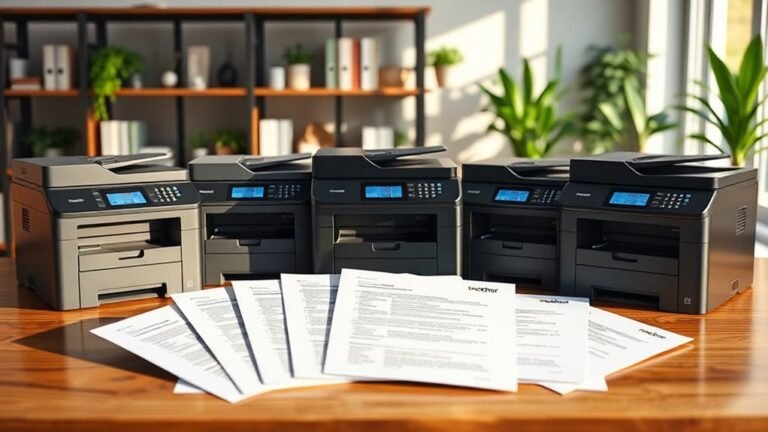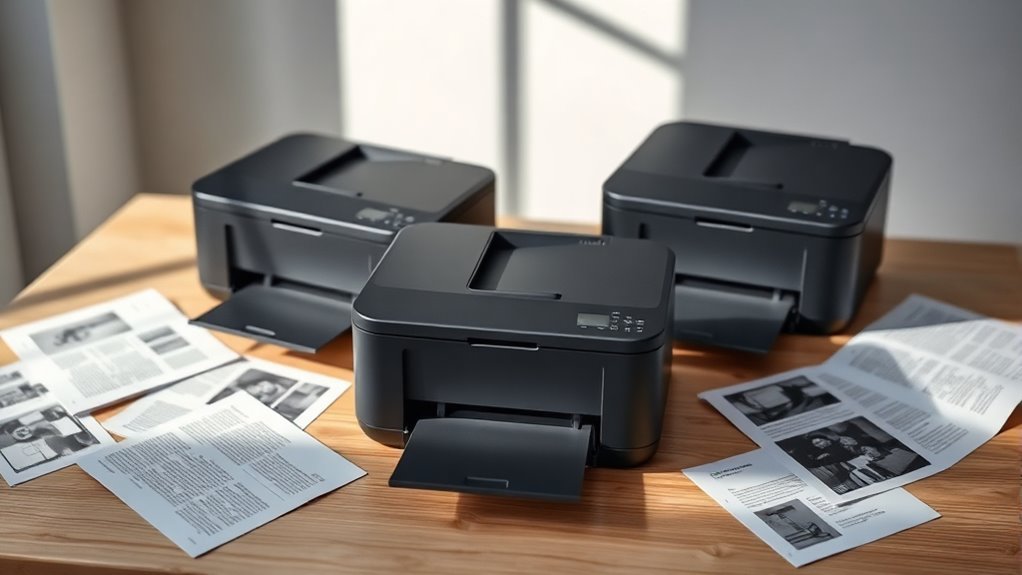
3 Best Cheap Printers for Black and White in 2027
If you’re on the hunt for a reliable, budget-friendly black-and-white printer in 2027, you’ve got some great options to consider. Whether it’s for home use, a small office, or school projects, these printers deliver quality without breaking the bank.
The Brother HL-L2405W stands out with fast 30 ppm printing and dual-band Wi-Fi, making it perfect for quick, wireless jobs. Then there’s the Canon imageCLASS LBP122dw, which offers automatic duplex printing and strong mobile app support for easy use on the go.
If space and energy efficiency matter most, the Canon imageCLASS LBP6030w is compact and eco-friendly. All three models provide wireless convenience and crisp text output. Keep reading to see how their features, costs, and performance might fit your needs best!
| Image | Name | Editor's Rating | Price |
|---|---|---|---|

|
|
||

|
|
||

|
|
Brother HL-L2405W Wireless Monochrome Laser Printer
- BEST FOR HOMES & HOME OFFICES – Engineered for consistent, premium print quality, the Brother HL-L2405W Monochrome (Black & White) Laser Printer delivers sharp, crisp...
- COMPACT, CONNECTED PRINTER – Flexible connection options make this an ideal printer for home use and at-home offices. Securely connect to multiple devices with built-in...
- BROTHER MOBILE CONNECT APP – Manage your printer remotely and print from your mobile device anytime, from almost anywhere. Order Brother Genuine Supplies, track toner...
- VERSATILE PAPER HANDLING – Enjoy seamless, reliable everyday printing with the 250-sheet paper tray(4) and a manual feed slot that enables printing on envelopes and...
- BROTHER IS AT YOUR SIDE – Backed by Brother with a 1-year limited warranty and free online, call, or live chat support for the life of your printer

The Brother HL-L2405W Wireless Monochrome Laser Printer is designed to make your printing tasks smooth and efficient. Its compact design fits easily into small spaces, making it ideal for home or small office use. You can quickly produce sharp black-and-white documents without cluttering your workspace.
This printer solves the problem of slow printing with a fast output of up to 30 pages per minute. The crisp 1200 x 1200 dpi resolution ensures professional-quality text and graphics. Wireless connectivity via dual-band Wi-Fi or USB means you can print directly from laptops, smartphones, or tablets without hassle.
Maintenance is straightforward with a 250-sheet input tray that reduces the need for frequent paper refills. Manual duplexing helps you save paper, although it requires user involvement when printing on both sides. The Brother Mobile Connect app adds convenience by allowing remote print management.
While it lacks scanning and copying features, the HL-L2405W focuses on delivering dependable, high-speed monochrome prints. Its power consumption of 450 watts is higher than some alternatives but supports its strong performance.
Best for: individuals and small home offices that need a fast, reliable, and compact monochrome printer with wireless connectivity for everyday black-and-white printing tasks.
What We Like:
- Fast print speed of up to 30 pages per minute with sharp 1200 x 1200 dpi output
- Dual-band Wi-Fi and USB connectivity for versatile printing options
- Large 250-sheet input tray reduces paper refills and supports specialty paper
- Remote print management through Brother Mobile Connect app
Specification:
| Feature | Details |
|---|---|
| Manufacturer | Brother |
| Dimensions | 14 x 14.2 x 7.2 inches (35.6 x 36.1 x 18.3 cm) |
| Weight | 15.6 lbs (7.1 kg) |
| Color Options | White |
| Connectivity | Dual-band Wi-Fi, USB |
Canon imageCLASS LBP122dw – Wireless Monochrome Duplex Laser Printer
- Wireless, duplex printer (print-only)
- Fast print speeds up to 30 pages per minute (black and white)
- Print on-the-go with Canon PRINT app and more.
- Uses Canon GENUINE Toner 071 / 071 high-capacity
- Compact design fits almost anywhere in your home, great for home use and personal printing
The Canon imageCLASS LBP122dw offers a reliable solution for fast, wireless black-and-white printing. It helps reduce clutter by fitting neatly into small spaces, making it ideal for home or personal use. You can print directly from your phone using the Canon PRINT app, adding convenience to your workflow.
This printer speeds through documents at up to 30 pages per minute and includes automatic duplex printing, saving both time and paper. Its straightforward design focuses solely on printing, which simplifies maintenance and reduces potential issues.
Using Canon GENUINE Toner 071 or high-capacity cartridges ensures consistent print quality without frequent replacements. While it does not scan or fax, its dedicated print-only functionality suits users who need a dependable monochrome printer without extra features.
The Canon imageCLASS LBP122dw combines efficient performance with ease of use, making daily printing tasks smoother and more manageable.
Best for: users needing a compact, fast, and wireless monochrome laser printer for home or personal environments.
What We Like:
- Fast print speed of up to 30 pages per minute with duplex capability
- Wireless printing via Canon PRINT app for mobile convenience
- Compact design ideal for limited spaces
- Uses Canon GENUINE Toner 071 for reliable output
Specification:
| Feature | Description |
|---|---|
| Manufacturer | Canon |
| Dimensions | Compact size (exact size not provided) |
| Weight | Not specified |
| Color Options | Monochrome (black and white) |
| Connectivity | Wireless |
| Printing Type | Monochrome laser printer |
Canon imageCLASS LBP6030w Wireless Monochrome Laser Printer
- FAST PRINT SPEEDS: Print up to 19 pages per minute.
- COMPACT DESIGN: Space-saving, compact design fits anywhere in your home, school or small office.
- WIRELESS CONNECTIVITY: Print from almost anywhere in your workspace using your compatible mobile device.
- PAPER CAPACITY: Up to 150 sheets.
- SUSTAINABILITY: Uses less than 2 watts in Energy Saver mode.
The Canon imageCLASS LBP6030w delivers fast and reliable wireless printing tailored for home and small office environments. It streamlines your workflow by printing crisp black-and-white pages at a speed of up to 19 pages per minute. The sharp 600 x 600 dpi resolution ensures clear, professional-quality text every time.
Its compact and lightweight design fits comfortably on any desk without taking up much space. Weighing just 11 pounds, it’s easy to move or reposition as needed. The 150-sheet input tray helps manage everyday printing tasks but may require refilling during larger jobs.
Maintenance is straightforward with Canon Genuine Toner 125 cartridges, each producing about 1,600 pages. Wireless connectivity supports printing directly from mobile devices, enhancing convenience and flexibility in busy workspaces. Energy-saving features reduce power consumption, making it an efficient choice for regular use.
While the monochrome-only printing suits document-heavy tasks, it may not be ideal for color printing needs. The single tray and limited warranty reflect its focus on simplicity and budget-conscious users.
Best for: Small office users and individuals who need a compact, efficient wireless monochrome laser printer for everyday black-and-white printing.
What We Like:
- Prints up to 19 pages per minute with sharp text quality
- Wireless printing compatible with mobile devices
- Compact size and lightweight design save desk space
- Uses long-lasting Canon Genuine Toner 125 cartridges
- Energy-efficient operation reduces power use
Specification:
| Feature | Details |
|---|---|
| Manufacturer | Canon |
| Dimensions | Compact size (exact not provided) |
| Weight | 11 lb (5 kg) |
| Color | White |
| Print Speed | Up to 19 ppm (black and white) |
| Print Resolution | 600 x 600 dpi |
| Input Tray Capacity | 150 sheets |
| Connectivity | Wireless (Wi-Fi) |
Factors to Consider When Choosing a Cheap Printer for Black and White
When choosing a cheap black and white printer, you’ll want to focus on print speed and quality to match your needs. Check the connectivity options and how much the consumables will cost over time.
Also, consider the printer’s size to make certain it fits comfortably in your space. It’s always better to double-check before making a purchase!
Print Speed Importance
Although print speed might seem like a straightforward spec, it plays an essential role in how efficiently you handle black-and-white printing tasks. If you often print multi-page documents, a higher speed—around 20 to 30 pages per minute—can cut down your wait time and boost productivity.
However, don’t overlook first-page-out time. If your printer takes too long to warm up, it can negate the benefits of a high pages-per-minute rate, especially with short print jobs.
Keep in mind that the stated speed usually reflects one-sided printing under ideal conditions, so real-world speeds may slow down with duplex or complex pages. Also, consider paper handling—small trays might force frequent reloads, reducing overall efficiency despite fast print speeds.
Print Quality Standards
Print quality plays a vital role in choosing a cheap black-and-white printer, especially if you want clear, sharp text and consistent output. Aim for at least 600 x 600 dpi resolution; 1200 x 1200 dpi or higher will improve fine details and small-font clarity.
Toner-based printers, like mono lasers, usually deliver crisper blacks and sharper edges than lower-resolution inkjets. Don’t overlook first-page-out time and pages-per-minute speeds, as high speed with decent resolution can still meet your needs.
Check how well the printer handles small fonts and thin lines by reviewing test prints or DPI and toner density specs. If you print double-sided, make sure the printer offers consistent toner coverage and alignment to avoid banding or ghosting on duplex documents.
Connectivity Options Available
Clear and sharp output means little if your printer can’t connect smoothly to your devices. Make sure your printer supports both 2.4 GHz and 5 GHz Wi-Fi bands for faster, less congested wireless connections, especially in dense networks.
If you prefer wired setups, look for built-in Ethernet or USB 2.0/3.0 ports to guarantee reliable, high-speed connections and compatibility with older devices. Mobile printing compatibility, like AirPrint, Mopria, or vendor apps, lets you print directly from smartphones or tablets without installing drivers.
Features like automatic reconnect, Wi-Fi Protected Setup (WPS), and WPA2/WPA3 security simplify setup and protect your data. For multiple users, check if the printer supports duplexing over the network and common printing protocols like PCL, PDF, or IPP to handle efficient two-sided or bulk printing tasks.
Consumable Cost Efficiency
When choosing a cheap black and white printer, you’ll want to focus on consumable cost efficiency to keep long-term expenses low. Start by calculating the cost per page: divide the toner cartridge price by its rated page yield to get the true running cost.
Opt for high-yield or XL cartridges—they often cut cost per page by 20–50%, even though they have a higher upfront price. Don’t forget to factor in drum unit replacement costs and intervals if they’re separate, as this can add to expenses.
Also, review subscription or refill plans carefully, including shipping and fees, so you don’t get any surprises. Finally, match your printer’s duty cycle to your monthly volume; using low-capacity cartridges in a busy setup means frequent replacements and higher costs.
Printer Size Considerations
Balancing consumable costs with your printer’s physical size can make a big difference, especially if space is limited. Check the printer’s footprint and height to guarantee it fits your desk or shelf—compact monochrome laser models usually take about 14″ x 14″ and stand under 8″ tall.
Weight matters too; lighter units around 10–15 pounds are easier to move for temporary setups. Don’t forget paper tray capacity, which often holds 150–250 sheets and may extend beyond the chassis when loaded, requiring extra clearance.
Also, leave a few inches around the printer for proper ventilation to avoid overheating. If you print envelopes or specialty media, make sure the manual feed slot is accessible with enough front or top clearance to feed thicker stock without hassle.
Duplex Printing Benefits
You’ll often find that printers with automatic duplexing save you a lot on paper costs by printing on both sides without extra effort. This feature roughly halves your paper use, cutting per-page expenses and reducing waste.
It also trims down document thickness, which can lower mailing and storage costs. Keep in mind, manual duplexing demands you flip and reinsert pages, slowing your workflow.
When choosing a cheap black and white printer, check the duplex print speed—some models slow down markedly on two-sided jobs, impacting productivity if you print in batches.
Enabling duplex by default can extend toner life per page since fewer sheets get used overall, improving your cost efficiency. Balancing convenience, speed, and savings makes duplex printing a smart benefit to prioritize.
Frequently Asked Questions
How Do Laser Printers Compare to Inkjet Printers for Black and White Printing?
Laser printers deliver sharper, faster black and white prints and cost less per page.
Inkjet printers, on the other hand, offer better photo quality but tend to be slower and have higher ink costs.
What Is the Average Lifespan of a Monochrome Laser Printer?
Like a trusty old knight, your monochrome laser printer typically lasts around 5 to 7 years with proper care.
You’ll get thousands of pages printed before it starts showing signs of wear and slowing down.
It’s pretty reliable if you keep up with regular maintenance. Just a little TLC goes a long way!
Are There Any Eco-Friendly Options for Black and White Printers?
Yes, you can find eco-friendly black and white printers that use energy-efficient technology and recycled materials. Look for models with ENERGY STAR certification and toner cartridges designed for recycling.
These features help minimize environmental impact and save money. It’s a smart choice if you want to be green without sacrificing quality.
How Much Does Toner Replacement Typically Cost for These Printers?
You know what they say, “A penny saved is a penny earned.” Toner replacement usually costs between $30 and $70, depending on the brand and page yield.
Can These Printers Handle Printing on Different Paper Sizes or Types?
Yes, these printers can handle different paper sizes and types. You’ll find adjustable trays and settings that let you print on envelopes, labels, or cardstock.
This makes them versatile for various printing needs without extra hassle. So, whether you’re working on a project or just printing everyday documents, these printers have you covered.
Conclusion
Choosing the right cheap black and white printer feels like finding a perfect pair of shoes—they just click. Whether it’s the speedy Brother HL-L2405W, the reliable Canon LBP122dw, or the compact Canon LBP6030w, each fits your needs like a glove.
As you weigh costs, speed, and features, remember: the best printer is the one that works seamlessly with your lifestyle. A good black and white printer should make every print job smooth and effortless.
In 2027, finding the best cheap black and white printer means balancing budget with performance. Look for printers that deliver fast, clear prints without breaking the bank. Whether you prioritize speed, reliability, or compact design, these affordable options ensure you get quality printing without extra cost. Ultimately, the perfect cheap black and white printer will keep your printing tasks simple and efficient, making it an essential tool for home or office use.