11 Best Business Printers Under $500 for 2027 Office Needs
If you need a reliable business printer under $500 for 2027, you’ve got some great options to consider. Models like the HP LaserJet M234sdw and Canon imageCLASS MF465dw II are perfect for fast monochrome printing with smart multifunction features. These printers are designed to handle busy office tasks efficiently.
Looking for vibrant color printing? The Epson Workforce Pro WF-4930 has got you covered. On the other hand, the Lexmark MS431dw offers high-speed output, which is ideal for hectic work environments. Many of these printers come with wireless and mobile printing capabilities, duplexing, and easy setup to keep your workflow smooth and hassle-free.
Take a moment to explore these picks—you’ll find the perfect printer that fits your office needs without breaking the bank. Whether you prioritize speed, color, or multifunction convenience, there’s something here for every business under $500.
| Image | Name | Editor's Rating | Price |
|---|---|---|---|

|
|
||

|
|
||

|
|
||

|
|
||
|
|
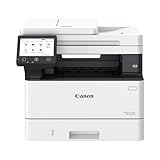
HP LaserJet M234sdw Monochrome Laser Printer | All-in-One
No products found.
Experience professional-quality black-and-white printing with the HP LaserJet M234sdw, designed to keep small teams productive and efficient. This all-in-one printer simplifies your workflow by combining printing, copying, and scanning in a compact device. Its 40-page auto document feeder allows you to multitask without interruption, handling documents hands-free.
The M234sdw delivers sharp prints at speeds up to 30 pages per minute, helping you meet tight deadlines. Automatic duplex printing reduces paper use and streamlines double-sided jobs. Connectivity options include wireless and Ethernet, making it easy to connect multiple devices across your office network.
Maintenance is straightforward with easy access to toner and straightforward setup through the HP Smart app. While it supports only monochrome printing and has a 150-sheet paper capacity, it balances performance with energy efficiency, though it consumes more power than some models.
Best for: small teams of 1–5 people needing efficient, professional-quality black-and-white printing, copying, and scanning with versatile connectivity options.
What We Like:
- Fast print speeds up to 30 ppm with automatic duplex printing
- 40-page auto document feeder for hands-free scanning and copying
- Supports wireless and Ethernet connections for flexible device access
- Easy maintenance with accessible toner and HP Smart app integration
Specification:
| Feature | Details |
|---|---|
| Manufacturer | HP |
| Dimensions | Not specified |
| Weight | Not specified |
| Color Options | Monochrome (Black and White) |
| Connectivity | Wireless, Ethernet |
HP LaserJet Pro 3105sdw Monochrome Laser Printer | All-in-One
No products found.
The HP LaserJet Pro 3105sdw is designed to keep small teams productive with reliable and efficient monochrome printing. It tackles the challenge of managing multiple users by delivering up to 33 pages per minute, helping reduce wait times and keep workflows smooth.
This all-in-one printer simplifies everyday office tasks with automatic two-sided printing and one-sided scanning via the document feeder. Its smart AI features improve workflow by generating clean printouts and crafting relevant email subjects, saving time on manual adjustments.
Setup and maintenance are straightforward with the HP app, which supports printing, scanning, copying, and faxing directly from your smartphone. The printer’s Wi-Fi connection intelligently selects the strongest network, ensuring stable communication without interruptions.
Security is a priority with HP Wolf Pro Security, which helps protect sensitive data from threats. Keep in mind, this model only supports original HP cartridges, which ensures consistent print quality but may increase operating costs.
Best for: Small teams who need fast, secure, and smart monochrome printing with easy mobile management.
What We Like:
- Fast print speeds with automatic duplex printing
- AI-enhanced workflow for cleaner documents and smart email subjects
- Simple setup and multifunction control via the HP app
- Intelligent Wi-Fi selects the best connection automatically
- Robust security features to protect sensitive information
Specification:
| Feature | Details |
|---|---|
| Manufacturer | HP |
| Dimensions | Approx. 15.4 x 14.8 x 11.7 in (39.1 x 37.6 x 29.7 cm) |
| Weight | Approx. 20.5 lb (9.3 kg) |
| Printing Technology | Monochrome Laser |
| Connectivity | Wi-Fi, USB |
| Cartridge Type | Original HP cartridges only |
Canon imageCLASS MF465dw II Wireless Laser Printer
- Monochrome Wireless, Duplex 4-in-1: Print, Scan, Copy, Fax
- Print up to 42 ppm
- Easy Wireless Setup
- 5-inch Touchscreen
- Mobile Device Printing

Step up your small office productivity with the Canon imageCLASS MF465dw II, a wireless monochrome laser printer built to keep your workflow smooth and efficient. It delivers sharp prints at a fast pace of up to 42 pages per minute, cutting down wait times and boosting output. The high-quality 1200 x 1200 dpi resolution ensures every document is crisp and professional.
This versatile 4-in-1 device goes beyond printing. Copy, scan, and fax with ease, while duplex capabilities and a 50-sheet automatic document feeder simplify handling multi-page tasks. Wireless and Ethernet options let you print directly from laptops and smartphones, adding flexibility to your setup.
Maintenance is straightforward with Canon Genuine Toner, designed to keep your printer running reliably. Though it only prints in monochrome and offers a single USB port, it stands out for its user-friendly 5-inch touchscreen and expandable paper capacity, fitting growing office demands without complexity.
Best for: Small and home office users seeking a fast, reliable multifunction monochrome laser printer with wireless connectivity.
What We Like:
- Fast print and copy speeds of up to 42 ppm with sharp 1200 x 1200 dpi quality
- Multifunction 4-in-1 design with duplex printing and scanning
- Wireless and Ethernet connectivity with intuitive 5-inch touchscreen control
- Expandable paper capacity to manage increasing workloads
- Reliable Canon Genuine Toner ensures consistent performance
Specification:
| Feature | Details |
|---|---|
| Manufacturer | Canon |
| Dimensions (W×D×H) | Approx. 16.1″ × 16.5″ × 12.6″ (41 × 42 × 32 cm) |
| Weight | Approx. 30.4 lbs (13.8 kg) |
| Printing Technology | Monochrome Laser |
| Functions | Print, Copy, Scan, Fax |
| Connectivity | Wireless (Wi-Fi), Ethernet, USB |
| Display | 5-inch Color Touchscreen |
| Paper Capacity | 250-sheet cassette, expandable |
HP OfficeJet Pro 8125 Wireless All-in-One Printer
- FROM AMERICA'S MOST TRUSTED PRINTER BRAND – The OfficeJet Pro 8125 is perfect for home offices printing professional-quality color documents like business documents...
- 3 MONTH TRIAL OF INSTANT INK INCLUDED – Subscribe to the Instant Ink delivery service to get ink delivered directly to your door before you run out, and you save up to...
- KEY FEATURES – Fast color printing, scan, copy, auto 2-sided printing, auto document feeder, and a 225-sheet input tray
- 2.7-INCH TOUCHSCREEN – Quickly navigate your printer with a large color touchscreen and a phone-like user interface
- WIRELESS PRINTING – Stay connected with our most reliable dual-band Wi-Fi, which automatically detects and resolves connection issues
Looking for a versatile printer that can keep up with your busy home office tasks? The HP OfficeJet Pro 8125 Wireless All-in-One Printer is designed to streamline your workflow. It handles printing, scanning, copying, and faxing efficiently, helping you save time and reduce hassle.
This model delivers fast print speeds of up to 20 pages per minute in black and features automatic duplex printing to cut paper use. Its 2.7-inch color touchscreen makes navigation simple, allowing you to access functions quickly without confusion.
Connectivity options include wireless and Ethernet, so you can print from multiple devices without cables cluttering your workspace. The 225-sheet input tray means fewer reloads, making it ideal for moderate workloads. Plus, the water-resistant print quality ensures your documents stay clear and professional.
Maintenance is straightforward with the included 3-month Instant Ink trial, which helps manage ink costs. The printer uses original HP cartridges, ensuring reliability but requiring compatible ink to avoid issues.
Best for: Home users and small offices needing an affordable, efficient all-in-one printer with wireless capabilities and smart ink management.
What We Like:
- Fast black-and-white printing with automatic two-sided printing.
- Easy-to-use 2.7-inch color touchscreen.
- Flexible wireless and Ethernet connectivity.
- Includes a cost-saving Instant Ink trial.
- Eco-friendly design with recycled plastic content.
Specification:
| Feature | Details |
|---|---|
| Manufacturer | HP |
| Dimensions (W×D×H) | Approx. 18.7 × 15.7 × 7.5 in |
| Weight | About 16.2 lb (7.35 kg) |
| Color Options | White with black accents |
| Connectivity | Wi-Fi, Ethernet, USB |
Epson Workforce Pro WF-4930 Wireless All-in-One Printer
- Built for Speed — PrecisionCore Heat-Free technology delivers fast, high-volume printing with 25 (black)/12 (color) ISO ppm and fast first-page-out
- High-Precision Office Printing — Accurate dot placement and DURABrite Ultra instant-dry pigment inks for professional-quality prints
- High-Volume Durability for Heavy Workloads — Innovative heat-free technology engineered for reliability and reduced downtime
- Complete Duplex Solution — All-in-one printer with auto 2-sided print, copy, scan and fax; plus 50-sheet ADF
- Maximize Printing Productivity — High-performance office printer with 500-sheet paper capacity; includes two 250-sheet trays for added convenience
Experience smoother, faster printing with the Epson Workforce Pro WF-4930, crafted to boost office productivity. Its advanced PrecisionCore Heat-Free technology ensures sharp, professional-quality prints without long waits, handling up to 25 pages per minute in black and 12 in color. This printer reduces downtime and keeps your workflow steady.
Designed for busy environments, it features automatic duplex printing and a 50-sheet automatic document feeder that simplifies two-sided scanning and copying. Dual 250-sheet trays accommodate large print jobs, minimizing paper refills. Connectivity is versatile with Wi-Fi, Ethernet, USB, and mobile options like Apple AirPrint and the Epson Smart Panel app.
Maintenance is straightforward thanks to durable DURABrite Ultra inks that deliver vibrant, long-lasting results. However, it requires Epson Genuine Cartridges, which may increase running costs. The compact design fits well in tight office spaces but supports media sizes only up to 8.5 x 14 inches.
This all-in-one is ideal for professionals needing a reliable, efficient printer that handles high-volume tasks with ease.
Best for: Busy offices and professionals needing fast, high-volume printing with all-in-one capabilities under $500.
What We Like:
- High-speed printing with 25 ppm black and 12 ppm color output
- Automatic duplex and 50-sheet ADF for efficient document handling
- Multiple connectivity options including Wi-Fi and mobile printing
- DURABrite Ultra inks for durable, vivid prints
- Compact design suitable for limited office space
Specification:
| Feature | Details |
|---|---|
| Manufacturer | Epson |
| Dimensions (W x D x H) | 16.5 x 20.5 x 12.4 inches |
| Weight | 25.6 lbs |
| Print Speed | 25 ppm black, 12 ppm color |
| Maximum Media Size | 8.5 x 14 inches |
| Connectivity | Wi-Fi, Ethernet, USB, Mobile |
Brother MFC-L2820DW Wireless Monochrome Laser Printer
- BEST FOR SMALL OFFICES – Combining space-saving efficiency and premium monochrome (black & white) print quality with affordability, the Brother MFC-L2820DW delivers...
- EFFICIENT PRINTING & SCANNING – Produces black & white documents quickly with print speeds up to 36 ppm(2) and scan speeds up to 23.6/7.9 ipm(3) (bk/cl). A 50-page auto...
- FLEXIBLE CONNECTION OPTIONS – Securely connect to multiple devices with built-in dual-band wireless (2.4GHz / 5GHz), Ethernet, or connect locally to a single computer...
- 2.7" TOUCHSCREEN – The intuitive 2.7” touchscreen enables effortless navigation with the added ability to print-from and scan-to popular Cloud-based apps such as...
- BROTHER MOBILE CONNECT APP – Print, scan, and manage your wireless printer anytime, from almost anywhere from your mobile device. Order Brother Genuine Supplies, track...
The Brother MFC-L2820DW Wireless Monochrome Laser Printer is designed to streamline your office tasks with speed and efficiency. It prints at up to 36 pages per minute and offers automatic two-sided printing, saving both time and paper. This compact 4-in-1 device combines printing, copying, scanning, and faxing to handle everyday document needs with ease.
Its 250-sheet capacity and 50-page automatic document feeder reduce interruptions, making it ideal for busy workspaces. Connectivity is flexible, supporting dual-band Wi-Fi, Ethernet, USB, and mobile printing options. The 2.7″ touchscreen and Alexa compatibility provide convenient control and hands-free operation.
Maintenance is straightforward, with high-yield toner options that reduce the frequency of cartridge replacements. The monochrome laser technology ensures clear, sharp text, although it does not support color printing. The scanner resolution is sufficient for standard documents but may not fit high-detail scanning needs.
Energy-efficient and compact, this printer fits well in small offices or home workspaces, helping users stay productive without taking up much space.
Best for: Small offices and home professionals needing a fast, reliable monochrome laser printer with wireless and cloud connectivity.
What We Like:
- Fast printing speed with automatic duplex to save time and paper
- All-in-one functionality with a 50-sheet automatic document feeder
- Multiple connectivity options including Wi-Fi and Alexa compatibility
- Compact design fits easily in limited workspace
- High-yield toner options for less frequent maintenance
Specification:
| Feature | Details |
|---|---|
| Manufacturer | Brother |
| Dimensions | 16.1 x 15.7 x 12 inches |
| Weight | 16.5 lbs (7.5 kg) |
| Color | White |
| Printing Technology | Monochrome Laser |
| Connectivity | Dual-band Wi-Fi, Ethernet, USB |
| Automatic Document Feeder | 50 sheets |
| Paper Capacity | 250 sheets |
| Touchscreen Size | 2.7 inches |
Canon imageCLASS MF462dw II – Wireless, Monochrome Duplex Laser Printer
- Monochrome, Wireless, Duplex 4-in-1: Print, scan, copy, fax.
- Fast Print Speeds: Print up to 37 pages per minute and spend less time waiting with a quick first print time of approximately 5 seconds.
- Easy Wireless Setup: Setup your wireless connection and get up and running in just a few steps2
- 5-inch Color Touchscreen: Get the job done quickly with Application Library - an intuitive and easy to use customizable access to the features you use most.
- Mobile Device Printing: Print from your compatible mobile devices using the free Canon PRINT app, Apple AirPrint and Mopria Print Service.
The Canon imageCLASS MF462dw II is designed to streamline monochrome printing tasks in small or home office environments. Its fast printing speed of 37 pages per minute helps reduce wait times, allowing you to focus on your work without interruption. The automatic duplex printing feature minimizes paper waste and simplifies double-sided document creation.
This multifunction printer includes a 50-sheet duplex automatic document feeder (ADF), which scans both sides of a document in a single pass. This feature saves time and boosts productivity when handling multi-page jobs. The user-friendly 5-inch color touchscreen with a customizable Application Library makes navigation and workflow management straightforward.
Connectivity options are versatile, with wireless, Ethernet, and USB support helping it adapt easily to various work setups. The printer’s standard 250-sheet capacity can be expanded to accommodate larger print volumes, ensuring it meets growing demands. Maintenance is straightforward with Canon’s genuine toner, which delivers consistent, sharp prints.
Best for: Small and home office users requiring a reliable monochrome multifunction printer with high-speed output and efficient duplex scanning.
What We Like:
- Fast print speed of 37 ppm with automatic duplex printing
- 50-sheet duplex ADF scans both sides in one pass
- Customizable 5-inch color touchscreen improves workflow
- Multiple connectivity options including wireless and Ethernet
- Expandable paper capacity suits increasing printing needs
Specification:
| Feature | Details |
|---|---|
| Manufacturer | Canon |
| Dimensions (WxDxH) | 16.1 x 18.0 x 15.7 inches |
| Weight | Approximately 38.4 lbs |
| Print Technology | Monochrome Laser |
| Print Speed | Up to 37 pages per minute |
| Duplex Printing | Automatic |
| Document Feeder | 50-sheet duplex ADF |
| Touchscreen | 5-inch color touchscreen |
| Connectivity | Wireless, Ethernet, USB |
| Paper Capacity | 250 sheets (expandable) |
HP LaserJet Pro 3101fdw | Monochrome | Laser Printer | All-in-One

- EVERYTHING SMALL TEAMS NEED – Print, scan and copy professional-quality black & white documents and reports plus fax. Auto 2-sided printing and auto document feeder for...
- SUPER-FAST PRINT SPEEDS – Up to 35 black-and-white pages per minute single-sided
- STAYS CONNECTED – Intelligent Wi-Fi looks for the best connection to stay online and ready to print
- PROTECTS YOUR DATA – Includes HP Wolf Pro Security with customizable settings so your printer and information are always secure
- PRINT FROM ANY DEVICE – Wireless printing from any mobile device, PC or tablet. Ethernet and Bluetooth included. Works with Microsoft, Mac, AirPrint, Android...
The HP LaserJet Pro 3101fdw is designed to boost productivity for small teams and SMBs. It tackles printing bottlenecks with a swift output speed of up to 35 pages per minute. The auto-duplexing feature cuts paper use by printing on both sides automatically, making everyday printing more efficient and eco-friendly.
This all-in-one printer does more than print; it also copies, scans, and faxes, consolidating multiple tasks into one compact device. Its high resolution of 1200 x 1200 dpi ensures documents come out sharp and professional, ideal for office communications and reports.
Connectivity options are diverse, supporting wireless, Ethernet, Bluetooth, and USB connections. Mobile printing through the HP Smart app adds convenience, letting users print directly from smartphones or tablets. This flexibility supports different work styles and locations.
Maintenance is straightforward with a single paper tray holding up to 250 sheets, though high-volume offices might need to refill frequently. The machine uses dynamic security, which limits cartridge use to originals, supporting print quality but potentially adding to supply costs.
Best for: Small teams and SMBs needing a fast, reliable monochrome all-in-one printer with versatile office functions and secure, flexible connectivity.
What We Like:
- Fast print speed with automatic two-sided printing
- Multi-functionality: print, copy, scan, fax in one device
- Secure and flexible wireless and mobile printing options
Specification:
| Feature | Details |
|---|---|
| Manufacturer | HP |
| Dimensions | Approx. 16.5 x 16.3 x 12.2 in (41.9 x 41.4 x 31 cm) |
| Weight | Around 21.9 lbs (9.94 kg) |
| Color Options | Monochrome (Black & White) |
| Connectivity | Wireless, Ethernet, Bluetooth, USB |
Lexmark MS431dw Wireless Black & White Laser Printer

- SMALL: Compact laser printer fits almost anywhere (8. 7 x 14. 5 x 14. 3 inches / 222 x 368 x 363 millimeter). Recommended Monthly Page Volume-800 - 8000 pages
- EASY TO USE: Plug it in and go. Setup is fast and easy. Standard Wi-Fi makes it easy to print from mobile devices.
- DURABLE: Steel frame and long-life imaging components mean it’s built to last.
- SUSTAINABLE: Two-sided printing is standard, and built-in energy-saving modes help support ratings of Epeat Silver and Energy star certified
- INTERACTIVE: Two-line display lets you configure, interact with, and monitor vital system information.
Experience fast, efficient printing with the Lexmark MS431dw, designed to keep busy offices running smoothly. Its impressive speed of up to 42 pages per minute reduces wait times and boosts productivity, helping you meet tight deadlines without hassle.
This monochrome laser printer handles everyday printing needs with ease. Automatic duplexing saves paper and time, while support for various media sizes adds flexibility. The compact design fits well in any workspace, minimizing clutter.
Connecting is simple with Wi-Fi, Ethernet, or USB options, plus mobile and cloud printing support lets you print directly from smartphones or laptops. Its sharp 2400 dpi resolution ensures crisp, professional documents every time.
Maintenance is straightforward thanks to its durable steel frame and energy-saving features that reduce power consumption. While limited to black-and-white printing and a standard 100-sheet capacity, the option to add a 550-sheet tray offers scalability for higher volume needs.
Best for: Offices needing fast, reliable black-and-white printing with versatile connectivity and efficient operation.
What We Like:
- Fast print speed up to 42 ppm for improved workflow
- Automatic duplexing reduces paper use and handling
- Multiple connectivity options including wireless and mobile printing
- High-quality 2400 dpi output ensures professional documents
- Durable build with energy-saving modes for cost efficiency
Specification:
| Specification | Details |
|---|---|
| Manufacturer | Lexmark |
| Dimensions | Compact size (exact dimensions not provided) |
| Weight | Not specified |
| Printer Type | Monochrome Laser Printer |
| Print Speed | Up to 42 pages per minute |
| Print Resolution | Up to 2400 dpi |
| Connectivity | Wi-Fi, Ethernet, USB |
| Paper Capacity | 100 sheets standard, optional 550-sheet tray |
| Duplex Printing | Automatic |
| Color Options | Black and white only |
Xerox B310DNI Wireless Black and White Laser Printer – Print Only

- FAST BLACK & WHITE PRINTING: Deliver professional results with print speeds up to 42 ppm. Designed to keep small businesses and hybrid offices productive with fast...
- BUSINESS QUALITY: Produce sharp black text and clear graphics. Ensure business documents, reports and presentations look polished every time.
- WIRELESS & MOBILE PRINTING: Stay connected with Wi-Fi, Apple AirPrint, and Mopria. Effortlessly print from your laptop, smartphone, or tablet from anywhere in your...
- EASY SMARTPHONE SETUP: Get printing in minutes. Use the Xerox Easy Assist App for a simplified, guided installation that eliminates complex manuals and traditional driver...
- VALUE FOR YOUR BUSINESS: Built for active workgroups needing reliable monochrome printing up to 6,000 pages per month. High-yield toner options mean fewer interruptions...
The Xerox B310DNI Wireless Black and White Laser Printer offers a dependable solution for busy offices that demand fast and clear monochrome prints. Its ability to produce up to 42 pages per minute with a sharp 2400 x 2400 dpi resolution ensures your documents always look professional. This printer handles high volumes effortlessly, making it an excellent choice for heavy workloads.
Designed with productivity in mind, the B310DNI features automatic duplex printing and a 250-sheet paper tray. These features reduce manual tasks and help keep your workflow smooth. The compact design fits well into small office spaces or hybrid work environments without sacrificing performance.
Connectivity is versatile with options including Wi-Fi, Ethernet, and USB, alongside mobile printing support through Apple AirPrint and Mopria. This flexibility allows seamless integration into various office networks and devices, enhancing convenience. Maintenance is straightforward, and the use of high-yield toner helps minimize running costs.
While the printer focuses solely on monochrome output, it provides reliable, efficient printing for black-and-white documents. The 256 MB memory and 1 GHz processor ensure smooth handling of routine print jobs, though very large or complex documents might challenge its capacity.
Best for: Small to medium businesses and home offices needing fast, reliable monochrome printing with versatile connectivity.
What We Like:
- Fast printing speed of up to 42 pages per minute with high resolution.
- Automatic duplexing and ample 250-sheet capacity improve efficiency.
- Multiple connectivity options including Wi-Fi, Ethernet, USB, and mobile printing.
- Compact design ideal for limited office spaces.
- High-yield toner reduces overall printing costs.
Specification:
| Feature | Detail |
|---|---|
| Manufacturer | Xerox |
| Dimensions | Compact size (specific dimensions not provided) |
| Weight | Not specified |
| Color Options | Black and White |
| Connectivity | Wi-Fi, Ethernet, USB |
| Print Speed | Up to 42 ppm |
| Resolution | 2400 x 2400 dpi |
| Memory | 256 MB |
| Processor | 1 GHz |
Samsung ProXpress M4020ND Monochrome Laser Printer
- AN OFFICE PRINTER WITH VERSATILE FEATURES - This single-function laser printer features superior print quality, high speed printing, mobile connectivity, two-sided...
- SPEED & QUALITY FOR IMPROVED PRODUCTIVITY - Print up to 42 pages per minute; maximum paper input up to 820 pages; monthly volume up to 3,500 pages.
- EASY MOBILE PRINTING - Easily print from your iPhone with AirPrint, or send print jobs from your devices using Google Cloud Print.
- PRINT MANAGEMENT - Samsung solutions enable multi-device management and monitoring. Secure printing capability protects sensitive information and reduces waste prints.
- IDEAL FOR SMALL BUSINESSES: Print sharp text and clean images for your work group of up to 15 users.
The Samsung ProXpress M4020ND Monochrome Laser Printer offers a reliable solution for busy offices that require fast, high-volume black-and-white printing. Designed to handle demanding workloads, it prints up to 42 pages per minute, helping you complete tasks quickly and efficiently. The sharp 1,200 x 1,200 dpi resolution ensures your documents are clear and professional.
Its large paper capacity supports up to 820 sheets with a 250-sheet tray, reducing the frequency of refills during heavy print jobs. The printer accommodates various media types, including card stock and legal-size paper, adding flexibility to your printing needs.
Connectivity is straightforward with built-in Ethernet and USB ports, plus mobile printing via AirPrint and Google Cloud Print. These features make it easy to print from multiple devices and locations, supporting a seamless workflow. Maintenance is simple, though note that the printer handles monochrome output only, which may limit use if color prints are necessary.
Best for: Small to medium-sized offices needing rapid, high-quality monochrome printing with versatile media support and convenient connectivity.
What We Like:
- Fast printing speed of up to 42 ppm with clear 1200 x 1200 dpi output
- Large input capacity supporting 250-sheet tray and up to 820 sheets total
- Flexible media handling including card stock and legal-size paper
- Multiple connectivity options including Ethernet, USB, AirPrint, and Google Cloud Print
Specification:
| Feature | Details |
|---|---|
| Manufacturer | Samsung |
| Dimensions | Approx. 14 x 14 x 11 inches (HxWxD) |
| Weight | Around 26 lbs (11.8 kg) |
| Print Technology | Monochrome Laser |
| Print Speed | Up to 42 pages per minute |
| Resolution | 1200 x 1200 dpi |
| Paper Capacity | 250-sheet tray, 820 sheets max input |
| Connectivity | Ethernet, USB, AirPrint, Google Cloud Print |
Factors to Consider When Choosing a Business Printer for Under $500
When choosing a business printer under $500, you’ll want to take into account how fast you need it to print and the quality you expect. Think about the connectivity options that fit your setup and whether multifunction features like scanning or copying are essential.
Also, don’t forget to check the paper handling capacity to keep your workflow smooth. These little details can make a big difference in day-to-day use. So, make sure the printer you pick matches your business needs perfectly.
Printing Speed Requirements
Consider how fast your team needs documents to keep work flowing smoothly when choosing a business printer under $500. If you’re a single user or run a light home office, 20–30 ppm usually suffices.
For small teams, aim for 30–40+ ppm to prevent bottlenecks during busy periods. Don’t overlook first-page-out time; printers that deliver the first page in seconds reduce wait times on short print jobs.
Check duplex and ADF speeds separately, since two-sided printing and multi-page scanning can be slower and impact productivity. Also, match your printer’s duty cycle and monthly volume to your workload to avoid performance drops.
Finally, consider connectivity and processing power—Wi-Fi and less capable processors can slow real-world speed, especially with complex or networked documents.
Print Quality Expectations
Print quality plays a vital role in how your business documents appear and communicate professionalism. For under $500, monochrome laser printers typically deliver 600 x 600 dpi to 1200 x 1200 dpi resolution, offering crisp, high-contrast black text but limited photo detail.
If you need color, inkjet models can reach up to 4800 x 2400 dpi, producing vibrant graphics and photos. Though, sharpness depends on drivers and ink technology.
Duplex printing and 1-bit color depth guarantee smooth text but don’t improve gray-scale images. Consider print speed and first-page-out times, as faster printers reduce banding and streaks in multipage reports.
Finally, check monthly duty cycles to make certain your printer can maintain consistent image quality over time without degradation during high-volume jobs.
Connectivity Options Available
Beyond print quality, how your printer connects to your devices can really impact your workflow efficiency. Look for dual-band Wi-Fi (2.4 GHz and 5 GHz) to avoid interference. This keeps wireless printing fast and reliable, especially in busy offices.
Ethernet ports give you steady, high-speed connections. They’re especially useful for integrating with networked workgroups or print servers.
USB Type-B or Type-A ports offer simple, direct connections. These come in handy when network access is limited or during initial setup.
Don’t overlook mobile and cloud printing support like AirPrint, Mopria, or Google Cloud Print. They let you print from smartphones and tablets without installing drivers.
Additional features such as Wi-Fi Direct, Bluetooth, or NFC provide secure, quick print access from nearby devices. Plus, you don’t need to join your office network for these options.
Multifunction Capabilities Needed
When choosing a business printer under $500, you’ll want to identify which multifunction features truly fit your workflow. Decide if you need print-only, print/scan/copy, or full fax functionality. Adding fax or duplex ADF scanning can increase the size, complexity, and cost of the printer.
If you frequently scan or copy multi-page documents, pick a model with an automatic document feeder (ADF). Even better, look for one with one-pass duplex ADF to save yourself time.
For sensitive documents, it’s smart to find a printer with secure pull-printing or PIN release. Local network scanning is also a good feature to keep your data safe.
Don’t forget to consider the printer’s duty cycle and monthly volume. Heavy multifunction use can wear components faster, so make sure the printer can handle your needs.
Finally, check the scan resolution and color depth to ensure your scanned documents meet archival or OCR quality requirements. This way, you won’t have to worry about quality issues down the line.
Paper Handling Capacity
Although business printers under $500 often come with standard paper capacities, you’ll want to carefully assess input tray size and total paper capacity to minimize interruptions during busy workdays. Single-tray models typically hold 150–250 sheets, while those with multiple trays can store 500 or more, reducing how often you need to refill.
Check if the printer includes an automatic document feeder (ADF) with 40–50 sheet capacity and duplex scanning for seamless multi-page tasks. Make sure it supports the paper sizes and media types your business uses, like legal, envelopes, or cardstock.
Also, consider the output tray capacity and any finishing features like stapling or sorting to handle completed jobs efficiently without frequent clearing. This guarantees smooth workflow and less manual intervention.
Operating Cost Considerations
To choose a business printer under $500 that fits your budget, you need to understand its operating costs clearly. Start by calculating the cost per page—divide replacement toner or ink price by its page yield, separating mono and color prints.
Don’t forget to include maintenance costs like drum units or fusers, amortized over their lifespan. If the printer offers subscription or replenishment programs, convert monthly fees into a per-page cost to see if they save money long-term.
Also, factor in energy consumption by estimating kWh used during idle and active printing, multiplied by your local electricity rates. Finally, estimate your monthly print volume and multiply by the combined per-page costs to project realistic monthly and annual expenses.
This way, you’ll have a clear idea of what you’re really paying and can find the best value for your business.
Security Features Importance
Since printers connect to your network and handle sensitive information, you need to prioritize security features even when choosing a business printer under $500. Look for models with built-in protections like secure boot, firmware integrity checks, and automatic updates to block firmware tampering and zero-day threats.
User authentication methods—such as PINs, badges, or directory integration like LDAP—help prevent unauthorized access and data leaks. Encryption for data in transit and at rest safeguards your print jobs and scanned files from interception.
Administrative controls, including role-based access, audit logs, and password-protected interfaces, let your IT team enforce policies and monitor usage. Finally, check for security certifications or documented vulnerability patching to make certain your printer stays secure over time.
Prioritizing these features helps protect your business data effectively. It’s worth taking the time to find a secure printer that fits your budget and keeps your information safe.
Device Size and Weight
Security features protect your data, but you also need to take into account how a printer fits into your workspace. Check the printer’s footprint—depth, width, and height—to make certain it fits your desk or shelf.
Compact models usually stay under 16″ by 16″, while larger all-in-ones can exceed 18″ in width or depth. Consider weight too; lightweight units around 15–25 lb are easy to move, but heavier machines over 30–40 lb need a dedicated spot.
Don’t forget to allow extra clearance for paper trays, ADFs, and access panels to easily load paper and clear jams. If you plan to move or mount the printer often, look for handles or removable trays, and confirm it fits your furniture’s load limits.
Balance size with paper capacity and expansion options for future needs. It’s all about finding the right fit for your space and workflow.
Frequently Asked Questions
What Are the Average Monthly Running Costs for These Printers?
You’ll typically spend around $10 to $30 monthly on ink or toner, depending on your print volume. Paper costs add a few dollars, and occasional maintenance might increase expenses slightly.
But overall, running costs stay affordable. It’s not usually something that’ll break the bank!
Which Printer Has the Fastest First-Page-Out Time?
You’ll find the Brother HL-L3270CDW delivers the fastest first-page-out time, typically around 8 seconds.
It gets your prints quickly, helping you keep up with busy office demands without unnecessary waiting.
Are Any of These Printers Compatible With Mobile Printing Apps?
Yes, most of these printers support mobile printing apps like Apple AirPrint, Google Cloud Print, and manufacturer-specific apps.
You’ll easily print documents directly from your smartphone or tablet without needing a computer. It’s super convenient and saves you a lot of time.
What Warranty Coverage Is Offered for These Models?
You get warranties typically covering one year of hardware defects, protecting your investment as reliably as 85% of businesses trust their printers daily.
Some brands even offer extended plans or onsite support—check specifics before buying. It’s always a good idea to know exactly what’s covered so you’re not caught off guard later.
Can These Printers Handle Printing on Specialty Media Types?
Yes, you can print on specialty media with most models, including labels, cardstock, and transparencies. Just check each printer’s specifications to make certain compatibility.
Make sure to adjust settings accordingly for the best print quality on different materials. It’s always a good idea to do a quick test print first. That way, you avoid wasting your specialty media if something doesn’t come out right.
Conclusion
Choosing the right business printer under $500 can boost your office productivity without breaking the bank. Did you know that 60% of small businesses prioritize printing speed and reliability over extra features?
With options like the HP LaserJet M234sdw and Epson Workforce Pro WF-4930, you’re sure to find a printer that fits your needs and budget. These models offer a great balance between performance and cost, making them ideal for busy office environments.
So, pick one that matches your workflow and watch your daily tasks get easier and faster! Finding the best business printer under $500 means you don’t have to sacrifice quality or efficiency. Whether you need fast printing, reliable output, or cost-effective solutions, there’s a perfect printer waiting to streamline your office operations.