7 Best Cheap Multifunction Printers for 2027
You’ll find reliable, budget-friendly multifunction printers like the HP DeskJet 2923 for compact home use. It’s perfect if you need something small but efficient.
The Canon PIXMA TS4320 stands out with wireless duplex printing, making double-sided tasks a breeze. Brother DCP-L2640DW is great for fast monochrome output, ideal for those who print a lot of black and white documents.
For small teams, the HP LaserJet M234sdw is a solid choice, offering dependable performance. If you want high ink yield and vibrant color printing, the Canon MegaTank G3270 has you covered.
Brother Work Smart 1410 and Canon imageCLASS MF284dw deliver versatile all-in-one features and fast monochrome options. Take a look at their features and pick the one that fits your needs best.
| Image | Name | Editor's Rating | Price |
|---|---|---|---|

|
|
||

|
|
||

|
|
||

|
|
||

|
|
HP DeskJet 2923 Color Inkjet Printer | Wireless | All-in-One
- Perfect for basic printing needs – Print everyday color documents like to-do lists, letters, financial documents and recipes
- KEY FEATURES – Color print, copy, scan, and a 60-sheet input tray, plus mobile and wireless printing
- OPTIMIZE PRINT FORMATTING WITH HP AI – Print web pages and emails with precision—no wasted pages or awkward layouts; HP AI easily removes unwanted content, so your...
- ICON LCD – Print your basic documents with ease from the intuitive control panel
- PRINT SPEED – Up to 7.5 ppm black, 5.5 ppm color

The HP DeskJet 2923 Color Inkjet Printer offers a smart solution for those who want to reduce clutter without losing essential functions. This all-in-one device combines printing, copying, and scanning in a compact design that fits easily into any home workspace. Its simple icon LCD panel and 60-sheet input tray keep everyday tasks manageable and hassle-free.
Wireless printing is streamlined through dual-band Wi-Fi, allowing you to send documents and photos directly from your smartphone using the HP App. This feature helps eliminate the need for cables and adds flexibility to your workflow. Additionally, HP AI technology enhances print quality by cleaning up web pages and emails, saving both ink and paper.
Maintenance is straightforward with the included six-month Instant Ink trial, which automates ink delivery and reduces the risk of running out unexpectedly. While the input tray is limited to 60 sheets, this model is ideal for light to moderate use. Print speeds are modest, reaching up to 7.5 ppm for black and 5.5 ppm for color prints.
Best for: individuals and families seeking a compact, all-in-one color printer with wireless capabilities and eco-conscious features for home use.
What We Like:
- Combines printing, copying, and scanning in one space-saving unit
- Wireless printing via dual-band Wi-Fi and smartphone app
- HP AI optimizes prints to reduce ink and paper waste
- Six-month Instant Ink trial simplifies ink replacement
Specification:
| Feature | Details |
|---|---|
| Manufacturer | HP |
| Dimensions | Compact size (specific dimensions not provided) |
| Weight | Not specified |
| Material | Plastic |
| Color Options | Not specified |
Canon PIXMA TS4320 – Wireless Color Inkjet Printer with Print, Copy, Scan
- Affordable Versatility - A budget-friendly all-in-one printer perfect for both home users and hybrid workers, offering exceptional value
- Crisp, Vibrant Prints - Experience impressive print quality for both documents and photos, thanks to its 2-cartridge hybrid ink system that delivers sharp text and vivid...
- Effortless Setup & Use - Get started quickly with easy setup for your smartphone or computer, so you can print, scan, and copy without delay
- Reliable Wireless Connectivity - Enjoy stable and consistent connections with dual-band Wi-Fi (2.4GHz or 5GHz), ensuring smooth printing from anywhere in your home or...
- Scan & Copy Handling - Utilize the device’s integrated scanner for efficient scanning and copying operations
The Canon PIXMA TS4320 is an excellent solution for home users and hybrid workers who need a compact, versatile all-in-one printer. It delivers sharp, reliable color and black-and-white prints with a resolution of 1200 x 1200 dpi, ideal for everyday documents and photos. Its wireless connectivity options simplify printing from smartphones, tablets, and laptops.
This printer supports duplex printing, saving paper and time on double-sided jobs. It handles various media types, from cardstock to glossy photo paper, making it easy to switch between creative projects and office tasks. The compact design fits well in limited spaces without cluttering your desk.
Maintenance is straightforward with starter ink tanks included, so you can begin printing immediately. The dual-band Wi-Fi and compatibility with the Canon PRINT app, AirPrint, and Alexa provide flexible, user-friendly options for remote printing. This also reduces the hassle of cables and complicated setups.
While the paper tray holds up to 100 sheets, it may require frequent refilling for heavy users. Print speeds are moderate, especially for color prints, which could slow down larger jobs. The maximum media size is limited to letter size, so it’s best suited for standard-sized documents.
Best for: Home users and hybrid workers seeking a compact, stylish all-in-one printer for light, versatile printing, copying, and scanning tasks.
What We Like:
- Reliable wireless dual-band Wi-Fi and mobile printing options
- High-resolution 1200 x 1200 dpi output with duplex printing
- Compact footprint perfect for small spaces
- Starter ink tanks included for immediate use
Specification:
| Feature | Details |
|---|---|
| Manufacturer | Canon |
| Dimensions (W×D×H) | 12.0 × 12.2 × 5.0 inches |
| Weight | 11.3 lb (5.1 kg) |
| Color Options | Black, White |
| Print Resolution | Up to 1200 x 1200 dpi |
| Connectivity | Dual-band Wi-Fi, USB |
| Media Size | Up to Letter (8.5″ x 11″) |
Brother DCP-L2640DW Wireless Monochrome Printer
- BEST FOR SMALL BUSINESSES – Engineered for extraordinary productivity, the Brother DCP-L2640DW Monochrome (Black & White) 3-in-1 combines laser printer, scanner, copier...
- FAST PRINTER WITH EFFICIENT SCANNING – Produces documents quickly with print speeds up to 36 ppm(2) and scan speeds up to 23.6/7.9 ipm(3) (black/color). A 50-page auto...
- FLEXIBLE CONNECTION OPTIONS – Easily navigate the changing demands of your business with secure multi-device connectivity via built-in dual-band wireless (2.4GHz...
- BROTHER MOBILE CONNECT APP – Print, scan, and manage your wireless printer anytime, from almost anywhere from your mobile device. Order Brother Genuine Supplies, track...
- CHOOSE BROTHER GENUINE TONER – When it’s time to replace your toner, be sure to choose Brother Genuine TN830 or TN830XL replacement toner. And with Refresh EZ Print...
The Brother DCP-L2640DW wireless monochrome printer brings speed and efficiency to busy home offices and small businesses. It eliminates long waits with printing speeds of up to 36 pages per minute and a quick 8.5-second first-page output. This means less downtime and more time for important tasks.
Designed to handle high-volume printing, copying, and scanning, the printer features a 50-page auto document feeder that streamlines multi-page jobs. Its compact design fits neatly in tight spaces, while duplex printing reduces paper waste, helping control operating costs.
Connectivity is simple and flexible with dual-band Wi-Fi, Ethernet, and USB options. Users can also manage printing tasks remotely through the Brother Mobile Connect app, adding convenience to everyday operations. The printer’s monochrome output focuses on crisp, clear text and sharp images for professional documents.
Maintenance is straightforward, supported by eco-friendly Energy Star and EPEAT Silver certifications that lower power consumption. While the 250-sheet input tray suits typical workloads, very high-volume users may need to refill more often. The monochrome-only output limits color printing but suits those prioritizing fast black-and-white prints.
Best for: Small businesses and home offices requiring fast, high-volume monochrome printing, copying, and scanning with wireless connectivity.
What We Like:
- Fast print and copy speeds up to 36 ppm with quick first-page output
- Multiple connectivity options including dual-band Wi-Fi and Ethernet
- Compact design with duplex printing to save space and paper
- Efficient auto document feeder for multi-page scanning and copying
- Energy Star and EPEAT Silver certifications for eco-friendly operation
Specification:
| Feature | Details |
|---|---|
| Manufacturer | Brother |
| Dimensions (W x D x H) | 16.1 x 14.2 x 7.2 inches |
| Weight | 15.4 lbs (7 kg) |
| Color | White / Black |
| Connectivity | Dual-band Wi-Fi, Ethernet, USB |
| Print Speed | Up to 36 ppm |
HP LaserJet M234sdw Monochrome Laser Printer | All-in-One
No products found.
Experience reliable printing, copying, and scanning with the HP LaserJet M234sdw. Designed for small teams, this all-in-one printer improves daily workflows by delivering fast, sharp monochrome prints. Its 30 ppm print speed and automatic duplexing save time and paper, boosting productivity.
Maintenance is simple thanks to the 40-page auto document feeder and 150-sheet input tray. These features reduce manual handling and help you focus on more important tasks. The printer’s compact design fits neatly into tight spaces without compromising performance.
Connectivity is straightforward with dual-band Wi-Fi, Ethernet, and USB options. You can also print directly from your smartphone using the HP Smart app. Its monochrome laser technology ensures crisp text, while built-in security safeguards your data during every job.
While it doesn’t support color printing and has a maximum resolution of 600 x 600 dpi, it meets the needs of most office documents. Note that power consumption is on the higher side at 453 watts, which may affect energy use considerations.
Best for: Small teams of 1 to 5 users needing efficient monochrome printing, copying, and scanning in compact offices or home workspaces.
What We Like:
- Fast 30 ppm print speed with automatic duplexing
- Multiple connectivity options including dual-band Wi-Fi and USB
- 40-page auto document feeder reduces manual effort
- Compact design fits small office spaces comfortably
- Built-in security features protect sensitive data
Specification:
| Feature | Details |
|---|---|
| Manufacturer | HP |
| Dimensions (W x D x H) | Approx. 16.5 x 14.2 x 10 in (41.9 x 36.1 x 25.4 cm) |
| Weight | Approx. 16.5 lb (7.5 kg) |
| Color Options | Monochrome (Black & White) |
Canon MegaTank G3270 All-in-One Wireless Color Printer
- Wireless Print/Copy/Scan
- Up to 2 years of ink included (2)
- Print up to 6,000 black & white / 7,700 color pages using a single set of inks! (1)
- Save up to $1,000 on ink (1)
- 1.35” Square LCD display
The Canon MegaTank G3270 All-in-One Wireless Color Printer is designed to keep your home or small office running smoothly. It tackles everyday printing, copying, and scanning needs with ease, providing sharp color output at 4800 × 1200 dpi. With wireless connectivity, you can print effortlessly from your smartphone or computer, eliminating cable clutter.
Its refillable MegaTank system is a standout feature, producing up to 7,700 color pages per refill set. This means fewer interruptions and more time spent on important tasks rather than replacing ink frequently. The printer supports multiple paper sizes, including legal and photo paper, offering flexibility for various projects.
Maintenance is simple and cost-effective. The high ink yield reduces the need for frequent refills, saving money and hassle over time. Though it only supports simplex (single-sided) printing and has a modest copy speed of 6 pages per minute in color, it remains a practical choice for typical home or office demands.
Compact and lightweight, the Canon MegaTank G3270 fits comfortably in limited spaces. Its small LCD screen keeps controls straightforward, while smartphone app integration adds convenience and control on the go.
Best for: users seeking an affordable, all-in-one color printer with high ink yield and wireless connectivity for home or small office use.
What We Like:
- High ink yield with up to 7,700 color pages per refill set
- Supports a wide range of paper sizes and types
- Easy wireless printing and smartphone app control
- Compact design ideal for limited space
Specification:
| Feature | Details |
|---|---|
| Manufacturer | Canon |
| Dimensions | Compact and lightweight |
| Print Resolution | 4800 × 1200 dpi |
| Connectivity | Wi-Fi, USB |
| Paper Sizes Supported | Legal, photo paper, etc. |
Brother Work Smart 1410 Wireless Color Inkjet Printer
- BEST FOR HOME OFFICE AND SMALL OFFICE: Get your work done with a multifunction printer. Print, copy, and scan on one convenient, compact printer, with quick and easy...
- EASY-TO-USE TOUCHSCREEN WITH CLOUD APP CONNECTIONS: Seamless integration with the Cloud(2). Print from and scan to popular Cloud apps(2), including Google Drive, Dropbox...
- PRODUCTIVITY-FOCUSED FEATURES: Automatic duplex (2-sided) printing, 20-sheet single-sided Automatic Document Feeder (ADF)(3), 150-sheet paper tray(3). Print at fast...
- MULTIPLE CONNECTION OPTIONS: Connect your way. Interface with your printer on your wireless network or via USB.
- THE BROTHER MOBILE CONNECT APP: Go mobile with the Brother Mobile Connect app(5) for easy onscreen menu navigation for printing, copying, scanning, and device management...
The Brother Work Smart 1410 Wireless Color Inkjet Printer offers a smart solution for your home or small office printing needs. Its compact design fits easily in tight spaces while providing wireless convenience. This printer handles printing, copying, scanning, and faxing, helping you complete multiple tasks without switching devices.
With sharp print quality up to 1,200 x 6,000 dpi, your documents come out vibrant and clear. Automatic duplex printing reduces paper waste and saves time by printing on both sides without manual effort. The 150-sheet tray minimizes frequent refills, making daily use more efficient.
Maintaining this all-in-one printer is straightforward, especially with the included ink subscription trial. It helps manage ink levels and track usage with the Page Gauge feature, so you avoid unexpected supply shortages. Connectivity options include wireless and USB, making it easy to print from smartphones or computers.
While the print speed is moderate—up to 16 ppm for black and 9 ppm for color—the printer is ideal for typical home or small office volumes. The single USB 2.0 port supports wired connections but may limit simultaneous device use.
Best for: small businesses and individuals needing a compact, versatile all-in-one printer that handles everyday office tasks efficiently.
What We Like:
- Wireless connectivity with mobile app support for easy remote printing and scanning
- Automatic duplex printing saves time and paper
- High-resolution output ensures sharp, vibrant documents
- Ink subscription trial simplifies maintenance and supply management
Specification:
| Feature | Details |
|---|---|
| Manufacturer | Brother |
| Dimensions | Compact (specific size not provided) |
| Weight | Not specified |
| Connectivity | Wireless, USB 2.0 |
| Display | 2.7″ color touchscreen |
| Paper Capacity | 150 sheets |
| Print Resolution | Up to 1,200 x 6,000 dpi |
| Print Speed | Up to 16 ppm (black), 9 ppm (color) |
Canon imageCLASS MF284dw Multifunction Wireless Monochrome Laser Printer

- Print up to 35 pages-per-minute with a first print out of time of less than 4.9 seconds (letter)
- Print on-the-go with Canon Print App, Canon PRINT Business, Apple AirPrint and Mopria Print Service
- High capacity toner option keeps up with your printing needs and limits toner replacement interruptions
- Duplex print saves paper and related costs
- High speed scanning. Single-sided: up to 15/21 ipm (BW/Color)
Experience fast and dependable monochrome printing with the Canon imageCLASS MF284dw. Designed to improve office efficiency, this multifunction wireless laser printer delivers sharp, clear prints at speeds up to 35 pages per minute. It quickly gets your documents ready, producing the first page in under 5 seconds, so you can move on without delay.
The MF284dw simplifies two-sided printing and scanning with its duplex feature and auto document feeder. This reduces manual handling and saves time on multi-page jobs. Its wireless connectivity options, including Canon PRINT, Apple AirPrint, and Mopria, enable seamless printing from smartphones and tablets, supporting a flexible, modern workspace.
Maintenance is straightforward with a high-capacity toner that reduces the frequency of replacements, keeping your workflow uninterrupted. The compact white design fits neatly into small or medium office spaces without overwhelming your desk area. While it supports only monochrome printing and plain paper, it excels in handling everyday document needs efficiently.
Best for: Small to medium-sized offices and professionals requiring fast, reliable monochrome printing with wireless and multifunction features.
What We Like:
- Fast print speed with quick first-page output
- Duplex printing and auto document feeder for easy two-sided tasks
- Convenient mobile printing via Canon PRINT, Apple AirPrint, and Mopria
- High-capacity toner option for less frequent replacements
- Compact design fits well in limited office spaces
Specification:
| Feature | Details |
|---|---|
| Manufacturer | Canon |
| Dimensions (W x D x H) | 22.5 x 22.8 x 22.1 inches |
| Weight | Not specified |
| Color Options | White |
| Printing Technology | Monochrome Laser |
Factors to Consider When Choosing a Cheap Multifunction Printer
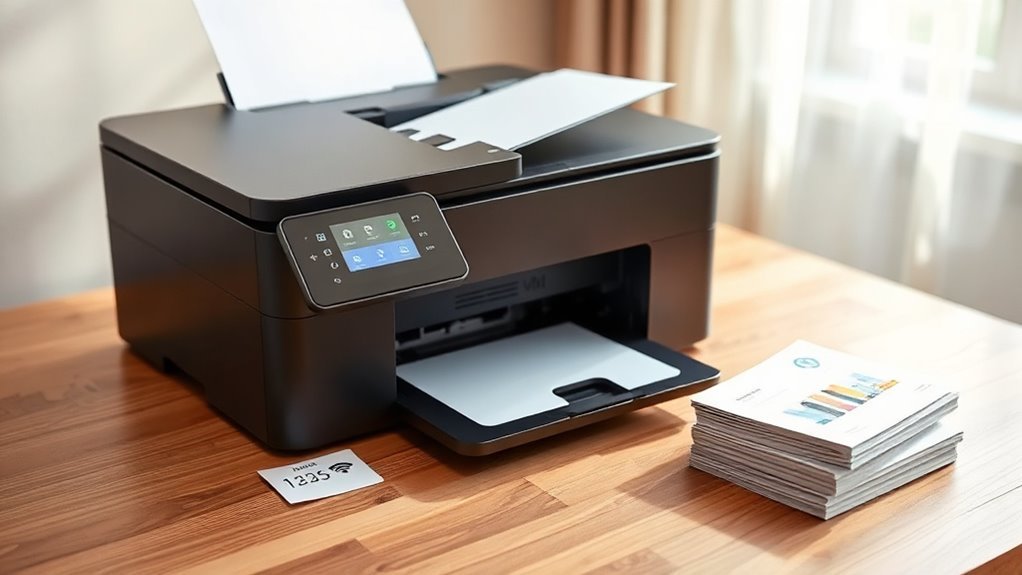
When choosing a cheap multifunction printer, you’ll want to think about print quality and how fast you need it to work. Don’t forget to check connectivity options and the ongoing costs of ink or toner.
Also, consider how much paper it can handle to match your daily printing needs. It’s all about finding the right balance between features and your budget.
Print Quality Expectations
Print quality plays a crucial role in choosing a cheap multifunction printer, especially if you need sharp text and vibrant images. For crisp black text, expect laser and high-yield inkjets to deliver resolutions between 600 and 1200 dpi with minimal banding.
Cheaper models may still offer acceptable clarity but could print slower. When it comes to color photos, look for consumer inkjets offering higher optical resolutions, up to 4800 × 1200 dpi, for smoother gradients and richer detail.
Basic dye-based models often produce muted colors and banding. Scanning quality is equally important—aim for at least 300–600 dpi and 24-bit color depth for clear archiving and accurate color reproduction.
Keep in mind that low-cost printers might show slight detail loss or color shifts in copies and inconsistent duplex print alignment. So, it’s good to weigh these factors when picking your printer.
Device Connectivity Options
After considering the print and scan quality you need, turn your attention to how the printer connects to your devices. Make sure it supports dual-band Wi-Fi (2.4 GHz and 5 GHz) to boost reliability and reduce interference, especially in busy networks.
If you prefer wired setups, look for USB and Ethernet ports—they offer faster, more secure connections and simplify sharing. For mobile printing, check if it supports AirPrint, Mopria, or vendor apps so you can print from smartphones or tablets without installing drivers.
If remote scanning or management matters, choose models with cloud scan/print features and companion apps that let you scan directly to email or cloud storage. Built-in network features like automatic Wi-Fi reconnection and guest access also make multi-user setups smoother.
Ink And Toner Costs
To get the most value from your multifunction printer, you’ll want to dig into ink and toner costs beyond the initial price tag. Compare the cost per page by dividing cartridge price by its page yield to understand true running expenses.
Monochrome laser printers usually offer a lower cost per page for black-and-white prints compared to color inkjets, thanks to toner efficiency. Look for refillable tank systems or high-yield cartridges—they may cost more upfront but markedly reduce your $/page over time.
Subscription plans can lower immediate costs but might lock you into strict pricing or minimums, so read terms carefully. Also, consider the availability of OEM and third-party consumables, as limited options can hike costs or affect reliability, impacting your overall printing budget.
Print Speed Requirements
When choosing a cheap multifunction printer, you’ll want to match its speed capabilities to your typical and peak printing demands to prevent frustrating delays. Start by estimating your monthly page volume and make certain the printer’s rated pages per minute (ppm) surpass your highest hourly needs—for instance, handling 20–30 ppm bursts if you occasionally print 30 pages at once.
Consider first-page-out time too; under 10 seconds is ideal for quick, intermittent prints. Keep in mind that color inkjets usually print slower than monochrome lasers, so if you mainly print text, opt for higher black ppm.
Also, factor in duplex and automatic document feeder speeds, as these affect multi-page jobs. Finally, check if speeds follow ISO standards and expect real-world performance to be 10–30% slower with mixed or high-quality prints.
Paper Handling Capacity
You’ll often find that paper handling capacity plays a crucial role in your printer’s efficiency and convenience. Start by checking the input tray capacity—typically between 50 and 250 sheets—to match your usual print volume and minimize refills.
Don’t overlook the output tray, which usually holds 50 to 120 sheets. It helps prevent jams or overflow during large jobs.
If you scan, copy, or fax multi-page documents, look for an automatic document feeder (ADF) with a capacity of 20 to 50 sheets for hands-free operation. Also, verify if the printer supports automatic duplexing, since two-sided printing can affect throughput and paper handling.
Finally, confirm supported paper sizes, media types, and maximum sheet weight limits to avoid feeding issues with specialty papers. It’s always good to double-check these details before making a decision.
Energy Efficiency Standards
Besides paper handling, energy efficiency plays a big role in keeping your multifunction printer both cost-effective and eco-friendly. Look for ENERGY STAR certification—it shows the printer meets EPA standards for low standby power and efficient operation.
Automatic duplex printing helps reduce paper use, while sleep and standby modes cut down idle energy consumption. Compare typical and maximum power consumption to estimate ongoing energy costs.
Printers with low-warmup or instant-on fusing technology save energy during intermittent printing by heating up faster. Also, check toner or ink efficiency, measured in pages per kWh or high-yield consumable yields, to see how effectively the printer uses energy per page.
These features guarantee you save money and reduce your environmental impact over time. It’s really worth paying attention to these details when choosing your next printer!
Durability And Build
Although cheap multifunction printers often prioritize affordability, durability and build quality remain essential factors to keep in mind. You should check the rated monthly duty cycle to make sure the printer can handle your expected workload without premature wear.
Opt for models with metal or reinforced paper-path components and a sturdy chassis. Plastic gears and flimsy trays tend to break down faster under frequent use, so it’s best to avoid those.
Also, consider the size of the auto document feeder and paper trays. Undersized capacities mean more frequent refills, which can increase wear over time.
Look for user-replaceable consumables and easy access to clear paper jams. These features help reduce downtime and cut maintenance costs.
Finally, review warranty length and local service availability. These are good indicators of the printer’s expected longevity and how easy it will be to get repairs done when needed.
Mobile Printing Features
Durability and build quality keep your printer running longer, but how you connect and use it matters just as much. When choosing a cheap multifunction printer, make sure it supports common mobile protocols like AirPrint, Mopria, or its own app.
This lets you print directly from smartphones and tablets without installing extra drivers. Look for dual-band Wi-Fi (2.4 GHz and 5 GHz) to boost connection reliability and reduce drops.
Check if the mobile app allows scanning, cropping, and sending multi-page PDFs or cloud uploads right from your phone. Also, confirm it supports cloud printing and printing from web pages or attachments without a PC.
Don’t forget security: opt for password-protected Wi-Fi setup, encrypted transmission, and user authentication to keep your documents safe during mobile printing. It’s really important to keep your info secure when you’re printing on the go.
Frequently Asked Questions
How Do I Recycle Ink Cartridges From These Printers?
You can recycle ink cartridges by returning them to the manufacturer’s program, dropping them off at local recycling centers, or using mail-in services.
Many stores also offer free cartridge recycling bins—just check their guidelines before dropping yours off.
It’s pretty easy once you know where to go. Just make sure to follow any specific instructions they have!
Can These Printers Print on Specialty Paper Like Labels or Cardstock?
You’ll be glad to know over 70% of multifunction printers can handle specialty paper like labels and cardstock. Just check your printer’s specs to confirm supported weights and sizes.
Then, adjust the settings for smooth, high-quality prints. It’s pretty straightforward once you get the hang of it!
What Is the Average Lifespan of These Multifunction Printers?
You can expect these multifunction printers to last around 3 to 5 years with regular use. Proper maintenance and avoiding heavy-duty tasks will help you get the most out of their lifespan before needing a replacement.
That said, if you take good care of your printer, it might even last a bit longer. Just don’t push it too hard, and you’ll be fine!
Are These Printers Compatible With Both Windows and Mac Operating Systems?
Yes, these printers are compatible with both Windows and Mac operating systems. You’ll find drivers and software for both platforms, so you won’t have trouble connecting or using them regardless of your computer’s OS.
It’s pretty straightforward to get them up and running. Whether you’re on a Mac or a PC, setting things up is hassle-free.
Do These Printers Support Direct Printing From Smartphones Without Wi-Fi?
You might think direct smartphone printing without Wi-Fi isn’t possible, but many of these printers support USB or Bluetooth connections.
Conclusion
Imagine your workspace humming smoothly, papers flowing effortlessly as your multifunction printer handles every task with ease and speed. Whether you’re scanning, copying, or printing vibrant photos or sharp documents, the right budget-friendly printer keeps your creativity and productivity alive without breaking the bank.
Choosing one of these top picks means you’ll enjoy seamless efficiency and crisp results. It’s all about turning everyday chores into satisfying moments of accomplishment.
Your perfect printer is ready to simplify your life. With the best cheap multifunction printers for 2027, you get reliable performance, versatility, and affordability all in one. So, why settle for less when you can have a printer that makes work easier and more enjoyable? These budget-friendly options prove that quality and functionality don’t have to come with a hefty price tag. Dive into your next project confidently, knowing your printer can handle it all smoothly.