8 best cheap monochrome laser printer 2026
You want a fast, reliable monochrome laser printer that fits small spaces without overspending. Finding the best cheap monochrome laser printer in 2026 means balancing speed, quality, and affordability. Luckily, there are plenty of options that deliver sharp prints without breaking the bank.
The Canon imageCLASS LBP122dw offers sharp duplex printing, perfect for double-sided documents. Meanwhile, the Brother HL-L2460DW packs high speed and ENERGY STAR efficiency to save you time and energy.
For all-in-one needs, check out the HP LaserJet M140w or Canon MF273dw. Small teams might prefer the secure HP M209dw. Each model balances speed, connectivity, and paper handling to fit your workflow. Keep exploring to find the perfect match.
| Image | Name | Editor's Rating | Price |
|---|---|---|---|

|
|
||

|
|
||

|
|
||

|
|
||

|
|
Brother HL-L2405W Wireless Monochrome Laser Printer
- BEST FOR HOMES & HOME OFFICES – Engineered for consistent, premium print quality, the Brother HL-L2405W Monochrome (Black & White) Laser Printer delivers sharp, crisp...
- COMPACT, CONNECTED PRINTER – Flexible connection options make this an ideal printer for home use and at-home offices. Securely connect to multiple devices with built-in...
- BROTHER MOBILE CONNECT APP – Manage your printer remotely and print from your mobile device anytime, from almost anywhere. Order Brother Genuine Supplies, track toner...
- VERSATILE PAPER HANDLING – Enjoy seamless, reliable everyday printing with the 250-sheet paper tray(4) and a manual feed slot that enables printing on envelopes and...
- BROTHER IS AT YOUR SIDE – Backed by Brother with a 1-year limited warranty and free online, call, or live chat support for the life of your printer

The Brother HL-L2405W is a compact monochrome laser printer designed to fit seamlessly on your desktop. It addresses the need for fast, reliable black-and-white printing in home offices and small workspaces. With a printing speed of up to 30 pages per minute, it helps you complete tasks quickly without compromising on sharp, clear text quality.
This model supports dual-band wireless connectivity, allowing easy printing from laptops, smartphones, and tablets. Its compact design includes a 250-sheet paper capacity, reducing the frequency of reloads and supporting uninterrupted workflows. Manual duplexing enables double-sided printing, helping save paper and reduce clutter.
Maintenance is straightforward with the Brother Mobile Connect app, which simplifies remote management and toner tracking. This feature helps you stay informed about printer status and toner levels, preventing unexpected interruptions. Though it lacks scanning and copying functions, it excels in efficient, dedicated monochrome printing.
Best for: individuals and small home office users seeking a compact, efficient, and affordable monochrome laser printer with wireless capabilities for everyday black-and-white document printing.
What We Like:
- Fast printing speed with sharp 1200 x 1200 dpi resolution
- Dual-band wireless connectivity for versatile device support
- Compact design with 250-sheet capacity and manual duplexing
- Easy maintenance via Brother Mobile Connect app
Specification:
| Feature | Details |
|---|---|
| Manufacturer | Brother |
| Dimensions (W×D×H) | 14 x 14.2 x 7.2 inches (35.6 x 36.1 x 18.3 cm) |
| Weight | 14.1 lbs (6.4 kg) |
| Color Options | White |
| Connectivity | Dual-band wireless (2.4/5 GHz) |
HP LaserJet M234sdw Monochrome Laser Printer | All-in-One
No products found.
The HP LaserJet M234sdw is designed to streamline printing tasks for small teams. It delivers fast, monochrome printing and copying at speeds up to 30 pages per minute. This helps reduce wait times and keeps workflows moving efficiently.
Its automatic two-sided printing saves paper and time, making it ideal for busy office environments. The built-in 40-page auto document feeder enhances productivity by simplifying scanning and copying tasks. This all-in-one printer handles multiple functions without taking up much space.
Connectivity is flexible with options for dual-band Wi-Fi, Ethernet, and mobile printing through the HP Smart app. These features make it easy to print from various devices, whether wired or wireless. The compact design fits well in small workspaces, supporting teams with limited room.
Maintenance is straightforward, though the initial toner cartridge yields about 700 pages. Users in high-volume settings may need to replace toner more frequently. The printer supports up to 150 sheets, which suits moderate printing demands but might require refilling during heavy use.
Best for: Small teams or offices with 1–5 users needing fast, reliable monochrome printing, copying, and scanning with flexible connectivity options.
What We Like:
- Fast print speeds with automatic duplex printing
- Efficient all-in-one design with a 40-page auto document feeder
- Multiple connectivity options including dual-band Wi-Fi and Ethernet
- Compact size ideal for limited office space
Specification:
| Feature | Details |
|---|---|
| Manufacturer | HP |
| Dimensions (W×D×H) | Approx. 16.1 × 14.0 × 10.1 inches (41 × 35.6 × 25.7 cm) |
| Weight | Approx. 15.4 lbs (7 kg) |
| Color Options | Monochrome (Black and White) |
Brother HL-L2460DW Wireless Monochrome Laser Printer
- BEST FOR HOME OFFICES & SMALL TEAMS – Engineered for consistent, premium print quality, the Brother HL-L2460DW Monochrome (Black & White) Laser Printer produces...
- COMPACT, CONNECTED, EXCEPTIONALLY EFFICIENT– Connect with built-in dual-band wireless (2.4GHz/5GHz), Ethernet, or to a single computer via USB interface. Prints at...
- BROTHER MOBILE CONNECT APP – Manage your wireless printer remotely and print from your mobile device anytime, from almost anywhere. Order Brother Genuine Supplies...
- VERSATILE PAPER HANDLING – Tackle high-volume black & white printing with the 250-sheet capacity paper tray.(4) The manual feed slot enables printing on envelopes and...
- BROTHER IS AT YOUR SIDE – Backed by Brother with a 1-year limited warranty and free online, call, or live chat support for the life of your printer
Experience efficient, high-speed black-and-white printing with the Brother HL-L2460DW. This compact laser printer tackles everyday printing tasks quickly, helping you save time and keep your workspace clutter-free.
Designed for seamless integration, it supports dual-band wireless, Ethernet, and USB connections. This flexibility lets you print from laptops, tablets, or smartphones without hassle. The automatic duplex feature reduces paper use and streamlines double-sided printing.
Maintenance is straightforward with a 250-sheet paper tray that minimizes refills. The Brother Mobile Connect app enhances convenience by allowing remote printer management and supply monitoring. ENERGY STAR certification ensures it runs efficiently while maintaining strong security to protect your data.
Though it only prints in monochrome, this printer is ideal for users focused on crisp, clear text documents. It lacks scanning or copying functions, so it best serves those needing a simple, reliable print solution.
Best for: Small offices or individuals needing fast, dependable black-and-white printing with versatile connectivity and easy upkeep.
What We Like:
- Fast print speed up to 36 ppm with sharp 1200 x 1200 dpi resolution
- Multiple connectivity options including dual-band wireless, Ethernet, and USB
- Automatic duplex printing saves paper and time
- Large 250-sheet tray reduces paper refills
- Remote management through Brother Mobile Connect app
Specification:
| Feature | Details |
|---|---|
| Manufacturer | Brother |
| Dimensions | 14 x 14 x 7.2 inches |
| Weight | 16.5 lbs (7.5 kg) |
| Print Technology | Monochrome Laser |
| Connectivity | Dual-band Wi-Fi, Ethernet, USB |
| Paper Capacity | 250 sheets |
| Print Speed | Up to 36 pages per minute |
Canon imageCLASS LBP6030w Wireless Monochrome Laser Printer
- FAST PRINT SPEEDS: Print up to 19 pages per minute.
- COMPACT DESIGN: Space-saving, compact design fits anywhere in your home, school or small office.
- WIRELESS CONNECTIVITY: Print from almost anywhere in your workspace using your compatible mobile device.
- PAPER CAPACITY: Up to 150 sheets.
- SUSTAINABILITY: Uses less than 2 watts in Energy Saver mode.
Experience hassle-free printing with the Canon imageCLASS LBP6030w, designed to meet the needs of home offices and small businesses. Its wireless functionality eliminates cable clutter, allowing you to print from anywhere in your space. This monochrome laser printer delivers sharp, professional-quality text at a steady speed of up to 19 pages per minute.
The compact design fits comfortably on any desk, making it ideal for limited workspaces. Maintenance is straightforward thanks to a simple setup and a 150-sheet input tray that holds both standard and legal-size paper. Energy-saving modes help reduce power consumption during idle times, supporting an eco-friendly work environment.
This printer is built for efficiency, producing the first page in about 8 seconds to keep your workflow moving smoothly. Its direct mobile printing compatibility means you can send documents from your smartphone or tablet without the need for a computer. However, it is a print-only device, offering no scanning or copying functions.
While it excels in speed and convenience, note that it only prints in black and white and has a modest paper capacity. These features make it a practical choice for users focused on monochrome document printing without extra multifunctional needs.
Best for: Small businesses and individuals seeking a reliable, wireless monochrome laser printer that saves space and simplifies document production.
What We Like:
- Wireless printing with mobile device support for added flexibility
- Fast printing speed with quick first-page output
- Compact, lightweight design fits small work areas
- Energy-saving mode reduces power use during downtime
Specification:
| Feature | Details |
|---|---|
| Manufacturer | Canon |
| Dimensions | Not specified |
| Weight | 11 lb (approx. 5 kg) |
| Printing Technology | Monochrome Laser |
| Print Speed | Up to 19 pages per minute |
| Resolution | 600 x 600 dpi |
| Paper Capacity | 150-sheet input tray |
| Connectivity | Wi-Fi, USB |
Canon imageCLASS LBP122dw – Wireless Monochrome Duplex Laser Printer
- Wireless, duplex printer (print-only)
- Fast print speeds up to 30 pages per minute (black and white)
- Print on-the-go with Canon PRINT app and more.
- Uses Canon GENUINE Toner 071 / 071 high-capacity
- Compact design fits almost anywhere in your home, great for home use and personal printing
Experience efficient and reliable monochrome printing with the Canon imageCLASS LBP122dw. Designed to enhance productivity, this wireless laser printer delivers sharp black-and-white documents quickly, helping you manage tasks without delay. Its automatic duplex printing reduces paper use, making your workflow both faster and more eco-friendly.
The compact design fits neatly on any desk, saving valuable workspace. Wireless connectivity allows easy printing from smartphones and tablets through the Canon PRINT app. This seamless integration means you can print important documents without needing a computer.
Maintenance is straightforward with genuine Canon Toner 071 cartridges, which provide consistent quality and minimize print issues. While it is a print-only device without scanning or faxing features, it focuses on delivering reliable, high-speed monochrome output for personal or home office use.
Best for: Home users and individuals seeking a compact, fast, and wireless monochrome printer with automatic duplex printing for personal use.
What We Like:
- Fast printing speeds up to 30 pages per minute.
- Automatic two-sided printing saves paper.
- Wireless printing via Canon PRINT app.
- Compact footprint ideal for small spaces.
- Consistent output with genuine Canon toner cartridges.
Specification:
| Feature | Details |
|---|---|
| Manufacturer | Canon |
| Dimensions | Approx. 15.7 x 14.3 x 8.7 in |
| Weight | Approx. 14.3 lb (6.5 kg) |
| Printing Technology | Monochrome Laser |
| Connectivity | Wireless (Wi-Fi), USB |
| Toner Cartridge | Canon Toner 071 (Black) |
Canon imageCLASS MF273dw Wireless Monochrome Printer
- Wireless 3-in-1: Print | Copy | Scan
- Print up to 30 Pages Per Minute (BW, Letter)
- First Print Out in Approximately 5.3 Seconds (Letter)
- Auto 2-sided Printing
- Uses Toner 071 / 071 High-Capacity Toner
The Canon imageCLASS MF273dw is a dependable monochrome printer designed to simplify your daily printing tasks. Ideal for home offices and small businesses, it offers fast and clear printing, copying, and scanning to keep your workflow smooth and efficient. With print speeds up to 30 pages per minute and sharp 2400 x 600 dpi resolution, it quickly handles documents without compromising quality.
This wireless laser multifunction printer reduces clutter with multiple connection options like Wi-Fi, Wi-Fi Direct, and USB. Its intuitive LCD display allows easy remote control, making it simple to manage tasks without hassle. Auto-duplexing helps you save paper by automatically printing on both sides, contributing to a more sustainable workspace.
Maintenance is straightforward with a 150-sheet input tray, though it may require frequent refills in high-volume settings. The starter cartridge yields around 700 pages, so timely replacement ensures continuous operation. Energy Star certification highlights its efficiency, keeping power consumption low while supporting your productivity.
Best for: individuals or small offices needing a reliable, efficient monochrome multifunction printer with wireless connectivity and automatic duplexing.
What We Like:
- Fast print and copy speeds with high-resolution output
- Versatile wireless connectivity and easy remote operation
- Automatic two-sided printing to reduce paper use
- Compact design suitable for limited spaces
- Energy-efficient operation
Specification:
| Feature | Details |
|---|---|
| Manufacturer | Canon |
| Dimensions | 16.5 x 15.7 x 13.1 in |
| Weight | 24.3 lb (11 kg) |
| Color Options | White and Dark Gray |
| Print Speed | Up to 30 ppm |
| Resolution | 2400 x 600 dpi |
| Connectivity | Wi-Fi, Wi-Fi Direct, USB |
| Paper Capacity | 150 sheets |
HP Laserjet MFP M140w Wireless All-in-One Printer
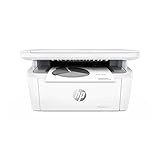
- All-in-One Functionality: The HP LaserJet MFP M140w offers the convenience of printing, copying, and scanning in a single, compact device, saving valuable space in your...
- Wireless Connectivity for Easy Printing: Enjoy the flexibility of wireless printing with seamless Wi-Fi connectivity. You can easily print documents from your phone...
- Fast, High-Quality Monochrome Printing: Achieve clear, sharp, black-and-white prints with fast print speeds, making this printer perfect for handling high-volume tasks...
- Effortless Setup and User-Friendly Operation: The HP LaserJet MFP M140w is designed for quick and simple setup. With a user-friendly interface, you'll be up and running...
- Energy-Efficient with Auto-On/Off Technology: Save on energy costs with HP’s Auto-On/Off technology, which automatically powers the printer on when you send a print job...
The HP LaserJet MFP M140w is designed to simplify your printing tasks at home or in a small office. Its compact size fits easily in tight spaces, while delivering clear, sharp monochrome prints quickly. This model handles printing, scanning, and copying, reducing the need for multiple devices and saving you space.
Wireless connectivity allows you to print directly from your smartphone or laptop using the HP Smart app. This feature eliminates the hassle of cables and makes printing more flexible. The printer’s energy-efficient Auto-On/Auto-Off technology helps lower power use, making it an eco-conscious choice.
Maintenance is straightforward with a flatbed scanner and a simple paper tray that holds up to 150 sheets. The monochrome output focuses on essential documents, ensuring consistent quality without unnecessary color options.
While it doesn’t support color printing and offers a modest paper capacity, this all-in-one is ideal for users who need reliable, fast black-and-white printing with easy mobile integration.
Best for: Home users and small offices seeking a compact, efficient monochrome all-in-one printer with wireless features.
What We Like:
- Sharp 600 dpi prints at 21 pages per minute
- Wireless printing via HP Smart app for convenience
- Energy-saving Auto-On/Auto-Off technology
Specification:
| Feature | Details |
|---|---|
| Manufacturer | HP |
| Dimensions | 15.4 x 14.2 x 8.7 in (39.1 x 36.1 x 22.1 cm) |
| Weight | Under 12 lbs (approx. 5.4 kg) |
| Color | White |
| Print Speed | 21 ppm (monochrome) |
| Print Resolution | 600 dpi |
| Paper Capacity | 150 sheets |
HP LaserJet M209dw Monochrome Laser Printer

- HP LaserJet M209dw Wireless Printer, Print, Fast speeds, Easy setup, Mobile printing, Best-for-small teams, Instant Ink eligible
- Perfect for small teams printing black & white documents and reports, plus auto two-sided printing. Perfect for 1-5 people
- FASTEST TWO-SIDED PRINTING IN ITS CLASS – Up to 30 black-and-white pages per minute single-sided, u up to 19 black-and-white images per minute two-sided printing
- DUAL-BAND WI-FI WITH SELF-RESET – Automatically detects and resolves connectivity issues
- STRONG SECURITY – Built-in security features help protect your printer from potential attacks
The HP LaserJet M209dw is designed to meet the needs of small teams requiring reliable black-and-white printing. It delivers fast single-sided prints at up to 30 pages per minute, helping reduce wait times and keep workflows moving smoothly. Duplex printing runs at 19 images per minute, ideal for creating double-sided reports without hassle.
Setup is straightforward, thanks to dual-band Wi-Fi and a self-reset feature that automatically resolves connectivity problems. This ease of use minimizes downtime and frustration, making it simple to integrate the printer into busy office environments. Mobile printing support further streamlines tasks by allowing direct printing from smartphones and tablets.
Maintenance is low effort with built-in security features that help protect sensitive information and prevent unauthorized access. The printer also supports instant ink services to manage printing costs efficiently, ensuring you only pay for what you use. Its monochrome laser technology focuses on crisp text, perfect for everyday documents and professional reports.
While the M209dw excels in speed and convenience for small groups, its limitation to black-and-white printing means it’s not suitable for color projects. Duplex printing is slower than single-sided output, which could affect efficiency for high-volume double-sided jobs.
Best for: Small teams of 1–5 people who need consistent and efficient monochrome printing for documents and reports.
What We Like:
- Fast single-sided printing at up to 30 ppm
- Easy wireless setup with dual-band Wi-Fi and self-reset
- Mobile device printing for on-the-go convenience
- Built-in security to protect sensitive documents
- Supports instant ink for cost-effective printing
Specification:
| Feature | Details |
|---|---|
| Manufacturer | HP |
| Dimensions | Not specified |
| Weight | Not specified |
| Printing Speed | Up to 30 ppm (single-sided) |
| Duplex Speed | 19 ipm |
| Connectivity | Dual-band Wi-Fi |
| Color Capability | Monochrome only |
Factors to Consider When Choosing a Cheap Monochrome Laser Printer 2026
When choosing a cheap monochrome laser printer, you’ll want to focus on print speed, connectivity options, and print quality to match your needs.
Don’t forget to check if it offers duplex printing and can handle the paper volume you expect. These factors will help you find a reliable printer without overspending.
Print Speed Importance
Often, print speed plays a crucial role in choosing a cheap monochrome laser printer, especially if you want your documents ready without delays. You should match the printer’s pages per minute (ppm) to your daily print volume—20–30 ppm works well for light personal use, while small offices benefit from 30+ ppm to reduce wait times during busy periods.
Don’t overlook first-page-out time; a low value speeds up frequent short jobs. Also, check the monthly duty cycle and real-world tests to make certain the printer maintains its speed under heavy loads.
Keep in mind faster printers might use more power and generate extra noise and heat, so balance speed with energy efficiency and operating costs to find the right fit for your needs. It’s all about finding that sweet spot between speed and practicality.
Connectivity Options Available
Choosing the right connectivity options can make a big difference in how smoothly your monochrome laser printer fits into your workflow. Dual-band Wi-Fi (2.4 GHz and 5 GHz) improves wireless range and cuts interference, especially on busy networks.
If you share your printer in a small office, Ethernet offers a more reliable, low-latency connection than Wi-Fi. For direct setups or single-computer use, USB 2.0 or newer ports are essential.
Wi-Fi Direct lets you print from mobile devices without joining a network, which is super handy for guests or smartphones. Don’t overlook cloud and mobile-printing support like AirPrint or Mopria if you want to print from apps or cloud services.
Just make sure your printer supports the right protocols and has internet access for these features to work smoothly. It really makes a difference in keeping everything running without a hitch.
Print Quality Standards
Although price is a key factor, you shouldn’t overlook print quality standards when selecting a cheap monochrome laser printer. Aim for a maximum print resolution of at least 600 x 600 dpi—1200 x 1200 dpi is even better for sharp text and fine detail.
Don’t just check print speed; also consider the first-page-out time, ideally between 5 to 9 seconds, for faster single-page jobs. It really makes a difference when you need quick prints.
Evaluate toner yield alongside effective DPI to make certain your prints stay crisp and consistent over thousands of pages without banding. Also, pay attention to image rendering features, since aggressive toner-saving modes can reduce contrast and line sharpness.
These factors together make certain you get clear, professional-looking documents without sacrificing affordability or reliability. So, it’s worth keeping them in mind when you shop around.
Duplex Printing Capability
When you print frequently, automatic duplex capability can cut your paper use by up to half, saving both money and resources. Unlike manual duplexing, which requires flipping pages yourself and slows things down, automatic duplexing handles two-sided printing seamlessly.
Keep in mind, duplex printing often halves the effective pages-per-minute speed compared to single-sided jobs. Also, it can increase wear on the duplex mechanism and raise your printer’s monthly duty cycle, so check the rated duty cycle and warranty if you print heavily.
If you use mixed media like envelopes or thick paper, verify the printer supports duplexing those materials. While automatic duplex adds some cost and size, its paper savings usually outweigh that, making it a smart feature to prioritize when choosing a budget monochrome laser printer.
Paper Handling Capacity
Automatic duplex printing saves paper and time, but it’s only part of the equation for smooth printing. You need to check the input tray capacity—typically between 150 and 250 sheets—to make sure it matches your weekly print volume without constant refills.
Don’t overlook the output tray, which usually holds 50 to 150 sheets. A too-small tray risks jams or overflow during large jobs.
If you print envelopes, labels, or various media sizes, confirm the printer offers manual feed slots or multipurpose trays for hassle-free switching.
Also, verify the maximum media size and tray flexibility, ensuring it supports letter, legal, envelopes, or cardstock without misfeeds. Proper paper handling capacity keeps your workflow efficient and prevents interruptions.
Mobile Printing Features
How do you make sure your monochrome laser printer keeps up with your mobile lifestyle? First, choose a printer that supports multiple mobile printing protocols like AirPrint, Mopria, and its own app. This guarantees seamless printing from both iOS and Android devices without installing drivers.
Dual-band Wi-Fi (2.4 GHz and 5 GHz) and Wi-Fi Direct improve connection speed and reliability, especially in busy networks. Look for a companion app offering remote setup, cloud printing, toner monitoring, and job management to streamline tasks.
If you handle sensitive documents, verify secure printing options such as PIN release or encrypted connections. Finally, check compatibility with voice assistants and cloud services for hands-free and cloud-based access. This makes mobile printing effortless and efficient wherever you are.
Energy Efficiency Ratings
Although price often takes center stage, energy efficiency should play a key role in your choice of a cheap monochrome laser printer for 2026. Look for Energy Star certification, preferably the latest version like Energy Star 3.0, which demands lower standby and active power use.
Check the printer’s power draw: aim for idle or sleep power under 1–2 W and active printing power between 200–500 W to save on electricity costs. Review the TEC or annual energy consumption ratings to estimate your yearly expenses based on your printing volume.
Choose models with quick wake-up times and efficient sleep modes to minimize energy wasted during frequent short jobs. Also, features like automatic duplexing and toner-save modes help reduce paper and toner use, indirectly cutting overall energy consumption.
Frequently Asked Questions
How Do Monochrome Laser Printers Compare to Inkjet Printers?
You’ll find monochrome laser printers faster and more cost-effective for black-and-white printing. They really shine when you need to crank out a lot of text quickly.
On the other hand, inkjets offer better color quality but cost more per page. So, if you’re after vibrant images, inkjets are the way to go. Laser printers suit heavy text tasks, and inkjets excel at vibrant images.
What Is the Average Lifespan of a Monochrome Laser Printer?
You might picture a monochrome laser printer as a reliable workhorse, and you’d be right—it typically lasts 5 to 7 years.
With regular use and maintenance, you’ll get thousands of pages before needing a replacement.
It’s pretty impressive how these printers keep going strong for so long. Just keep up with the basics, and they won’t let you down!
Are Monochrome Laser Printers Eco-Friendly?
Yes, monochrome laser printers can be eco-friendly since they use less energy and toner compared to color printers.
You’ll save resources by printing only in black and white, reducing waste and environmental impact overall. It’s a simple way to be more environmentally conscious without changing how you work.
Can I Print Photos With a Monochrome Laser Printer?
You can print photos with a monochrome laser printer, but it’s like painting a sunset in shades of gray—it captures details but misses colors.
Your black-and-white images will be sharp, but vibrant hues won’t appear.
How Do Toner Cartridges Differ From Ink Cartridges?
Toner cartridges use powdered toner, while ink cartridges hold liquid ink. You’ll notice toner doesn’t smudge and lasts longer, making it great for sharp text.
Ink cartridges are better for vibrant color photos and detailed images. They really bring out the fine details and rich colors you want in pictures.
Conclusion
Choosing the best cheap monochrome laser printer in 2026 doesn’t have to feel like decoding hieroglyphics. You’ll want to focus on speed, wireless capabilities, and cost efficiency to get the most bang for your buck.
Whether you’re working from a home office or a bustling startup, these options deliver reliable performance without breaking the bank. So, don’t hesitate—grab the printer that fits your needs and start printing like it’s 1999!
When shopping for a cheap monochrome laser printer, consider models that balance affordability with quality. Look for features like fast print speeds, easy wireless setup, and low running costs. These factors ensure you get a printer that’s both budget-friendly and efficient.
In 2026, the best cheap monochrome laser printers offer smart connectivity and durable builds, making them ideal for everyday use. Whether you need a printer for occasional documents or heavy workloads, there’s a model out there that matches your requirements without stretching your budget. So, dive in and find the perfect budget-friendly monochrome laser printer to keep your printing smooth and cost-effective all year long!