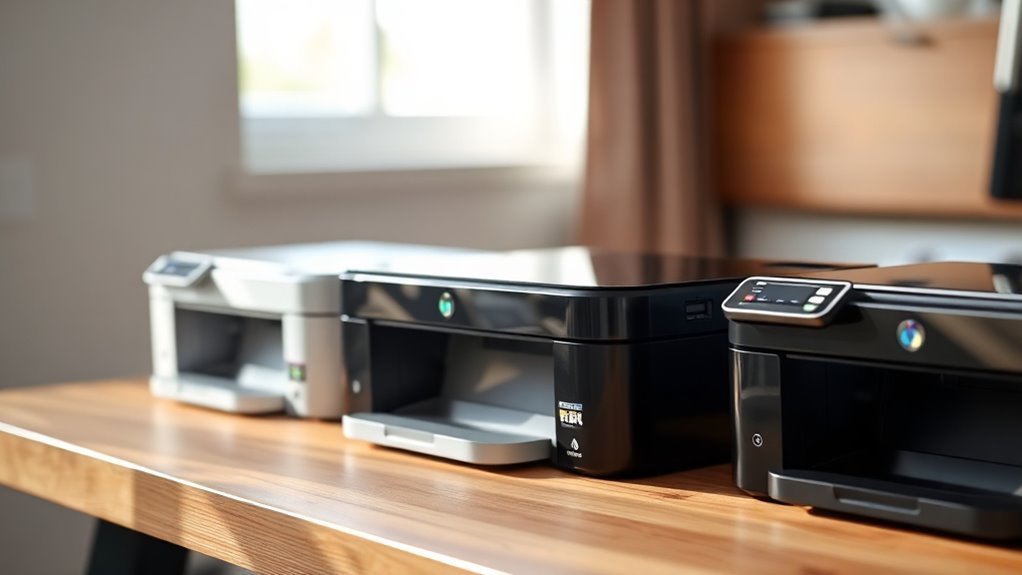
3 Best Cheap Inkjet Printers for 2027
You’ll find the HP DeskJet 2923 great for compact, wireless all-in-one use, perfect for everyday home printing with automatic ink delivery. It’s super easy to set up and fits nicely in small spaces.
The Canon PIXMA TS4320 offers sharp 1200 dpi prints and duplexing, ideal for hybrid workers wanting versatile functionality. Whether you’re printing documents or photos, it handles both with ease.
For vibrant photos and voice-activated printing, the Epson XP-4205 fits well in small offices or homes. It’s a great pick if you want convenience and quality without spending a fortune.
Each balances affordability with features, so keep exploring to find which suits your printing needs best. Finding a cheap inkjet printer that works for you is easier than you think!
| Image | Name | Editor's Rating | Price |
|---|---|---|---|

|
|
||

|
|
||

|
|
HP DeskJet 2923 Color Inkjet Printer | Wireless | All-in-One
- Perfect for basic printing needs – Print everyday color documents like to-do lists, letters, financial documents and recipes
- KEY FEATURES – Color print, copy, scan, and a 60-sheet input tray, plus mobile and wireless printing
- OPTIMIZE PRINT FORMATTING WITH HP AI – Print web pages and emails with precision—no wasted pages or awkward layouts; HP AI easily removes unwanted content, so your...
- ICON LCD – Print your basic documents with ease from the intuitive control panel
- PRINT SPEED – Up to 7.5 ppm black, 5.5 ppm color

If you need a compact printer that can handle all your home office tasks, the HP DeskJet 2923 is a reliable solution. It simplifies everyday printing, copying, and scanning with easy-to-use controls and wireless connectivity. This all-in-one device fits neatly into small spaces without sacrificing functionality.
The printer’s 60-sheet input tray helps manage moderate print volumes, while dual-band Wi-Fi keeps your workflow smooth and flexible. You can print and scan directly from your smartphone using the HP App, making it easier to stay productive on the go.
Maintenance is straightforward with automatic ink delivery through the Instant Ink subscription, ensuring you never run out of ink. The eco-friendly design uses recycled plastics and is ENERGY STAR certified, supporting sustainable choices for your home office.
While the print speed is moderate and the input tray capacity is limited, the DeskJet 2923 meets the needs of everyday color printing without overwhelming complexity.
Best for: Home users needing a compact, wireless all-in-one printer for routine color printing, scanning, and copying.
What We Like:
- User-friendly icon LCD control panel for easy operation
- Wireless dual-band Wi-Fi and HP App support mobile printing and scanning
- Eco-conscious design with recycled materials and ENERGY STAR certification
- Automatic ink delivery via Instant Ink subscription after trial period
Specification:
| Feature | Details |
|---|---|
| Manufacturer | HP |
| Dimensions | Compact size (exact size not provided) |
| Weight | Not specified |
| Material | Includes recycled plastics |
| Color Options | Standard (not specified) |
Canon PIXMA TS4320 – Wireless Color Inkjet Printer with Print, Copy, Scan
- Affordable Versatility - A budget-friendly all-in-one printer perfect for both home users and hybrid workers, offering exceptional value
- Crisp, Vibrant Prints - Experience impressive print quality for both documents and photos, thanks to its 2-cartridge hybrid ink system that delivers sharp text and vivid...
- Effortless Setup & Use - Get started quickly with easy setup for your smartphone or computer, so you can print, scan, and copy without delay
- Reliable Wireless Connectivity - Enjoy stable and consistent connections with dual-band Wi-Fi (2.4GHz or 5GHz), ensuring smooth printing from anywhere in your home or...
- Scan & Copy Handling - Utilize the device’s integrated scanner for efficient scanning and copying operations
The Canon PIXMA TS4320 is designed to make printing, copying, and scanning simple and efficient for home users and hybrid workers. Its compact design fits easily on desks or shelves, saving space without sacrificing functionality. This all-in-one printer handles everyday tasks with ease, offering sharp prints and clear scans.
Wireless connectivity options like dual-band Wi-Fi and mobile app support let you print directly from smartphones or tablets. This helps reduce cable clutter and allows flexible placement around your workspace. The printer supports duplex printing, cutting paper use in half for more eco-friendly operation.
Maintenance is straightforward with a single 100-sheet tray that accommodates various media, including card stock and glossy photo paper. While the paper capacity is modest, it suits light to moderate printing needs well. The PIXMA TS4320 delivers crisp 1200 dpi resolution and prints black-and-white pages at a decent speed of 14 ppm.
Its blend of versatile features and easy upkeep makes it a practical choice for users who need reliable color printing without the complexity of professional office machines. However, those with high-volume demands might find its speed and capacity limiting.
Best for: Home users and hybrid workers seeking a compact, versatile, and wireless all-in-one printer for light to moderate printing, copying, and scanning tasks.
What We Like:
- Compact size fits small spaces without sacrificing function.
- Supports duplex printing and diverse paper types.
- Easy wireless and mobile connectivity with dual-band Wi-Fi.
- Clear, sharp prints with 1200 dpi resolution.
- Simple maintenance with a single 100-sheet paper tray.
Specification:
| Feature | Details |
|---|---|
| Manufacturer | Canon |
| Dimensions (W x D x H) | 14.5 x 12.7 x 5.0 inches |
| Weight | 9.3 lb (4.2 kg) |
| Print Resolution | Up to 1200 dpi |
| Paper Capacity | 100 sheets |
| Connectivity | Dual-band Wi-Fi, USB, Mobile apps |
Epson Expression Home XP-4205 Wireless Color All-in-One Inkjet Printer
- Remarkable Print Quality for Home and Photo Printing — Epson’s leading-edge imaging technology produces crisp documents, vibrant borderless photos with rich colors...
- Stress-Free Setup and Operation — Large 2.4" color display for effortless navigation, plus easy installation and operation through your smartphone or tablet using the...
- Convenient Connectivity — Supports easy wireless connections and printing from Android or iOS devices (2)
- Engineered for Reliability — Consistently delivers high-quality prints with heat-free technology and a permanent printhead designed to last the life of the printer
- Easy, Affordable Printing — Individual ink cartridges make it easy to only replace the ink you need
Experience hassle-free printing with the Epson Expression Home XP-4205, designed to simplify your daily tasks. This wireless all-in-one printer combines printing, scanning, and copying, making it a versatile solution for home or small office needs. It helps you save time and space while delivering quality results.
The XP-4205 supports hands-free printing through Alexa and Siri voice commands, adding convenience to your workflow. Connect easily via Wi-Fi or the Epson Smart Panel app, allowing you to print directly from your smartphone or tablet without complicated setups.
With a sharp 5760 x 1440 dpi resolution, your documents and photos come out vibrant and detailed. Automatic two-sided printing reduces paper waste and boosts efficiency. The compact design and a 2.4-inch color LCD screen keep operation straightforward and accessible.
Maintenance is simple with individual Claria T232 ink cartridges, ensuring you only replace colors as needed. Although the 100-sheet input tray requires occasional refills and print speeds are moderate, the XP-4205 balances functionality with ease of use.
Best for: Individuals or small offices needing a reliable, wireless all-in-one printer with scanning and copying functions.
What We Like:
- Crisp print resolution up to 5760 x 1440 dpi
- Automatic duplex printing for paper savings
- Voice-activated printing via Alexa and Siri
- Easy mobile printing through Epson Smart Panel
- Compact design ideal for limited space
Specification:
| Feature | Details |
|---|---|
| Manufacturer | Epson |
| Dimensions | Approx. 14.8 x 11.3 x 5.4 in (37.6 x 28.7 x 13.7 cm) |
| Weight | Approx. 8.8 lb (4.0 kg) |
| Color Options | White |
| Ink Type | Individual Claria T232 cartridges |
Factors to Consider When Choosing a Cheap Inkjet Printer
When choosing a cheap inkjet printer, you’ll want to focus on print quality, speed, and how easily it connects to your devices.
Don’t forget to check ink costs and how much paper it can handle at once.
These factors will help you get the best value without sacrificing performance.
Print Quality Essentials
Although cheap inkjet printers might seem similar at first glance, choosing one with the right print quality features can make a big difference in your results. Look for a higher maximum print resolution—1200 x 1200 dpi or more guarantees sharper text and finer photo details.
Pay attention to color depth and gamut; printers with greater bit depth and wider gamut provide more accurate, smoother color shifts. This is essential for photos and graphics.
Check if the printer offers borderless printing and supports various photo paper sizes like 4×6 or 8×10 if you want full-bleed prints. Features like individual color cartridges improve color mixing, and multi-pass or higher-dpi modes boost photo quality.
These essentials help you get the most out of an affordable inkjet printer. You’ll be surprised how much better your prints can look with the right features.
Speed and Efficiency
Consider how speed and efficiency will impact your daily printing tasks before choosing a cheap inkjet printer. Look for higher pages-per-minute (ppm) ratings—entry-level inkjets typically print 5–15 ppm in black and 5–10 ppm in color—to match your print volume.
If you often print single pages, check first-page-out times, usually 8–12 seconds on budget models. Automatic duplexing is a big plus, letting you print on both sides to save paper and time.
Also, pay attention to input tray capacity; trays holding 60–100 sheets reduce refills for moderate workloads. If you scan or copy frequently, consider models with faster speeds and features like automatic document feeders (ADF) to handle multi-page documents quickly and efficiently.
These factors help make certain your printer keeps up with your needs without slowing you down.
Connectivity Options Available
How will you connect your cheap inkjet printer to your devices? Make certain it supports both 2.4 GHz and 5 GHz Wi‑Fi bands for stable, interference-free wireless connections.
Look for multiple connection options like Wi‑Fi, USB, and Ethernet so you can print from computers, phones, or wired networks when needed.
If you print from smartphones or tablets, check for mobile printing compatibility such as AirPrint, Mopria, or a vendor-specific app.
Printers with automatic reconnection and network troubleshooting features help reduce setup hassles and downtime.
For hands‑free convenience or cloud workflows, prioritize models supporting voice assistants and cloud printing services, letting you print or scan remotely.
Choosing the right connectivity options ensures seamless printing across all your devices.
Ink Cost And Usage
Ink costs can quickly add up, so you’ll want to calculate the cost per page by dividing the price of replacement ink by the cartridge yield. Keep in mind that pigment black cartridges often have different yields than color cartridges, so compare both monochrome and color costs.
Choose printers with individual CMYK cartridges to replace only the color you use up. This lowers long-term expenses compared to tri-color cartridges.
Subscription ink programs might reduce per-page costs but add recurring fees. So, weigh your total annual spend against your monthly print volume.
Also, consider ink yield ratings based on 5% coverage. Remember, photos and dense graphics use more ink.
Finally, high-capacity or third-party inks can save money but may affect print quality or warranty coverage. It’s worth thinking about what matters most to you before making a choice.
Paper Handling Capacity
When choosing a cheap inkjet printer, you’ll want to pay close attention to its paper handling capacity to make certain it fits your printing habits. Start by checking the input tray capacity; budget models usually hold 50–100 sheets. So, pick one that matches how often you print to avoid constant refills.
If you often copy or scan multi-page documents, look for an automatic document feeder (ADF), though it’s less common on the cheapest models. Also, verify if the printer supports automatic duplex printing to save paper.
Don’t forget to confirm supported paper sizes and types, including specialty media like envelopes or cardstock, plus the maximum media weight. Finally, consider output tray capacity and paper path design. Larger, straight-through paths help reduce jams with heavier or multiple-page prints.
Device Compatibility Features
Although budget printers often focus on basic printing functions, you’ll want to prioritize device compatibility features to guarantee seamless use across all your gadgets. Look for dual-band Wi-Fi (2.4 GHz and 5 GHz) and USB connectivity to assure reliable connections with both older routers and newer devices.
Check if the printer supports mobile printing options like AirPrint, Mopria, or a dedicated app. That way, you can print straight from your smartphone or tablet without needing a computer.
Also, verify compatibility with your operating system—Windows, macOS, or Linux—and confirm driver support for your specific version. It’s a good idea to double-check this before you buy.
If you print remotely or hands-free, consider cloud printing and voice-assistant features. These can make your printing experience much more convenient.
Finally, make certain the printer supports the file types and special printing features you need, along with compatible software for your device. That’ll save you a lot of headaches down the road.
Size And Design
Since space is often limited, you’ll want to check the printer’s physical footprint carefully to make sure it fits your desk or shelf. Look for compact models with depths under 15 inches and heights below 8 to 10 inches.
If you move your printer frequently, consider its weight—lightweight options usually range between 9 and 16 pounds. A design with a closed paper tray and a streamlined output path helps keep dust away and your workspace tidy.
Choose a printer with an easy-to-access front-facing control panel or a small 2–3 inch LCD, so you won’t have to reach behind the unit. Finally, evaluate the paper handling layout—whether it has a front tray or rear/top feed—to match your desktop clearance and the types of media you use most.
Energy Consumption Standards
Choosing a cheap inkjet printer means paying close attention to energy consumption standards to keep your electricity bills low and reduce environmental impact. Look for models with ENERGY STAR certification—they meet EPA guidelines and use less power both when printing and in sleep mode.
Compare power consumption: many inkjets draw 10–25 watts while printing but only 1–3 watts in standby, so lower sleep wattage saves energy over time. Check for automatic sleep timers and configurable power-saving settings to cut idle energy use.
Consider printers with duplex printing and paper-saving features, as printing fewer pages means less energy used. Finally, review published Typical Electricity Consumption (TEC) or annual kWh estimates to compare energy efficiency between models before buying.
Frequently Asked Questions
How Long Do Ink Cartridges Typically Last in Cheap Inkjet Printers?
Ink cartridges in cheap inkjet printers typically last for about 100 to 300 pages, depending on usage.
You’ll find they run out faster if you print photos or heavy graphics frequently, so keep extras handy. It’s always a good idea to have a backup cartridge ready, just in case.
Can Cheap Inkjet Printers Handle Photo Printing Quality?
You can get decent photo prints from cheap inkjet printers, but don’t expect professional quality. They handle casual photo printing fine, yet they often lack vibrant colors and sharp details.
Are Cheap Inkjet Printers Compatible With Mac and Windows Systems?
Yes, cheap inkjet printers usually work with both Mac and Windows systems. You’ll just need to download the right drivers or software.
Manufacturers typically provide these on their websites for easy installation. It’s pretty straightforward once you find the correct files.
What Is the Average Print Speed of Budget Inkjet Printers?
You’ll find budget inkjet printers usually print around 5 to 12 pages per minute. They’re not the fastest, but they handle everyday tasks well without breaking the bank or sacrificing basic quality.
Do Cheap Inkjet Printers Support Mobile Printing Apps?
Think of cheap inkjet printers as friendly bridges—they usually do support mobile printing apps, letting you send documents wirelessly from your phone.
Conclusion
Choosing the right cheap inkjet printer is like picking the perfect key to unleash your creative potential. Whether you opt for the HP DeskJet 2923, Canon PIXMA TS4320, or Epson Expression Home XP-4205, you’ll find reliable features that fit your needs and budget.
Keep your priorities in mind—wireless capability, print quality, and multifunction options—to make sure your printer works seamlessly in your daily routine. These features really make a difference when you want convenience without breaking the bank.
Finding the best cheap inkjet printer doesn’t have to be complicated. With options like these, you get quality prints and smart features designed for everyday use. So, whether it’s for work, school, or personal projects, your ideal printer is just a click away! Remember, the right printer combines affordability with performance, making it a smart choice for 2027 and beyond.