5 Best Cheap Compact Printers for 2027
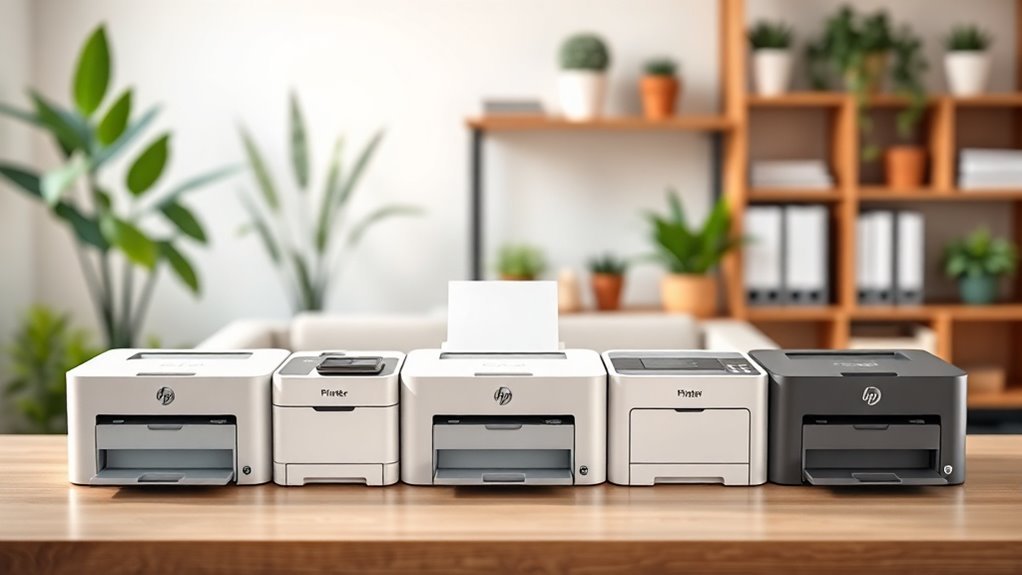
You need a reliable, affordable compact printer that fits your space and printing habits. Finding the best cheap compact printer for 2027 doesn’t have to be complicated. Whether you want something wireless, portable, or high-quality, there’s an option that suits your needs without breaking the bank.
The HP DeskJet 2923 offers wireless, all-in-one color printing with eco-friendly features at a budget price. It’s perfect if you want something simple and efficient for everyday tasks.
For on-the-go use, consider the portable, inkless Rongta or Phomemo thermal printers. They’re super convenient and don’t require ink, making them great for quick, mobile printing.
The Canon PIXMA TS4320 delivers high-resolution color with duplexing, so you can print double-sided easily. Meanwhile, the Canon imageCLASS LBP122dw is a fast, monochrome laser printer, ideal for sharp, clear text documents. Explore their strengths to find your perfect match.
| Image | Name | Editor's Rating | Price |
|---|---|---|---|

|
|
||

|
|
||

|
|
||

|
|
HP DeskJet 2923 Color Inkjet Printer | Wireless | All-in-One
- Perfect for basic printing needs – Print everyday color documents like to-do lists, letters, financial documents and recipes
- KEY FEATURES – Color print, copy, scan, and a 60-sheet input tray, plus mobile and wireless printing
- OPTIMIZE PRINT FORMATTING WITH HP AI – Print web pages and emails with precision—no wasted pages or awkward layouts; HP AI easily removes unwanted content, so your...
- ICON LCD – Print your basic documents with ease from the intuitive control panel
- PRINT SPEED – Up to 7.5 ppm black, 5.5 ppm color

The HP DeskJet 2923 Color Inkjet Printer offers a compact solution for everyday printing needs. Its all-in-one functionality allows you to print, copy, and scan in vibrant color, making it ideal for home or small office use. This printer fits neatly into tight spaces without sacrificing performance.
With wireless connectivity through dual-band Wi-Fi, you can print easily from multiple devices. The HP App adds convenience by enabling printing and scanning directly from your smartphone. This setup helps simplify your workflow and reduces the need for cables or complicated setups.
Maintenance is straightforward, with an intuitive icon LCD control panel guiding you through tasks. The printer supports HP’s Instant Ink subscription, which automates ink delivery after the initial six-month trial, minimizing downtime. It also features eco-friendly design elements, including recycled plastics and ENERGY STAR certification.
While the 60-sheet input tray suits moderate volume printing, it may not meet the demands of larger batches. Print speeds of up to 7.5 ppm in black and 5.5 ppm in color support efficiency without overwhelming noise or complexity.
Best for: Individuals or small households seeking an affordable, compact, and eco-conscious all-in-one printer with wireless and mobile printing capabilities.
What We Like:
- All-in-one functionality for versatile home use
- Wireless printing with dual-band Wi-Fi and HP App support
- Eco-friendly design with recycled materials and ENERGY STAR rating
Specification:
| Feature | Details |
|---|---|
| Manufacturer | HP |
| Dimensions | Compact size (exact size not provided) |
| Weight | Not specified |
| Material | Includes recycled plastics |
| Color Options | Not specified |
Rongta Wireless Portable Thermal Printer for Mobile
- Easy to Set Up: RONGTA F11A portable thermal printer for travel go by bluetooth.Download "RONGTA" APP from Google Play or APP store for iOS and Android Phone or...
- RONGTA portable printer, 203DPI resolution, large to 8.5" design, easy to use and maintain. Print forms, letters, assignments, study materials, and travel documents...
- Stylish Thermal Printer:Rongta bluetooth wireless printer, It is compatible with your go-to paper sizes—including US Letter, Legal, A4 thermal papers. What’s more, it...
- Portable and Compact: When traveling you can take Rongta portable printer wireless in your backpack or tote bag wherever you need. It is compact and portable whether in...
- Warm Tips: Do Not Support Chrome. Rongta portable printers wireless for travel can't support pair bluetooth via Phone or tablet directly, must be pair on the"RONGTA" APP...
The Rongta Wireless Portable Thermal Printer offers a convenient solution for mobile printing needs. Its compact and lightweight design makes it easy to carry, allowing users to print documents on the go without hassle. This printer uses thermal technology, so there’s no need for ink or ribbons, reducing maintenance and running costs.
Connecting is simple through Bluetooth with the RONGTA app on Android and iOS devices, or via USB on Windows and macOS laptops. This ensures compatibility across multiple platforms, letting users print quickly and efficiently wherever they are. The printer supports thermal paper up to letter size, producing clear black-and-white prints at 203 dpi with a speed of 3.23 pages per minute.
Designed for straightforward use, it prints only on single sides and requires thermal paper, so it suits specific printing tasks like receipts or mobile document handling. The reliance on the RONGTA app for Bluetooth pairing means users cannot print directly from browsers like Chrome, which is important to consider for workflow planning.
Best for: Mobile professionals needing quick, portable, and inkless black-and-white printing compatible with various operating systems.
What We Like:
- Compact and lightweight for easy transport
- Inkless thermal printing reduces upkeep
- Supports Android, iOS, Windows, and macOS via Bluetooth or USB
- Prints clear documents quickly at 203 dpi
- Simple setup with the dedicated RONGTA app
Specification:
| Feature | Details |
|---|---|
| Manufacturer | Rongta |
| Dimensions | Compact size (exact size not provided) |
| Weight | Lightweight (exact weight not provided) |
| Printing Technology | Thermal |
| Resolution | 203 dpi |
| Printing Speed | 3.23 pages per minute |
| Paper Type | Thermal paper only |
| Connectivity | Bluetooth (via RONGTA app), USB |
| Supported OS | Android, iOS, Windows, macOS |
Canon PIXMA TS4320 – Wireless Color Inkjet Printer with Print, Copy, Scan
- Affordable Versatility - A budget-friendly all-in-one printer perfect for both home users and hybrid workers, offering exceptional value
- Crisp, Vibrant Prints - Experience impressive print quality for both documents and photos, thanks to its 2-cartridge hybrid ink system that delivers sharp text and vivid...
- Effortless Setup & Use - Get started quickly with easy setup for your smartphone or computer, so you can print, scan, and copy without delay
- Reliable Wireless Connectivity - Enjoy stable and consistent connections with dual-band Wi-Fi (2.4GHz or 5GHz), ensuring smooth printing from anywhere in your home or...
- Scan & Copy Handling - Utilize the device’s integrated scanner for efficient scanning and copying operations
The Canon PIXMA TS4320 offers a smart solution for light home and hybrid work printing needs. Its compact design fits easily into small spaces, making it ideal for desks or shelves where room is limited. Wireless connectivity lets you print directly from smartphones, laptops, or tablets with ease, removing the hassle of cables.
This all-in-one printer handles printing, copying, and scanning with reliable performance. It produces sharp color and black-and-white prints up to 1200 dpi, so documents and photos come out clear and vibrant. Duplex printing helps reduce paper use, adding an eco-friendly touch to your workflow.
Maintenance is straightforward with starter ink tanks included to get you started right away. The single 100-sheet tray supports different media types, including photo paper and envelopes, but may require more frequent refills for heavier use. While print speed is moderate, it balances quality and convenience for everyday tasks.
Best for: Home users and hybrid workers who need a compact, versatile all-in-one printer for occasional printing, copying, and scanning.
What We Like:
- Compact size with wireless printing via Canon PRINT app, AirPrint, and Mopria
- Duplex printing saves paper and supports various media types
- Easy setup with starter ink tanks included
- Sharp print quality up to 1200 dpi
Specification:
| Feature | Details |
|---|---|
| Manufacturer | Canon |
| Dimensions | Compact footprint (exact size not specified) |
| Weight | 15.5 pounds (7.03 kg) |
| Color Options | Not specified |
| Media Capacity | 100-sheet single tray |
| Print Resolution | Up to 1200 dpi |
Phomemo M832 Portable Thermal Printers Wireless for Travel with Case
No products found.
The Phomemo M832 Portable Thermal Printer is designed for those who need fast, wireless printing without the bulk. Its lightweight and compact design makes it easy to carry, fitting perfectly inside the included travel case. This printer solves the hassle of carrying ink or toner by using thermal paper, offering a clean and simple printing experience.
With a 300 DPI monochrome output, it delivers clear documents suitable for business or school needs. The printer supports standard paper sizes like US Letter and A4, accommodating various printing tasks. Connecting is effortless via Bluetooth through the Phomemo app or a USB-C cable, giving users flexible options on the go.
Maintenance is straightforward since no ink or ribbons are required, reducing mess and downtime. The built-in 2600 mAh battery allows you to print approximately 150 pages per charge, ideal for extended use during travel or remote work. While it only prints in black and white and requires special thermal paper, it remains a practical solution for mobile, inkless printing.
Best for: travelers, mobile professionals, and students needing reliable, wireless, inkless printing of monochrome documents.
What We Like:
- Lightweight and portable with a durable carrying case
- Inkless thermal technology eliminates ink and toner maintenance
- Supports multiple paper sizes including US Letter and A4
- Long-lasting battery supports about 150 prints per charge
- Simple Bluetooth and USB-C connectivity for versatile use
Specification:
| Feature | Details |
|---|---|
| Manufacturer | Phomemo |
| Dimensions | Compact, fits in travel case |
| Weight | Lightweight |
| Printing Method | Thermal (inkless) |
| Print Resolution | 300 DPI |
| Supported Paper | US Letter, A4, thermal rolls |
| Battery Capacity | 2600 mAh |
| Connectivity | Bluetooth, USB-C |
Canon imageCLASS LBP122dw – Wireless Monochrome Duplex Laser Printer
- Wireless, duplex printer (print-only)
- Fast print speeds up to 30 pages per minute (black and white)
- Print on-the-go with Canon PRINT app and more.
- Uses Canon GENUINE Toner 071 / 071 high-capacity
- Compact design fits almost anywhere in your home, great for home use and personal printing
The Canon imageCLASS LBP122dw is designed to meet the demands of home users who need fast and reliable black-and-white printing. It produces sharp prints at speeds of up to 30 pages per minute, helping you complete tasks quickly without compromising quality. Its automatic duplex printing feature reduces paper use and streamlines your workflow.
With its compact size, this monochrome laser printer fits neatly in small spaces, making it ideal for personal or home office setups. Wireless connectivity allows you to print effortlessly from multiple devices, including smartphones, through the Canon PRINT app. This flexibility helps you stay productive whether you’re at your desk or on the move.
Maintenance is straightforward with genuine Canon Toner 071 or high-capacity cartridges, ensuring consistent print quality and reliability. While it focuses exclusively on printing, the lack of scanning and faxing keeps the device simple and efficient for everyday document needs.
Best for: Home users seeking a fast, reliable, and compact black-and-white printer with wireless and duplex printing capabilities.
What We Like:
- Fast printing up to 30 pages per minute with duplex function
- Wireless and mobile printing via Canon PRINT app
- Compact design suitable for limited spaces
- Easy maintenance with genuine Canon toner cartridges
Specification:
| Feature | Details |
|---|---|
| Manufacturer | Canon |
| Dimensions | 14 x 14 x 9 inches (approx.) |
| Weight | 14.3 lbs (6.5 kg) |
| Printing Technology | Monochrome Laser |
| Connectivity | Wireless (Wi-Fi), USB |
| Duplex Printing | Automatic |
Factors to Consider When Choosing a Cheap Compact Printer
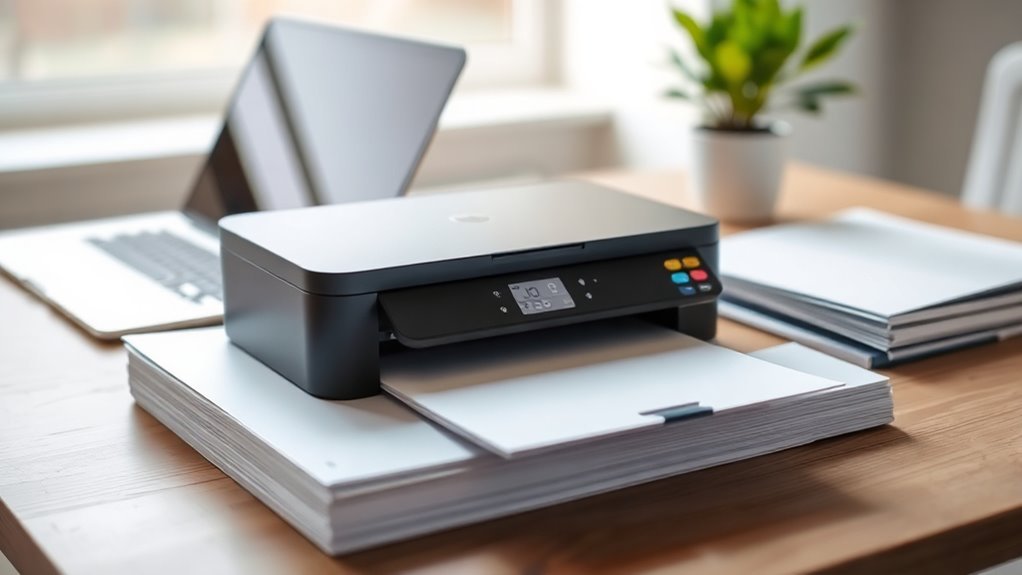
When choosing a cheap compact printer, you’ll want to focus on print quality and speed to match your needs. Check the connectivity options and consider how much ink or toner will cost over time.
Also, think about the device’s size, portability, and whether multi-function features like scanning and copying matter to you. These little details can make a big difference depending on how you plan to use the printer.
Print Quality And Speed
Although budget compact printers may seem similar at first glance, their print quality and speed can vary widely, affecting your overall experience. Focus on print resolution—at least 300 dpi suits basic text, while 600 to 1200 dpi or higher is better for photos or detailed work.
Speed matters too: entry-level inkjets typically print 5–10 pages per minute (ppm), whereas budget monochrome lasers can reach 20–30 ppm. Keep in mind the first-page-out time, especially if you print occasionally; faster starts reduce waiting.
Color printing often runs slower than black-and-white, so if color output is frequent, pick a model with strong color ppm. Also, remember that higher dpi or quality settings usually slow printing, sometimes cutting speeds in half. So, check performance at the quality level you need.
Connectivity Options Available
Print quality and speed matter, but how you connect your printer can impact convenience just as much. You’ll want to check if it supports both 2.4 GHz and 5 GHz Wi-Fi bands for a more stable connection, especially in crowded networks.
Also, see if it offers Bluetooth or a dedicated mobile app for direct smartphone or tablet printing without needing a router. Don’t overlook wired options like USB-A or USB-C ports, which provide reliable connections when Wi-Fi isn’t available.
Make sure the printer supports standard mobile printing protocols like AirPrint or Mopria, so you can print natively from iOS or Android devices. If multiple users need access, consider models with Ethernet or USB-to-router connectivity for seamless network sharing.
Ink And Toner Costs
Understanding ink and toner costs can save you a lot of money over the life of your printer. Inkjet printers are usually cheaper upfront but require frequent cartridge replacements. This can add up since ink costs more per page.
Laser printers, especially monochrome ones, have pricier toner initially but offer a much lower cost per page and higher yield. That makes them ideal for heavy black-and-white printing.
Always calculate cost per page by dividing cartridge price by its page yield. And make sure to compare color and monochrome expenses separately.
Look into subscription plans, XL cartridges, or third-party options to cut costs. Just keep in mind you’ll want to balance savings against possible impacts on warranty and print quality.
Don’t forget maintenance parts like drums and fusers. Also, choose printers with individual color tanks so you replace only the colors you use most.
Device Size And Portability
When you size up a compact printer, pay close attention to its physical footprint and weight to guarantee it fits your space and lifestyle. Most compact printers weigh between 4–7 lbs and measure about 10–15 inches wide. That makes them ideal for small desks or shelves.
If portability is a must, check for battery capacity and prints per charge. Many portable models handle 100–150 prints on a full charge.
Also, consider media handling. Smaller printers often accept limited paper sizes and single-sheet inputs instead of large trays.
Connectivity matters too. Opt for built-in Wi-Fi or Bluetooth for wireless convenience instead of relying solely on USB cables.
Features like carrying cases, integrated paper compartments, or foldable trays enhance portability without adding bulk. They help you move and store your printer easily.
Multi-Functionality Features
Beyond size and portability, you’ll want to take into account what functions your printer needs to perform. Decide if you want print-only, print/scan/copy, or print/scan/copy/fax, since all-in-one models add hardware that can increase size and cost.
Check scanner specs carefully—flatbed versus sheet-fed, optical resolution, and color capability affect scan quality and usability. Look for automatic duplexing and multifunction shortcuts like scan-to-email or cloud integration to speed tasks and save paper.
Also, verify input/output tray capacities, as multifunction workflows need decent paper handling—ideally, a flatbed plus a 50–100 sheet tray over smaller trays. Lastly, consider if the printer supports mobile apps and network sharing via Wi-Fi, USB, or Ethernet to guarantee smooth multi-device access to all its features.
Energy Efficiency Certifications
Although cheap compact printers often prioritize cost and size, paying attention to energy efficiency certifications can save you money and reduce environmental impact over time. Look for the ENERGY STAR label, which guarantees the printer meets strict criteria like low standby power and reduced energy during printing.
Check if the printer offers automatic duplex printing and built-in power-saving modes such as sleep or auto-off. These features cut energy use when the printer is idle, helping you save without thinking about it.
Comparing power draw is also helpful. Typical compact models consume 1–5 W in sleep mode and 10–30 W while printing, so lower values mean better efficiency.
Additionally, printers with scheduled power management or programmable auto-off timers help avoid wasted electricity during long idle periods. Finally, review published TEC ratings to estimate annual energy use and operating costs. It’s a handy way to see what you might be spending over time.
Frequently Asked Questions
How Long Do Compact Printer Ink Cartridges Typically Last?
Compact printer ink cartridges typically last for about 200 to 400 pages, depending on usage and printer type.
You’ll want to monitor your printing habits since heavy use drains ink faster, requiring frequent replacements.
Are Compact Printers Compatible With Mac and Windows Devices?
About 90% of compact printers are compatible with both Mac and Windows devices. You’ll find most support wireless connections, making it easy to print from any device without hassle or extra setup.
It’s pretty convenient, right? You don’t have to worry much about compatibility or complicated installations. Just connect and print!
Can These Printers Handle Photo Printing Quality?
Yes, these printers can handle photo printing quality, but don’t expect professional-grade results. They’re great for casual photos and everyday use, offering decent color accuracy and detail.
You get good prints without the high cost or bulky size, which is perfect if you’re not aiming for gallery-level photos. So, they’re solid for most home or casual needs.
What Is the Average Print Speed for Compact Printers?
You know what they say, “Time is money.” Compact printers usually print around 7 to 15 pages per minute.
You’ll find speed varies by model, but most balance quickness with quality without breaking your budget.
Do Compact Printers Support Mobile Printing Apps?
Yes, most compact printers support mobile printing apps. You’ll find they connect easily via Wi-Fi or Bluetooth, letting you print directly from your smartphone or tablet without hassle.
It makes on-the-go printing super convenient. No need to fiddle with cables or complicated setups!
Conclusion
When choosing a cheap compact printer, you’ll want one that fits your space and meets your needs without breaking the bank. Did you know that over 60% of home printer buyers prioritize wireless connectivity?
That makes models like the HP DeskJet 2923 or Canon PIXMA TS4320 perfect for you if you value convenience. Whether you need portability or high-quality prints, there’s a budget-friendly option ready to fit your lifestyle.
In the end, finding the best cheap compact printer means balancing price, size, and features that matter most to you. From wireless options to easy portability and solid print quality, these compact printers are designed to keep your home or office running smoothly without costing a fortune. So go ahead, pick a model that suits your space and print needs, and enjoy great prints without stretching your budget!