7 Best Cell Phone Printers for iPhone in 2027
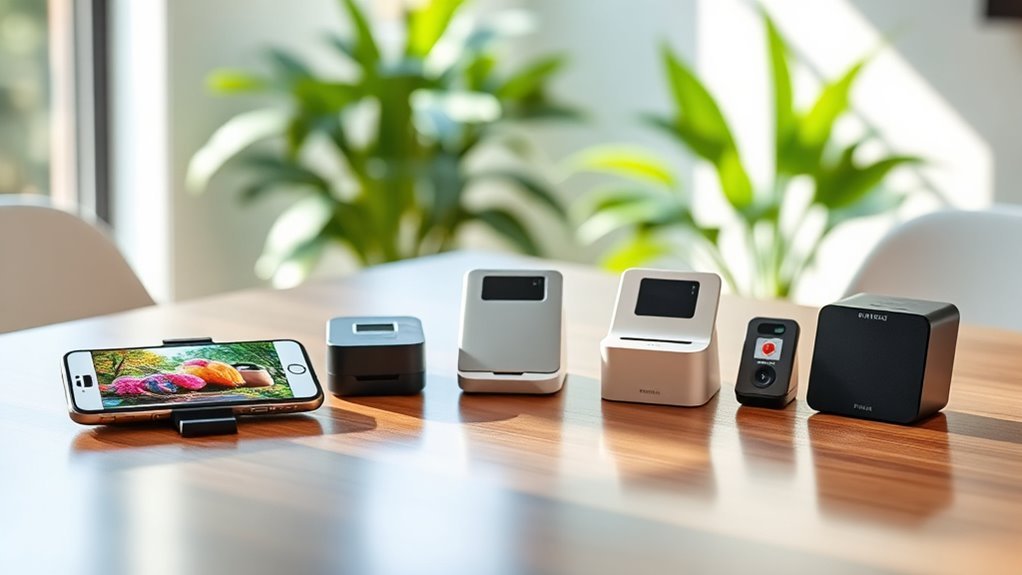
You’ll want a printer that matches your style and needs, especially when looking for the best cell phone printers for iPhone in 2027. Whether you’re after portability, quality, or unique features, there’s something for everyone.
Take the Liene M100, for example, which offers portable 4×6 Wi-Fi prints that are perfect on the go. Or maybe the KODAK Dock Plus catches your eye with its handy phone-charging dock. KODAK Step lets you get creative with peel-and-stick 2×3 photos that are super easy to use.
Nelko PP01 and Canon Ivy 2 both deliver sharp, durable small prints that last. If you want borderless 4×6 quality, the HP Sprocket Studio Plus has you covered. And for some interactive fun, Fujifilm Instax Square Link adds augmented reality to your prints. Explore these options to find your perfect iPhone photo printer.
| Image | Name | Editor's Rating | Price |
|---|---|---|---|

|
|
||

|
|
||

|
|
||

|
|
||

|
|
Liene M100 Portable 4×6 Photo Printer with Wi-Fi
- User-Friendly Portable Photo Printer for iPhone, Android & PC - Get beautiful and colourful memories with Liene 4x6 photo printer! After opening the entire package, you...
- Superior Quality 4x6 Photo Printer - Print photos like no other thanks to the thermal-dye sublimation tech adopted by the picture printer for iphone. The dyes deeply...
- Wi-Fi Photo Printer for Smartphone - The built-in hotspot of the photo printer makes it easy to print pictures from your phone, avoiding outside interference with a fast...
- Multiple Device Compatibility - Liene phone printer provides instant photo printing for up to 5 simultaneous connections. Share with family and friends or print from your...
- Customize your Printing with the Liene App - Customize your photos with our specialized App! You can add a Square border, insert filters, enhance the contrast and...
Experience the ease of printing vibrant, borderless 4×6 photos directly from your smartphone without tangled cables. The Liene M100 Portable Photo Printer uses Wi-Fi to connect wirelessly, allowing seamless printing from up to five devices simultaneously. This makes sharing and printing photos on the go simple and efficient.
Designed for portability, this compact printer fits easily into bags, making it ideal for travel or quick photo sessions. It uses thermal dye-sublimation technology to produce sharp, laminated photos that resist water, scratches, fingerprints, and fading. Each print finishes in about a minute, balancing quality with convenience.
Maintenance is straightforward with easy-to-load proprietary cartridges and a 100-sheet paper capacity included. The accompanying app enhances functionality by offering customization options like filters, brightness adjustments, and ID photo printing. This ensures your photos can be personalized before printing.
While the print speed may feel slow compared to some models, the overall quality and portability make it a practical choice for casual users. The limited paper capacity and cartridge setup require some attention but remain manageable for everyday use.
Best for: People needing a portable, wireless photo printer that delivers high-quality 4×6 prints quickly and easily from multiple devices.
What We Like:
- Wireless Wi-Fi connection supports up to five devices.
- Produces durable, vibrant, borderless laminated photos.
- Compact and lightweight for easy portability.
- User-friendly app with photo customization features.
Specification:
| Feature | Details |
|---|---|
| Manufacturer | Liene |
| Dimensions | Not specified |
| Weight | Lightweight (exact weight N/A) |
| Technology | Thermal dye-sublimation |
| Connectivity | Wi-Fi (supports 5 devices) |
| Print Size | 4×6 inches |
| Paper Capacity | 100 sheets included |
KODAK Dock Plus 4×6 Photo Printer, Smartphone Docking, 4PASS, 50 Sheets
- Dock Photo Printer: The KODAK Dock Plus is a home photo printer that produces high-quality 4x6” prints directly from compatible smartphones. Featuring an integrated...
- Genuine 4PASS dye sublimation printing: Each photo is produced in three color layers and finished with a clear protective lamination layer. In approximately 55 seconds...
- Easy to Use: Print photos quickly without complicated setup or technical steps. Simply power on, connect wireless bluetooth, and start printing within seconds. The Dock...
- Home Printing Station: Designed for stable desktop use, this dock photo printer connects to a power outlet for consistent performance and larger 4x6” prints. Ideal for...
- KODAK Photo Printer APP: Featuring integrated Bluetooth connectivity, this portable printer connects to compatible iOS and Android devices through the KODAK Photo Printer...
The KODAK Dock Plus 4×6 Photo Printer transforms how you print photos at home. It offers a hassle-free way to create vibrant, lasting 4×6 prints directly from your smartphone. The integrated docking station keeps your phone charged, so you won’t worry about battery life while printing.
This printer uses advanced 4PASS dye sublimation technology to produce photos that resist fingerprints, water, and fading. You get sharp, bright images perfect for preserving your favorite memories. The compact design fits easily on any desktop, making it ideal for everyday family use.
Setup is straightforward, with Bluetooth connectivity through the KODAK Photo Printer app. The app lets you edit photos before printing, giving you full control over your images. The printer includes 50 sheets to get you started, reducing the need for frequent paper replacement.
While prints take about 55 seconds each, this speed is suitable for casual users rather than high-volume printing. The device requires a power outlet, limiting portability but ensuring consistent performance.
Best for: Home users seeking a simple and reliable photo printer for high-quality 4×6 smartphone prints.
What We Like:
- Produces durable, vibrant photos with fingerprint and water resistance.
- Phone dock charges your device during printing.
- Easy Bluetooth setup with an app for photo editing.
- Compact desktop design fits in small spaces.
- Includes 50 sheets for immediate use.
Specification:
| Feature | Details |
|---|---|
| Manufacturer | KODAK |
| Print Size | 4×6 inches (10×15 cm) |
| Technology | 4PASS Dye Sublimation |
| Connectivity | Bluetooth |
| Included Paper Sheets | 50 |
| Dimensions | Not specified |
| Power Source | Requires AC power outlet |
KODAK Step Portable Wireless Smartphone Photo Printer
- STEP UP YOUR PRINTING GAME. KODAK Step Printer Connects to Any iOS or Android Device [Via Bluetooth or NFC] Turn Your Selfies, Portraits, Social Media Posts Into Physical...
- AMAZING ZERO-INK TECHNOLOGY. ZINK 2” x 3” Sticky-Back Paper with Embedded Dye Crystals Delivers High-Quality, Durable, Affordable, Beautifully Detailed Prints That...
- FULL EDITING SUITE VIA APP. Download the KODAK App to Create Collages & Customize Your Snaps with Stunning Filters, Interesting Borders, Cool Stickers, Funny Text & Other...
- TAKE YOUR PROJECTS TO GO. Our Palm-Sized Printer Weighs Less Than a Pound, Sets Up Fast & Delivers Gorgeous Prints You Can Peel & Stick Everywhere.
- CUTE, COMPACT & COLORFUL. Step Printer is Designed for Photo-Loving Influencers & Crafters of All Ages & Skill Levels! Portable, Lightweight Device Features Built-In...

Bring your memories to life instantly with the KODAK Step Portable Wireless Smartphone Photo Printer. This compact device lets you print vibrant, peel-and-stick photos wherever you are. Connected via Bluetooth or NFC, it pairs seamlessly with your iPhone or Android for quick, convenient printing.
Using ZINK technology, the printer produces 2×3” full-color photos without ink cartridges. The prints are moisture- and smudge-resistant with a sticky back, making it easy to display your favorite moments anywhere. The lightweight design and rechargeable battery offer portability and up to 25 prints per charge, ideal for casual use on the go.
The KODAK app enhances your printing experience by allowing you to edit photos with filters, stickers, text, and collages before printing. This makes it perfect for travelers, social media lovers, and crafters who want creative control with instant results.
Maintenance is simple thanks to the ink-free printing process, but note the small paper capacity (up to 10 sheets) and modest print speed, which may require frequent recharging and photo refills during heavy use.
Best for: Travelers and creative users seeking a portable, easy-to-use photo printer for instant, peel-and-stick prints.
What We Like:
- Compact, lightweight design for easy portability
- Ink-free ZINK printing with smudge- and moisture-resistant photos
- Versatile KODAK app with editing tools before printing
- Rechargeable battery offering up to 25 prints per charge
Specification:
| Feature | Details |
|---|---|
| Manufacturer | KODAK |
| Dimensions | Approx. palm-sized device |
| Weight | Lightweight |
| Printing Size | 2 x 3 inches |
| Connectivity | Bluetooth, NFC |
| Paper Capacity | Up to 10 sheets |
Nelko PP01 Photo Printer, 2×3 Portable Photo Printer, Mini Printer, White
- 2x3" Portable Photo Printer: The upgraded PP01 photo printer adopts advanced inkjet technology. This portable photo sticker printer delivers vivid, full-color prints on...
- Easy Printing via Bluetooth: The PP01 mini photo printer is compatible with iOS and Android phones via Bluetooth. Simply download the Nelko app from Google Play or the...
- High-Quality Photos: This mini photo sticker printer uses advanced inkjet technology for clear, vibrant prints. This portable photo printer produces 600 DPI...
- Powerful App: The Nelko 2x3" PP01 photo printer app lets you edit photos and offers a variety of frame designs, making it perfect for personalizing your photos for...
- Versatile Uses: This portable photo printer is ideal for travel journals, planners, and scrapbooking. Crafters use it for DIY projects, custom labels and photo printing...
Capture and print your memories instantly with the Nelko PP01 Photo Printer. This compact, portable device creates vivid 2×3-inch photos that resist smudges, water, and tears. It fits easily in your pocket, making it perfect for on-the-go printing wherever you are.
Connecting to your iPhone via Bluetooth is simple and seamless. Use the Nelko app to customize your photos with filters, stickers, and AI enhancements before printing. The quick print time of under 90 seconds means you get durable, high-resolution photos fast.
Maintaining the printer is straightforward. Each ink cartridge produces up to 80 full-color prints, ideal for scrapbooks, labels, or small business needs. Although the printer requires the proprietary app and a separate power adapter, its lightweight design ensures convenience during travel or daily use.
The Nelko PP01 combines portability, durability, and easy customization to enhance your photo printing experience. Its water- and tear-resistant prints provide lasting keepsakes for personal or professional use.
Best for: Anyone needing a portable photo printer for creative projects, travel memories, or small business photo printing.
What We Like:
- Produces smudge-proof, water- and tear-resistant 2×3-inch prints at 600 DPI
- Compact and lightweight at 308 g for easy portability
- Bluetooth connectivity with an editing app featuring filters and AI enhancements
- Fast printing speed, delivering photos in under 90 seconds
Specification:
| Feature | Details |
|---|---|
| Manufacturer | Nelko |
| Dimensions | Pocket-sized (approx.) |
| Weight | 308 g (0.68 lb) |
| Print Size | 2 x 3 inches |
| Resolution | 600 DPI |
| Color Options | White |
Canon Ivy 2 Mini Photo Printer for iOS & Android
- Print and customize your photos directly from your smartphone or tablet via the Canon Mini Print App.(1)
- No ink needed! The IVY 2 Mini Photo Printer uses ZINK (Zero Ink) technology, which features colorful dye-based crystals embedded inside the paper.
- Place your photos anywhere, thanks to a PEEL & STICK backing that adheres to your favorite surfaces.
- PRINT QUALITY IMPROVED in the IVY 2 Mini Photo Printer(optimized skin tone colors, improved photo contrast, optimized photo sharpness)
- BETTER CONNECTIVITY for mobile printing using compatible smartphone devices with Bluetooth 5.0 technology
Capture moments instantly with the Canon Ivy 2 Mini Photo Printer, designed to bring your memories to life on the go. This compact printer delivers vibrant, peel-and-stick 2″ x 3″ photos directly from your iOS or Android device, making it easy to share and preserve special moments.
Its ZINK technology eliminates the need for ink cartridges, reducing maintenance and simplifying printing. Just connect via Bluetooth 5.0 and use the Canon Mini Print app to control your prints effortlessly. The USB-C charging ensures quick power-ups, so you’re ready whenever inspiration strikes.
Weighing only 145 grams, this lightweight printer fits easily in your pocket or bag. It’s perfect for home, school, or office use where quick, colorful snapshots are needed. While it prints only small photos and requires a smartphone app, it’s ideal for those who value portability and instant printing.
Best for: Anyone seeking a convenient, portable photo printer for quick peel-and-stick images from mobile devices.
What We Like:
- Ink-free ZINK printing technology for hassle-free maintenance
- Compact and lightweight for easy portability
- Sharp, vibrant photos with enhanced skin tones and contrast
Specification:
| Feature | Detail |
|---|---|
| Manufacturer | Canon |
| Dimensions | Pocket-sized (approx.) |
| Weight | 145 g |
| Print Size | 2″ x 3″ (5.1 x 7.6 cm) |
| Connectivity | Bluetooth 5.0 |
| Power | USB-C cable |
HP Sprocket Studio Plus Wireless Photo Printer Bundle

- PHOTOS MADE TO LAST – Print quality photos that will last for years on tear-resistant, smudge-proof, waterproof paper.
- CUSTOMIZE YOUR CREATIONS – Add your own style to each photo by decorate it with stickers, frames, filters, and more before you print them out.
- INSTANT PRINTING – Designed for efficiency and convenience, this printer will produce dry-to-the-touch 4x6” photos in an instant directly from your smartphone.
- WI-FI COMPATIBLITY – Download the user-friendly HP Sprocket app to your smartphone and easily connect your mobile device to Wi-fi-enabled printer in mere seconds.
- PICTURE-PERFECT PHOTO FEATURES – The HP Sprocket Studio Plus gives you several different and unique ways to take a photo. Don’t miss out on the chance to make a...
The HP Sprocket Studio Plus Wireless Photo Printer Bundle offers a simple way to print vibrant 4×6 photos instantly from your smartphone. It solves the hassle of waiting for professional prints by delivering high-quality, borderless photos on demand. This printer is ideal for capturing and sharing memories quickly without compromising print durability.
Using premium dye sublimation technology, the printer produces waterproof and tear-resistant photos that dry immediately. Its compact and lightweight design makes it easy to carry, perfect for events, travel, or home use. Connecting via Wi-Fi or USB allows seamless printing from various devices.
Maintenance is straightforward with the included starter kit of 118 sheets and three media cartridges, so you can start printing right away without frequent refills. However, the printer holds only 10 sheets per tray, which may require regular restocking for heavy use.
While the print speed is about one minute per photo, its focus on photo quality makes it a reliable choice for those prioritizing image clarity over speed. The device functions solely as a photo printer, with no additional scanning or duplex features.
Best for: Users seeking a portable, easy-to-use photo printer for quick, high-quality 4×6 prints directly from smartphones.
What We Like:
- Produces sharp, borderless, waterproof photos with dye sublimation.
- Compact and lightweight design enhances portability.
- Includes a large starter kit for immediate printing.
- Easy wireless and USB connectivity.
- Instant-dry photos reduce smudging and handling issues.
Specification:
| Feature | Details |
|---|---|
| Manufacturer | HP |
| Dimensions | Compact (exact size N/A) |
| Weight | Lightweight (exact weight N/A) |
| Printing Technology | Dye Sublimation |
| Photo Size | 4 x 6 inches |
| Connectivity | Wi-Fi, USB |
| Included Media | 118 sheets, 3 cartridges |
Fujifilm Instax Square Link Smartphone Printer- Ash White
- Small and lightweight Connects wirelessly via Bluetooth to your Smartphone Requires download of Free INSTAX SQUARE LINK Smartphone App
- For use with INSTAX SQUARE instant film only (sold separately) Film Size 3.39” x 2.83” and Image Size 2.44” x 2.44”
- Use the AR Print App Feature by applying a QR code to a printed INSTAX photo and then scan the printed code with a Smartphone to view the AR content on your Smartphone...
- Add fun, decorative frames, sketches, and stickers to your Smartphone images prior to printing your INSTAX photo Print an INSTAX image from your videos
- Built-in rechargeable battery (can print approximately 100 INSTAX prints per charge)
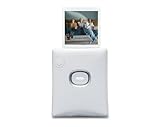
Capture your favorite moments instantly with the Fujifilm Instax Square Link Smartphone Printer. This compact device lets you print sharp, glossy photos directly from your smartphone. It connects wirelessly via Bluetooth, making it easy to print on the go without any cables.
Using the free INSTAX SQUARE LINK app, you can customize your photos with frames, sketches, stickers, and text. The unique AR Print feature adds interactive QR codes to your prints, letting you share videos or special messages alongside your photos. This adds a creative, personal touch that standard printers can’t offer.
The printer is designed for portability, weighing just 8.3 ounces and powered by a rechargeable battery that supports about 100 prints per charge. Maintenance is simple—just load INSTAX SQUARE instant film and keep the battery charged. This ensures quick, hassle-free printing wherever you are.
Though it only prints on INSTAX SQUARE film, which is sold separately, this limitation helps maintain consistent print quality. The device focuses solely on printing, so it doesn’t support scanning or copying, keeping the functionality straightforward and user-friendly.
Best for: Users seeking a portable, easy-to-use instant photo printer that enhances smartphone photography with creative and interactive print options.
What We Like:
- Wireless Bluetooth connection with a free, easy-to-use app
- Creative customization including frames, text, stickers, and AR QR codes
- Lightweight, compact design with a rechargeable battery for mobile use
- Produces sharp, glossy square prints with INSTAX film
Specification:
| Feature | Details |
|---|---|
| Manufacturer | Fujifilm |
| Dimensions | Not specified |
| Weight | 8.3 ounces (approx.) |
| Material | Not specified |
| Color Options | Ash White |
Factors to Consider When Choosing a Cell Phone Printer for iPhone
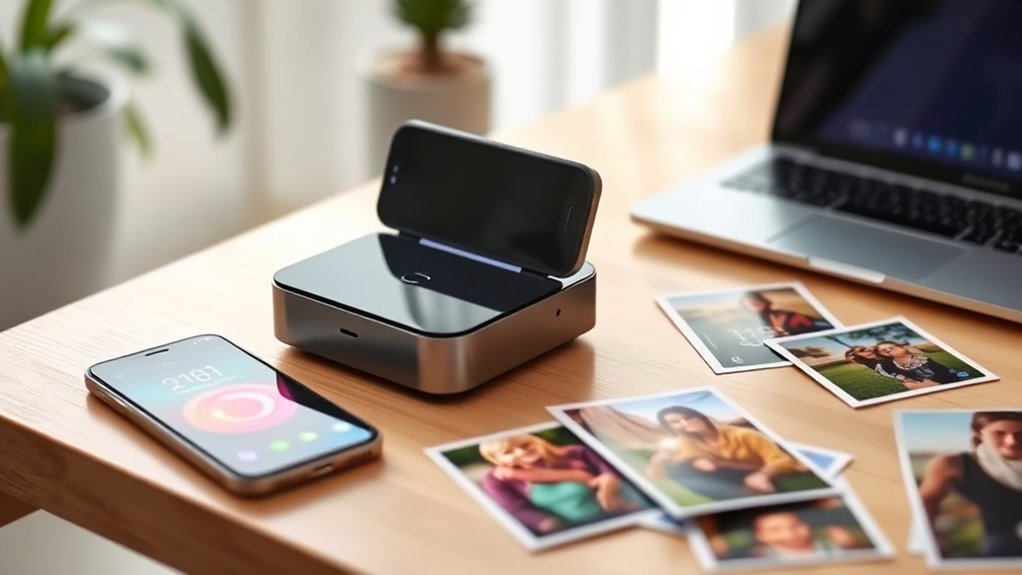
When choosing a cell phone printer for your iPhone, you’ll want to contemplate print quality and resolution to guarantee sharp photos. Check the connectivity options and portability to match your lifestyle.
Plus, make sure it supports the media types you prefer. Don’t forget to explore the app features for editing and ease of use before making your decision. It really makes a difference when you can easily tweak your photos right from your phone.
Print Quality And Resolution
Although many factors influence your choice of a cell phone printer for iPhone, print quality and resolution stand out as vital elements. Aim for printers offering at least 300 dpi color resolution, with 300–600 dpi preferred for sharper 4×6 prints and finer details.
Pay attention to color depth; 24-bit color delivering 16.7 million colors guarantees vibrant, accurate photos. The printing technology matters too—dye-sublimation typically produces smoother gradients and longer-lasting colors compared to thermal ZINK or inkless methods.
Don’t overlook the media finish: laminated prints resist water, scratches, and fading better than unlaminated ones, preserving quality. Finally, check if the printer supports color accuracy tools like ICC profiles and app-based color correction to confirm your photos’ skin tones and saturated colors look just right.
Connectivity Options Available
How you connect your iPhone to a cell phone printer can make a big difference in convenience and print quality. Bluetooth is common and easy to use, offering low power consumption but limited to around 10 meters and prone to interference.
Wi‑Fi connections, either via hotspot or local network, support faster transfers, multiple devices, and better print quality over longer distances. Though, setup can be more complex.
USB connections provide the most stable and low-latency link, plus charging, but require cables and limit mobility.
NFC simplifies pairing with a quick tap but usually relies on Bluetooth or Wi‑Fi for file transfer.
Choosing a printer with multiple interfaces gives you flexibility. And opting for modern standards like Bluetooth 5.0 or Wi‑Fi AC guarantees faster, more reliable connectivity.
Portability And Size
Choosing the right connectivity for your cell phone printer is only part of the equation; you also need to regard portability and size to make certain it fits your lifestyle. Look for compact, lightweight models—ideally palm-sized and under 300 grams—that slip easily into your bag or pocket.
Opt for printers with built-in rechargeable batteries that support tens to hundreds of prints per charge, so you’re not tethered to a power source. It’s super convenient when you can print on the go without hunting for an outlet.
Consider media size compatibility; smaller printers usually handle 2×3″ or 4×6″ sheets but hold fewer sheets (10–20), which means you might have to reload more often. Durable designs with rugged casing and dust-sealed paper cassettes protect your printer on the go.
Also, prioritize wireless hotspot printing for true portability, so you can print without needing a constant smartphone app connection. That way, you’re free to print wherever, whenever—no strings attached.
Compatible Media Types
When you pick a cell phone printer for your iPhone, you’ll want to pay close attention to the types of media it supports. Check the available print sizes like 2×3 inches, 4×6 inches, or square formats to match your needs.
Make sure the printer’s technology—thermal dye-sublimation, ZINK, or inkjet—fits the media type it uses, such as laminated dye-sub paper, ZINK paper with embedded crystals, or inkjet photo paper.
Consider whether the media is peel-and-stick, glossy, or matte and if it offers protective lamination or a clear coat for durability. Also, look at the sheet capacity and loading style—single sheets, rolls, or cartridges—to suit your printing volume.
Finally, factor in media availability and how many prints you get per pack to gauge ongoing costs. It’s all about finding what works best for your printing habits and budget.
App Features And Editing
After you find a printer that handles the media you prefer, the next step is to explore the app that controls your printing experience. Look for apps offering both basic edits like crop, rotate, brightness, and contrast, plus advanced tools such as filters, color balance, and sharpening to perfect your photos before printing.
Check if the app provides print-specific templates—borderless 4×6, 2×3 stickers, or passport layouts—and preview scaling to avoid unwanted cropping. Prefer apps with batch-printing, queue management, and status updates to save time and media.
Bonus features like collages, text, stickers, and frames enhance creativity, while saving edited versions or presets guarantees consistency. Finally, make certain the app supports wireless setup, firmware updates, and troubleshooting guides for smooth iPhone connectivity and hassle-free printing.
Battery Life And Power
Because your cell phone printer’s battery life directly affects how long and how often you can print on the go, it’s essential to check its capacity and how many prints it delivers per charge. Printers typically offer between 25 to 100 prints per full charge, so pick one that matches your usual outing or event needs.
Consider whether it uses a rechargeable internal lithium-ion battery for convenience or requires external power or replaceable batteries, which might limit portability. It’s a good idea to think about what works best for your lifestyle.
Pay attention to charging type—USB-C ports and fast charging let you top up quickly, while older ports slow you down. Look for power-saving features like auto-shutdown and low-power Bluetooth modes to extend battery life.
And if you print many photos at once, choose a model that supports mains or USB power during operation to avoid interruptions. That way, you won’t have to stop your fun just to recharge.
Frequently Asked Questions
How Long Do the Printer Batteries Typically Last on a Single Charge?
Printer batteries typically last between 1 to 3 hours on a single charge, letting you print around 20 to 50 photos.
You’ll want to keep a charger handy for longer sessions or heavy use. That way, you won’t have to worry about running out of power when you’re in the middle of a project.
Can These Printers Print Documents or Only Photos?
You can print both documents and photos with these printers. They’re designed to handle text and images quickly, so you won’t be limited to just photos.
Just connect your iPhone and start printing whatever you need. It’s super easy and convenient!
Are Replacement Ink or Paper Cartridges Readily Available?
You might worry about availability, but replacement ink and paper cartridges are widely accessible for most models.
You’ll find them online or in stores, ensuring you won’t struggle to keep your printer running smoothly.
Do These Printers Support Printing From Apps Other Than the Default One?
Yes, many printers support printing from various apps beyond the default one. You can easily print photos, documents, and more directly from popular apps like Instagram, Google Photos, and even email clients without any hassle.
It’s pretty convenient, right? Just tap the print option in your favorite app, and you’re good to go. No need to switch apps or deal with complicated setups.
What Is the Average Print Speed per Photo?
You’ll barely have time to blink—most printers spit out a photo in about 30 to 60 seconds!
That means you can print memories almost as fast as you capture them, keeping your moments flowing nonstop.
Conclusion
Choosing the right cell phone printer for your iPhone can make capturing memories even more fun and effortless. Did you know that over 60% of smartphone users prefer portable printers for instant photo sharing?
Whether you want high-quality 4×6 prints or compact 2×3 snapshots, one of these top models will fit your style perfectly. So go ahead, pick a printer that matches your needs and start turning your digital moments into tangible keepsakes!
With the best cell phone printers for iPhone in 2027, you’ll enjoy convenience, quality, and portability all in one device. These printers are designed to sync seamlessly with your iPhone, making photo printing quick and easy wherever you are. Embrace the joy of instant prints and create lasting memories with the perfect portable printer tailored just for you.