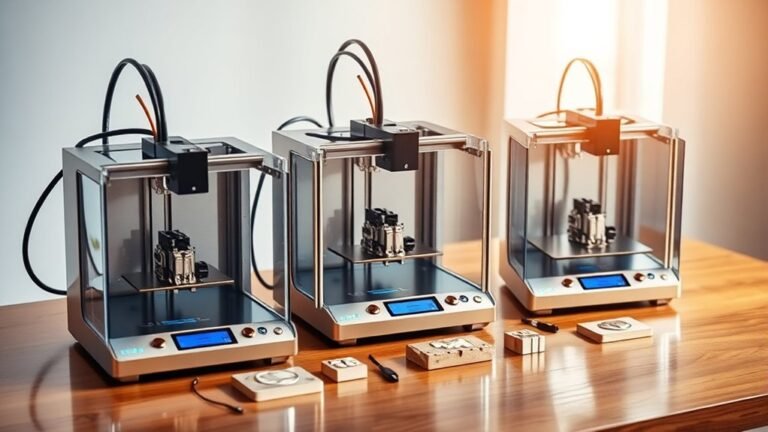
3 Best Cheap DTG Printers for 2027
You’ll find three affordable DTG printers that balance quality and cost for 2027. These budget-friendly options are perfect for anyone looking to start or expand their direct-to-garment printing business without breaking the bank. Whether you need high resolution, reliable white ink circulation, or compact design, there’s something here for you.
The A3 DTG & DTF Flatbed Printer offers versatile direct textile printing with a sharp 2880 x 1440 dpi resolution. Plus, it includes white ink circulation to reduce downtime, making your workflow smoother and more efficient.
Epson’s SureColor F170 is a compact dye-sublimation printer that suits small businesses needing vibrant apparel prints. It’s easy to use and perfect for those who want quality without a large footprint.
The A3 DTG with Dual XP600 heads delivers crisp 1440 dpi output with reliable white ink control. This printer ensures your designs come out sharp and consistent every time.
Keep exploring to discover which fits your needs best.
| Image | Name | Editor's Rating | Price |
|---|---|---|---|

|
|
||

|
|
||

|
|
A3 DTG & DTF Flatbed Printer for Garments
- Attention---Shirts need textile ink, other items need DTF ink, shirts and other items are not the same ink!!!Unable to print the bottle,Our installation instructions are...
- DTG printing +DTF printing:This printer can print images directly on clothing, and also does A good job in transfer printing, supporting printing patterns on DTF film...
- Fast speed and high precision: This clothing printer offers amazing resolutions of 2880 x 1440dpi,with ultra-high precision and advanced printhead capable of painting...
- White ink mixing and Circulation system: This printer features a white ink mixing system with an automatic cleaning function that prevents clogging and ensures the ink is...
- Large print area and automatic adjustment: This clothes printer has a vacuum adsorption platform, a large print area of 29.7*21CM, and an innovative infrared automatic...
The A3 DTG & DTF Flatbed Printer offers a versatile solution for printing vibrant designs on various garments and accessories. Its dual-mode printing lets you switch easily between Direct to Garment (DTG) for textiles and Direct to Film (DTF) for items like hats, bags, and phone cases. This flexibility helps small businesses and hobbyists expand their product range without needing multiple machines.
Designed for convenience, the printer features an automatic height adjustment system that ensures precise printing on different materials. A white ink circulation system reduces clogging, which means less downtime and easier maintenance. However, users must use specific inks for textiles and other materials, as they are not interchangeable, so keeping the right ink stocked is essential.
With a maximum resolution of 2880 x 1440 dpi, the printer delivers sharp and bright prints quickly. The print area measures 29.7 x 21 cm, which suits small to medium-sized items but may limit larger projects. While it cannot print on bottles, it covers most common garment and accessory types efficiently.
Best for: Small business owners and hobbyists needing a reliable printer for high-quality, dual-mode textile and accessory printing.
What We Like:
- Dual-mode printing for textiles and accessories
- High-resolution output with sharp, vibrant colors
- White ink circulation system minimizes clogging
- Automatic height adjustment for ease of use
Specification:
| Feature | Details |
|---|---|
| Manufacturer | — (Not provided) |
| Maximum Resolution | 2880 x 1440 dpi |
| Print Area | 29.7 x 21 cm |
| Ink Types | Textile ink, DTF ink |
| Special Features | White ink circulation, automatic height adjustment |
Epson SureColor F170 Dye-Sublimation Printer Compact
- Confidence - Epson authorized partner. Original Epson Manufactured product delivered in Epson’s factory-sealed packaging with Epson documentation and Epson’s full...
- Genuine Epson Ink Included - Comes with a full set of OEM Epson sublimation inks, certified ECO PASSPORT by OEKO-TEX for safe use on textiles, apparel, mugs, mousepads...
- Astounding Print Quality - Epson's Surecolor F170 Sublimation printer boasts the PrecisionCore printhead which offers Precision Droplet Control for the most outstanding...
- Versatile Media Support - Includes a 150-sheet auto-feed tray for added efficiency. Epson SureColor sublimation printers house the paper in a dust resistant closed tray...
- Compact Reliable Solution - Space-saving design with user-friendly setup for MacOS & Windows. Please note that connection to mobile devices is not supported with this...
The Epson SureColor F170 is designed to meet the needs of small businesses and hobbyists who require compact, high-quality dye-sublimation printing. Its PrecisionCore printhead ensures sharp and vibrant images that bring custom apparel and mug designs to life. The printer’s small footprint fits easily into limited workspaces without compromising print quality.
Maintenance is simple with auto-stop ink refills using genuine Epson inks, which help prevent mess and waste during replacement. The 150-sheet dust-resistant tray keeps your media protected and ready for continuous use. This reliability reduces downtime and keeps your creative projects moving smoothly.
Connectivity options include USB and Ethernet, compatible with both macOS and Windows systems. While it does not support mobile device printing, its straightforward setup and operation make it a practical choice for desktop use. The F170 handles various media types, making it versatile for different customization projects.
Though the print speed is modest at about one page per minute, and duplex printing is not available, the SureColor F170 balances functionality and design to provide a dependable dye-sublimation solution without taking up much space.
Best for: Small business owners, hobbyists, and crafters needing a compact, reliable dye-sublimation printer for producing vibrant prints on apparel, mugs, and other custom items.
What We Like:
- Genuine Epson inks with auto-stop refill for clean, mess-free maintenance
- Compact design with a dust-resistant 150-sheet tray for tight spaces
- High image clarity powered by PrecisionCore printhead
- Broad media compatibility for diverse printing needs
Specification:
| Feature | Details |
|---|---|
| Manufacturer | Epson |
| Dimensions | 8.5″ x 11″ format |
| Weight | Not specified |
| Ink Type | Genuine OEM Epson inks |
| Connectivity | USB, Ethernet |
| Compatible OS | macOS, Windows |
| Media Capacity | 150-sheet tray, dust-resistant |
A3 DTG Printer with Dual XP600 Printheads
- Industrial Printing Performance: Equipped with dual XP600 printheads to deliver high-resolution printing up to 1440 DPI, producing detailed images, smooth gradients, and...
- Designed for Cotton Garments: Prints directly on cotton T-shirts, hoodies, sweatshirts, tote bags, canvas products and other compatible flat fabric items, making it...
- Stable White Ink System: Features white ink circulation, stirring and cleaning functions to help maintain ink flow, reduce sediment buildup and support consistent...
- Complete Printing Starter Kit: Includes CMYKW inks, pretreatment solution, spray bottle, printing software and essential accessories so users can begin installation and...
- Adjustable Platform for Multiple Applications: Adjustable printing platform accommodates a variety of garment thicknesses and supports custom printing for T-shirts...
Experience precise and vibrant direct-to-garment printing with the A3 DTG Printer featuring dual XP600 printheads. This printer delivers sharp 1440 x 1440 DPI output, producing rich colors and crisp white ink prints. It is designed to handle a variety of cotton garments like tees, hoodies, and tote bags with ease.
The height-adjustable platform allows you to print on different garment thicknesses, improving versatility. Continuous roll printing enhances workflow efficiency, making it easier to manage multiple items. Setup is straightforward with included CMYKW pigment inks, pretreatment solution, and intuitive touchscreen controls.
Maintenance is simplified by the compact design, weighing only 66 pounds, and connectivity options via USB or Ethernet offer flexible placement in your workspace. While print speed varies, especially for monochrome prints, this printer balances quality and productivity for small business needs. Its robust build supports reliable customization with minimal downtime.
Best for: Small businesses and custom apparel producers seeking vibrant, high-quality DTG printing on cotton and compatible fabrics.
What We Like:
- High-resolution 1440 x 1440 DPI output with white ink capability
- Height-adjustable platform for varied garment thicknesses
- Continuous roll printing for enhanced productivity
- Included CMYKW pigment inks and pretreatment for quick setup
- USB and Ethernet connectivity options
Specification:
| Feature | Details |
|---|---|
| Manufacturer | Not specified |
| Dimensions | Not specified |
| Weight | 66 lb (30 kg) |
| Print Resolution | 1440 x 1440 DPI |
| Ink Type | CMYKW pigment inks |
| Connectivity | USB, Ethernet |
| Printheads | Dual XP600 |
Factors to Consider When Choosing a Cheap DTG Printer
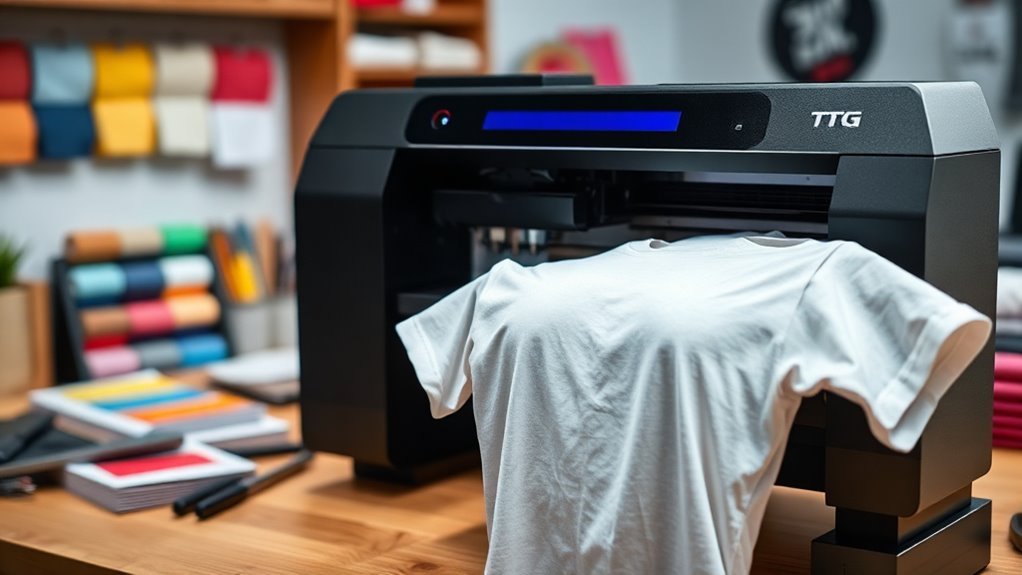
When choosing a cheap DTG printer, you’ll want to focus on print quality and resolution to make certain your designs look sharp. Consider ink compatibility and costs, along with the types of garments the printer supports.
Don’t forget to check printer speed, efficiency, maintenance needs, and durability to get the best value. These factors can really make a difference in your overall experience and expenses. So, take your time to weigh them carefully before making a decision.
Print Quality And Resolution
Although budget-friendly DTG printers might seem similar at first glance, print quality and resolution can vary dramatically. You’ll want a printer and printhead offering at least 1440 x 1440 dpi to achieve crisp fine details and smooth gradients on garments.
Make sure it supports true white-ink printing with circulation and agitation to keep opacity consistent, especially on dark fabrics. Pay attention to color depth and droplet control—micro-droplet technology guarantees accurate color reproduction and smooth tonal shifts.
Smaller minimum dot sizes and precise PPI placement sharpen text and photographic prints. Always evaluate real-world print samples on your target fabrics, since texture and pretreatment influence how sharp and vibrant your prints actually look.
This hands-on check helps you pick the best printer for premium results.
Ink Compatibility And Costs
Since DTG printers require textile-specific water-based pigment inks, you’ll need to make certain the inks you choose aren’t interchangeable with those for DTF, dye-sublimation, or solvent printers.
White ink is essential for dark garments and usually involves a circulating system to prevent settling, which raises your consumable costs since white cartridges run out quickly.
Calculate your per-print ink cost by considering ink volume, cartridge size, and design coverage—full-color prints consume far more ink than simple logos.
Don’t overlook maintenance ink and replacement parts; cleaning cycles and printhead purges can add up, sometimes exceeding ink expenses.
While third-party inks might save you money upfront, they risk voiding warranties, clogging heads, and reducing print quality.
It’s all about balancing ink cost savings against potential repairs and downtime when choosing your DTG printer.
Supported Garment Types
Choosing a cheap DTG printer means you’ll want to check which garment types it supports to avoid surprises later. Make sure it handles both flat textiles and varied thicknesses like T-shirts, hoodies, sweatshirts, and tote bags, covering your common apparel needs.
If you plan to print on specialty items like leather, canvas, or phone cases, verify the printer supports those substrates. Check if it requires different inks for textiles versus non-textiles, as inks aren’t always interchangeable.
Also, measure the platen or platform size and confirm height-adjustment or vacuum systems fit your largest items. Keep in mind many DTG printers can’t print on rigid or curved objects like bottles unless explicitly designed for them.
Knowing these limits helps you pick the right printer for your projects. It’s better to be sure upfront than run into issues later!
Printer Speed And Efficiency
Speed and efficiency can make or break your DTG printing workflow, especially when you’re dealing with tight deadlines or high volumes. You’ll want to find the right balance between printhead resolution—usually between 1440 and 2880 dpi—and throughput.
Higher dpi means better detail, but it also slows down output. So, check quoted print times carefully. Make sure you know if those speeds apply to single-color prints or full-color plus white underbase prints, because white ink adds extra cycles.
Look for printers that support continuous or roll printing, dual printheads, and multiple pass modes. These features can really speed up batch jobs.
Also, workflow features like automatic height adjustment, vacuum platens, and quick-change platens help minimize setup and garment handling time.
And don’t forget about printers with automatic white-ink circulation and cleaning systems. These reduce clogging and downtime, keeping your production running smoothly and efficiently.
Maintenance And Durability
Although cheap DTG printers can save you money upfront, their maintenance and durability often determine your long-term costs and workflow efficiency. You’ll need to run daily white-ink circulation and cleaning routines to prevent clogging and head damage, especially with white pigment inks.
It’s important to follow a strict schedule for nozzle checks and bi-weekly head flushes. This helps maintain print quality and avoid expensive replacements.
Always use recommended textile or DTF inks and keep spare maintenance kits handy. Using incompatible inks or worn parts can shorten your printer’s life.
Keep your workspace clean and dust-free, and make sure to use vacuum or platen clamps properly to protect the printheads.
Finally, monitor operating hours, ink age, and cleaning cycles closely. This way, you can anticipate preventative servicing, minimize downtime, and extend your printer’s lifespan.
Connectivity And Software Options
Many cheap DTG printers offer a range of connectivity options like USB, Ethernet, and sometimes Wi-Fi, giving you flexibility to connect single computers, networks, or mobile devices. You should make certain compatibility with your operating system and check if the printer supports common RIP software, PNG or TIFF files with transparency, and both Windows and macOS drivers.
Look for included software that handles color management, white ink control, pre-treatment workflows, and print queue scheduling to keep prints consistent. Make sure firmware updates, driver downloads, and technical support are readily available online, and that the printer can accept updated RIP plugins or third-party software.
Also, consider ease of use, remote monitoring, hot folder support, and automation features to streamline and scale your production efficiently. These little extras can really save time and headaches down the line.
Frequently Asked Questions
How Long Does a DTG Printer Typically Last?
A DTG printer typically lasts between 3 to 5 years with proper care. You’ll want to clean it regularly and replace parts as needed to keep it running smoothly.
Doing this can really help extend its lifespan effectively. It’s all about staying on top of maintenance and being proactive.
Can DTG Printers Print on Dark-Colored Garments?
Yes, you can print on dark-colored garments with DTG printers. They use white ink as a base layer, letting your colors pop vividly.
Just make sure your printer supports white ink for best results. It really makes a difference in how your design shows up!
What Maintenance Is Required for DTG Printers?
You’ll need to clean your DTG printer daily—over 60% of users report clogging issues without it. Flush the print heads, check ink levels, and perform regular deep cleans to keep prints vibrant and your machine running smoothly.
It might sound like a lot, but staying on top of maintenance really pays off. Just a little time each day can save you from costly repairs later. Plus, your prints will look way better!
Are DTG Printers Eco-Friendly?
DTG printers can be eco-friendly since they use water-based inks and produce less waste than traditional methods.
However, you’ll need to manage ink cartridges and disposal carefully to minimize environmental impact. That way, you can keep your printing sustainable.
Can I Use Third-Party Inks With DTG Printers?
Think of third-party inks as wildcards in your printing game—you can use them, but they might cause clogs or color shifts. You’ll save money, but you risk voiding warranties and sacrificing print quality.
Choose wisely!
Conclusion
When choosing a cheap DTG printer, remember that “a stitch in time saves nine.” Picking the right printer now saves you headaches later.
The A3 DTG & DTF Flatbed Printer, Epson SureColor F170, and A3 DTG with Dual XP600 printheads each offer unique benefits. Take a close look at your garment printing needs before making a decision.
By considering factors like print quality, speed, and budget, you’ll find a reliable, budget-friendly DTG printer that keeps your business running smoothly. Investing in the right cheap DTG printer ensures you get the best value without breaking the bank. So, whether you’re starting out or upgrading your equipment, these options help you create vibrant prints and grow your garment printing business with ease.