4 Best Cheap Home 3D Printers for 2027
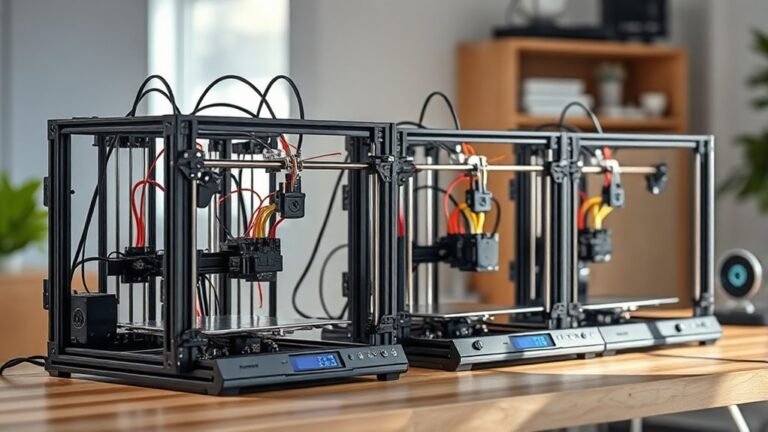
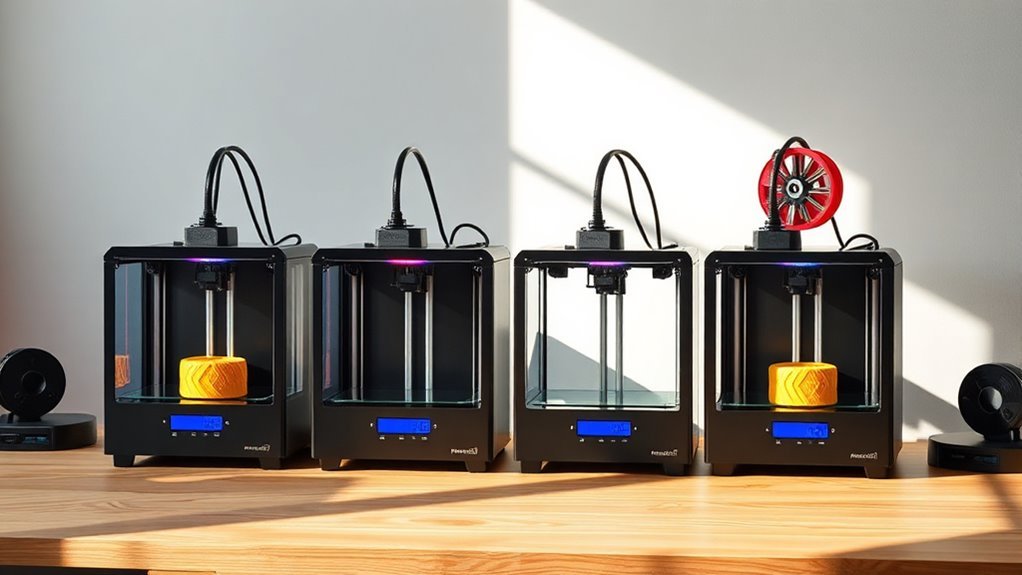
You’ll find four great budget-friendly home 3D printers for 2027 that fit beginners, educators, kids, and hobbyists alike. These affordable 3D printers offer a variety of features to suit different creative needs without breaking the bank.
Whether you want something simple to get started or a bit more advanced for detailed projects, there’s an option here for you.
The Entina Tina2 Plus offers easy WiFi setup and app control, making it super user-friendly. Meanwhile, the Geeetech Mini is perfect for simple, small projects with flexible filament support.
Anycubic Kobra X handles multicolor printing fast and quietly, which is great if you want to add some color to your creations. The Portable Compact FDM excels at small, portable builds, ideal for when you’re on the go.
Keep exploring to see which one matches your creative needs best!
| Image | Name | Editor's Rating | Price |
|---|---|---|---|

|
|
||

|
|
||

|
|
Entina Tina2 Plus 3D Printer with WiFi & App Control
- 【Start Printing in Minutes – Beginner Friendly】No setup required. Tina2 Plus 3d printer comes fully assembled and ready to use out of the box. With included TF card...
- 【Fast 250mm/s Printing Performance】This Tina2 Plus high speed 3D printer print speeds up to 250 mm/s help reduce waiting time and support fast project turnaround...
- 【WiFi App Control & STEM Model Library】Powered by the Poloprint Cloud app, this WiFi-enabled 3D printer gives access to 3,500+ printable models and 25+ creative DIY...
- 【40-Second Fast Heat Ceramic Hotend】High-efficiency ceramic hotend heats up in just 40 seconds for faster start-up and less downtime. The quick-swap nozzle design...
- 【Compact 3D Printer for Home & Classroom】Designed with a space-saving footprint while maintaining practical print capacity, this compact 3D printer fits easily on...
The Entina Tina2 Plus 3D printer offers a seamless introduction to 3D printing with its fully assembled design and intuitive app control. It removes the usual startup frustrations, allowing users to print models right away using preloaded files on the TF card. This simplicity is ideal for those new to this technology.
With built-in WiFi and the Poloprint Cloud app, users can manage prints remotely and explore thousands of downloadable designs. This connectivity streamlines the printing process and encourages creativity without the need for complex setup or monitoring.
The printer’s fast-heating hotend paired with a stable motion system delivers reliable and efficient printing results. Its compact, partially enclosed frame is designed for safety and fits comfortably in classrooms or small home spaces.
Maintenance is straightforward, requiring minimal effort to keep the printer running smoothly. This makes it well suited for kids, educators, and anyone seeking an easy-to-use 3D printer for educational or personal projects.
Best for: Beginners, kids, and educators looking for a compact 3D printer that simplifies STEM learning and creative printing.
What We Like:
- Fully assembled setup with beginner-friendly workflow
- WiFi-enabled with remote app control and extensive model library
- Fast heating hotend and stable motion system for consistent prints
- Compact, partially enclosed design ideal for safe classroom or home use
Specification:
| Feature | Details |
|---|---|
| Manufacturer | Entina |
| Dimensions | Compact size, fits small spaces |
| Weight | Lightweight for easy placement |
| Connectivity | WiFi with Poloprint Cloud app |
| Frame Design | Partially enclosed for safety |
Geeetech Mini 3D Printer for Kids and Beginners
No products found.
The Geeetech Mini 3D Printer is designed to make 3D printing accessible for kids and beginners. Its fully assembled setup and intuitive knob controls simplify operation, eliminating the frustration often seen in complex machines. This means users can start creating with minimal hassle and focus on learning and exploring.
With a compact print area of 3.94 × 4.33 × 3.94 inches, it fits well in small spaces and is ideal for crafting small to medium-sized projects. The printer’s 16-point auto-leveling system and heated bed with a magnetic PEI plate ensure prints are accurate and warping is minimized, providing consistent quality with less effort.
Maintenance is straightforward thanks to the one-button filament loading and the dual-drive extruder that supports flexible filaments like TPU and PLA. This feature enhances extrusion control, making printing smoother and reducing jams. The clear 2.4” LCD screen with bright lighting keeps users informed during the entire printing process.
While the print speed of up to 250 mm/s offers quick results, pushing it to the maximum may affect print quality. The smaller build volume may limit larger projects, and this model lacks some advanced features found in high-end printers, catering mainly to novices.
Best for: Kids, beginners, and educators seeking a reliable, easy-to-use 3D printer for creative learning and small-scale projects.
What We Like:
- Fully assembled design with simple knob controls for easy setup
- 16-point auto-leveling and heated magnetic PEI bed improve print accuracy
- Direct drive dual-gear extruder supports flexible filaments like TPU and PLA
- Compact size suits small workspaces and reduces clutter
- Clear 2.4” LCD screen with bright lighting for easy monitoring
Specification:
| Feature | Details |
|---|---|
| Manufacturer | Geeetech |
| Print Area | 3.94 × 4.33 × 3.94 inches |
| Print Speed | Up to 250 mm/s |
| Extruder Type | Dual-drive direct drive |
| Bed Type | Heated magnetic PEI plate |
| Display | 2.4” LCD with lighting |
Anycubic Kobra X Multicolor 3D Printer, Easy One-Click Printing
- 【Vivid 19-Color and Versatile Materials】Unleash creativity beyond limits. The Kobra X supports 4-color standard and expands up to 19 colors with 4 ACE 2 Pro for...
- 【600mm/s High Speed Performance】Don't let slow speeds limit your creativity. This high-speed FDM 3D printer reaches up to 600mm/s, completing tasks significantly...
- 【True Plug & Play Experience】Start your first project in as little as 15 minutes. The Kobra X arrives with a user-friendly setup and LeviQ 3.0 automatic bed leveling...
- 【LeviQ 3.0 Perfect First Layer】Forget the frustration of manual bed leveling that plagues beginner machines. The LeviQ 3.0 system utilizes 49-point full-auto leveling...
- 【Quiet & Reliable for Home】The ultra-quiet ≤48 dB operation ensures the living or learning space remains peaceful. Combined with power loss recovery and filament...
The Anycubic Kobra X Multicolor 3D printer transforms multicolor printing with its simple one-click operation. This printer is designed to help you create detailed, vibrant models with minimal effort. Its ability to support up to four colors out of the box, expandable to 19 with add-ons, opens new creative possibilities.
Setting up the Kobra X is straightforward and quick. The automatic LeviQ 3.0 bed leveling ensures accurate first layers, reducing errors and wasted filament. You can start printing in about 15 minutes, making it ideal for users who want fast results without complicated calibration.
The hardened steel nozzle can handle a variety of materials such as TPU, PLA, and PETG, providing flexibility for different projects. While it requires careful maintenance compared to standard nozzles, this durability supports printing at temperatures up to 300°C, expanding your material choices.
Designed for home and classroom use, it runs quietly at 48 dB or less and includes real-time monitoring with AI error detection. These features help maintain print quality and provide peace of mind during longer print sessions.
Best for: hobbyists and educators seeking a versatile, multicolor 3D printer with easy setup, fast printing, and reliable performance for home or classroom use.
What We Like:
- Supports up to 4 colors standard, expandable to 19 with add-ons
- Quick and precise first-layer setup with automatic LeviQ 3.0 leveling
- Handles multiple filaments with a durable hardened steel nozzle
- Quiet operation with AI error detection for smooth printing
Specification:
| Feature | Specification |
|---|---|
| Manufacturer | Anycubic |
| Build Volume | 260 × 260 × 260 mm |
| Nozzle Material | Hardened Steel |
| Max Nozzle Temperature | 300°C |
| Color Options | Up to 4 standard, expandable to 19 |
| Noise Level | ≤48 dB |
Portable Compact FDM 3D Printer for Beginners
- Foolproof Setup with Video Guides – Never get stuck! We provide a crystal-clear Quick Start Guide and step-by-step video tutorials. Watch them online to get started.
- Simple Assembly with Video Guide – Requires quick modular setup (watch our step-by-step video). Comes with 10m PLA filament, TF card, tools, and 12V Type-C power...
- Versatile Filament Compatibility – Unleash your creativity with both PLA and flexible TPU (1.75mm). The reliable 0.4mm nozzle and precise 0.05-0.3mm layer thickness...
- Reliable Performance & Compact Design – Features stable FDM technology and a removable build plate for easy model removal. The perfect 100x100x100mm build volume is...
- Complete Package – No Hidden Costs – Includes printer, 10m PLA filament, 8GB TF card + reader, tools, illustrated manual, and 12V Type-C power adapter. Plus free...
This portable compact FDM 3D printer is designed to fit seamlessly into small spaces, making it a practical choice for beginners and hobbyists. Its lightweight and portable design allow easy transport, especially suited for classrooms and STEM environments where space is limited. You can quickly start printing thanks to straightforward setup instructions and accessible online tutorials.
Maintenance is simple with a removable build plate that makes taking models off hassle-free. The 0.4 mm nozzle combined with adjustable layer thicknesses ensures precise and smooth prints. This printer supports both PLA and TPU filaments, providing reliable performance for everyday projects without complexity.
While the 100 x 100 x 100 mm build volume is best for smaller models, it meets the needs of most educational and beginner-level tasks. Its compact form and ease of use help reduce the learning curve for those new to 3D printing. This makes it a practical tool to explore creativity and STEM skills.
Best for: Beginners, students, and hobbyists seeking a portable and easy-to-use 3D printer for small-scale projects and educational purposes.
What We Like:
- Compact, lightweight design ideal for limited spaces
- Simple setup with clear Quick Start Guide and tutorials
- Removable build plate for easy model handling
- Precise prints with 0.4 mm nozzle and layer thickness options
Specification:
| Feature | Details |
|---|---|
| Manufacturer | Not specified |
| Build Volume | 100 x 100 x 100 mm |
| Nozzle Size | 0.4 mm |
| Filament Support | PLA, TPU |
| Weight | Lightweight (exact weight not specified) |
| Dimensions | Compact size (exact dimensions not specified) |
Factors to Consider When Choosing a Cheap Home 3D Printer
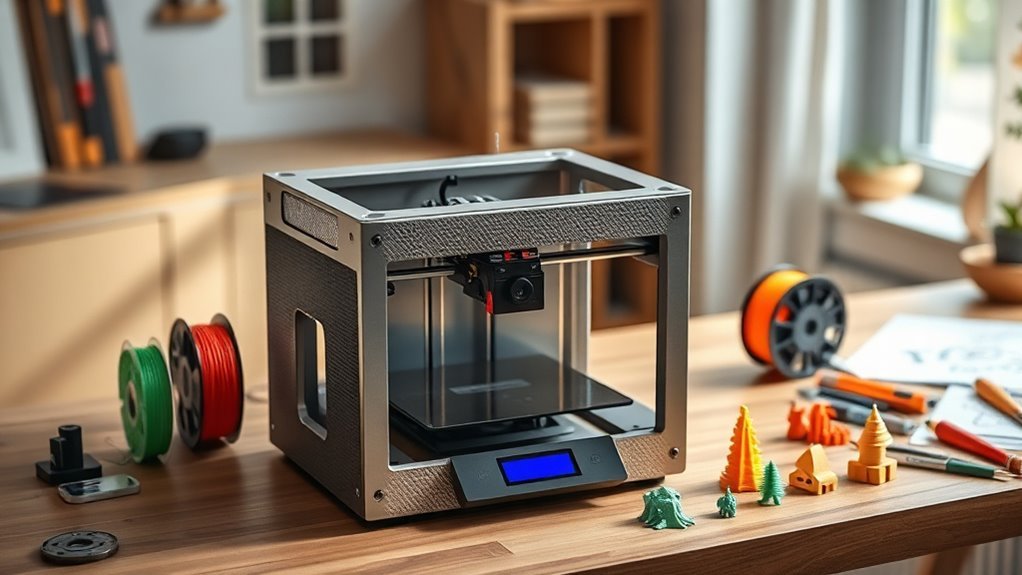
When choosing a cheap home 3D printer, you’ll want to weigh factors like printing speed, quality, and the build volume size. Consider how easy it is to set up and what connectivity options it offers.
Don’t forget to check the range of compatible filaments to match your project needs. It really helps to think about what you’ll be printing most often, so you pick the right machine.
Printing Speed And Quality
Although faster maximum travel speeds can cut down print times, print quality depends more on how well the printer controls motion and compensates for vibrations. You’ll want to take into account layer height since smaller layers (around 0.05 mm) give smoother finishes but take longer, while larger layers speed up printing at the cost of detail.
Nozzle diameter also matters—smaller nozzles provide finer features, and bigger ones let you print faster. Reliable first-layer systems like auto-leveling and stable build surfaces improve adhesion and accuracy, reducing failed prints.
Don’t overlook extruder type; direct-drive setups handle flexible filaments better and maintain consistency at higher speeds. Balancing these factors helps you get the best print quality without sacrificing too much speed in a budget-friendly 3D printer.
Ease Of Setup
Since setup can make or break your initial experience, choosing a cheap home 3D printer that arrives fully assembled or with easy snap-together parts will save you time and frustration. Look for models that reduce setup to under 30 minutes, letting you start printing quickly.
A clear Quick Start Guide, video tutorials, and preloaded demo files help beginners produce their first print within 10–30 minutes. Automatic bed leveling and auto-calibration features cut down manual tuning, improving first-layer success rates.
Simple interfaces with one-button filament loading and basic touchscreen or knob controls minimize configuration steps. Also, check for included tools like a TF card reader, spare nozzles, and a basic toolset.
Plus, an 8–16 GB preloaded card keeps setup self-contained without extra purchases. It really makes the whole process smoother and less stressful!
Build Volume Size
After getting your printer set up with ease, the next key factor to take into account is the build volume size. Choose a build volume that fits your typical projects—small desktop figurines need around 120–150 mm cubed, while larger or functional parts may require 200–300 mm or more.
Keep in mind, larger volumes increase print time, filament use, and risks like warping or layer shifts during long prints. Check both the usable Z-height and X/Y dimensions, since some printers list maximum travel excluding clearance for accessories, reducing actual space.
If you print multi-color or multipart builds, make sure the plate area can hold your assembly or multiple items in one job. Finally, balance build volume against chassis rigidity—compact printers usually offer better stability, while bigger ones need stronger frames for quality prints.
Connectivity Options Available
When choosing a cheap home 3D printer, you’ll want to take into account how it connects to your devices, as this affects convenience and control. Wi‑Fi and cloud connectivity let you start prints and monitor progress remotely but may add setup complexity and latency.
USB and SD/TF card slots offer simple, reliable offline file transfer. These are ideal if you lack network access.
Ethernet ports provide the most stable connection for managing large files or multiple users. This makes them perfect for classrooms.
Direct USB tethering enables real-time control and live monitoring, but it ties up your computer during printing.
If you want advanced features, look for open-source or API-friendly options like OctoPrint compatibility. These allow custom automation and integration with cameras or sensors for smarter monitoring.
Filament Compatibility Range
Understanding filament compatibility plays an essential role in getting the most out of your cheap home 3D printer. First, check the supported filament diameter—most budget models use 1.75 mm, so using the wrong size can cause feeding issues.
Next, consider which filament types the printer supports, such as PLA, TPU, PETG, or ABS. PLA and TPU are beginner-friendly, while PETG and ABS need higher temperatures.
Verify the printer’s maximum nozzle and bed temperatures to make certain it can handle these materials without warping. A heated bed is indispensable for materials like ABS or PETG.
Also, look at the extruder type—direct drive systems handle flexible filaments better—and features like filament run-out sensors that boost reliability during prints. These factors guarantee smooth, versatile printing experiences.
Noise Levels During Operation
Filament choice affects more than print quality—it can influence noise levels during operation. Typical budget FDM printers run around 40–60 dB at 1 meter, but anything above 55 dB may become distracting in your home or classroom.
The main noise culprits are stepper motors, cooling and hotend fans, and vibrations transmitted through the frame and print surface. To keep things quieter, check for specs like silent stepper drivers (e.g., Trinamic) and low-noise fans.
Enclosures, rubber feet, and a sturdy frame with belt tensioning or dual Z-axis support help reduce vibration noise. You can also lower noise by slowing travel speeds, enabling microstepping, or adjusting fan curves—trading some print speed for a more peaceful printing experience.
Safety Features Included
Because 3D printers involve hot components and moving parts, you should prioritize safety features that protect you and others during use. Look for enclosed or partially enclosed frames to reduce burn risks and contain fumes.
Make sure the printer has thermal runaway protection and reliable temperature sensors for the hotend and heated bed to prevent overheating or fire hazards. Filament run-out detection and power-loss recovery help avoid failed prints and limit the need to handle hot extruders mid-print.
An auto-bed leveling system or easy manual leveling, combined with a removable build plate, reduces finger contact with hot surfaces. Finally, choose models with child-safe designs, low-noise operation, accessible emergency stop controls, and effective ventilation to minimize exposure to ultrafine particles and VOCs.
Frequently Asked Questions
What Types of Filaments Are Compatible With Cheap Home 3D Printers?
You’ll find most cheap home 3D printers work well with PLA, ABS, and PETG filaments. These materials are affordable, easy to print, and widely available.
That makes them perfect for beginners and everyday projects. Plus, they don’t require any fancy setups or expensive equipment. So, if you’re just starting out, these are great options to try.
How Much Maintenance Do Budget 3D Printers Typically Require?
Imagine you print daily with a budget 3D printer; you’ll need to clean nozzles weekly and lubricate rails monthly.
You’ll also recalibrate occasionally to keep prints precise, but overall, maintenance stays manageable and straightforward.
Can Cheap 3D Printers Produce High-Resolution Models?
Yes, cheap 3D printers can produce high-resolution models, but you’ll need to fine-tune settings and accept slower print speeds.
Quality won’t match premium models, but with patience, you’ll get impressive results for the price.
What Safety Precautions Are Needed When Using Home 3D Printers?
You should make sure proper ventilation, avoid direct contact with hot parts, and use protective gloves when handling materials. Also, keep the printer on a stable surface to prevent any accidents.
Never leave it unattended during printing—that’s super important to stay safe with your 3D printer. Taking these simple steps can really make a difference!
Are There Any Warranties or Customer Support Options for Budget 3D Printers?
Warranties aren’t just window dressing—they’re your safety net. Many budget 3D printers come with at least a one-year warranty and customer support via email or chat,
so you won’t be left hanging when problems pop up. It’s really good to know someone’s got your back if something goes wrong.
Conclusion
Choosing the right cheap home 3D printer is like picking the perfect brush to paint your ideas into reality. Whether you want the Entina Tina2 Plus’s smart control or the Geeetech Mini’s beginner-friendly charm, there’s something for everyone.
Maybe the Anycubic Kobra X’s colorful ease catches your eye, or you prefer a portable compact model for convenience. Each option is ready to bring your creativity to life in its own unique way.
So, grab your canvas—your new 3D printer—and start crafting wonders right at home! With affordable home 3D printers like these, turning your ideas into tangible creations has never been easier or more fun. Whether you’re a hobbyist or just getting started, the best cheap home 3D printers for 2027 can help unleash your imagination without breaking the bank.