4 best cheap dedicated sublimation printer 2026
If you’re on the hunt for affordable and reliable sublimation printers, you’re in the right place.
These four cheap dedicated sublimation printers for 2026 offer great quality without breaking the bank. Whether you’re a beginner or looking to upgrade, these models deliver impressive results and features tailored for sublimation printing.
The Epson SureColor F170 stands out with its compact design, genuine Epson inks, and easy refill system. It’s perfect if you want hassle-free printing without sacrificing quality.
DXZ 2026 impresses with fast, high-resolution printing and built-in maintenance tools that keep your workflow smooth.
Meanwhile, the Sawgrass SG500 offers vibrant prints thanks to smart color presets and convenient Wi-Fi connectivity.
Last but not least, the Pro Sublimation CISS Combo simplifies your printing process with a continuous ink supply system, making it great for high-volume projects.
Keep reading to discover which one fits your needs best!
| Image | Name | Editor's Rating | Price |
|---|---|---|---|

|
|
||
|
|
||

|
|
||

|
|
Epson SureColor F170 Compact Dye-Sublimation Printer
- Confidence - Epson authorized partner. Original Epson Manufactured product delivered in Epson’s factory-sealed packaging with Epson documentation and Epson’s full...
- Genuine Epson Ink Included - Comes with a full set of OEM Epson sublimation inks, certified ECO PASSPORT by OEKO-TEX for safe use on textiles, apparel, mugs, mousepads...
- Astounding Print Quality - Epson's Surecolor F170 Sublimation printer boasts the PrecisionCore printhead which offers Precision Droplet Control for the most outstanding...
- Versatile Media Support - Includes a 150-sheet auto-feed tray for added efficiency. Epson SureColor sublimation printers house the paper in a dust resistant closed tray...
- Compact Reliable Solution - Space-saving design with user-friendly setup for MacOS & Windows. Please note that connection to mobile devices is not supported with this...
The Epson SureColor F170 is a compact dye-sublimation printer designed to fit effortlessly on your desk. It offers a reliable solution for creating vibrant, customized items like apparel, mugs, and mousepads. This printer handles media up to 8.5 inches wide, making it versatile for various craft and business projects.
Maintenance is simplified with genuine Epson inks that feature auto-stop refill technology. This reduces mess and downtime, helping you keep your workspace clean and your printing process smooth. The PrecisionCore printhead ensures sharp, detailed output at a resolution up to 1200 x 600 dpi, delivering consistent quality every time.
Its lightweight and space-saving design makes setup easy, with USB and Ethernet connectivity options available. While it focuses on single-sided printing and lacks mobile device support, it meets the needs of hobbyists and small businesses looking for dependable dye-sub printing without complex features.
The Epson SureColor F170 balances compact design with practical functionality, making it a solid choice for those who value quality and ease of use in a small footprint.
Best for: hobbyists, crafters, and small business owners seeking a compact, reliable dye-sublimation printer for creating custom apparel, mugs, and mousepads.
What We Like:
- Genuine Epson dye-sublimation inks with auto-stop refill technology for clean and easy maintenance
- Sharp, vibrant prints thanks to the PrecisionCore printhead at 1200 x 600 dpi
- Compact design with simple USB and Ethernet connectivity for flexible setup
Specification:
| Feature | Details |
|---|---|
| Manufacturer | Epson |
| Dimensions | Compact (fits on desk) |
| Weight | 16 lb (7.3 kg) |
| Media Width | Up to 8.5 inches (21.6 cm) |
| Print Resolution | Up to 1200 x 600 dpi |
| Connectivity | USB, Ethernet |
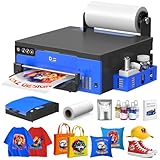
DXZ 2026 A4 DTF Printer with Roll Feeder
- ❤️Two Year Ink Supply - With your printer purchase, you’ll receive a two-year supply of ink—6 bottles (250ml each) and 500g of powder! Get a new set every two...
- Optimized Productivity - Elevate your printing experience with our DXZ 8.27-inch DTF Printer. Boasting a built-in cutter, it saves film while ensuring effortless...
- Upgraded A4 DTF Printer - DXZ DTF printer features a white ink mixing system and Semi-Automatic Cleaning System.Say goodbye to clogs and ensure smooth white ink flow for...
- Remarkable Printing Speed – Equipped with an F1080 6-color printhead, this A4 DTF printer delivers up to 2× the printing speed of L1800 and R1390 printheads. With a...
- A4 Roll Or Sheet Printing - Designed for ease-of-use, the DTF Transfer Printer supports rolls or sheets up to 8.3" wide. It's efficient for both large-scale and on-demand...
The DXZ 2026 A4 DTF Printer with Roll Feeder offers a smart solution for small businesses looking to boost their printing efficiency. It handles both rolls and sheets up to 8.3 inches wide, making it versatile for various fabric printing needs. This printer’s fast F1080 6-color printhead doubles the speed of many competitors, helping you meet tight deadlines with vibrant, sharp prints.
Maintenance is simplified thanks to the built-in cutter and upgraded roller feeder. These features reduce paper jams and material waste, saving time and costs. The white ink stirring system ensures consistent ink quality, while semi-automatic cleaning keeps the printer running smoothly with minimal effort.
Designed to keep your workflow steady, the DXZ 2026 comes with two years of ink supply and regular replenishments. This reduces downtime and supply management hassles, though buyers should note that ink shipping costs are their responsibility. The printer supports high resolution at 2800×1400 DPI, producing crisp details and rich saturation on diverse fabrics.
Best for: Small businesses and print shops seeking efficient, high-speed direct-to-film printing with reliable roll feeding and straightforward maintenance.
What We Like:
- Fast 6-color printhead delivers vivid, detailed prints at double the speed.
- Built-in cutter and upgraded feeder reduce jams and waste.
- White ink stirring system maintains consistent print quality.
- Two years of ink supply with scheduled replenishments.
- Semi-automatic cleaning eases maintenance efforts.
Specification:
| Feature | Details |
|---|---|
| Manufacturer | DXZ |
| Maximum Media Width | 8.3 inches (21 cm) |
| Printhead | F1080 6-color |
| Resolution | Up to 2800×1400 DPI |
| Ink Supply Duration | 2 years (with replenishment) |
| Maintenance Features | Built-in cutter, roller feeder, white ink stirring, semi-automatic cleaning |
Sawgrass SG500 Sublimation Printer Starter Bundle with Ink and Paper
- Professional-Grade Print Quality: The Sawgrass SG500 delivers professional-grade sublimation printing, perfect for creating custom t-shirts, drinkware, signage, and...
- Rich & Vivid CMYK Sublimation Printing Inkset: Includes a full starter set of 20ml SubliJet UHD ink cartridges (cyan, magenta, yellow, black), specially formulated in...
- Compact Design with Big Potential: The SG500 offers desktop-friendly dimensions without compromising performance, printing on media up to 8.5” x 14”; This makes it...
- Powerful, User-Friendly Software: Gain access to our all-in-one MySawgrass platform, an intuitive online design tool packed with templates, allowing you to create...
- Built for Growth and Reliability: With features like Wi-Fi connectivity and print head auto-maintenance, the SG500 is engineered for durability and long-term use; Whether...
Experience vibrant, professional-quality sublimation printing with the Sawgrass SG500 Sublimation Printer Starter Bundle. This compact printer is designed to deliver sharp CMYK prints at resolutions up to 4800 × 1200 dpi, making it ideal for small businesses and creative hobbies. Its ability to handle media sizes up to 8.5 × 14 inches, including longer sheets via a bypass tray, offers versatility for various projects.
Maintenance is simplified with an anti-clog print head that ensures consistent output and reduces downtime. Connectivity options like Wi-Fi and USB make it easy to integrate the printer into your workspace. The included SubliJet UHD ink and TruePix paper are tailored to produce vivid colors and smooth gradients, enhancing your print quality and workflow.
The Sawgrass software supports smart color presets, helping you achieve accurate results with minimal effort. While the printer is limited to single-sided printing and moderate speeds of about 10 pages per minute, its compact design and user-friendly features make it a practical choice for those who need reliable sublimation printing without complexity.
Best for: Small business owners and hobbyists seeking high-quality sublimation prints with easy maintenance and flexible media handling.
What We Like:
- Produces sharp, vibrant CMYK prints with high resolution.
- Includes premium SubliJet UHD ink and TruePix paper.
- Anti-clog print head reduces maintenance efforts.
- Supports Wi-Fi and USB connectivity for easy setup.
- User-friendly software with smart color presets.
Specification:
| Feature | Details |
|---|---|
| Manufacturer | Sawgrass |
| Print Resolution | Up to 4800 × 1200 dpi |
| Max Media Size | 8.5 × 14 inches |
| Connectivity | Wi-Fi, USB |
| Ink Included | SubliJet UHD |
| Paper Included | TruePix |
| Print Speed | Approx. 10 ppm (color) |
Pro Sublimation Printer CISS Blank Materials Combo Kit
- Epson WF-2860 printer +CISS(Ink Continue System) +Sublimation Ink Package is ideal for your sublimation printing needs
- WF-2860 printer +CISS(Ink Continue System) +Sublimation Ink Package is ideal for your sublimation printing needs
- The CISS comes with CHIPLESS cartridges, don't need reset anymore
- Ink system pre-filled high quality sublimation ink
- 1-year warranty for printer
Experience smooth and efficient sublimation printing with the Pro Sublimation Printer CISS Blank Materials Combo Kit. This kit is designed to simplify your printing process by integrating a Continuous Ink Supply System (CISS) with the Epson WF-2860 printer. You no longer need to deal with frequent cartridge replacements or complex cartridge resets, saving you valuable time.
The included chipless CISS cartridges come pre-filled with sublimation ink, ensuring consistent, vibrant prints every time. This setup is ideal for those who want reliable output without the hassle of constant maintenance. The Epson WF-2860 is fully compatible with sublimation ink, making it a practical choice for small-scale printing projects.
Maintaining the system is straightforward but may require some initial setup knowledge. Regular upkeep ensures optimal performance and longevity of your sublimation printer. The compact design of the Epson WF-2860 fits well into small workspaces, making it suitable for hobbyists and small business environments.
Best for: Small business owners and hobbyists looking for an affordable, easy-to-use dye-sublimation printing solution with continuous ink supply.
What We Like:
- Epson WF-2860 optimized for sublimation printing
- Pre-filled chipless CISS cartridges eliminate cartridge resets
- Simplifies dye-sublimation printing workflow
- Compact and suitable for small workspace setups
Specification:
| Feature | Details |
|---|---|
| Manufacturer | Epson |
| Printer Model | WF-2860 |
| Ink System | Continuous Ink Supply System (CISS) with chipless cartridges |
| Ink Type | Pre-filled sublimation ink |
| Dimensions | Approximately 14.8 x 13.2 x 7.5 inches |
| Weight | Around 12 lbs (5.4 kg) |
Factors to Consider When Choosing a Cheap Dedicated Sublimation Printer 2026
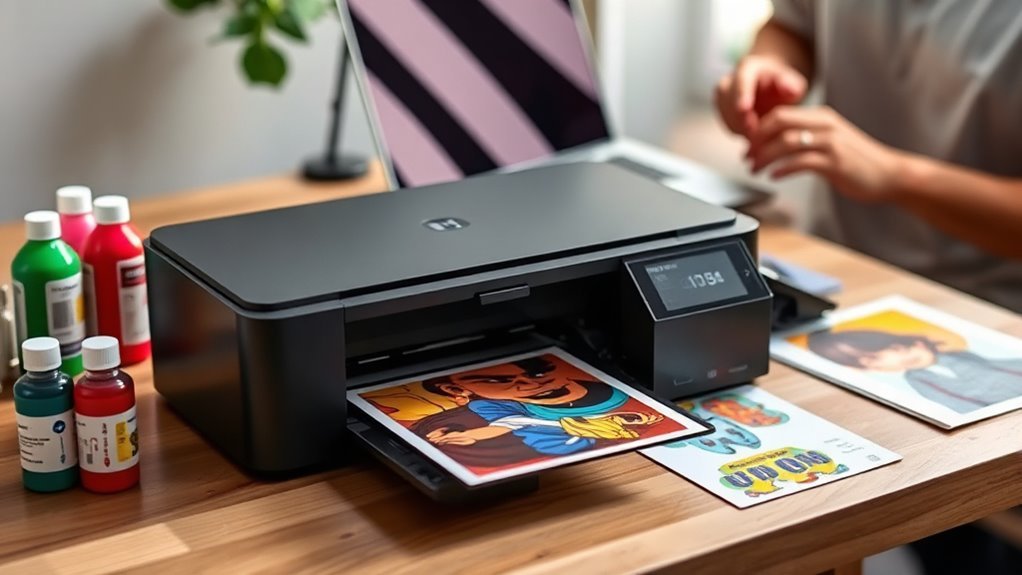
When choosing a cheap dedicated sublimation printer, focus on print quality and resolution to guarantee sharp results. Consider the ink type and cost, along with the range of compatible media for your projects.
Don’t forget to check connectivity options, software ease, and the warranty or support offered. These little details can make a big difference in the long run.
Print Quality And Resolution
Although price matters, print quality and resolution play a crucial role in getting vibrant, detailed sublimation prints. You should look for printers with at least 1200 × 600 dpi optical resolution for smooth gradients and fine text.
Higher-end options offer up to 4800 × 1200 dpi for photo-quality output. Pay attention to droplet control—smaller droplet sizes and precise “microdot” technology deliver finer detail and smoother color shifts.
Also, make certain the printer supports a wide CMYK color gamut to boost vibrancy on polyester substrates. Consistent print density and accurate dot placement matter for halftone and photographic prints, so check for features like registered DPI consistency and maintenance functions.
Finally, consider print modes and RIP software that let you adjust resolution and color profiling to optimize sharpness without needing top-tier hardware. It’s all about getting the best results without breaking the bank.
Ink Type And Cost
Since sublimation printers rely on specialized inks that turn to gas under heat, understanding ink type and cost is essential for managing your expenses. Sublimation inks cost more than typical dye or pigment inks, so check per-milliliter prices carefully.
Your ink usage varies with color coverage and print mode—full-color prints use several milliliters per A4 sheet, so calculate cost per print by dividing ink volume used by bottle price. Opt for refillable bottles or bulk packs to lower costs, but be aware that bulk systems might need more maintenance.
If you need white or spot-white inks for specialty uses, factor in additional replacement and maintenance expenses. Also, consider hidden ink costs like priming and cleaning cycles, as printers with frequent auto-clean routines increase overall ink consumption and operating expenses.
Media Compatibility Range
Managing ink costs is just one part of running an efficient sublimation setup; you also need to make certain your printer handles the materials you plan to print on. Check the maximum printable width and paper sizes—whether A4, 8.5×14, or wider rolls—to match your garment or substrate dimensions.
Confirm the printer supports both transfer paper and direct-to-film media if you want flexibility for apparel, mugs, or signage. Make certain compatibility with polyester and polyester-coated substrates, as true dye-sublimation requires polyester-rich materials for vibrant, lasting results.
Also, verify that the printer and ink work well with specialty media like coated ceramics or polymer metals, noting recommended temperature and time settings. Finally, look for features like sheet trays, roll feeders, and cutters, plus the ability to handle thicker media without jams, to keep your workflow smooth.
Connectivity And Software
How will you connect and control your sublimation printer? Make sure it supports the connectivity options you need, like USB 2.0/3.0 for direct PC connection, Ethernet for network setups, or Wi-Fi for wireless and mobile device access.
Check that the printer’s drivers and software are compatible with your operating system, whether Windows or macOS. Also, note any mobile OS limitations or lack of native mobile printing.
Look for dedicated sublimation software offering ICC profile support, color presets, and layout tools. This will help guarantee accurate colors and efficient batching.
Also, confirm the frequency and delivery method of driver updates to maintain color accuracy and fix bugs. Finally, prioritize ease of installation with plug-and-play drivers, built-in utilities, and straightforward firmware updates to reduce setup time and hassle.
Warranty And Support
When choosing a cheap dedicated sublimation printer, you’ll want to carefully evaluate the warranty and support options to protect your investment. Confirm the warranty length—typically 1–2 years—and check if it covers key parts like the printhead, electronics, and mechanical components.
Also, understand exclusions, especially consumables and damage caused by third-party inks, which might void coverage. Make sure to verify how quickly technical support responds via email, phone, or chat.
Check if repair or replacement turnaround times are guaranteed. Look for included extras such as remote setup help, software updates, and training resources.
Note if these extras are free or time-limited. Finally, check policies on return shipping, repair costs, and loaner units to gauge your total ownership risk and minimize downtime.
Frequently Asked Questions
How Long Does Sublimation Ink Typically Last Once Opened?
Sublimation ink usually lasts about 6 to 12 months after opening if you store it properly. Keep the bottle sealed tightly and away from sunlight or extreme temperatures to maintain its quality.
This helps prevent the ink from drying out, which is super important. So, just keep it in a cool, dark place and you’ll be good to go!
Can Sublimation Printers Be Used on Cotton Fabrics?
You can’t use sublimation printers directly on cotton fabrics because the ink bonds best with polyester.
However, you can print on special polyester-coated sheets or blends to get vibrant, durable designs on cotton items.
It’s a neat workaround that lets you enjoy sublimation prints on cotton without losing quality.
What Types of Software Are Compatible With Sublimation Printers?
You’ll find sublimation printers work well with design software like Adobe Photoshop, Illustrator, and CorelDRAW. Many also support free programs like GIMP.
Just make sure your software can handle CMYK color profiles for best results. It really makes a difference in the final print quality.
Are There Eco-Friendly Sublimation Ink Options Available?
You’ll find eco-friendly sublimation inks that dance lightly on the earth, made from biodegradable or water-based ingredients. They reduce harmful chemicals, so you can print vibrant designs without leaving a heavy carbon footprint behind.
It’s pretty cool how these inks keep things green while still delivering bright, beautiful prints. So, if you’re looking to go eco-friendly with your sublimation projects, these inks are definitely worth checking out!
How Do Sublimation Printers Compare to Heat Transfer Printers?
You’ll find sublimation printers produce vibrant, durable prints by infusing ink into fabric, while heat transfer printers apply designs on surfaces with a film.
Sublimation works best on polyester, offering longer-lasting results than heat transfer.
Conclusion
When choosing your cheap dedicated sublimation printer for 2026, think of it as planting a seed in a garden—you want the right soil, water, and sunlight to help it grow. Each printer here offers unique strengths, so pick one that suits your creative needs and budget.
With the right choice, your vibrant designs will bloom beautifully, turning your projects into colorful masterpieces without breaking the bank. Finding the best cheap dedicated sublimation printer means you can create stunning prints while keeping costs low.
Your perfect printer is ready to bring your ideas to life! So go ahead, dive into the world of sublimation printing with confidence, and watch your creativity flourish with affordable and reliable options in 2026.