6 Best Cheap Colour Printers for 2027
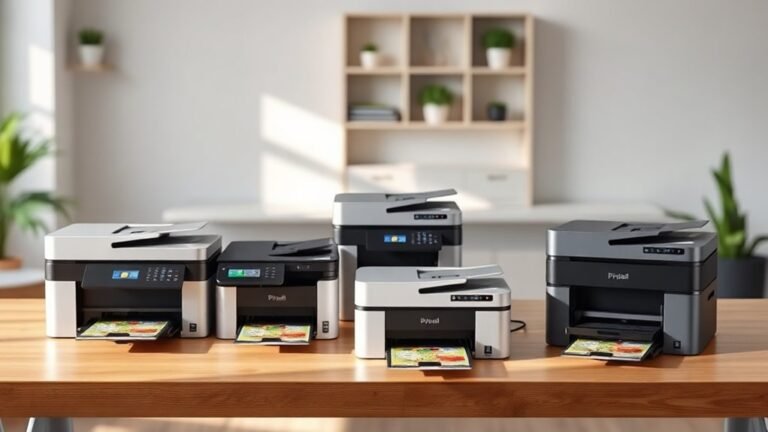
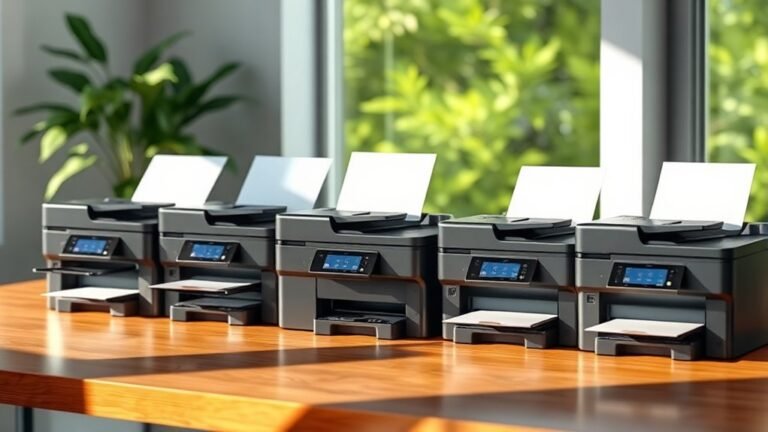
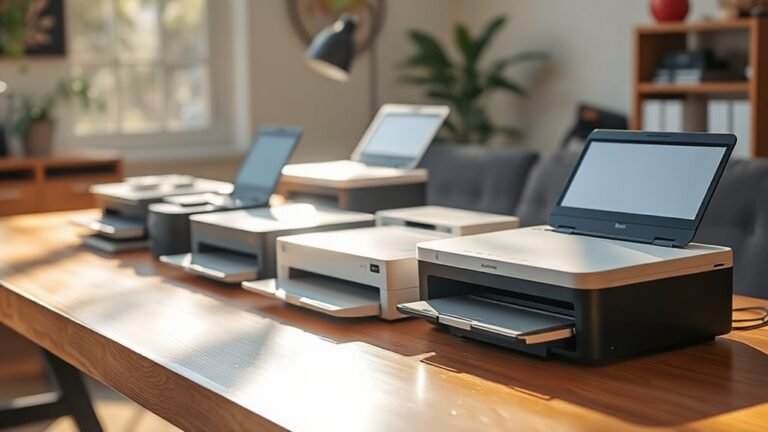
If you’re looking for a cheap colour printer in 2027 that’s both reliable and versatile, you’re in the right place. Affordable colour printers can make a big difference whether you’re printing photos, documents, or envelopes. Plus, finding one that fits your budget without sacrificing quality is key.
Check out these six great options. The HP DeskJet 2923 is perfect for basic wireless all-in-one use. Then there’s the Canon PIXMA TS4320, which offers crisp prints and supports envelopes and photos.
Canon’s MegaTank G3270 helps you save money with refillable ink tanks. Meanwhile, the HP Envy 6155 is a solid pick if you want eco-friendly duplex printing. Epson’s XP-4205 adds fun features like voice printing and high resolution, and the Epson EcoTank ET-2988 gives you long-lasting cartridge-free ink. Keep exploring to find the best fit for your needs!
| Image | Name | Editor's Rating | Price |
|---|---|---|---|

|
|
||

|
|
||

|
|
||

|
|
||

|
|
HP DeskJet 2923 Color Inkjet Printer | Wireless | All-in-One
- Perfect for basic printing needs – Print everyday color documents like to-do lists, letters, financial documents and recipes
- KEY FEATURES – Color print, copy, scan, and a 60-sheet input tray, plus mobile and wireless printing
- OPTIMIZE PRINT FORMATTING WITH HP AI – Print web pages and emails with precision—no wasted pages or awkward layouts; HP AI easily removes unwanted content, so your...
- ICON LCD – Print your basic documents with ease from the intuitive control panel
- PRINT SPEED – Up to 7.5 ppm black, 5.5 ppm color

If you need a reliable all-in-one printer that fits seamlessly into your home office, the HP DeskJet 2923 offers a practical solution. It lets you print, copy, and scan in full color without hassle, helping you handle daily tasks efficiently. Its compact design ensures it won’t take up much space, making it ideal for small work areas.
This printer simplifies wireless printing through dual-band Wi-Fi and the HP App, so you can manage jobs directly from your smartphone. The easy-to-use LCD control panel with icons makes navigation straightforward, reducing time spent on setup and operation. Its 60-sheet input tray supports moderate print volumes without frequent refills.
Maintenance is straightforward with the included 6-month Instant Ink trial, which automates ink delivery to avoid running out unexpectedly. However, continued use requires a subscription. While the print speed is moderate, it suits typical home and small office needs.
The HP DeskJet 2923 focuses on eco-conscious design, using recycled plastics and holding ENERGY STAR and EPEAT certifications. This makes it a practical choice for users mindful of environmental impact.
Best for: Home users seeking an affordable, compact all-in-one printer with wireless capabilities and easy mobile integration.
What We Like:
- Full-color print, copy, and scan functions in a compact form.
- Wireless printing via dual-band Wi-Fi and HP App integration.
- User-friendly icon LCD control panel for easy operation.
- Eco-friendly build with recycled materials and energy certifications.
- Convenient 6-month Instant Ink trial for automatic ink management.
Specification:
| Feature | Details |
|---|---|
| Manufacturer | HP |
| Dimensions (W×D×H) | Approx. 16.5 × 12.0 × 5.5 inches |
| Weight | Approx. 5.3 lbs (2.4 kg) |
| Material | Plastic with recycled content |
| Color Options | White with blue accents |
Canon PIXMA TS4320 – Wireless Color Inkjet Printer with Print, Copy, Scan
- Affordable Versatility - A budget-friendly all-in-one printer perfect for both home users and hybrid workers, offering exceptional value
- Crisp, Vibrant Prints - Experience impressive print quality for both documents and photos, thanks to its 2-cartridge hybrid ink system that delivers sharp text and vivid...
- Effortless Setup & Use - Get started quickly with easy setup for your smartphone or computer, so you can print, scan, and copy without delay
- Reliable Wireless Connectivity - Enjoy stable and consistent connections with dual-band Wi-Fi (2.4GHz or 5GHz), ensuring smooth printing from anywhere in your home or...
- Scan & Copy Handling - Utilize the device’s integrated scanner for efficient scanning and copying operations
Looking for a compact printer that blends seamlessly into your home or hybrid workspace? The Canon PIXMA TS4320 offers wireless printing, copying, and scanning with sharp detail at 1200 x 1200 dpi. Its fast print speeds help you complete everyday tasks quickly without sacrificing quality.
This all-in-one printer supports auto duplex printing, reducing paper waste and saving time. It handles a variety of media types, including envelopes and glossy photo paper, making it versatile for both documents and creative projects. The 100-sheet capacity fits well in small spaces, keeping your desk clutter-free.
Maintenance is straightforward with starter ink tanks included, though frequent users may need to replace them sooner. Wireless connectivity options like the Canon PRINT app and Alexa make printing convenient from multiple devices, streamlining your workflow.
Best for: Home users and hybrid workers needing a stylish, compact all-in-one printer for light to moderate printing, copying, and scanning.
What We Like:
- Fast print speeds up to 14 ppm (black) and 9 ppm (color)
- Wireless dual-band Wi-Fi and mobile printing options
- Auto duplex printing and support for various media types
- Compact design with a manageable 100-sheet capacity
Specification:
| Feature | Details |
|---|---|
| Manufacturer | Canon |
| Dimensions (W x D x H) | Approx. 14.5 x 11.7 x 5.0 in |
| Weight | Approx. 9.9 lb (4.5 kg) |
| Printing Technology | Color Inkjet |
| Print Resolution | Up to 1200 x 1200 dpi |
| Paper Capacity | 100 sheets |
| Connectivity | Wireless dual-band Wi-Fi, Canon PRINT app, Alexa control |
Canon MegaTank G3270 All-in-One Wireless Color Printer
- Wireless Print/Copy/Scan
- Up to 2 years of ink included (2)
- Print up to 6,000 black & white / 7,700 color pages using a single set of inks! (1)
- Save up to $1,000 on ink (1)
- 1.35” Square LCD display
Experience hassle-free, high-volume color printing with the Canon MegaTank G3270. This all-in-one wireless color printer is designed to minimize ink replacement interruptions, letting you focus on your work or creative projects. Its large refillable ink tanks can print up to 7,700 color pages per refill, making it ideal for homes or small offices with frequent printing needs.
The G3270 combines printing, copying, and scanning into one compact unit. It delivers sharp 4800 × 1200 dpi resolution, ensuring vibrant and detailed output every time. Wireless connectivity and smartphone app support simplify your workflow, allowing you to print from virtually anywhere with ease.
Maintenance is straightforward thanks to the MegaTank system, which reduces the hassle and cost of frequent cartridge changes. Its compact design fits well in limited spaces, while the 1.35″ LCD screen offers easy operation. Though it prints single-sided only and has a 100-sheet paper tray, it balances functionality and convenience for steady, high-quality output.
Best for: users seeking a cost-effective, high-volume color printer with wireless and mobile printing capabilities for home or small office environments.
What We Like:
- High ink yield reduces frequent refills
- Sharp print, copy, and scan resolution
- Convenient wireless and smartphone printing
- Compact design with easy-to-use LCD
- Refillable ink tanks lower maintenance costs
Specification:
| Feature | Details |
|---|---|
| Manufacturer | Canon |
| Dimensions | Compact design (exact size not specified) |
| Weight | Not specified |
| Color Options | Not specified |
| Print Resolution | 4800 × 1200 dpi |
| Ink System | Refillable MegaTank |
| Paper Capacity | 100 sheets |
| Connectivity | Wireless, smartphone app compatible |
HP Envy 6155 Wireless All-in-One Inkjet Printer
- FROM AMERICA'S MOST TRUSTED PRINTER BRAND – The Envy 6155 is perfect for homes printing everyday high-quality color documents like homework and borderless photos. Print...
- 3 MONTH TRIAL OF INSTANT INK – Subscribe to the Instant Ink delivery service to get ink delivered directly to your door before you run out, and you save up to 50% on...
- KEY FEATURES – Color print, copy and scan, plus auto 2-sided printing and a 100-sheet input tray
- HP'S MOST INTUITIVE COLOR TOUCHSCREEN – Smoothly navigate your printer with the easy-to-use 2.4" touchscreen
- WIRELESS PRINTING – Stay connected with our most reliable dual-band Wi-Fi, which automatically detects and resolves connection issues
The HP Envy 6155 Wireless All-in-One Inkjet Printer brings convenience and versatility to your home printing needs. It simplifies everyday tasks like printing, scanning, and copying, making it easier to manage homework, documents, and vibrant photos. The automatic duplex printing helps save paper, reducing waste without extra effort.
With wireless dual-band Wi-Fi, you can print or scan directly from your smartphone using the HP App. The 2.4″ color touchscreen offers straightforward navigation, while HP’s AI enhances print layouts and colors for sharp, vivid results. Its design also supports eco-conscious users, built with 60% recycled plastic and including a trial of Instant Ink for hassle-free ink replacement.
Maintenance is user-friendly with original HP cartridges designed to ensure reliable performance, though this limits cartridge options. Print speeds reach up to 10 ppm for black and 7 ppm for color, suitable for moderate daily use but may not meet the needs of high-volume tasks.
Best for: Home users who want an easy-to-use all-in-one printer for colorful documents, photos, and homework with wireless and mobile printing convenience.
What We Like:
- Automatic duplex printing reduces paper use and boosts efficiency.
- Intuitive color touchscreen paired with AI for improved print quality.
- Eco-friendly build with recycled materials and Instant Ink trial.
- Wireless connectivity enables printing and scanning from mobile devices.
- Compact all-in-one design fits well in home environments.
Specification:
| Feature | Details |
|---|---|
| Manufacturer | HP |
| Dimensions | Not specified |
| Weight | Not specified |
| Material | 60% recycled plastic |
| Color Options | Not specified |
Epson Expression Home XP-4205 Wireless Color All-in-One Inkjet Printer
- Remarkable Print Quality for Home and Photo Printing — Epson’s leading-edge imaging technology produces crisp documents, vibrant borderless photos with rich colors...
- Stress-Free Setup and Operation — Large 2.4" color display for effortless navigation, plus easy installation and operation through your smartphone or tablet using the...
- Convenient Connectivity — Supports easy wireless connections and printing from Android or iOS devices (2)
- Engineered for Reliability — Consistently delivers high-quality prints with heat-free technology and a permanent printhead designed to last the life of the printer
- Easy, Affordable Printing — Individual ink cartridges make it easy to only replace the ink you need
Experience seamless wireless printing designed for small home offices with the Epson Expression Home XP-4205. This all-in-one inkjet printer tackles everyday tasks like printing, scanning, and copying with sharp, vibrant results thanks to its high 5760 x 1440 dpi resolution. It helps reduce paper waste through automatic duplex printing, making your workflow more efficient and eco-friendly.
The XP-4205 supports hands-free printing via Alexa and Siri, simplifying operation with just your voice. Mobile printing is also easy using the Epson Smart Panel app, so you can print directly from your smartphone or tablet without hassle. Its compact design fits comfortably in limited spaces while maintaining strong functionality.
Maintenance is straightforward with individual Claria T232 ink cartridges, allowing you to replace only the colors you need, which saves money and reduces waste. The 2.4-inch color LCD screen makes managing print jobs and settings intuitive and quick, even for beginners.
While the printer offers solid performance, its 100-sheet input tray may require frequent refills during heavy use. Print speeds are moderate, so it’s best suited for light to medium volume tasks. Some features need an internet connection and app setup, which could be a minor inconvenience for some users.
Best for: Small home offices and users seeking reliable wireless printing with voice control and multifunction capabilities in a compact, budget-friendly device.
What We Like:
- Sharp 5760 x 1440 dpi resolution with automatic duplex printing saves paper.
- Voice-activated printing via Alexa and Siri enhances hands-free convenience.
- Mobile printing through Epson Smart Panel app for easy remote operation.
- Individual Claria ink cartridges reduce ink waste and lower operational costs.
- Compact, energy-efficient design fits well in small spaces.
Specification:
| Feature | Details |
|---|---|
| Manufacturer | Epson |
| Dimensions (W x D x H) | 14.8 x 11.7 x 5.9 inches |
| Weight | 8.4 lbs (3.8 kg) |
| Ink Type | Individual Claria T232 cartridges |
| Connectivity | Wireless, Alexa, Siri, Epson Smart Panel app |
| Display | 2.4-inch color LCD |
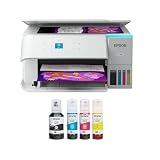
Epson EcoTank ET-2988 Wireless All-in-One Printer
- STRESS-FREE PRINTING — Epson EcoTank comes with enough ink to print up to 6,600 pages black/5,500 color¹⁰ for fewer out-of-ink frustrations. Each replacement ink...
- SIMPLE INK REFILLING — Supersized ink tanks and uniquely keyed EcoFit bottles make refilling ink simple—no mess, no stress and no ink bottle mix-ups
- THE WORLD’S #1 SELLING SUPERTANK PRINTER² — Epson invented EcoTank to revolutionize the way people print; we’ve sold 100 million EcoTanks worldwide⁷ and this is...
- ADVANCED PRODUCTIVITY FEATURES — Fast 15 black/8 color ISO ppm print speeds with zero warmup time, built-in scanner, 100-sheet paper tray, auto duplex printing and a...
- STUNNING PRINT QUALITY — High 4800 x 1200 dpi print resolution for exceptional photos and text; enjoy amazing image quality on a wide range of media
Experience seamless printing with the Epson EcoTank ET-2988, designed to simplify your workflow and reduce interruptions. Its cartridge-free system uses refillable ink tanks that provide up to three years of ink, eliminating the hassle and expense of frequent cartridge replacements.
This wireless all-in-one printer delivers crisp, high-resolution prints at 4800 x 1200 dpi, producing sharp documents and vibrant colors. With print speeds up to 15 pages per minute in black and 8 in color, it handles everyday tasks quickly while supporting automatic duplex printing to save paper.
Maintenance is straightforward thanks to the large ink reservoirs that minimize refills and lower printing costs. The compact design fits easily into home or office spaces, and energy-efficient operation helps reduce power consumption.
The printer supports mobile printing through the Epson Smart Panel app, enabling convenient printing from smartphones and tablets. Its 100-sheet paper tray accommodates various paper sizes but may require regular refilling for large jobs. It is ideal for users seeking an eco-friendly, cost-effective solution for moderate to high-volume printing.
Best for: Home and small office users needing a reliable, wireless all-in-one printer with long-lasting ink supply and efficient performance.
What We Like:
- Cartridge-free refillable ink tanks reduce waste and printing costs
- Fast print speeds with high-resolution output and zero warm-up time
- Wireless and mobile printing capabilities for added convenience
- Automatic duplex printing to save paper and time
- Compact, energy-efficient design fits small workspaces
Specification:
| Feature | Details |
|---|---|
| Manufacturer | Epson |
| Dimensions | Approx. 14.4 x 13.6 x 9.5 in |
| Weight | Approx. 11.2 lb (5.1 kg) |
| Print Resolution | Up to 4800 x 1200 dpi |
| Print Speed | Up to 15 ppm (black), 8 ppm (color) |
| Paper Capacity | 100 sheets |
| Connectivity | Wireless, mobile via Smart Panel app |
Factors to Consider When Choosing a Cheap Colour Printer
When choosing a cheap colour printer, you’ll want to balance print quality with ink cost efficiency to keep expenses low.
Consider the connectivity options and printer speed to match your workflow needs. Also, think about the size and portability if you need a printer that fits your space or moves easily.
Finding the right mix can save you a lot of hassle down the road. So, take your time and pick what really suits your daily printing habits.
Print Quality Expectations
Print quality plays a crucial role in choosing a cheap colour printer, as it directly impacts how your documents and images come to life. You’ll want a printer with at least 1200 x 1200 dpi optical resolution for sharp text and detailed graphics.
For photos, look for resolutions up to 4800 x 1200 dpi and support for borderless printing on glossy paper. Consider color depth—24-bit output or higher guarantees vibrant and accurate colors, especially if the printer covers wide gamuts like sRGB or P3.
Check print speeds, but remember that color photo prints tend to be slower. Also, verify the types of inks used and media compatibility since these affect color consistency and print durability.
Paying attention to these factors helps you get the best quality without overspending. So, keep these points in mind when picking your printer!
Ink Cost Efficiency
Although a low upfront price can be tempting, you’ll want to dig deeper into ink cost efficiency to avoid surprises later. Start by comparing the cost per page (CPP) for both black and color inks—divide cartridge or bottle cost by the manufacturer’s stated page yield to find the true expense.
Opt for printers with high-yield or refillable ink systems like bottles or XL cartridges. These drastically lower CPP compared to standard cartridges.
Consider subscription or automatic-reorder fees, which might offset initial savings. Also, check if the printer uses individual color cartridges instead of combined tri-color ones. That way, you only replace what’s empty.
Don’t forget to factor in maintenance and service costs, such as printhead replacements and ink-consuming cleaning cycles. This will give you a full picture of long-term ink expenses.
Connectivity Options Available
Since connectivity determines how easily you can send documents to your printer, choosing a model with versatile options is essential. Look for dual-band Wi-Fi (2.4 GHz and 5 GHz) to enjoy more stable connections and faster transfers for high-resolution color files.
If you prefer a direct, reliable connection, USB 2.0 is great—especially when Wi-Fi isn’t available or you print from a single PC. Mobile printing support like AirPrint and Mopria lets you print straight from your smartphone or tablet without installing drivers.
For shared setups, make certain your printer supports automatic duplex printing and network printing via strong Wi-Fi or Ethernet. Also, cloud and app-based printing are pretty handy for managing print jobs remotely, but keep in mind they need an Internet connection and compatible apps.
Printer Speed Performance
Consider the speed ratings carefully when choosing a cheap colour printer, as they directly impact your productivity. Look at both black and color ppm (pages per minute); budget inkjets usually offer 5–15 ppm for black and 4–10 ppm for color.
Don’t forget to check the first-page-out time, often 8–12 seconds—this matters for quick, occasional prints. Verify if speeds are ISO/IEC standard or just manufacturer estimates, since ISO/IEC numbers give you a more realistic comparison.
If you print double-sided often, consider duplex throughput—it can save time but might slow effective ppm. Also, factor in scan/copy speeds and warm-up times, which can affect how fast you finish your tasks overall, not just raw print speed.
Size And Portability
When picking a cheap colour printer, you’ll want to size up its physical footprint to make sure it fits comfortably on your desk or shelf. Measure depth, width, and height—compact models usually stand 7–11 inches tall and stay under 15 inches wide.
If you move the printer often, choose a lightweight one under about 12 pounds. Look for foldable or front-loading paper trays to reduce the space needed when idle.
Avoid setups that require extra room behind or above. Wireless connectivity boosts placement options, letting you position the printer farther from your computer.
That’s unlike wired units that must stay close to USB ports. For travel or portable use, pick battery-powered or ultra-compact models, but keep in mind their media size and paper capacity limits.
Frequently Asked Questions
How Do I Recycle Printer Ink Cartridges Responsibly?
You can recycle printer ink cartridges responsibly by returning them to the manufacturer’s recycling program, dropping them off at local recycling centers, or using mail-back services.
Don’t toss them in the trash to avoid environmental harm. It’s a simple way to help protect the planet and keep harmful materials out of landfills.
What Is the Average Lifespan of a Cheap Color Printer?
You might think cheap color printers won’t last long, but they usually run smoothly for about 2 to 4 years with moderate use.
Just remember, proper maintenance can stretch their lifespan beyond expectations.
Can These Printers Handle Photo Paper Without Smudging?
Yes, you can handle photo paper with these printers, but you’ll want to use the recommended paper type and adjust settings for best results.
Otherwise, you might notice some smudging or less vibrant prints, especially on cheaper models. Just a little tweak here and there can make a big difference!
Are There Any Monthly Page Limits for These Models?
Yes, most printers have monthly page limits to prevent damage. You’ll usually find limits between 500 to 1,500 pages.
Staying within these guarantees your printer lasts longer and maintains print quality over time. It’s a simple way to keep things running smoothly.
How Do I Troubleshoot Common Wireless Printing Issues?
Having trouble printing wirelessly? First, check your Wi-Fi connection and restart your printer.
Make sure your drivers are up to date. Also, double-check that your device and printer are connected to the same network.
Clear any stuck print queues. If you’re still having issues, try reconnecting the printer.
That usually does the trick!
Conclusion
Choosing a cheap color printer doesn’t mean you have to sacrifice quality or features. You’ll find models like the HP DeskJet 2923 or Epson EcoTank ET-2988 that prove affordability and performance can coexist. The theory that low-cost printers are unreliable just doesn’t hold up anymore.
By focusing on what matters—wireless capabilities, ink efficiency, and all-in-one functions—you’ll get a printer that fits your budget and keeps your prints vibrant and sharp. These features make a huge difference when choosing a budget-friendly color printer.
So, if you want a reliable, affordable printer without giving up quality, look for options that offer great wireless connectivity and efficient ink use. That way, you get the best value for your money and prints that really pop. Cheap color printers in 2027 are smarter and more capable than ever!