9 Best Budget Toner Printers for 2027 That Save You Money
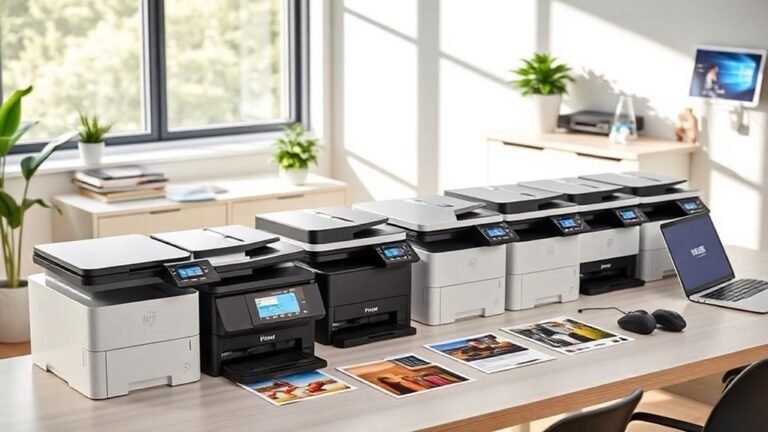
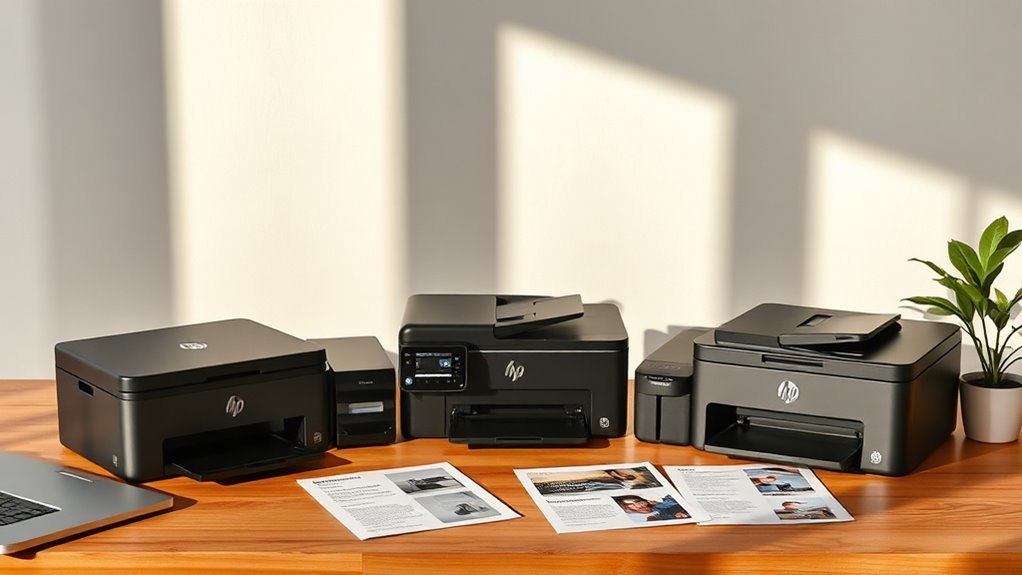
If you want a budget toner printer that saves money, consider models like the Canon imageCLASS MF3010 VP for efficient monochrome printing and scanning.
Brother’s HL-L2480DW paired with high-yield TN830XL toner also keeps running costs low.
Or check out the HP Neverstop Laser 1001nw, which features a cartridge-free, refillable tank to help cut expenses even more.
The Dell E310DW and Brother HL-L2460DW XL offer fast speeds and duplexing, so you save paper as well.
Choosing the right features guarantees you get value and performance tailored to your needs. Want to know which option suits you best? Let’s take a closer look!
| Image | Name | Editor's Rating | Price |
|---|---|---|---|

|
|
||

|
|
||

|
|
||

|
|
||

|
|
Canon imageCLASS MF3010 VP Monochrome Laser Printer
No products found.
The Canon imageCLASS MF3010 VP delivers reliable monochrome printing with sharp, clear results that keep your workflow smooth. Designed to handle everyday printing, scanning, and copying tasks, it helps you manage documents efficiently without unnecessary complexity. This printer starts printing in just 8 seconds, so you spend less time waiting and more time working.
Its compact design fits well in home offices or small workspaces. The 150-sheet input tray lets you load enough paper for typical daily use, while the starter toner cartridge provides up to 2,300 pages before needing replacement. This reduces interruptions and keeps maintenance simple.
Scanning is made easy with a flatbed scanner capable of capturing detailed color images up to 600 dpi, supporting a variety of document types. Although it focuses on monochrome printing, this multifunction device covers essential office needs with dependable performance.
Connectivity is straightforward via USB, compatible with Windows, Mac, and Linux systems. While it lacks wireless options, its wired connection ensures stable and secure data transfer. This printer is practical for users prioritizing speed and simplicity over color printing or advanced network features.
Best for: Individuals and small offices needing an affordable, efficient monochrome laser printer with scanning and copying capabilities.
What We Like:
- Fast monochrome printing at 19 pages per minute with quick first-page output.
- Flatbed scanner supports color scans up to 600 dpi for versatile document handling.
- Generous starter toner yield of 2,300 pages reduces frequent cartridge changes.
- Easy USB connectivity compatible with multiple operating systems.
- Compact design suited to limited workspace environments.
Specification:
| Feature | Details |
|---|---|
| Manufacturer | Canon |
| Dimensions (W×D×H) | Approx. 15.7 × 12.4 × 9.6 in (40 × 31.5 × 24.4 cm) |
| Weight | Approx. 13.4 lb (6.1 kg) |
| Color Options | Monochrome (Black & White) |
| Connectivity | USB |
Brother HLL2480DW Printer and TN830XL High Yield Toner
- BEST FOR SMALL OFFICES & WORK FROM HOME – Engineered for efficiency, the Brother HL-L2480DW Monochrome (Black & White) 3-in-1 Laser Printer is equipped with a...
- HIGH YIELDS, SUPERIOR QUALITY – Brother Genuine TN830XL High Yield Black Toner is formulated to deliver yields up to 3,000 pages.(1) Enjoy lower per page print costs...

Experience efficient printing, copying, and scanning with the Brother HL-L2480DW, a compact 3-in-1 laser printer designed specifically for small offices and home use. Its space-saving design helps you maintain an organized workspace without sacrificing essential functionality.
This printer supports both USB and network connections, allowing seamless integration into your existing setup. You can easily share the device across multiple users, improving workflow and productivity.
Maintenance is simplified with the Brother Genuine TN830XL High Yield Toner, which yields up to 3,000 pages per cartridge. This high-capacity toner reduces the frequency of replacements, lowering your printing costs and minimizing interruptions.
While the HL-L2480DW focuses on monochrome output only, it offers straightforward scanning and copying capabilities. This makes it a practical choice for users who need reliable black-and-white documents without unnecessary advanced features.
Best for: Small offices or home users needing a compact, dependable monochrome 3-in-1 laser printer with cost-effective high-yield toner.
What We Like:
- Compact footprint fits limited desk space
- High-yield TN830XL toner lowers cost per page
- Wired and wireless network connectivity
- Easy maintenance with long-lasting toner
- Reliable monochrome printing and basic scanning
Specification:
| Feature | Details |
|---|---|
| Manufacturer | Brother |
| Dimensions | Approx. 16.1 x 15.7 x 12.5 inches (W x D x H) |
| Weight | Approx. 18.7 lbs (8.5 kg) |
| Color Options | White/Gray |
| Toner Cartridge | Brother TN830XL High Yield |
Brother TN830XL Toner Cartridge, Genuine Black High Yield
- Print Confidently and Print More: Brother Genuine Toner TN830XL High Yield Black Toner Cartridges, expertly engineered for efficient, high-volume printing in Brother...
- SUPERIOR QUALITY ON EVERY PAGE. With reliable, consistent performance for home office use, Genuine Brother Toner produces premium black & white laser prints in crisp...
- EFFICIENCY MEETS CONFIDENT COMPATIBILITY. This high page yield replacement Brother toner cartridge delivers yields up to 3,000 pages(1) with lower per page print costs...
- Comprehensive Product Range: Brother printer toner comes in several options to suit a variety of print volume requirements, including a convenient multipack and high...
- Monitor Toner Levels From Virtually Anywhere: When using a printer with a wireless connection, you can use your mobile device and the Brother Mobile Connect app to...
Experience hassle-free, high-volume black-and-white printing with the Brother TN830XL Toner Cartridge. It delivers around 3,000 crisp, smudge-resistant pages, helping you print more with fewer replacements. This cartridge is designed to keep your printing efficient and cost-effective, reducing your per-page expenses without compromising quality.
Maintenance is simple and convenient. Compatible with many Brother monochrome laser printers, it allows you to monitor toner levels easily through the Brother Mobile Connect app. You can also subscribe to automatic replacements via Brother Refresh EZ Print, ensuring you never run out of toner at critical moments.
Built for both home offices and busy workplaces, this genuine Brother cartridge provides consistent, sharp, and fade-resistant prints. Its heavy-duty design ensures reliable performance during demanding print jobs, making it a practical choice for users who value durability and quality.
While it supports many printer models, note that it isn’t compatible with the Brother Mobile Connect app on the HL-L2400D model. Also, it is only available in black, so it won’t suit color printing needs.
Best for: businesses and home offices requiring reliable, high-yield black-and-white printing with professional-quality output.
What We Like:
- High yield of approximately 3,000 pages extends time between replacements.
- Genuine Brother cartridge ensures sharp, fade-resistant print quality.
- Supports toner monitoring via Brother Mobile Connect app for easy maintenance.
- Compatible with a wide range of Brother monochrome laser printers.
- Convenient subscription option through Brother Refresh EZ Print.
Specification:
| Feature | Details |
|---|---|
| Manufacturer | Brother |
| Yield | Approx. 3,000 pages |
| Color | Black |
| Compatibility | Multiple Brother monochrome laser printers |
| Weight | Standard cartridge weight |
HP LaserJet M234sdw Monochrome Laser Printer | All-in-One
No products found.
The HP LaserJet M234sdw Monochrome Laser Printer is a smart choice for small teams aiming to boost productivity with reliable, professional-quality black-and-white printing. Its fast output of up to 30 pages per minute helps you meet tight deadlines without hassle.
This all-in-one device simplifies office tasks by combining printing, copying, and scanning into one compact unit. The 40-page automatic document feeder enables hands-free copying and scanning, saving valuable time on multi-page documents.
Connectivity is seamless with dual-band Wi-Fi, Ethernet, and USB options, allowing easy access from various devices. Automatic duplex printing reduces paper use and cuts costs, supporting eco-friendly office practices.
Maintenance is straightforward thanks to its user-friendly touchscreen interface and energy-efficient design. While it only prints in monochrome and holds 150 sheets, it fits well in environments with moderate print volumes.
Best for: Small teams up to five members needing efficient, monochrome laser printing with integrated copying and scanning capabilities.
What We Like:
- Rapid printing speed with automatic two-sided printing.
- Multiple connectivity options for flexible device integration.
- Intuitive touchscreen controls for easy operation.
- Energy-saving features reduce operational costs.
Specification:
| Feature | Details |
|---|---|
| Manufacturer | HP |
| Dimensions | Not specified |
| Weight | Not specified |
| Printer Type | Monochrome Laser, All-in-One |
| Print Speed | Up to 30 ppm |
| Paper Capacity | 150 sheets |
| Connectivity | Dual-band Wi-Fi, Ethernet, USB |
| Auto Document Feeder | 40 pages |
Brother HL-L3220CDW Wireless Color Laser Printer
- Professional Quality: Brother Genuine color laser printer delivers stunning business documents with crisp text and vibrant graphics at impressive 19 PPM speed...
- Wireless Connectivity: Brother Genuine advanced wireless capabilities enable seamless printing from laptops, smartphones, and tablets, with built-in security protocols...
- High-Volume Capacity: Brother Genuine laser printer includes a generous 250-sheet paper tray minimizing refills, while the manual feed slot offers versatility for...
- Efficient Performance: Brother Genuine automatic duplex printing saves time and paper, while delivering professional-quality double-sided documents at speeds up to...
- Mobile Integration: Brother Genuine technology ensures seamless compatibility with major mobile printing platforms and cloud services, enabling effortless document...
Experience reliable color printing designed to enhance your home office productivity with the Brother HL-L3220CDW Wireless Color Laser Printer. This compact printer delivers crisp, vibrant prints at a speed of up to 19 pages per minute, helping you complete tasks quickly without sacrificing quality.
Its wireless connectivity simplifies printing from smartphones, laptops, or desktops. The printer’s automatic duplex feature reduces paper use, saving resources and lowering costs. The manual feed slot allows you to print on specialty media, expanding your creative and professional options.
Maintenance is straightforward with high-capacity toner cartridges that minimize the frequency of replacements and reduce operating expenses. Weighing under 25 pounds, this device fits comfortably on your desk without taking up much space.
While it lacks scanning or copying capabilities, the HL-L3220CDW excels as a dedicated color laser printer for users needing fast, high-quality prints. Its single 250-sheet tray suits moderate print volumes but may require more frequent refills during heavy use.
Best for: professionals and home office users needing efficient, high-resolution color printing with flexible connectivity in a compact design.
What We Like:
- Sharp color printing at up to 19 ppm with 2400 x 600 dpi resolution
- Wireless and wired connectivity options for versatile device compatibility
- Automatic duplex printing reduces paper usage
- Compact and lightweight design fits easily on most desks
- High-capacity toner options lower maintenance frequency
Specification:
| Feature | Details |
|---|---|
| Manufacturer | Brother |
| Dimensions (W×D×H) | 16.1 × 18.7 × 8.3 inches |
| Weight | 24.3 lbs (11 kg) |
| Print Technology | Wireless Color Laser |
| Paper Capacity | 250-sheet tray + manual feed |
| Print Resolution | Up to 2400 x 600 dpi |
| Connectivity | Wireless, USB, Network |
HP LaserJet 1320 Q5927A Laser Printer with toner & 90-day Warranty(Renewed)
- This Certified Refurbished product is tested and certified to look and work like new. The refurbishing process includes functionality testing, basic cleaning, inspection...
- HP LaserJet 1320 USB/Parallel Laser Printer General Features:
- 133 MHz Motorola Coldfire V4e processor Up to 22 ppm print speed 1200 x 1200 dpi resolution
- 16 MB RAM USB interface Parallel interface Single-sheet multipurpose input slot
- 250-sheet input tray Supported Media: Letter Labels Envelopes Index card Transparencies
The HP LaserJet 1320 Q5927A is a dependable monochrome laser printer designed to meet your everyday printing needs. Its straightforward functionality ensures you get crisp black-and-white documents quickly and efficiently. Perfect for small offices or home environments, it offers a practical solution for routine printing tasks.
This printer prints at a steady speed of up to 22 pages per minute with a resolution of 1200 x 1200 dpi, delivering clear and sharp text with every page. The large 250-sheet input tray reduces the need for frequent paper refills, making it easier to handle bulk printing jobs. Its support for multiple media types adds flexibility to your printing options.
Maintenance is simple with this model since it comes certified refurbished, tested, and cleaned for reliable performance. The included toner keeps you ready to print right away. USB connectivity ensures easy setup and use without complicated network configurations.
While it lacks duplex printing and offers limited connectivity options, its durable design and efficient operation make it a cost-effective choice for straightforward black-and-white printing needs.
Best for: Small offices or home users looking for an economical and reliable monochrome laser printer for everyday document printing.
What We Like:
- Certified refurbished with included toner for immediate use
- Fast printing speed of up to 22 ppm with sharp 1200 x 1200 dpi output
- Large 250-sheet tray reduces paper handling
- Simple USB connectivity for easy setup
- Durable and efficient for routine printing tasks
Specification:
| Feature | Details |
|---|---|
| Manufacturer | HP |
| Model | LaserJet 1320 Q5927A |
| Printing Speed | Up to 22 ppm |
| Resolution | 1200 x 1200 dpi |
| Paper Capacity | 250 sheets |
| Connectivity | USB, Parallel Port |
| Memory | 16 MB RAM |
| Dimensions | 14.8 x 15.2 x 10.5 in |
| Weight | 16.5 lb (7.5 kg) |
HP Neverstop Laser 1001nw Wireless Monochrome Printer
- Lowest cost per page on laser printing in-class: This reloadable laser printer offers black-and-white printing at 21 ppm, wireless capabilities, a 150-sheet paper tray...
- Less than 1 cent per page: This wireless laser printer comes with up to 5,000 pages of toner in the box—up to 7x more pages than traditional, in-class laser printers
- Reload with more toner, for a lot less: With the Toner Reload Kit (sold separately), get up to 2,500 pages worth of Original HP Toner -- up to 2.5x more pages than-class...
- The best-in-class mobile print app, HP Smart: Simplify printer set up and sharing with all your devices so you can instantly print, scan and copy with whatever device you...
- Wireless printing: The Neverstop Laser Printer keeps your office connected with built-in wireless and ethernet capabilities, and lets you print from your smartphone or...
Experience hassle-free printing with the HP Neverstop Laser 1001nw Wireless Monochrome Printer, designed to keep your costs low and productivity high. This cartridge-free printer features a built-in toner tank that comes preloaded with enough toner for up to 5,000 pages, reducing the need for frequent replacements.
Refilling toner is simple and quick, taking just about 15 seconds without any mess. The printer maintains steady output at 21 pages per minute, ensuring your documents are ready promptly. Its 600 x 600 dpi resolution is ideal for everyday text printing where sharpness and clarity matter most.
Connectivity is flexible with wireless, Ethernet, and USB options, allowing seamless integration into home or small office setups. The HP Smart app further simplifies setup and scanning tasks, making it easier to manage your printing needs from mobile devices.
While the printer offers manual duplex copying, it lacks automatic double-sided printing, and the 150-sheet tray may require regular refills during heavy use. Despite these minor limitations, its compact design and energy-efficient operation make it a practical, cost-saving choice.
Best for: Budget-conscious home users or small offices needing a reliable, low-maintenance monochrome laser printer with versatile connectivity.
What We Like:
- Cartridge-free toner system with high page yield up to 5,000 pages preinstalled
- Fast and clean toner refills in about 15 seconds
- Multiple connection options: Wi-Fi, Ethernet, USB, and mobile printing via HP Smart app
Specification:
| Feature | Details |
|---|---|
| Manufacturer | HP |
| Printing Speed | 21 ppm |
| Resolution | 600 x 600 dpi |
| Paper Capacity | 150 sheets |
| Connectivity | Wireless, Ethernet, USB |
| Dimensions (W×D×H) | Approx. 15.7 × 14.4 × 9 in |
| Weight | Approx. 12.8 lb |
| Color | White and Black |
Dell E310DW Wireless Monochrome Printer
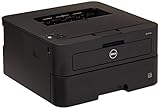
- Print up to 27 pages per minute (ppm), and save time with automatic two-sided printing.
- The optional high-yield toner cartridge prints up to 2, 600 pages, and the single fuser unit is Designed to last the life of the printer.
- Dell printer hub integrates printer essentials and cloud connectivity for easy document management and control of your printer.
The Dell E310DW Wireless Monochrome Printer is designed to streamline your printing tasks with speed and reliability. Delivering up to 27 pages per minute, it handles everyday documents quickly, reducing wait times in busy environments. Its automatic duplex printing helps cut paper usage, making your workflow more efficient and eco-friendly.
This printer offers versatile connectivity options, including Wi-Fi, Ethernet, and USB, so you can print from various devices without hassle. The Dell Printer Hub app provides easy control and monitoring, simplifying maintenance and print management. With a compact and sturdy build, it fits comfortably in home offices or small workspaces.
Maintenance is straightforward with an included 700-page toner cartridge and an optional high-yield cartridge supporting up to 2,600 pages. This keeps your running costs low and minimizes interruptions for cartridge changes. The single paper tray holds up to 250 sheets, balancing capacity with a compact footprint.
While it prints only in black and white and supports standard letter-size media, its focused design suits users who prioritize reliable, budget-friendly monochrome printing.
Best for: Small businesses or individuals needing an efficient wireless monochrome laser printer with duplex capabilities for moderate volume printing.
What We Like:
- Fast print speed of up to 27 ppm improves productivity
- Automatic two-sided printing reduces paper waste
- Multiple connection options allow flexible setup
- Compact design fits well in limited spaces
- High-yield toner options lower running costs
Specification:
| Feature | Details |
|---|---|
| Manufacturer | Dell |
| Dimensions (W×D×H) | Approx. 14.7 × 14.2 × 7.2 inches |
| Weight | Approx. 14.1 lbs |
| Color Options | Black |
| Media Size | Up to 8.5 × 11 inches |
| Paper Capacity | 250 sheets |
Brother HL-L2460DW XL Laser Printer Bundle with Toner

- BEST FOR HOME OFFICES & SMALL TEAMS – Engineered for consistent, premium print quality, the Brother HL-L2460DW XL Monochrome (Black & White) Laser Printer produces...
- Print Confidently and Print More with Brother Genuine TN830XL High Yield Black Toner Cartridges, expertly engineered for efficient, high-volume printing in Brother...
- HIGHER YIELDS, LOWER COSTS WITH XL – Print more black & white documents with the exceptional value of in-box toner that yields up to 4,200 consistently sharp, crisp...
- EFFICIENCY MEETS CONFIDENT COMPATIBILITY. This high yield replacement toner cartridge delivers yields up to 3,000 pages(1) with lower per page print costs and the...
- CONNECTED, MOBILE DEVICE PRINTING – Connect with built-in dual-band wireless (2.4GHz/5GHz), Ethernet, or to a single computer via USB interface. Manage your printer...
The Brother HL-L2460DW XL Laser Printer Bundle with Toner is designed to meet the demands of home offices and small teams. It provides fast, dependable black-and-white printing that keeps your workflow moving smoothly. With speeds up to 36 pages per minute and automatic duplex printing, it helps you create professional double-sided documents effortlessly.
This monochrome laser printer features a 250-sheet tray, balancing compact design with decent capacity. Its high-yield toner cartridge prints up to 3,000 pages, reducing the frequency and cost of replacements. The printer supports dual-band Wi-Fi, Ethernet, and USB connections, allowing easy printing from multiple devices in your workspace.
Maintenance is straightforward thanks to the efficient toner cartridge and simple paper loading system. The Brother Mobile Connect app adds convenience by letting you manage print jobs and toner levels remotely, keeping your work uninterrupted.
While it is limited to black-and-white printing and has a single input tray, its reliable performance and cost-effectiveness make it ideal for those focused on high-volume monochrome output.
Best for: Small teams and home office users needing fast, efficient, and affordable black-and-white printing with flexible connectivity.
What We Like:
- Fast print speed with automatic duplex for double-sided documents
- High-yield toner cartridge reduces replacement frequency and cost
- Multiple connectivity options including dual-band Wi-Fi and Ethernet
- Remote management through Brother Mobile Connect app
Specification:
| Feature | Details |
|---|---|
| Manufacturer | Brother |
| Dimensions | Compact (exact size not specified) |
| Weight | Not specified |
| Material | Durable plastic |
| Color Options | Monochrome (black and white) |
Factors to Consider When Choosing a Budget Toner Printer
When choosing a budget toner printer, you’ll want to focus on print speed and toner yield to keep costs low and productivity high.
Don’t overlook connectivity options and paper handling capacity to guarantee it fits your workspace needs.
Plus, make sure the print quality meets your standards for every project.
Print Speed Importance
Although print speed might seem like just a number, it directly impacts how quickly you get your documents, especially during large print jobs. If you print dozens or hundreds of pages daily, a higher ppm (pages per minute) reduces wait time and keeps your workflow smooth.
Don’t overlook the first-page-out time either—a fast start, ideally under 10 seconds, makes single-page or short jobs feel snappy. Match your printer’s speed to your workload: 15–20 ppm suits occasional home use, while small offices benefit from 25–36+ ppm to avoid bottlenecks.
Keep in mind that advertised speeds usually reflect single-sided printing under ideal conditions; duplex or complex jobs print slower. Choosing a printer with an appropriate speed guarantees better reliability and paper handling aligned with your monthly volume.
Toner Yield Efficiency
Print speed can keep your workflow moving, but toner yield efficiency directly impacts how much you’ll spend over time. Toner yield is measured by pages per cartridge, usually around 700 for standard and up to 3,000 for high-yield cartridges.
To find the most economical option, divide the cartridge price by its rated yield and compare the cost per page against your monthly printing volume. If you print frequently, high-yield or XL cartridges reduce replacements and downtime.
For light users, standard cartridges might save money upfront. Remember, yields assume about 5% page coverage—documents with heavy graphics use toner faster.
Also, consider total ownership costs, including how often you replace cartridges and environmental impacts from disposing of partially used starter cartridges.
Connectivity Options Available
Since connectivity determines how easily you can access and share your printer, you’ll want to make sure it supports the options that fit your setup. Check if the printer offers USB 2.0 for direct connection or Ethernet for wired network sharing.
Wi‑Fi support, especially dual-band 2.4 GHz and 5 GHz, lets you print wirelessly from multiple devices. If you print from smartphones or tablets, look for mobile printing protocols like AirPrint or Mopria and vendor apps.
For multi-user office use, Ethernet or Wi‑Fi Direct with simultaneous wired and wireless connections is ideal. Don’t forget security features like WPA3 Wi‑Fi encryption, secure PIN print, and firmware updates over the network.
Also, verify if scanning uploads work over the network (SMB, FTP, cloud) or just locally via USB, since that affects sharing ease.
Paper Handling Capacity
Connectivity options help determine how easily you send documents to your printer, but managing the paper itself plays an equally important role in your overall printing experience. Check the input tray capacity—budget models usually hold 150–250 sheets—to match your monthly print volume and minimize refills.
Also, consider the output tray capacity to avoid jams or mixed pages when printing large jobs. Look for automatic duplex printing to save paper and cut costs on double-sided documents.
Make sure the printer supports the paper sizes and types you frequently use, like legal paper, envelopes, or card stock. Finally, an extra multipurpose or manual feed slot helps you print single sheets like labels without interrupting your main tray, keeping your workflow smooth and efficient.
Print Quality Standards
Although budget toner printers often come with limitations, you’ll want to prioritize resolution and toner quality to guarantee sharp, consistent prints. Look for printers offering at least 600 × 600 dpi to make certain crisp text and fine detail in monochrome documents.
Pay close attention to toner yield and consistency—ISO/IEC standards help you gauge how stable the toner delivery is. This prevents uneven darkness and banding during long print jobs.
Smaller, uniform toner particles combined with precise laser or LED imaging enhance edge sharpness and smooth gradients. Also, check the first-page-out time and print speed at rated quality to make sure your printer maintains clarity without slowing down.
If you need multifunction features, verify copy and scan resolutions (600 dpi or more) for accurate reproductions and reliable OCR results. It’s worth making sure these work well to keep everything sharp and readable.
Energy Consumption Levels
When choosing a budget toner printer, you’ll want to pay close attention to its energy consumption to keep operating costs low. Look for models with a low sleep-mode power draw—ideally between 1 and 5 watts—to minimize energy use during idle periods.
Also, check the active printing power. Small laser printers typically use 200–500 watts, so lower wattage means less cost per page during heavy use.
Consider your monthly printing volume since a higher duty cycle spreads warm-up energy over more pages. This makes slightly less efficient printers more economical in the long run.
Automatic duplexing not only saves paper but also cuts energy use by reducing print runs and warm-up cycles.
Finally, verify Energy Star certification or review TEC ratings to compare real-world energy efficiency across models. It’s a simple way to make sure you’re getting a printer that’s gentle on your wallet and the environment.
Frequently Asked Questions
How Do Toner Printers Compare to Inkjet Printers in Print Quality?
Toner printers generally produce sharper text and handle high-volume printing better than inkjets.
You’ll find inkjets excel at vibrant photos, but if you want crisp documents, toner’s your go-to for consistent quality and speed.
What Is the Average Lifespan of a Toner Cartridge?
You can expect a toner cartridge to last between 2,000 and 5,000 pages on average. This varies by brand and printer model, but generally, toner cartridges outlast inkjet cartridges markedly.
Pretty impressive, right? That means fewer replacements and less hassle over time. So, if you print a lot, toner cartridges might be the way to go!
Can Toner Cartridges Be Recycled or Refilled?
Just like a phoenix rising, toner cartridges can be recycled or refilled to extend their life.
You’ll save money and help the environment by choosing these options instead of tossing them away after one use.
It’s a smart choice that benefits both your wallet and the planet!
Are There Any Health Concerns With Toner Dust Exposure?
Yes, toner dust can irritate your eyes, skin, and lungs if inhaled in large amounts. You should avoid breathing it in.
Handle cartridges carefully to minimize exposure and keep your workspace well-ventilated. It’s a good idea to be cautious when dealing with toner dust to stay safe.
How Do Wireless Toner Printers Connect to Mobile Devices?
When your wireless toner printer chats with your mobile device, it usually uses Wi-Fi or Bluetooth. Just connect both devices to the same network or pair them, and you’re ready to print without any tangled cords.
It’s pretty simple, really. No need to fuss with cables or complicated setups. Just a few taps, and you’re good to go!
Conclusion
Choosing the right budget toner printer doesn’t have to be overwhelming. With options like Canon, Brother, HP, and Dell, you’re sure to find one that fits your needs and saves you money.
Whether you want wireless convenience, high yield toner, or all-in-one functionality, there’s a perfect match waiting. So, why settle for less when you can get quality without breaking the bank?
Your ideal printer is just a decision away! By choosing a budget toner printer, you get the best balance of affordability and performance. These printers help you save money on toner and maintenance, making them perfect for home or office use. Don’t compromise on features or print quality—find the best budget toner printer for 2027 and enjoy reliable, cost-effective printing every day!