5 Best Cheap Home Printers for 2027
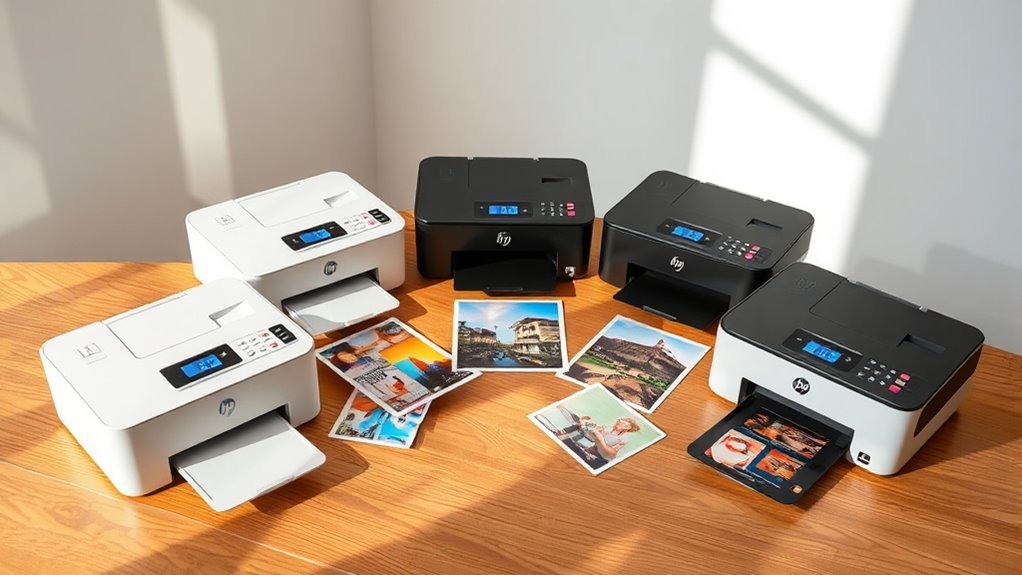
If you’re searching for the best cheap home printers in 2027, you’ve got some great options to consider. Whether you need basic color prints, photo printing, or smart features on a budget, there’s something for everyone. Affordable home printers don’t have to skimp on quality or convenience anymore.
Take the HP DeskJet 2923, for example—it’s perfect for simple color prints and super easy to use with your mobile devices.
Then there’s the Canon PIXMA TS4320, which is great if you want to print photos and use duplex printing, plus it even works with Alexa for voice control.
For those who love vibrant, borderless photos, the HP Envy 6155 comes with a smart touchscreen that makes printing a breeze.
If you need a bit more functionality, the Canon PIXMA TR4720 includes fax capabilities and an auto document feeder.
And don’t overlook the Epson XP-4205—it delivers sharp image quality and supports hands-free voice commands. Explore these options and find the best fit for your printing needs and budget!
| Image | Name | Editor's Rating | Price |
|---|---|---|---|

|
|
||

|
|
||

|
|
||

|
|
||

|
|
HP DeskJet 2923 Color Inkjet Printer | Wireless | All-in-One
- Perfect for basic printing needs – Print everyday color documents like to-do lists, letters, financial documents and recipes
- KEY FEATURES – Color print, copy, scan, and a 60-sheet input tray, plus mobile and wireless printing
- OPTIMIZE PRINT FORMATTING WITH HP AI – Print web pages and emails with precision—no wasted pages or awkward layouts; HP AI easily removes unwanted content, so your...
- ICON LCD – Print your basic documents with ease from the intuitive control panel
- PRINT SPEED – Up to 7.5 ppm black, 5.5 ppm color

The HP DeskJet 2923 is a compact all-in-one printer designed to simplify your home printing needs. It lets you print, copy, and scan in vibrant color without taking up much space. Its dual-band Wi-Fi ensures a stable connection, so you can easily print from your smartphone using the HP App.
Maintenance is straightforward with a 60-sheet input tray that fits everyday tasks. The icon LCD control panel makes navigation intuitive, reducing guesswork. HP’s AI technology helps save ink and paper by optimizing web pages and emails, making print jobs more efficient.
This printer suits users who want reliable color printing without the hassle of complex setups. It comes with a 6-month Instant Ink trial, but note that a subscription will be needed afterward to keep automatic ink delivery active. Print speeds are moderate, which works best for low to medium volume tasks.
Best for: individuals and families needing an affordable, wireless all-in-one printer for everyday color printing, scanning, and copying at home.
What We Like:
- Easy mobile printing with dual-band Wi-Fi and HP App support
- User-friendly icon LCD control panel for smooth operation
- Ink and paper saving through HP AI optimization
- Eco-friendly design with ENERGY STAR and recycled plastics
- Includes a 6-month Instant Ink trial to reduce maintenance effort
Specification:
| Feature | Details |
|---|---|
| Manufacturer | HP |
| Dimensions (W×D×H) | Compact size (exact size not specified) |
| Weight | Not specified |
| Material | Includes recycled plastics |
| Color Options | Standard (no alternate colors mentioned) |
Canon PIXMA TS4320 – Wireless Color Inkjet Printer with Print, Copy, Scan
- Affordable Versatility - A budget-friendly all-in-one printer perfect for both home users and hybrid workers, offering exceptional value
- Crisp, Vibrant Prints - Experience impressive print quality for both documents and photos, thanks to its 2-cartridge hybrid ink system that delivers sharp text and vivid...
- Effortless Setup & Use - Get started quickly with easy setup for your smartphone or computer, so you can print, scan, and copy without delay
- Reliable Wireless Connectivity - Enjoy stable and consistent connections with dual-band Wi-Fi (2.4GHz or 5GHz), ensuring smooth printing from anywhere in your home or...
- Scan & Copy Handling - Utilize the device’s integrated scanner for efficient scanning and copying operations
The Canon PIXMA TS4320 is designed to simplify printing, copying, and scanning in small spaces. Its compact, wireless design lets you place it anywhere in your home or office without clutter. This all-in-one printer handles everyday tasks smoothly, making it ideal for home users and hybrid workers.
With dual-band Wi-Fi and mobile app support, you can print directly from smartphones or laptops without hassle. It supports various media types, including card stock and glossy photo paper, so you can create professional-looking documents and photos. Duplex printing helps save paper by automatically printing on both sides.
Maintenance is straightforward with starter ink cartridges included, and you can choose the PIXMA Print Plan for convenient ink replenishment. While the paper tray holds up to 100 sheets, this suits light to moderate printing needs. The scanner and copier deliver good quality but may not meet demands for highly detailed scans.
This printer offers a balanced mix of functionality and style, with easy app control and Alexa compatibility enhancing user convenience. It’s a practical choice for users needing reliable, versatile printing in a compact package.
Best for: Home users and hybrid workers needing a compact, wireless all-in-one printer for light to moderate printing, copying, and scanning with versatile media support.
What We Like:
- Supports duplex printing and multiple media types including card stock and glossy photo paper
- Dual-band Wi-Fi and mobile app compatibility enable convenient wireless printing
- Compact, stylish design with easy app control and Alexa compatibility
- Starter ink cartridges included with option for automatic replenishment
Specification:
| Feature | Details |
|---|---|
| Manufacturer | Canon |
| Dimensions (W x D x H) | 12.0 x 9.0 x 5.0 inches (approx.) |
| Weight | 8.4 lbs (3.8 kg) |
| Color Options | Black, White |
| Connectivity | Dual-band Wi-Fi, USB |
| Max Print Resolution | 1200 dpi |
| Scan/Copy Resolution | 600 x 600 dpi |
| Paper Capacity | 100 sheets |
HP Envy 6155 Wireless All-in-One Color Printer
- FROM AMERICA'S MOST TRUSTED PRINTER BRAND – The Envy 6155 is perfect for homes printing everyday high-quality color documents like homework and borderless photos. Print...
- 3 MONTH TRIAL OF INSTANT INK – Subscribe to the Instant Ink delivery service to get ink delivered directly to your door before you run out, and you save up to 50% on...
- KEY FEATURES – Color print, copy and scan, plus auto 2-sided printing and a 100-sheet input tray
- HP'S MOST INTUITIVE COLOR TOUCHSCREEN – Smoothly navigate your printer with the easy-to-use 2.4" touchscreen
- WIRELESS PRINTING – Stay connected with our most reliable dual-band Wi-Fi, which automatically detects and resolves connection issues
Experience hassle-free printing with the HP Envy 6155 Wireless All-in-One Color Printer, designed to simplify your daily tasks. It delivers vibrant, borderless photos and sharp color documents, making it ideal for home environments. This printer combines printing, scanning, and copying into one compact device, helping you save space and time.
Maintenance is straightforward with a 100-sheet input tray and automatic duplex printing, reducing paper handling efforts. The intuitive 2.4″ touchscreen and HP AI print optimization help you manage print jobs easily while ensuring consistent, high-quality results. Wireless connectivity through dual-band Wi-Fi allows seamless printing from multiple devices.
Ideal for everyday use, the Envy 6155 suits families who need reliable color printing for homework, documents, and photos. Its eco-friendly design features recycled plastic content, supporting sustainability. However, it requires original HP cartridges with chip compatibility, which limits third-party options and may need firmware updates.
Best for: Home users seeking an all-in-one printer that combines convenience, quality color output, and wireless functionality.
What We Like:
- Automatic duplex printing and large input tray for efficient paper handling
- User-friendly 2.4″ touchscreen with AI print optimization
- Eco-conscious design with recycled plastics and Instant Ink trial
Specification:
| Feature | Details |
|---|---|
| Manufacturer | HP |
| Dimensions | 17.32 x 14.21 x 5.71 inches |
| Weight | 12.4 lbs (5.63 kg) |
| Material | Plastic with recycled content |
| Color Options | White with black accents |
Canon PIXMA TR4720 Wireless All-in-One Printer
- Wireless 4-in-1 (print | copy | scan | fax)..Power Consumption: 7W (0.8W Standby / 0.3W Off)
- Print speed up to: 4" x 6" Borderless Photo (PP-201): Approx. 65.0 Seconds / Black Document (Letter/Simplex): Approx. 8.8 ipm / Color Document (Letter/Simplex): Approx...
- Designed for easy ink cartridge installation and replacement.
- Auto 2-sided printing and auto document feeder.
- Produce quality documents, photos and boarderless prints up to 8.5" x 11".
The Canon PIXMA TR4720 is an all-in-one printer designed to simplify your home or small office tasks. It offers wireless printing, copying, scanning, and faxing, all in a compact design that fits easily on your desk. With its 100-sheet tray and automatic duplex printing, it reduces manual effort and saves paper.
This printer produces crisp black text and vivid color photos, including borderless prints up to 8.5 x 11 inches. You can control it effortlessly through Canon’s mobile app or Alexa, making it easy to print from anywhere in your home. The built-in fax and auto document feeder enhance productivity by handling multiple pages without constant supervision.
Maintenance is straightforward, though users should consider ink costs as they may add up over time. The device offers moderate print speeds, which are suitable for everyday tasks but may slow down color-heavy jobs. Its single USB port limits wired connections but keeps the design simple and user-friendly.
Overall, the PIXMA TR4720 balances functionality and convenience in a budget-friendly package. It’s a practical choice for those needing wireless versatility and efficient document handling without extra bulk.
Best for: users seeking a compact, versatile all-in-one printer with wireless features for home or small office use.
What We Like:
- Wireless printing with mobile app and Alexa control
- Automatic duplex printing and 100-sheet auto document feeder
- High-quality prints, including borderless photos up to letter size
- Compact design ideal for limited spaces
Specification:
| Feature | Details |
|---|---|
| Manufacturer | Canon |
| Dimensions (W×D×H) | 17.7 × 12.7 × 6 inches |
| Weight | Approximately 11 lbs |
| Color | Black |
| Connectivity | Wireless, USB (1 port) |
Epson Expression Home XP-4205 Wireless Color All-in-One Inkjet Printer
- Remarkable Print Quality for Home and Photo Printing — Epson’s leading-edge imaging technology produces crisp documents, vibrant borderless photos with rich colors...
- Stress-Free Setup and Operation — Large 2.4" color display for effortless navigation, plus easy installation and operation through your smartphone or tablet using the...
- Convenient Connectivity — Supports easy wireless connections and printing from Android or iOS devices (2)
- Engineered for Reliability — Consistently delivers high-quality prints with heat-free technology and a permanent printhead designed to last the life of the printer
- Easy, Affordable Printing — Individual ink cartridges make it easy to only replace the ink you need
Experience hassle-free wireless printing with the Epson Expression Home XP-4205. This compact all-in-one printer lets you easily print, scan, and copy at home or in a small office, delivering sharp images with a resolution of 5760 x 1440 dpi. Its automatic two-sided printing feature helps reduce paper waste, making it an eco-friendly choice.
Voice control support through Alexa and Siri adds convenience, allowing hands-free printing from your smart devices. You can also print directly from your smartphone or tablet using the Epson Smart Panel app, simplifying mobile workflows. The 2.4-inch color LCD screen provides straightforward navigation for quick setup and operation.
Maintenance is straightforward with individual Claria ink cartridges, which keep color output vivid and allow you to replace only the color that runs out. The printer’s 100-sheet input tray is compact but sufficient for moderate home or small office use. Energy Star certification ensures efficient power consumption.
While its print speed is modest, the XP-4205 balances functionality and affordability in a user-friendly design. It is ideal for those who prioritize quality, wireless connectivity, and voice-enabled commands in a space-saving printer.
Best for: Users seeking an affordable, compact all-in-one printer with wireless and voice-controlled printing capabilities for home or small office use.
What We Like:
- Sharp print quality at 5760 x 1440 dpi resolution
- Hands-free voice printing with Alexa and Siri support
- Convenient mobile printing via Epson Smart Panel app
- Automatic duplex printing reduces paper use
- Energy Star certified for power efficiency
Specification:
| Feature | Details |
|---|---|
| Manufacturer | Epson |
| Dimensions | Approx. 14.8 x 11.6 x 6.0 in (37.6 x 29.5 x 15.2 cm) |
| Weight | Approx. 8.6 lb (3.9 kg) |
| Ink Type | Individual Claria T232 cartridges |
| Display | 2.4-inch color LCD |
| Paper Capacity | 100 sheets |
Factors to Consider When Choosing a Cheap Home Printer
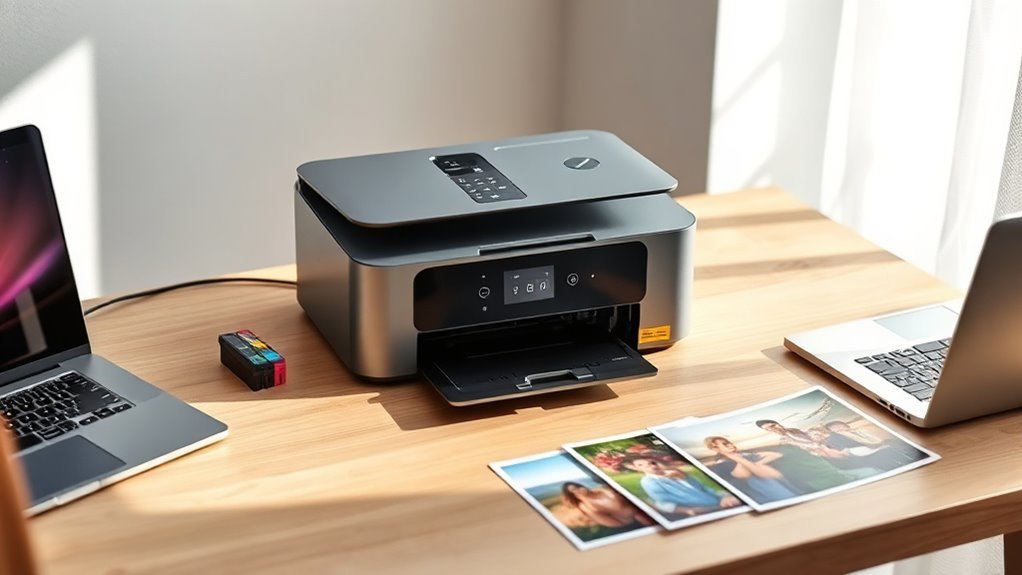
When choosing a cheap home printer, you’ll want to focus on print quality, connectivity options, and how efficient the ink is. Speed and overall performance matter too, especially if you print often.
Don’t forget to factor in the size and design to make sure it fits your space. It’s all about finding the right balance that works for you.
Print Quality Importance
Although budget printers often come with limitations, understanding key print quality factors helps you pick one that meets your everyday needs. For standard documents, aim for at least 600 x 600 dpi resolution to guarantee sharp text and clear graphics without pixelation.
If you print photos, look for higher optical resolution—1200 dpi or more—and 24-bit color depth to capture fine details and smooth gradients. Keep in mind that slower print modes produce better photo quality than fast drafts.
Also, consider features like true duplexing and borderless printing if you want professional-looking two-sided documents or edge-to-edge photos. Finally, ink technology matters: printers with individual color cartridges and high-quality pigments or dyes deliver more accurate colors and longer-lasting prints, making your investment worthwhile.
Connectivity Options Available
How do you guarantee your printer stays connected seamlessly in a busy home network? Start by choosing one that supports dual-band Wi-Fi (both 2.4 GHz and 5 GHz). This gives you a more stable wireless connection and better performance in crowded environments.
Make sure it works with mobile printing standards like AirPrint or Mopria, so you can print directly from your smartphone or tablet without a PC. If you prefer wired connections, look for USB-B or Ethernet ports for straightforward setup and reliable performance.
Cloud printing and email-to-print features let you send jobs remotely, which is perfect for IoT devices. Finally, pick a printer with companion apps and built-in troubleshooting tools to simplify Wi-Fi setup and reconnect automatically if connections drop.
Ink Efficiency And Cost
Beyond connectivity, understanding ink efficiency and cost will help you get the most value from your printer. Start by checking cartridge yield and cost per page—divide the cartridge price by its page yield to see real ink efficiency.
Opt for printers with individual color cartridges instead of tri-color ones so you only replace what’s empty. This saves money and reduces waste.
Look for models supporting high-yield (XL) cartridges or subscription-free refills. XL cartridges often cut cost per page by 20–50%, which is a nice saving.
Also, choose printers with automatic duplexing and draft or eco modes to reduce paper and ink use. These features help stretch your supplies further.
Finally, calculate your total cost of ownership by estimating monthly printing volumes and multiplying by cost per page. This way, you avoid surprises beyond the initial purchase price.
Speed And Performance
When choosing a cheap home printer, you’ll want to take into account speed and performance to avoid frustrating delays. Check the published print speeds for black and color pages—budget models usually range from 5 to 14 ppm.
Also, look at the first-page-out time; a fast response, often under 10 seconds, makes occasional printing smoother. It’s a small detail but can make a big difference when you just need a quick print.
Consider if the printer supports automatic duplexing to speed up double-sided jobs and reduce manual handling. Don’t overlook input tray capacity—most affordable printers hold 60 to 100 sheets.
Device Size And Design
Speed and performance matter, but your printer also has to fit comfortably in your space. First, measure where you’ll place it and pick a model that fits well. Remember, input and output trays can extend several inches.
If you plan to move it between rooms, consider weight—lighter printers around 9–16 lbs are easier to carry. Look for compact designs with vertical paper paths or foldable trays to save depth in small offices.
Check the control interface size and placement; small LCDs or touchscreens help in tight spots. Front-accessible trays and ink bays simplify maintenance without moving the unit.
Also, make sure there’s enough clearance for ventilation and quieter operation. This is especially important if your printer has large vents or top-mounted output trays in shared living spaces.
Additional Features Offered
Although budget printers focus on affordability, they often include useful features that can enhance your printing experience. Look for built-in duplex printing to save paper and reduce costs without manual flipping.
If you need scanning, copying, or faxing, choose a model with a flatbed or automatic document feeder (ADF). Mobile and voice printing support lets you print directly from your phone or tablet for added convenience.
An LCD or touchscreen paired with app control simplifies setup, status checks, and troubleshooting compared to button-only models. Some printers offer subscription ink or automatic reorder features, which help avoid running out of ink but might add ongoing expenses and tie you to specific cartridges.
Weigh these features based on your needs to get the most value from your cheap home printer. It’s all about finding what works best for you without breaking the bank.
Frequently Asked Questions
How Do I Recycle Used Printer Cartridges Responsibly?
You can recycle used printer cartridges responsibly by returning them to manufacturer programs, dropping them off at local recycling centers, or using mail-back services.
Always avoid throwing them in the trash to protect the environment. It’s a simple step that really makes a difference!
Can Cheap Printers Handle Photo Printing Quality?
Cheap printers can handle basic photo printing, but you won’t get professional-quality results.
If you want vibrant colors and sharp details, you’ll need to invest in a higher-end model designed specifically for photos.
What Is the Average Lifespan of an Affordable Home Printer?
You can expect an affordable home printer to last around 3 to 5 years, printing roughly 1,000 to 5,000 pages annually.
With proper care, you’ll keep it running smoothly through countless documents and photos.
Just remember, a little maintenance goes a long way in extending its life.
Are Cheap Printers Compatible With Mobile Devices?
Yes, cheap printers usually work with mobile devices. You can connect via Wi-Fi, Bluetooth, or apps, letting you print directly from your phone or tablet without hassle.
Just check compatibility before buying to avoid surprises. It’s always good to make sure everything will work smoothly once you get it home.
Do Budget Printers Support Duplex (Double-Sided) Printing?
Don’t assume budget printers can’t do duplex printing—you’ll find many models with automatic double-sided printing. Just double-check specs before buying, because some cheaper ones require manual page flipping, which can slow you down.
It’s always a good idea to look closely at the features. That way, you know exactly what you’re getting and won’t be caught off guard later.
Conclusion
Choosing the perfect cheap home printer doesn’t have to feel like hunting for a needle in a haystack. Whether you prioritize wireless convenience, vibrant color prints, or versatile all-in-one features, one of these top picks will fit your needs and budget perfectly.
Don’t settle for less when you can have amazing quality without breaking the bank. Your ideal printer is just a click away, ready to make home printing a breeze!
With so many affordable options available, finding a cheap home printer that delivers great performance is easier than ever. From crisp black-and-white documents to stunning color photos, these printers offer everything you need for everyday tasks.
So go ahead, explore these top cheap home printers for 2027, and enjoy hassle-free printing without compromising on quality or your wallet!