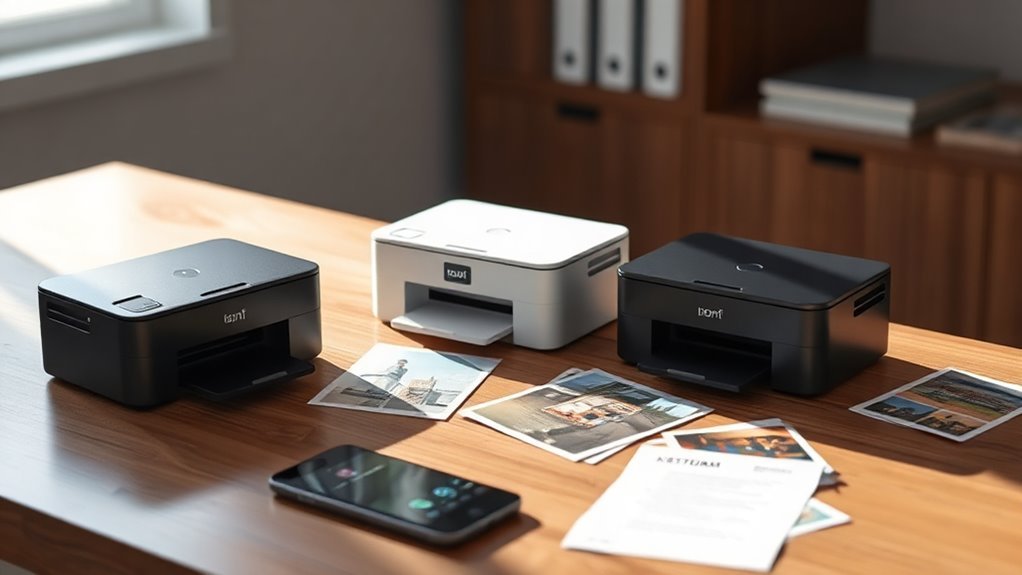
3 Best Cheap Bluetooth Printers for 2027
For affordable, reliable Bluetooth printers in 2027, consider some great options that fit various needs and budgets. The Rongta Wireless Portable Thermal Printer offers lightweight, inkless printing via its app, making it super convenient for on-the-go use.
Then there’s the NDYIN N80 Bluetooth Thermal Printer, which stands out with up to 160 prints per charge and USB-C support, so you won’t have to worry about battery life or connectivity.
Lastly, the Phomemo M832 delivers sharp 300 DPI prints and even comes with a protective case for durability. All three use direct thermal printing, so no ink is needed. They support both Android and iOS devices through vendor apps, making them perfect for mobile printing needs.
Take a closer look at their key features and pick the one that best matches your printing demands and budget. You’ll find these cheap Bluetooth printers are great tools for hassle-free portable printing in 2027.
| Image | Name | Editor's Rating | Price |
|---|---|---|---|

|
|
Rongta Wireless Portable Thermal Printer (Black)
- Easy to Set Up: RONGTA F11A portable thermal printer for travel go by bluetooth.Download "RONGTA" APP from Google Play or APP store for iOS and Android Phone or...
- RONGTA portable printer, 203DPI resolution, large to 8.5" design, easy to use and maintain. Print forms, letters, assignments, study materials, and travel documents...
- Stylish Thermal Printer:Rongta bluetooth wireless printer, It is compatible with your go-to paper sizes—including US Letter, Legal, A4 thermal papers. What’s more, it...
- Portable and Compact: When traveling you can take Rongta portable printer wireless in your backpack or tote bag wherever you need. It is compact and portable whether in...
- Warm Tips: Do Not Support Chrome. Rongta portable printers wireless for travel can't support pair bluetooth via Phone or tablet directly, must be pair on the"RONGTA" APP...

The Rongta Wireless Portable Thermal Printer (Black) offers a simple solution for quick, inkless printing on the go. Designed to pair seamlessly with smartphones or laptops, it eliminates the hassle of cartridges and ribbons by using thermal paper. This makes maintenance easy and keeps your printing process clean and efficient.
Its compact design fits comfortably in bags, making it ideal for mobile use. You can print black-and-white documents and receipts with clarity, supporting paper sizes up to Letter. Connection is straightforward via Bluetooth through the RONGTA app for Android and iOS, or by USB for Windows and macOS devices.
While it provides reliable wireless printing, note that it does not support Chrome browser printing and requires the RONGTA app for Bluetooth pairing. The printer is limited to thermal paper only, so normal paper cannot be used. This focused functionality ensures a hassle-free experience for specific printing needs.
Best for: users needing a portable, inkless printer for quick black-and-white thermal printing from mobile devices or computers.
What We Like:
- Easy Bluetooth setup through the dedicated RONGTA app
- Inkless printing eliminates cartridges and ribbons
- Supports multiple paper sizes up to Letter format
- USB connectivity available for Windows and macOS
Specification:
| Feature | Details |
|---|---|
| Manufacturer | Rongta |
| Dimensions | Compact, fits in a bag |
| Weight | Lightweight for portability |
| Color Options | Black |
| Connectivity | Bluetooth (RONGTA app), USB |
| Supported Paper | Thermal paper only, up to Letter size |
Portable Printers Wireless for Travel, N80 Bluetooth Thermal Printer
No products found.
The NDYIN N80 Bluetooth Thermal Printer offers a seamless solution for travelers needing fast, wireless printing without ink. Its compact size and lightweight design make it easy to carry, fitting comfortably in your bag. This printer eliminates the hassle of ink cartridges by using direct thermal printing technology, producing sharp, clear monochrome documents on thermal paper.
Connecting to your iPhone, iPad, or Android device is simple via Bluetooth with the Nada Print app, providing quick access wherever you are. The rechargeable battery supports up to 160 prints per charge, making it reliable for printing contracts, boarding passes, or invoices during travel.
Maintenance is straightforward since it requires no ink or toner, reducing ongoing costs and mess. However, note that printing from a computer involves a USB-C connection and driver installation, as Bluetooth support is limited to mobile devices. Charging requires a separate adapter, which is not included.
Best for: travelers and mobile professionals who require a lightweight, wireless, and ink-free printer for on-the-go document printing.
What We Like:
- Compact and travel-friendly at just 1.7 pounds
- Easy Bluetooth setup with iOS and Android devices
- Inkless thermal printing for clean, crisp output
- Long-lasting rechargeable battery for extended use
Specification:
| Feature | Details |
|---|---|
| Manufacturer | NDYIN |
| Dimensions | Compact (exact size not specified) |
| Weight | 1.7 lb (approx. 0.77 kg) |
| Connectivity | Bluetooth (mobile), USB-C (computer) |
| Paper Type | Thermal paper (US Letter, A4) |
| Battery Life | Up to 160 prints per charge |
Phomemo M832 Portable Thermal Printers Wireless for Travel with Case
No products found.
The Phomemo M832 Portable Thermal Printer is designed for those who need reliable printing on the go. Its lightweight and compact design fits perfectly in the included case, making travel and daily use effortless. You can easily print sharp, monochrome documents without the mess of ink, thanks to its inkless thermal technology.
This printer supports a variety of paper sizes, including US Letter and A4, and prints at a clear 300 DPI resolution. Its wireless Bluetooth connectivity allows seamless printing from mobile devices through the Phomemo app. For PC users, a USB-C connection is also available, though it requires driver installation.
Maintenance is simple since the printer does not use ink cartridges, reducing ongoing costs and mess. The rechargeable 2600 mAh battery enables up to 150 prints per charge, supporting extended use without frequent recharging. However, it only works with thermal paper and prints at a moderate speed of about 3 pages per minute.
Best for: Students, teachers, and mobile professionals needing a portable, wireless thermal printer for crisp, on-demand document printing.
What We Like:
- Compact and lightweight with a protective carrying case
- Wireless Bluetooth printing via a dedicated app
- High-resolution inkless thermal printing
- Long-lasting rechargeable battery
- Supports multiple paper sizes for versatility
Specification:
| Feature | Details |
|---|---|
| Manufacturer | Phomemo |
| Dimensions | Not specified |
| Weight | 1.5 lbs (approx. 0.68 kg) |
| Connectivity | Bluetooth, USB-C |
| Battery Capacity | 2600 mAh rechargeable |
| Print Resolution | 300 DPI |
| Supported Paper Sizes | US Letter, A4 |
| Included Accessories | Carrying case |
Factors to Consider When Choosing a Cheap Bluetooth Printer
When choosing a cheap Bluetooth printer, you’ll want to focus on print quality and resolution to guarantee clear results. Check if it’s compatible with your devices and how easy it is to connect and set up.
Also, consider battery life, portability, and the types of paper it supports for your specific needs. These factors can make a big difference depending on how and where you plan to use the printer.
Print Quality And Resolution
Although cheap Bluetooth printers might seem similar at first glance, their print quality and resolution can vary markedly, affecting how clear and detailed your documents appear. Aim for a resolution of at least 203 dpi on thermal printers to guarantee readable text and basic graphics.
If you want sharper text or finer image detail, look for 300 dpi models. Keep in mind, monochrome thermal printing delivers crisp black-and-white output but lacks grayscale or color, so expect stark contrast without shading.
Use manufacturer-recommended thermal paper to maximize sharpness and print longevity. For documents with small fonts or detailed graphics, prioritize higher DPI and smaller dot pitch to avoid jagged edges.
Also, remember that slower print speeds can enhance sharpness, so balance speed and resolution based on your needs. It’s all about finding the right mix for what you want to print.
Device Compatibility Options
How easily a Bluetooth printer connects to your devices can make or break your printing experience. First, check if the printer supports your device’s operating system—whether it’s Android, iOS, Windows 7–11, or macOS.
Make sure it matches the versions you use daily. Next, verify the connectivity options: some printers rely solely on Bluetooth, while others offer USB-C or USB ports for added flexibility.
Also, find out if you need a vendor-specific app to print or if native OS printing is supported. Some models only work through their proprietary apps, so keep that in mind.
Don’t forget to confirm driver requirements for laptops or PCs, as some printers need additional drivers. Lastly, make certain the printer handles the file types and print resolutions you use regularly to avoid compatibility issues.
Connectivity And Setup Ease
Since reliable connectivity and straightforward setup are essential, you’ll want a Bluetooth printer that supports both wireless and wired connections like USB-C or USB-A. This flexibility lets you switch easily to a wired option if Bluetooth pairing gets tricky or if you’re using a laptop without reliable Bluetooth.
Check whether the printer needs a dedicated app for pairing and printing, as some won’t connect through your device’s system Bluetooth settings alone. Make certain it’s compatible with your operating system—whether Android, iOS, Windows, or macOS—and confirm if any drivers or apps are required before you start.
Look for simple pairing instructions and clear indicators, like LEDs or app prompts, to cut down setup time. Finally, make certain the printer supports your common file types to avoid extra conversion hassles.
Battery Life And Portability
When choosing a cheap Bluetooth printer, you’ll want to focus on battery life and portability to make certain it fits your mobile needs. Check the battery capacity (mAh) and estimated sheet yield per charge—higher mAh means more prints between charges.
For heavy use, aim for printers that support 150+ sheets per charge. Compare weight and size to confirm it fits your carry setup; lighter models around 0.4–1.7 pounds with slim profiles slip easily into backpacks or briefcases.
Consider how you’ll recharge it—USB-C ports and included adapters make on-the-go charging simpler. Also, factor in warm-up and print speeds, as faster printing drains batteries quicker.
Finally, look for features like sleep or auto-off modes to preserve battery during breaks in printing. These little things can really help stretch out your battery life when you’re out and about.
Supported Paper Types
Picking the right printer means checking which paper types it can handle. Many cheap Bluetooth printers only accept thermal paper, so make sure yours supports the specific type you need—whether direct thermal rolls, thermal sheets, or standard cut paper.
Also, confirm the maximum media sizes it supports, like Letter, A4, or smaller roll widths (110 mm, 80 mm, 53 mm). You don’t want your prints getting cut off or resized awkwardly.
You’ll want to verify if the printer requires special thermal paper grades. Print quality and durability really depend on using the right coated or heat-sensitive paper.
Finally, check if it supports various media formats—rolls, single sheets, or folded paper. And see if you need to adjust settings for proper alignment.
Warranty And Return Policy
Understanding the paper types your Bluetooth printer supports is only part of the equation. You also need to scrutinize the warranty and return policy to avoid unexpected costs.
Look for at least a one-year limited warranty covering defects and early failures. Check what’s included—parts, labor, battery, and accessories—and note if consumables like paper are excluded.
Confirm the return window, typically 30 days, and be aware of any restocking fees or condition requirements. Understand how repairs or replacements are handled—onsite, mail-in, or authorized centers—and the expected turnaround times.
Finally, verify you meet warranty conditions like registration, proof of purchase, and regional limitations to keep your coverage valid. This protects your investment and gives you peace of mind.
Frequently Asked Questions
How Long Does the Battery Last on These Bluetooth Printers?
You can expect these Bluetooth printers’ batteries to last anywhere from 4 to 12 hours on a single charge, depending on usage.
If you print frequently, you’ll need to recharge more often to keep them running smoothly. It’s all about how much you use them throughout the day.
Are These Printers Compatible With Both Android and iOS Devices?
Yes, these printers work seamlessly with both Android and iOS devices. You’ll find it easy to connect and print from smartphones or tablets, thanks to their universal Bluetooth compatibility.
They also come with dedicated apps that make operation super smooth. So, whether you’re on Android or iOS, printing is hassle-free and quick.
Can These Printers Print in Color or Only Black and White?
Can you imagine settling for only black and white when color can make your prints pop? These printers usually do print in color, letting you create vibrant photos or documents without breaking your budget or complicating your setup.
What Is the Average Print Speed of These Portable Printers?
You’ll typically see print speeds around 5 to 10 pages per minute with these portable printers. While not lightning-fast, they balance speed and convenience well.
This lets you get your documents printed quickly on the go. So, it’s a pretty handy option when you need a quick printout without waiting too long.
Do These Printers Support Printing From Laptops or Only Mobile Devices?
You can print from both laptops and mobile devices with these printers. They support Bluetooth connections for seamless pairing, so whether you’re on your phone or computer, you’re covered for quick, wireless printing anytime, anywhere.
It’s super convenient! Just connect and start printing without any hassle, no matter what device you’re using.
Conclusion
Choosing the right cheap Bluetooth printer doesn’t have to feel like searching for a needle in a haystack. Whether you pick the Rongta Wireless Portable Thermal Printer, the N80 Bluetooth Thermal Printer, or the Phomemo M832, you’re getting reliable printing on the go without breaking the bank.
Keep your needs and travel habits in mind, and you’ll find a printer that makes your life way easier—like having a personal assistant in your pocket! These affordable Bluetooth printers combine convenience with quality, making them perfect for quick prints anywhere. So, if you want budget-friendly, portable printing solutions in 2027, these options are definitely worth considering.