3 Best Cartesian 3D Printers for 2027
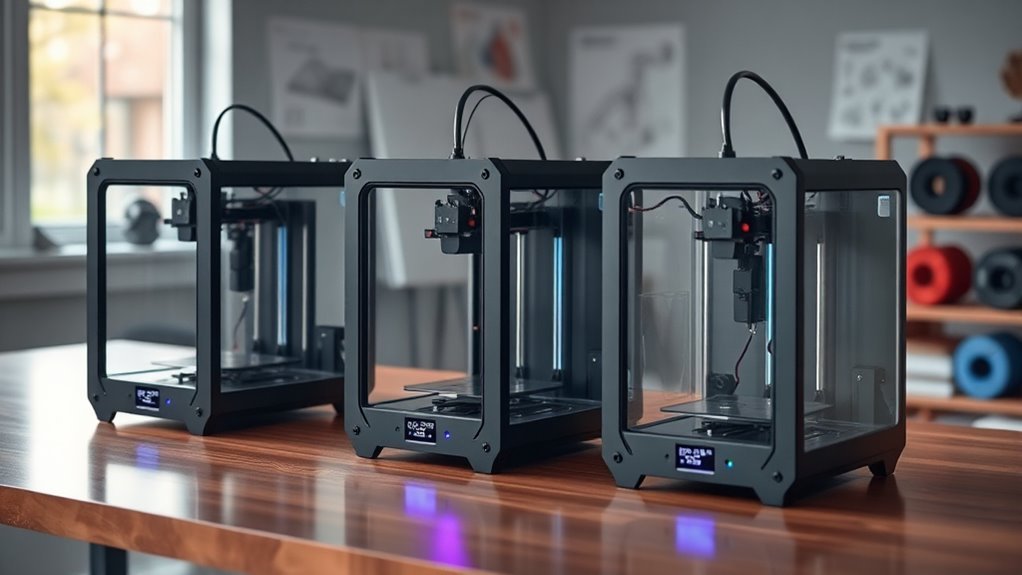
For precise and versatile Cartesian 3D printers in 2027, you’ve got some great options to consider. These printers are perfect for anyone looking to step up their 3D printing game with reliable, high-quality results.
First up, the Anycubic Kobra X Multicolor is fantastic for easy multi-material printing, supporting up to 19 colors. It’s great if you want vibrant, complex prints without the hassle.
Then there’s the FLASHFORGE Creator 5, which offers true multi-head color accuracy and nearly zero filament waste—ideal for professionals who want efficiency and precision.
If you’re just starting out, the Entina Tina2C Mini is a beginner-friendly, plug-and-play machine that makes getting into 3D printing simple and stress-free.
Each of these printers caters to different needs and skill levels, so keep exploring to find which suits you best and what features matter most!
| Image | Name | Editor's Rating | Price |
|---|---|---|---|

|
|
||

|
|
||

|
|
Anycubic Kobra X Multicolor 3D Printer, Easy One-Click Printing
- 【Vivid 19-Color and Versatile Materials】Unleash creativity beyond limits. The Kobra X supports 4-color standard and expands up to 19 colors with 4 ACE 2 Pro for...
- 【600mm/s High Speed Performance】Don't let slow speeds limit your creativity. This high-speed FDM 3D printer reaches up to 600mm/s, completing tasks significantly...
- 【True Plug & Play Experience】Start your first project in as little as 15 minutes. The Kobra X arrives with a user-friendly setup and LeviQ 3.0 automatic bed leveling...
- 【LeviQ 3.0 Perfect First Layer】Forget the frustration of manual bed leveling that plagues beginner machines. The LeviQ 3.0 system utilizes 49-point full-auto leveling...
- 【Quiet & Reliable for Home】The ultra-quiet ≤48 dB operation ensures the living or learning space remains peaceful. Combined with power loss recovery and filament...
The Anycubic Kobra X Multicolor 3D Printer transforms complex multicolor printing into a simple, efficient process. It supports up to 4 colors out of the box, with the option to expand to 19 colors using additional modules. This flexibility lets you create detailed, vibrant models without complicated setups.
Its hardened steel nozzle heats up to 300°C, accommodating a variety of filaments like TPU, PLA, and PETG. Automatic LeviQ 3.0 bed leveling ensures your prints start perfectly every time, reducing manual adjustments and failed prints.
Maintenance is straightforward thanks to plug-and-play design and AI-powered monitoring paired with a 720p camera. These features help catch errors early, saving time and material. Quiet operation and fast printing speeds up to 600 mm/s make it ideal for creative environments.
While it’s easy to use, the maximum of 4 colors without expansion and a 300°C nozzle temperature may limit some users. Additional modules and advanced features can add to cost and complexity for beginners.
Best for: Creators and hobbyists looking for an intuitive multicolor 3D printer that balances ease of use with advanced functionality.
What We Like:
- Supports up to 4 colors standard, expandable to 19.
- Automatic LeviQ 3.0 bed leveling for reliable first layers.
- AI-powered monitoring with a 720p camera prevents errors.
- Fast print speeds up to 600 mm/s with quiet operation.
Specification:
| Feature | Details |
|---|---|
| Manufacturer | Anycubic |
| Maximum Colors Supported | 4 (expandable to 19) |
| Nozzle Material | Hardened Steel |
| Maximum Nozzle Temp | 300°C |
| Supported Filaments | TPU, PLA, PETG, others |
| Bed Leveling | Automatic LeviQ 3.0 |
| Print Speed | Up to 600 mm/s |
| Camera | 720p with AI monitoring |
FLASHFORGE Creator 5 3D Printer, 4-Toolhead Multi-Color and Multi-Material
- 4 Independent Toolheads for True Multi-Color: Unlike traditional single-nozzle multi-color printers, the Creator 5 utilizes 4 independent toolheads to prevent color...
- 7-Second Swaps with Intelligent Preheating: Standard single-nozzle setups demand constant filament loading, unloading, and purging for every color change. The Creator...
- Up to 80% Less Filament Waste: Single-nozzle multi-color printing generates massive amounts of wasted "poop." The Creator 5's independent architecture completely bypasses...
- True Multi-Material & Clean Support Removal: Print PLA, PETG, TPU, PETG-CF and support materials in a single job. By allocating one toolhead exclusively to specialized...
- 600mm/s CoreXY Speed & Auto Calibration: Built upon a rigid CoreXY motion system with fully automatic calibration, the Creator 5 delivers stable high-speed printing up to...
The FLASHFORGE Creator 5 is designed to transform how you approach multi-color and multi-material 3D printing. With four independent toolheads, it eliminates common issues like color mixing and nozzle clogging, allowing you to achieve precise, vibrant prints with ease. The innovative FlashSwap technology changes tools in just 7 seconds, minimizing downtime and keeping your workflow efficient.
Its CoreXY motion system supports printing speeds up to 600 mm/s while maintaining smooth, accurate results through active vibration compensation. This makes it ideal for producing detailed, high-quality models quickly. You can print a wide range of materials, including PLA, PETG, TPU, and carbon-fiber blends, with the option to dedicate a toolhead solely for support materials. This setup speeds up support removal and ensures clean finishes.
Maintenance is straightforward, thanks to intelligent preheating and near-zero waste design, which reduces filament waste by up to 80%. The printer’s robust build requires a dedicated workspace but rewards users with professional-grade output. The multi-toolhead system suits experienced users ready to explore advanced 3D printing capabilities.
Best for: professionals and advanced hobbyists needing fast, precise multi-color and multi-material 3D printing with minimal waste and easy support management.
What We Like:
- Four independent toolheads for true multi-material printing without color mixing
- Rapid 7-second tool changes via FlashSwap technology
- High-speed CoreXY system with active vibration control for smooth prints
- Supports various filaments including carbon-fiber blends and dedicated support materials
- Near-zero waste design cuts filament waste by up to 80%
Specification:
| Feature | Details |
|---|---|
| Manufacturer | FLASHFORGE |
| Dimensions | 16 x 14 x 18 inches (LxWxH) |
| Weight | 30.8 pounds (14 kg) |
| Motion System | CoreXY with active vibration compensation |
| Toolheads | 4 independent toolheads |
| Supported Materials | PLA, PETG, TPU, carbon-fiber blends, support materials |
Entina Tina2C Mini 3D Printer for Beginners
- 【Easy to Use 3D Printer – Ready in 5 Minutes】 Meet the Entina Tina2C, a plug-and-play mini 3D printer designed for first-time users. Fully assembled with factory...
- 【3500+ 3D Models & Easy One-Tap Printing】 Explore 3500+ ready-to-print 3D models and 25+ DIY projects in the Poloprint Cloud app, with new designs added daily...
- 【Smart WiFi 3D Printer & AI-Powered App】 Connect via 2.4GHz WiFi and enjoy convenient 3D printer app control through Poloprint Cloud. Explore models, manage prints...
- 【Auto Leveling 3D Printer & Power-Loss Recovery】 Automatic bed leveling helps improve first-layer adhesion and reduces manual adjustments for a smoother 3D printing...
- 【Flexible Magnetic Print Bed & Quick-Swap Nozzle】 The flexible magnetic build plate makes finished 3D prints easier to remove with a gentle bend. A removable...
The Entina Tina2C Mini 3D Printer offers a straightforward solution for beginners eager to explore 3D printing. Its plug-and-play design lets you start printing within minutes, eliminating complex setup steps. The guided Poloprint app simplifies the process, helping users create or select models without prior experience.
This compact printer tackles common printing challenges with auto leveling, ensuring your first layer adheres perfectly. Power-loss recovery protects your work from interruptions, so you won’t lose progress during unexpected outages. Maintenance is easy thanks to the flexible magnetic build plate, which allows for quick print removal and cleaning.
Connectivity is versatile, supporting both 2.4 GHz WiFi and offline printing via a TF card. The AI-powered app enhances creativity by converting text or photos into 3D models and providing access to a library of over 3,500 ready-to-print designs. Its quiet operation and small footprint make it ideal for home or classroom use.
The Tina2C Mini’s limited build volume may not suit larger projects, and its beginner-focused features might not meet the needs of advanced users seeking more customization. However, it excels at making 3D printing approachable and enjoyable for newcomers.
Best for: Beginners and hobbyists wanting an easy-to-use, compact 3D printer with guided setup and creative support.
What We Like:
- Quick, hassle-free setup with auto leveling
- Intuitive AI-powered app for model creation and wireless control
- Flexible magnetic build plate for easy maintenance
- Power-loss recovery to safeguard prints
- Compact, quiet design suitable for small spaces
Specification:
| Feature | Details |
|---|---|
| Manufacturer | Entina |
| Build Volume | 3.9 x 3.9 x 3.9 in |
| Connectivity | 2.4 GHz WiFi, TF Card |
| App Features | AI model creation, 3,500+ designs |
| Design | Compact, quiet |
| Setup | Plug-and-play, guided |
Factors to Consider When Choosing a Cartesian 3D Printer
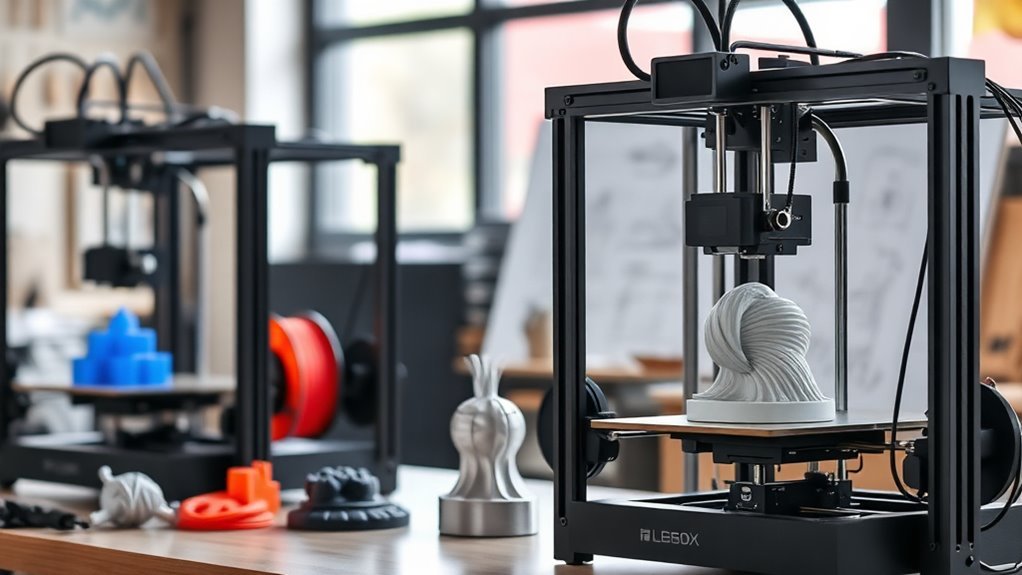
When choosing a Cartesian 3D printer, you’ll want to focus on print quality and speed to get the best results efficiently. It’s all about balancing those two to save time without sacrificing detail.
Consider the range of compatible materials and whether you need multi-color printing capability. This can really expand what you’re able to create.
Also, look for ease of setup along with features that help you monitor prints and prevent errors. Having those tools can make the whole printing process a lot smoother.
Print Quality And Speed
Although print quality and speed often compete, understanding their key factors helps you strike the right balance for your projects. Layer height and nozzle diameter directly impact surface detail and print time. Smaller layers like 0.1 mm offer finer detail but take longer than 0.2–0.3 mm layers.
Maximum travel and print speeds set throughput potential, but motion system rigidity and vibration damping prevent ringing at high speeds, preserving quality. Your extruder and hotend capabilities affect consistent material deposition and dimensional accuracy during fast prints.
Bed leveling accuracy and first-layer reliability guarantee good adhesion, avoiding reprints that waste time. Finally, firmware motion planning and acceleration settings influence the speed-quality trade-off. Aggressive acceleration reduces print time but may cause artifacts without a sturdy frame and tuned motion profiles.
Material Compatibility Range
Balancing print quality and speed is only part of the equation; the range of materials your Cartesian 3D printer can handle plays a significant role in what you can create. First, verify the nozzle temperature range—ideally up to 300°C—and heated bed capability to support filaments like PLA, PETG, ASA, and tougher engineering materials.
If you want to print flexible TPU, check extruder type and recommended shore hardness (~68D) for reliable feeding. Don’t forget specialty filaments: PVA, breakaway supports, or carbon-fiber blends require wear-resistant nozzles like hardened steel to prevent damage.
Also, consider multi-material printing options if you’ll be combining filaments. Finally, sensors like filament run-out detection and power-loss recovery help you print a wider range of materials with less hassle and waste.
Ease Of Setup
Choosing a Cartesian 3D printer with ease of setup in mind can save you hours of frustration and get you printing faster. Look for fully assembled or plug-and-play models that let you start printing within minutes.
Automatic bed leveling with multiple probe points and vibration compensation guarantees consistent first layers without tedious manual tweaks. Guided setup through onboard menus or companion apps simplifies calibration, filament loading, and print initiation, especially if it offers Wi-Fi or cloud support.
Quick-access features like removable nozzles and toolless bed plates speed up maintenance and troubleshooting. Plus, robust error-prevention systems such as filament run-out detection, power-loss recovery, and real-time print monitoring minimize failed prints and reduce the need to repeat setup steps.
Prioritizing these aspects really streamlines your 3D printing experience from day one. It makes everything easier and more enjoyable right from the start.
Multi-Color Printing Capability
Once you’ve settled on a printer that’s easy to set up and reliable, you’ll want to think about how it handles multi-color printing. Look for printers with multiple independent toolheads to minimize cross-contamination and waste, or single-nozzle multi-filament systems if you don’t mind purging.
Independent tool changers are ideal—they reduce purge waste and let you dedicate a nozzle to soluble supports for cleaner finishes. Check the speed of tool changes and preheating behavior; faster swaps and smart preheating cut print times and prevent extrusion artifacts during color shifts.
Also, consider filament management features like run-out detection and reliable filament paths. Finally, evaluate the slicing software’s support for multi-extrusion tasks, focusing on color assignment options, calibration routines, and waste reduction methods to maximize print quality.
Monitoring And Error Prevention
When you want to avoid costly print failures, monitoring and error prevention features become essential. Look for printers with built-in cameras offering real-time visual monitoring and remote time-lapse reviews to catch layer shifts or adhesion issues early.
Filament run-out sensors pause prints before you hit empty spools, preventing wasted time and voids. Power-loss recovery saves your print’s progress during outages, letting you resume reliably.
Advanced AI-driven error detection can automatically pause prints and alert you to extrusion problems or stray filament, reducing failed prints. Automated alerts tied to remote monitoring notify you immediately of nozzle clogs, bed detachment, or other critical faults.
Choosing a printer with these features means you’ll spend less time troubleshooting and more time printing successfully. It really makes a difference when you can catch issues early and keep your prints on track.
Frequently Asked Questions
How Do Cartesian 3D Printers Compare to Delta 3D Printers?
You’ll find Cartesian 3D printers offer more precise, stable prints and easier calibration. They’re great if you want reliable, consistent results without much fuss.
On the other hand, Delta printers excel in speed and taller builds. So, if you need faster printing and more flexibility, Delta might be the way to go.
What Maintenance Is Required for Cartesian 3D Printers?
You’ll want to regularly lubricate linear rods, level the bed carefully, clean the nozzle, and check belt tension.
Consistent calibration and careful cleaning keep your Cartesian printer performing perfectly and prevent pesky print problems from popping up. Just a little bit of maintenance goes a long way!
Can Cartesian 3D Printers Use Flexible Filaments?
Yes, you can use flexible filaments with Cartesian 3D printers, but you’ll need a direct-drive extruder or special modifications to handle them properly.
Otherwise, flexible materials might jam or cause print quality issues.
It’s a bit tricky, but with the right setup, you can get great results. Just make sure your printer is ready for the challenge!
Are There Any Safety Concerns With Cartesian 3D Printers?
Yes, you should watch for hot surfaces, moving parts, and fumes. Always use your Cartesian 3D printer in a well-ventilated space.
Avoid touching the nozzle during printing, and keep it on a stable, fire-resistant surface to stay safe. It’s all about being cautious and prepared!
What Software Is Best for Designing Models for Cartesian 3D Printers?
You should try Fusion 360 or Tinkercad for designing models; they’re user-friendly and powerful.
Cura and PrusaSlicer work great for slicing your designs before printing. These tools’ll streamline your 3D printing process.
They make it easier to go from an idea to a finished print without much hassle. Give them a shot!
Conclusion
Choosing the right Cartesian 3D printer is like picking the perfect tool for your craft—you want reliability and precision.
Remember when a friend upgraded to the Anycubic Kobra X and cut print errors by 40%? That’s the kind of impact the right printer can have. Whether you’re a beginner or pro, these top picks will help you bring your ideas to life smoothly and vividly.
Don’t settle—print your future with confidence! With the best Cartesian 3D printers in 2027, you’re investing in quality, accuracy, and ease of use. These machines are designed to meet diverse needs, from detailed prototypes to functional parts. So, take the leap and choose a printer that matches your ambition and creativity perfectly. Your next masterpiece is just a print away!