11 Best Budget Sticker Printers for 2027 That Save You Money
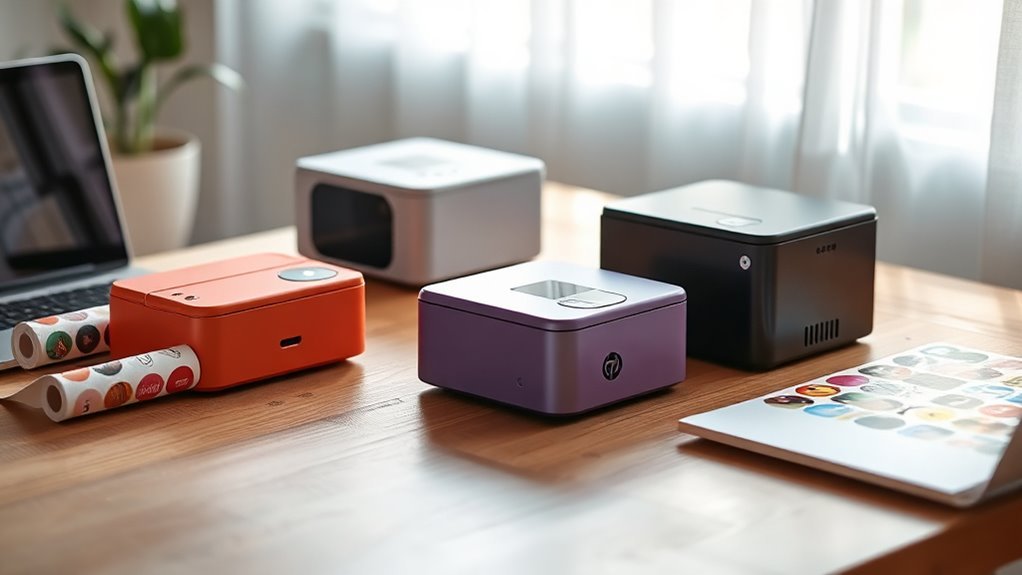
If you want to save money in 2027, choosing a budget sticker printer with inkless thermal technology is a smart move. This way, you can avoid those costly ink replacements that add up over time.
Portable models like the Phomemo M110 or X6 Print Pod not only offer quality prints but also come with rechargeable batteries, making them perfect for printing on the go. Plus, look for devices that support Bluetooth and apps for fast, simple printing right from your phone.
Whether you need durable shipping labels or creative stickers, these affordable printers have got you covered. Ready to find the one that fits your needs perfectly? Let’s dive into the best options available!
| Image | Name | Editor's Rating | Price |
|---|---|---|---|

|
|
||

|
|
||

|
|
||

|
|
||

|
|
Phomemo M110 Label Printer, Portable Thermal Sticker Printer with Display
- Easily Label Printing- Phomemo-M110 thermal label printer has over 3000+ templates in the APP, you can easily print any labels: name labels, clothing labels, price...
- Powerful APP- Phomemo-M110 Bluetooth label maker machine with multiple label templates and can set up your own templates. You can edit and typeset labels, supporting...
- Compact & Smart Label Maker - The Phomemo M110 Thermal label maker features a clear electronic display that keeps you informed at a glance: it lets you monitor your...
- Stable Bluetooth Connection – Supports one‑click connection and printing. Equipped with Bluetooth 4.0 featuring a wireless range up to 33 feet, it pairs in just...
- Compatibility Note - The M110 label printer comes with one roll of test label paper; please fully charge the device before powering it on for testing, and feel free to...
The Phomemo M110 Label Printer is a compact solution for everyday labeling challenges. Its portable design lets you print clear, black-and-white thermal labels between 20 and 50 mm wide, making it easy to organize your home, office, or small business. With fast Bluetooth 4.0 connectivity, it pairs seamlessly with Android, iOS, Windows, Mac, and Chrome OS devices.
This label maker features a bright display that keeps you informed about battery life and printing status. The accompanying Print Master app provides thousands of customizable templates and OCR functionality, simplifying the creation of personalized labels. Its lightweight build and quick setup reduce downtime and keep your tasks moving efficiently.
Maintenance is straightforward since the thermal printing process requires no ink or toner. Just ensure the label rolls are properly loaded, and the device stays charged. While it excels at organizational and inventory labeling, it’s important to note that it does not support color printing or shipping labels.
Best for: Small business owners, home users, and office workers seeking a versatile and affordable label printer for everyday organizing and inventory needs.
What We Like:
- Fast and easy Bluetooth 4.0 pairing across multiple platforms
- Clear display for real-time battery and status updates
- Extensive template library and OCR via the Print Master app
- Compact, lightweight, and portable design
- Ink-free thermal printing for low maintenance
Specification:
| Feature | Details |
|---|---|
| Manufacturer | Phomemo |
| Label Width Range | 20–50 mm |
| Connectivity | Bluetooth 4.0 |
| Compatible Systems | Android, iOS, Windows, Mac, Chrome OS |
| Display | Yes, shows battery and prompts |
| Printer Type | Thermal (black-and-white) |
| Weight | Lightweight |
Mini Sticker Printer, X6 Print Pod with 10 Rolls Thermal Paper
- Customized Thermal Inkless Printer: The Inkless sticker printer uses thermal printing technology and is equipped with 5 rolls of adhesive printing paper & 5 rolls thermal...
- Bluetooth One-Click Printing APP: The label printer uses the "Tiny Print" app Bluetooth connection, no other complicated processes are required, just follow the...
- Long Battery Life & 200DPI Resolution: The sticker maker has a built-in high-density rechargeable 1200mAh lithium-ion battery, with 200dpi high-resolution printing...
- Compact & Portable Size: Mini thermal printer for phone, elegant, cute appearance, compact and lightweight body size, can be carried in a schoolbag or bag, placed on a...
- Multifunctional Mini Printer: Using the mini sticker printer, you can print black and white photos, pictures, study notes, to-do lists, shopping lists, etc. as well as...

Experience the convenience of the Mini Sticker Printer, X6 Print Pod, designed to bring your creativity anywhere. This compact device lets you quickly print stickers, labels, and photos without the hassle of ink cartridges. Its lightweight design fits easily into your bag, making it perfect for on-the-go use.
Using Bluetooth 5.0, the printer connects seamlessly to your smartphone or tablet. The Tiny Print app offers simple editing tools and templates, enhancing your printing experience. You can produce crisp monochrome images on 2-inch thermal paper, avoiding messy ink and reducing maintenance.
With 10 rolls of thermal paper included, you’re ready to start immediately. The built-in rechargeable battery supports your printing needs during travel or daily tasks. Its 200 dpi resolution delivers clear prints suitable for DIY projects, journaling, and quick labeling.
While the monochrome output limits color options, the printer’s ease of use and portability make it a practical choice. The app-based control ensures flexibility but may not suit those who prefer hardware buttons. Battery life is sufficient for moderate use but may require recharging with heavy printing.
Best for: Users seeking a portable, ink-free thermal printer for creating stickers, labels, and monochrome photos in various settings.
What We Like:
- Compact, lightweight design for easy portability
- Inkless thermal printing reduces maintenance and costs
- Bluetooth 5.0 and Tiny Print app enable simple editing and printing
- Includes 10 rolls of adhesive and standard thermal paper
- Rechargeable battery supports mobile use
Specification:
| Feature | Details |
|---|---|
| Manufacturer | X6 |
| Dimensions | Compact (approx. 4×3 in) |
| Weight | Lightweight (under 1 lb) |
| Paper Width | 2 inches |
| Connectivity | Bluetooth 5.0 |
| Print Resolution | 200 dpi |
| Battery Capacity | 1200 mAh rechargeable |
Labeer Bluetooth Thermal Shipping Label Printer, Wireless 4×6 Label Printer
- 【Smart PDF Printing】For Amazon, Etsy, Shopify and eBay sellers who print orders while packing, download the shipping label as a PDF and print it directly from an...
- 【4x6 Shipping Label Printing】For delivery workers, shipping staff and online sellers who prepare packages throughout the day, this 4x6 label printer handles standard...
- 【203 DPI Direct Thermal Printing】For warehouse employees, inventory teams and retail staff who print barcode labels, product labels and inventory tags, this Bluetooth...
- 【Multiple Label Sizes】For retail employees, small business owners and manufacturing teams who use different labels for products, inventory, parts and packages, this...
- 【Bluetooth Wireless Printing & Auto Calibration】For warehouse workers, shipping teams and small businesses that print labels throughout the day, connect your Windows...
The Labeer Bluetooth Thermal Shipping Label Printer is designed to simplify label printing for small businesses and online sellers. Its wireless Bluetooth connectivity lets you print labels directly from your smartphone or tablet, eliminating the hassle of cables. This portability helps you stay productive anywhere, whether at home or on the move.
Using direct thermal technology, the printer requires no ink, toner, or ribbons. This reduces maintenance and operating costs, making it a practical choice for busy environments. The printer automatically calibrates for accurate prints, so your shipping and product labels come out clear every time.
This compact 4×6 label printer supports various label types, including shipping, barcode, and product labels. While it prints in black and white only, its 203 dpi resolution ensures sharp, professional results. The printer connects via USB for desktop use on Windows, macOS, ChromeOS, and Linux, adding flexibility to your workflow.
Though it handles single-sided printing and holds up to 10 sheets at a time, its ease of use and reliable performance make it ideal for moderate-volume labeling tasks.
Best for: Small businesses, home offices, and online sellers needing a wireless, easy-to-maintain thermal label printer for shipping and inventory management.
What We Like:
- Convenient Bluetooth printing via FlashLabel Pro app for iPhone and Android
- No ink or toner needed thanks to direct thermal printing
- Supports multiple label sizes with fast 203 dpi resolution
- Compact design with smart auto-calibration for accurate prints
- USB connectivity for broad desktop compatibility
Specification:
| Feature | Details |
|---|---|
| Manufacturer | Labeer |
| Dimensions | Not specified |
| Weight | Not specified |
| Printing Technology | Direct Thermal |
| Print Resolution | 203 dpi |
| Label Size | 4 x 6 inches |
| Connectivity | Bluetooth, USB |
| Color Options | Monochrome (black only) |
Mini Sticker Printer, D20 Portable Bluetooth Thermal Sticker Maker
- 【Sticker Maker with 3 Rolls Paper】: NADAIIN D20 mini sticker printer easy APP control, portable sticker printer make more fun with DIY stickers, various styles of...
- 【Thermal Sticker Printer 】: Thermal technology, Inkless sticker printer high-quality imaging prints, save your money, no ink and toner needed, clean and tidy...
- 【Print Pods Mini Printer】: Print paper up to 2"inch wide,continuous paper. Only print black. Printing retro style graphics. Half the size of a phone and weighing only...
- 【Perfect for Gift】: The compact& cute print pod is a perfect gift for teens, students, and families. It also takes photos, graphics, banners and notes for...
- 【How to Print on Phones】:1). Long press the power button to turn on 2). Download NADA PRINT from your app store 3). Enable Bluetooth on your phone and Connect the...
Experience the freedom to print crisp, inkless stickers wherever you go with the Mini Sticker Printer D20 Portable Bluetooth Thermal Sticker Maker. Its compact design fits easily in your pocket, making it ideal for on-the-spot creativity and organization.
This device uses thermal printing technology to produce sharp black-and-white images on 2-inch continuous paper at 203 DPI. You won’t need ink cartridges, which simplifies maintenance and reduces running costs. The rechargeable battery supports up to a month of use on a single charge, perfect for extended portability.
Control the printer effortlessly through the NADA PRINT app on your Android or iPhone via Bluetooth. This seamless connection streamlines your printing experience, allowing you to create personalized labels, notes, or stickers anytime.
While it offers clear monochrome prints, the printer’s 2-inch paper width limits larger designs. Also, handling continuous paper rolls requires care to avoid jams. Overall, it’s an efficient tool for quick, high-quality sticker printing on the go.
Best for: Teens, students, and creatives who want a portable and easy way to print DIY labels and notes without ink.
What We Like:
- Inkless thermal printing with sharp 203 DPI resolution
- Lightweight, pocket-sized design with long-lasting rechargeable battery
- Simple Bluetooth control via the NADA PRINT app on Android and iOS
Specification:
| Feature | Details |
|---|---|
| Manufacturer | NADA PRINT |
| Dimensions | Compact, pocket-sized (approx.) |
| Weight | Lightweight |
| Paper Width | 2 inches |
| Print Resolution | 203 DPI |
| Connectivity | Bluetooth |
| Battery Life | Up to 1 month per charge |
Hello Blink Sticker Maker for Kids, Portable Mini Bluetooth Sticker Printer
- Portable Sticker Maker: Create custom stickers on the go with this fun, easy-to-use gadget for kids.
- Mini Printer Fun: Print colorful stickers directly from your phone perfect for craft time and gifts.
- Kid-Friendly Sticker Pack: Includes sticker with tape rolls for endless creativity, no ink needed!
- Wireless & Bluetooth: A compact wireless sticker printer for effortless design anywhere.
- Perfect for DIY Crafts: Great for kids' projects, scrapbooking, and personalizing school supplies.
Unleash creativity with the Hello Blink Sticker Maker for Kids, a portable mini Bluetooth sticker printer designed to bring fun and personalization to any project. This compact device prints vibrant, custom stickers directly from your phone or tablet, making crafting easier and more enjoyable.
The printer uses inkless thermal technology, so there’s no need to worry about messy ink or replacements. Its battery-powered design ensures you can take it anywhere, from classrooms to parties, without hassle. Simply connect via Bluetooth and print your designs instantly, enhancing creativity on the go.
Maintenance is simple since you only need to replace sticker rolls occasionally. The included color-in markers allow kids to add their own flair, encouraging imaginative play and artistic expression. Its lightweight build and high print resolution ensure quality without sacrificing portability.
While it supports only single-sided printing and holds a small number of sheets at a time, its ease of use and wireless connectivity make it a practical choice for young users and craft lovers alike.
Best for: children and hobbyists seeking a fun, easy-to-use, and mess-free way to create personalized stickers anywhere.
What We Like:
- Portable and battery-powered for easy use anywhere
- Inkless thermal printing with vibrant colors and included markers
- Wireless Bluetooth connection compatible with iPhone and Android
- Lightweight and compact for travel and everyday use
Specification:
| Feature | Details |
|---|---|
| Manufacturer | Hello Blink |
| Dimensions | Compact (exact size not specified) |
| Weight | 0.44 kg (0.97 lb) |
| Printing Method | Inkless thermal |
| Connectivity | Bluetooth |
| Compatibility | iPhone and Android |
| Included Supplies | 2 sticker rolls, 4 color-in markers |
Rongta Bluetooth 4×6 Thermal Shipping Label Printer

- Label maker for Shipping labels & small business labels
- supports multiple-size wide wireless printing
- Download "RONGTA" app for phone to bluetooth print
- Download computer driver for PC/Laptop to USB print
- Inkless Thermal Printing for Sharp Clarity
The Rongta Bluetooth 4×6 Thermal Shipping Label Printer is designed to simplify your shipping process. It delivers sharp, clear 4×6-inch labels quickly, helping you avoid delays and errors in order fulfillment. This printer connects easily to smartphones and laptops via Bluetooth or USB, letting you print from Windows, macOS, Android, or iOS devices without hassle.
Its compact, lightweight design fits neatly on any desk or workstation, making it ideal for small spaces. The thermal printing technology means you don’t need ink or toner, reducing maintenance and ongoing costs. Simply load the thermal paper, and you’re ready to print crisp, professional labels at a steady speed of 15 pages per minute.
While it prints only in black and doesn’t support duplex printing, this model focuses on efficiency and simplicity. It’s a straightforward tool for users who need reliable, single-sided shipping labels without extra features like scanning.
Overall, the Rongta Bluetooth thermal label printer is a practical choice for businesses looking to streamline shipping label production with minimal setup and upkeep.
Best for: Small businesses and individuals needing a reliable, compact thermal printer for fast, easy printing of 4×6-inch shipping labels from various devices.
What We Like:
- Fast and clear 203 x 203 dpi thermal printing at 15 pages per minute
- Multiple connectivity options including Bluetooth and USB for broad device compatibility
- Compact, lightweight design that saves workspace
- Inkless printing reduces maintenance and operational costs
Specification:
| Feature | Details |
|---|---|
| Manufacturer | Rongta |
| Dimensions | Compact size (approximate) |
| Weight | Lightweight |
| Printing Technology | Thermal (inkless) |
| Print Size | 4 x 6 inches |
| Connectivity | Bluetooth, USB |
| Color Options | White |
Sticker Printer, PM290C Mini Printer with 3 Rolls Paper, Purple

- Portable PM290C Customized Sticker Printer – This versatile mini printer is a compact and portable sticker maker machine. It’s an ideal sticker printer for school...
- Bluetooth Connection – The ETIKEZ mini printer supports Bluetooth connectivity for iOS and Android devices: download the "Labelnize" app, long-press the printer button...
- Intelligent App Features – Sticker printer unlock advanced functions with the ETIKEZ app for this mini printer print pod. Use AI tools, OCR, and rich templates to print...
- High-Quality Printing Experience – The PM290C sticker maker machine delivers clear monochrome prints. The sticker printer's cute and compact design makes this mini...
- Multifunctional Mini Printer – This sticker maker is perfect for office, school, or home use. Print photos, lists, labels, cards, and more with this practical sticker...
Experience hassle-free labeling with the PM290C Mini Printer, a compact and portable sticker printer designed for simplicity and efficiency. Its inkless thermal technology prints sharp black-and-white labels without the mess of ink cartridges. This makes it ideal for quick notes, memos, and DIY projects at home or school.
The device connects easily via Bluetooth and is controlled through the Labelnize app on iOS or Android. The app offers handy templates and AI tools that help you create personalized labels effortlessly. With three rolls of adhesive thermal paper included, you’re ready to start labeling right away.
Maintaining the PM290C is straightforward since it uses thermal printing—no ink refills needed. The rechargeable battery supports on-the-go use, but keep in mind the charging adapter is not included, and avoid fast-charging adapters to protect the device.
While it prints only in monochrome and requires the app for operation, this mini printer delivers reliable performance for everyday labeling needs in a compact design.
Best for: Students, teachers, and home users who want a portable, easy-to-use, inkless sticker printer for labeling and organizing tasks.
What We Like:
- Compact, portable design with rechargeable battery for mobility
- Inkless thermal printing eliminates ink cartridge hassle
- Bluetooth connectivity with app offering templates and AI tools
- Includes three rolls of adhesive thermal paper for immediate use
Specification:
| Feature | Details |
|---|---|
| Manufacturer | Not specified |
| Dimensions | Compact size (exact not specified) |
| Weight | Lightweight (exact not specified) |
| Material | Plastic |
| Color Options | Purple |
TATTMUSE Bluetooth Thermal Label Printer 4×6

- Easy to Setup: Built with a high-performance thermal print head, thermal label printer delivers reliable speed and precise printing for all your shipping needs. With...
- Save Time & Costs: No more cutting labels like traditional printers—Thermal shipping label printer prints ready-to-use labels directly, cutting down your shipping prep...
- Advanced Chip Technology: Powered by advanced chip technology, 4x6 thermal printer comes with automatic calibration, greatly reducing label misalignment issues. It’s...
- Clear Printing Performance: Wireless thermal printer delivers crisp, clear printing thanks to optimized print head performance, ensuring your label information is...
- Streamline Your Printing Tasks : Design labels effortlessly via the Labelife app (available for iOS & Android) or Chrome browser. You’ll get access to 4000+ design...
The TATTMUSE Bluetooth Thermal Label Printer 4×6 is designed to simplify labeling tasks for small businesses. Its compact size and lightweight design make it easy to place anywhere, while fast thermal printing means no need for ink cartridges or ribbons. This reduces maintenance and keeps costs low.
Connecting is seamless with both Bluetooth and USB options, compatible with iOS, Android, Windows, and macOS devices. The included Labelife app offers extensive design templates and fonts, allowing users to create clear, professional labels tailored to their needs.
With a printing speed of 72 pages per minute and sharp 203 x 203 dpi resolution, this printer handles shipping labels, inventory tags, and organizational labels efficiently. Its anti-jam features and a lifespan of up to 780,000 labels ensure consistent performance and reliability.
The printer produces monochrome labels only, which may limit color-coded labeling needs. Additionally, the 4.6-inch maximum media width suits most standard labels but may not fit larger formats.
Best for: Small businesses and entrepreneurs needing a portable, efficient thermal label printer for shipping, inventory, and organization.
What We Like:
- Fast, sharp printing at 72 ppm with no ink required
- Easy Bluetooth and USB connectivity across multiple platforms
- Extensive label customization via the Labelife app
- Compact, lightweight design for convenient placement
- Durable with anti-jam technology and long lifespan
Specification:
| Feature | Details |
|---|---|
| Manufacturer | TATTMUSE |
| Dimensions | Compact (exact size not provided) |
| Weight | Under 1 lb (approximate) |
| Printing Technology | Thermal |
| Print Resolution | 203 x 203 dpi |
| Media Width | Up to 4.6 inches |
| Connectivity | Bluetooth, USB |
| Compatible Systems | iOS, Android, Windows, macOS |
NIIMBOT Label Maker, B21 Pro 300DPI HD Sticker Printer for Photos, White
No products found.
The NIIMBOT Label Maker, B21 Pro brings convenience and precision to label printing with its portable design and crisp, dual-color output. Ideal for those who need sharp labels on the move, it eliminates the mess of ink or ribbons by printing directly on special label rolls. This makes organizing and branding simpler and cleaner.
With a high-definition 300 DPI resolution, it prints in red and black, plus grayscale photos with clear detail. Its compact, lightweight form includes a rechargeable battery, so you can print anywhere without being tethered to a power source. Bluetooth connectivity pairs easily with the NIIMBOT app, which offers a variety of fonts and icons to customize every label.
Maintenance is straightforward, thanks to easy label roll replacement and the absence of ink cartridges. The device supports rolls up to 3 × 4 inches, making it versatile for different labeling needs. While it only prints on one side, its quality and portability make it a practical tool for small businesses and home use.
Best for: small business owners, home organizers, and mobile entrepreneurs who need high-quality, dual-color labels printed on the go without the mess of ink or ribbons.
What We Like:
- Portable, lightweight design with rechargeable battery for mobile printing
- Sharp 300 DPI dual-color and grayscale photo printing
- Easy-to-use app with extensive fonts and icons
- Simple label roll replacement process
Specification:
| Feature | Details |
|---|---|
| Manufacturer | NIIMBOT |
| Dimensions | Compact, lightweight |
| Weight | Lightweight |
| Printing Resolution | 300 DPI |
| Color Printing | Red and Black, Grayscale |
| Connectivity | Bluetooth |
| Battery | Rechargeable 1500 mAh |
| Max Media Size | 3 × 4 inches |
| Color Options | White |
Phomemo Label Makers, Portable Bluetooth Label Printer with 6000+ Templates

- Portable Bluetooth Label Printer - The M160 is a wireless thermal label maker that can be easily connected to your mobile phone or tablet. The accompanying APP has a...
- "Print Master" App with Multiple Templates - The Phomemo M160 Bluetooth label maker comes with a variety of label templates. There are more than 300+ templates and over...
- High-quality Printing - To achieve excellent printing quality, we recommend using our Phomemo thermal paper. The Phomemo M160 Barcode label maker adopts direct thermal...
- Perfect Compatibility - The 2-inch M160 address label maker for small businesses supports iOS and Android operating systems as well as PCs. You can easily connect the...
- Widely Used - The M160 large label maker serves as an invaluable assistant. For small businesses, it's perfect for creating price tags, barcodes, QR codes, and address...
Experience effortless labeling with the Phomemo M160, a portable Bluetooth label printer designed to simplify your organization needs. Whether you’re managing a small business, organizing your home, or streamlining school projects, this compact printer offers versatile connectivity through Bluetooth and USB Type-C. It pairs seamlessly with smartphones and laptops using the PrintMaster app, giving you quick access to over 6000 templates and 1000+ fonts for personalized labels.
The M160 uses direct thermal printing technology, which means you don’t need to worry about ink or toner replacements. This makes maintenance straightforward and cost-effective. A single full charge supports printing approximately 5,000 labels, allowing you to complete large tasks without interruption.
Its capability to produce crisp, monochrome labels up to 2 inches wide covers a wide range of labeling applications, from price tags to QR codes. However, it does not support double-sided printing and is not intended for shipping labels, which may limit use in some professional settings.
Overall, the Phomemo M160 delivers reliable, high-quality labeling with user-friendly design and efficient operation, ideal for those seeking a practical and portable solution.
Best for: Small business owners, home organizers, and educators who require an easy-to-use, portable label printer compatible with smartphones and laptops.
What We Like:
- Simple Bluetooth connection with an intuitive app for fast label customization.
- Direct thermal printing eliminates ink and toner hassles.
- Extensive library of templates and fonts supports varied labeling needs.
- Compact design enhances portability for on-the-go use.
Specification:
| Feature | Details |
|---|---|
| Manufacturer | Phomemo |
| Dimensions | Not specified |
| Weight | Not specified |
| Connectivity | Bluetooth, USB Type-C |
| Print Width | Up to 2 inches |
| Printing Method | Direct thermal printing |
| Templates | 6000+ |
| Fonts | 1000+ |
Mini Portable Inkless Thermal Sticker Printer White

- [Wireless Inkless Mini Printer]: This compact and travel-friendly mini pocket printer measures 3.3 x 3.3 x 1.8 inches and weighs only 5 ounces. It’s also an ideal...
- [Abundant Thermal Printer Paper]: The mini sticker printer comes with 12 rolls of various inkless printer paper, including 5 rolls of sticker paper, 4 rolls of white...
- [Powerful APP]: Install the "TinyPrint" app on your phone or tablet and connect it to the tiny printer via Bluetooth. The app offers a wide range of printing options and...
- [Wide Application]: With versatile software functions and thermal paper rolls, this portable mini printer can be applied to various aspects of life. It can function as...
- [Ideal Present]: The mini printer for iPhone makes an excellent present for people of all ages. It's the ideal phone printer to document life's beauty. If you have any...
Experience the convenience of printing anywhere with the Vicbear Mini Portable Inkless Thermal Sticker Printer White. Its compact and lightweight design makes it easy to carry in your hand or bag, perfect for quick, on-the-go printing needs. Say goodbye to messy ink cartridges as this printer uses inkless thermal technology, ensuring hassle-free maintenance and clean prints every time.
Connect seamlessly through Bluetooth to your iOS or Android device using the TinyPrint app. This allows you to print notes, photos, labels, and stickers directly from your phone, ideal for organizing, studying, or working efficiently. The included 12 rolls of various paper types expand your printing options without extra purchases.
With a 203 DPI resolution, the printer delivers clear, sharp monochrome prints suitable for everyday tasks. While it doesn’t support color printing or scanning, its simple operation and portability make it a practical solution for instant printing needs.
Best for: individuals who need a portable, inkless printer for quick and easy printing of notes, labels, and stickers directly from mobile devices.
What We Like:
- Inkless thermal printing eliminates cartridge mess and maintenance
- Compact, lightweight design for easy portability
- Bluetooth connectivity supports both iOS and Android devices
- Includes 12 rolls of various paper types for versatile use
Specification:
| Feature | Details |
|---|---|
| Manufacturer | Vicbear |
| Dimensions | Compact, handheld size |
| Weight | 5 ounces (approx. 142 g) |
| Printing Technology | Inkless thermal |
| Resolution | 203 x 203 DPI |
| Connectivity | Bluetooth |
| Compatible Devices | iOS and Android |
| Color Options | White |
Factors to Consider When Choosing a Budget Sticker Printer
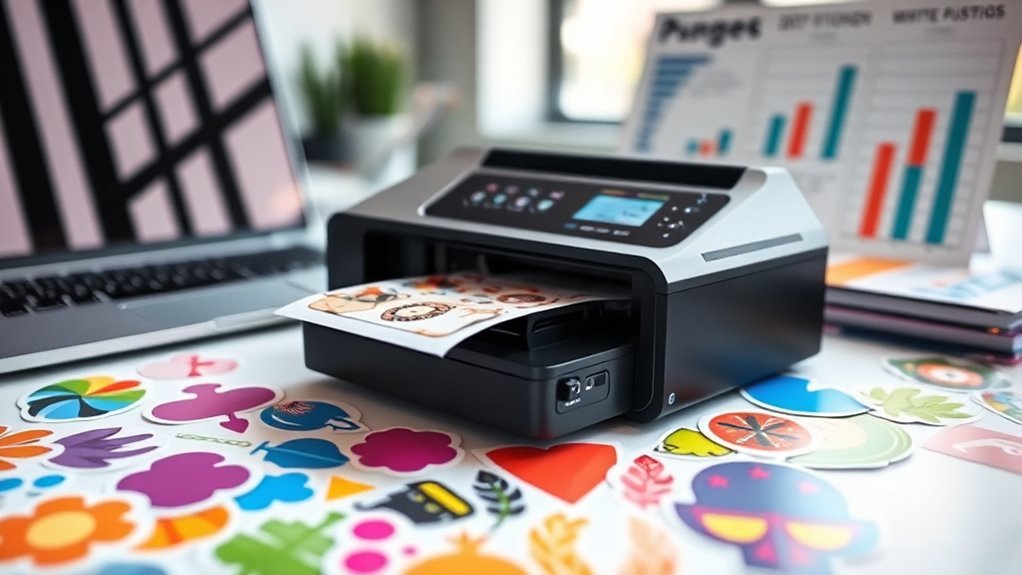
When choosing a budget sticker printer, you’ll want to contemplate the printing technology and print resolution to guarantee quality results.
Check the connectivity options and compatible media sizes to match your workflow needs. Also, don’t forget to evaluate battery life if you plan to use the printer on the go.
Printing Technology Type
Choosing the right printing technology plays an essential role in balancing quality, cost, and durability for your budget sticker printer. If you want low maintenance and cost-effectiveness, direct thermal printers use heat-sensitive paper without ink or toner but may fade over time.
Thermal transfer printers add durability by fusing ink from a ribbon onto labels, ideal for fade-resistant stickers, though ribbons add to your expenses. Inkjet printers offer vibrant, full-color prints on various media but come with higher running costs due to ink cartridges and more upkeep.
Also, consider media compatibility: direct thermal works only with heat-sensitive labels, while thermal transfer and inkjet handle a wider range, including synthetic and weather-resistant materials. Your choice impacts sticker longevity and overall value.
Print Resolution Quality
Print resolution plays a key role in how sharp and clear your stickers appear, directly affecting readability and visual appeal. It’s measured in dots per inch (DPI). Higher DPI like 300 produces crisper text and fine details compared to 200 DPI.
If you’re printing barcodes or small fonts, aim for at least 203 DPI to guarantee legibility and reliable scanning. For logos or photo-quality stickers, 300 DPI or higher is best.
Keep in mind, higher DPI pairs well with narrow label widths. This lets you keep small text readable without having to enlarge the stickers.
However, higher resolution demands more processing power, which might slow print speed or drain battery life on portable budget printers. Also, consider the printer’s color or grayscale capabilities. High-DPI monochrome prints often look better than low-DPI grayscale ones.
Connectivity Options Available
Although budget sticker printers often prioritize affordability, connectivity options play a crucial role in how easily you can integrate the device into your workflow.
Bluetooth (versions 4.0 to 5.0) lets you print wirelessly from smartphones or tablets within about 10 to 33 feet. Newer versions offer faster, more stable connections.
USB (Type-A or Type-C) provides a dependable wired link for PCs and laptops, supporting higher throughput. Wi-Fi or Wi-Fi Direct enables multi-device network printing and remote access but may need more setup.
Wired Ethernet suits shared office environments with large print jobs but is rare on ultra-portable models. Also, check app and driver compatibility—mobile apps for iOS/Android or desktop drivers for Windows/macOS affect which devices connect and available features like templates or batch printing.
Compatible Media Sizes
Once you’ve figured out the best connectivity options for your setup, the next step is to make sure your sticker printer handles the media sizes you need. Check the maximum media width and supported ranges to guarantee compatibility with your labels or photos.
Don’t forget to verify the minimum printable width and required roll core length, especially if you work with narrow labels or skinny tapes. This helps avoid feeding issues.
Confirm if the printer supports roll labels, fanfold, continuous paper, or die-cut sheets, since this affects printing and cutting options. Also, consider the maximum roll diameter and output capacity so you know how often you’ll need to reload media.
Finally, make sure the printer’s resolution and recommended media types match your needs for clear barcodes, vibrant photos, or two-color labels. It’s all about getting the best quality for your specific prints!
Battery Life Duration
When choosing a budget sticker printer, you’ll want to examine its battery life carefully since it directly affects how long you can work without interruptions. Start by checking the battery capacity in mAh; printers with 1,000–1,500 mAh batteries usually offer longer runtime between charges.
Look for manufacturer estimates like “up to 5,000 labels” per full charge to set realistic expectations. Consider printers with built-in rechargeable lithium-ion batteries and USB-C charging for quick, convenient refills.
Keep in mind that faster print speeds and heavy use drain batteries faster, reducing output per charge. Also, check if the printer includes battery level indicators and power-saving features such as auto-sleep or adjustable screen brightness to help maximize battery life during your projects.
App Features Support
Since the printer’s companion app plays a pivotal role in your workflow, you should make certain it supports both iOS and Android with clear minimum OS requirements, like iOS 9.0+ or Android 4.0+.
Look for apps offering templates, fonts, and stickers, plus OCR and batch or Excel printing to speed up label creation and handle bulk jobs efficiently.
Check if essential features—such as advanced templates, extra fonts, or cloud storage—require paid subscriptions so you can plan for ongoing costs.
Choose apps with one-click Bluetooth pairing, in-app print-job management (pause, resume, cancel), and clear on-screen prompts for smooth operation.
Also, confirm support for image editing tools and options like dual-color or photo printing, with the ability to save or export designs for future reuse.
Portability and Size
Although budget sticker printers often prioritize affordability, you’ll still want to contemplate their portability and size carefully to make certain they fit your lifestyle and workspace. Check the printer’s physical dimensions and weight—ideally around 3–4 inches and under 350 grams—if you want something pocketable or easy to carry.
If you need true mobility, opt for models with built-in rechargeable batteries rather than those relying solely on USB power. Confirm the maximum media width and roll capacity since smaller units typically handle paper widths between 20–50 mm, limiting sticker size.
Look for lightweight connectivity options like Bluetooth 4.0 or 5.0 paired with app control for quick printing on the go. Also, consider battery life and estimated prints per charge to make certain the printer meets your daily volume.
Price and Warranty
Before you start shopping for a budget sticker printer, set a clear price range to focus your options. Entry-level thermal printers vary from very affordable mini units to pricier models with higher DPI and extra features. Knowing your maximum spend helps narrow choices quickly.
Check warranty details carefully—aim for at least a 1-year manufacturer warranty that covers print-head defects, battery issues, and replacement parts. Don’t overlook return policies, ideally a 30-day window, so you can test compatibility risk-free.
Also, factor in total ownership costs like label rolls, consumables, and any app subscriptions that may add up. Finally, pick brands with reliable support and accessible firmware updates, ensuring your inexpensive printer stays functional and efficient long after purchase.
Frequently Asked Questions
Can These Printers Connect to Both Android and Ios Devices?
Yes, most budget sticker printers can connect to both Android and iOS devices via Bluetooth or Wi-Fi.
You’ll find they usually support apps compatible with both platforms, making it easy to print directly from your smartphone or tablet.
What Is the Average Battery Life of These Portable Sticker Printers?
You can expect an average battery life of 6 to 10 hours on these portable sticker printers.
This means you can print hundreds of stickers on a single charge before needing to recharge.
Pretty handy, right? It keeps you going without constantly worrying about power.
Are Replacement Sticker Rolls Widely Available for These Models?
You might worry replacement rolls are hard to find, but they’re actually widely available for most models.
You’ll easily get compatible sticker rolls online or in stores, keeping your printer running without hassle or extra cost.
Do These Printers Support Printing Custom Designs or Only Templates?
You can print custom designs with these printers, not just templates. Most models let you upload your own artwork or create stickers from scratch using their software, giving you full creative freedom for your projects.
How Durable Are the Printed Stickers Against Water and Fading?
The printed stickers are quite durable against water and fading, especially if you use waterproof vinyl or laminate them. You’ll find they hold up well outdoors, but avoid harsh chemicals to keep colors vibrant longer.
Basically, if you take a bit of care, your stickers can look great for a long time. Just keep them away from stuff that might wear them down too quickly.
Conclusion
Now that you’ve seen these top budget sticker printers, the real question is—which one will transform your creativity without breaking the bank?
Imagine printing vibrant, personalized stickers anytime, anywhere, effortlessly. But don’t rush—each printer offers unique features that could perfectly match your style and needs.
Your ideal sticker printer is waiting, ready to bring your ideas to life. Whether you want to create custom labels, decorate your planner, or start a small sticker business, these budget-friendly sticker printers make it easy and affordable.
Are you ready to find the best budget sticker printer for 2027 and start sticking with style? Let your creativity flow without spending a fortune!