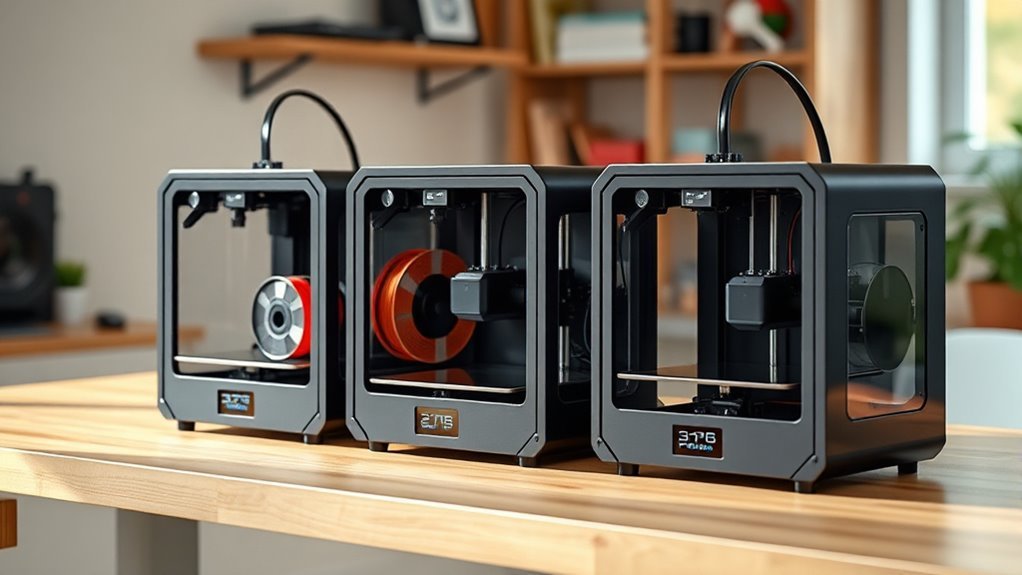
3 Best Cheap 3D Printers Under $300 for 2027
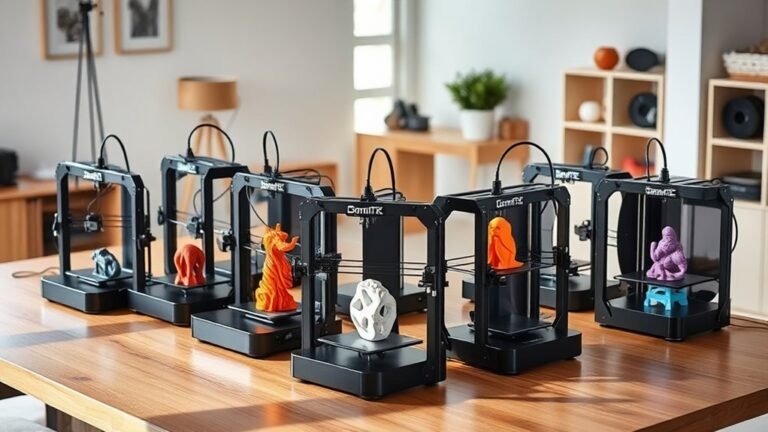
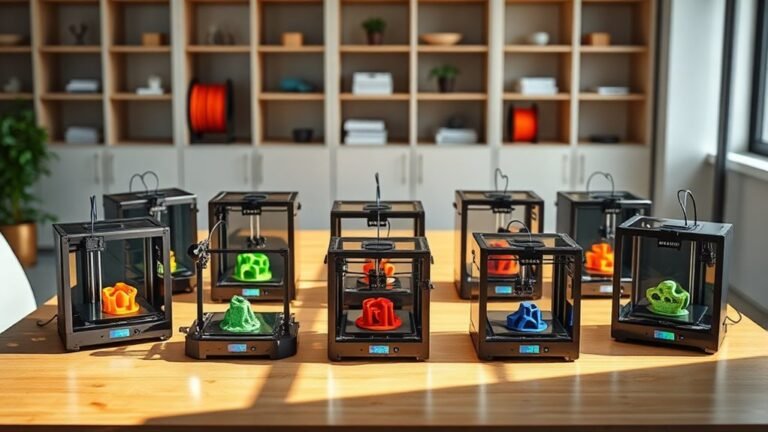
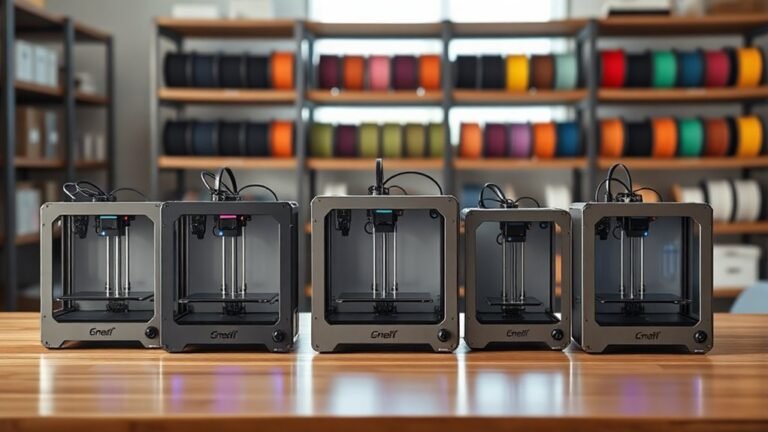
You’ll find three standout budget 3D printers under $300 for 2027 that combine affordability with great features.
First up is the Entina Tina2 Plus, which comes with WiFi and auto-leveling for a quick and hassle-free setup.
Then there’s the Portable Compact FDM, known for its removable plate and impressive detailed printing.
Last but not least, the Malyan M320 arrives fully assembled and factory calibrated—perfect if you want to start printing right away.
Each model offers reliable adhesion, supports common filament types, and includes beginner-friendly features that make them ideal for small projects.
If you’re trying to decide which cheap 3D printer fits your needs best, don’t worry—there’s more key info ahead to help guide your choice.
| Image | Name | Editor's Rating | Price |
|---|---|---|---|

|
|
||

|
|
||

|
|
Entina Tina2 Plus 3D Printer with WiFi & Auto Leveling
- 【Start Printing in Minutes – Beginner Friendly】No setup required. Tina2 Plus 3d printer comes fully assembled and ready to use out of the box. With included TF card...
- 【Fast 250mm/s Printing Performance】This Tina2 Plus high speed 3D printer print speeds up to 250 mm/s help reduce waiting time and support fast project turnaround...
- 【WiFi App Control & STEM Model Library】Powered by the Poloprint Cloud app, this WiFi-enabled 3D printer gives access to 3,500+ printable models and 25+ creative DIY...
- 【40-Second Fast Heat Ceramic Hotend】High-efficiency ceramic hotend heats up in just 40 seconds for faster start-up and less downtime. The quick-swap nozzle design...
- 【Compact 3D Printer for Home & Classroom】Designed with a space-saving footprint while maintaining practical print capacity, this compact 3D printer fits easily on...
The Entina Tina2 Plus 3D Printer offers a seamless introduction to 3D printing with its beginner-friendly setup and built-in WiFi. This printer arrives fully assembled, allowing you to start printing without delay. With a TF card loaded with ready-to-print models, you can bring your ideas to life within minutes.
Its auto-leveling feature and PEI spring steel build plate ensure prints adhere smoothly and come out consistently. The fast 40-second heat-up time minimizes waiting, while the stable dual Z-axis motion system supports precise and reliable printing. These features reduce maintenance needs and make the printer easy to operate.
Designed for educators, kids, and first-time users, the Tina2 Plus supports quick startup and STEM learning projects. The WiFi connectivity paired with the Poloprint Cloud app enables remote print control and access to thousands of downloadable models. This integration simplifies project management and fosters creativity.
While its compact size is ideal for small projects, it might not suit larger prints. The printer is best used under supervision and offers limited advanced customization out of the box, though it supports open-source modifications for those interested.
Best for: beginners, educators, and kids seeking a hassle-free, WiFi-enabled 3D printer for quick setup and educational use.
What We Like:
- Fully assembled with preloaded models for immediate printing
- Fast 40-second ceramic hotend heat-up and stable dual Z-axis system
- WiFi connectivity and Poloprint Cloud app for easy remote control
- Auto-leveling and PEI spring steel build plate for consistent print quality
Specification:
| Feature | Details |
|---|---|
| Manufacturer | Entina |
| Dimensions | Compact size (exact size not provided) |
| Weight | Not specified |
| Material | PEI spring steel build plate |
| Connectivity | WiFi |
| Color Options | Not specified |
Portable Compact FDM 3D Printer with Removable Plate
- Foolproof Setup with Video Guides – Never get stuck! We provide a crystal-clear Quick Start Guide and step-by-step video tutorials. Watch them online to get started.
- Simple Assembly with Video Guide – Requires quick modular setup (watch our step-by-step video). Comes with 10m PLA filament, TF card, tools, and 12V Type-C power...
- Versatile Filament Compatibility – Unleash your creativity with both PLA and flexible TPU (1.75mm). The reliable 0.4mm nozzle and precise 0.05-0.3mm layer thickness...
- Reliable Performance & Compact Design – Features stable FDM technology and a removable build plate for easy model removal. The perfect 100x100x100mm build volume is...
- Complete Package – No Hidden Costs – Includes printer, 10m PLA filament, 8GB TF card + reader, tools, illustrated manual, and 12V Type-C power adapter. Plus free...
Experience hassle-free 3D printing with this portable compact FDM 3D printer designed for ease and precision. Its removable build plate allows for quick, clean model removal, eliminating frustration and mess after printing. This feature makes maintenance simple and keeps your workspace tidy.
The printer’s small footprint fits comfortably in tight spaces, making it an excellent choice for classrooms, dorm rooms, or home workshops. With a build volume of 100 x 100 x 100 mm and a precise 0.4 mm nozzle, it delivers detailed prints ideal for educational projects and hobbyist creations.
Setup is straightforward thanks to clear guides, video tutorials, and included tools. Supporting PLA and TPU filaments, it offers versatility for various project types while maintaining ease of use. Its compact, lightweight design (just 2.2 pounds) enhances portability without sacrificing stability.
While the limited build volume and filament compatibility may restrict some advanced projects, this reliable printer provides a convenient, user-friendly experience for everyday 3D printing needs.
Best for: beginners, students, and hobbyists seeking a practical, portable 3D printer with straightforward maintenance and reliable performance.
What We Like:
- Removable build plate for easy model removal and minimal cleanup
- Clear setup instructions and helpful video tutorials
- Compact, lightweight design ideal for small spaces and portability
- Supports PLA and TPU filaments with good print detail
- Stable FDM technology suitable for educational environments
Specification:
| Feature | Details |
|---|---|
| Manufacturer | CAIDAQC |
| Build Volume | 100 x 100 x 100 mm |
| Nozzle Diameter | 0.4 mm |
| Supported Filaments | PLA, TPU |
| Layer Thickness | 0.05 – 0.3 mm |
| Weight | 2.2 lb (1 kg) |
| Design | Portable, compact FDM |
Malyan M320 Fully Assembled 3D Printer
- 1. Ready to Print: Unlike most other low-cost 3D printers, this printer ships fully assembled and has already been calibrated at the factory. We even include sample PLA...
- 2. LCD Touch Screen: Touch screen interface, simply navigate through the easy to use touch screen to level the print bed, select the part you want to print, and let the...
- 3. Heated aluminum build plate nozzle cooling fan for printing all filament types. Complete kit with sample PLA filament, bed scraper, and MicroSD card with preloaded...
- 4. All Metal Hotend for Stability: The all metal hotend is capable of superior performance and prevents wear and tear, while the heat brake design allows for efficient...
- 5. Removable Magnetic Build Plate: The easy to remove magnetic build plate makes the often times messy and difficult removal of prints simple and straightforward. You can...
The Malyan M320 is a fully assembled 3D printer designed to get you printing quickly without the hassle of setup. Its factory calibration and metal frame provide stability and precision, making it ideal for producing detailed small to medium-sized models. This printer addresses common startup frustrations by offering a ready-to-use solution straight out of the box.
Maintenance is straightforward with a removable magnetic print sheet that makes model removal easy and reduces the risk of damage. The heated aluminum build plate ensures better adhesion during printing and helps reduce warping, which improves overall print quality. The all-metal hotend with an integrated cooling fan supports consistent extrusion and reliable performance.
Navigating the printer and leveling the bed is simple thanks to the LCD touchscreen interface. You can print directly from a microSD card or connect via USB to your computer, providing flexible options for file transfer. While the compact 150 x 150 x 150 mm build volume limits larger projects, it suits hobbyists and educators focusing on detailed prints.
Best for: users seeking a fully assembled 3D printer with reliable features and easy operation for small to medium-sized printing projects.
What We Like:
- Fully assembled and factory calibrated for quick startup
- Heated aluminum build plate improves print adhesion
- Removable magnetic print sheet simplifies model removal
- LCD touchscreen for easy navigation and bed leveling
- USB and microSD connectivity for versatile file input
Specification:
| Attribute | Details |
|---|---|
| Manufacturer | Malyan |
| Build Volume | 150 x 150 x 150 mm |
| Frame Material | Metal |
| Heated Bed | Yes, aluminum |
| Hotend | All-metal with cooling fan |
| Connectivity | USB, microSD |
| Display | LCD touchscreen |
Factors to Consider When Choosing a Cheap 3D Printer Under 300
When choosing a 3D printer under $300, you’ll want to focus on print quality essentials and the build volume size to match your projects.
Also, think about how easy it is to set up and which connectivity options it offers for smooth operation. It really makes a difference when you can get started without hassle.
Don’t forget to check the range of compatible materials, so your printer can handle different types of filament. That way, you’ll have more flexibility with your prints.
Print Quality Essentials
Achieving high print quality on a budget requires paying close attention to key hardware features and settings. Focus on layer height capability—look for printers offering 0.05 to 0.2 mm to balance detail and speed.
Nozzle diameter, typically 0.4 mm, affects feature size and print duration. Smaller nozzles improve detail but slow printing.
Make certain the printer has a stable motion system and a rigid frame with dual Z support or reinforced gantries to prevent ringing and misalignment.
A heated bed paired with reliable adhesion surfaces like PEI or magnetic sheets makes certain first-layer accuracy and minimizes warping.
Finally, precise filament extrusion—driven by quality extruders and well-calibrated E-steps—combined with consistent filament diameter (±0.02 mm) guarantees dimensional accuracy and smooth finishes.
Build Volume Size
Print quality depends a lot on hardware, but the size of your build volume shapes what you can create. Budget 3D printers under $300 typically offer build volumes from about 100 × 100 × 100 mm to 150 × 150 × 150 mm. Check these dimensions carefully to confirm your parts fit.
Larger volumes let you print bigger models in one piece, but smaller printers often provide better control and detail. Also, consider the usable Z-height and whether the print plate is removable or fixed, since obstructions can reduce the effective space.
If you plan to print multiple items at once, make sure the XY area accommodates their total footprint. Keep in mind, bigger volumes mean longer print times, more filament use, and higher warping risk—balance size with efficiency.
Ease Of Setup
Although budget 3D printers under $300 can offer great value, their ease of setup varies widely and can impact how quickly you start creating. Check if the printer arrives fully assembled or as a kit—fully assembled or factory-calibrated models let you print within minutes, while kits may take hours.
Look for clear, step-by-step setup guides, both printed and video, plus starter files or preloaded SD/TF cards to minimize troubleshooting. Pay close attention to the bed leveling method; automatic or assisted leveling saves you time compared to manual probing.
Also, make certain the printer includes essential accessories like a removable build plate, filament, power adapter, and scraper so you won’t need extra purchases before your first print. These factors guarantee a smoother, faster start.
Connectivity Options Available
How do you want to connect your 3D printer? If you prefer wireless convenience, Wi-Fi lets you send prints remotely and often includes mobile app control. Just keep in mind, it might sometimes have reliability issues.
USB connections or USB flash drives offer simple, direct printing from a PC or offline storage. They’re compatible with most slicing software, making them pretty straightforward to use.
SD or TF card slots provide the easiest offline option. You can print pre-sliced files without any computer, which is great for security and means you’re not depending on a network.
Ethernet ports are rare in budget models but deliver the most stable network link for remote printing in shared spaces. Some printers also support USB OTG or webcams for monitoring, while others rely on basic LCD and SD interfaces.
Make sure to pick connectivity options that fit your workflow and setup needs. It’s all about what works best for you!
Material Compatibility Range
When picking a cheap 3D printer under $300, you’ll want to zero in on its material compatibility to make sure it handles the filaments you plan to use. Most budget printers support 1.75 mm filament, so check this first.
Confirm it prints common materials like PLA, PETG, TPU, and ABS. If you want to print flexible TPU, the printer should have a direct-drive extruder or be compatible with Bowden setups.
Check the maximum nozzle and heated bed temperatures—look for ≥240–260°C nozzle and ≥100°C bed to handle higher-temp materials such as nylon or ASA. Make certain the hotend is all-metal for high-temp printing.
Also, consider if the build surface and enclosure suit warping-prone materials. Finally, note that single-extruder printers limit multi-material prints and may need upgrades for support filaments.
Safety Features Included
Because 3D printers operate with high temperatures and moving parts, you need to prioritize safety features that protect both you and the machine. Look for printers with partially or fully enclosed frames that separate hot zones, reducing accidental contact.
Thermal runaway protection and temperature sensors on the hotend and heated bed are essential to automatically shut down the printer if temperatures become unsafe. Features like automatic bed leveling and filament run-out detection help prevent failed prints that might overheat or clog components.
Make sure the model has a reliable power supply with over-current and short-circuit protection, plus safety certifications like UL or CE. And if you’re using the printer at home or in a classroom, choose ones with cooled electronics, rounded edges, and removable or PEI-surfaced build plates to minimize burn risks when removing parts.
Software And Firmware
Choosing the right software and firmware can make or break your experience with a 3D printer under $300. You’ll want to make certain it’s compatible with popular slicers like Cura, PrusaSlicer, or Simplify3D. That way, you can easily access community profiles and presets.
Opt for printers with open or well-documented firmware such as Marlin or Klipper. This allows you to get updates, bug fixes, and useful features like thermal runaway protection.
Look for firmware that supports auto-bed leveling, mesh bed compensation, and PID tuning to really boost your print quality. Also, check out connectivity options like USB, SD/TF cards, Wi-Fi, or OctoPrint support. These make file transfers and remote control way more convenient.
Finally, confirm that the software gets active updates and has a strong user community behind it. This helps keep your printer secure and up-to-date over the long haul.
Warranty And Support
Beyond software and firmware, warranty and support play a big role in your overall 3D printing experience, especially with budget models under $300. You’ll want to verify the warranty length—usually 6 to 12 months—and confirm it covers major parts like electronics, motors, and the hotend. At the same time, understand exclusions like nozzles and build plates.
Check the repair and replacement process carefully, including any return shipping or diagnostic fees. It’s good to know what you’re getting into before you need service. Also, evaluate support options such as email, phone, live chat, and forums, since quick assistance can save you time.
Finally, make certain spare parts are readily available and documentation is clear. This way, you can handle out-of-warranty repairs yourself if needed. These factors help minimize downtime and keep your printer running smoothly long-term.
Frequently Asked Questions
Can These Printers Use Third-Party Filaments?
Yes, you can use third-party filaments with these printers, but you’ll want to check compatibility with the specific model.
Adjusting settings might be necessary to get the best print quality and avoid jams or errors. It’s a good idea to do a little test print first to see how it goes.
What Software Is Compatible With These 3D Printers?
Of course, you’ll find these printers compatible with popular software like Cura, PrusaSlicer, and Repetier-Host—because who doesn’t want their budget printer to play nice with industry favorites?
It definitely makes your printing life easier. Plus, these programs have tons of features to help you get the best results without a steep learning curve.
Are Replacement Parts Easily Available for These Models?
Yes, replacement parts are usually easy to find for these models. You’ll often get compatibility with common components, and many manufacturers offer affordable spares online.
Do These Printers Support Printing With Flexible Materials?
Think of flexible filament like a rubber band—some printers handle it smoothly, others snap. You’ll find many budget models struggle, but a few under $300 manage flexible materials if you tweak settings and use a direct drive extruder.
It’s all about dialing in the right setup. With some patience and adjustments, even flexible printing can be a breeze on the right machine. Just keep in mind, not every printer is cut out for it!
What Is the Average Print Speed of These Printers?
You can expect an average print speed of about 40-60 mm/s with these printers. They balance speed and quality well, so you won’t sacrifice detail for faster prints.
That makes them great for everyday projects. You’ll get good results without waiting too long.
Conclusion
You might think affordable means sacrificing quality, but these 3D printers prove otherwise. The Entina Tina2 Plus, Portable Compact FDM, and Malyan M320 each offer impressive features without breaking the bank.
While high-end models boast endless bells and whistles, these budget-friendly options deliver reliability and convenience that suit your creative needs perfectly. Don’t let price fool you—sometimes, the best choice is the one that fits your budget and still sparks your imagination.
When looking for the best cheap 3D printers under $300, it’s clear you don’t have to compromise on performance. These models balance cost and quality, making them great for beginners and hobbyists alike. So, if you want a reliable, affordable 3D printer that fuels your creativity, these picks are definitely worth considering.