4 Best Cheap 3D Printers for Miniatures in 2027
You’ll get sharp, detailed miniatures without breaking the bank with these top 4 resin 3D printers in 2027. If you’re into printing miniatures, finding a printer that balances quality, speed, and affordability is key. That’s why these models stand out for miniature enthusiasts and hobbyists alike.
The ANYCUBIC Photon Mono 4 offers a 7” 10K mono LCD for precision. ELEGOO Mars 5 provides easy one-click leveling, making setup a breeze. Meanwhile, the phrozen Sonic Mini 8K delivers ultra-fine 8K resolution for incredible detail.
And don’t forget the ELEGOO Saturn 3 Ultra 12K, which boasts a large 10” 12K display and fast speeds. Each printer balances detail, speed, and ease perfectly for your miniature printing needs. You’ll find plenty of insights ahead to help pick your best fit.
| Image | Name | Editor's Rating | Price |
|---|---|---|---|

|
|
||
|
|
||

|
|
||

|
|
ANYCUBIC Photon Mono 4, Resin 3D Printer with 7” 10K Mono LCD Screen
- 【7'' 10K High Resolution】Photon Mono 4 boasts an impressive 105% increase in print precision compared to Mono 2. With a resolution of 9024x5120, each pixel measures a...
- 【Powerful Light Source】The time-tested Anycubic LighTurbo matrix light source technology delivers stable, balanced, and uniform lighting to reduce layer lines and...
- 【Sufficient Print Size】With a generous maximum build volume of 6.04'' x 3.42'' x 6.49''/153.4mm x 87mm x 165mm, you have ample print space to easily tackle your daily...
- 【Laser-engraved Print Platform 2.0】With a new design, the laser engraving platform of the photon mono 4 improves adhesion to mitigate lifting and warping of the model...
- 【User-friendly Function】The 4-point leveling method is ideal for beginners, after the first leveling and tightening the 4 screws, no need to repeat leveling. Photon...
Experience sharp, detailed miniatures with the ANYCUBIC Photon Mono 4, designed to elevate your resin 3D printing projects. Its 7-inch 10K mono LCD screen significantly enhances print precision, delivering crisp and intricate models with ease.
The printer’s LighTurbo matrix technology ensures consistent, uniform lighting, reducing visible layer lines and producing ultra-smooth surfaces. This innovation helps you achieve professional-quality finishes without extensive post-processing.
Maintenance is simplified with the Laser-engraved Print Platform 2.0, which offers reliable adhesion and easy model removal. The intuitive 4-point leveling system minimizes recalibration, saving time and effort during setup and between prints.
With a fast print speed of up to 70 mm/h, the Photon Mono 4 lets you complete detailed projects quickly. While it lacks Anycubic APP support for remote control, its stable performance and precise output make it ideal for focused, hands-on use.
Best for: hobbyists and professionals seeking fast, highly detailed resin 3D printing for miniatures and intricate models.
What We Like:
- High precision with 7″ 10K mono LCD and LighTurbo lighting
- Laser-engraved platform for strong adhesion and easy removal
- 4-point leveling system reduces recalibration time
- Fast printing speed up to 70 mm/h
Specification:
| Feature | Details |
|---|---|
| Manufacturer | ANYCUBIC |
| Screen Size | 7 inches |
| Screen Resolution | 10K mono LCD |
| Print Speed | Up to 70 mm/h |
| Leveling System | 4-point |
| Print Platform | Laser-engraved Print Platform 2.0 |
| Technology | LighTurbo matrix light |
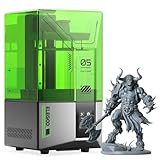
ELEGOO Mars 5 Resin 3D Printer
- 【Effortless Magic with One-Click Automatic Leveling】Effortless precision is just a click away. ELEGOO Mars 5 resin 3D printer offers advanced automatic leveling...
- 【Print Smarter, Print Worry-Free】With a smart mechanical sensor, ELEGOO Mars 5 resin printer supports residue detection to prevent damage to the LCD screen. Plus...
- 【One-Click Self-Check, Ensuring Reliable Prints】Tired of setup hassles and unexpected errors ruining your printing projects? With just a simple click, ELEGOO Mars...
- 【4K Mono LCD for Stunning Details】Featuring a 4K mono LCD with advanced COB light source, ELEGOO Mars 5 impresora 3D de resina faithfully reproduces intricate details...
- 【Advanced Overheat Protection, Cool and Safe】No more overheating worries. The advanced overheat protection automatically halts printing and triggers an alarm if the...

The ELEGOO Mars 5 Resin 3D Printer delivers sharp, high-detail miniatures with ease. Its advanced 4K mono LCD combined with a COB light source ensures precise prints, solving common issues with detail loss in resin printing. This printer helps you achieve professional-quality results without complex setup.
Maintenance is simplified with one-click automatic leveling and self-checks, reducing the chance of failed prints. Safety sensors monitor resin residue and shortages, alerting you before problems arise. Overheat protection and efficient cooling keep the printer running smoothly and reliably over time.
Designed for detailed miniature creation, the Mars 5 fits comfortably in compact spaces thanks to its modest footprint and manageable weight. Its print volume is ideal for hobbyists and professionals working on smaller projects who want consistent results with minimal fuss.
While resin printing requires careful handling and post-processing, the Mars 5’s features help reduce common frustrations. Its combination of safety and automation makes it a dependable choice for those focused on precision and ease of use.
Best for: hobbyists and professionals seeking high-detail resin 3D prints with minimal setup and reliable operation.
What We Like:
- Sharp, precise prints from 4K mono LCD with COB light source
- One-click automatic leveling and self-checks reduce errors
- Safety sensors detect resin issues and prevent overheating
- Compact design suitable for limited workspace
Specification:
| Feature | Details |
|---|---|
| Manufacturer | ELEGOO |
| Dimensions | 20.87 × 12.8 × 11.61 inches |
| Weight | 14.52 pounds |
| Print Volume | 5.65 × 3.53 × 5.91 inches |
| Display | 4K Mono LCD with COB light |
phrozen Sonic Mini 8K Resin 3D Printer
- Beginner Friendly - With an attractive value for money and user-friendly specifications, the Phrozen Sonic Mini 8K is the ideal 3D printer for beginners.
- Art with Precision - Immerse yourself in a world of detail with an XY resolution of 22 microns and the 8K mono LCD where every nuance of your works comes to life.
- Compact and Powerful - The resin printer offers sufficient space to let your creativity run wild with a printing volume of 16.5 x 7.2 x 17 cm and a load capacity of up to...
- Wide Compatibility - The support for open source software and your favourite slicers such as Lychee, Chitubox or Tango assures you the freedom to realize your ideas...
- Sophisticated Technology - Thanks to the precise Z-axis calibration, the printer ensures even and accurate printing and takes your craft to a new level.
The phrozen Sonic Mini 8K Resin 3D Printer is designed for those who demand exceptional detail in miniature and model printing. Its 7.1″ monochrome 8K LCD and precise 22 μm XY resolution help capture intricate features with remarkable clarity. This printer makes it easy to create highly detailed miniatures without sacrificing speed or accuracy.
Thanks to a calibrated Z-axis, layer positioning is highly precise, resulting in consistent print quality. The printing volume is well-suited for miniatures and action figures, providing ample space without compromising desktop convenience. Its compact design and 22-pound weight make it stable on any tabletop, though it’s best used in a fixed workspace.
Maintenance is straightforward, as the printer supports popular slicers like Lychee and ChiTuBox, offering flexible software compatibility. This ensures smooth workflow integration and easy file preparation for users at any skill level.
While the printing volume limits larger projects, the Sonic Mini 8K excels in producing fine, detailed prints with reliable consistency. Its balance of high resolution and user-friendly features makes it a strong tool for hobbyists focused on miniature and model creation.
Best for: hobbyists and beginners seeking ultra-detailed miniature and model printing with a user-friendly, high-resolution resin 3D printer.
What We Like:
- Ultra-fine 22 μm XY resolution with 8K monochrome LCD for detailed prints
- Calibrated Z-axis ensures accurate and even layer placement
- Compatible with Lychee and ChiTuBox slicers for versatile software use
- Compact tabletop design fits small workspaces comfortably
Specification:
| Feature | Details |
|---|---|
| Manufacturer | PHROZEN TECH |
| Display Size | 7.1 inches |
| LCD Type | Monochrome 8K |
| XY Resolution | 22 μm |
| Weight | 22 lb (10 kg) |
| Printing Volume | Suitable for miniatures and action figures |
ELEGOO Saturn 3 Ultra 12K MSLA 3D Printer with 10″ Monochrome LCD
- 【10" 12K LCD Screen】ELEGOO Saturn 3 Ultra features a 10-inch monochrome LCD screen (11520*5120 resolution), printing speed of 150mm/h with ELEGOO rapid resin, and a...
- 【COB+Refractive Light Source】Saturn 3 Ultra features a COB and Refractive light source for uniform light distribution, smoother surfaces, and higher printing...
- 【Laser Carved Platform】The laser carved build plate improves model adhesion and boosts printing success. With a build volume of 218.88mm122.88mm260mm, the Z-axis...
- 【Better Printing Experience】The 4-inch HD IPS touch screen is user-friendly and supports multiple languages. It features a detachable antenna and Wi-Fi file transfer...
- 【Printing Tips】To ensure successful printing and protect the LCD screen/release film: ① Correctly debug machine parameters before printing. ② Properly add model...
The ELEGOO Saturn 3 Ultra 12K MSLA 3D Printer delivers ultra-high-resolution prints that bring your miniatures and models to life. Its 10-inch monochrome LCD and 12K resolution capture fine details quickly, making it easier to create sharp, professional-quality results. This printer also speeds up production with print speeds reaching 150 mm/h.
Designed to run smoothly, the Saturn 3 Ultra features a COB + refractive light source that ensures even curing and smooth surfaces. Dual copper heat pipes maintain optimal temperature, preventing overheating and enhancing reliability during long print sessions. The laser-carved build plate improves adhesion, reducing print failures.
Maintenance is straightforward but essential for consistent performance. Regular cleaning of the resin tank and debugging print settings help you avoid common issues and maintain print quality. The 4-inch touchscreen and Wi-Fi file transfer simplify operation and workflow.
With a large build volume and versatile Voxeldance Tango slicer, this printer suits both hobbyists and professionals who need fast, detailed MSLA printing. It balances speed, precision, and user-friendly features in a robust design.
Best for: hobbyists and professionals seeking ultra-high-resolution MSLA 3D printing with fast speeds and a large build volume for detailed miniatures and models.
What We Like:
- Stunning 12K resolution with a large 10-inch monochrome LCD for detailed prints
- Efficient cooling system using dual copper heat pipes for stable operation
- Easy-to-use 4-inch touchscreen and convenient Wi-Fi file transfer
- Laser-carved build plate enhances print adhesion and success rates
- Versatile Voxeldance Tango slicer supports diverse printing needs
Specification:
| Feature | Details |
|---|---|
| Manufacturer | ELEGOO |
| Build Volume | Generous large size (exact size not specified) |
| LCD Screen Size | 10 inches monochrome LCD |
| Resolution | 12K |
| Print Speed | Up to 150 mm/h |
| Cooling System | Dual copper heat pipes |
| Touchscreen | 4 inches |
| Connectivity | Wi-Fi file transfer |
Factors to Consider When Choosing a Cheap 3D Printer for Miniatures
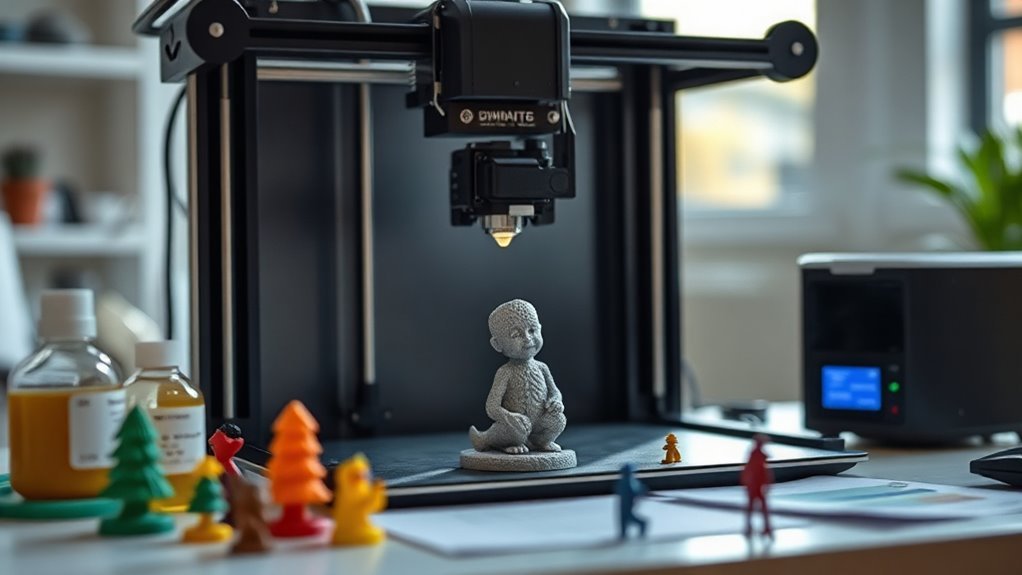
When choosing a cheap 3D printer for miniatures, you’ll want to focus on print resolution quality to capture fine details. It’s all about getting those tiny features just right.
Also, consider the build volume size and print speed to match your project needs without wasting time. You don’t want to wait forever for a single print, right?
Don’t forget to check how easy it is to level the printer and what materials it supports for the best results. These little things can make a big difference in your printing experience.
Print Resolution Quality
Although cheap 3D printers may seem similar at first glance, the print resolution quality can vary substantially and directly impacts the fine details of your miniatures. Pay attention to XY resolution—pixel sizes around 17–30 μm deliver crisp surface details, while values above 50 μm tend to blur small features.
The Z-layer height also matters; choosing 0.01–0.05 mm layers balances smooth vertical surfaces and reasonable print times. Don’t overlook screen resolution and optical quality, as higher LCD pixels and consistent light sources reduce artifacts and preserve tiny textures on faces and armor.
Build Volume Size
If you want to print miniatures efficiently, you need a build volume that fits your typical projects without forcing you to split models unnecessarily. Aim for at least 120 × 70 × 120 mm to handle most individual figures and small multi-piece kits comfortably.
While having a larger XY footprint helps if you print multiple miniatures simultaneously, prioritize high XY resolution over sheer size to capture fine details. A Z height between 120 and 170 mm lets you print taller miniatures or busts in one go.
If you’re printing armies or large batches, a bigger build volume boosts throughput but may increase costs and slow curing times. So, balance your volume needs with print quality and realistic batch sizes rather than just picking the largest printer available.
Print Speed Efficiency
Since print speed directly impacts your productivity, you’ll want a 3D printer that balances fast layer curing and Z-axis movement without sacrificing detail. Aim for models with effective Z speeds of 50–100 mm/h to keep print times manageable when producing miniatures.
Remember, finer XY resolution means longer exposure per layer, so you’ll need to balance detail against speed. Increasing layer height from 0.02 mm to 0.05 mm speeds up printing but reduces surface smoothness and fine features.
Batch printing multiple miniatures on one build plate is more efficient, as peel and layer times spread across all items. Finally, tweak your slicer settings—exposure time, lift speed, and bottom layer count—to shave off seconds per layer, which adds up considerably during long prints.
Ease Of Leveling
How easy is it to level your 3D printer before starting a print? Look for models with auto- or one-click leveling systems—they cut down setup time and reduce errors during bed calibration.
A stable four-point or multi-point leveling procedure can lock your calibration after the first setup, so you rarely need to re-level. Clear on-screen prompts guide you through adjusting the Z-offset and securing first-layer adhesion without guesswork.
Printers with laser-engraved or textured build plates improve grip for your miniatures, minimizing part lifting or warping and the need for frequent re-leveling. Plus, power-recovery features protect your calibration if power cuts happen, preventing wasted prints.
Choosing a printer with these leveling conveniences makes your miniatures printing experience smoother and more reliable.
Material Compatibility Options
Many factors influence the material compatibility of a cheap 3D printer for miniatures, so you’ll want to focus on resin types that balance detail, durability, and ease of use. UV-curable resins like SLA, DLP, or LCD offer exceptional fine detail with XY resolutions around 20 μm.
Consider standard resins for crisp detail but expect brittleness. If you need toughness, choose impact-resistant resins that trade some sharpness for durability.
Look at resin viscosity too—low-viscosity resins flow better for tiny features and cure faster. Don’t forget compatibility with post-processing: pick resins that sand, prime, and paint well without flaking.
For multi-part prints, washable resins simplify cleanup, and clear resins handle translucency. Always verify recommended layer height and exposure settings to maximize miniature fidelity.
Software And Connectivity
Where do you start when choosing software and connectivity features for a cheap 3D printer for miniatures? First, make sure it supports common slicer file formats like .stl, .obj, and .gcode. It should also work smoothly with popular slicer programs.
This access lets you tap into community profiles and reliable settings. Check connectivity options: USB, SD card, and preferably Wi-Fi or Ethernet for easy file transfers and remote monitoring.
A responsive touchscreen or clear host software is a must. It should offer preprint checks, pause/resume functions, and real-time status updates to cut down failed prints.
Also, look for printers with open or regularly updated firmware. This way, you can support custom or community enhancements.
Finally, dedicated slicing profiles for miniatures from the manufacturer or community drastically speed setup and improve print quality. It’s a real time-saver, trust me!
Durability And Maintenance
Though cheap 3D printers for miniatures often come with compromises, focusing on durability and maintenance can save you headaches down the line. Check for metal or reinforced aluminum frames—they resist vibration and keep XY accuracy high, reducing print failures.
Also, inspect the Z-axis lead screw and guides. Tighter-tolerance screws and dual-guide setups mean less recalibration and longer stepper motor life.
Look for printers with easy-to-replace consumables like FEP films or resin vats, plus standardized, affordable parts to cut downtime and repair costs. It really helps to have parts that won’t break the bank.
Prioritize accessible firmware and clear service instructions, so community support helps you troubleshoot quickly. Plus, consider cooling systems and dust protection—effective fans and enclosed chambers lower component stress and maintenance frequency.
All of this keeps your printer running smoothly for longer, saving you time and frustration.
Price And Warranty
After making certain your printer is durable and easy to maintain, the next step is to weigh its price and warranty. Lower-priced resin printers can deliver high-detail miniatures but often trade off build volume, speed, and longevity.
Don’t just focus on the upfront cost; factor in consumables like resin, FEP films, and potential replacement parts, as these add up quickly. Check warranty length and coverage closely—limited warranties on budget models might leave you footing repair bills soon after buying.
Also, look for clear warranty support, good RMA policies, and firmware updates from the seller. These make certain ongoing software fixes and spare-part availability that extend your printer’s practical value, saving you time and money down the road.
Frequently Asked Questions
How Do I Maintain and Clean My Resin 3D Printer?
You should clean the resin vat and build plate after each print. Using isopropyl alcohol to wash prints really helps keep them smooth and clean.
Also, make sure to replace the resin regularly. It keeps your prints looking their best and prevents any issues.
And don’t forget to keep your printer covered to avoid dust settling on it. Oh, and always wear gloves when handling resin—it’s super important for your safety!
What Safety Precautions Are Needed When Using Resin Printers?
You should wear nitrile gloves and a mask to avoid skin contact and inhaling fumes. Work in a well-ventilated area.
Also, keep resin away from direct sunlight. Always clean spills immediately to stay safe.
It might seem like a lot, but these steps really help protect you while printing. Staying cautious makes the whole process much smoother!
Can These Printers Use Third-Party Resins?
If you tried using Anycubic’s third-party resin with their Photon Mono, you’d find it mostly compatible but with varied curing times. You can use third-party resins, but always check compatibility and adjust settings for best results.
It’s a good idea to experiment a bit. That way, you can get the best print quality without any surprises.
How Long Do Resin Printer Parts Typically Last?
Resin printer parts typically last between one to three years, depending on usage and storage conditions. You’ll want to handle them carefully and avoid prolonged UV exposure to keep your miniatures looking sharp and durable.
It’s pretty important to store them in a cool, dark place when you’re not using them. That way, they stay in good shape for as long as possible. Taking these simple steps can really make a difference!
Are These Printers Compatible With Popular 3D Modeling Software?
Yes, these printers work seamlessly with popular 3D modeling software like Blender, Tinkercad, and Cura.
You’ll find it easy to import your designs and start printing without compatibility issues or extra conversions.
It’s pretty straightforward, so you can focus more on creating and less on troubleshooting.
Conclusion
When choosing a cheap 3D printer for miniatures, you want quality without breaking the bank. Did you know that resin printers like the ANYCUBIC Photon Mono 4 can deliver details up to 10 microns? That’s insanely precise for such an affordable price!
Whether you pick the ELEGOO Mars 5 or the phrozen Sonic Mini 8K, these options prove you don’t need to spend a fortune to get stunning, detailed miniatures every time.
In fact, the best cheap 3D printers for miniatures in 2027 combine affordability with impressive resolution and reliability. You can create finely detailed models perfect for tabletop gaming or collectibles without emptying your wallet. So if you’re hunting for budget-friendly 3D printers that produce crisp, high-quality miniatures, these resin-based printers are definitely worth considering. With options like the ANYCUBIC Photon Mono 4, ELEGOO Mars 5, and phrozen Sonic Mini 8K, you’re set for amazing results without overspending.